Butte County Transfer on Death Affidavit Form
Last validated August 20, 2026 by our Forms Development TeamFormatted for recording in Butte County, for property anywhere in the county: rural and unincorporated areas as well as Bangor, Berry Creek, Biggs, Chico, Clipper Mills, Durham, Feather Falls, Forbestown and 9 more.
- 3 documents included
- Immediate PDF download
- Formatting guarantee
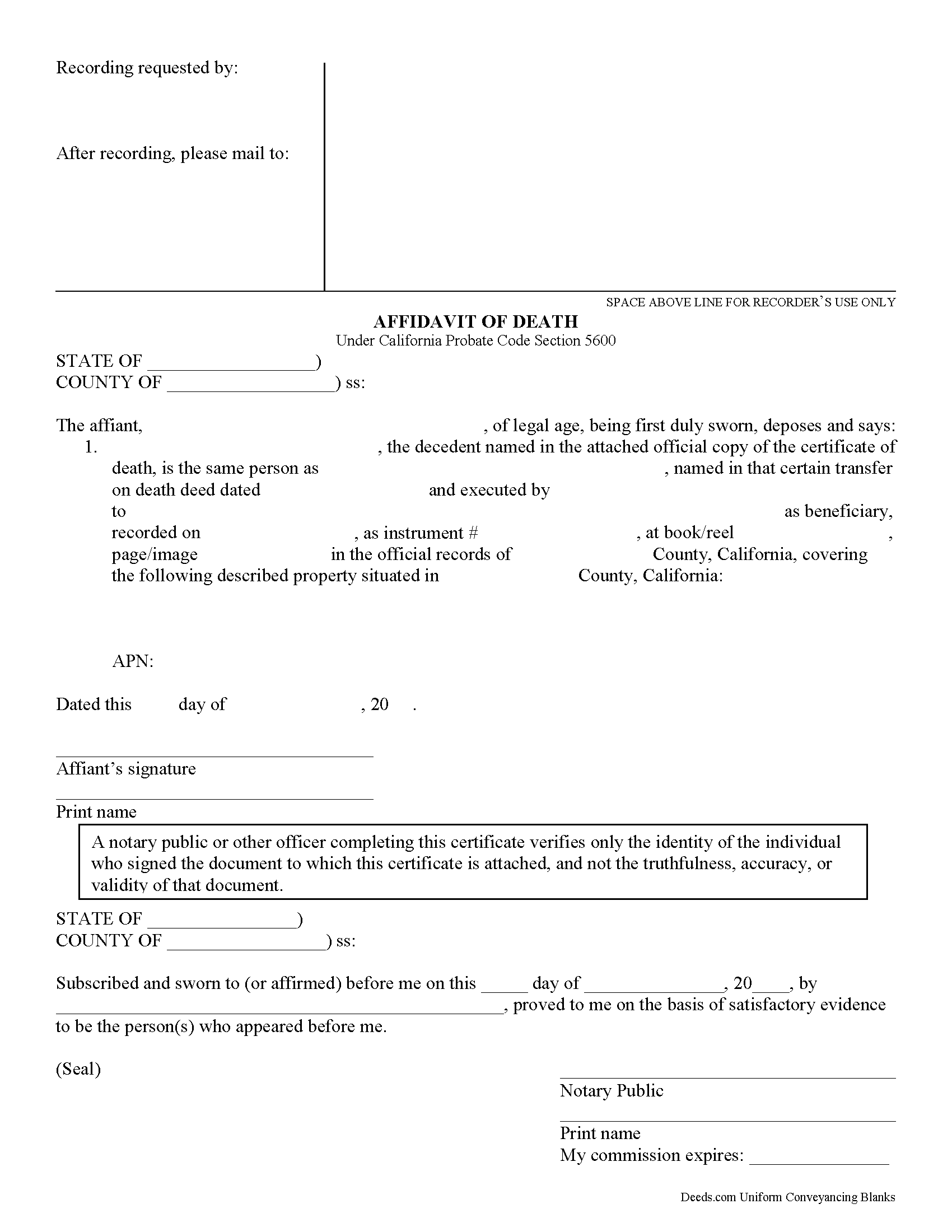
Butte County Transfer on Death Affidavit Form
Fill in the blank form formatted to comply with all recording and content requirements.
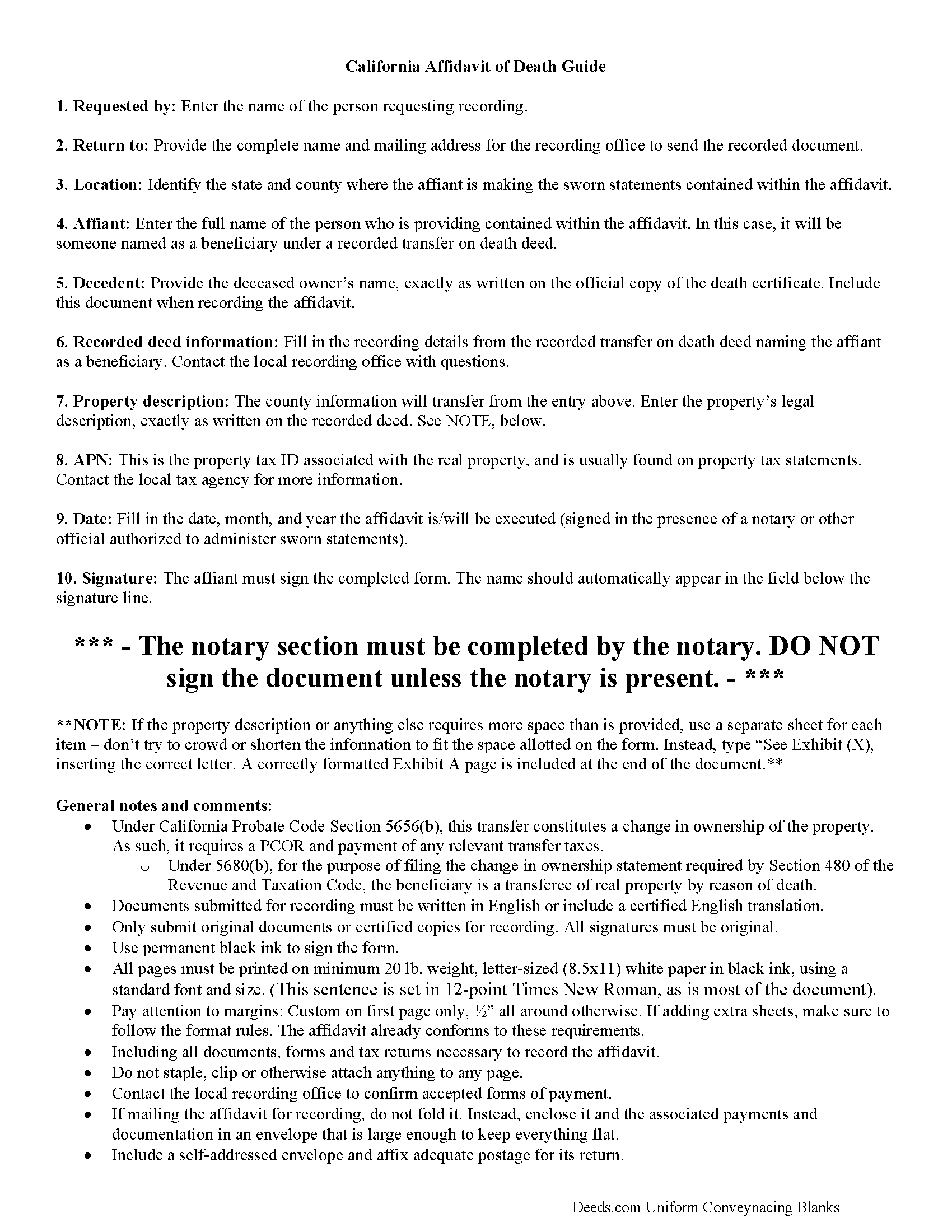
Butte County Transfer on Death Affidavit Guide
Line by line guide explaining every blank on the form.
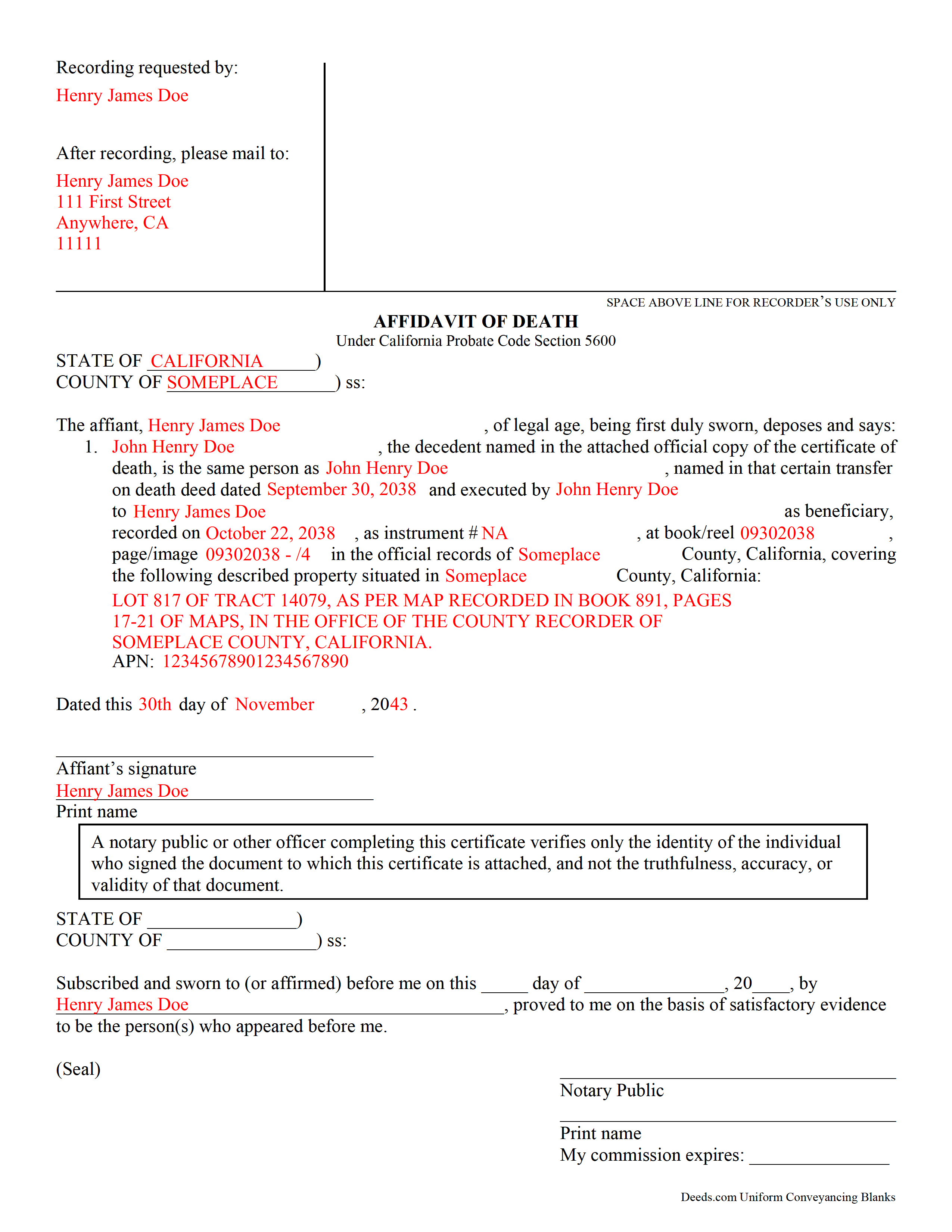
Butte County Completed Example of the Transfer on Death Affidavit Document
Example of a properly completed form for reference.
All 3 documents above included • One-time purchase • No recurring fees
Immediate Download • Secure Checkout
Additional California and Butte County documents included at no extra charge:
Where to Record Your Documents
Clerk-Recorder's Office
Oroville, California 95965-3375
Hours: Recording Hours: 9:00am - 4:00pm Mon - Fri; General Office Hours: 9:00am - 5:00pm
Phone: (530) 538-7691
Recording Tips for Butte County:
- Bring your driver's license or state-issued photo ID
- Ensure all signatures are in blue or black ink
- Ask about their eRecording option for future transactions
- Avoid the last business day of the month when possible
- Both spouses typically need to sign if property is jointly owned
Cities and Jurisdictions in Butte County
Properties in any of these areas use Butte County forms:
- Bangor
- Berry Creek
- Biggs
- Chico
- Clipper Mills
- Durham
- Feather Falls
- Forbestown
- Forest Ranch
- Gridley
- Magalia
- Nelson
- Oroville
- Palermo
- Paradise
- Richvale
- Stirling City
Hours, fees, requirements, and more for Butte County
How do I get my forms?
Forms are available for immediate download after payment. The Butte County forms will be in your account ready to download to your computer. An account is created for you during checkout if you don't have one. Forms are NOT emailed.
Are these forms guaranteed to be recordable in Butte County?
Yes. Our form blanks are guaranteed to meet or exceed the applicable formatting requirements used for recording in Butte County, including margin requirements, font requirements, and other layout standards. This guarantee applies to formatting, not to the legal sufficiency of information entered by the user or the suitability of a form for a particular transaction.
Can I reuse these forms?
Yes. You can reuse the forms for your personal use. For example, if you have multiple properties in Butte County you only need to order once.
What do I need to use these forms?
The forms are PDFs that you fill out on your computer. The free Adobe Acrobat Reader is recommended, and most PDF apps also work. You do NOT enter your property information online - you download the blank forms and complete them privately on your own computer.
Are there any recurring fees?
No. This is a one-time purchase. Nothing to cancel, no memberships, no recurring fees.
How much does it cost to record in Butte County?
Recording fees in Butte County vary. Contact the recorder's office at (530) 538-7691 for current fees.
Questions answered? Let's get started!
Using an Affidavit of Death to Claim Real Estate from a California Transfer on Death Deed
Transfer on death deeds allow individual landowners to transfer their real estate when they die, without a will or the need for probate distribution. The transferor simply executes a TODD form, then records it during the course of his/her natural life, and within 60 days of the signing date (5626(a)). Unlike grant deeds or quitclaim deeds, the owner continues to hold title to the property when a transfer on death deed is recorded (5650). As such, TODDs are exempt from transfer taxes and the Preliminary Change of Ownership Report (PCOR).
What happens, then, when the owner dies? Section 5680 defines the process for switching the title over to the beneficiary. The beneficiary may establish the fact of the transferor's death under the procedure provided in California Probate Code Chapter 2 (commencing with Section 210) of Part 4 of Division 2. The first step is obtaining a certified copy of the death certificate. Then research the recording information from the transfer on death deed identifying the beneficiary. Complete an affidavit of death and sign it in front of a notary. Finally, file the affidavit, along with the copy of the death certificate, in the recording office for the county where the property is situated. Note that this act transfers title to the beneficiary, so it also requires the PCOR and any associated taxes and fees.
Beneficiaries take title to the property under the rules set out at section 5652. Be aware that any associated debts, obligations, or agreements in place when the owner died follow the real estate to the beneficiaries. In addition, the title transfers without warranty, so the beneficiaries might find themselves liable for future claims against the property. For these reasons, among others, some beneficiaries might wish to disclaim the gift (5652(a)(1)).
In general, transferring title to the beneficiary of a transfer on death deed is a simple process. Even so, complications may arise. Contact an attorney for complex situations or with any questions.
(California Transfer on Death Affidavit Package includes form, guidelines, and completed example)
Important: Your property must be located in Butte County to use these forms. Documents should be recorded at the county recording office listed above.
This Transfer on Death Affidavit meets all recording requirements specific to Butte County.
Our Promise
The documents you receive here are guaranteed to meet or exceed the applicable Butte County recording format requirements. If there is a rejection caused by our formatting, we will correct the issue or refund your payment. This guarantee applies to document formatting only and does not extend to information entered by the user, the selection of the form, or the legal effect of the completed document.
Save Time and Money
Get your Butte County Transfer on Death Affidavit form done right the first time with Deeds.com Uniform Conveyancing Blanks. At Deeds.com, we understand that your time and money are valuable resources, and we don't want you to face a penalty fee or rejection imposed by a county recorder for submitting nonstandard documents. We constantly review and update our forms to meet rapidly changing state and county recording requirements for roughly 3,500 counties and local jurisdictions.
4.8 out of 5 - ( 4,786 Reviews )
CINDY P. 5 out of 5 stars
Such any easy process! Thank you!
Thank you Cindy, we appreciate your feedback.
Jennie P. 5 out of 5 stars
Thank you for the information you sent.
Thank you!
Christina H. 5 out of 5 stars
I appreciate having forms available and not having to go to a business supply or attorney. This is great. However, there are two individual quit claim deed forms and I don't know which one is appropriate.
Thank you for your feedback. We really appreciate it. Have a great day!
Robert A. 5 out of 5 stars
First timer with Deeds.com - excellent experience. I am a lawyer and do not record often. Did not have to pay membership- fast and easy upload of documents- fast response - fast recording time from county recorder- very legible documents- very reasonable price. I give 6 stars out of 5!
We appreciate your business and value your feedback. Thank you. Have a wonderful day!
Robert D. 5 out of 5 stars
I was trying to register a financial statement (non real estate document). There was no link or statement on the home page to indicate that this could be done. All I had to do was to create an account, name and then upload the document. It took me over a day and several phone calls to the local deed recording office to try to figure this out. A simple link or statement to this effect would have saved me a lot of time
Thank you for your feedback. We really appreciate it. Have a great day!
Tamara H. 5 out of 5 stars
Absolutely awesome, all the information and forms I needed Thanks Tamie Hamilton
We appreciate your business and value your feedback. Thank you. Have a wonderful day!
Ann D. 4 out of 5 stars
I found what my lawyer recommended and was able to download it easily.
We appreciate your business and value your feedback. Thank you. Have a wonderful day!
Laurie S. 5 out of 5 stars
This was super easy and fast!
We appreciate your business and value your feedback. Thank you. Have a wonderful day!
Denise B. 5 out of 5 stars
Quick, easy and the most resonably priced!
We appreciate your review and your business. Thank you.
ADEREMI O. 5 out of 5 stars
Your product is amazing !
Thank you for your feedback. We really appreciate it. Have a great day!
Mary S. 5 out of 5 stars
Really, really great. Instructions are so helpful.
We appreciate your business and value your feedback. Thank you. Have a wonderful day!
Lorraine F. 2 out of 5 stars
I followed the instructions to download the form for my Mac, typed in the legal description of the real property but the space provided for it would not expand so I just typed the form into Word as a document. While I appreciate having the form to work with it would have been a breeze if it worked properly.
Your insights are invaluable to us and help us strive for better service. Thank you for taking the time to share your thoughts.
Fay J. 3 out of 5 stars
instead of the rep giving me instructions on how to summit the documents,with 3 pages, he or she told me i had all night to figure it out!!! wow...because of that i rate the service very poorly...fast to get it done but very poor customer service...so...i give them a 2.5 rating.
Thank you for your feedback, have a wonderful day Fay.
Rosa D. 5 out of 5 stars
Obtaining a quick claim deed from this website was easy and friendly I must say. Thank you so much.
Thank you for your feedback. We really appreciate it. Have a great day!
FRANK D. 5 out of 5 stars
Excellent software along with my other Will/Trust programs. I always use your program regarding deeds.
Thank you!