San Miguel County Certificate of Trust Form
Last validated October 21, 2026 by our Forms Development TeamFormatted for recording in San Miguel County, for property anywhere in the county: rural and unincorporated areas as well as Egnar, Norwood, Ophir, Placerville, Telluride.
- 3 documents included
- Immediate PDF download
- Formatting guarantee
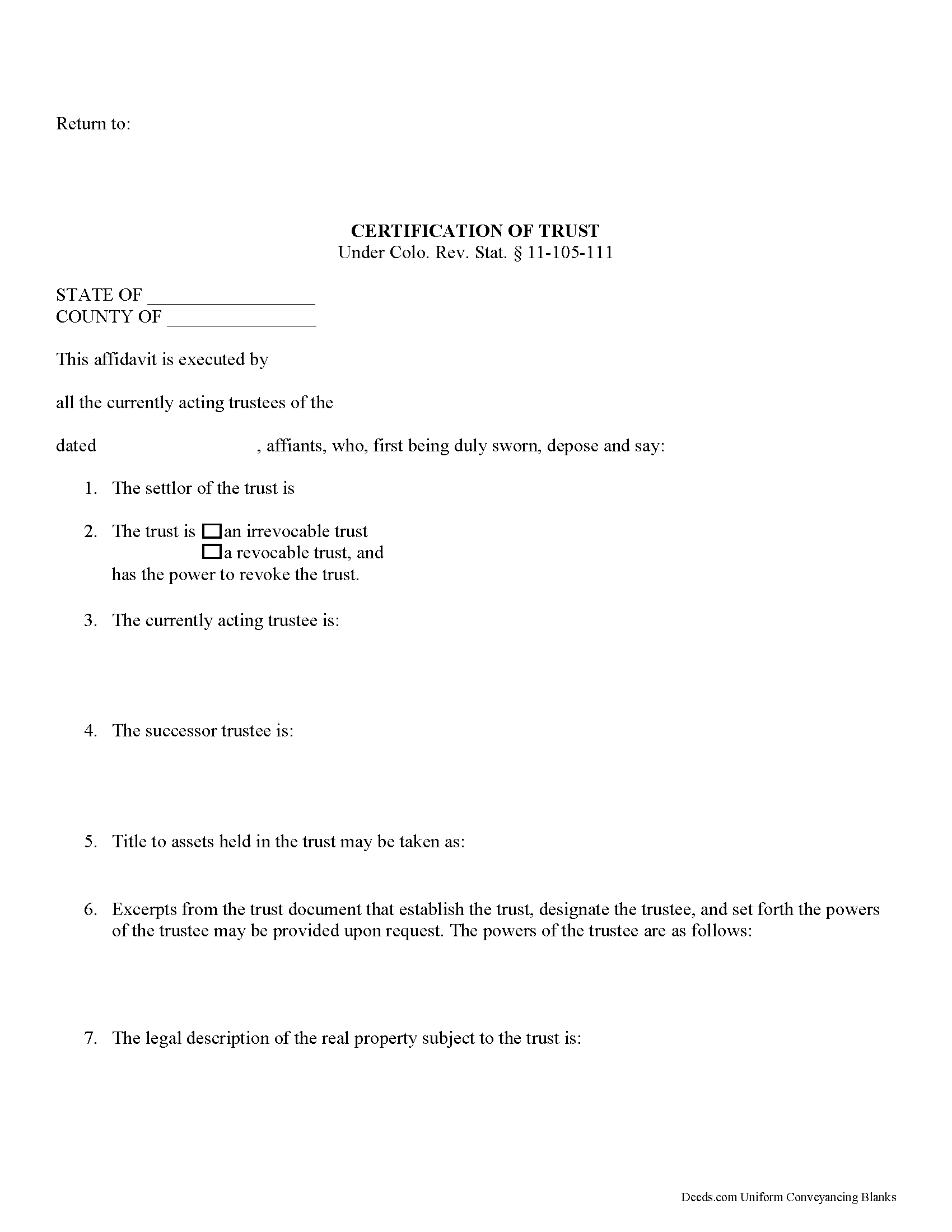
San Miguel County Certificate of Trust Form
Fill in the blank form formatted to comply with all recording and content requirements.
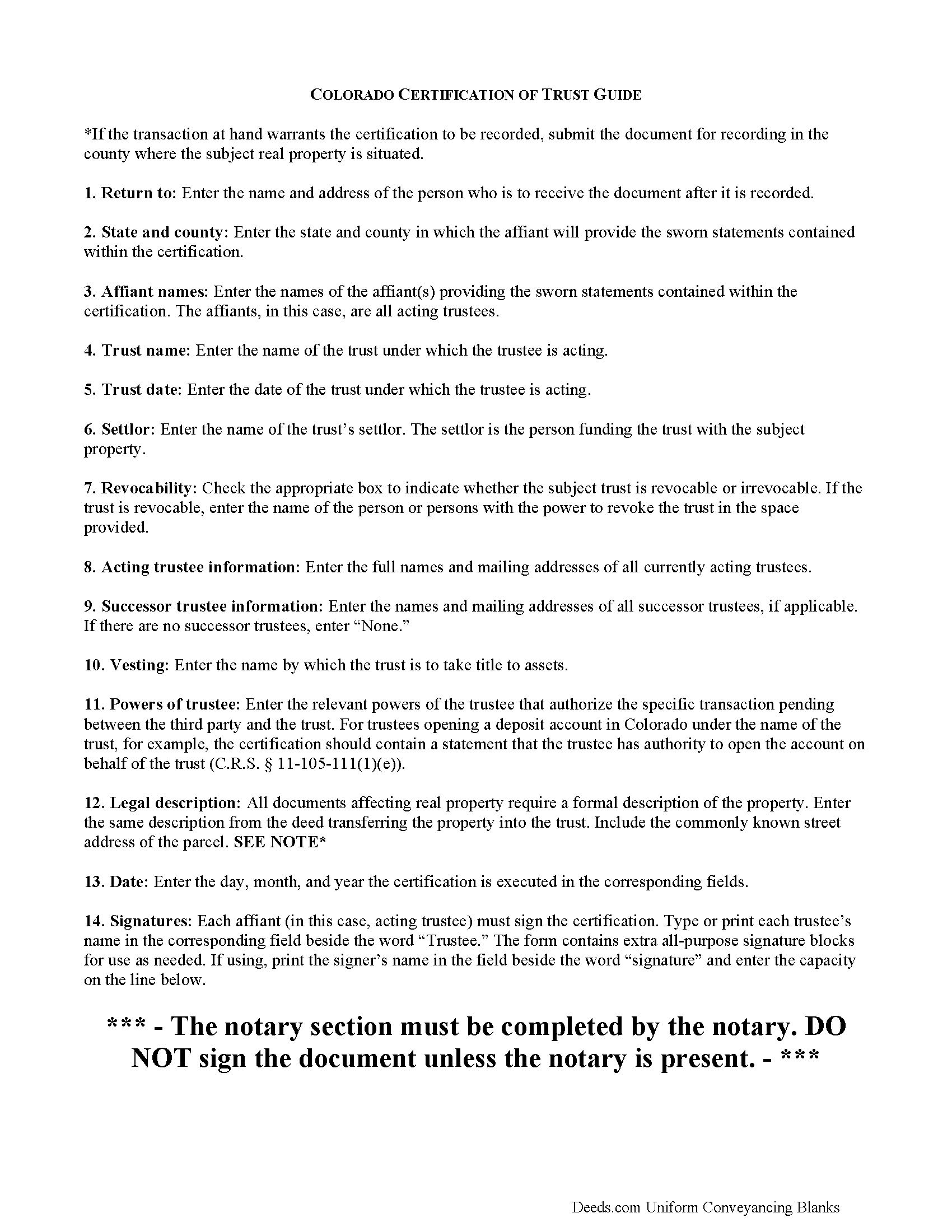
San Miguel County Certificate of Trust Guide
Line by line guide explaining every blank on the form.
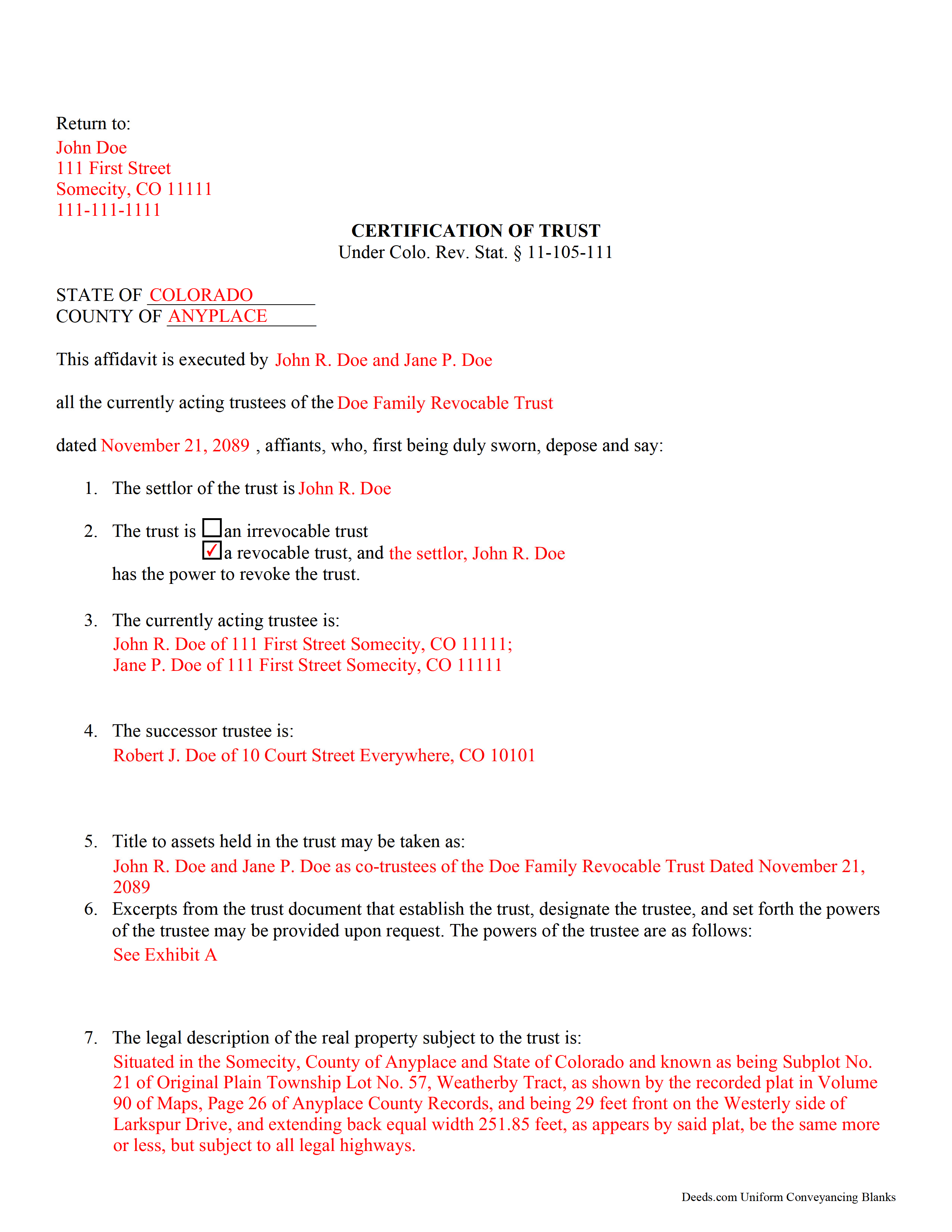
San Miguel County Completed Example of the Certificate of Trust Document
Example of a properly completed form for reference.
All 3 documents above included • One-time purchase • No recurring fees
Immediate Download • Secure Checkout
Additional Colorado and San Miguel County documents included at no extra charge:
Where to Record Your Documents
San Miguel County Clerk and Recorder
Telluride , Colorado 81435-0548
Hours: 8:15 to 4:30 Monday through Friday
Phone: (970) 728-3954
Recording Tips for San Miguel County:
- Bring your driver's license or state-issued photo ID
- Ensure all signatures are in blue or black ink
- Avoid the last business day of the month when possible
- Both spouses typically need to sign if property is jointly owned
- Bring extra funds - fees can vary by document type and page count
Cities and Jurisdictions in San Miguel County
Properties in any of these areas use San Miguel County forms:
- Egnar
- Norwood
- Ophir
- Placerville
- Telluride
Hours, fees, requirements, and more for San Miguel County
How do I get my forms?
Forms are available for immediate download after payment. The San Miguel County forms will be in your account ready to download to your computer. An account is created for you during checkout if you don't have one. Forms are NOT emailed.
Are these forms guaranteed to be recordable in San Miguel County?
Yes. Our form blanks are guaranteed to meet or exceed the applicable formatting requirements used for recording in San Miguel County, including margin requirements, font requirements, and other layout standards. This guarantee applies to formatting, not to the legal sufficiency of information entered by the user or the suitability of a form for a particular transaction.
Can I reuse these forms?
Yes. You can reuse the forms for your personal use. For example, if you have multiple properties in San Miguel County you only need to order once.
What do I need to use these forms?
The forms are PDFs that you fill out on your computer. The free Adobe Acrobat Reader is recommended, and most PDF apps also work. You do NOT enter your property information online - you download the blank forms and complete them privately on your own computer.
Are there any recurring fees?
No. This is a one-time purchase. Nothing to cancel, no memberships, no recurring fees.
How much does it cost to record in San Miguel County?
Recording fees in San Miguel County vary. Contact the recorder's office at (970) 728-3954 for current fees.
Questions answered? Let's get started!
Certification of a Trust in Colorado
When a trustee wishes to conduct business with a bank in the name of a trust, he/she needs to prove his/her authority to do so by producing a certification of trust, governed by C.R.S. 11-105-111 (2017). The certification of trust stands as prima facie evidence of the facts presented within.
Similar to a statement of authority, which identifies a trust and its trustee, and is recorded alongside a conveyance of real property into a trust, the certificate of trust verifies the existence of a trust and a trustee's authority to act on behalf of the trust. However, the certificate of trust is not necessarily recorded, and it provides more information about the trust.
The certificate functions as "evidence of the trust relationship" by presenting essential information about the trust (C.R.S. 11-105-111(1)). It is a summary of the trust agreement conferring administrative powers to the trustee, and sometimes contains excerpts of the relevant information directly from the trust agreement. The certificate does not disclose nonessential provisions of the trust agreement, such as the identity of those having a beneficial interest in the trust, which some may prefer to keep confidential.
A valid certificate contains the trust's name and date, the identities of the settlor and the acting trustee, and the powers of the acting trustee regarding the transaction at hand. In addition, it identifies the trust as either irrevocable or revocable, and confirms who holds a power to revoke the trust, as well as the name by which the trust will hold title to assets. As with other documents affecting real property, the certificate should contain a legal description, including the commonly known street address of the property.
Trust law can quickly become complicated, and each situation is unique, and some lending institutions may require further information to supplement a certificate of trust.
(Colorado Certificate of Trust Package includes form, guidelines, and completed example)
Important: Your property must be located in San Miguel County to use these forms. Documents should be recorded at the county recording office listed above.
This Certificate of Trust meets all recording requirements specific to San Miguel County.
Our Promise
The documents you receive here are guaranteed to meet or exceed the applicable San Miguel County recording format requirements. If there is a rejection caused by our formatting, we will correct the issue or refund your payment. This guarantee applies to document formatting only and does not extend to information entered by the user, the selection of the form, or the legal effect of the completed document.
Save Time and Money
Get your San Miguel County Certificate of Trust form done right the first time with Deeds.com Uniform Conveyancing Blanks. At Deeds.com, we understand that your time and money are valuable resources, and we don't want you to face a penalty fee or rejection imposed by a county recorder for submitting nonstandard documents. We constantly review and update our forms to meet rapidly changing state and county recording requirements for roughly 3,500 counties and local jurisdictions.
4.8 out of 5 - ( 4,839 Reviews )
Jay T. 5 out of 5 stars
I filled out the deed, had it notarized, and recorded. No problems. I put this off for so long. Once I had the form it was recorded in one day.
Thank you for your feedback. We really appreciate it. Have a great day!
Karen F. 3 out of 5 stars
Form needs to be gender neutral. Also, while the format prompts for the correct information to be included, more of the form needs to be open for editing and to eliminate unnecessary spacing.
Karen, thank you for your helpful feedback. We appreciate you pointing this out and are reviewing the form to make the language gender neutral, improve editability, and reduce unnecessary spacing so it is easier to complete.
Bill S. 5 out of 5 stars
Very convenient and reasonably priced service. Excellent. A++
Thank you for your feedback. We really appreciate it. Have a great day!
Leslie C. 5 out of 5 stars
I recently purchased online DIY legal forms, and I must say I was thoroughly impressed. The documents provided were accurate, comprehensive, and precisely what I needed. The accompanying guide was clear, instructive, and really bridged the gap for someone like me who isn't well-versed in legal jargon. What stood out the most, however, was the inclusion of the example. It served as a practical reference and made the entire process so much more approachable. Being able to see a filled-out sample made all the difference. Overall, this product has been invaluable in helping me navigate legal processes on my own.
Thank you for your feedback. We really appreciate it. Have a great day!
Denise L. 5 out of 5 stars
It was very easy to get the forms I needed which makes its so much easier than running back and forth. I shall be getting more forms very shortly
Thank you for your feedback. We really appreciate it. Have a great day!
Sean M. 5 out of 5 stars
This was exactly what I needed. For $25-$30 it gave me the formatted document I needed and made it so easy to input the info. I wouldn't recommend it to someone who has no clue what they're doing, but for somebody who knows all the info and just needs a formatted page to input it onto, this is perfect.
We appreciate your business and value your feedback. Thank you. Have a wonderful day!
James C. 5 out of 5 stars
Deed was filed with county quickly. Great service!
Thank you!
Tiqula D. 5 out of 5 stars
Deeds.com is beyond convenient! It's a wonderful service for all your recording needs. The service is beyond fast and professional. Easy as 1 2 3....
Thank you for your feedback. We really appreciate it. Have a great day!
albert C. 5 out of 5 stars
thumbs up
Thank you!
Pedro M. 5 out of 5 stars
Fast and professional service.
Thank you for your positive words! We’re thrilled to hear about your experience.
Diana M. 5 out of 5 stars
First time user - process went very smooth and fast. It took me a little to find my messages. At first I didn't know you process documents other than deeds so maybe you should consider putting on your home page that it's not only for deeds - it's for any document that needs recording. :)
Thank you for your feedback. We really appreciate it. Have a great day!
Matthew D. 5 out of 5 stars
Fantastic forms easy process couldn't be happier! Thanks
Thank you Matthew!
Marjorie D. 5 out of 5 stars
The process was easy and efficient. I will definitely be using this service!
Thank you for your feedback. We really appreciate it. Have a great day!
Kevin T. 5 out of 5 stars
amazing customer service. thank you deeds.com. I just wish I knew about this company earlier. Kevin
We appreciate your business and value your feedback. Thank you. Have a wonderful day!
Edward S. 1 out of 5 stars
The spaces do not line up correctly with the text.
Thank you for your feedback. We really appreciate it. Have a great day!