Logan County Full Release of Memorandum and Notice of Agreement Form
Last validated October 8, 2026 by our Forms Development TeamFormatted for recording in Logan County, for property anywhere in the county: rural and unincorporated areas as well as Atwood, Crook, Fleming, Iliff, Merino, Padroni, Peetz, Sterling.
- 3 documents included
- Immediate PDF download
- Formatting guarantee
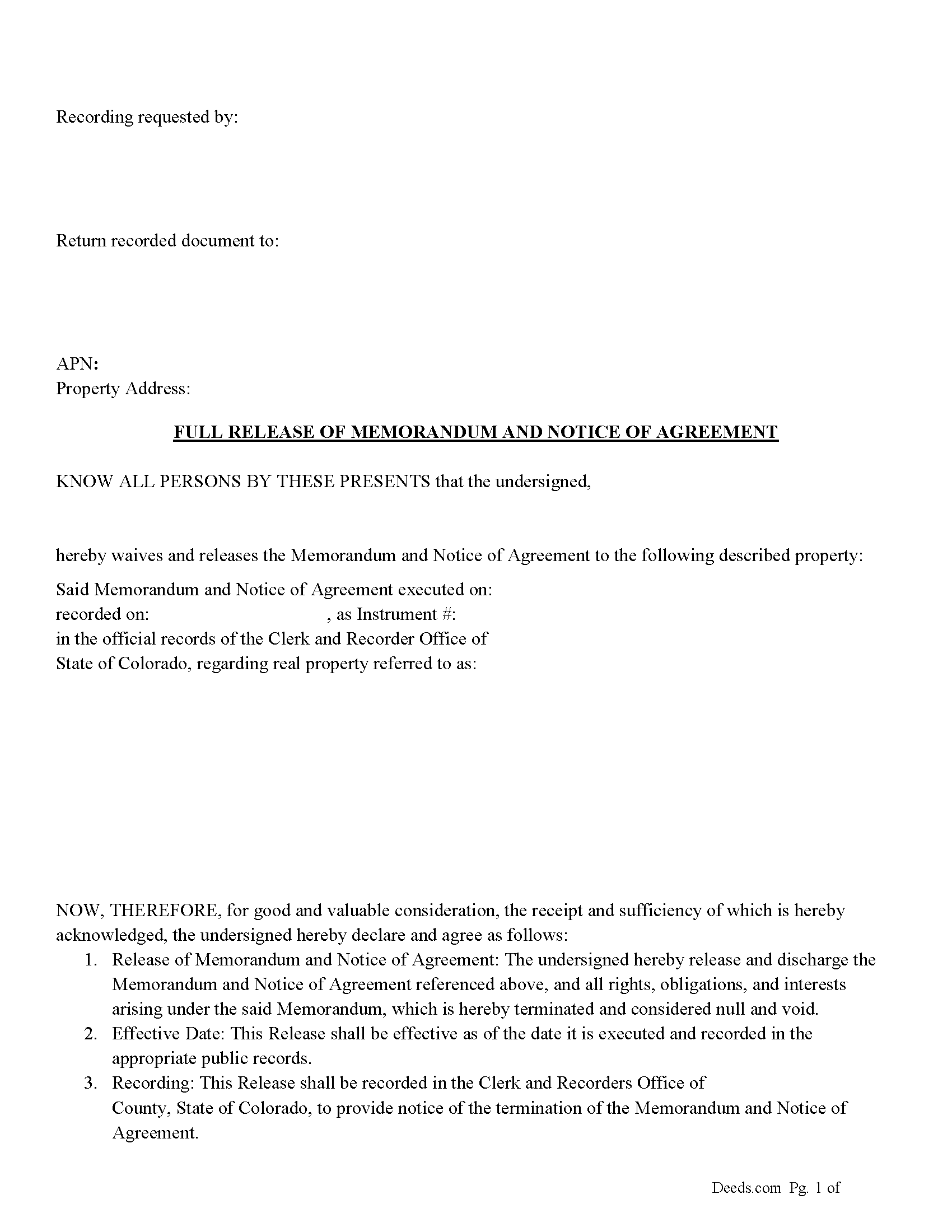
Logan County Full Release of Memorandum and Notice of Agreement Form
Fill in the blank Full Release of Memorandum and Notice of Agreement form formatted to comply with all Colorado recording and content requirements.
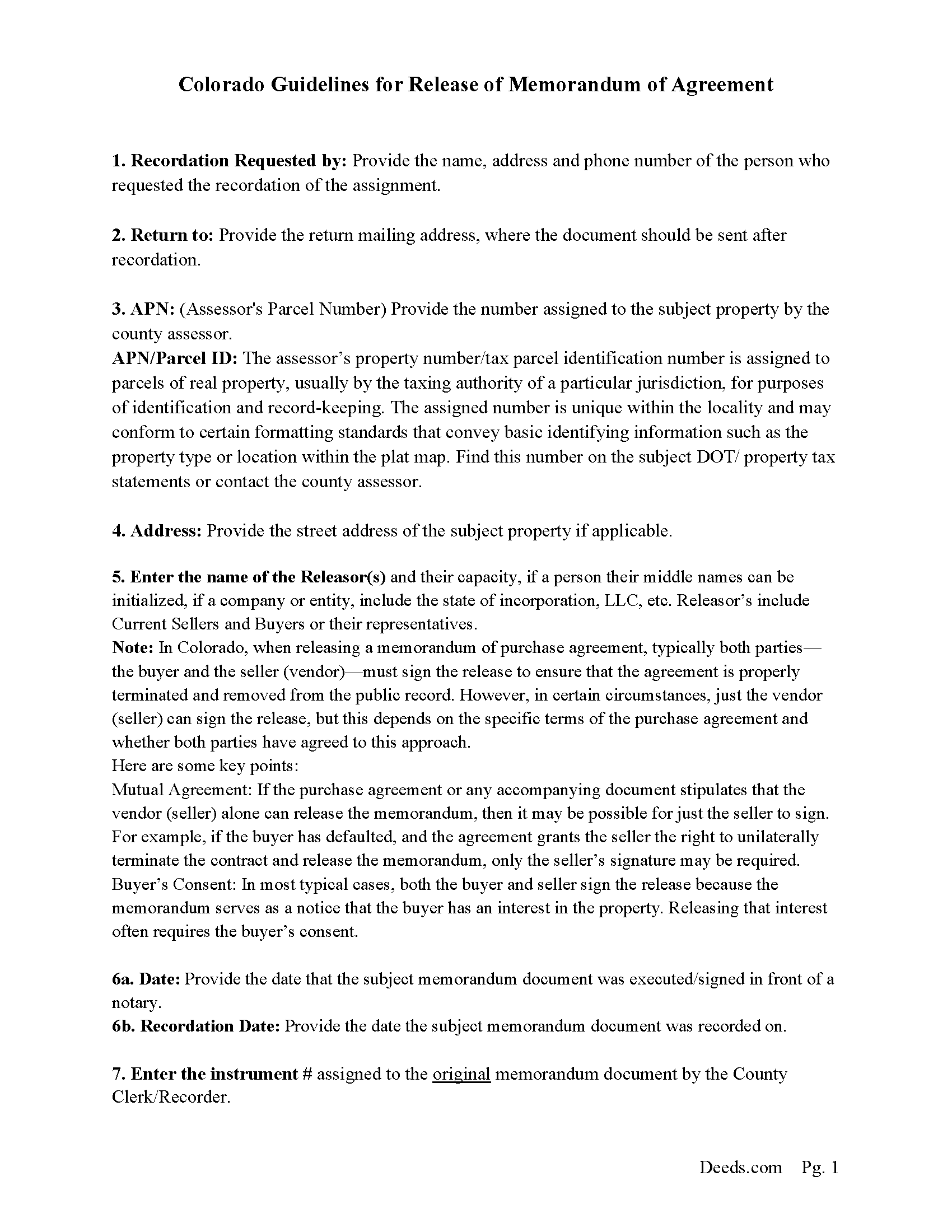
Logan County Full Release of Memorandum and Notice of Agreement Guide
Line by line guide explaining every blank on the Full Release of Memorandum and Notice of Agreement form.
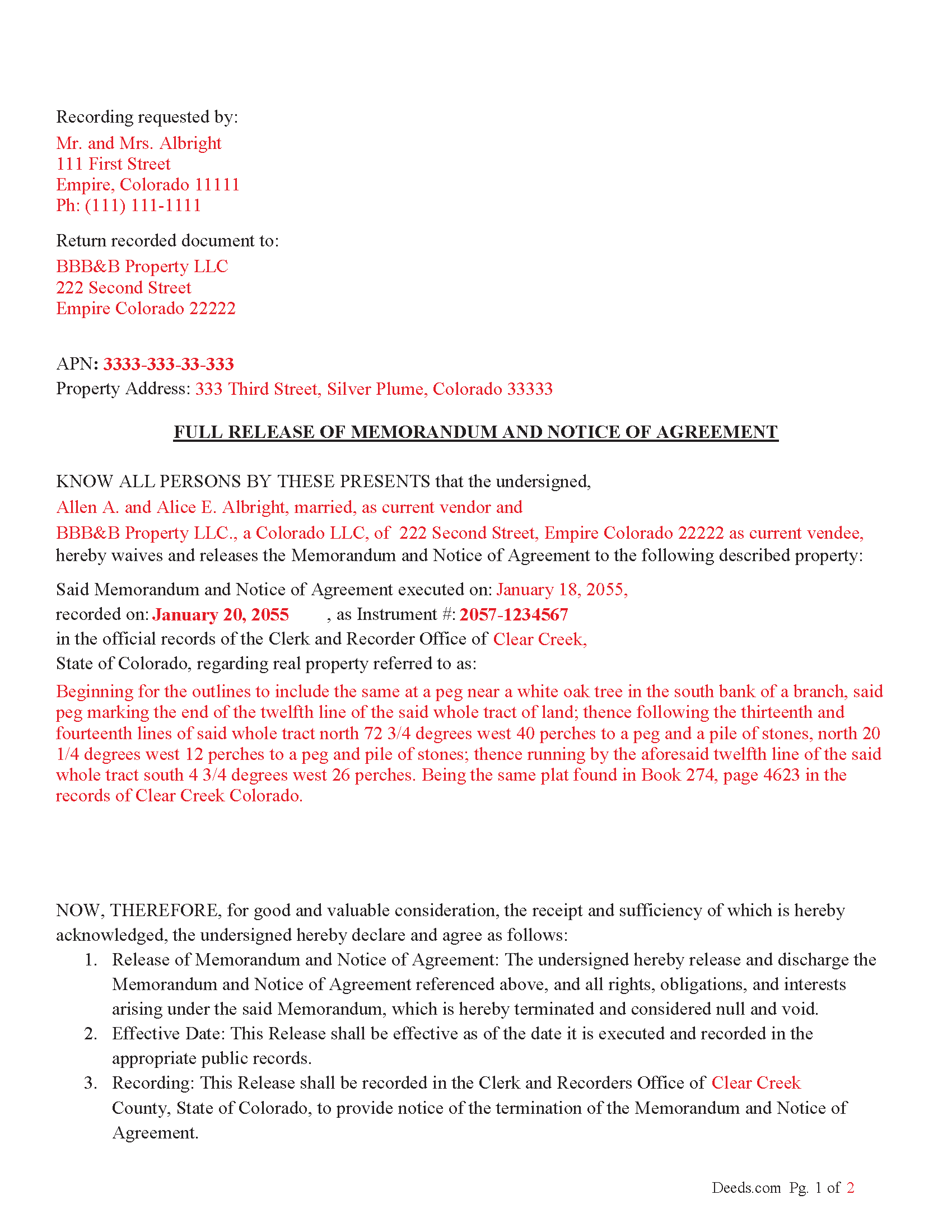
Logan County Completed Example of the Full Release of Memorandum and Notice of Agreement Document
Example of a properly completed Colorado Full Release of Memorandum and Notice of Agreement document for reference.
All 3 documents above included • One-time purchase • No recurring fees
Immediate Download • Secure Checkout
Additional Colorado and Logan County documents included at no extra charge:
Where to Record Your Documents
Logan County Clerk and Recorder
Sterling, Colorado 80751
Hours: 8:00 to 4:00 Monday - Friday
Phone: (303) 522-1544 and 522-2063
Recording Tips for Logan County:
- Bring your driver's license or state-issued photo ID
- Ensure all signatures are in blue or black ink
- Ask about their eRecording option for future transactions
- Avoid the last business day of the month when possible
- Both spouses typically need to sign if property is jointly owned
Cities and Jurisdictions in Logan County
Properties in any of these areas use Logan County forms:
- Atwood
- Crook
- Fleming
- Iliff
- Merino
- Padroni
- Peetz
- Sterling
Hours, fees, requirements, and more for Logan County
How do I get my forms?
Forms are available for immediate download after payment. The Logan County forms will be in your account ready to download to your computer. An account is created for you during checkout if you don't have one. Forms are NOT emailed.
Are these forms guaranteed to be recordable in Logan County?
Yes. Our form blanks are guaranteed to meet or exceed the applicable formatting requirements used for recording in Logan County, including margin requirements, font requirements, and other layout standards. This guarantee applies to formatting, not to the legal sufficiency of information entered by the user or the suitability of a form for a particular transaction.
Can I reuse these forms?
Yes. You can reuse the forms for your personal use. For example, if you have multiple properties in Logan County you only need to order once.
What do I need to use these forms?
The forms are PDFs that you fill out on your computer. The free Adobe Acrobat Reader is recommended, and most PDF apps also work. You do NOT enter your property information online - you download the blank forms and complete them privately on your own computer.
Are there any recurring fees?
No. This is a one-time purchase. Nothing to cancel, no memberships, no recurring fees.
How much does it cost to record in Logan County?
Recording fees in Logan County vary. Contact the recorder's office at (303) 522-1544 and 522-2063 for current fees.
Questions answered? Let's get started!
The Release of Memorandum of Agreement is a document that states the original purchase agreement (and its corresponding memorandum) is no longer valid or enforceable.
The release should include: Names of the parties involved (both the buyer and seller). Property description (legal description and address). Recording information from the original memorandum (such as the recording number, date of recording, and where it was recorded). A statement that the memorandum of the purchase agreement is released, and the purchase agreement is no longer effective.
Signatures of the parties involved (at least the vendor/seller, but preferably both the buyer and seller, unless otherwise stipulated).
Sign the Release
Typically, both parties (the buyer and seller) should sign the release document.
However, if the agreement or specific circumstances allow for only the seller to sign the release, ensure this is explicitly permitted in the purchase agreement.
The signatures may need to be notarized to make the release effective for recording. Ensure each party signs in front of a notary public, who will then notarize the document.
Notarization
The release must be notarized to be legally recognized and recorded. Notarization confirms the identity of the signers and the authenticity of their signatures.
Each party (or just the seller, if applicable) should sign the release in front of a notary public who will complete the notarial acknowledgment.
Record the Release Document
Once the document is signed and notarized, it needs to be recorded with the County Clerk and Recorder's Office in the county where the property is located.
Recording the release is essential to formally remove the memorandum from the public record and clear the property's title.
Important: Your property must be located in Logan County to use these forms. Documents should be recorded at the county recording office listed above.
This Full Release of Memorandum and Notice of Agreement meets all recording requirements specific to Logan County.
Our Promise
The documents you receive here are guaranteed to meet or exceed the applicable Logan County recording format requirements. If there is a rejection caused by our formatting, we will correct the issue or refund your payment. This guarantee applies to document formatting only and does not extend to information entered by the user, the selection of the form, or the legal effect of the completed document.
Save Time and Money
Get your Logan County Full Release of Memorandum and Notice of Agreement form done right the first time with Deeds.com Uniform Conveyancing Blanks. At Deeds.com, we understand that your time and money are valuable resources, and we don't want you to face a penalty fee or rejection imposed by a county recorder for submitting nonstandard documents. We constantly review and update our forms to meet rapidly changing state and county recording requirements for roughly 3,500 counties and local jurisdictions.
4.8 out of 5 - ( 4,828 Reviews )
james e. 5 out of 5 stars
Would be nice if these things downloaded with the type of document rather than a number
Thank you for your feedback. We really appreciate it. Have a great day!
Evan W. 5 out of 5 stars
Quick service. Thank you
Thank you!
Patricia W. 3 out of 5 stars
The technology and service was excellent. The content was too limited. I was seeking to find out about 61b deeds on the property and that was not provided.
We appreciate your feedback Patricia.
Ron D. 5 out of 5 stars
No choice since the county does not seem to provide info you supplied.
Thank Ron, have a great day!
Lesley B. 5 out of 5 stars
It was so quick and easy to access.. Thank you!!
Thank you for your feedback. We really appreciate it. Have a great day!
Craig J. 5 out of 5 stars
Package downloaded without any problems. Help sheet was fair. Maybe they could cross reference the help number on the help sheet to the form better - somehow. Overall, I was pleased. I was able to download, fill in the blanks and do what edits I thought it needed with ease. Cost was very reasonable. I'll give it a 5.
Thank you for your feedback. We really appreciate it. Have a great day!
Gary F. 5 out of 5 stars
A+
Thank you — we appreciate you taking the time to leave a review.
Stephen E. 5 out of 5 stars
Thank you for your great response on my needs. In less than 24 hours I had my documents in hand as needed. Looking forward to working with Deeds.com again. Steve Esler
Thank you for your feedback Steve, glad we could help.
mary g. 5 out of 5 stars
Easy site. Reasonably priced
Thank you Mary.
Teresa G. 5 out of 5 stars
My first time using eRecording. Excellent user friendly service.
Thank you for your feedback. We really appreciate it. Have a great day!
Sandra G. 4 out of 5 stars
We were referred to the site by banking friend. It does take time to read through and figure out what a person needs, form-wise, to accomplish the goal. Once that was decided, check out and the download was very easy. What a great savings in cost and time.
Thank you Sandra, glad we could help. Also, please thank your friend for us. Have a wonderful day.
Philip C. 5 out of 5 stars
The product I purchased looks great and I added Adobe to be able to copy it, but for some reason I can't,so I will delete Adobe and then try again to copy what i paid for. I have all the PDFS' and my computer and printer are fairly new (windows 10),I should have tried to copy it first, I'll get it! Thanks
Thank you for your feedback. We really appreciate it. Have a great day!
Daniel W. 5 out of 5 stars
They are amazing. So fast and friendly.
We appreciate your business and value your feedback. Thank you. Have a wonderful day!
Jo Ann P. 3 out of 5 stars
Was hoping I would be sent copies on paper so I can fill them out without a desk computer
We appreciate your feedback. Our forms are delivered instantly as digital files, so customers can download and print as many copies as they need. This way, you have the flexibility to complete them by hand if you prefer.
Pamela S. 5 out of 5 stars
Great experience! Instructions are very clear and thorough. The completeness of the instructions really inspired confidence. Within minutes of uploading my document, I received a message that it had been prepared and submitted to the county for recording. Makes it so simple! Well worth it.
We appreciate your business and value your feedback. Thank you. Have a wonderful day!