Delta County Quitclaim Deed (Trustee Grantor) Form
Last validated September 3, 2026 by our Forms Development TeamFormatted for recording in Delta County, for property anywhere in the county: rural and unincorporated areas as well as Austin, Cedaredge, Cory, Crawford, Delta, Eckert, Hotchkiss, Lazear and 1 more.
- 3 documents included
- Immediate PDF download
- Formatting guarantee
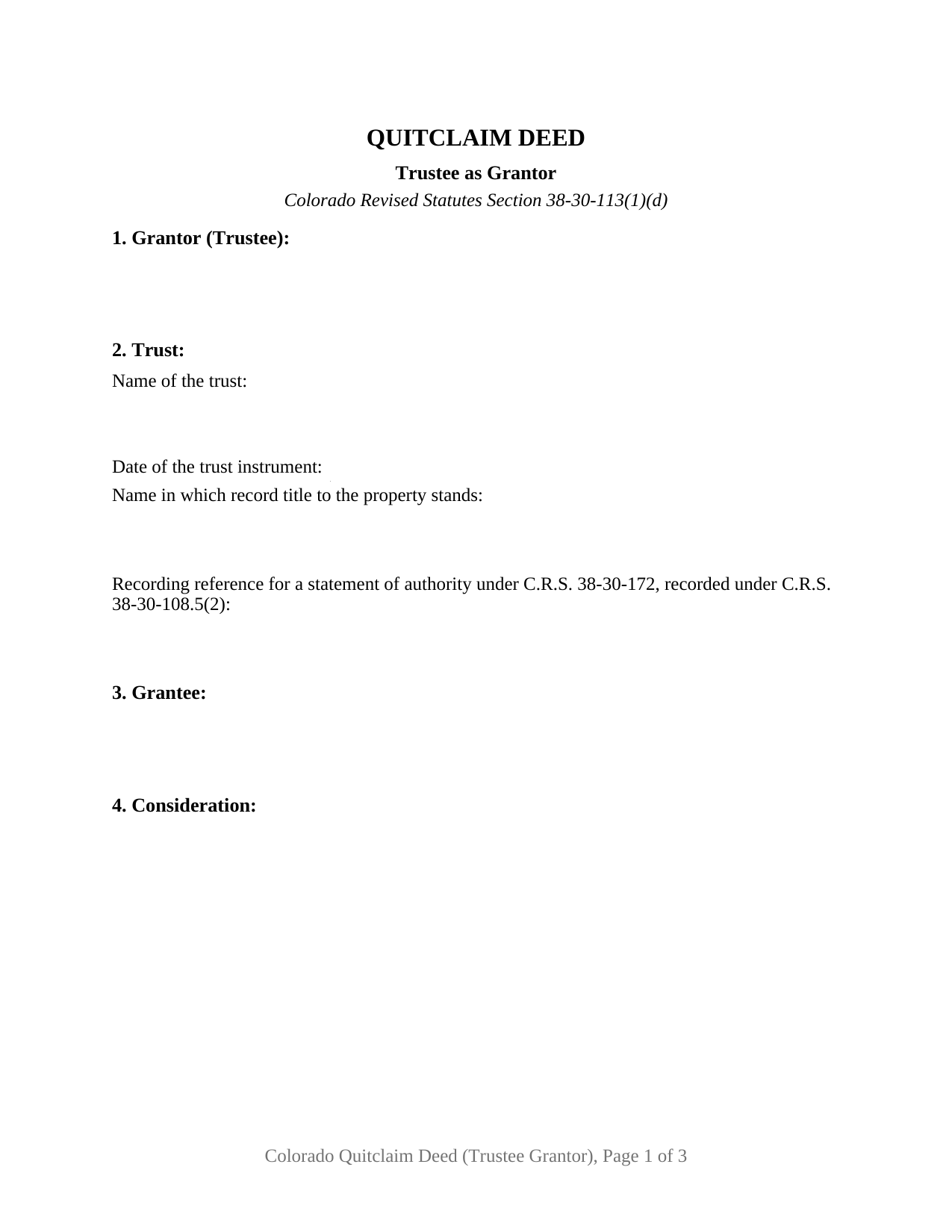
Delta County Quitclaim Deed (Trustee Grantor) Form
Fill in the blank Quitclaim Deed (Trustee Grantor) form formatted to comply with all Colorado recording and content requirements.
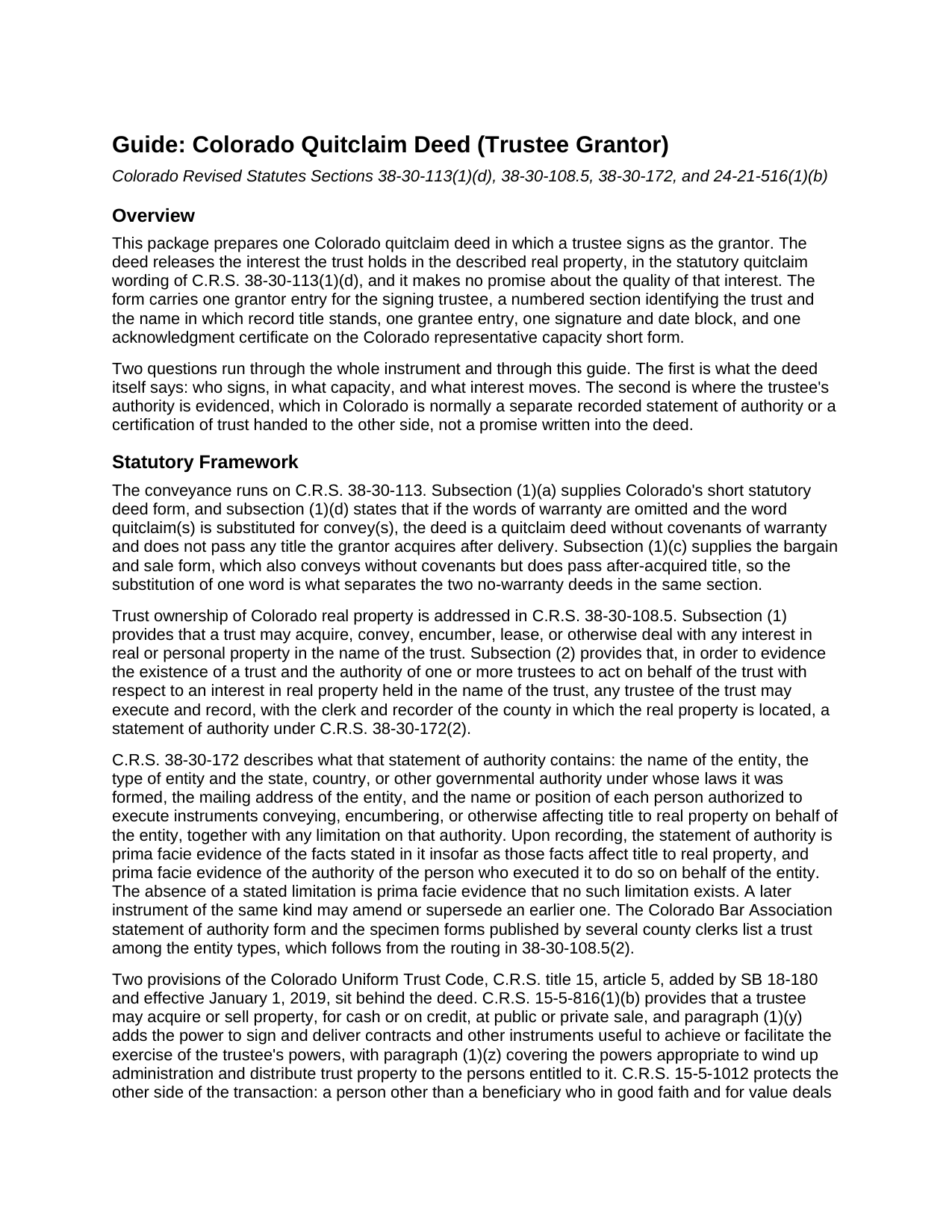
Delta County Quitclaim Deed (Trustee Grantor) Guide
Line by line guide explaining every blank on the Quitclaim Deed (Trustee Grantor) form.
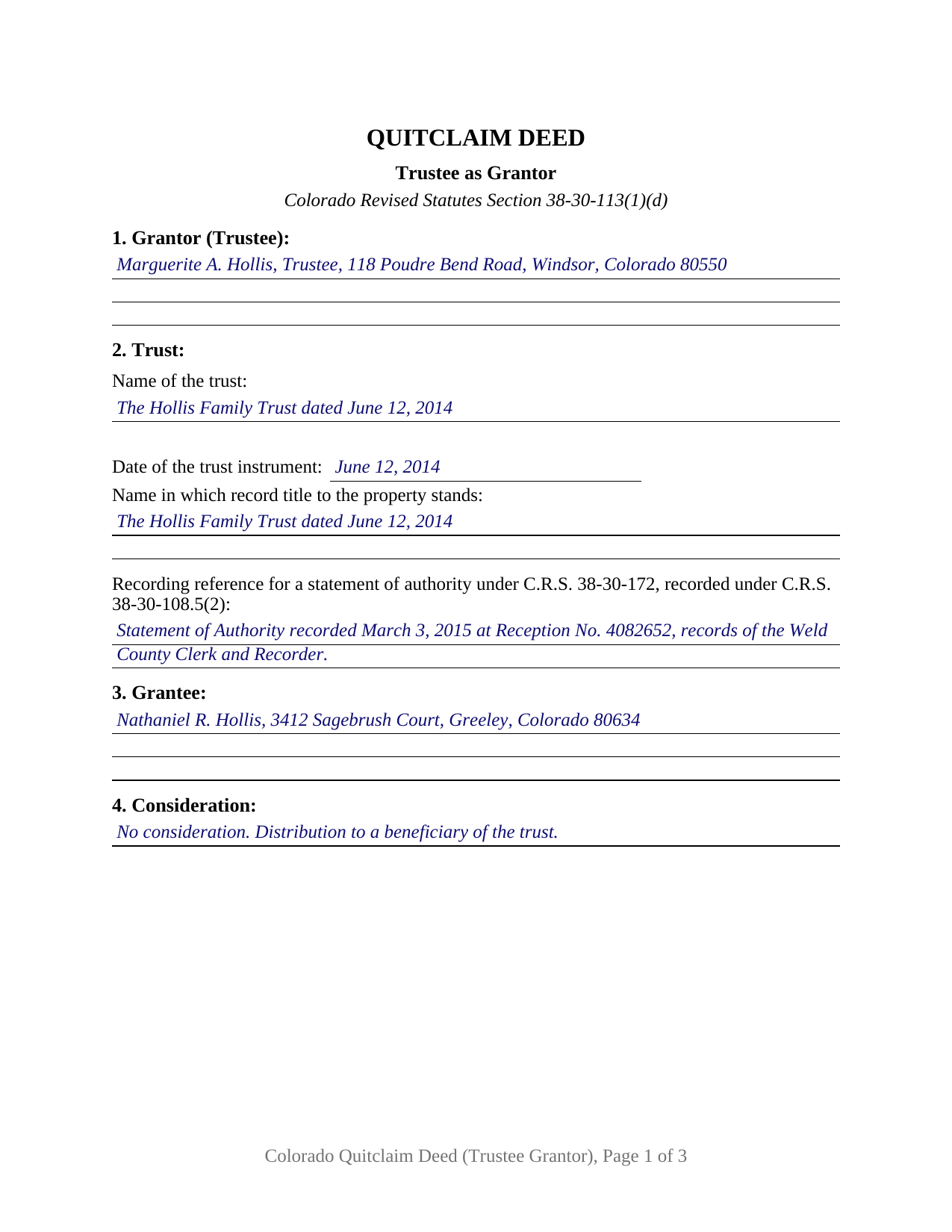
Delta County Completed Example of the Quitclaim Deed (Trustee Grantor) Document
Example of a properly completed Colorado Quitclaim Deed (Trustee Grantor) document for reference.
All 3 documents above included • One-time purchase • No recurring fees
Immediate Download • Secure Checkout
Additional Colorado and Delta County documents included at no extra charge:
Where to Record Your Documents
Delta County Clerk and Recorder
Delta, Colorado 81416
Hours: 8:30 to 5:00 Monday through Friday / Recording until 4:30
Phone: (970) 874-2150
North Fork Annex
Hotchkiss, Colorado 81419
Hours: 8:30 to 12:30 & 1:30 to 4:30 Monday through Friday
Phone: (970) 872-1207
Recording Tips for Delta County:
- Bring your driver's license or state-issued photo ID
- Ensure all signatures are in blue or black ink
- Check margin requirements - usually 1-2 inches at top
- Leave recording info boxes blank - the office fills these
- Make copies of your documents before recording - keep originals safe
Cities and Jurisdictions in Delta County
Properties in any of these areas use Delta County forms:
- Austin
- Cedaredge
- Cory
- Crawford
- Delta
- Eckert
- Hotchkiss
- Lazear
- Paonia
Hours, fees, requirements, and more for Delta County
How do I get my forms?
Forms are available for immediate download after payment. The Delta County forms will be in your account ready to download to your computer. An account is created for you during checkout if you don't have one. Forms are NOT emailed.
Are these forms guaranteed to be recordable in Delta County?
Yes. Our form blanks are guaranteed to meet or exceed the applicable formatting requirements used for recording in Delta County, including margin requirements, font requirements, and other layout standards. This guarantee applies to formatting, not to the legal sufficiency of information entered by the user or the suitability of a form for a particular transaction.
Can I reuse these forms?
Yes. You can reuse the forms for your personal use. For example, if you have multiple properties in Delta County you only need to order once.
What do I need to use these forms?
The forms are PDFs that you fill out on your computer. The free Adobe Acrobat Reader is recommended, and most PDF apps also work. You do NOT enter your property information online - you download the blank forms and complete them privately on your own computer.
Are there any recurring fees?
No. This is a one-time purchase. Nothing to cancel, no memberships, no recurring fees.
How much does it cost to record in Delta County?
Recording fees in Delta County vary. Contact the recorder's office at (970) 874-2150 for current fees.
Questions answered? Let's get started!
Put a trustee on the giving side of a Colorado quitclaim deed and the authority question moves. C.R.S. 38-30-108, the representative capacity section Colorado drafters reach for first, speaks only to a grantee described as trustee; its subsections name the grantee and stop there. This fillable form is configured for the other side: one trustee signing as grantor, a numbered section identifying the trust and the name in which record title stands, and an acknowledgment certificate on the representative capacity short form at C.R.S. 24-21-516(1)(b).
Where a trustee's authority is written down
Colorado keeps the evidence of trustee authority off the face of the deed. C.R.S. 38-30-108.5(1) lets a trust convey, encumber, or lease an interest in real property in the name of the trust, and subsection (2) lets any trustee record a statement of authority under C.R.S. 38-30-172 evidencing the trust's existence and the trustee's authority over property held in the trust name. Once recorded, that statement stands as prima facie evidence of the facts stated in it insofar as they affect title. The companion document is the certification of trust at C.R.S. 15-5-1013, furnished to the other party in place of the trust instrument rather than filed. Both are prepared separately and neither is included here. Section 2 holds the blank for a recorded statement of authority's reception information, which an entry reading None of record answers where nothing has been filed.
Which name stands on the record title
Trust real property in Colorado sits under one of two vestings, and a new deed matches whichever the earlier instrument used: the trust's own name, the route C.R.S. 38-30-108.5(1) opens, or the trustee's name with the representative capacity described the way C.R.S. 38-30-108(1) asks of a trustee grantee. Section 2 collects the trust name, the date of the trust instrument, and separately the name in which record title stands, so the entries copy straight off the vesting deed, whose recording reference Section 7 then carries.
Sells and quitclaims, signed in a capacity
The conveyance is Colorado's statutory quitclaim. Under C.R.S. 38-30-113(1)(d) a deed in substantially the statutory form that leaves out words of warranty and puts quitclaim(s) where convey(s) would stand is a quitclaim deed without covenants, and it passes no title the grantor picks up after delivery, the working line between it and the bargain and sale form in the same section. Section 8 performs that conveyance with the trustee as its subject, stating that the grantor acts solely as trustee of the trust identified in Section 2 and not individually, assumes no personal obligation, and neither enlarges nor limits the powers the trust instrument confers. A closing line in capital letters restates the no warranty, no after-acquired title character.
One trustee, one trust, one certificate
The form recites exactly one trustee as grantor, one trust, and one grantee, with a signature and date block labeled for the capacity and a single acknowledgment certificate. Colorado's representative capacity short form reads that the record was acknowledged before the officer on a stated date by a named individual, as a stated type of authority such as trustee, of the party on whose behalf the record was executed, and the by-line blank holds those three elements together. A trustee distributing trust property to a beneficiary on winding up the trust, a trustee of a revocable trust releasing a parcel back to the settlor, and a successor trustee clearing a parcel out of a trust that no longer holds it all present the pattern this deed recites. The form is not set up for two cotrustees signing together, for a trustee on the receiving line rather than the signing line, or for a signature given through an attorney-in-fact.
At the clerk and recorder's counter
The deed is filed in the county holding the land, where C.R.S. 38-35-109 gives priority to whoever records first without notice. The documentary fee under C.R.S. 39-13-102 reaches only consideration above 500 dollars, so a distribution recited at no consideration commonly carries none; Section 6 holds either the figure or the exemption claimed under C.R.S. 39-13-104, beside a blank for the C.R.S. 39-13-102(5)(d) notation used on property that is not residential.
The purchase delivers this trustee grantor quitclaim deed as a fillable PDF, a completed example filled in for a Weld County distribution out of a family trust with the acknowledgment completed, and a guide covering every numbered section, the authority documents, and the recording steps. The materials are informational and are not legal advice.
Important: Your property must be located in Delta County to use these forms. Documents should be recorded at the county recording office listed above.
This Quitclaim Deed (Trustee Grantor) meets all recording requirements specific to Delta County.
Our Promise
The documents you receive here are guaranteed to meet or exceed the applicable Delta County recording format requirements. If there is a rejection caused by our formatting, we will correct the issue or refund your payment. This guarantee applies to document formatting only and does not extend to information entered by the user, the selection of the form, or the legal effect of the completed document.
Save Time and Money
Get your Delta County Quitclaim Deed (Trustee Grantor) form done right the first time with Deeds.com Uniform Conveyancing Blanks. At Deeds.com, we understand that your time and money are valuable resources, and we don't want you to face a penalty fee or rejection imposed by a county recorder for submitting nonstandard documents. We constantly review and update our forms to meet rapidly changing state and county recording requirements for roughly 3,500 counties and local jurisdictions.
4.8 out of 5 - ( 4,823 Reviews )
Heather M. 5 out of 5 stars
Great service, convenient, fast and easy to use. Thumbs Up!!!!w
We appreciate your business and value your feedback. Thank you. Have a wonderful day!
Erlinda M. 5 out of 5 stars
Very convenient & easy to use this website. Information was helpful.
Thank you for your feedback. We really appreciate it. Have a great day!
barbara m. 5 out of 5 stars
deeds.com is the most efficient, easy to use site for legal forms I've found! Thank You
We appreciate your business and value your feedback. Thank you. Have a wonderful day!
Wanda C. 5 out of 5 stars
Site is very well laid out and easy to use. My only issue is that it wouldn't allow me to change my password, so I'm stuck with the "temporary" one. Not a big deal, but I would have preferred to change it.
Thank you for your feedback. We really appreciate it. Have a great day!
Evelyn L. 5 out of 5 stars
very easy to print
Thank you!
William H. 5 out of 5 stars
Was easy to find forms I needed and download was quick.
Thank you for your positive words! We’re thrilled to hear about your experience.
Teresa R. 5 out of 5 stars
Zero problems, ended up with quality documents. Will use again.
We appreciate your business and value your feedback. Thank you. Have a wonderful day!
David N. 5 out of 5 stars
Thank you fine Deeds Company. I hope all goes well for you and all your team!
Your feedback is greatly appreciated. Thank you for taking the time to share your experience!
Robert K. 5 out of 5 stars
Easy site to use. Well worth the time spent to complete the form.
Thank you!
Lana J. 5 out of 5 stars
Very easy to use and the forms were perfectly formatted. Great value and service!!
We appreciate your business and value your feedback. Thank you. Have a wonderful day!
John P. 5 out of 5 stars
very good. received what i ordered in a timely fashion despite my incompetence.
Thank you for your feedback. We really appreciate it. Have a great day!
Zehira D. 5 out of 5 stars
Great service! fast, reliable, and very affordable. No contract, no subscription
We are sincerely grateful for your feedback and are committed to providing the highest quality service. Thank you for your trust in us.
Joseph D. 5 out of 5 stars
Exellent and easy! Thqanks!
Thank you for your feedback. We really appreciate it. Have a great day!
Stephanie B. 5 out of 5 stars
Really great, relevant and straight forward forms. Deeds.com is excellent and helps you avoid costly errors on documents.
Thank you for your feedback. We really appreciate it. Have a great day!
Camesha Y. 5 out of 5 stars
Was working with a notary client that need to do a deed. We got on this site, ordered the blank forms, he filled them out and we printed them so he could sign. Really clean forms, easy to understand and complete in a hurry. I will be letting all my clients know about this site.
That's terrific Camesha, glad to hear. Have a great day!