Hinsdale County Statement of Authority Form
Last validated September 18, 2026 by our Forms Development TeamFormatted for recording in Hinsdale County, for property anywhere in the county: rural and unincorporated areas as well as Lake City.
- 3 documents included
- Immediate PDF download
- Formatting guarantee
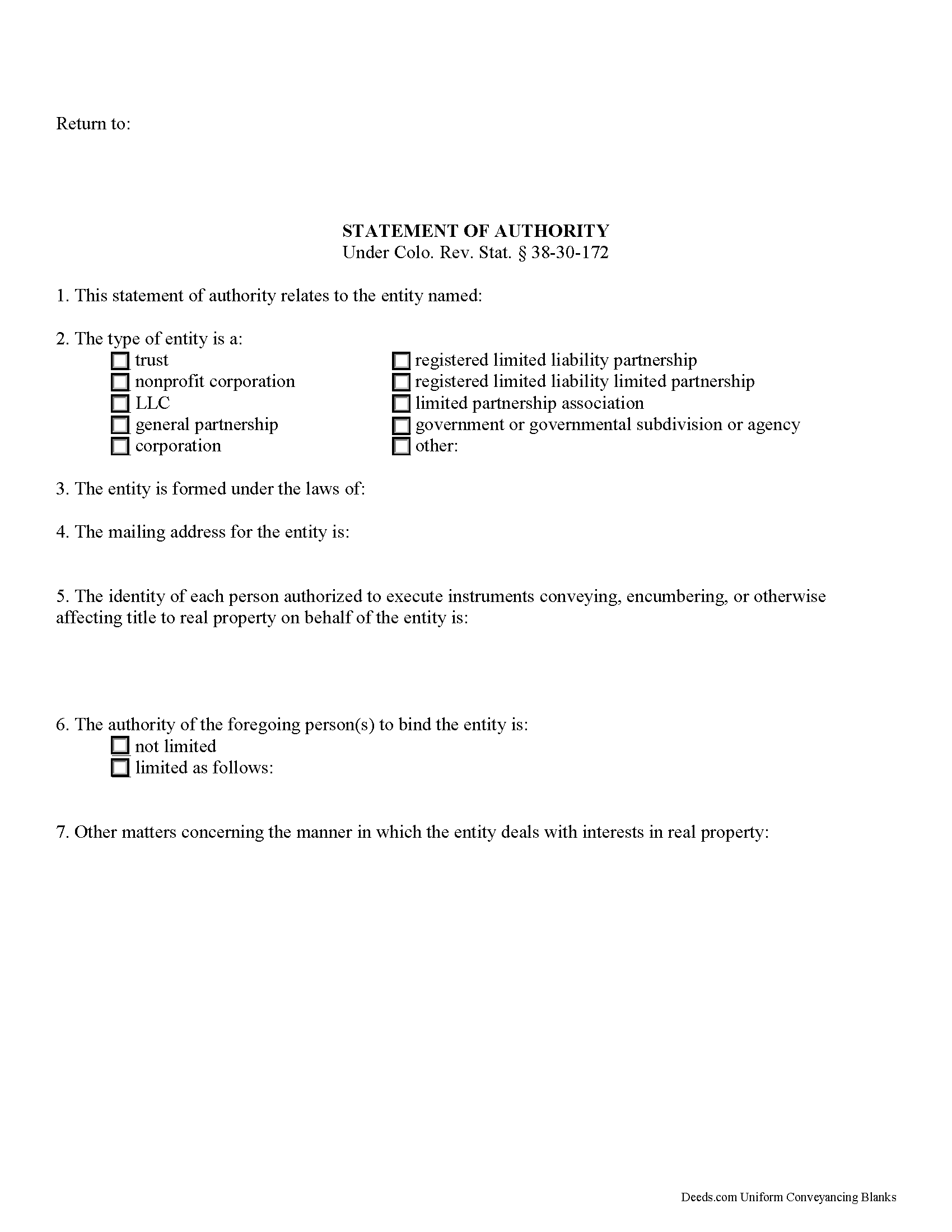
Hinsdale County Statement of Authority Form
Fill in the blank form formatted to comply with all recording and content requirements.
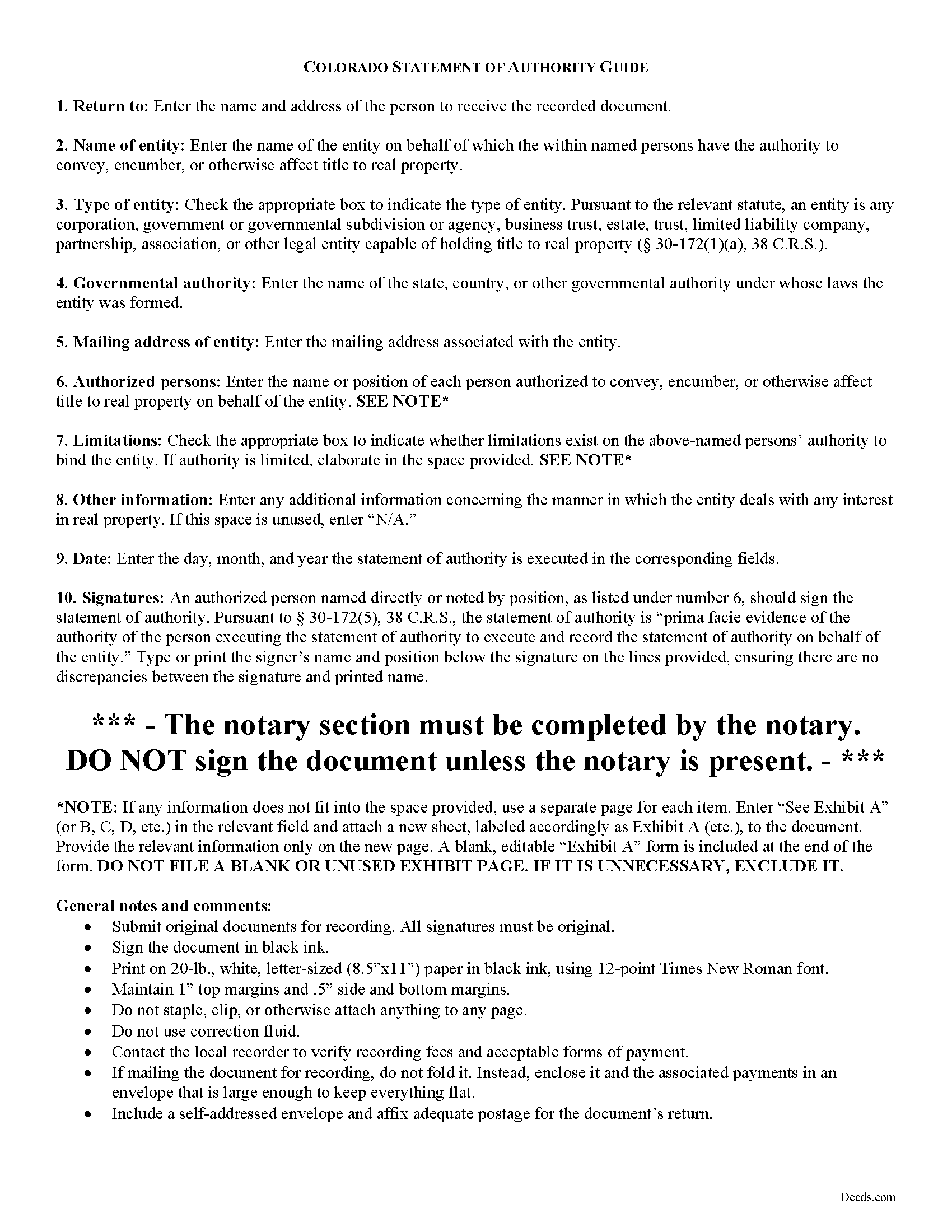
Hinsdale County Statement of Authority Guide
Line by line guide explaining every blank on the form.
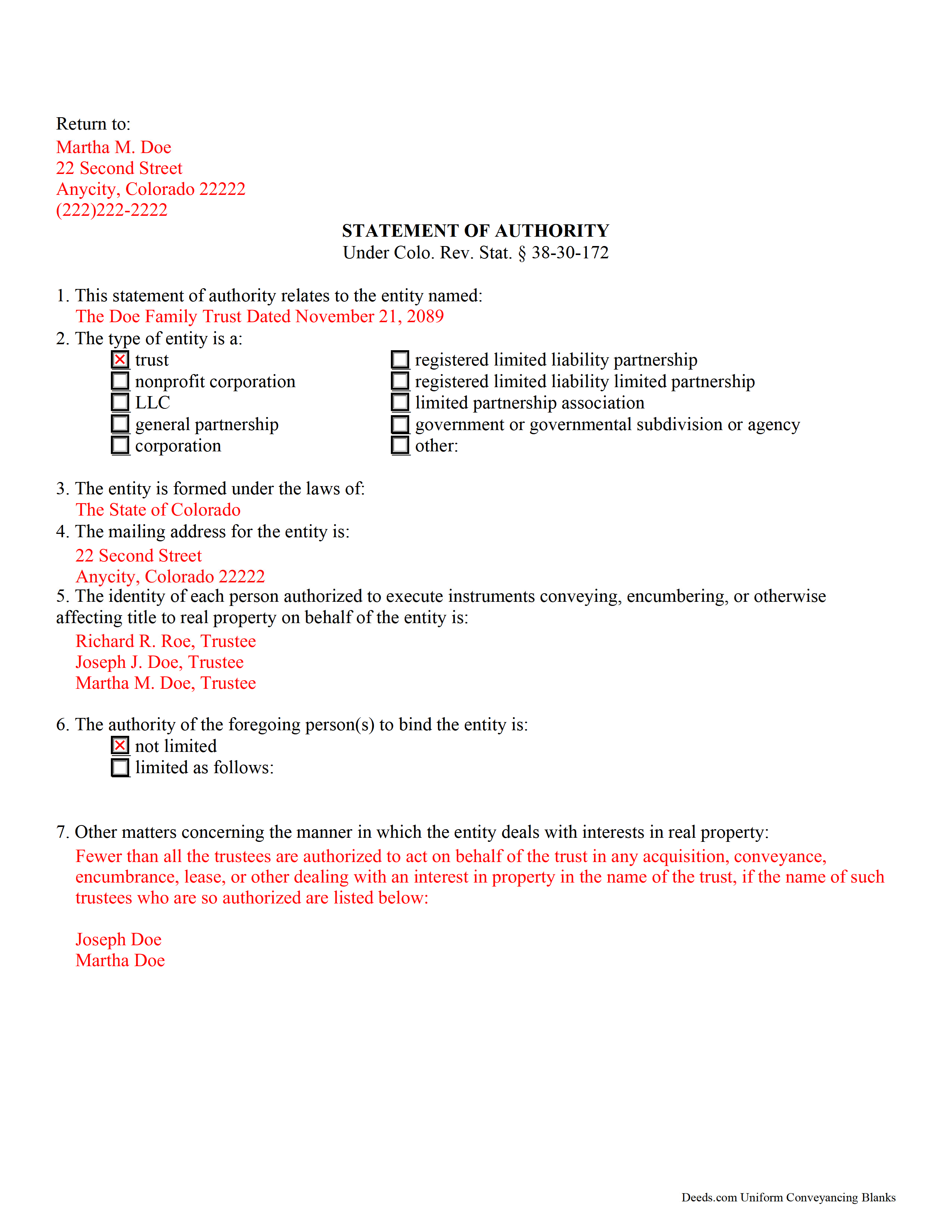
Hinsdale County Completed Example of the Statement of Authority Form
Example of a properly completed form for reference.
All 3 documents above included • One-time purchase • No recurring fees
Immediate Download • Secure Checkout
Additional Colorado and Hinsdale County documents included at no extra charge:
Where to Record Your Documents
Hinsdale County Clerk
Lake City, Colorado 81235
Hours: Monday through Friday 7 am to 5:30 pm
Phone: (970) 944-2225
Recording Tips for Hinsdale County:
- Bring your driver's license or state-issued photo ID
- Ensure all signatures are in blue or black ink
- Ask if they accept credit cards - many offices are cash/check only
- Check that your notary's commission hasn't expired
- Documents must be on 8.5 x 11 inch white paper
Cities and Jurisdictions in Hinsdale County
Properties in any of these areas use Hinsdale County forms:
- Lake City
Hours, fees, requirements, and more for Hinsdale County
How do I get my forms?
Forms are available for immediate download after payment. The Hinsdale County forms will be in your account ready to download to your computer. An account is created for you during checkout if you don't have one. Forms are NOT emailed.
Are these forms guaranteed to be recordable in Hinsdale County?
Yes. Our form blanks are guaranteed to meet or exceed the applicable formatting requirements used for recording in Hinsdale County, including margin requirements, font requirements, and other layout standards. This guarantee applies to formatting, not to the legal sufficiency of information entered by the user or the suitability of a form for a particular transaction.
Can I reuse these forms?
Yes. You can reuse the forms for your personal use. For example, if you have multiple properties in Hinsdale County you only need to order once.
What do I need to use these forms?
The forms are PDFs that you fill out on your computer. The free Adobe Acrobat Reader is recommended, and most PDF apps also work. You do NOT enter your property information online - you download the blank forms and complete them privately on your own computer.
Are there any recurring fees?
No. This is a one-time purchase. Nothing to cancel, no memberships, no recurring fees.
How much does it cost to record in Hinsdale County?
Recording fees in Hinsdale County vary. Contact the recorder's office at (970) 944-2225 for current fees.
Questions answered? Let's get started!
A statement of authority is used by a partnership, corporation, government agency, LLC, or other entity who is not an individual to evidence the entity's existence and the identity of the person(s) authorized to act on behalf of the entity [1]. The statement of authority in the State of Colorado is governed by Section 38-30-172 of the Revised Statutes (2016).
Under C.R.S. 38-30-108.5(1), "A trust may acquire, convey, encumber, lease, or otherwise deal with any interest in real ... property in the name of the trust." A statement of authority is recorded alongside a conveyance of interest in real property to a trust; it is executed by the person(s) authorized to hold the title on behalf of the trust -- in this case, the trustee(s).
In addition to listing the name and type of the entity (trust, in this case) and the identity of any persons authorized to execute instruments affecting title to real property on its behalf (trustee), the statement of authority specifies the state, country, or other governmental authority under whose laws it was formed (Colorado) [2]. The document also provides the mailing address of the entity so that the assessor knows where to send tax statements for the property [3].
The statement can also describe limitations, if any, of the trustee's authority to bind the entity; the absence of any listed in the statement of authority serves as prima facie evidence that none exist [4]. The statement may also contain any other matters concerning the manner in which the entity deals with interests in real property.
The statement of authority is signed by the trustee(s) named in the document and acknowledged before a notary public before it is recorded in the county in which the subject real property is situated [5]. Since the document affects an interest in real property, a legal description, including the commonly known address, should be included to distinguish the subject property; use the same legal description on the deed conveying the interest to the trust.
[1] C.R.S. 2-4-401(8)
[2] C.R.S. 38-30-172(2)(b)
[3] http://jeffco.us/assessor/faqs/property-description-department-faqs/what-is-a-statement-of-authority,-and-why-do-you-want-us-to-record-one-/
[4] C.R.S. 38-30-172(5)
[5] C.R.S. 38-30-108.5(2)
(Colorado Statement of Authority Package includes form, guidelines, and completed example)
Important: Your property must be located in Hinsdale County to use these forms. Documents should be recorded at the county recording office listed above.
This Statement of Authority meets all recording requirements specific to Hinsdale County.
Our Promise
The documents you receive here are guaranteed to meet or exceed the applicable Hinsdale County recording format requirements. If there is a rejection caused by our formatting, we will correct the issue or refund your payment. This guarantee applies to document formatting only and does not extend to information entered by the user, the selection of the form, or the legal effect of the completed document.
Save Time and Money
Get your Hinsdale County Statement of Authority form done right the first time with Deeds.com Uniform Conveyancing Blanks. At Deeds.com, we understand that your time and money are valuable resources, and we don't want you to face a penalty fee or rejection imposed by a county recorder for submitting nonstandard documents. We constantly review and update our forms to meet rapidly changing state and county recording requirements for roughly 3,500 counties and local jurisdictions.
4.8 out of 5 - ( 4,836 Reviews )
Monica T. 5 out of 5 stars
Super easy to use. Very pleased. The turn around time was very fast. I have another one pending. Thank you!
We are grateful for your feedback and looking forward to serving you again. Thank you!
janitza g. 5 out of 5 stars
It was easy!!! The example for completing a quickclaim deed form was very helpful!!
Thank you!
Kevin B. 4 out of 5 stars
It looks like it can be a huge time saver. I did a deed and appeared very professional.
Thank you for your feedback. We really appreciate it. Have a great day!
Thomas N. 5 out of 5 stars
Great service, truly helpful & saves time!!
Thank you!
David R A. 2 out of 5 stars
Way overpriced But serves the Purpose.
Thank you for your feedback. We really appreciate it. Have a great day!
Larry B. 5 out of 5 stars
Clear Directions; worked well.
We appreciate your business and value your feedback. Thank you. Have a wonderful day!
ROBIN C. 5 out of 5 stars
The process was very easy but I did not realize before I paid to get this form , that I could have gotten it free from Tulsa county clerks office. Other than that, it was fine.
Thank you for the honest feedback, Robin, and we're glad the process was easy for you. You're right that the Tulsa County Clerk publishes a free transfer on death deed form, and we'd never want anyone to feel they overpaid. Our version isn't that same blank, though: it adds an alternate beneficiary designation so the property still passes as you intend if your first choice doesn't survive you, it's built to handle one or two owners, and it comes with a plain-language guide and a completed example. We appreciate your business.
Steven B. 5 out of 5 stars
Easy peazy to find the right forms and they come with instructions and a sample.
Your feedback is appreciated. Thank you for letting us know how we did.
Katie G. 5 out of 5 stars
I haven't used the forms yet but it appears, with your tutelage, that they should not be too difficult to fill out and file. Your site was easy to navigate. Thank You
Thank you for the kinds words Katie. have a fantastic day!
Cherie J K. 5 out of 5 stars
needed to prepare a corrective deed and found this great website to print the corrective deed and instructions and example of corrective deed
We appreciate your business and value your feedback. Thank you. Have a wonderful day!
luisana w. 5 out of 5 stars
Super easy, excellente
Thank you!
Rebecca M. 5 out of 5 stars
I found the process of uploading documentation / deeds simple and easy. Will use this service again!
Thank you for your positive words! We’re thrilled to hear about your experience.
Regina A. 5 out of 5 stars
I needed to look for a recorded document and found what I was looking for. Thank you for the great service.
Thank you for your feedback. We really appreciate it. Have a great day!
Coralis M. 5 out of 5 stars
Fast, efficient and professional service! Thanks
Thank you!
Kimberly M. 5 out of 5 stars
Great service. Very helpful and quick. Love Deeds.com and will be using their services again.
Thank you for your feedback Kimberly, we really appreciate it!