Volusia County Correction Deed Form
Last validated October 27, 2026 by our Forms Development TeamFormatted for recording in Volusia County, for property anywhere in the county: rural and unincorporated areas as well as Barberville, Cassadaga, Daytona Beach, De Leon Springs, Debary, Deland, Deltona, Edgewater and 10 more.
- 3 documents included
- Immediate PDF download
- Formatting guarantee
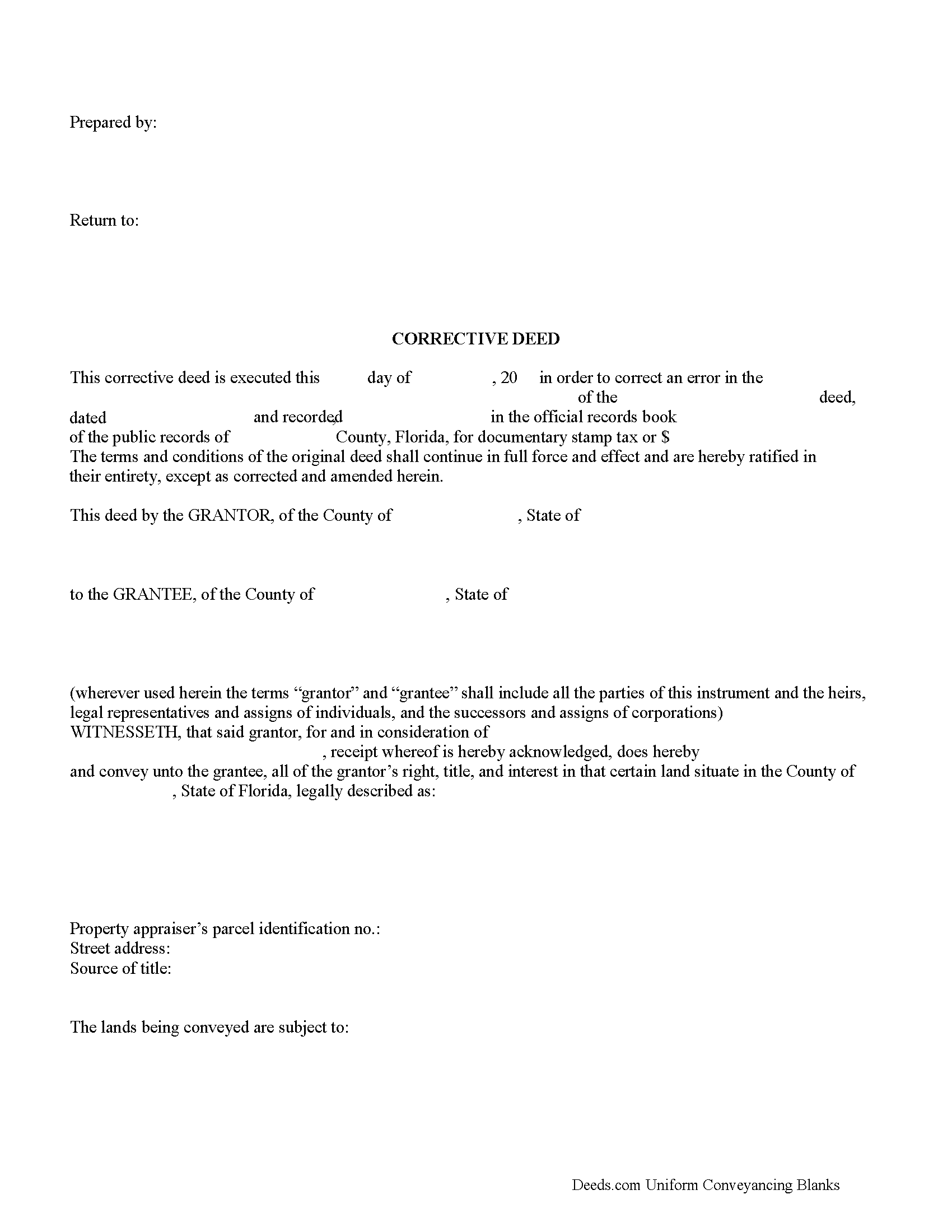
Volusia County Correction Deed Form
Fill in the blank Correction Deed form formatted to comply with all Florida recording and content requirements.
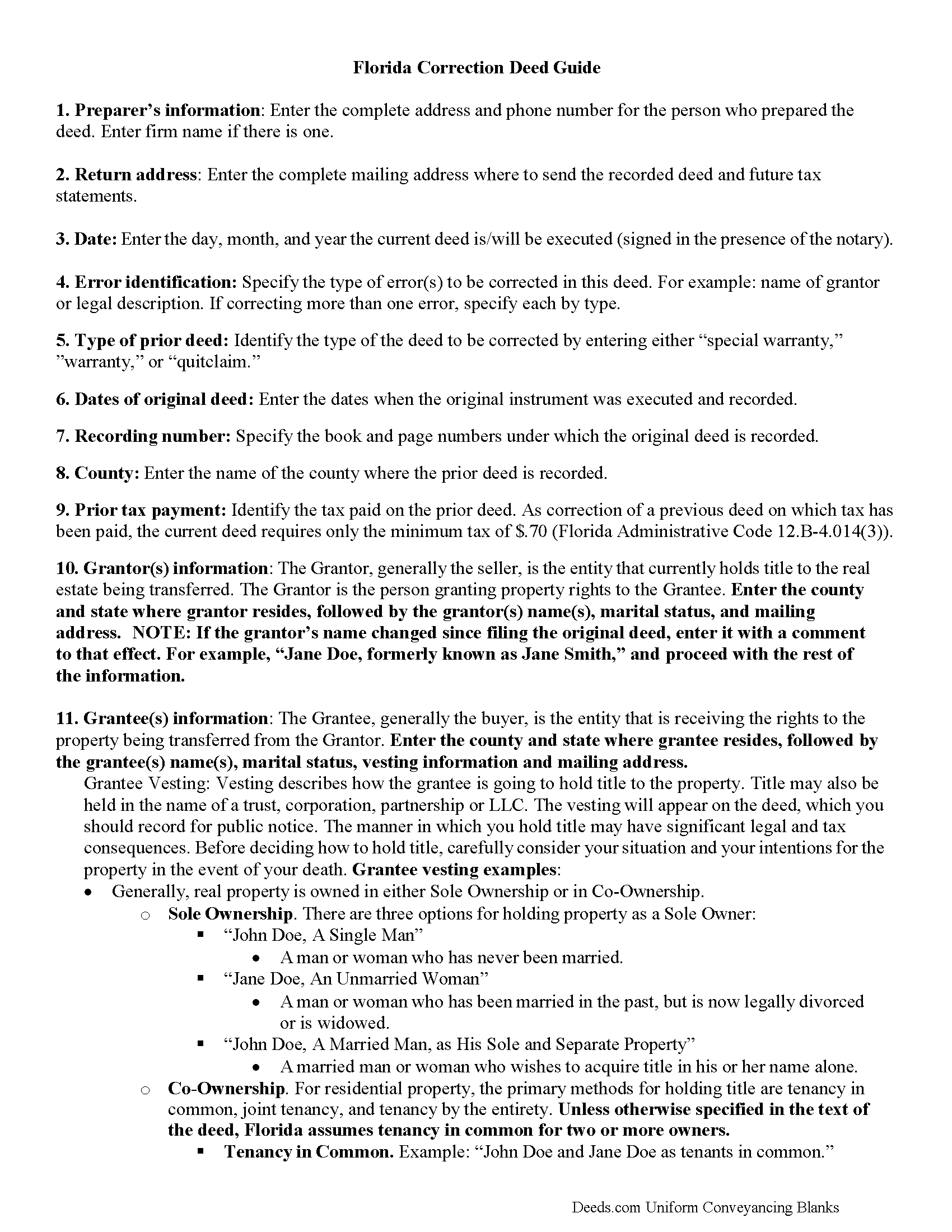
Volusia County Correction Deed Guide
Line by line guide explaining every blank on the Correction Deed form.
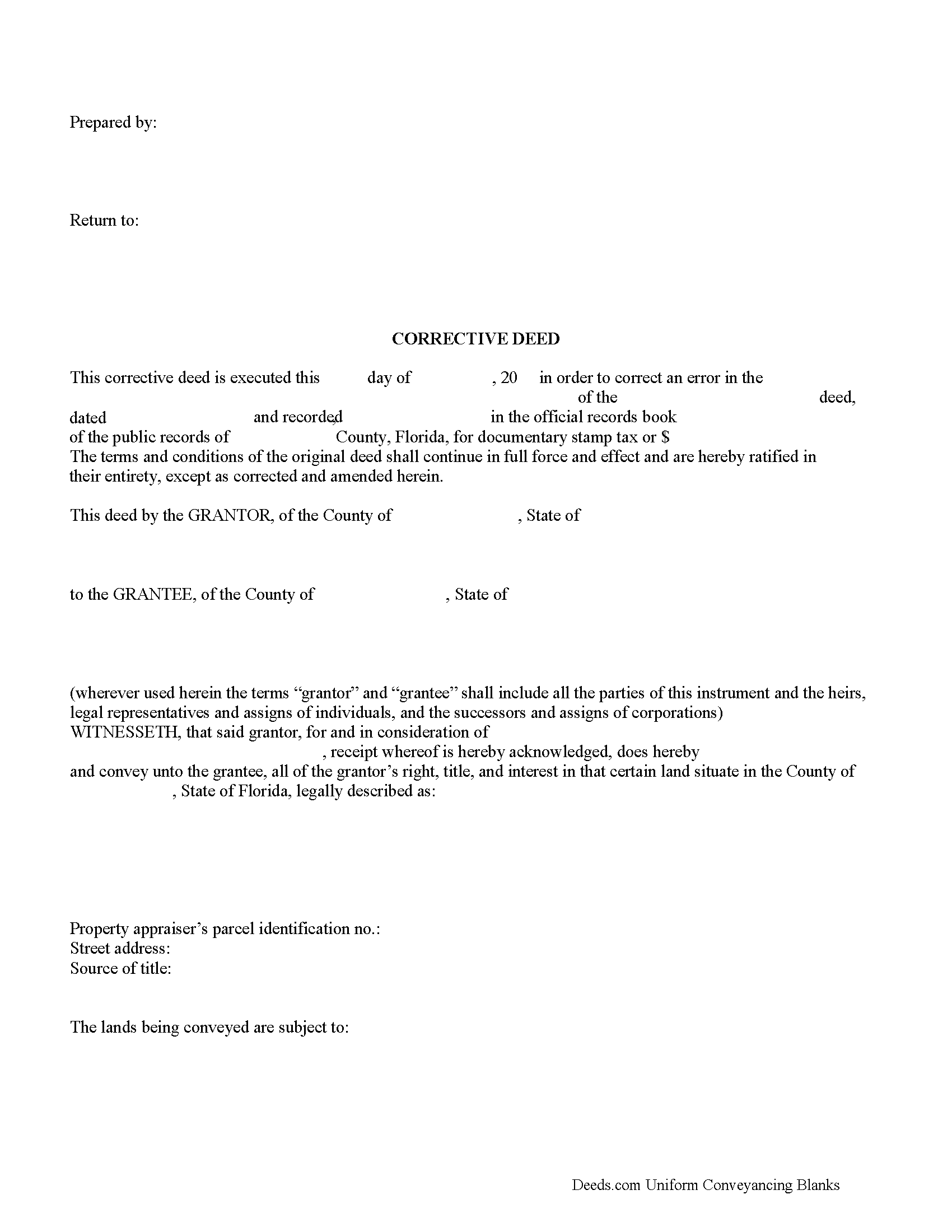
Volusia County Completed Example of the Correction Deed Document
Example of a properly completed Florida Correction Deed document for reference.
All 3 documents above included • One-time purchase • No recurring fees
Immediate Download • Secure Checkout
Additional Florida and Volusia County documents included at no extra charge:
Where to Record Your Documents
Volusia County Clerk of Circuit Court
DeLand, Florida 32724 / 32721-6043
Hours: 8:00am to 4:30pm M-F
Phone: (386) 736-5912
New Smyrna Beach Courthouse Annex
New Smyrna Beach, Florida 32168
Hours: 8:00am to 4:30pm M-F / Document drop-off only
Phone: (386) 423-3300 x15912
Daytona Beach Courthouse Annex
Daytona Beach, Florida 32114
Hours: 8:00am to 4:30pm M-F / Document drop-off only
Phone: (386) 257-6006 x15912
Recording Tips for Volusia County:
- Bring your driver's license or state-issued photo ID
- Ensure all signatures are in blue or black ink
- Check margin requirements - usually 1-2 inches at top
- Leave recording info boxes blank - the office fills these
- Make copies of your documents before recording - keep originals safe
Cities and Jurisdictions in Volusia County
Properties in any of these areas use Volusia County forms:
- Barberville
- Cassadaga
- Daytona Beach
- De Leon Springs
- Debary
- Deland
- Deltona
- Edgewater
- Glenwood
- Lake Helen
- New Smyrna Beach
- Oak Hill
- Orange City
- Ormond Beach
- Osteen
- Pierson
- Port Orange
- Seville
Hours, fees, requirements, and more for Volusia County
How do I get my forms?
Forms are available for immediate download after payment. The Volusia County forms will be in your account ready to download to your computer. An account is created for you during checkout if you don't have one. Forms are NOT emailed.
Are these forms guaranteed to be recordable in Volusia County?
Yes. Our form blanks are guaranteed to meet or exceed the applicable formatting requirements used for recording in Volusia County, including margin requirements, font requirements, and other layout standards. This guarantee applies to formatting, not to the legal sufficiency of information entered by the user or the suitability of a form for a particular transaction.
Can I reuse these forms?
Yes. You can reuse the forms for your personal use. For example, if you have multiple properties in Volusia County you only need to order once.
What do I need to use these forms?
The forms are PDFs that you fill out on your computer. The free Adobe Acrobat Reader is recommended, and most PDF apps also work. You do NOT enter your property information online - you download the blank forms and complete them privately on your own computer.
Are there any recurring fees?
No. This is a one-time purchase. Nothing to cancel, no memberships, no recurring fees.
How much does it cost to record in Volusia County?
Recording fees in Volusia County vary. Contact the recorder's office at (386) 736-5912 for current fees.
Questions answered? Let's get started!
A Florida Correction Deed must clear unusually demanding execution rules: Florida is among a small number of states that still requires two subscribing witnesses on a deed conveying real property, and Florida's constitutional homestead provision can void a conveyance of homestead property signed by the title-holding spouse alone. Both rules carry over to the correction itself — an instrument that re-executes a flawed conveyance must satisfy the same formalities as the original, or the recording fixes nothing. Florida also gives a defective deed a five-year cure window under F.S. 95.231, which means the urgency to correct depends on how the error actually affects title, not on whether the document looks wrong.
When a Florida Correction Deed Is Used
A correction deed re-executes and re-records a prior conveyance to fix typographical errors, misspelled names, omitted middle initials, and scrivener's errors in the legal description. The Florida Bar's Uniform Title Standard 3.6 holds that the absence of a date, or a wrong date, does not by itself invalidate a deed, so a working deed should generally be left alone. The instrument is most useful when a clerical mistake has clouded the chain of title without changing what was actually conveyed. Execution defects — missing witnesses or a faulty acknowledgment — sit on the edge of correction-deed practice: F.S. 95.231 cures many of them after five years, and within that window a re-execution by the original grantor is often the cleaner remedy.
Florida's Statutory Framework for Correction Deeds
Two Florida authorities govern most correction work. F.S. 95.231 creates a five-year presumption of validity: a deed defectively acknowledged or lacking witnesses is treated as valid five years after recording, which means many older defects cure themselves without any further instrument. The Florida Bar's Uniform Title Standards, published by the Real Property, Probate and Trust Law Section, guide examiners and drafters on which defects matter and which do not. The correction deed has fixed limits under Florida title practice — it cannot divest an unintended grantee, re-vest title in the original grantor, or alter consideration in a way that changes ownership. Each of those outcomes is a new conveyance that must be executed by the current titleholder with full Florida formalities; attempting them through a correction deed creates a title cloud rather than a fix.
Execution Requirements
Florida deeds, including correction deeds, must be signed by the grantor in the presence of two subscribing witnesses (F.S. 689.01). The notary may serve as one of the two, but the second witness must be a separate individual — a frequent point of failure on out-of-state-prepared documents. The grantor's signature must be acknowledged before a notary or other authorized officer (F.S. 695.03) so the instrument is eligible for recording and gives constructive notice. The correction deed is re-executed by the original grantor; a grantee or third party cannot sign a correction deed to fix the grantor's prior conveyance.
Florida-Specific Traps That Cause Recording Problems
- Homestead spousal joinder. Article X, Section 4 of the Florida Constitution requires both spouses to sign any conveyance of homestead property, even if only one spouse holds record title. A correction deed for homestead property without the non-titled spouse's signature is void as to homestead and will not cure the underlying defect.
- Preparer identification, grantee address, and recording margin. F.S. 695.26 requires the name and address of the deed's preparer to appear on the face of the instrument, the grantee's mailing address to be stated, and a three-inch by three-inch blank space at the top right of the first page reserved for the clerk's recording stamp.
- Marital status recital. Florida title examiners expect the grantor's marital status to be recited because of the constitutional homestead rule. Omitting the recital does not necessarily invalidate the conveyance, but it routinely produces title objections that a later correction deed has to address.
- Documentary stamp tax. Under F.S. 201.02, deeds in Florida are subject to documentary stamp tax. A correction deed re-executing a previously taxed conveyance with no new consideration generally owes only the minimum stamp, but a correction that substantively changes parties or interests can trigger tax on the underlying consideration. The clerk will not record the deed without the appropriate stamps paid.
- Plat references and parcel identification. Most Florida legal descriptions in platted subdivisions reference a plat book and page in the county's official records. The correction deed must carry the corrected description verbatim, including the plat reference. Florida statutes also call for the property's parcel identification number issued by the county property appraiser to appear on the deed.
Recording the Correction Deed
A Florida correction deed is recorded with the Clerk of the Circuit Court in the official records of the county where the property is located. Recording gives constructive notice under F.S. 695.11 and establishes priority against subsequent purchasers and creditors. Because Florida is a notice state, an unrecorded correction has no effect against a later good-faith purchaser without notice — which is why the corrected instrument should be recorded promptly after execution. Some Florida clerks will accept a re-recorded copy of an original deed annotated with the correction; that is a different procedure than executing a new correction deed, and not all errors qualify for that treatment.
What's Included in the Florida Correction Deed Package
The Florida Correction Deed package includes the form, line-by-line completion guidelines, and a completed example. The form is configured for Florida's two-witness execution requirement and includes space for the marital status recital, preparer identification, grantee mailing address, and the recording margin required by F.S. 695.26.
Important: Your property must be located in Volusia County to use these forms. Documents should be recorded at the county recording office listed above.
This Correction Deed meets all recording requirements specific to Volusia County.
Our Promise
The documents you receive here are guaranteed to meet or exceed the applicable Volusia County recording format requirements. If there is a rejection caused by our formatting, we will correct the issue or refund your payment. This guarantee applies to document formatting only and does not extend to information entered by the user, the selection of the form, or the legal effect of the completed document.
Save Time and Money
Get your Volusia County Correction Deed form done right the first time with Deeds.com Uniform Conveyancing Blanks. At Deeds.com, we understand that your time and money are valuable resources, and we don't want you to face a penalty fee or rejection imposed by a county recorder for submitting nonstandard documents. We constantly review and update our forms to meet rapidly changing state and county recording requirements for roughly 3,500 counties and local jurisdictions.
4.8 out of 5 - ( 4,838 Reviews )
John Q. 4 out of 5 stars
The process was a little confusing to understand at first for someone like me with no experience doing something like this. But after I spent a little time checking out everything, the process was easier than I thought it would be using this site. Also, the best part was the quick and helpful responses when using the Chat function.
Thank you, John! We appreciate your feedback and are glad our team could help make the experience a positive one. Thanks for giving us the opportunity to assist!
David O. 5 out of 5 stars
I had overwhelming emotions taking my deceased wife's name off my condo, so it took me a year to steel myself to submit the form. I filed in Multnomah county, OR which also requires a cover sheet documented here: https://www.multco.us/recording/recording-requirements But, I'm totally happy with the service and quality from Deeds.com getting me what I needed to get this done.
Your feedback is greatly appreciated. Thank you for taking the time to share your experience!
Rick F. 5 out of 5 stars
Your website was very easy to navigate and I accomplished my single task successfully. It was accomplished with zero issues and in a timely fashion. When or if the need arises, I will definitely use your service again. Thank you!
Thank you for your feedback. We really appreciate it. Have a great day!
janet H. 5 out of 5 stars
easy to download and print. came with instructions also. very helpful.
Thank you, Janet. We’re happy to hear the download and instructions made the process straightforward. We appreciate you taking the time to share your experience.
Ron D. 5 out of 5 stars
No choice since the county does not seem to provide info you supplied.
Thank Ron, have a great day!
Norbert C. 5 out of 5 stars
Great resource and everything went smoothly except email was performed through autofill prompted by the system but the autofill added a letter that gave wrong email. I can still sign in with wrong email since the system recognizes it as mine even though it is wrong. May be my fault and not the system since I did not catch the discrepancy in time. I would suggest a field that allows a correction to any misinformation prior to signing out from the initial sign on. Still think it is a great resource if all documents are processed and accepted by the pwers to be. Thanks.
Thank you!
Gillian G. 5 out of 5 stars
Looks good and provides lots of instruction.
Thank you!
Nancy J M. 5 out of 5 stars
Site is easy to navigate and forms are as described. Too bad there is no secure payment link service (PayPal, Apple Pay, etc. So after I verify charge has hit my credit card I will delete my Deeds.com account.
Thank you!
William /. 5 out of 5 stars
Great service would use again
Thank you!
Bernard H. 5 out of 5 stars
The site is clear and easy to submit requests. I will be using again when needed. No problems and a pleasure to deal with.
Thank you for your feedback. We really appreciate it. Have a great day!
Rita M. 5 out of 5 stars
I have not received the deed via email. That is what I was expecting. Let me know if I am incorrect in my thinking.
Thanks for reaching out. While we do send some email notifications, we do not email documents. All orders are available via your account. You can log into your account from the menu button at the top left of most pages on the website.
Betty S. 5 out of 5 stars
Thank you for the excellent and complete layout of all forms needed to complete the Affidavit of Death and Heirship, including the notarial officer and an example of how these forms should be completed. This method definitely saves time and money and an answer to my family's Prayers.
Thank you for your feedback. We really appreciate it. Have a great day!
JOHN M. 5 out of 5 stars
THANKS FROM A 92 YEAR OLD LADY
Thank you!
Patricia K. 5 out of 5 stars
Able to find the information that I needed.
Thank you!
Valerie W. 5 out of 5 stars
I haven't gotten around to filling out the forms yet, but they look fine to me on the surface. looking forward to getting to them as soon as I can!
Thank you, Valerie. When you’re ready, everything will be available in your account.