Lafayette County Quitclaim Deed (Trustee Grantor) Form
Last validated October 9, 2026 by our Forms Development TeamFormatted for recording in Lafayette County, for property anywhere in the county: rural and unincorporated areas as well as Day, Mayo.
- 3 documents included
- Immediate PDF download
- Formatting guarantee
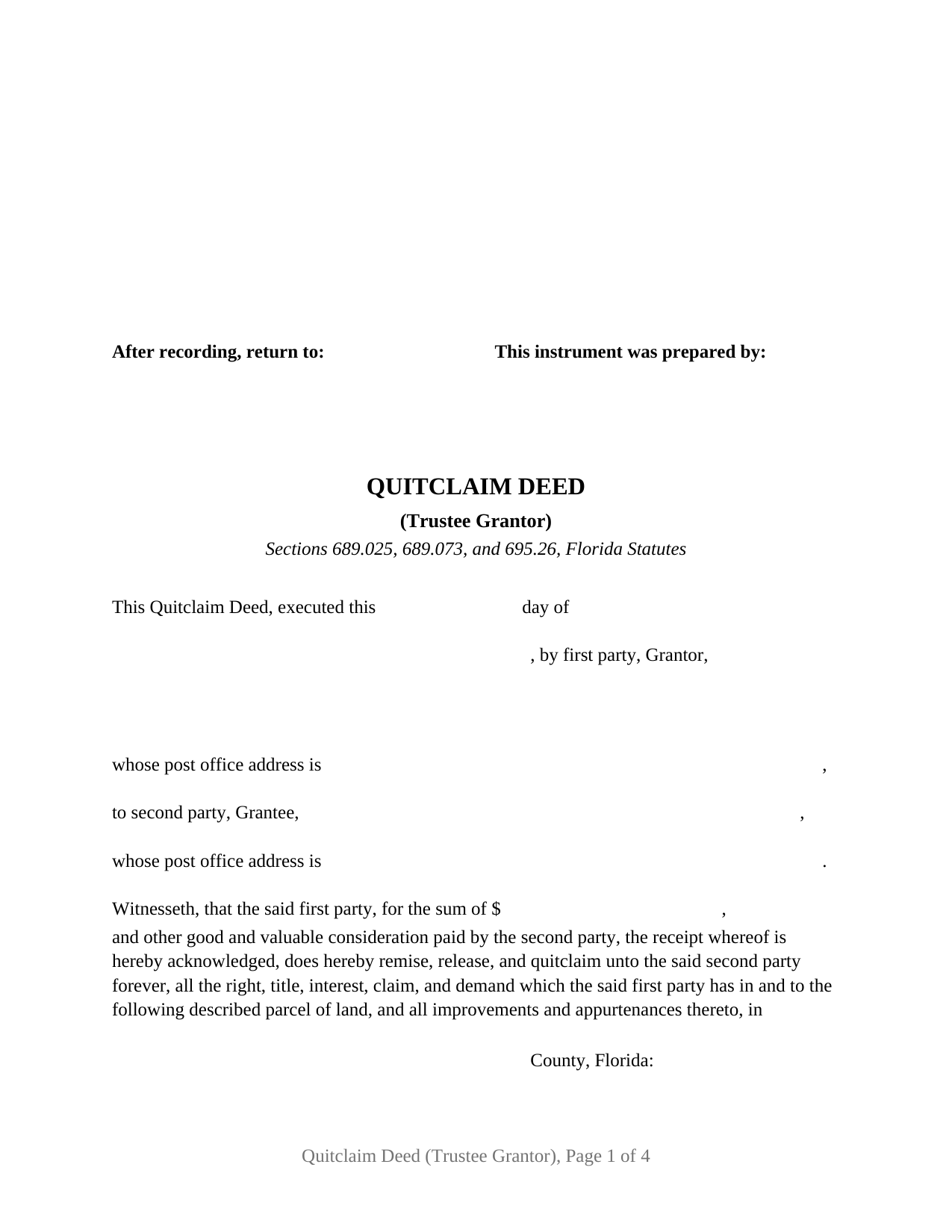
Lafayette County Quitclaim Deed (Trustee Grantor) Form
Fill in the blank Quitclaim Deed (Trustee Grantor) form formatted to comply with all Florida recording and content requirements.
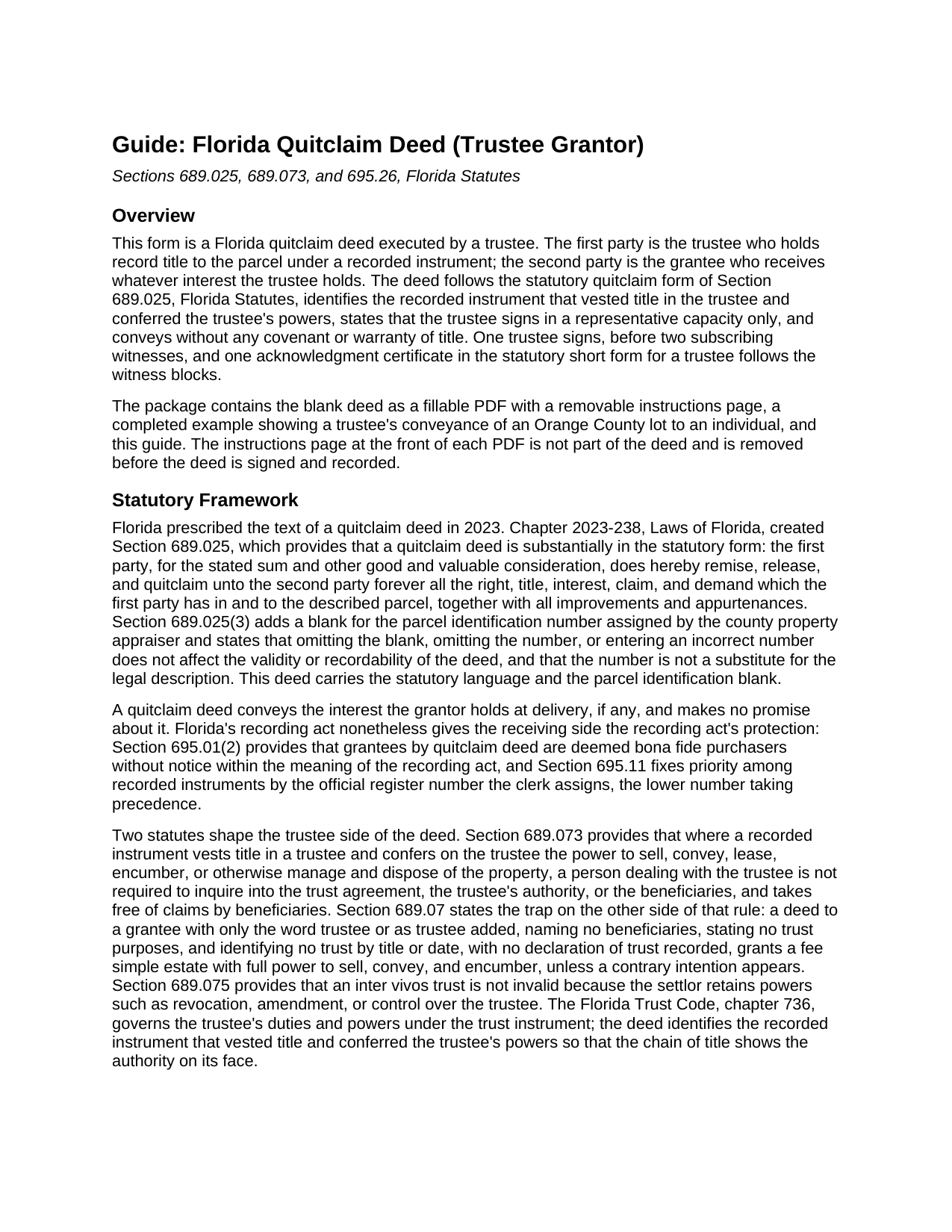
Lafayette County Quitclaim Deed (Trustee Grantor) Guide
Line by line guide explaining every blank on the Quitclaim Deed (Trustee Grantor) form.
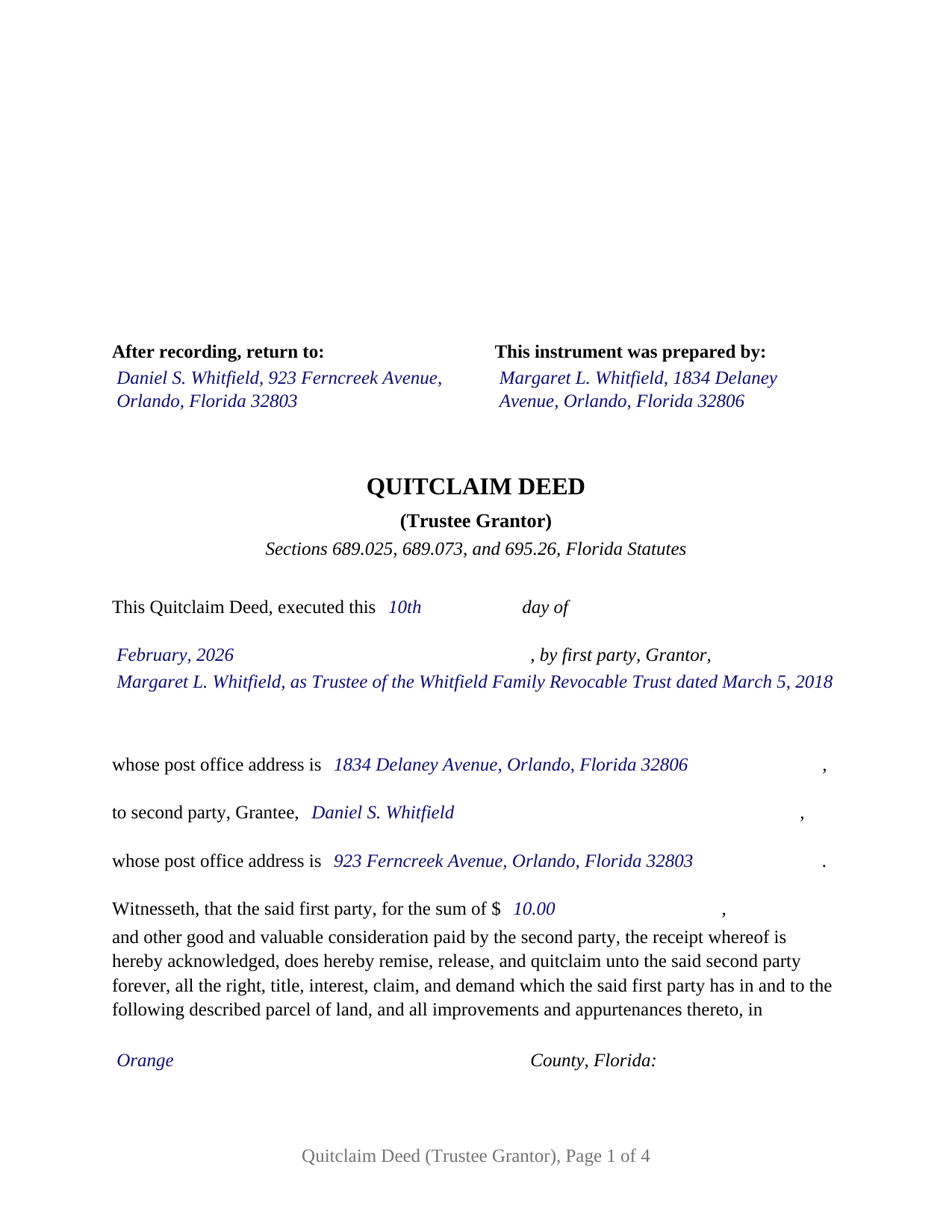
Lafayette County Completed Example of the Quitclaim Deed (Trustee Grantor) Document
Example of a properly completed Florida Quitclaim Deed (Trustee Grantor) document for reference.
All 3 documents above included • One-time purchase • No recurring fees
Immediate Download • Secure Checkout
Additional Florida and Lafayette County documents included at no extra charge:
Where to Record Your Documents
Clerk of Court - Lafayette County Courthouse
Mayo, Florida 32066
Hours: 8:00am to 5:00pm M-F
Phone: (386) 294-1600
Recording Tips for Lafayette County:
- Bring your driver's license or state-issued photo ID
- Ensure all signatures are in blue or black ink
- Check margin requirements - usually 1-2 inches at top
- Leave recording info boxes blank - the office fills these
- Make copies of your documents before recording - keep originals safe
Cities and Jurisdictions in Lafayette County
Properties in any of these areas use Lafayette County forms:
- Day
- Mayo
Hours, fees, requirements, and more for Lafayette County
How do I get my forms?
Forms are available for immediate download after payment. The Lafayette County forms will be in your account ready to download to your computer. An account is created for you during checkout if you don't have one. Forms are NOT emailed.
Are these forms guaranteed to be recordable in Lafayette County?
Yes. Our form blanks are guaranteed to meet or exceed the applicable formatting requirements used for recording in Lafayette County, including margin requirements, font requirements, and other layout standards. This guarantee applies to formatting, not to the legal sufficiency of information entered by the user or the suitability of a form for a particular transaction.
Can I reuse these forms?
Yes. You can reuse the forms for your personal use. For example, if you have multiple properties in Lafayette County you only need to order once.
What do I need to use these forms?
The forms are PDFs that you fill out on your computer. The free Adobe Acrobat Reader is recommended, and most PDF apps also work. You do NOT enter your property information online - you download the blank forms and complete them privately on your own computer.
Are there any recurring fees?
No. This is a one-time purchase. Nothing to cancel, no memberships, no recurring fees.
How much does it cost to record in Lafayette County?
Recording fees in Lafayette County vary. Contact the recorder's office at (386) 294-1600 for current fees.
Questions answered? Let's get started!
When Florida land sits in a trust, the public record shows the trustee as the titleholder, and the deed that moves the land out again is signed by that trustee in a representative capacity. This quitclaim deed prepares that conveyance: a trustee grantor releasing whatever interest the trust holds, using the statutory language Florida adopted in 2023 and the trust identification that Florida's trustee-title statutes reward.
Statutory quitclaim words, new in 2023
Chapter 2023-238, Laws of Florida, created Section 689.025, Florida Statutes, the state's first prescribed quitclaim form. A Florida quitclaim deed is now substantially in the statutory form: the first party, for the stated sum and other good and valuable consideration, does hereby remise, release, and quitclaim unto the second party forever, all the right, title, interest, claim, and demand which the first party has in and to the described parcel of land, with its improvements and appurtenances. This deed carries that language verbatim, along with the parcel identification number blank the statute requires.
A quitclaim conveys the grantor's interest and promises nothing about it, and the deed says so: no covenant or warranty of title, express or implied. Florida's recording act nonetheless treats the grantee well; Section 695.01(2) deems quitclaim grantees bona fide purchasers without notice.
Why the trustee capacity line does real work
Two statutes make the trustee identification more than a formality. Section 689.073 protects persons dealing with a trustee where the recorded instrument that vested title in the trustee conferred the power to sell and convey; this deed identifies that vesting instrument by its recording reference, so the chain of title shows the authority on its face. Section 689.07 supplies the trap the drafting avoids: a bare trustee label with no trust named can operate as an individual fee simple conveyance. The grantor line therefore carries the trustee's name with the trust's title and date, and a capacity paragraph states that the trustee signs in the representative capacity only and not individually.
One trustee, one signature, one certificate
The form recites one first party holding record title as trustee, one second party as grantee, and a Trustee Title and Authority section naming the recorded instrument that vested title in the trustee. The execution side is built for that one signature: a signature block headed for the grantor as trustee, a pair of subscribing witness blocks, and a single trustee acknowledgment certificate, with no joining spouse block anywhere on the deed, since the owner of record is a trustee acting in a representative capacity. Records presenting this configuration include a trustee distributing a parcel to a beneficiary after the settlor's death, a trustee returning a lot to the settlor who funded the trust, and a trustee releasing to a purchaser whatever interest the trust holds. The form is not set up as a deed by an individual signing in his or her own right, by two co-trustees who both sign, by a corporation, company, or partnership, or by an attorney-in-fact under a power of attorney.
Two witnesses, and addresses for both
A Florida deed conveying a freehold interest is signed in the presence of two subscribing witnesses under Section 689.01, and since January 1, 2024, Section 695.26 has required each witness name printed beneath the witness signature and each witness post office address on the instrument. The deed carries printed name and address lines for both witnesses. The certificate is the statutory short form of Section 695.25(6) for an acknowledgment by any public officer, trustee, or personal representative: the officer marks whether the trustee appeared by physical presence or by online notarization, enters the date and the name and title of position of the person acknowledging, and states the identification relied on, with a reserved area under the officer's signature for the rubber stamp seal Section 117.05 places below or beside it. At the counter, documentary stamp tax under Section 201.02 falls due with the recording fee, computed on consideration as chapter 201 defines it, mortgage balance included; a conveyance by a trustee is analyzed under the Department of Revenue's trust rule, which looks to beneficial ownership and consideration rather than to the trustee label.
The package includes the blank deed as a fillable PDF with a non-recorded instructions page, a completed example showing a trustee's distribution of an Orange County lot, and a plain-language guide that walks through every blank, the witness and notary formalities, recording charges, and the documentary stamp computation. The materials describe Florida law in general terms and are not legal advice.
Important: Your property must be located in Lafayette County to use these forms. Documents should be recorded at the county recording office listed above.
This Quitclaim Deed (Trustee Grantor) meets all recording requirements specific to Lafayette County.
Our Promise
The documents you receive here are guaranteed to meet or exceed the applicable Lafayette County recording format requirements. If there is a rejection caused by our formatting, we will correct the issue or refund your payment. This guarantee applies to document formatting only and does not extend to information entered by the user, the selection of the form, or the legal effect of the completed document.
Save Time and Money
Get your Lafayette County Quitclaim Deed (Trustee Grantor) form done right the first time with Deeds.com Uniform Conveyancing Blanks. At Deeds.com, we understand that your time and money are valuable resources, and we don't want you to face a penalty fee or rejection imposed by a county recorder for submitting nonstandard documents. We constantly review and update our forms to meet rapidly changing state and county recording requirements for roughly 3,500 counties and local jurisdictions.
4.8 out of 5 - ( 4,845 Reviews )
Linda D. 5 out of 5 stars
This is a very nice service. Easy to use and reasonable. I especially appreciated the helpful explanations of each of the fields on the form. I will positively use this service again.
Thank you for your feedback. We really appreciate it. Have a great day!
Christine B. 5 out of 5 stars
The site was easy to navigate.
Thank you!
Ann-Margaret G. 5 out of 5 stars
Found what I was looking for quickly, no issues. Able to pay & download my forms. Haven't filed them yet so I can't review that process.
We appreciate your business and value your feedback. Thank you. Have a wonderful day!
Mary Ann G. 2 out of 5 stars
Couldn't find the deed form that I needed. Needs to have a short summary to determine the correct form.
Sorry to hear that Mary Ann, we appreciate your feedback.
Alexis B. 5 out of 5 stars
Highly Pleased- Strongly Recommend Deeds.com Long review... sorry:-) Originally I was very skeptical due to the enormous amount of the scams going on now days and the number of online sources that "claim" to provide you with deed forms for free or for a few. Nothing that you need and want done is free. There is always a cost. So luckily I came across deeds.com. This was the only site that appeared to be simple, to the point, and made no crazy promises. So before selecting this site, I did a little more checking around/price checking to ensure I am getting the best price for the product I needed. I even checked Staples and Amazon to find that they do indeed sell these forms but I do not think the products they provide are specific for my state and county. They claim their forms provided are for all states but my state is specific and I prefer to have forms provided by Deeds.com that is based on Indiana statute that Deed.com clearly identifies on each form. Deeds.com price of $20 seemed a little high at first but when I saw the products provided, the $20 cost is more than reasonable and fair. You not only get the deed form specific for my state and my specific "county" but also the other various/supplemental forms that may be required. Being familiar with my state and knowing how tedious and anal my state is on everything, I was pleasantly please to see the info and extra supplemental forms provided. For example, a person new to the State who recently had property deeded to them, would not necessarily know about the Homestead tax exemption provided if property is your primary residents, over 65 exemption etc. I would highly recommend this site for anyone needing these documents because Deeds.com has you covered on any and all forms/info you could ever need! A bonus is that there is one flat fee and not monthly cost that you have to worry about canceling later unless you superficially select a monthly package. I love the fact that Deeds.com is nothing fancy. There is not a bunch of elaborate graphics etc. They only provide what you need and what they provide is very accurate. Deeds.com has a customer for life.
Thank you so much Alexis. We appreciate you, have a fantastic day.
Laura B. 5 out of 5 stars
Downloaded and completed these quit claim forms in less than one cup of coffee, quick easy and stress free.
We appreciate your business and value your feedback. Thank you. Have a wonderful day!
Albo A. 5 out of 5 stars
Deeds.com was fast and easy to file documents
Thank you!
Joseph R. 5 out of 5 stars
Deeds.com has saved me quite a bit in attorney fees by making legal forms available on line. Easy to use, just fill in the blanks.
Thank you for your feedback. We really appreciate it. Have a great day!
Michelle G. 5 out of 5 stars
EXCEPTIONAL CUSTOMER SERIVCE!!! THANK YOU!!!
Thank you for your feedback. We really appreciate it. Have a great day!
Cedric H. 5 out of 5 stars
The Guide and Example documents included were a great help completing the form on my own.
Thank you!
Georgana T. 3 out of 5 stars
Not clear information on ownership, which is what I wanted.
Sorry to hear that we were unable to find the information you need Georgana. Your account has been credited. Have a wonderful day.
Wendy C. 3 out of 5 stars
I purchased a Warranty Deed "package" on Friday and found that the Main download was a working document, but the secondary document (which is required) was not. In other words, I was able to use the fill-in feature on the main document, but not on the second document. I used the portal on the website to report my issue the same day. That was Friday. This is Wednesday. I have not heard a word from them and I have to use my documents in 2 days. I will probably have to resort to pen and ink for that document, but I have already tried filling it out twice and have to keep reprinting and starting over. You can't white out or cross out. I would really prefer to have the complete service that I paid for.
Thank you for your feedback. As is noted on the site, supplemental forms are provided as a courtesy with your order. They are not our forms, we did not create them. They are created and provided by the jurisdiction/agency that requires them. Have a wonderful day.
Michael W. 5 out of 5 stars
This was really easy and very helpful. Thanks,
Thank you!
Alan K. 5 out of 5 stars
The instructions and example for filling out the form were very clear and detailed making the whole process fairly easy. An attorney I talked to wanted $200 to fill out this simple form. I haven't tried to file it yet but I will let you know if there are any issues. Really a great deal. $20 vs $200.
We appreciate your business and value your feedback. Thank you. Have a wonderful day!
Robert P. 5 out of 5 stars
Overall, your website was straightforward and easy to navigate. I was able to accomplish what I needed to do very quickly. If needed again, I would certainly use and recommend others to use deeds.com.
We appreciate your business and value your feedback. Thank you. Have a wonderful day!