Okeechobee County Warranty Deed (Corporation Grantor) Form
Last validated November 5, 2026 by our Forms Development TeamFormatted for recording in Okeechobee County, for property anywhere in the county: rural and unincorporated areas as well as Okeechobee.
- 3 documents included
- Immediate PDF download
- Formatting guarantee
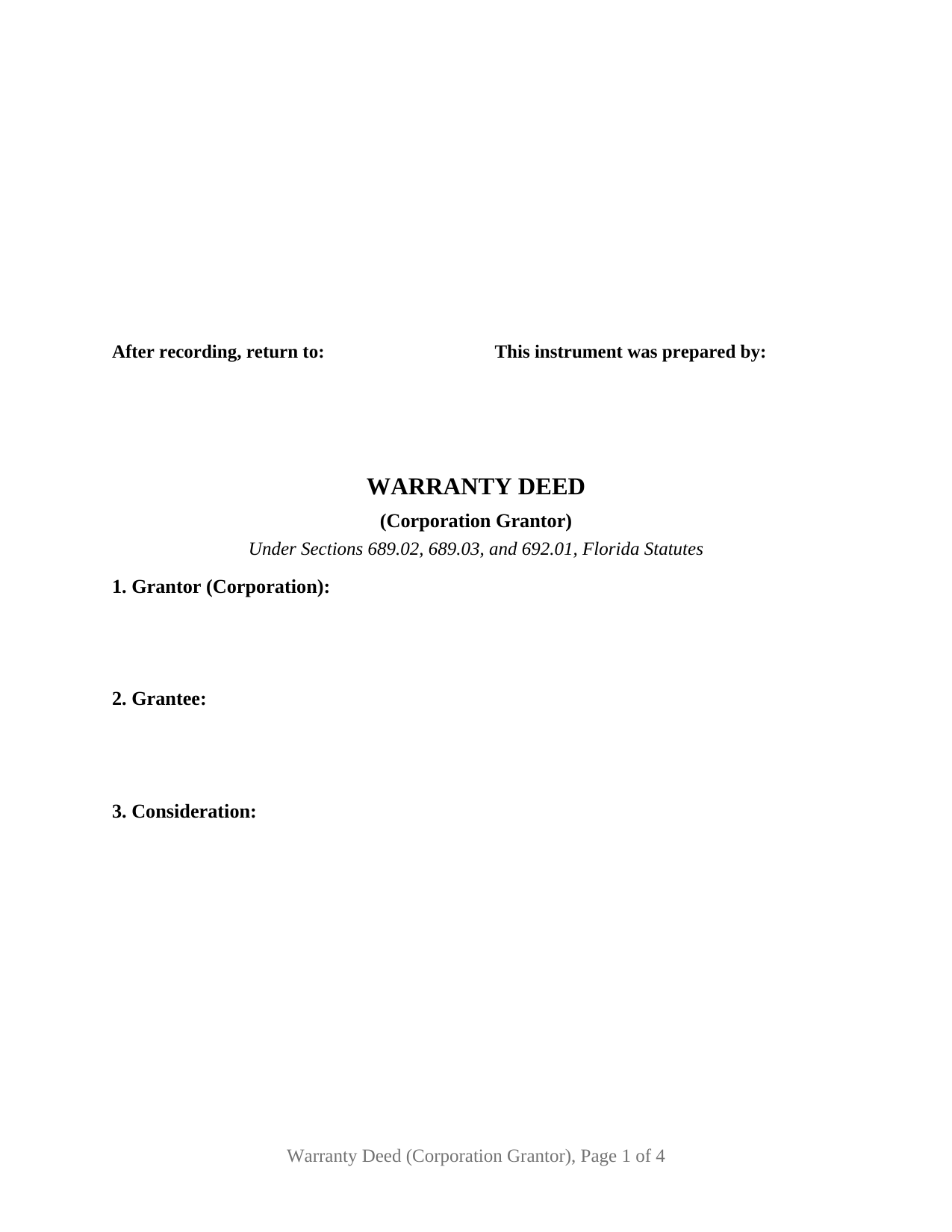
Okeechobee County Warranty Deed (Corporation Grantor) Form
Fill in the blank Warranty Deed (Corporation Grantor) form formatted to comply with all Florida recording and content requirements.
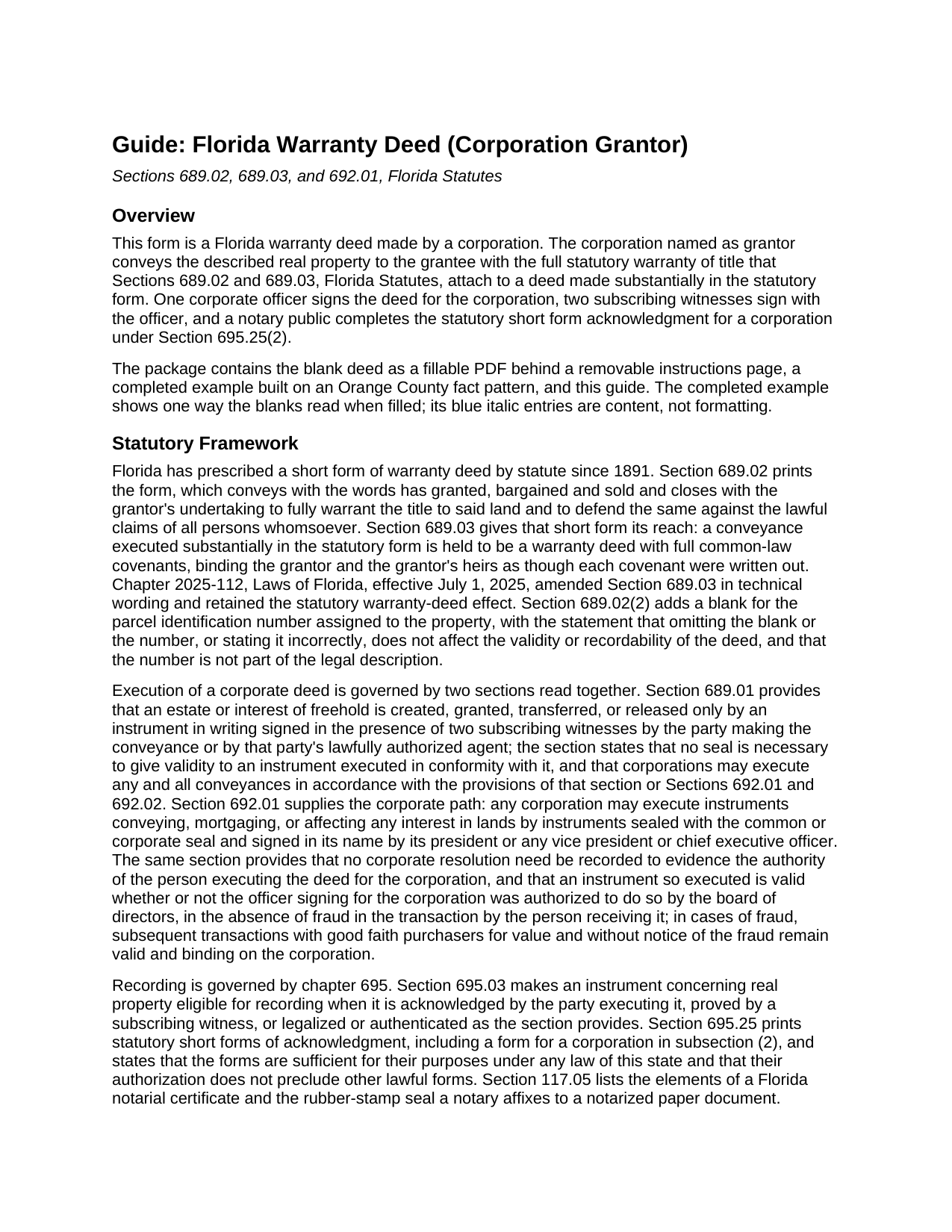
Okeechobee County Warranty Deed (Corporation Grantor) Guide
Line by line guide explaining every blank on the Warranty Deed (Corporation Grantor) form.
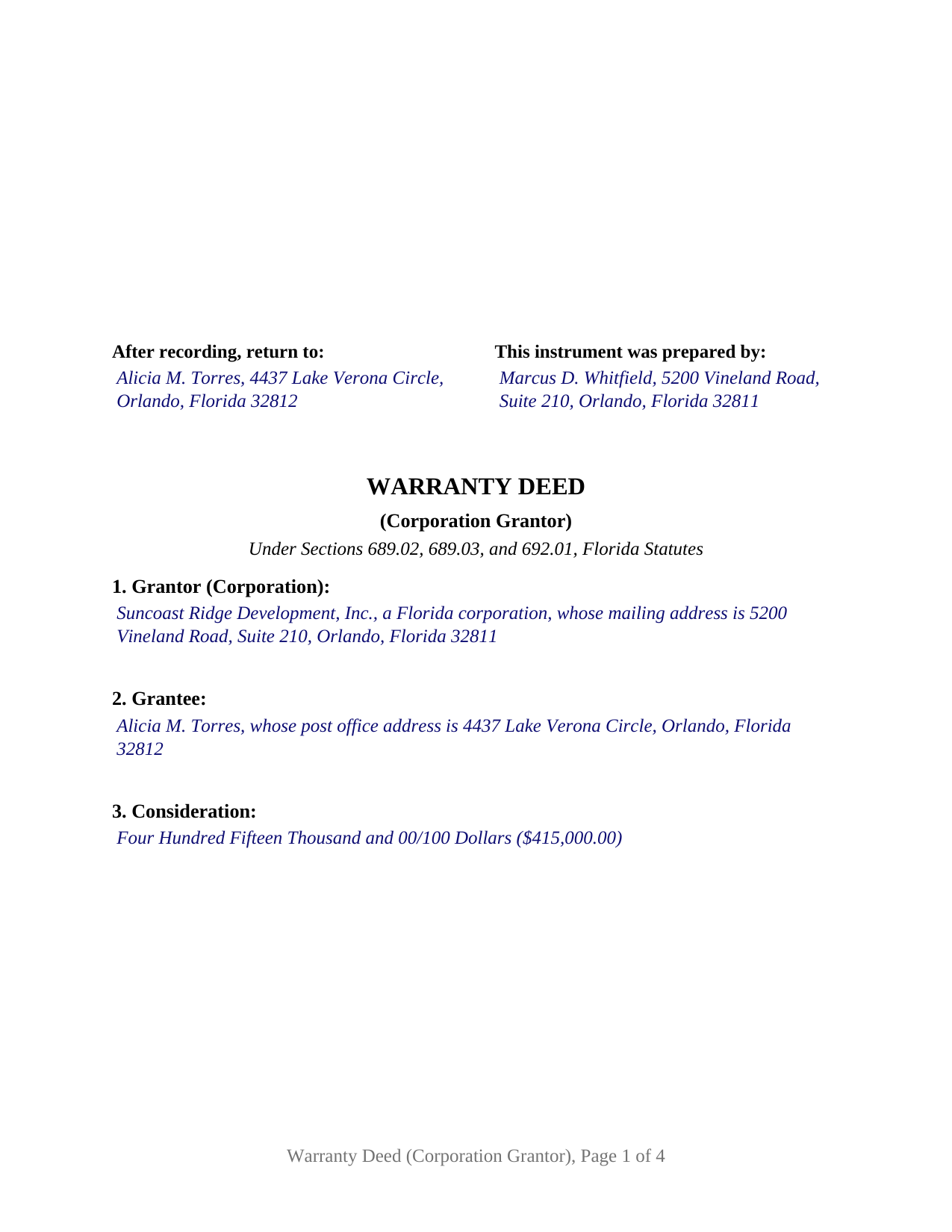
Okeechobee County Completed Example of the Warranty Deed (Corporation Grantor) Document
Example of a properly completed Florida Warranty Deed (Corporation Grantor) document for reference.
All 3 documents above included • One-time purchase • No recurring fees
Immediate Download • Secure Checkout
Additional Florida and Okeechobee County documents included at no extra charge:
Where to Record Your Documents
Clerk of the Circuit Court
Okeechobee, Florida 34972
Hours: 8:30 to 5:00 M-F
Phone: (863) 763-213
Recording Tips for Okeechobee County:
- Bring your driver's license or state-issued photo ID
- Ensure all signatures are in blue or black ink
- Leave recording info boxes blank - the office fills these
- Make copies of your documents before recording - keep originals safe
- Recorded documents become public record - avoid including SSNs
Cities and Jurisdictions in Okeechobee County
Properties in any of these areas use Okeechobee County forms:
- Okeechobee
Hours, fees, requirements, and more for Okeechobee County
How do I get my forms?
Forms are available for immediate download after payment. The Okeechobee County forms will be in your account ready to download to your computer. An account is created for you during checkout if you don't have one. Forms are NOT emailed.
Are these forms guaranteed to be recordable in Okeechobee County?
Yes. Our form blanks are guaranteed to meet or exceed the applicable formatting requirements used for recording in Okeechobee County, including margin requirements, font requirements, and other layout standards. This guarantee applies to formatting, not to the legal sufficiency of information entered by the user or the suitability of a form for a particular transaction.
Can I reuse these forms?
Yes. You can reuse the forms for your personal use. For example, if you have multiple properties in Okeechobee County you only need to order once.
What do I need to use these forms?
The forms are PDFs that you fill out on your computer. The free Adobe Acrobat Reader is recommended, and most PDF apps also work. You do NOT enter your property information online - you download the blank forms and complete them privately on your own computer.
Are there any recurring fees?
No. This is a one-time purchase. Nothing to cancel, no memberships, no recurring fees.
How much does it cost to record in Okeechobee County?
Recording fees in Okeechobee County vary. Contact the recorder's office at (863) 763-213 for current fees.
Questions answered? Let's get started!
A Florida corporation sells its land through an officer's pen and a rubber stamp. Section 692.01, Florida Statutes, lets any corporation convey an interest in its lands by an instrument sealed with the corporate seal and signed in the corporation's name by its president, any vice president, or its chief executive officer, with no corporate resolution recorded to prove the officer's authority. This Florida Warranty Deed (Corporation Grantor) is the deed that rule describes: a corporation conveying Florida real property with the full statutory warranty of Sections 689.02 and 689.03, executed by one officer.
No resolution on the record
Section 692.01 states that an instrument signed by one of the named officers under the corporate seal is valid whether or not the board of directors authorized the signing officer, in the absence of fraud in the transaction by the person receiving it. Section 689.01, the general conveyancing statute, keeps its two-subscribing-witness requirement for a freehold conveyance, says that no seal is necessary under that section, and states that corporations may execute any conveyance under that section or under Sections 692.01 and 692.02. The execution page of this deed serves both paths at once: a By line for the officer with the corporate seal notation beside it, the officer's printed name and title under the corporation's name, and two witness blocks.
A warranty that reaches the whole chain of title
The covenant is the one Florida has printed in its statute book since 1891. The deed conveys with the statutory words, has granted, bargained and sold, and carries the statutory warranty sentence verbatim: the grantor fully warrants the title to said land and will defend it against the lawful claims of all persons whomsoever. Under Section 689.03, a conveyance made substantially in the Section 689.02 form is held to be a warranty deed with full common-law covenants, so the corporation's promise reaches title defects that arose before the corporation ever owned the parcel. An exceptions section lists recorded easements, restrictions, and any remaining mortgage so they stand outside the covenant, and the Section 689.02(2) parcel number blank sits beside the legal description.
One corporation, one officer, one certificate
The deed recites exactly one grantor, a corporation identified by its name, its state or place of incorporation, and its mailing address, signed by exactly one officer. The grantee section is free-form, taking one grantee or two or more grantees with the words that describe how they hold title. The form carries a single acknowledgment certificate, the statutory short form for a corporation under Section 695.25(2), reciting acknowledgment by physical presence or online notarization by the named officer and title, of the named corporation, a corporation of the stated state, on behalf of the corporation. A Florida corporation selling a lot from a platted subdivision, and a corporation organized in another state conveying a Florida parcel it holds in its own name, present the corporate grantor pattern this deed recites. The form is not set up as a conveyance by a limited liability company, a partnership, a trustee, or an attorney in fact, each of which takes a different statutory certificate, and it carries no joining-spouse block, since the constitutional homestead joinder rule addresses a married owner of homestead real estate and a corporation is neither.
Witness addresses, documentary stamps, and the clerk's square
Since January 1, 2024, Section 695.26 has made each subscribing witness's printed name and post-office address recording data, and the witness blocks on this deed carry a labeled address line. The same section reserves a blank 3 inch by 3 inch space at the top right of the first page for the clerk of the circuit court; this form leaves that space clear with the return and preparer blocks beneath it. Documentary stamp tax falls due at recording under Section 201.02, at 70 cents per 100 dollars of consideration in every county except Miami-Dade, which applies 60 cents plus a 45 cent surtax on documents not conveying only a single-family residence, and the consideration includes any mortgage the land remains subject to whether or not the grantee assumes it.
The download includes the deed as a fillable PDF behind a removable instructions page, a completed example worked through an Orange County sale from the corporate grantor to the notary's seal area, and a guide that walks each numbered section, the two execution statutes, and the recording steps. The materials describe Florida law in general terms and are not legal advice.
Important: Your property must be located in Okeechobee County to use these forms. Documents should be recorded at the county recording office listed above.
This Warranty Deed (Corporation Grantor) meets all recording requirements specific to Okeechobee County.
Our Promise
The documents you receive here are guaranteed to meet or exceed the applicable Okeechobee County recording format requirements. If there is a rejection caused by our formatting, we will correct the issue or refund your payment. This guarantee applies to document formatting only and does not extend to information entered by the user, the selection of the form, or the legal effect of the completed document.
Save Time and Money
Get your Okeechobee County Warranty Deed (Corporation Grantor) form done right the first time with Deeds.com Uniform Conveyancing Blanks. At Deeds.com, we understand that your time and money are valuable resources, and we don't want you to face a penalty fee or rejection imposed by a county recorder for submitting nonstandard documents. We constantly review and update our forms to meet rapidly changing state and county recording requirements for roughly 3,500 counties and local jurisdictions.
4.8 out of 5 - ( 4,847 Reviews )
Guy G. 5 out of 5 stars
Deeds.com was easy to use and their easement deed was exactly what I was looking for. I knew I didn't need to spend hundreds of dollars talking to an attorney.
We appreciate your business and value your feedback. Thank you. Have a wonderful day!
Tonya B. 5 out of 5 stars
Easy process. Thanks for making this resource available.
We appreciate your business and value your feedback. Thank you. Have a wonderful day!
Vernon A L. 3 out of 5 stars
They are forms....no magic there. I still have to round up the details.
We appreciate your business and value your feedback. Thank you. Have a wonderful day!
Ann H. 5 out of 5 stars
Excellent program, easy to access and download.
Thank you!
Colleen K. 5 out of 5 stars
This product was easy to use and instructions were helpful.
We appreciate your business and value your feedback. Thank you. Have a wonderful day!
Camille L. 5 out of 5 stars
very user friendly!
Thank you!
Kathryn P. 4 out of 5 stars
Somewhat easy to traverse.
Thank you!
John D. 5 out of 5 stars
Forms were easy to complete, with the instructions that were provided. Very satisfied!
Thank you!
Gary J. 5 out of 5 stars
Whomever "KCH" is, that person was of great help. It took me several tries due my inexperience with ADOBE SCAN, but that certainly is no fault of yours!! KVH was very patient with me, and in fact resolved the things I was doing wrong for me, without my even requesting the assistance.
Thank you!
Paul K. 1 out of 5 stars
too much money
Thank you for your feedback. We really appreciate it. Have a great day!
Jennifer B. 3 out of 5 stars
I didn't care for it because I was having to do other things in between filling it out and all of a sudden it would not allow me back in it to make changes. Luckily I had saved it and then had to do FILL/SIGN option which looks ugly but that was the only way I could add what I needed.
We appreciate your business and value your feedback. Thank you. Have a wonderful day!
Rebecca H. 5 out of 5 stars
quick and easy. Perfect
We appreciate your business and value your feedback. Thank you. Have a wonderful day!
John P. 4 out of 5 stars
Working with one document at a time every thing was great, but the program will not let multiple documents save independently. When I saved a document and created another document the changes I made on the second document were on the 1st document. No big deal if your printing, but if your saving to email later, its an issue.
Thank you for your feedback. We really appreciate it. Have a great day!
Christine L. 5 out of 5 stars
I was very pleased with your service. You got me the information I required within one day. Thank you!
Thank you!
Celeste F. 5 out of 5 stars
Great experience. No hassle. It kept me out of a government office.
Thank you for your feedback. We really appreciate it. Have a great day!