Clinch County Administrator Deed Form
Last validated September 30, 2026 by our Forms Development TeamFormatted for recording in Clinch County, for property anywhere in the county: rural and unincorporated areas as well as Argyle, Du Pont, Fargo, Homerville.
- 3 documents included
- Immediate PDF download
- Formatting guarantee
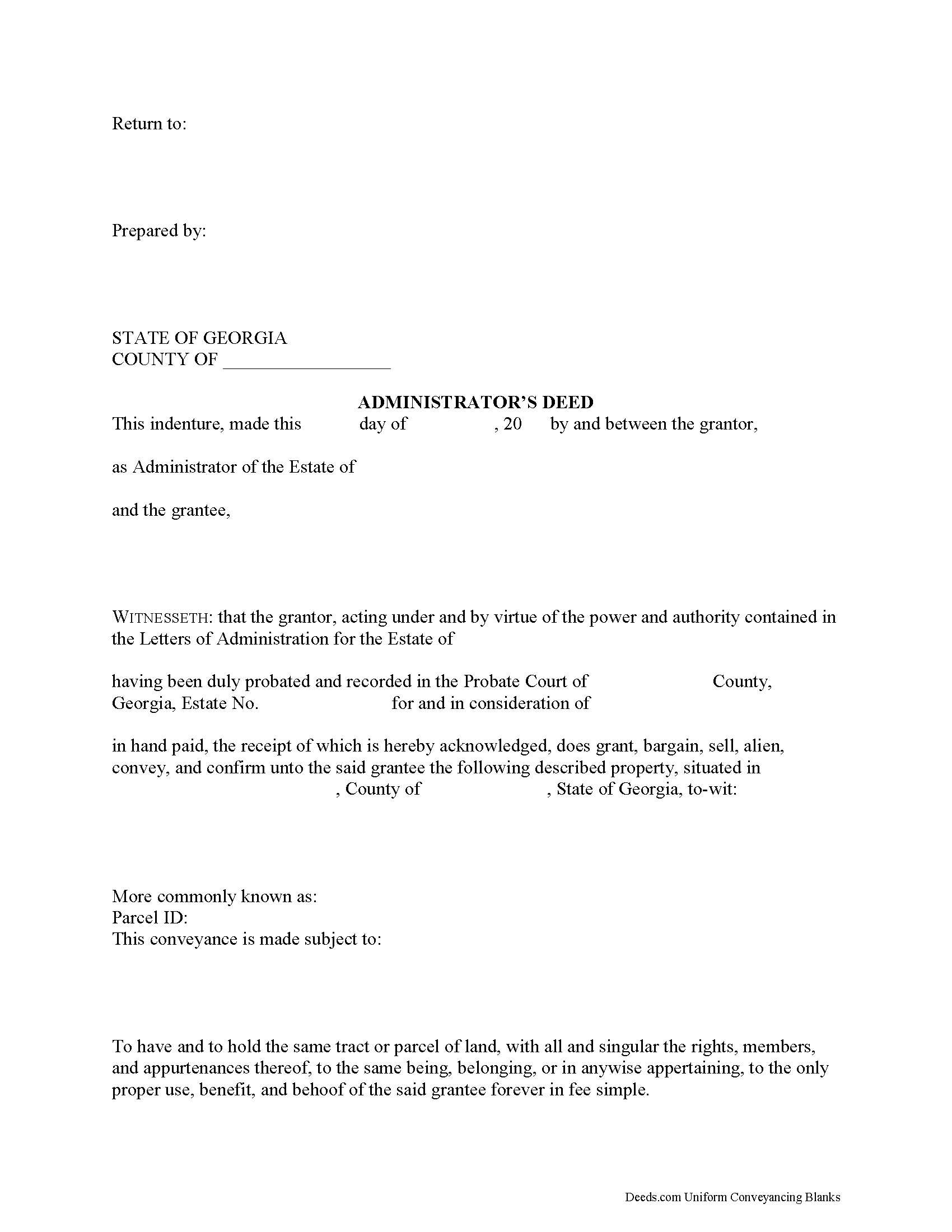
Clinch County Administrator Deed Form
Fill in the blank form formatted to comply with all recording and content requirements.
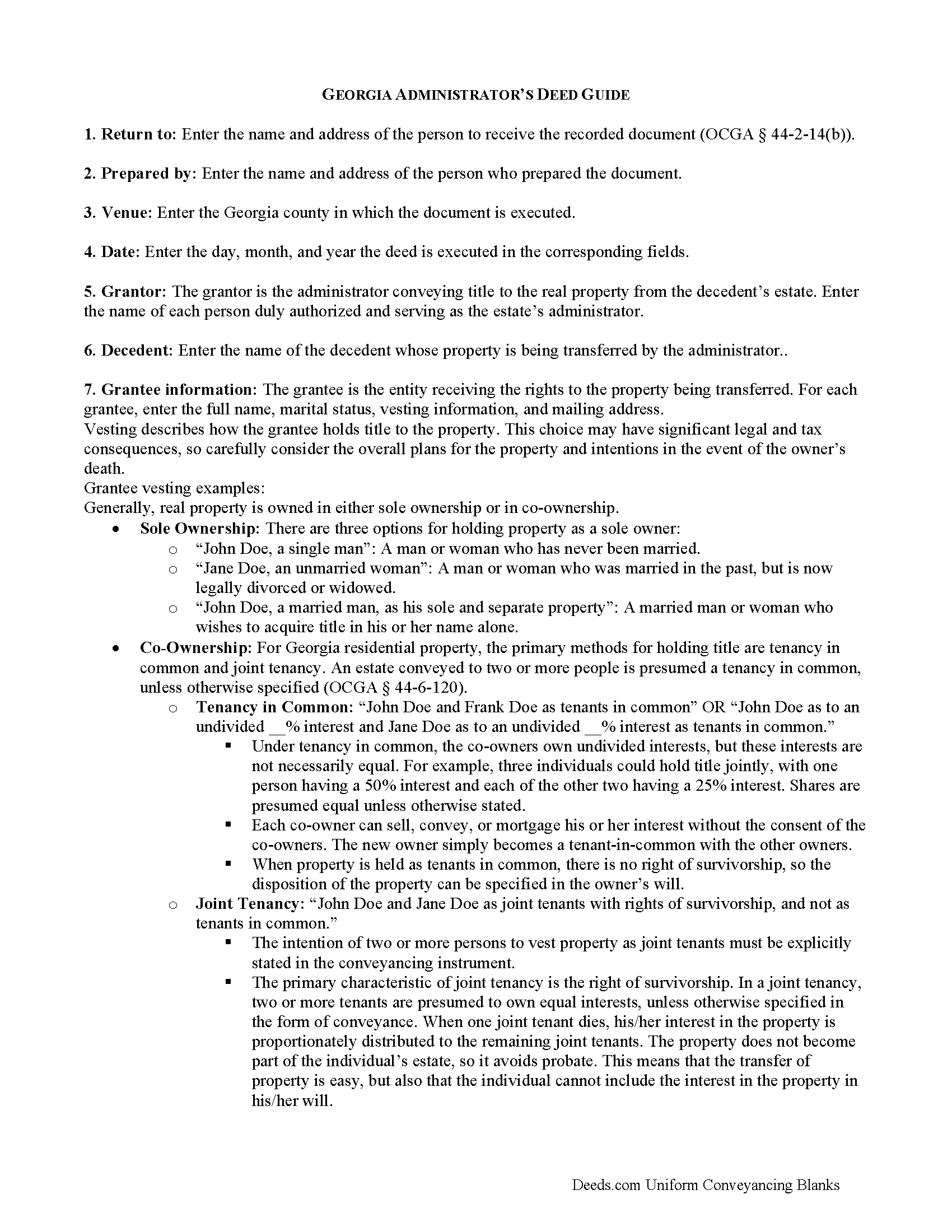
Clinch County Administrator Deed Guide
Line by line guide explaining every blank on the form.
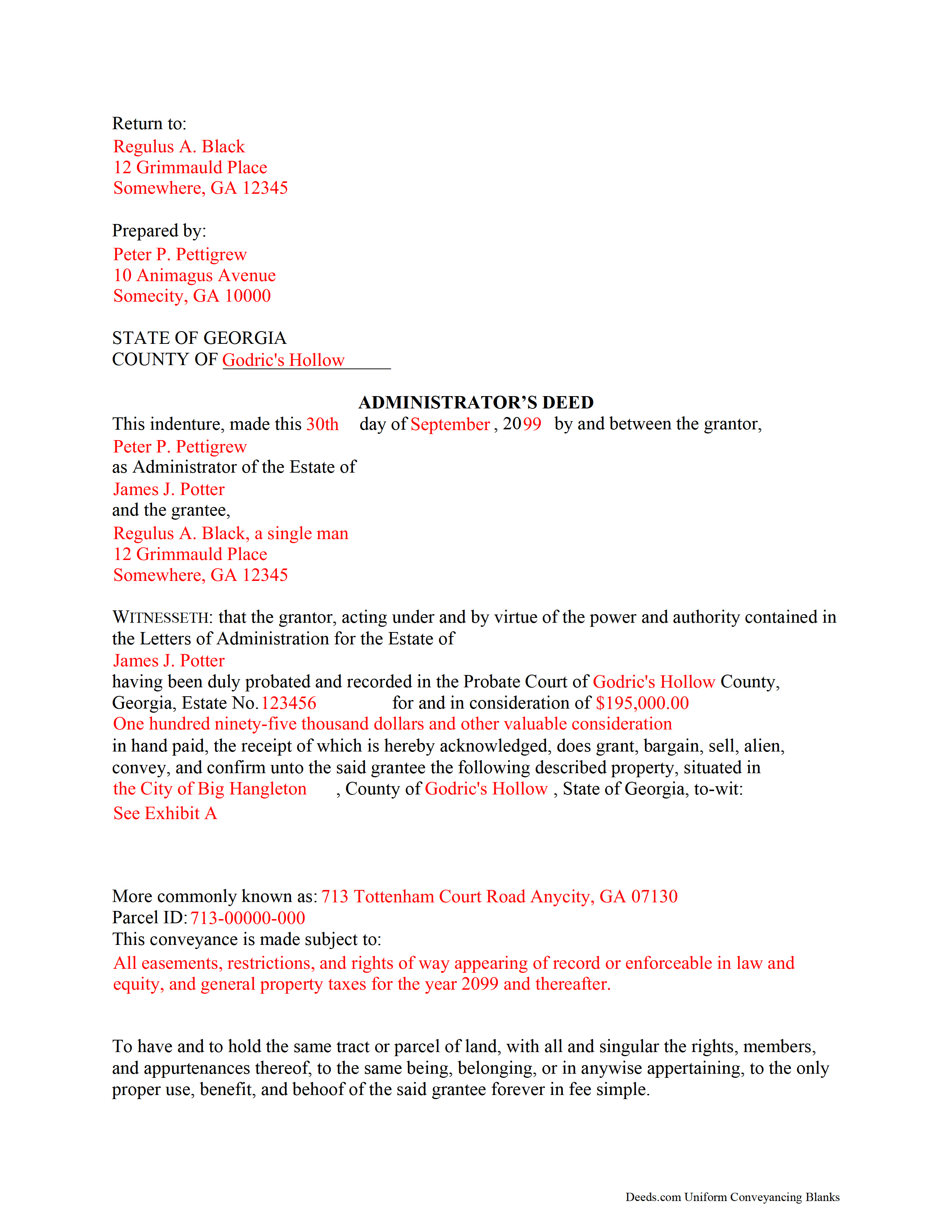
Clinch County Completed Example of the Administrator Deed Document
Example of a properly completed form for reference.
All 3 documents above included • One-time purchase • No recurring fees
Immediate Download • Secure Checkout
Additional Georgia and Clinch County documents included at no extra charge:
Where to Record Your Documents
Clinch Clerk of Superior Court
Homersville, Georgia 31634
Hours: 8:00am - 5:00pm Monday - Friday
Phone: (912) 487-5854
Recording Tips for Clinch County:
- Bring your driver's license or state-issued photo ID
- Ensure all signatures are in blue or black ink
- Leave recording info boxes blank - the office fills these
- Make copies of your documents before recording - keep originals safe
- Recorded documents become public record - avoid including SSNs
Cities and Jurisdictions in Clinch County
Properties in any of these areas use Clinch County forms:
- Argyle
- Du Pont
- Fargo
- Homerville
Hours, fees, requirements, and more for Clinch County
How do I get my forms?
Forms are available for immediate download after payment. The Clinch County forms will be in your account ready to download to your computer. An account is created for you during checkout if you don't have one. Forms are NOT emailed.
Are these forms guaranteed to be recordable in Clinch County?
Yes. Our form blanks are guaranteed to meet or exceed the applicable formatting requirements used for recording in Clinch County, including margin requirements, font requirements, and other layout standards. This guarantee applies to formatting, not to the legal sufficiency of information entered by the user or the suitability of a form for a particular transaction.
Can I reuse these forms?
Yes. You can reuse the forms for your personal use. For example, if you have multiple properties in Clinch County you only need to order once.
What do I need to use these forms?
The forms are PDFs that you fill out on your computer. The free Adobe Acrobat Reader is recommended, and most PDF apps also work. You do NOT enter your property information online - you download the blank forms and complete them privately on your own computer.
Are there any recurring fees?
No. This is a one-time purchase. Nothing to cancel, no memberships, no recurring fees.
How much does it cost to record in Clinch County?
Recording fees in Clinch County vary. Contact the recorder's office at (912) 487-5854 for current fees.
Questions answered? Let's get started!
When people create their wills, they generally name one or more individuals to supervise the distribution of their assets. The person who fills this role is called an executor. Sometimes, though, the chosen executor is unable, unfit, or unwilling to accept the responsibility. In other situations, the deceased dies intestate (without a will). No matter the reason, if there is no executor, the probate court will appoint an administrator to manage the probate estate.
Georgia customarily uses the term "personal representative" to refer to both executors and administrators, but can get more specific when it comes to conveying title to real estate. During probate, the court may direct an administrator to sell real property to pay the estate's debts or to consolidate the decedent's assets for distribution to any heirs.
An administrator's deed, executed by the appointed personal representative, includes relevant information about the decedent and the probate case, in addition to the state and local requirements. To transfer title to a buyer, record the completed administrator's deed, along with any necessary supporting documents, with the real property records of the appropriate county.
Consult an attorney with questions about the administrator's deed, or with any other issues related to probate in Georgia.
(Georgia Administrator Deed Package includes form, guidelines, and completed example)
Important: Your property must be located in Clinch County to use these forms. Documents should be recorded at the county recording office listed above.
This Administrator Deed meets all recording requirements specific to Clinch County.
Our Promise
The documents you receive here are guaranteed to meet or exceed the applicable Clinch County recording format requirements. If there is a rejection caused by our formatting, we will correct the issue or refund your payment. This guarantee applies to document formatting only and does not extend to information entered by the user, the selection of the form, or the legal effect of the completed document.
Save Time and Money
Get your Clinch County Administrator Deed form done right the first time with Deeds.com Uniform Conveyancing Blanks. At Deeds.com, we understand that your time and money are valuable resources, and we don't want you to face a penalty fee or rejection imposed by a county recorder for submitting nonstandard documents. We constantly review and update our forms to meet rapidly changing state and county recording requirements for roughly 3,500 counties and local jurisdictions.
4.8 out of 5 - ( 4,823 Reviews )
CHARLES H. 5 out of 5 stars
Easy to fill-in forms, easy instructions, worth purchasing
Thank you!
Christine R. 4 out of 5 stars
Ordering and directions were easy. The only thing missing in the instructions was how to record by mail. Thanks!
Thank you Christine. We'll work on making it more clear that one can find mailing information in our recording section. Have a great day!
Marjorie D. 5 out of 5 stars
The process was easy and efficient. I will definitely be using this service!
Thank you for your feedback. We really appreciate it. Have a great day!
Rochelle C. 5 out of 5 stars
Very prompt service. Thank you.
Thank you!
MARK S. 5 out of 5 stars
I filed my beneficiary deed today and it went off without a hitch. I really appreciated the guidelines and the example that came with the form The guide lines cleared up some questions I had regarding tenancy by the entirety which I had been trying to figure out.
We appreciate your business and value your feedback. Thank you. Have a wonderful day!
Michael L. 5 out of 5 stars
Perfect timely service! Will use again!
Thank you!
Karen W. 5 out of 5 stars
Great experience. Easy.
We appreciate your business and value your feedback. Thank you. Have a wonderful day!
Lenore H. 5 out of 5 stars
I was very pleased with the service I received yesterday at the recorders office. no complaints at all. Served promptly and efficiently.
Thank you!
Scott H. 5 out of 5 stars
Very helpful
Thank you!
Kari G. 5 out of 5 stars
The service was prompt and attentive to my questions. I would've just appreciated a heads up that I also needed to contact the county directly (and provide contact info) to receive a certified copy of the document (Notice of Commencement) in order to submit the certified copy to the Building Department. This was an extra step that I haven't had to complete before using another eRecording service. Even if this extra step is a result of the county's system. I would still have expected a head's up (since there wasn't any info regarding this on the county's site for eRecording).
Thank you for your feedback. We really appreciate it. Have a great day!
Tierre J. 1 out of 5 stars
I put in two orders. I did not get any results from either order and I am still waiting for my refunds.
Thank you for your feedback. Sorry we were not able to pull the information you requested. We reviewed your account and the payment voids were processed as your were notified. Sometimes, depending on your financial institution, it can take a few days for the pending charges to fall off of your statement reporting.
Judy H. 5 out of 5 stars
great response to my question.
We are delighted to have been of service. Thank you for the positive review!
Diyang W. 5 out of 5 stars
Very Good Product. Provided a lot of good info to assist people to DIY various Deed
We are grateful for your engagement and feedback, which help us to serve you better. Thank you for being an integral part of our community.
Marcell E. 1 out of 5 stars
I am not very happy about the fact that I paid 27.00 to not even have the forms filled out. I thought that it was going to be all done for me and I was told that I need a lawyer to have the form filled out properly.
The order you placed for the do it yourself forms has been canceled. We do hope that you find the $27 attorney you deserve. Have a wonderful day.
Charles D. 5 out of 5 stars
Good product!! I highly recommend.
Thank you!