Pike County Affidavit of Beneficiary Acceptance (Individual Beneficiary) Form
Last validated October 21, 2026 by our Forms Development TeamFormatted for recording in Pike County, for property anywhere in the county: rural and unincorporated areas as well as Concord, Meansville, Molena, Williamson, Zebulon.
- 3 documents included
- Immediate PDF download
- Formatting guarantee
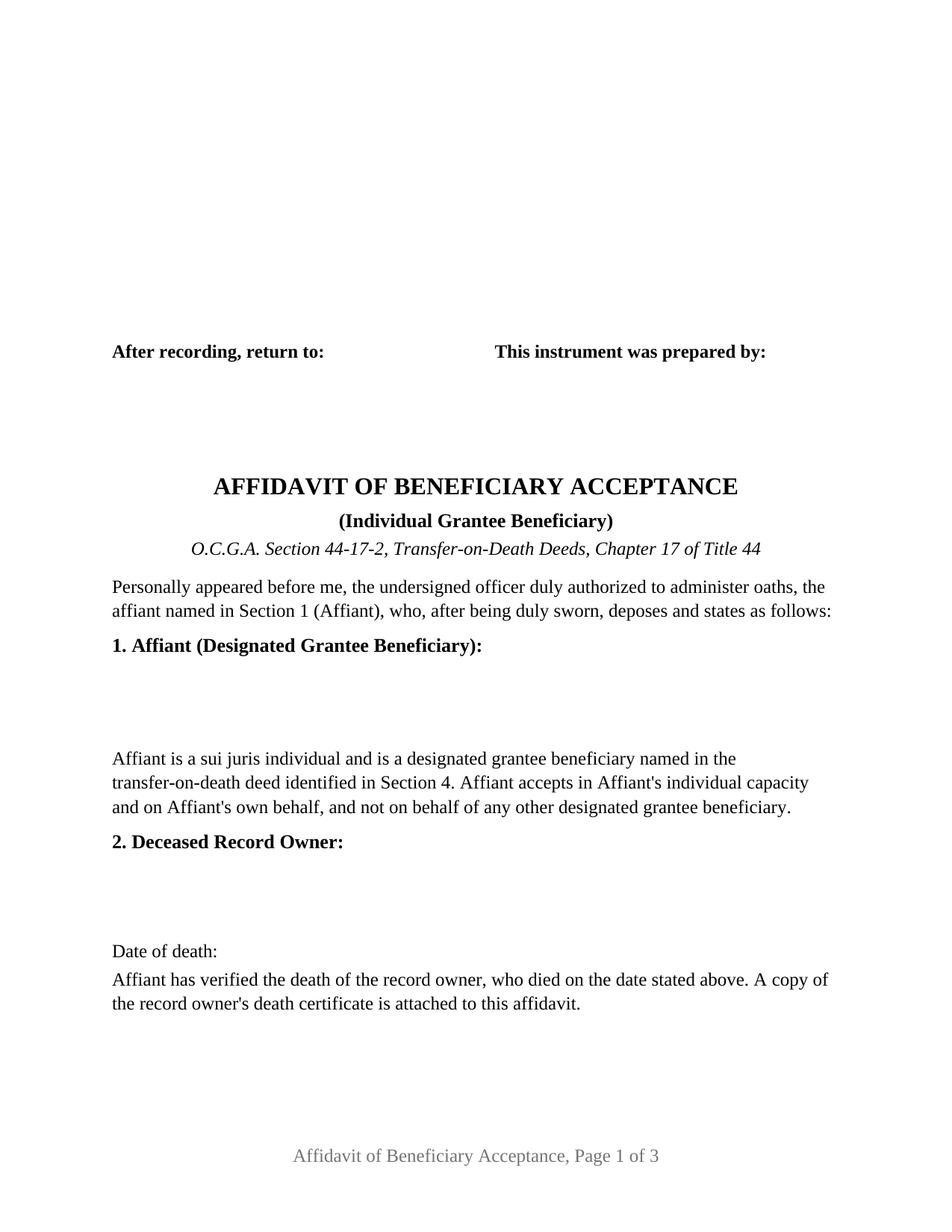
Pike County Affidavit of Beneficiary Acceptance (Individual Beneficiary) Form
Fill in the blank Affidavit of Beneficiary Acceptance (Individual Beneficiary) form formatted to comply with all Georgia recording and content requirements.
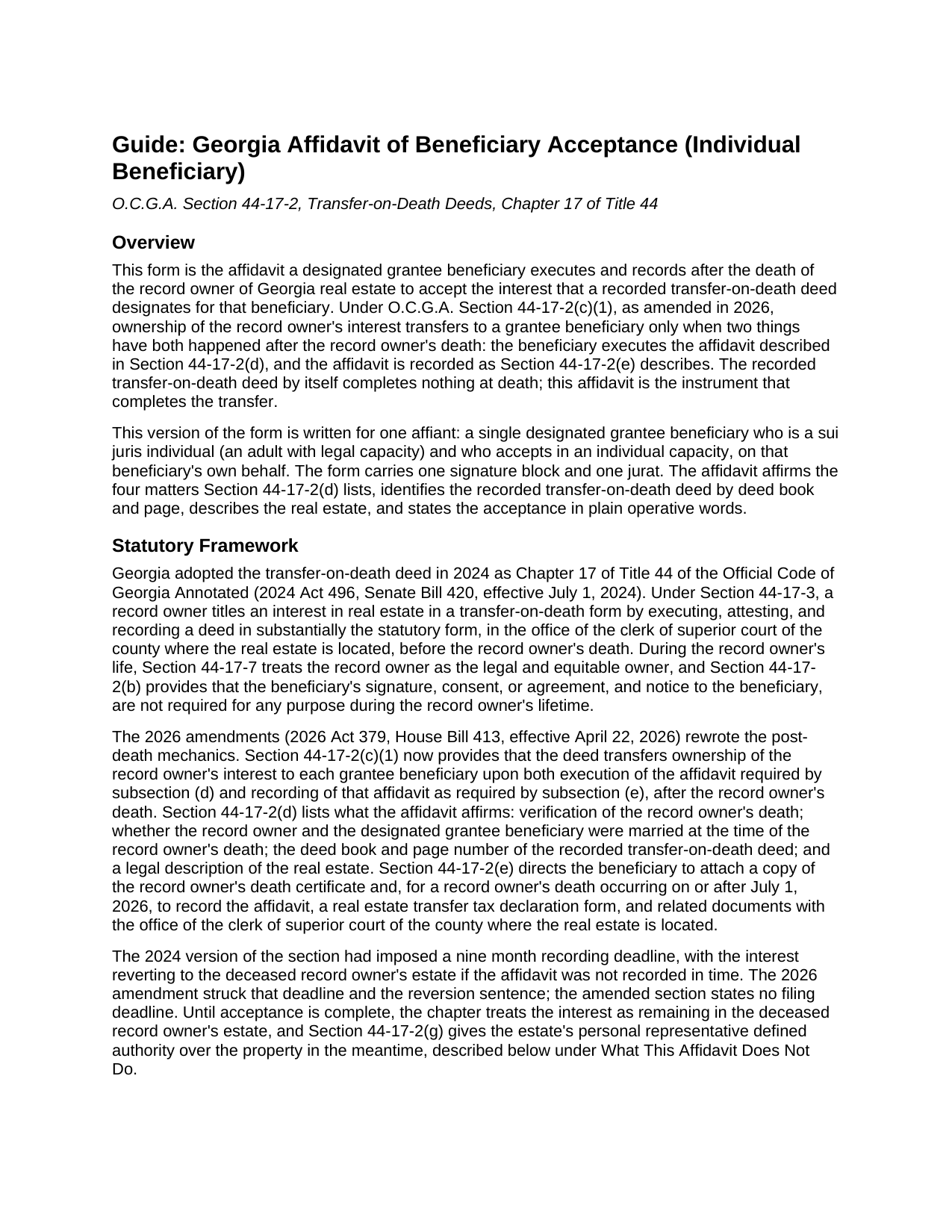
Pike County Affidavit of Beneficiary Acceptance (Individual Beneficiary) Guide
Line by line guide explaining every blank on the Affidavit of Beneficiary Acceptance (Individual Beneficiary) form.
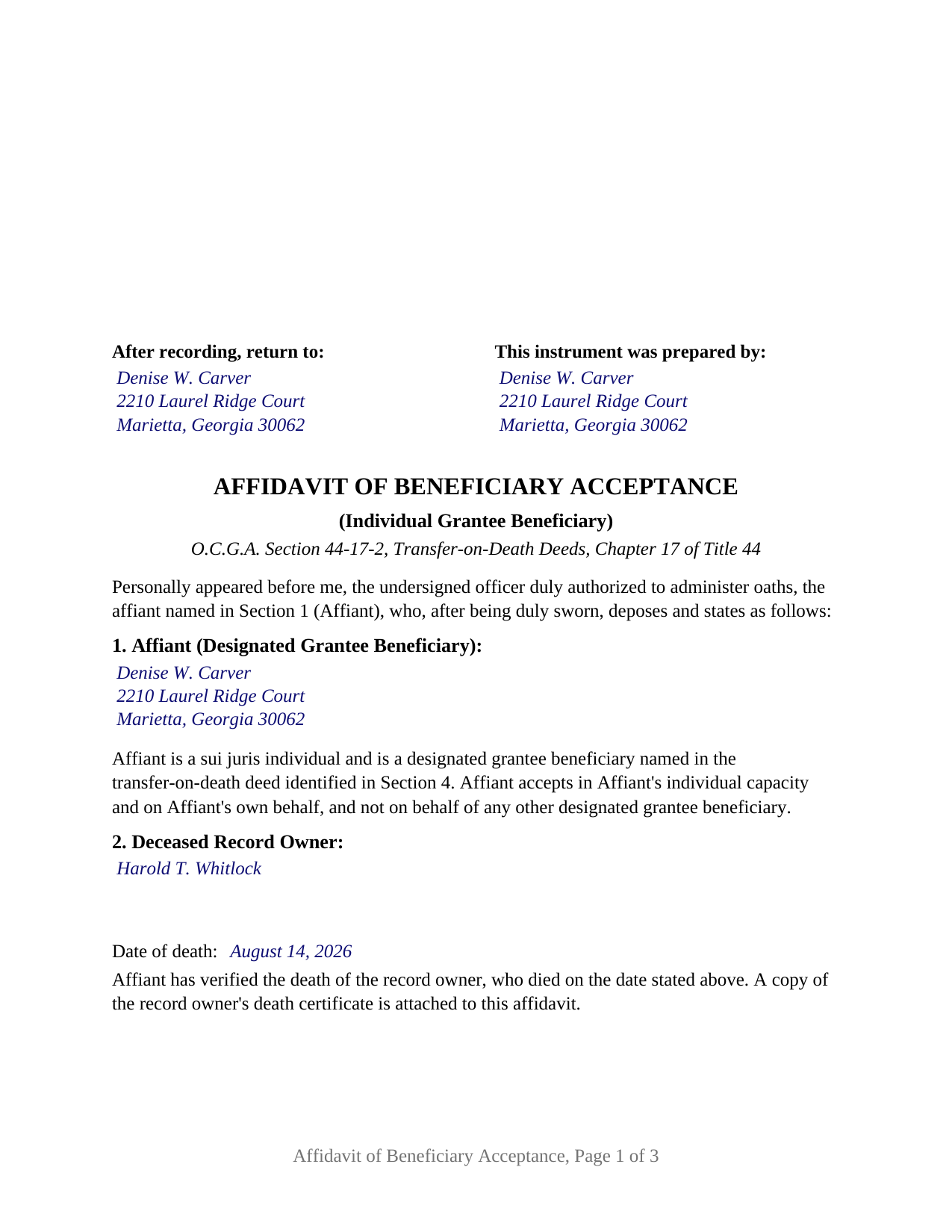
Pike County Completed Example of the Affidavit of Beneficiary Acceptance (Individual Beneficiary) Document
Example of a properly completed Georgia Affidavit of Beneficiary Acceptance (Individual Beneficiary) document for reference.
All 3 documents above included • One-time purchase • No recurring fees
Immediate Download • Secure Checkout
Additional Georgia and Pike County documents included at no extra charge:
Where to Record Your Documents
Clerk of Superior Court
Zebulon, Georgia 30295
Hours: 8:00am-5:00pm M-F
Phone: (770) 567-2000
Recording Tips for Pike County:
- Bring your driver's license or state-issued photo ID
- Ensure all signatures are in blue or black ink
- Check margin requirements - usually 1-2 inches at top
- Leave recording info boxes blank - the office fills these
- Make copies of your documents before recording - keep originals safe
Cities and Jurisdictions in Pike County
Properties in any of these areas use Pike County forms:
- Concord
- Meansville
- Molena
- Williamson
- Zebulon
Hours, fees, requirements, and more for Pike County
How do I get my forms?
Forms are available for immediate download after payment. The Pike County forms will be in your account ready to download to your computer. An account is created for you during checkout if you don't have one. Forms are NOT emailed.
Are these forms guaranteed to be recordable in Pike County?
Yes. Our form blanks are guaranteed to meet or exceed the applicable formatting requirements used for recording in Pike County, including margin requirements, font requirements, and other layout standards. This guarantee applies to formatting, not to the legal sufficiency of information entered by the user or the suitability of a form for a particular transaction.
Can I reuse these forms?
Yes. You can reuse the forms for your personal use. For example, if you have multiple properties in Pike County you only need to order once.
What do I need to use these forms?
The forms are PDFs that you fill out on your computer. The free Adobe Acrobat Reader is recommended, and most PDF apps also work. You do NOT enter your property information online - you download the blank forms and complete them privately on your own computer.
Are there any recurring fees?
No. This is a one-time purchase. Nothing to cancel, no memberships, no recurring fees.
How much does it cost to record in Pike County?
Recording fees in Pike County vary. Contact the recorder's office at (770) 567-2000 for current fees.
Questions answered? Let's get started!
In Georgia, a recorded transfer-on-death deed does not finish the job at the owner's death. Since the 2026 amendments to O.C.G.A. Section 44-17-2, the interest passes to a named beneficiary only when that beneficiary executes an acceptance affidavit and records it in the county where the land lies. This Georgia Affidavit of Beneficiary Acceptance (Individual Beneficiary) is that affidavit, written for one beneficiary who is an adult with legal capacity and who accepts in an individual capacity, on that beneficiary's own behalf.
The affidavit is the transfer event
Georgia's transfer-on-death deed chapter, Chapter 17 of Title 44, took effect in July 2024 and was rewritten in April 2026. Under amended Section 44-17-2(c)(1), ownership of the record owner's interest transfers to each grantee beneficiary upon both execution of the affidavit the statute describes and recording of that affidavit after the record owner's death. Until both have happened, the interest remains in the deceased record owner's estate. The earlier nine month deadline and reversion to the estate were struck in 2026; the amended section states no filing deadline. A TOD deed beneficiary who never records the affidavit never takes title.
Four statutory affirmations, one affiant
Section 44-17-2(d) lists what the affidavit affirms: verification of the record owner's death, whether the record owner and the beneficiary were married at the time of death, the deed book and page of the recorded deed, and a legal description of the real estate. The form carries each as its own numbered section, with the marriage fact presented as two boxes and one marked. Section 44-17-2(e) adds a copy of the death certificate as an attachment and, for a death on or after July 1, 2026, directs recording with the clerk of superior court of the county where the real estate is located, together with a PT-61 transfer tax declaration. The operative section states the acceptance in plain words.
The form recites exactly one affiant, a sui juris individual accepting in an individual capacity, following the statute's rule on who may accept: Section 44-17-2(c)(2) lists a sui juris individual, a trustee, or a legal entity over which the individual has proper authority, with a guardian or conservator accepting for a ward or minor, and Section 44-17-2(c)(3) bars one beneficiary from accepting on behalf of another. An adult child named in a parent's TOD deed and a surviving spouse named in the deceased spouse's deed each present the single-individual pattern this affidavit recites. A trustee, an entity, or a guardian for a minor recites different facts, and a deed naming two beneficiaries calls for a separate affidavit from each who accepts; this form is not set up as any of those.
Sworn, not acknowledged
Because the statute calls for an affidavit, the form closes with a jurat rather than an acknowledgment certificate. The affiant signs in the presence of a notary public or other officer authorized to administer oaths, who completes the sworn statement with the date, the venue, a signature in ink exactly as the name appears on the commission under O.C.G.A. Section 45-17-8.1, and the seal that Section 45-17-6 makes part of every official notarial act; the form reserves a labeled area for the stamp. No witness line appears, since the officer-plus-witness rule in Section 44-5-30 governs deeds, and an acceptance affidavit is not a deed.
Recording in Georgia
The affidavit is formatted for the Georgia clerk's office: letter size paper with the three inch top margin O.C.G.A. Section 15-6-61 reserves for the clerk's notation, and the return name and mailing address Section 44-2-14(b) places at the top of the first page directly below that reserve. A beneficiary filing without an attorney is a self-filer under Section 44-2-2 and presents the affidavit through the GSCCCA electronic filing portal, where the PT-61 is also completed.
What the beneficiary takes
Under Section 44-17-5(a), on acceptance the beneficiary takes free and clear of claims of a person who became the record owner's spouse after the deed was executed, subject to the claims of a spouse whose marriage preceded execution, and subject to the liens and conveyances that bound the record owner during life.
The package includes the fillable affidavit, a completed example filled in for a realistic Cobb County fact pattern, and the guide that walks through each section, the jurat, and the PT-61 and recording steps. This description and the guide describe the form and the governing Georgia statutes in general terms; they are not legal advice.
Important: Your property must be located in Pike County to use these forms. Documents should be recorded at the county recording office listed above.
This Affidavit of Beneficiary Acceptance (Individual Beneficiary) meets all recording requirements specific to Pike County.
Our Promise
The documents you receive here are guaranteed to meet or exceed the applicable Pike County recording format requirements. If there is a rejection caused by our formatting, we will correct the issue or refund your payment. This guarantee applies to document formatting only and does not extend to information entered by the user, the selection of the form, or the legal effect of the completed document.
Save Time and Money
Get your Pike County Affidavit of Beneficiary Acceptance (Individual Beneficiary) form done right the first time with Deeds.com Uniform Conveyancing Blanks. At Deeds.com, we understand that your time and money are valuable resources, and we don't want you to face a penalty fee or rejection imposed by a county recorder for submitting nonstandard documents. We constantly review and update our forms to meet rapidly changing state and county recording requirements for roughly 3,500 counties and local jurisdictions.
4.8 out of 5 - ( 4,829 Reviews )
James S. 2 out of 5 stars
Order Process: 5 Stars - very easy Material Received: 2 Stars Issues: 1. Printing- Document would not print in format displayed. Format would continually shrink to approx 2/3 size thus not useable for formal doc submission to County Records office. 2. Document Format- Data insertion fields (addresses) were not of correct size for data input. I needed a 4 line input space but was limited to only 3 lines. Also, Date field (year) was mis-oriented in-so-much that the 3rd digit (inputted) overlapped on 2nd digit (pre-printed) and also was of noticeably different font. 3. Useability- Hand-written input space provided (for Notary) was deficient in space and spacing. It was a challenge to utilize the space available to complete fully and maintain legibility. Overall - the document worked marginally as advertised, I did need to re-write the entire document myself. It is a good concept but I'd recommend that Deeds company improve the downloaded forms for actual useability, readability, functionability. regards, Jim S
Thank you for your feedback. We really appreciate it. Have a great day!
Brian H. 2 out of 5 stars
Forms are good. But need to be able to fill in information and blanks so these can be filed. Disappointed.
Thank you for your feedback. The forms are fill in the blank, Adobe PDFs. As is noted on the site, make sure you download the documents to your computer and open them with Adobe. Sounds like you may be trying to complete them online in your browser.
Steve F. 5 out of 5 stars
Fast Service, Easy to use. Highly Recommend!
Thank you!
bill h. 5 out of 5 stars
so far getting what i needed was easy the site is well done thank you
We appreciate your business and value your feedback. Thank you. Have a wonderful day!
Lawrence W. 5 out of 5 stars
Great so Far!
We appreciate your business and value your feedback. Thank you. Have a wonderful day!
Stephen M. 5 out of 5 stars
The process to record took five minutes of my time, and within 45 minutes, my document was recorded! Simple, efficient and affordable! Thanks!
Thank you for your feedback. We really appreciate it. Have a great day!
Judi W. 5 out of 5 stars
Great website! Well organized, easy to navigate and put to practical use. Would use again.
Thank you!
Kenneth H. 5 out of 5 stars
Easy download, informative examples. Very good experience.
We appreciate your business and value your feedback. Thank you. Have a wonderful day!
Nora B. 5 out of 5 stars
VERY NICE SERVICE
Thank you for your feedback. We really appreciate it. Have a great day!
Loren H. 5 out of 5 stars
I really appreciate your forms according to South Dakota laws and statues. Your forms allow me to effectively do estate planning without extensive legal expenses. The "Revocable Transfer of Death Deed" is perfect to protect against extensive probate problems for seniors in retirement. Thank you and May God Bless.
We appreciate your business and value your feedback. Thank you. Have a wonderful day!
JENNIE W. 5 out of 5 stars
This is so much easier than going downtown to file paperwork! Thanks deeds.com!
Thank you!
Karen K. 5 out of 5 stars
Deeds was very easy to use. I thought it might take weeks to complete, but the whole process was completed in just a few hours. I am very satisfied with my experience and would use them again
Thank you for your feedback. We really appreciate it. Have a great day!
Larry B. 5 out of 5 stars
Clear Directions; worked well.
We appreciate your business and value your feedback. Thank you. Have a wonderful day!
Virginia S. 5 out of 5 stars
Very quick process and forms were downloaded. I am very pleased with the detailed information for filling out the forms. Would use again.
We appreciate your business and value your feedback. Thank you. Have a wonderful day!
FEDERICO T. 4 out of 5 stars
It was a little confusing to retrieve the documents. I was waiting for an email, but then I went toyour portal and I saw the messages and the document.
Thank you for your feedback Frederico.