Screven County Affidavit of Non Payment Form
Last validated September 29, 2026 by our Forms Development TeamFormatted for recording in Screven County, for property anywhere in the county: rural and unincorporated areas as well as Dover, Newington, Oliver, Rocky Ford, Sylvania.
- 3 documents included
- Immediate PDF download
- Formatting guarantee
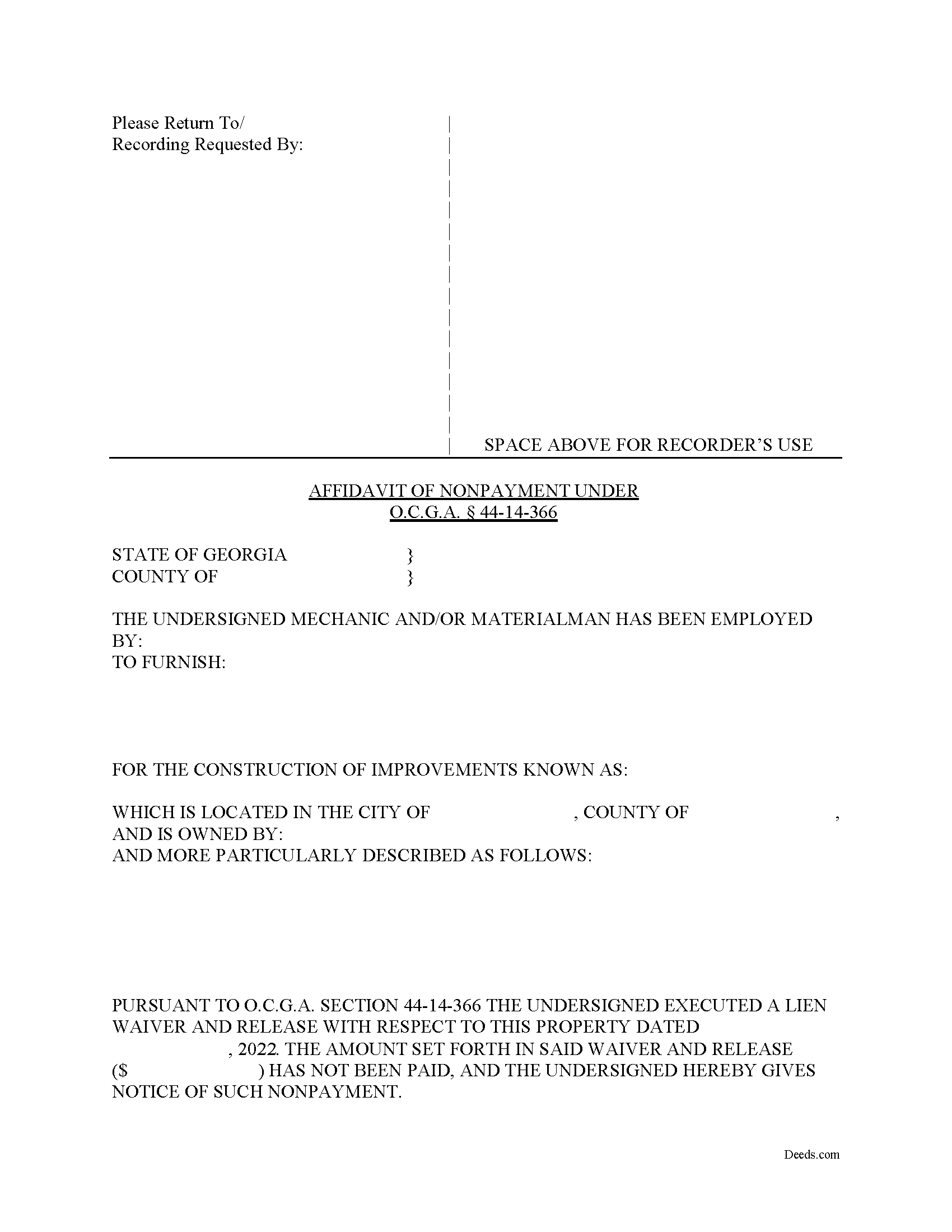
Screven County Affidavit of Non Payment Form
Fill in the blank Affidavit of Non Payment form formatted to comply with all Georgia recording and content requirements.
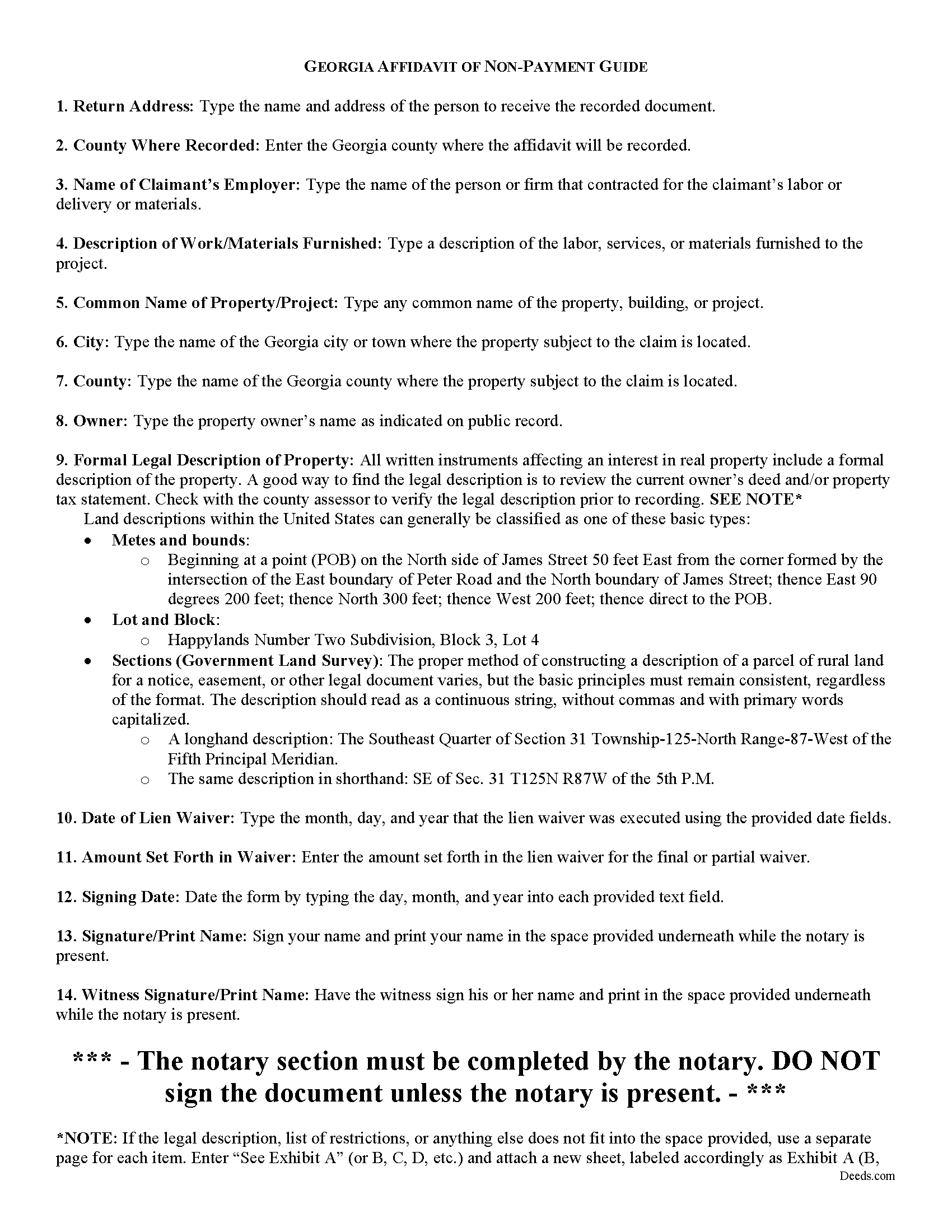
Screven County Affidavit of Non Payment Guide
Line by line guide explaining every blank on the form.
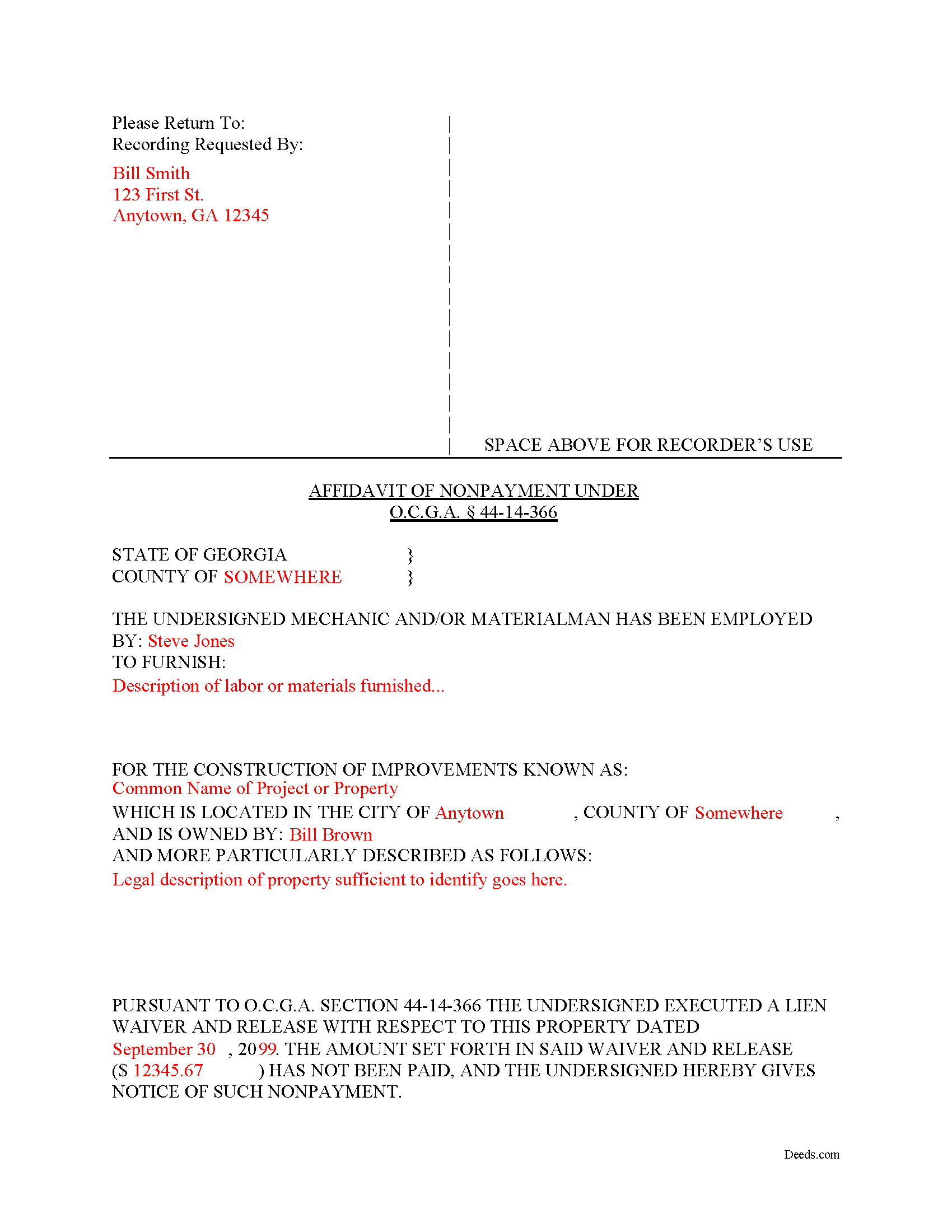
Screven County Completed Example of the Affidavit of Non Payment Document
Example of a properly completed form for reference.
All 3 documents above included • One-time purchase • No recurring fees
Immediate Download • Secure Checkout
Additional Georgia and Screven County documents included at no extra charge:
Where to Record Your Documents
Clerk of Courts
Sylvania, Georgia 30467
Hours: 8:00am to 5:00pm M-F
Phone: (912) 564-2614
Recording Tips for Screven County:
- Bring your driver's license or state-issued photo ID
- Ensure all signatures are in blue or black ink
- Double-check legal descriptions match your existing deed
- Verify all names are spelled correctly before recording
- White-out or correction fluid may cause rejection
Cities and Jurisdictions in Screven County
Properties in any of these areas use Screven County forms:
- Dover
- Newington
- Oliver
- Rocky Ford
- Sylvania
Hours, fees, requirements, and more for Screven County
How do I get my forms?
Forms are available for immediate download after payment. The Screven County forms will be in your account ready to download to your computer. An account is created for you during checkout if you don't have one. Forms are NOT emailed.
Are these forms guaranteed to be recordable in Screven County?
Yes. Our form blanks are guaranteed to meet or exceed the applicable formatting requirements used for recording in Screven County, including margin requirements, font requirements, and other layout standards. This guarantee applies to formatting, not to the legal sufficiency of information entered by the user or the suitability of a form for a particular transaction.
Can I reuse these forms?
Yes. You can reuse the forms for your personal use. For example, if you have multiple properties in Screven County you only need to order once.
What do I need to use these forms?
The forms are PDFs that you fill out on your computer. The free Adobe Acrobat Reader is recommended, and most PDF apps also work. You do NOT enter your property information online - you download the blank forms and complete them privately on your own computer.
Are there any recurring fees?
No. This is a one-time purchase. Nothing to cancel, no memberships, no recurring fees.
How much does it cost to record in Screven County?
Recording fees in Screven County vary. Contact the recorder's office at (912) 564-2614 for current fees.
Questions answered? Let's get started!
What happens if a contractor records a lien waiver, but the owner never pays the bill?
Best practices dictate that lien claimants should only grant waivers when payment can be verified. Even so, some claimants still choose to execute a waiver before that time. Unlike many other states, Georgia law provides an avenue for recourse: the Affidavit of Non-Payment. An affidavit of non-payment is a sworn statement filed with the county recorder after a lien waiver has already been filed but no payment was ever received.
When executed, a waiver and release of lien is considered binding against the claimant for all purposes, subject only to payment in full of the amount set forth in the waiver and release. 44-14-366(f)(1). This means if payment is never received, the waiver is considered ineffective. Note that, in order to declare the waiver void, the claimant must file an affidavit of non-payment.
An affidavit of non-payment identifies the parties, the nature of work and materials provided, the location of the improvements, the amount unpaid, and the recording information for the waiver. The affiant/claimant signs the document in front of two witnesses, one of whom must be a notary, then submits the completed affidavit to the same office that recorded the original lien and waiver.
The affidavit must be filed sixty days after the date of the execution of the waiver and release. 44-14-366(f)(2)(C). There's an exception to this requirement if the claimant files their lien claim prior to the expiration of the 60-day period. Id.
This article is offered for informational purposes only and should not be relied upon as the substitute for the advice of an attorney. Please contact an attorney with questions about Affidavits of Non-payment or any other issues related to mechanic's liens in Georgia.
Important: Your property must be located in Screven County to use these forms. Documents should be recorded at the county recording office listed above.
This Affidavit of Non Payment meets all recording requirements specific to Screven County.
Our Promise
The documents you receive here are guaranteed to meet or exceed the applicable Screven County recording format requirements. If there is a rejection caused by our formatting, we will correct the issue or refund your payment. This guarantee applies to document formatting only and does not extend to information entered by the user, the selection of the form, or the legal effect of the completed document.
Save Time and Money
Get your Screven County Affidavit of Non Payment form done right the first time with Deeds.com Uniform Conveyancing Blanks. At Deeds.com, we understand that your time and money are valuable resources, and we don't want you to face a penalty fee or rejection imposed by a county recorder for submitting nonstandard documents. We constantly review and update our forms to meet rapidly changing state and county recording requirements for roughly 3,500 counties and local jurisdictions.
4.8 out of 5 - ( 4,824 Reviews )
Reida S. 5 out of 5 stars
Have used two times. Smooth transaction both times. Fast, simple and easy to use system. Would use them again in the future.
Thank you for your feedback. We really appreciate it. Have a great day!
Margaret M. 4 out of 5 stars
Quick and easy, but the 2MB file limit ended up causing some big headaches. Had I known the limit could be easily increased, it would have saved me a lot of time and trouble.
We appreciate your business and value your feedback. Thank you. Have a wonderful day!
Elma Jean B. 5 out of 5 stars
My experience was great! Thank you, ejb
We appreciate your business and value your feedback. Thank you. Have a wonderful day!
Jianxing L. 5 out of 5 stars
This is my first time using this website and was impressed for the simple and clear web design and exploring. Now I am anxiously waiting for the e-recording up running to start my deed process.
Thank you for taking a moment to share your thoughts.
Ellen O K. 5 out of 5 stars
Good experience. Easy peasy. :)
Thank you Ellen, have a wonderful day!
Allan S. 5 out of 5 stars
Using this sofftware was a piece of cake! Donload was fast and simple. Using the guide supplied I did the Beneficiary Deed in no time. Would certainly use this service again without hesitation.
Your feedback is greatly appreciated. Thank you for taking the time to share your experience!
frederic m. 5 out of 5 stars
surprisingly good, gave me all the info I needed to prepare a deed and necessary attachments for recording.
Thank you!
Jennifer S. 5 out of 5 stars
Fabulous
Thank you!
Melody P. 5 out of 5 stars
Great service as always, thanks!
Thank you for your feedback. We really appreciate it. Have a great day!
Diana L. 5 out of 5 stars
Easy to use but need to go through the courthouse to do what I need to do.
Thank you!
Donna F. 5 out of 5 stars
Straight forward easy to understand completing my document. The guide readily explained filing all portions of the document.
Thank you Donna, we appreciate your feedback.
Michael M. 5 out of 5 stars
Received the documents as ordered in a timely fashion. Can't ask for much better than that!
Thank you!
Rita T. 5 out of 5 stars
This is the first time I use this site, and it was very easy and user friendly. I was able to fill out what i needed with the help of their example. quick download. like it. The price was reasonable. Definitely will use again. Highly recommend!
We appreciate your business and value your feedback. Thank you. Have a wonderful day!
iris e. 5 out of 5 stars
Easy to use website. customer service messages you back super quickly. They also double check your work and if anything is missing they message me right away. Price is reasonable. I highly recommend their services. 5 Star hands Down!!
We are grateful for your engagement and feedback, which help us to serve you better. Thank you for being an integral part of our community.
yasin a. 5 out of 5 stars
good service
Thank you!