Decatur County Claim of Mechanics Lien Form
Last validated October 7, 2026 by our Forms Development TeamFormatted for recording in Decatur County, for property anywhere in the county: rural and unincorporated areas as well as Attapulgus, Bainbridge, Brinson, Climax, Fowlstown.
- 3 documents included
- Immediate PDF download
- Formatting guarantee
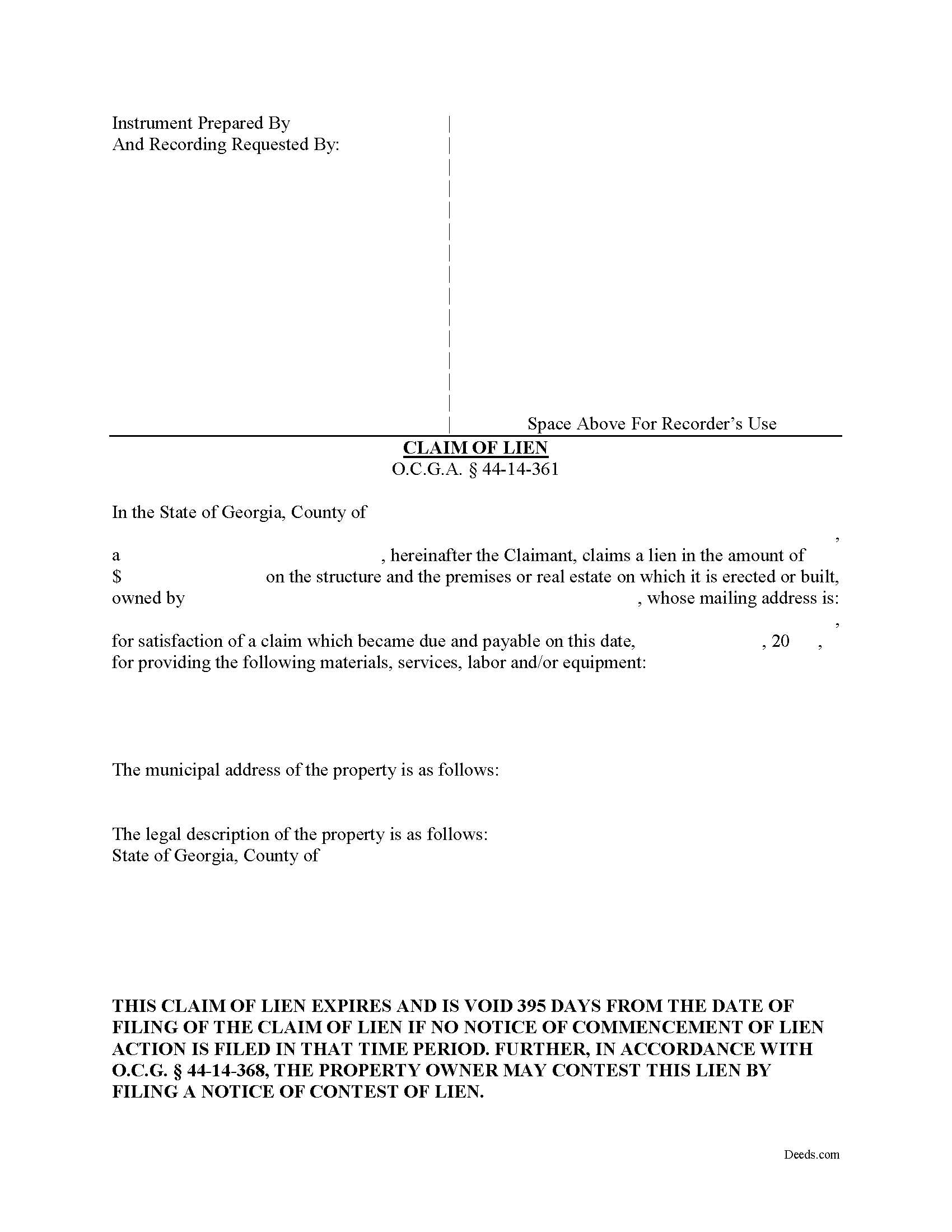
Decatur County Claim of Mechanics Lien Form
Fill in the blank Claim of Mechanics Lien form formatted to comply with all Georgia recording and content requirements.
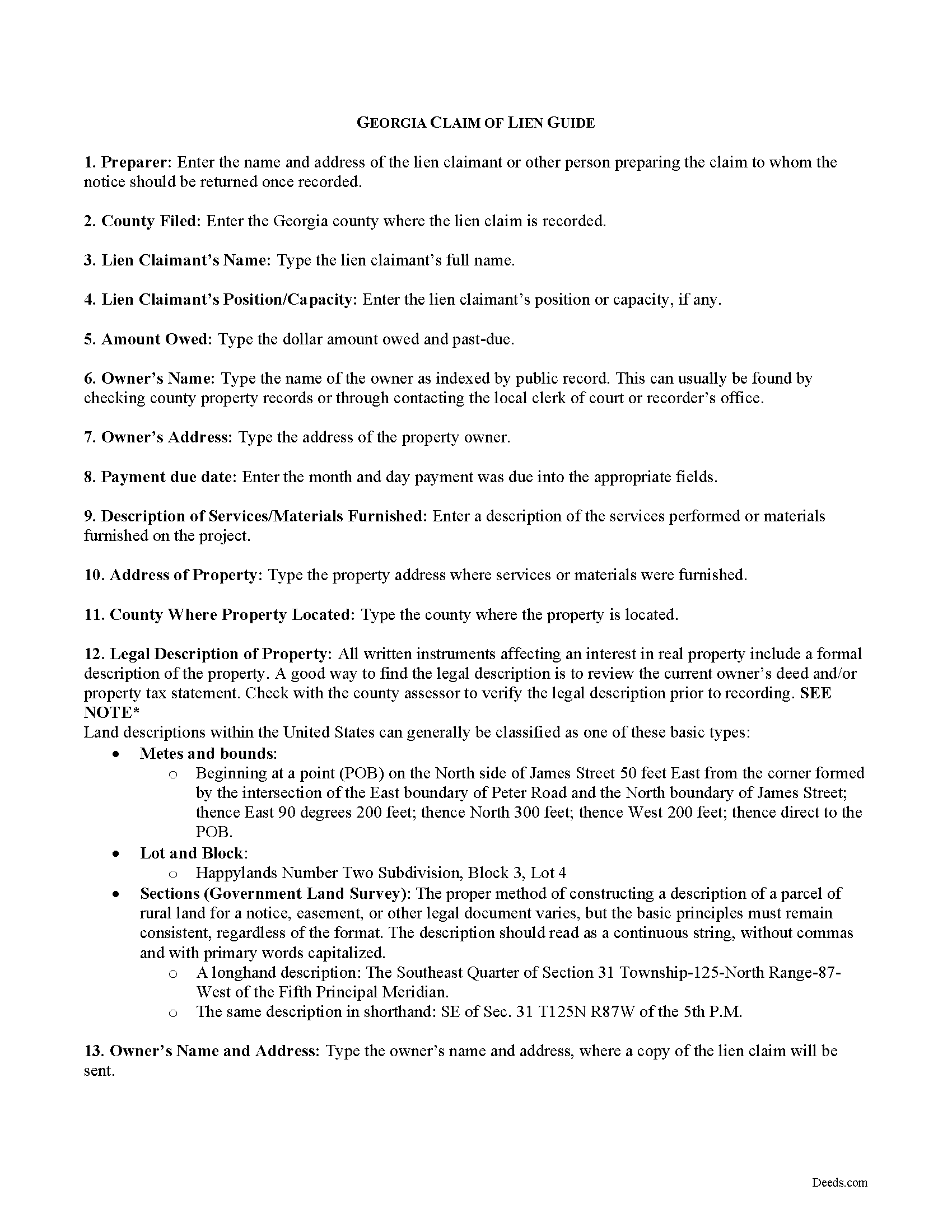
Decatur County Claim of Mechanics Lien Guide
Line by line guide explaining every blank on the form.
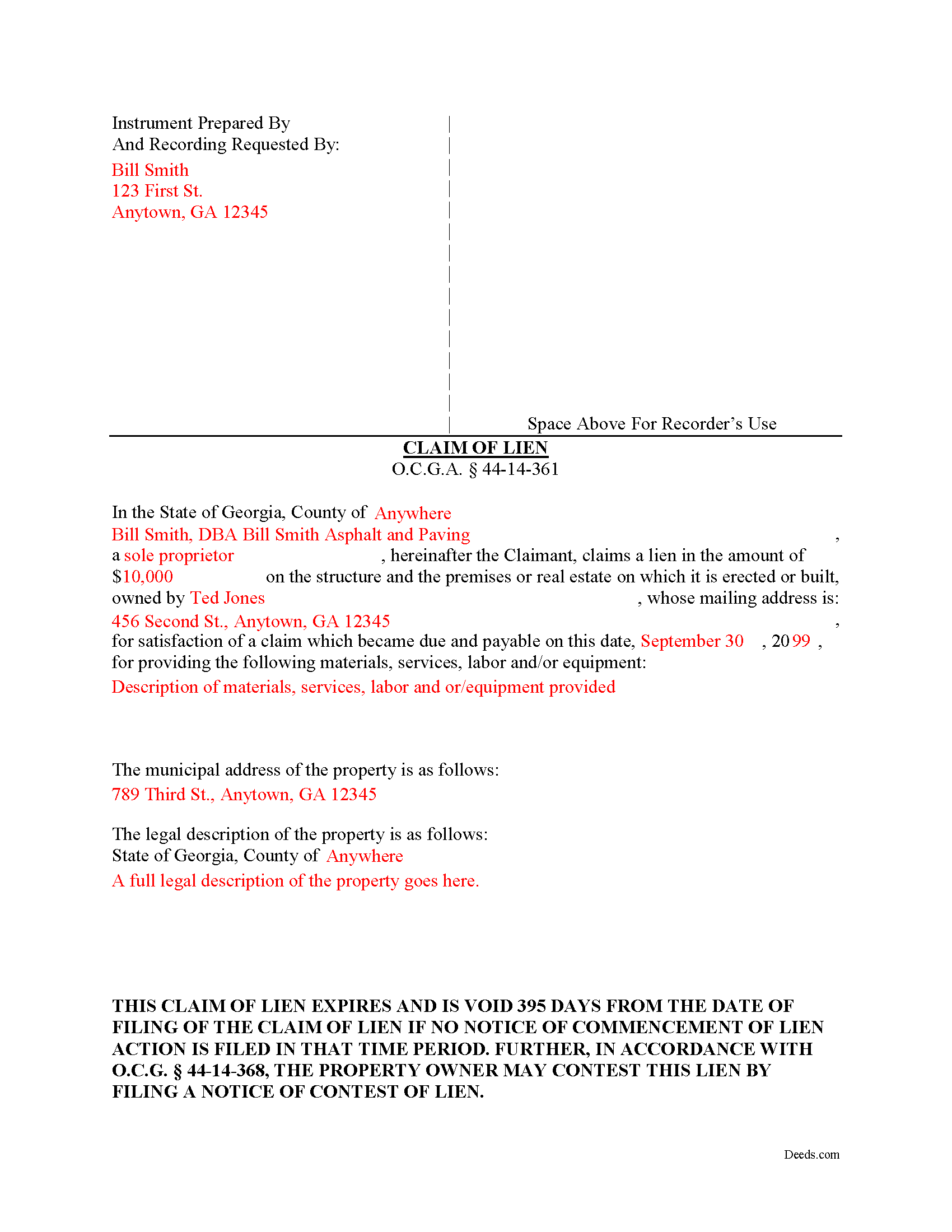
Decatur County Completed Example of the Notice and Claim of Mechanics Lien Document
Example of a properly completed form for reference.
All 3 documents above included • One-time purchase • No recurring fees
Immediate Download • Secure Checkout
Additional Georgia and Decatur County documents included at no extra charge:
Where to Record Your Documents
Decatur County Clerk of Court
Bainbridge, Georgia 39817 / 39818
Hours: 8:00am-5:00pm M-F
Phone: (229) 248-3025
Recording Tips for Decatur County:
- Bring your driver's license or state-issued photo ID
- Ensure all signatures are in blue or black ink
- Avoid the last business day of the month when possible
- Both spouses typically need to sign if property is jointly owned
- Bring extra funds - fees can vary by document type and page count
Cities and Jurisdictions in Decatur County
Properties in any of these areas use Decatur County forms:
- Attapulgus
- Bainbridge
- Brinson
- Climax
- Fowlstown
Hours, fees, requirements, and more for Decatur County
How do I get my forms?
Forms are available for immediate download after payment. The Decatur County forms will be in your account ready to download to your computer. An account is created for you during checkout if you don't have one. Forms are NOT emailed.
Are these forms guaranteed to be recordable in Decatur County?
Yes. Our form blanks are guaranteed to meet or exceed the applicable formatting requirements used for recording in Decatur County, including margin requirements, font requirements, and other layout standards. This guarantee applies to formatting, not to the legal sufficiency of information entered by the user or the suitability of a form for a particular transaction.
Can I reuse these forms?
Yes. You can reuse the forms for your personal use. For example, if you have multiple properties in Decatur County you only need to order once.
What do I need to use these forms?
The forms are PDFs that you fill out on your computer. The free Adobe Acrobat Reader is recommended, and most PDF apps also work. You do NOT enter your property information online - you download the blank forms and complete them privately on your own computer.
Are there any recurring fees?
No. This is a one-time purchase. Nothing to cancel, no memberships, no recurring fees.
How much does it cost to record in Decatur County?
Recording fees in Decatur County vary. Contact the recorder's office at (229) 248-3025 for current fees.
Questions answered? Let's get started!
Claiming a Mechanic's Lien in Georgia
Mechanic's liens provide security of payment to builders, contractors, and other parties on a construction job. Suppliers of materials, subcontractors and persons delivering materials can also claim a lien. Liens cover building repairs as well. A mechanic's lien works by making it harder for the owner to sell or refinance the property without first paying off the underlying lien. It also gives the person holding the lien the right to foreclose, or force a sale of the property to recover the money owed.
A mechanic's lien is available in Georgia for contractors, subcontractors, materials suppliers, and laborers to recover on past-due accounts for work or materials furnished. O.G.C.A. 44-14-361.1(a)(1). Use caution when filing a mechanic's lien, as the law contains many traps for the unwary. Carefully compute dates and make sure to file all the required preliminary notices, follow all requirements for content and format, and pay the proper recording fees. The form must be notarized as well.
The lien claim should include the following information: 1) the lien claimant's name and address; 2) the claimed lien amount; 3) property owner's name and mailing address; 4) date on which claim became due; 5) description of materials or services provided; 6) address of property where materials or services were provided; and 7) a full legal description of the property. The amount claimed cannot be greater than the overall contract amount. O.G.C.A. 44-14-361.1(e).
The lien must be claimed within 90 days after the final day of furnishing. O.G.C.A. 44-14-361.1(a)(2). The lien claimant must serve the claim of lien within two business days after filing it. Id. Serve the claim by sending a true and accurate copy of the claim of lien by registered or certified mail or statutory overnight delivery to the owner of the property or, if the owner's address cannot be found, it can be sent to the contractor as the agent of the owner. Id. If a Notice of Commencement has been filed pursuant to O.G.C.A. 44-14-361.5, the lien claimant must also serve every contractor listed in it. Id.
Once the lien is filed, be aware it has a limited shelf life. If the amount due still remains unpaid, the claimant must file suit within 365 days of the filing date. O.G.C.A. 44-14-361.1(a)(3). In addition, within 30 days after commencing such lien action, the party suing to foreclose the lien must file a notice with the clerk of the superior court of the county where the subject lien was filed. Id. Finally, if the lien is paid (and after the check clears), release the lien by filing and recording the proper notices.
This article is provided for informational purposes only and should not be relied upon as a substitute for the advice of an attorney. Please contact an attorney with any questions about filing a claim for a mechanic's lien in Georgia.
Important: Your property must be located in Decatur County to use these forms. Documents should be recorded at the county recording office listed above.
This Claim of Mechanics Lien meets all recording requirements specific to Decatur County.
Our Promise
The documents you receive here are guaranteed to meet or exceed the applicable Decatur County recording format requirements. If there is a rejection caused by our formatting, we will correct the issue or refund your payment. This guarantee applies to document formatting only and does not extend to information entered by the user, the selection of the form, or the legal effect of the completed document.
Save Time and Money
Get your Decatur County Claim of Mechanics Lien form done right the first time with Deeds.com Uniform Conveyancing Blanks. At Deeds.com, we understand that your time and money are valuable resources, and we don't want you to face a penalty fee or rejection imposed by a county recorder for submitting nonstandard documents. We constantly review and update our forms to meet rapidly changing state and county recording requirements for roughly 3,500 counties and local jurisdictions.
4.8 out of 5 - ( 4,833 Reviews )
William O. 3 out of 5 stars
form worked great but was over priced for such a simple form , should be around $10 and most people could easily create this themselves.
Hi William, thank you for your review. We’re glad the form worked well for you. We understand it may seem simple on the surface, but Transfer on Death Deeds—especially in New York—require precise language and adherence to both state and county-level rules. Our forms are attorney-prepared, regularly reviewed for legal compliance, and include helpful instructions to reduce the risk of costly filing errors. We appreciate your feedback and hope the document serves its purpose smoothly.
Karen H. 5 out of 5 stars
Saves a trip to the Recorders Office!
It was a pleasure serving you. Thank you for the positive feedback!
eduardo r. 5 out of 5 stars
Very easy to fill out forms thank you very much
Thank you!
Anita H. 5 out of 5 stars
Easy way to get forms that I needed. Would buy again from you if needed.
Thank you for your positive words! We’re thrilled to hear about your experience.
RUTH O. 5 out of 5 stars
Got access to the forms immediately after ordering. Lots of helpful information, forms were easy to use. Happy I choose this site.
Thank you Ruth. Have a great day!
JIM H. 5 out of 5 stars
Excellent service Always find the documents in minutes. Supporting docs is a super plus!
Thank you!
Amy S. 5 out of 5 stars
Fast and easy access.
Thank you!
Hoang N. 5 out of 5 stars
Thank you for helping. Deeds online service is so good. I would refer to my friends or whoever if they need this services. once again you guy is doing great work
Thank you!
Carla H. 4 out of 5 stars
This is a very useful site for downloading legal forms - just be sure you're getting the form you need before buying. Unfortunately I selected the wrong form initially and had to buy a 2nd form to correct my error. I saw no way of communicating my error at that point - i.e., loss of one star.
Thank you for your feedback. We really appreciate it. Have a great day!
TIFFANY B. 5 out of 5 stars
THIS SERVICE IS AMAZING! IT SAVES ME SO MUCH TIME!
We are grateful for your engagement and feedback, which help us to serve you better. Thank you for being an integral part of our community.
CARRIE T. 5 out of 5 stars
Thought it was pretty simple to use.
Thank you!
Aron H. 5 out of 5 stars
Impressed with how quick the process was to e-record our documents. Will recommend this service to anyone needing to record a document.
Thank you!
Susan B. 5 out of 5 stars
This package of documents from Deeds.com has been extremely helpful, particularly for one who has never needed this kind of service before and is unfamiliar with legal documents in general. It is well worth the price; I would recommend this company to anyone needing help with legal documents and information.
We appreciate your business and value your feedback. Thank you. Have a wonderful day!
AKILAH S. 4 out of 5 stars
It was a little challenging and I had to call to speak to someone a few time but I got it done and and over with so I'm happy.
It was a pleasure serving you. Thank you for the positive feedback!
Melissa W. 5 out of 5 stars
So easy to use!
Thank you!