Calhoun County Release of Claim of Lien Form
Last validated October 29, 2026 by our Forms Development TeamFormatted for recording in Calhoun County, for property anywhere in the county: rural and unincorporated areas as well as Arlington, Edison, Leary, Morgan.
- 3 documents included
- Immediate PDF download
- Formatting guarantee
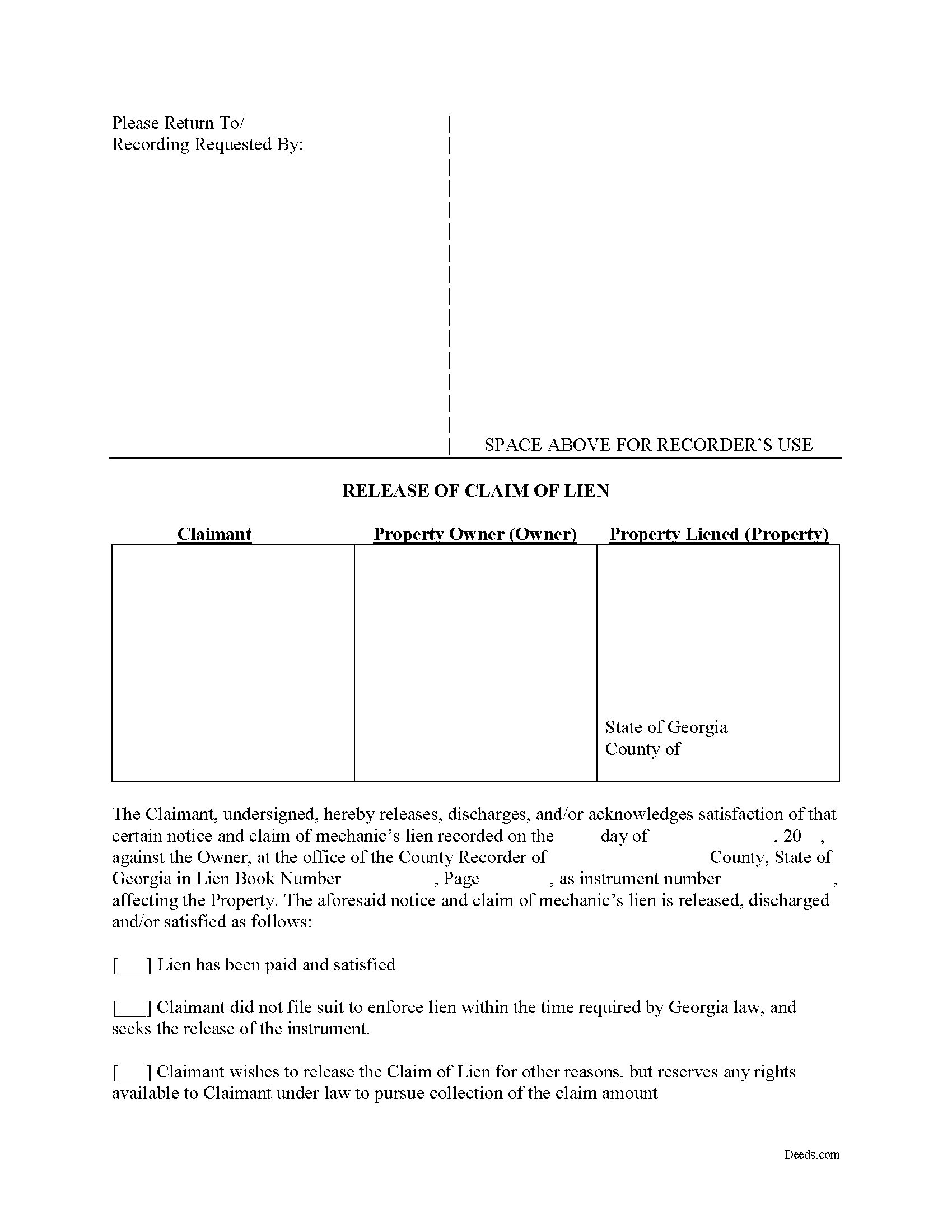
Calhoun County Release of Claim of Lien Form
Fill in the blank Release of Claim of Lien form formatted to comply with all Georgia recording and content requirements.
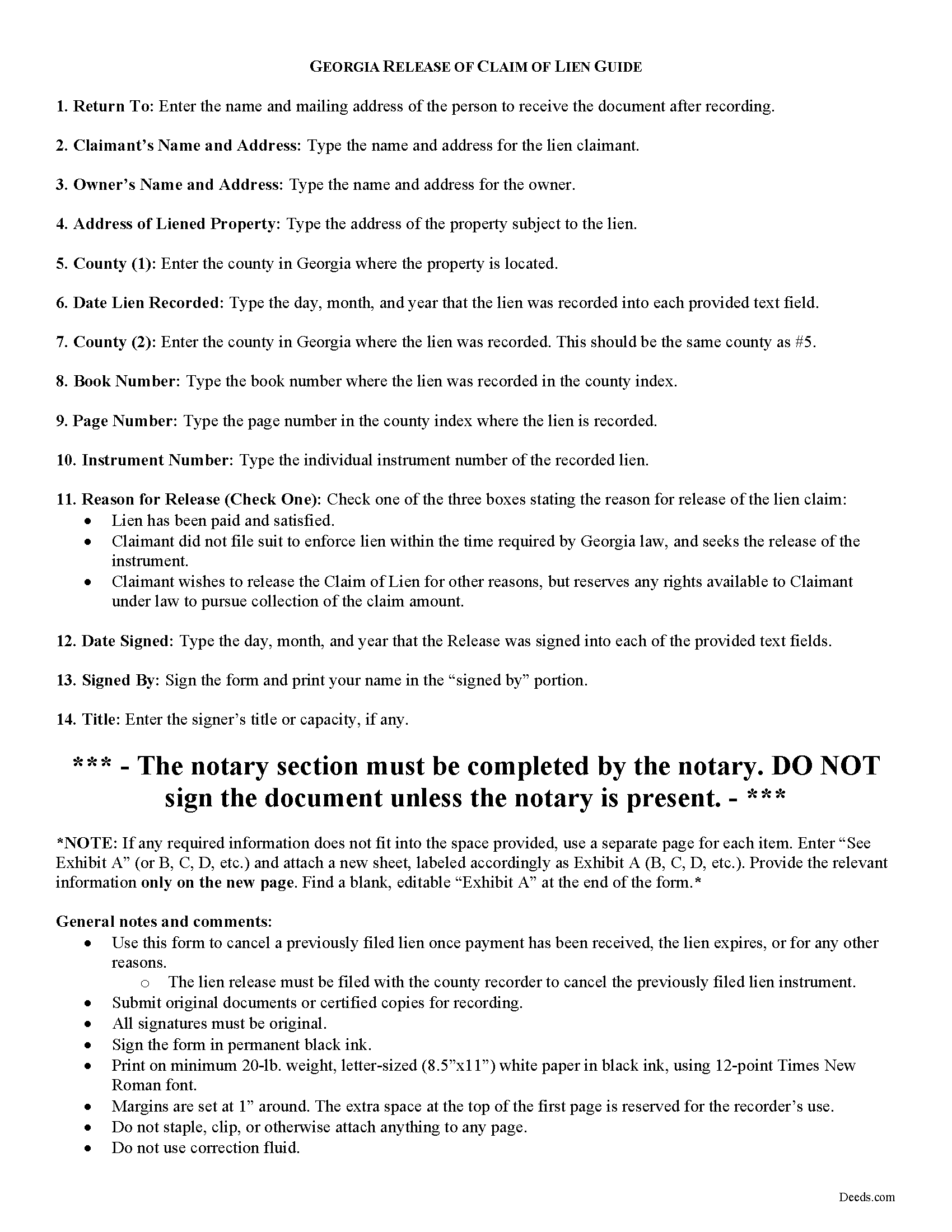
Calhoun County Release of Claim of Lien Guide
Line by line guide explaining every blank on the form.
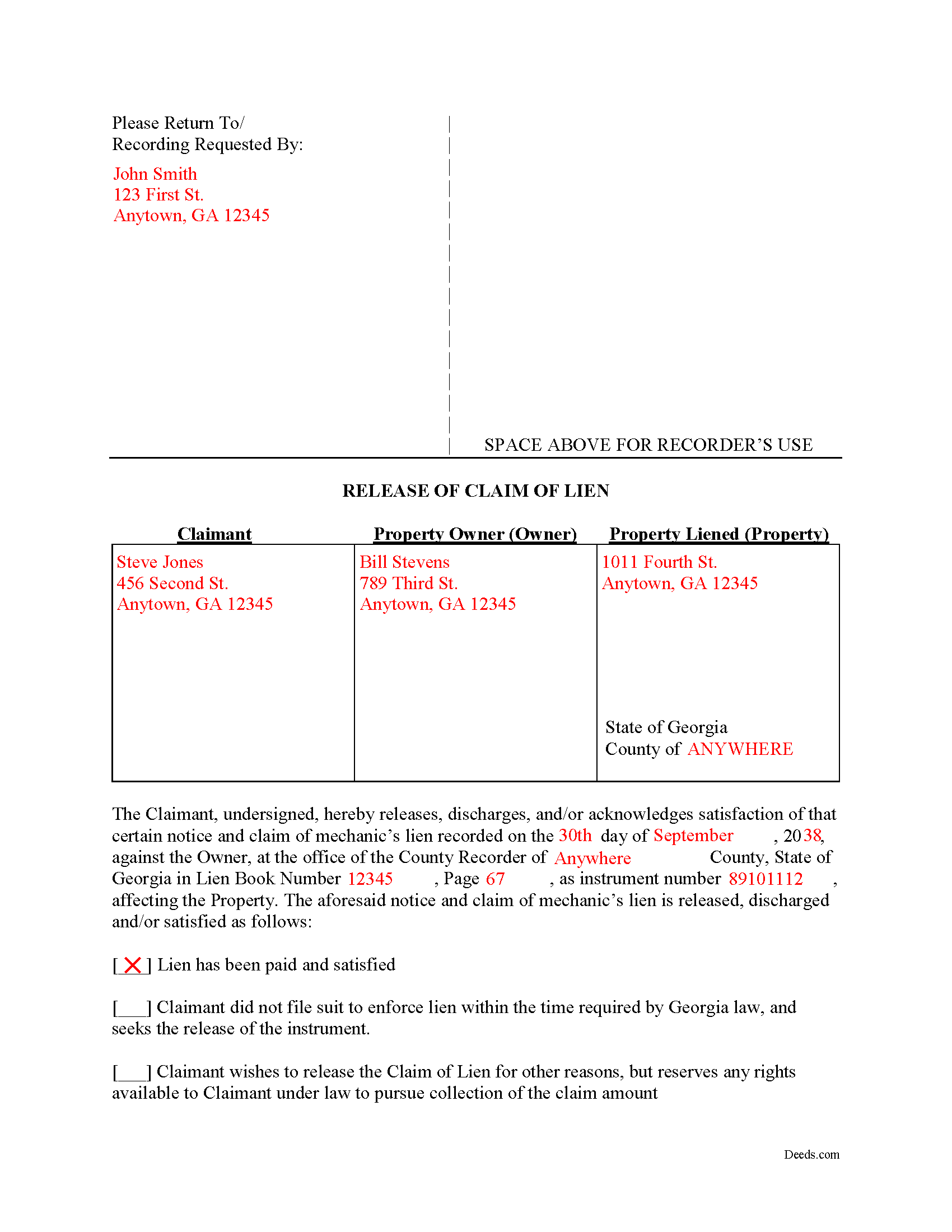
Calhoun County Completed Example of the Release of Claim of Lien Document
Example of a properly completed form for reference.
All 3 documents above included • One-time purchase • No recurring fees
Immediate Download • Secure Checkout
Additional Georgia and Calhoun County documents included at no extra charge:
Where to Record Your Documents
Calhoun Clerk of Superior Court
Morgan, Georgia 39866
Hours: 8:00am to 12:00 & 1:00 to 5:00pm M-F
Phone: (229) 849-2715
Recording Tips for Calhoun County:
- Bring your driver's license or state-issued photo ID
- Ensure all signatures are in blue or black ink
- Ask about accepted payment methods when you call ahead
- Ask for certified copies if you need them for other transactions
- Ask if they accept credit cards - many offices are cash/check only
Cities and Jurisdictions in Calhoun County
Properties in any of these areas use Calhoun County forms:
- Arlington
- Edison
- Leary
- Morgan
Hours, fees, requirements, and more for Calhoun County
How do I get my forms?
Forms are available for immediate download after payment. The Calhoun County forms will be in your account ready to download to your computer. An account is created for you during checkout if you don't have one. Forms are NOT emailed.
Are these forms guaranteed to be recordable in Calhoun County?
Yes. Our form blanks are guaranteed to meet or exceed the applicable formatting requirements used for recording in Calhoun County, including margin requirements, font requirements, and other layout standards. This guarantee applies to formatting, not to the legal sufficiency of information entered by the user or the suitability of a form for a particular transaction.
Can I reuse these forms?
Yes. You can reuse the forms for your personal use. For example, if you have multiple properties in Calhoun County you only need to order once.
What do I need to use these forms?
The forms are PDFs that you fill out on your computer. The free Adobe Acrobat Reader is recommended, and most PDF apps also work. You do NOT enter your property information online - you download the blank forms and complete them privately on your own computer.
Are there any recurring fees?
No. This is a one-time purchase. Nothing to cancel, no memberships, no recurring fees.
How much does it cost to record in Calhoun County?
Recording fees in Calhoun County vary. Contact the recorder's office at (229) 849-2715 for current fees.
Questions answered? Let's get started!
Cancelling a Georgia Mechanic's Lien After Payment
To dissolve previously filed mechanic's lien claims, claimants must file a Release of Claim of Lien. Construction liens must be canceled once payment has been received, the lien expires, or for any other reason. The lien release must be filed with the county recorder to cancel the previously filed lien instrument. The lien release is different than a lien waiver because it discharges an already filed lien, while a waiver surrenders the right to file one in the first place.
A Release form contains the following information: 1) lien claimant's name and address; 2) property owner's name and address; 3) address of the subject property; 4) date the lien was recorded; 5) the book number, page number, and instrument number as indexed by the county; and 6) reason for cancellation (lien has been paid, expired, or any other reason for discharge). The Release must be signed in front of a notary public who then signs as a notary and/or affixes his or her seal.
This article is provided for informational purposes only and does not constitute legal advice. Please speak with an attorney regarding releases or any other issues related to liens in Georgia.
Important: Your property must be located in Calhoun County to use these forms. Documents should be recorded at the county recording office listed above.
This Release of Claim of Lien meets all recording requirements specific to Calhoun County.
Our Promise
The documents you receive here are guaranteed to meet or exceed the applicable Calhoun County recording format requirements. If there is a rejection caused by our formatting, we will correct the issue or refund your payment. This guarantee applies to document formatting only and does not extend to information entered by the user, the selection of the form, or the legal effect of the completed document.
Save Time and Money
Get your Calhoun County Release of Claim of Lien form done right the first time with Deeds.com Uniform Conveyancing Blanks. At Deeds.com, we understand that your time and money are valuable resources, and we don't want you to face a penalty fee or rejection imposed by a county recorder for submitting nonstandard documents. We constantly review and update our forms to meet rapidly changing state and county recording requirements for roughly 3,500 counties and local jurisdictions.
4.8 out of 5 - ( 4,862 Reviews )
Dhanminder D. 5 out of 5 stars
The service was great. Thank you.
Thank you!
Maree W. 5 out of 5 stars
I am so impress with the forms that is needed for your state. It makes your task so easy and no worries. This was a big help in taking care of business. Thank you so much.
We appreciate your business and value your feedback. Thank you. Have a wonderful day!
Clifford J. 5 out of 5 stars
a lil pricey but i was able to knock out what needed to be done within 2 hours and not all day.
We appreciate your business and value your feedback. Thank you. Have a wonderful day!
Rachel Y. 5 out of 5 stars
I liked the ease of use, however I would love to be able to add multiple APN’s and delete lines that are not applicable
Thank you, Rachel. We’re glad you found the form easy to use, and we appreciate your suggestions about adding multiple APNs and removing inapplicable lines. Feedback like this helps us improve our forms.
Stuart P. 5 out of 5 stars
Easy and fast. I'll use this service for all my recordings
We appreciate your business and value your feedback. Thank you. Have a wonderful day!
Darrell W. 5 out of 5 stars
Fast and easy to use. Nice to have available online.
Thank you for your feedback. We really appreciate it. Have a great day!
Albert G. 5 out of 5 stars
Download was smooth. I'll post an update after I get a change to work with the forms.
Thank you!
John C. 5 out of 5 stars
Excellent find (Deeds.com) from a google search, first hit. This was exactly what we were looking for. It also got me to upgrade Adobe to be able to fill in the forms. Will be back for follow up as needed, but I think I got everything we needed in the first downloads. Appreciate a well done site like yours. Thanks John
Thank you for your feedback. We really appreciate it. Have a great day!
Nancy J. 5 out of 5 stars
This is a great service recommended by CSC. I only had one document to e-file. I would recommend to anyone.
Thank you for your feedback. We really appreciate it. Have a great day!
JOE M. 5 out of 5 stars
The form I needed were easy to find. And very affordable. Great service.
Thank you for your feedback. We really appreciate it. Have a great day!
Rick R. 5 out of 5 stars
So far excellent service - I made a boo boo on the deed - no problem they made the change before they sent it off to be recorded. I will never drive to the Recorder's office again.
Thank you!
Gail M. 5 out of 5 stars
Great website. Once submit payment documents are immediately emailed, easy to print and clear format. Will definitely use again!
Thank you for your feedback. We really appreciate it. Have a great day!
Peter K. 5 out of 5 stars
Site was very easy to use. Lots of information provided...if the deed gets registered without a problem...you'll get a 10! and if it doesn't...I'll let you know!
We appreciate your business and value your feedback. Thank you. Have a wonderful day!
Scott W. 5 out of 5 stars
Wow! That was easy! I was expecting a more difficult process. Upload your docs and wait for a response. Which was minutes later. I would give it 6 stars.
Thank you for your kind words Scott, glad we could help.
Amanda S. 5 out of 5 stars
Thank you! My husband and I went in the get notary stamps for a Special Warranty Deed and a Post Nuptial Agreement. The representative was very knowledgeable and thorough with the notary process. She made sure we read and understood all documents that we were signing and they required us to recite in sworn statements that everything there was true and understood! I will be using the notary service again at Bank of America! The representative was very respectful and had a nice smile the entire time to make our visit great!
Thank you!