Calhoun County Transfer on Death Deed Form
Last validated October 21, 2026 by our Forms Development TeamFormatted for recording in Calhoun County, for property anywhere in the county: rural and unincorporated areas as well as Arlington, Edison, Leary, Morgan.
- 3 documents included
- Immediate PDF download
- Formatting guarantee
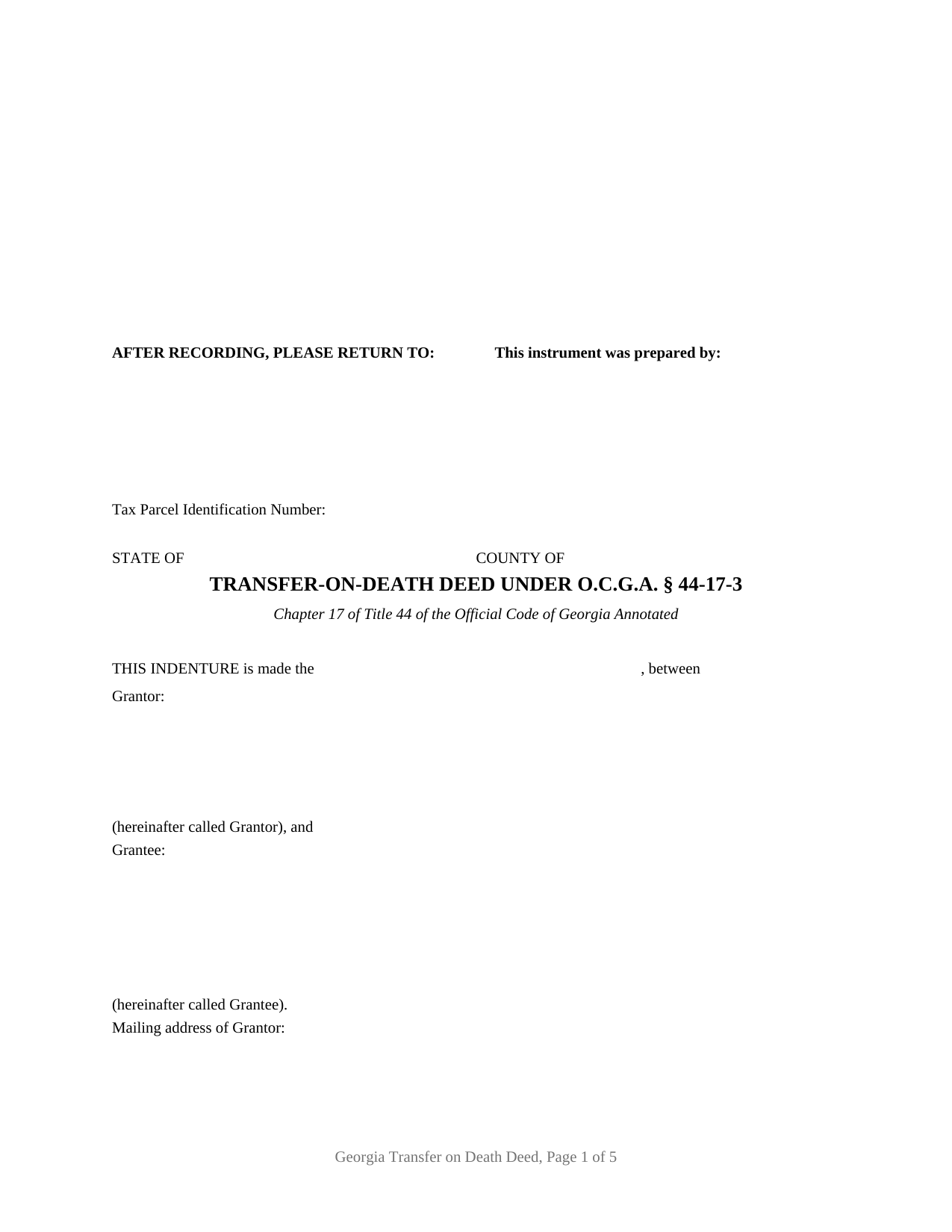
Calhoun County Transfer on Death Deed Form
Fill in the blank Transfer on Death Deed form formatted to comply with all Georgia recording and content requirements.
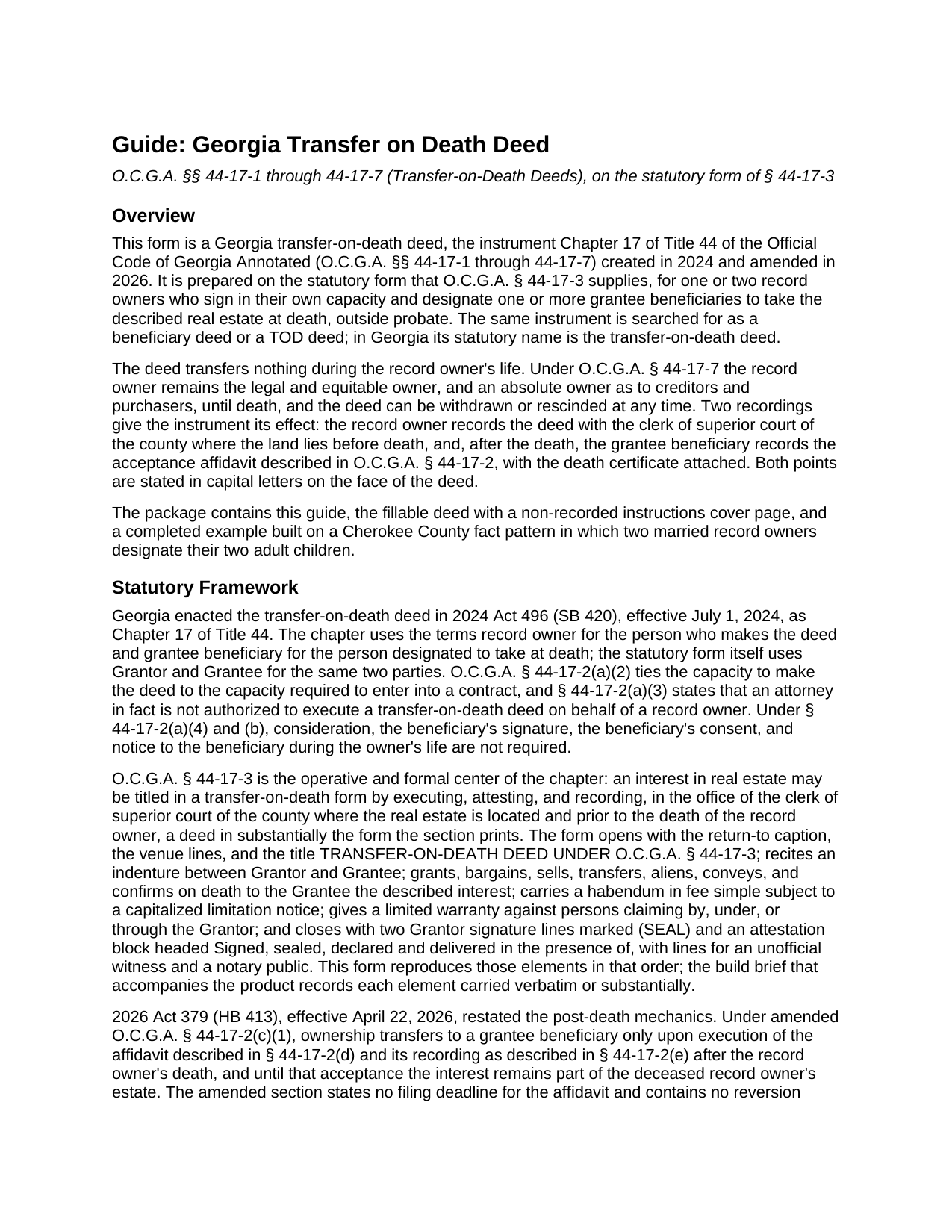
Calhoun County Transfer on Death Deed Guide
Line by line guide explaining every blank on the Transfer on Death Deed form.
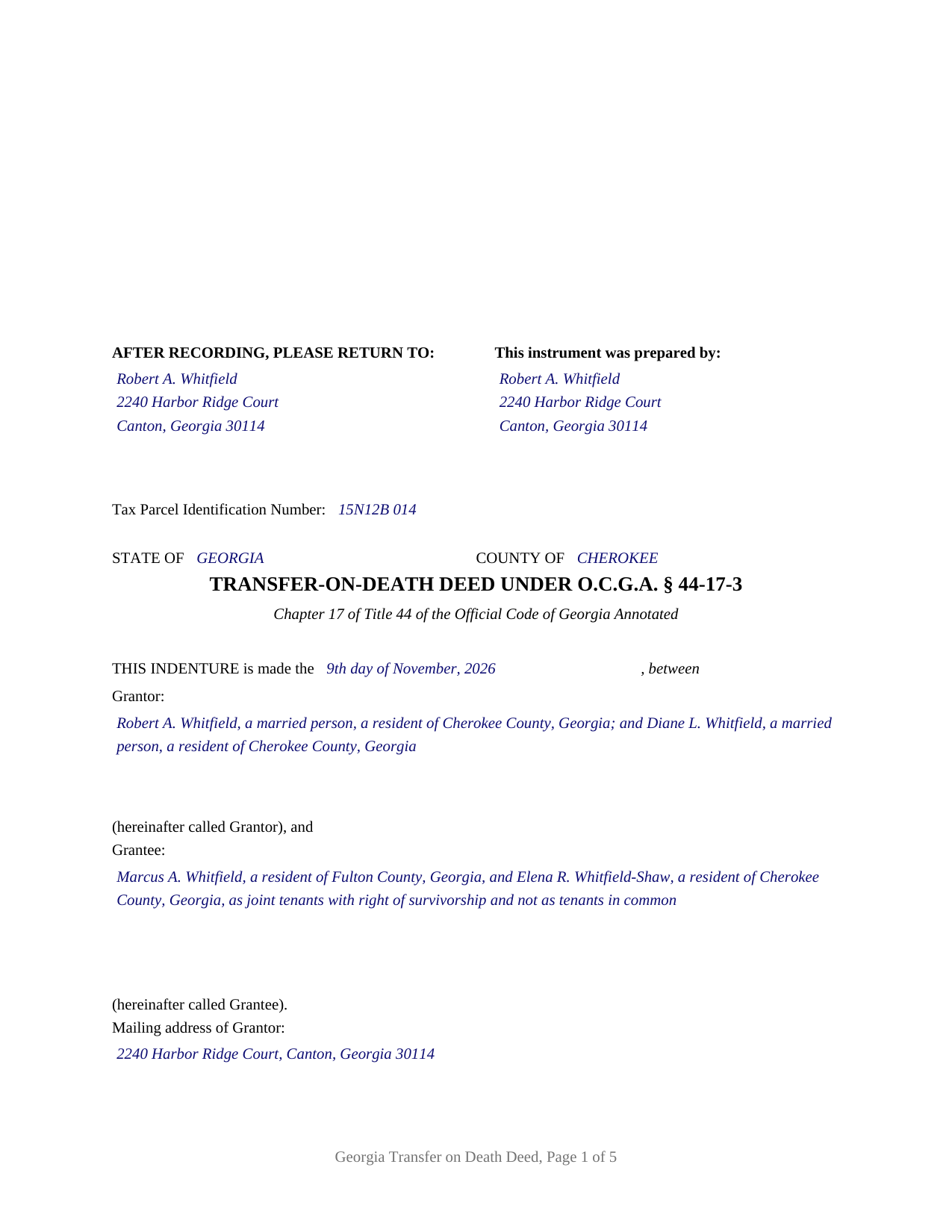
Calhoun County Completed Example of the Transfer on Death Deed Document
Example of a properly completed Georgia Transfer on Death Deed document for reference.
All 3 documents above included • One-time purchase • No recurring fees
Immediate Download • Secure Checkout
Additional Georgia and Calhoun County documents included at no extra charge:
Where to Record Your Documents
Calhoun Clerk of Superior Court
Morgan, Georgia 39866
Hours: 8:00am to 12:00 & 1:00 to 5:00pm M-F
Phone: (229) 849-2715
Recording Tips for Calhoun County:
- Bring your driver's license or state-issued photo ID
- Ensure all signatures are in blue or black ink
- Ask for certified copies if you need them for other transactions
- Ask if they accept credit cards - many offices are cash/check only
- Check that your notary's commission hasn't expired
Cities and Jurisdictions in Calhoun County
Properties in any of these areas use Calhoun County forms:
- Arlington
- Edison
- Leary
- Morgan
Hours, fees, requirements, and more for Calhoun County
How do I get my forms?
Forms are available for immediate download after payment. The Calhoun County forms will be in your account ready to download to your computer. An account is created for you during checkout if you don't have one. Forms are NOT emailed.
Are these forms guaranteed to be recordable in Calhoun County?
Yes. Our form blanks are guaranteed to meet or exceed the applicable formatting requirements used for recording in Calhoun County, including margin requirements, font requirements, and other layout standards. This guarantee applies to formatting, not to the legal sufficiency of information entered by the user or the suitability of a form for a particular transaction.
Can I reuse these forms?
Yes. You can reuse the forms for your personal use. For example, if you have multiple properties in Calhoun County you only need to order once.
What do I need to use these forms?
The forms are PDFs that you fill out on your computer. The free Adobe Acrobat Reader is recommended, and most PDF apps also work. You do NOT enter your property information online - you download the blank forms and complete them privately on your own computer.
Are there any recurring fees?
No. This is a one-time purchase. Nothing to cancel, no memberships, no recurring fees.
How much does it cost to record in Calhoun County?
Recording fees in Calhoun County vary. Contact the recorder's office at (229) 849-2715 for current fees.
Questions answered? Let's get started!
Georgia wrote its transfer on death deed into the statute line by line, and this product is that form: the deed O.C.G.A. § 44-17-3 prints, from the AFTER RECORDING, PLEASE RETURN TO caption at its head to the attestation block at its foot, prepared for one or two Georgia record owners naming one or more grantee beneficiaries. Searched for as a Georgia beneficiary deed or TOD deed, the instrument is the transfer-on-death deed of Chapter 17 of Title 44, here in its base configuration.
The words the statute chose
Section 44-17-3 does not describe the deed; it reproduces it, and a deed in substantially that form, executed, attested, and recorded before the record owner dies, is what titles an interest in transfer-on-death form. This form carries the statute's elements in the statute's order: the indenture opening between Grantor and Grantee, the granting sentence that conveys and confirms on death, a habendum in fee simple subject to the capitalized limitation notice, the warranty limited to persons claiming by, under, or through the Grantor, the testimonium, two (SEAL) signature lines, and the closing block headed Signed, sealed, declared and delivered in the presence of. The house adds only what the form leaves open: a tax parcel line, mailing address blocks, an alternate-beneficiary entry under § 44-17-2(a)(5)(A), and the clerk's three inch reserve under § 15-6-61(a)(10).
One or two owners, written in by the owner
The Grantor block is free-form, and that is the point of the base configuration. The form preprints nothing about marital status, how title is held, or capacity; the owner or owners write their own names and residences into the block, in the style of the statutory form. Four count patterns appear within it: one record owner designating one beneficiary or several, and two record owners designating one or several. Two signature blocks follow, OWNER and SECOND OWNER (if applicable), each with its own unofficial witness line and its own officer certificate, so a one-owner deed leaves the second set blank. The form is not set up as an entity or trustee owner, as an owner signing through an attorney in fact (a signature § 44-17-2(a)(3) does not permit), or as three or more owners on one instrument.
Where two owners sign, Chapter 17 decides the timing from the vesting deed. O.C.G.A. § 44-17-1(2) defines a joint owner as a joint tenant with right of survivorship, and § 44-17-6 postpones a joint owner's transfer until the last joint owner dies, leaving the joint tenancy unsevered; two owners who hold as tenants in common are each the record owner of an undivided interest that passes at that owner's own death. The form fixes neither reading; the record does.
Any beneficiary the chapter allows
The Grantee block is as broad as the statute. A natural person is named in full; a trust takes through its trustee, named as grantee beneficiary under § 44-17-2(a)(5)(B); an entity is named by its registered legal name. Where several grantee beneficiaries are named, Georgia's general co-ownership rules supply the shares, equal tenancy in common under § 44-6-120 unless the deed uses the survivorship words of § 44-6-190, and § 44-17-5(b) splits a lapsed share evenly among the remaining designated beneficiaries living at the record owner's death.
Attested, not acknowledged, and recorded twice
A Georgia deed is signed in the presence of an officer named in O.C.G.A. § 44-2-15, in ordinary practice a notary public, and one other witness, under § 44-5-30; the certificate on this form is captioned ATTESTATION for that reason, with a reserved area for the seal § 45-17-6(a)(1) requires. The owner's recording, with the clerk of superior court of the county where the land lies and before death, carries a $25 fee under § 15-6-77(f) and no PT-61, since § 44-17-2(a)(7) says none is filed with the owner's deed. The transfer itself waits for a second filing: after the death, the grantee beneficiary records the acceptance affidavit § 44-17-2 describes, with the death certificate and a PT-61, and the section as rewritten by 2026 Act 379 sets no deadline for it. That affidavit and any revocation instrument are prepared separately at their own time and are not included in this package.
The download delivers the fillable deed formatted to Georgia recording standards, a completed example built on a Cherokee County fact pattern, and a plain-language guide to every entry, the attestation formalities, and both recordings; the materials are informational and are not legal advice.
Important: Your property must be located in Calhoun County to use these forms. Documents should be recorded at the county recording office listed above.
This Transfer on Death Deed meets all recording requirements specific to Calhoun County.
Our Promise
The documents you receive here are guaranteed to meet or exceed the applicable Calhoun County recording format requirements. If there is a rejection caused by our formatting, we will correct the issue or refund your payment. This guarantee applies to document formatting only and does not extend to information entered by the user, the selection of the form, or the legal effect of the completed document.
Save Time and Money
Get your Calhoun County Transfer on Death Deed form done right the first time with Deeds.com Uniform Conveyancing Blanks. At Deeds.com, we understand that your time and money are valuable resources, and we don't want you to face a penalty fee or rejection imposed by a county recorder for submitting nonstandard documents. We constantly review and update our forms to meet rapidly changing state and county recording requirements for roughly 3,500 counties and local jurisdictions.
4.8 out of 5 - ( 4,829 Reviews )
Nancy C. 3 out of 5 stars
Very disappointed that you had certain documents but did not have the accompanying documents needed to complete the transfer. I also had issues with the documents not allowing you to fill in the pages... example the document was prefilled in as so ... Page 1 of_____ but you could not fill in the blank... I tried reaching out to your customer service, but they had no solution for me. So, I had to write in the page, which didn't look professional. I think I could have gotten documents just as good for free if I'd research a little longer.
Thank you for your feedback, Nancy.
The Virginia Transfer on Death Deed and the Virginia Transfer on Death Beneficiary Affidavit are separate documents and are offered individually because many customers only need one, depending on their situation. In your case, the affidavit was later ordered separately.
Regarding the page numbering (“Page 1 of ___”), that field is intentionally left blank. The total number of pages is not known until the document is finalized, signed, notarized, and all attachments (such as exhibits or legal descriptions) are included. It is standard practice to complete that portion by hand at execution so the final page count accurately reflects the recorded document.
We are unable to locate a customer service inquiry associated with your order, but we are always glad to assist when contacted directly.
We appreciate your feedback and wish you the best with your transfer.
James C. 5 out of 5 stars
was very helpfull, It provided the refernces to the stat laws so I coul have a deeper look into the issue I was trying to deal with.
We appreciate your business and value your feedback. Thank you. Have a wonderful day!
Angela T. 5 out of 5 stars
I love this website .. it has been very helpful in so many ways.. thank you so much..
Thank you!
Marcia H. 5 out of 5 stars
This was so easy and fast! Plus it had all the information I needed in one place. The example was right on point too!
Thank you for your feedback. We really appreciate it. Have a great day!
HEATHER M. 5 out of 5 stars
The guide I needed was very easy to understand and the template was easy to complete. I had a property attorney review the deed before I had it registered and she was impressed. She said she couldn't have written it better herself! Definitely worth the money instead of paying high dollar attorney fees for a simple task.
Your feedback is greatly appreciated. Thank you for taking the time to share your experience!
Sharon M. 5 out of 5 stars
Purchasing the real estate deed form from your platform was a breeze. The form was easy to fill out and the instructions provided were clear and concise. I was able to quickly complete my property transaction without any hitches. I highly recommend your services to anyone in need of real estate documentation. Thank you for making this process so straightforward!
Thanks a million for the positive feedback! It truly means a lot to us.
Gary G. 5 out of 5 stars
I'm glad I found this service . Very useful. Time saving
Thank you for your feedback. We really appreciate it. Have a great day!
star v. 5 out of 5 stars
i have used you guys once and i am happy with the service i will be using you guys again
Thank you for your feedback. We really appreciate it. Have a great day!
Cheryl C. 5 out of 5 stars
Very pleased. I spent a fair amount of time chasing a blank form only to be told it couldn't be given to me - I had to go through my attorney. Going thru the deeds.com was a breeze; the blank form looked exactly like one I had filed before :-)
We appreciate your business and value your feedback. Thank you. Have a wonderful day!
Robert G. 5 out of 5 stars
Excellent. I needed a NOC recorded immediately and you guys made it happen when all other avenues looked like they were not going to be possible. Thank you very much.
Thank you for your feedback. We really appreciate it. Have a great day!
Thomas D. 2 out of 5 stars
The documents themselves are fine and the information provided with them is helpful. I find the actual processing of the documents, however, to be difficult particularly once the document has been saved. First, I note that the box for the date only allows entry of the last 2 digits of the year. Unfortunately, my download only allows me to enter one of the 2 digits required. When I delete it repeatedly, it eventually allows both digits to be entered but puts them in extremely small text and in superscrypt. I have not found a solution to this problem and am not sure the deed can even be recorded with this problem. Another problem is that if you try to revise the document after you have saved it the curser goes to the end of the line after each key entry. This means that there basically is no way to efficiently save the document for reworking later since you will have to delete everything you have entered in the text box unless you only need to make a single keystroke change or are willing to replace the curser after each entry. Try that with a long property description! Please note that I am using a Mac to prepare my documents and perhaps this is part of an "incompatibility problem". However, I didn't see a disclaimer regarding Mac use and so would expect the documents to perform correctly. Overall, I give the program a "2 star" rating because I am experiencing significant difficulties in entering dates in the documents even before saving them and because saving your work for later revision appears to be basically unworkable.
Thank you for your feedback Thomas, we appreciate you being specific about the issues you encountered. Adobe and Mac have a fairly long history of issues working together.
Daniel Z. 5 out of 5 stars
All is well that ends well and this form service seemed to work quite smoothly, even though my printer gives me fits at times, having to hand feed the blank paper.
Thank you for your feedback. We really appreciate it. Have a great day!
Patricia H. 5 out of 5 stars
I really like this site and it's actually recommended by many County Recorders. I especially like that there's not join up/monthly fee. It's easy to use and the customer support is outstanding. They're very helpful and patient.
Thank you for your feedback. We really appreciate it. Have a great day!
Maryel T. 4 out of 5 stars
Good site, had the information I needed. Quicker than I expected. Thanks.
We appreciate your business and value your feedback. Thank you. Have a wonderful day!
Michael S. 5 out of 5 stars
So convenient.
Knowing our customers are happy is our top priority. Thank you for the wonderful feedback!