Rabun County Release of Claim of Lien Form
Last validated October 29, 2026 by our Forms Development TeamFormatted for recording in Rabun County, for property anywhere in the county: rural and unincorporated areas as well as Clayton, Dillard, Lakemont, Mountain City, Rabun Gap, Tallulah Falls, Tiger, Wiley.
- 3 documents included
- Immediate PDF download
- Formatting guarantee
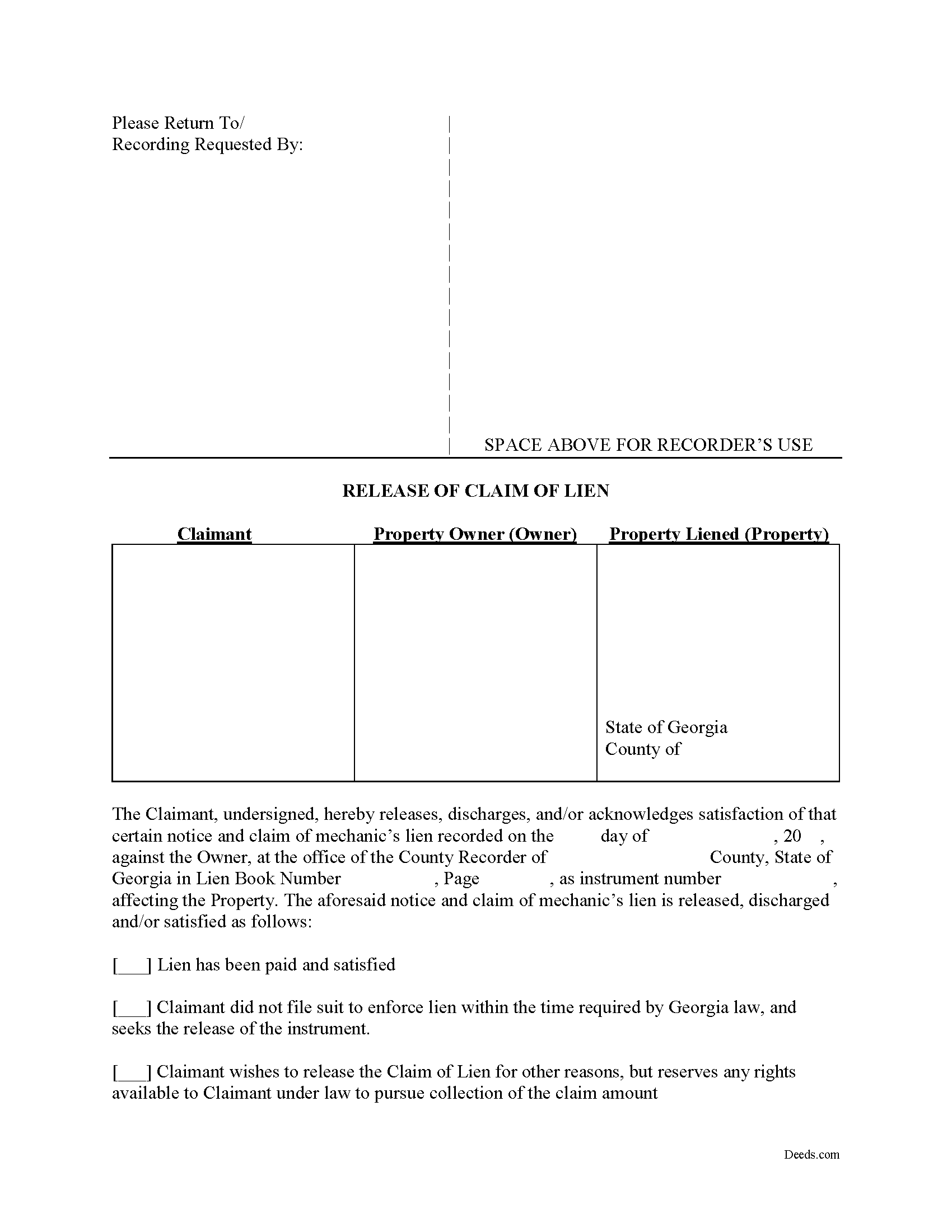
Rabun County Release of Claim of Lien Form
Fill in the blank Release of Claim of Lien form formatted to comply with all Georgia recording and content requirements.
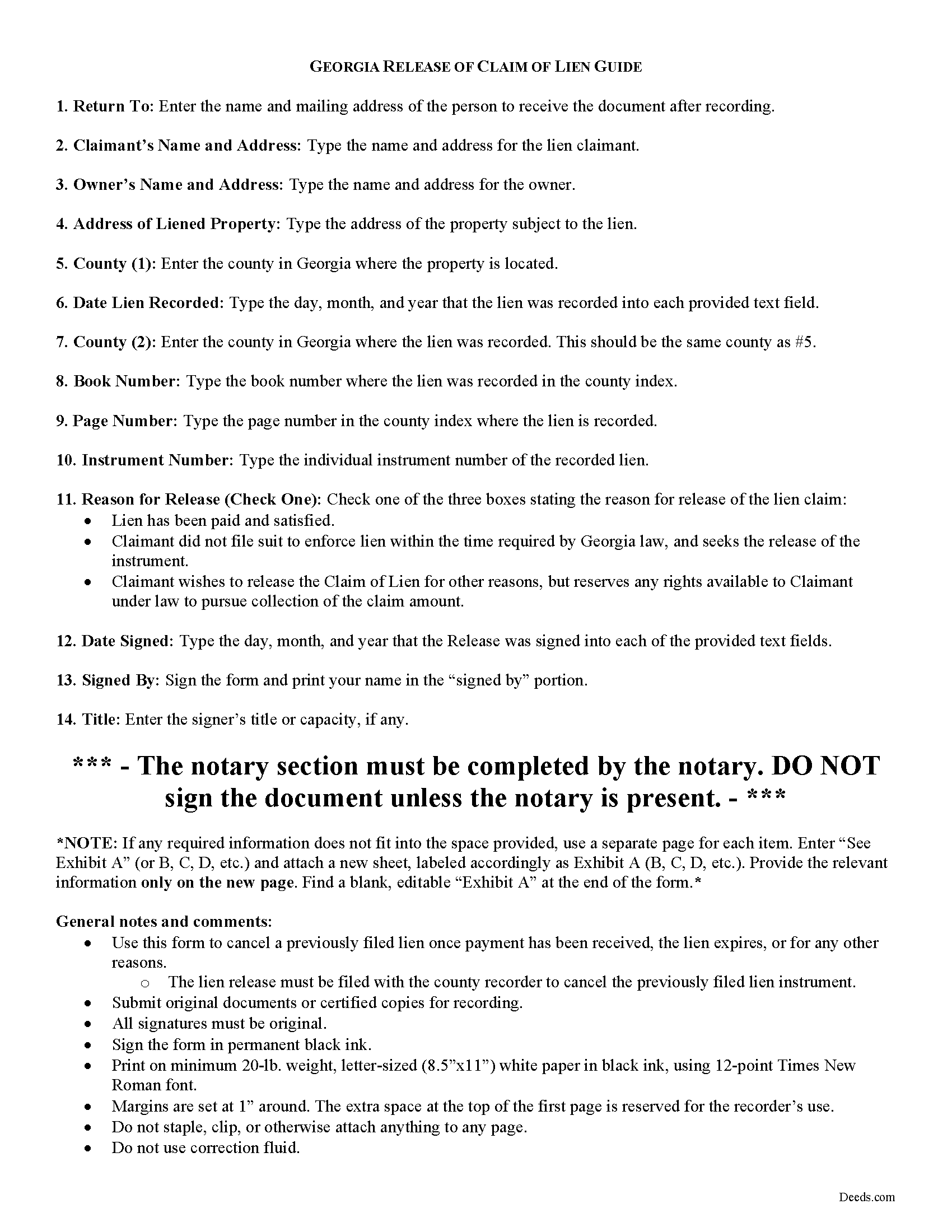
Rabun County Release of Claim of Lien Guide
Line by line guide explaining every blank on the form.
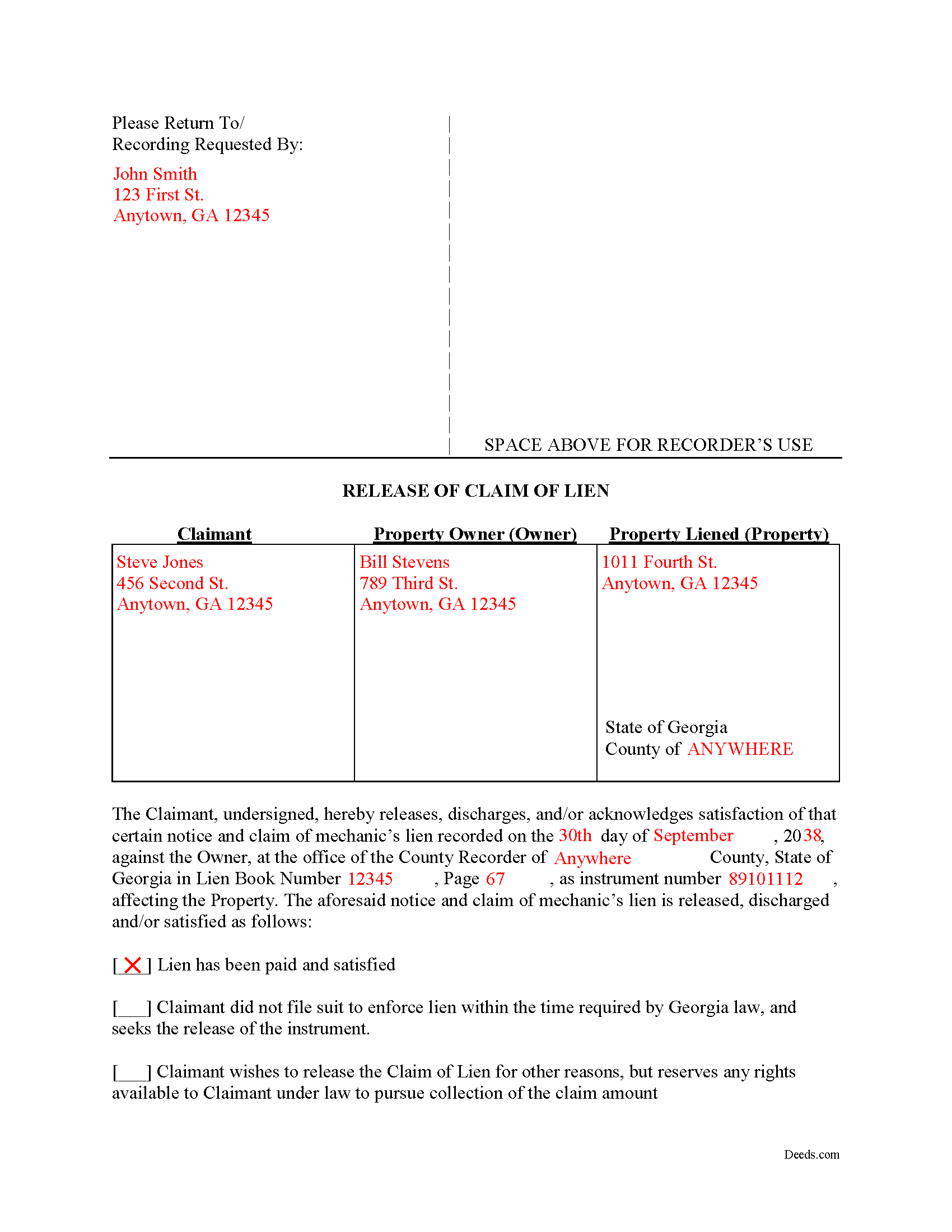
Rabun County Completed Example of the Release of Claim of Lien Document
Example of a properly completed form for reference.
All 3 documents above included • One-time purchase • No recurring fees
Immediate Download • Secure Checkout
Additional Georgia and Rabun County documents included at no extra charge:
Where to Record Your Documents
Clerk of Superior Court
Clayton, Georgia 30525
Hours: 8:30 to 5:00 M-F
Phone: (706) 782-3615
Recording Tips for Rabun County:
- Bring your driver's license or state-issued photo ID
- Ensure all signatures are in blue or black ink
- Double-check legal descriptions match your existing deed
- Verify all names are spelled correctly before recording
- White-out or correction fluid may cause rejection
Cities and Jurisdictions in Rabun County
Properties in any of these areas use Rabun County forms:
- Clayton
- Dillard
- Lakemont
- Mountain City
- Rabun Gap
- Tallulah Falls
- Tiger
- Wiley
Hours, fees, requirements, and more for Rabun County
How do I get my forms?
Forms are available for immediate download after payment. The Rabun County forms will be in your account ready to download to your computer. An account is created for you during checkout if you don't have one. Forms are NOT emailed.
Are these forms guaranteed to be recordable in Rabun County?
Yes. Our form blanks are guaranteed to meet or exceed the applicable formatting requirements used for recording in Rabun County, including margin requirements, font requirements, and other layout standards. This guarantee applies to formatting, not to the legal sufficiency of information entered by the user or the suitability of a form for a particular transaction.
Can I reuse these forms?
Yes. You can reuse the forms for your personal use. For example, if you have multiple properties in Rabun County you only need to order once.
What do I need to use these forms?
The forms are PDFs that you fill out on your computer. The free Adobe Acrobat Reader is recommended, and most PDF apps also work. You do NOT enter your property information online - you download the blank forms and complete them privately on your own computer.
Are there any recurring fees?
No. This is a one-time purchase. Nothing to cancel, no memberships, no recurring fees.
How much does it cost to record in Rabun County?
Recording fees in Rabun County vary. Contact the recorder's office at (706) 782-3615 for current fees.
Questions answered? Let's get started!
Cancelling a Georgia Mechanic's Lien After Payment
To dissolve previously filed mechanic's lien claims, claimants must file a Release of Claim of Lien. Construction liens must be canceled once payment has been received, the lien expires, or for any other reason. The lien release must be filed with the county recorder to cancel the previously filed lien instrument. The lien release is different than a lien waiver because it discharges an already filed lien, while a waiver surrenders the right to file one in the first place.
A Release form contains the following information: 1) lien claimant's name and address; 2) property owner's name and address; 3) address of the subject property; 4) date the lien was recorded; 5) the book number, page number, and instrument number as indexed by the county; and 6) reason for cancellation (lien has been paid, expired, or any other reason for discharge). The Release must be signed in front of a notary public who then signs as a notary and/or affixes his or her seal.
This article is provided for informational purposes only and does not constitute legal advice. Please speak with an attorney regarding releases or any other issues related to liens in Georgia.
Important: Your property must be located in Rabun County to use these forms. Documents should be recorded at the county recording office listed above.
This Release of Claim of Lien meets all recording requirements specific to Rabun County.
Our Promise
The documents you receive here are guaranteed to meet or exceed the applicable Rabun County recording format requirements. If there is a rejection caused by our formatting, we will correct the issue or refund your payment. This guarantee applies to document formatting only and does not extend to information entered by the user, the selection of the form, or the legal effect of the completed document.
Save Time and Money
Get your Rabun County Release of Claim of Lien form done right the first time with Deeds.com Uniform Conveyancing Blanks. At Deeds.com, we understand that your time and money are valuable resources, and we don't want you to face a penalty fee or rejection imposed by a county recorder for submitting nonstandard documents. We constantly review and update our forms to meet rapidly changing state and county recording requirements for roughly 3,500 counties and local jurisdictions.
4.8 out of 5 - ( 4,839 Reviews )
Earnest K. 4 out of 5 stars
I used the "personal representative's deed." There were a few errors, after I went to record it at the county recorder's office. For #7, it should've stated "The estate of Joe Schmoe, hereby grants Mr. Personal Representative....." instead of, "I Mr. Personal Representative, as personal representative, hereby grant to personal representative...." The person at the recorder's office said you cannot state "you are granting property to yourself." Just fix that, and everything else is fine.
Your insights are invaluable to us and help us strive for better service. Thank you for taking the time to share your thoughts.
DAVID S. 5 out of 5 stars
I was very impressed with the speed at which information was retrieved on my very first search. Unfortunately, the county we were looking for is behind times and has not digitized its information. I will be using Deeds.Com again and appreciate that I was not charged for no information being returned back. Thank You David S
Thank you for your feedback. We really appreciate it. Have a great day!
Teresa H. 4 out of 5 stars
I loved that there was a sample with the downloads. It made it much easier to fill out the document correctly.
Thank you Teresa, have a great day!
O. Peter P. 2 out of 5 stars
I find your forms hard to use, inasmuch as the forms cannot be converted to a Word Document. Editing and deleting of extra lines is not possible, making for a deed with large blank spaces. Document that results is not usable for me.
Sorry to hear that we did not meet your expectations. We have canceled your order and payment. We do hope you find something more suitable to your needs elsewhere. Have a wonderful day.
Judy A D. 5 out of 5 stars
It was quick and easy.
Thank you!
Deborah M. 5 out of 5 stars
Absolutely great. The staff is responsive and knowledgeable. The online interface is excellent. The total cost for finalizing the sale on our property (minus state filing fees) was $39. A wonderful experience.
Thank you for your feedback. We really appreciate it. Have a great day!
Lou H. 5 out of 5 stars
5 stars.
Thank you!
Darrell G. 5 out of 5 stars
Very easy to work with.
Thank you!
Roger A. 5 out of 5 stars
Easy peasy to use! It's great to have the guide for completing the form and an example of a completed form.
It was a pleasure serving you. Thank you for the positive feedback!
Patricia And James J. 5 out of 5 stars
No review provided.
Thank you for your feedback. We really appreciate it. Have a great day!
Janice S. 5 out of 5 stars
Really easy downloading the forms the directions everything was really easy thanks!
We appreciate your business and value your feedback. Thank you. Have a wonderful day!
Jeffrey S. 5 out of 5 stars
Web site was clear to understand and easy to use. Found what I needed quickly and crossed it off my to do list. Thanks, JS
We are grateful for your feedback and looking forward to serving you again. Thank you!
James B. 5 out of 5 stars
Reliable and fast. A great assest.
Thank you!
Sylvia B. 5 out of 5 stars
What a wonderful resource! Forms are so easy to use, made the process a breeze. Deeds even helped with the recording. Thank you.
We appreciate your business and value your feedback. Thank you. Have a wonderful day!
Georgana T. 3 out of 5 stars
Not clear information on ownership, which is what I wanted.
Sorry to hear that we were unable to find the information you need Georgana. Your account has been credited. Have a wonderful day.