Randolph County Quitclaim Deed (LLC Grantor) Form
Last validated October 15, 2026 by our Forms Development TeamFormatted for recording in Randolph County, for property anywhere in the county: rural and unincorporated areas as well as Baldwin, Chester, Coulterville, Ellis Grove, Evansville, Menard, Modoc, Percy and 7 more.
- 3 documents included
- Immediate PDF download
- Formatting guarantee
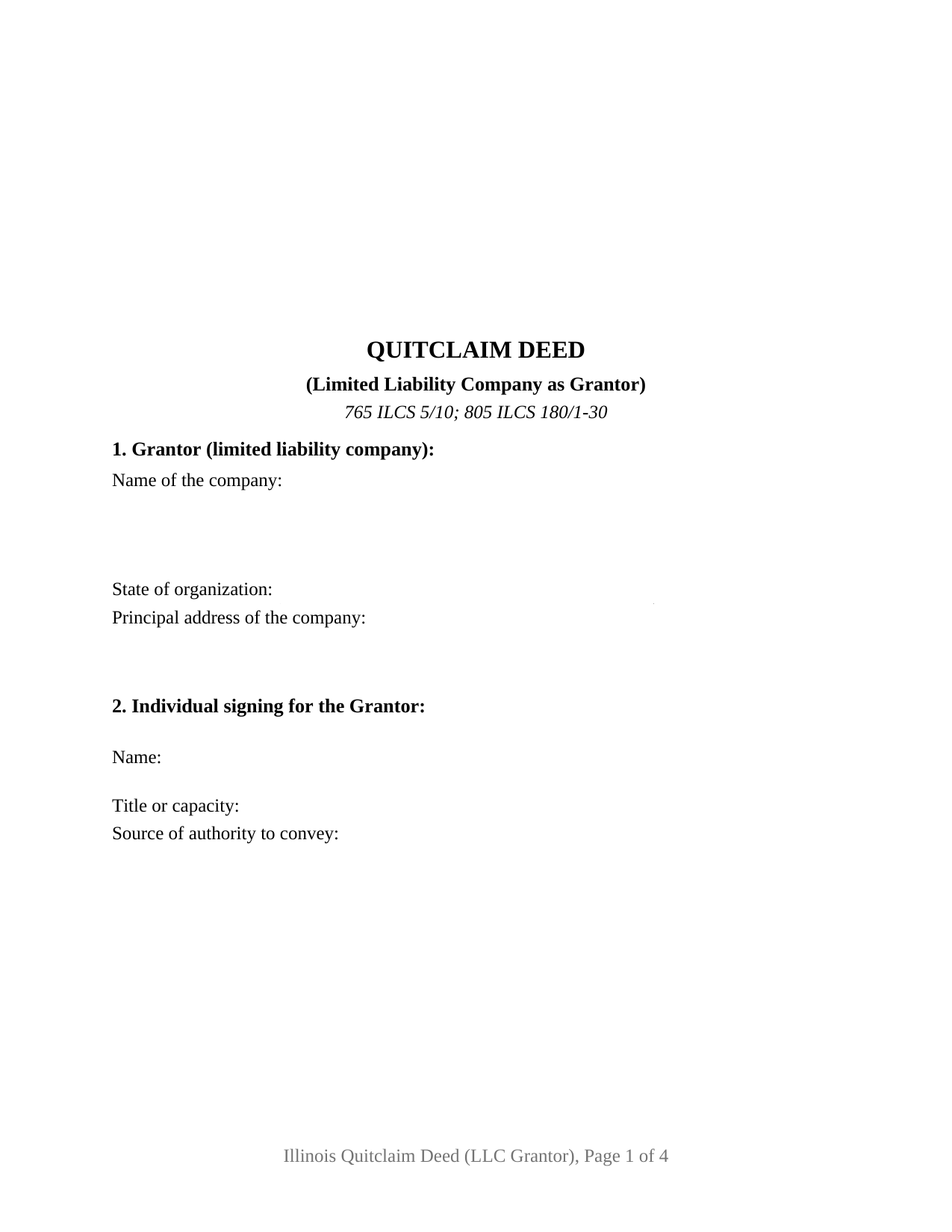
Randolph County Quitclaim Deed (LLC Grantor) Form
Fill in the blank Quitclaim Deed (LLC Grantor) form formatted to comply with all Illinois recording and content requirements.
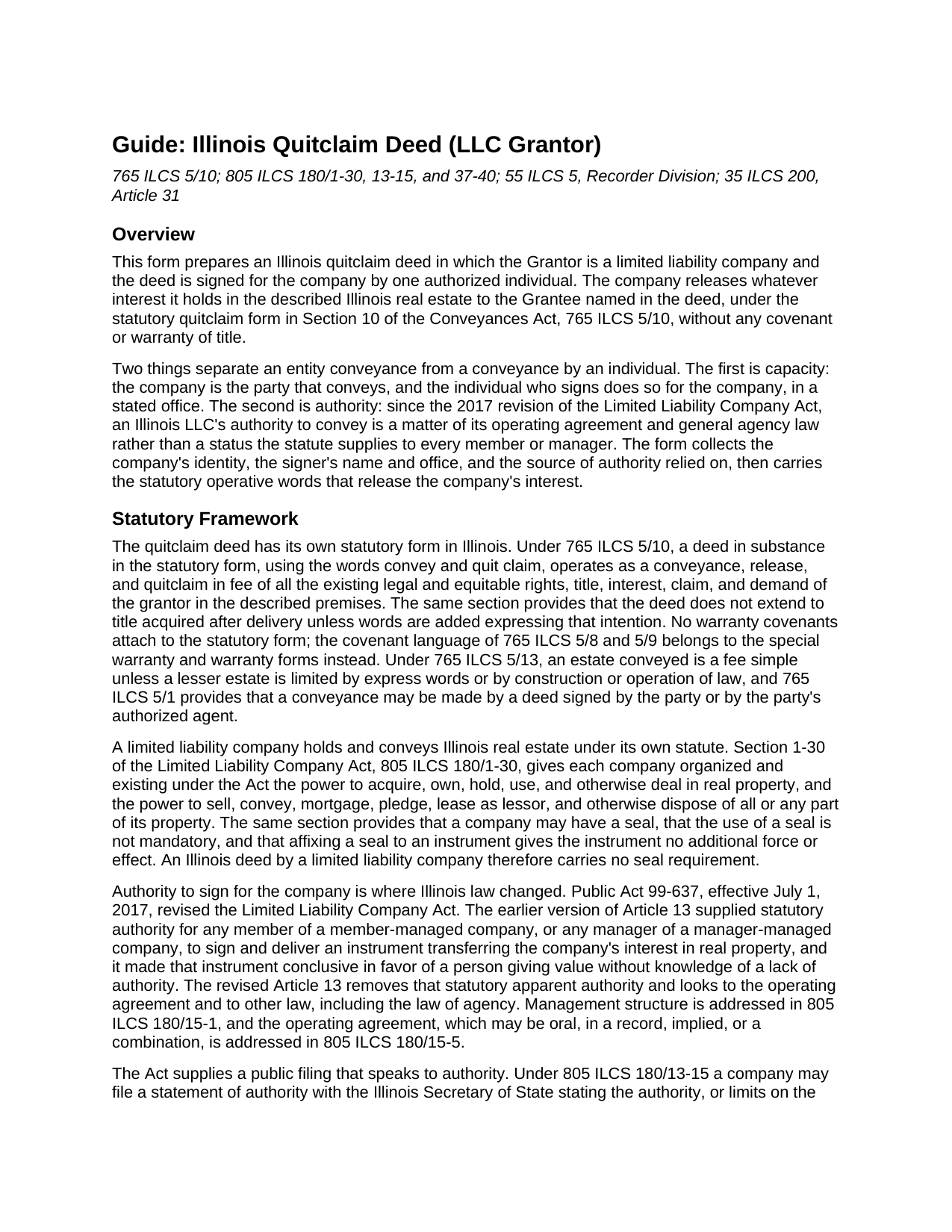
Randolph County Quitclaim Deed (LLC Grantor) Guide
Line by line guide explaining every blank on the Quitclaim Deed (LLC Grantor) form.
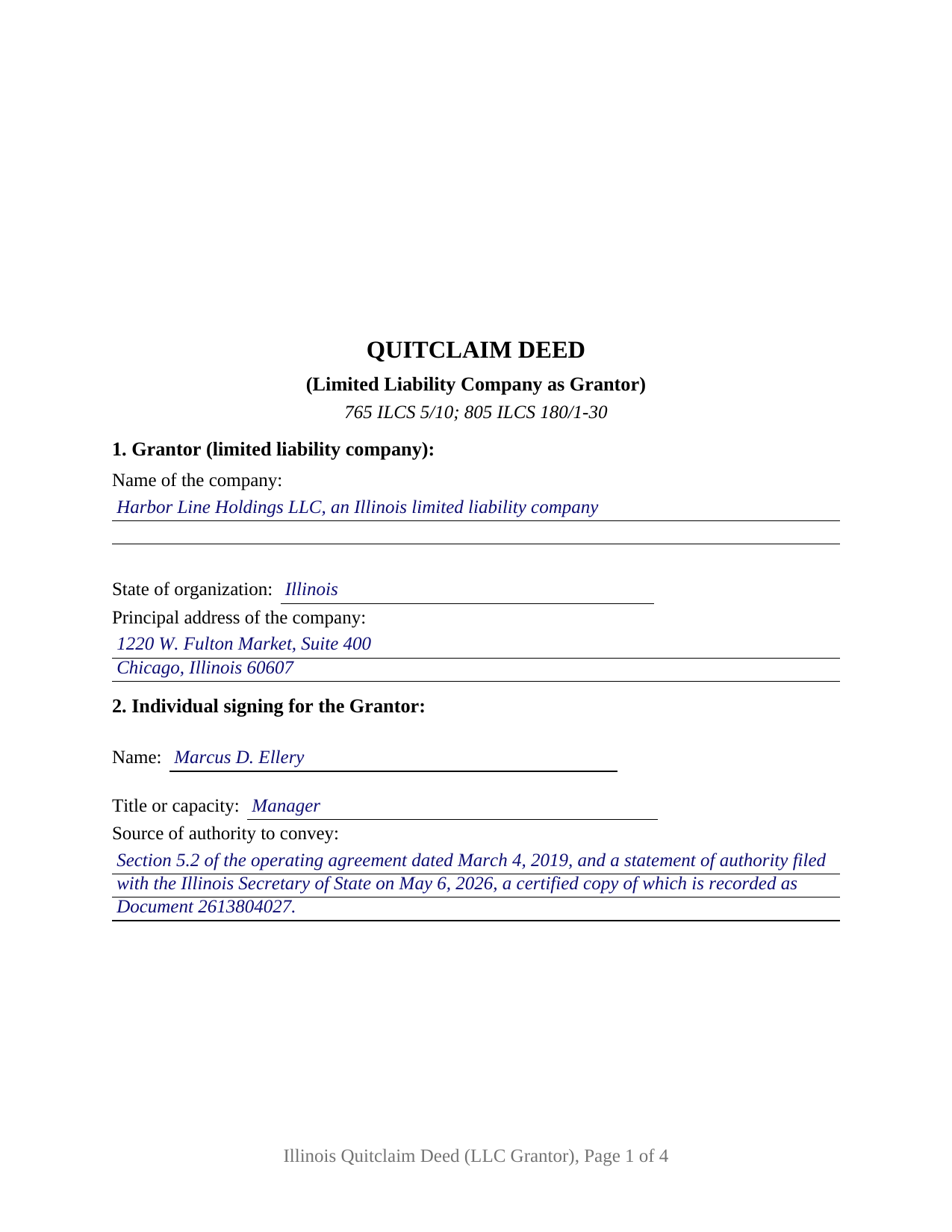
Randolph County Completed Example of the Quitclaim Deed (LLC Grantor) Document
Example of a properly completed Illinois Quitclaim Deed (LLC Grantor) document for reference.
All 3 documents above included • One-time purchase • No recurring fees
Immediate Download • Secure Checkout
Additional Illinois and Randolph County documents included at no extra charge:
Where to Record Your Documents
Randolph County Clerk
Chester, Illinois 62233
Hours: 8:00am to 4:00pm M-F
Phone: (618) 826-5000 Ext.191
Recording Tips for Randolph County:
- Bring your driver's license or state-issued photo ID
- Ensure all signatures are in blue or black ink
- Ask about their eRecording option for future transactions
- Avoid the last business day of the month when possible
- Both spouses typically need to sign if property is jointly owned
Cities and Jurisdictions in Randolph County
Properties in any of these areas use Randolph County forms:
- Baldwin
- Chester
- Coulterville
- Ellis Grove
- Evansville
- Menard
- Modoc
- Percy
- Prairie Du Rocher
- Red Bud
- Rockwood
- Sparta
- Steeleville
- Tilden
- Walsh
Hours, fees, requirements, and more for Randolph County
How do I get my forms?
Forms are available for immediate download after payment. The Randolph County forms will be in your account ready to download to your computer. An account is created for you during checkout if you don't have one. Forms are NOT emailed.
Are these forms guaranteed to be recordable in Randolph County?
Yes. Our form blanks are guaranteed to meet or exceed the applicable formatting requirements used for recording in Randolph County, including margin requirements, font requirements, and other layout standards. This guarantee applies to formatting, not to the legal sufficiency of information entered by the user or the suitability of a form for a particular transaction.
Can I reuse these forms?
Yes. You can reuse the forms for your personal use. For example, if you have multiple properties in Randolph County you only need to order once.
What do I need to use these forms?
The forms are PDFs that you fill out on your computer. The free Adobe Acrobat Reader is recommended, and most PDF apps also work. You do NOT enter your property information online - you download the blank forms and complete them privately on your own computer.
Are there any recurring fees?
No. This is a one-time purchase. Nothing to cancel, no memberships, no recurring fees.
How much does it cost to record in Randolph County?
Recording fees in Randolph County vary. Contact the recorder's office at (618) 826-5000 Ext.191 for current fees.
Questions answered? Let's get started!
Since July 1, 2017, an Illinois limited liability company's power to convey its own real estate has not been something the statute hands every member or manager. This Illinois quitclaim deed is arranged for that conveyance: the company is the sole Grantor, one authorized individual signs for it, and the deed names the office and the document the authority rests on.
Where an LLC's signing authority comes from now
Public Act 99-637 rewrote Article 13 of the Limited Liability Company Act. Its earlier version handed any member of a member-managed company, and any manager of a manager-managed one, statutory power to sign an instrument transferring the company's real property. That grant is gone. Authority now rests on the operating agreement, on a members' or managers' authorization, and on general agency law; management structure sits in 805 ILCS 180/15-1 and the operating agreement, oral ones included, in 805 ILCS 180/15-5. Section 2 collects the signer's name, office, and source of authority, which a title examiner otherwise digs out of company records.
The statement of authority, and the certified copy that gets recorded
805 ILCS 180/13-15 gives a company a public way to speak to authority: a statement filed with the Illinois Secretary of State describing what a member, manager, or other person may do, transferring the company's real property included. For a real property transfer that filing is half the mechanism. A certified copy recorded in the county where the land sits carries the statement's conclusive effect for a non-member giving value in reliance on it without knowledge to the contrary. The example fills that entry both ways, by agreement section and by recorded document number.
What the LLC grantor configuration carries
One Grantor block recites the company, its state of organization, and its principal address; a second names the signing individual and that person's office; then come one signature line, one printed name carrying name and office, and one acknowledgment certificate in representative capacity following 765 ILCS 5/26. Patterns presenting this configuration include a property-holding company moving a parcel to another company under common ownership, a company releasing what it holds to a buyer taking title on a policy rather than on covenants, and a company from an old conveyance releasing a stray interest so a later title examination closes. Two signers sit outside the layout, and no homestead waiver clause prints, the estate of homestead under 735 ILCS 5/12-901 belonging to an individual occupying a residence.
Statutory words, and the seal Illinois does not require
The operative sentence uses the words of 765 ILCS 5/10: a deed in statutory quitclaim form releases in fee the rights the grantor holds at delivery, with no warranty covenants and no reach to after-acquired title unless words are added for it. On the entity side, 805 ILCS 180/1-30 carries the power to hold and convey real property and states that a company seal is not mandatory and adds no force to an instrument, so no seal block prints here.
Series title and the name that goes in the deed
Illinois goes further than most states on series companies: under 805 ILCS 180/37-40 a series with limited liability is treated as a separate entity to the extent the articles of organization set out, and each such series may, in its own name, hold title to assets and exercise a company's powers. Record title can stand in a series name, which is why the name entry on this quit claim deed follows the name in which title is held, series designation included.
Transfer tax when a company sells
A company conveyance is usually a business transfer, not a gift, so the taxable path is the common one. 35 ILCS 200/31-10 taxes the privilege of transferring title at 50 cents per $500 of value, a county may add 25 cents under 55 ILCS 5/5-1031, and a municipality with a certified home rule ordinance blocks recording until its tax is proved paid. Section 11 takes either the taxable entry or an exempt notation citing its paragraph of 35 ILCS 200/31-45, and the example runs the taxable route for a Cook County parcel.
The purchase brings three files: the fillable deed, a completed example filled in from the company entries through the notary's commission date, and a guide covering each numbered section along with authority, signing, notarization, and recording. These materials describe Illinois law in general terms and are not legal advice; a question about one company's authority or a particular title belongs with an Illinois attorney.
Important: Your property must be located in Randolph County to use these forms. Documents should be recorded at the county recording office listed above.
This Quitclaim Deed (LLC Grantor) meets all recording requirements specific to Randolph County.
Our Promise
The documents you receive here are guaranteed to meet or exceed the applicable Randolph County recording format requirements. If there is a rejection caused by our formatting, we will correct the issue or refund your payment. This guarantee applies to document formatting only and does not extend to information entered by the user, the selection of the form, or the legal effect of the completed document.
Save Time and Money
Get your Randolph County Quitclaim Deed (LLC Grantor) form done right the first time with Deeds.com Uniform Conveyancing Blanks. At Deeds.com, we understand that your time and money are valuable resources, and we don't want you to face a penalty fee or rejection imposed by a county recorder for submitting nonstandard documents. We constantly review and update our forms to meet rapidly changing state and county recording requirements for roughly 3,500 counties and local jurisdictions.
4.8 out of 5 - ( 4,830 Reviews )
Rox Ann S. 5 out of 5 stars
Very impressed with how fast the service was. Got what I needed within 20 to 30 minutes.
We appreciate your business and value your feedback. Thank you. Have a wonderful day!
Scott S. 5 out of 5 stars
This is the best resource I have found for documents related to beneficiary deeds!
Thank you!
Norman K. 5 out of 5 stars
Easy to use, would like to convert to a Word doc though
Thank you!
KELLY S. 5 out of 5 stars
Thank you for being here. very easy to understand and your site is great. I will always use you.
Thank you for your feedback. We really appreciate it. Have a great day!
Larry S. 5 out of 5 stars
I think it needs to be easier to enlarge print to fit an 8"x12" sheet of paper. Printing off samples is difficult to read as it is too small
Thank you for your feedback. We really appreciate it. Have a great day!
LeAnne B. 5 out of 5 stars
Using Deeds.com was the best decision I made when completing new deeds for a minor subdivision on my property. It was affordable and questions were answered in a timely fashion. No fuss, no muss, just got the job done.
Thanks for your feedback. We’re glad we could help.
Kenia B. 5 out of 5 stars
Very convenient and efficient. I will recommend it, definitely.
Thank you!
James W. 5 out of 5 stars
Easy access to forms saving lots of time researching reqmts from a State/Municipal Govt website. I saved 400-500 in lawyer fees but getting these forms, and coordinating with the Property recorders office in another state. Will use you again.
Thank you James. We really appreciate your feedback.
Rene S. 5 out of 5 stars
Amazing forms and great value. That may sound like hyperbole talking about legal forms but it's not, you really are getting way more than you pay for here.
Thank you for your feedback. We really appreciate it. Have a great day!
Karin G. 5 out of 5 stars
All went well. Forms easy to download and instructions were super. Very pleased with the service.
Thank you!
ian a. 3 out of 5 stars
Your website advertising was somewhat deceptive regarding doing a quitclaim on a name change. "If you are transferring the property to yourself under your new name, all you have to do is update the deed from your former name to your current one." This made this sound easy. But when I downloaded the material for my state, expecting to find an example, there was no example of how to do a name change quitclaim deed! I therefore had to figure this out myself. You might have provided a warning about certain uses that were not covered in the material so that people know ahead of time that the use they needed to know about wasn't covered in the material.
Thank you for your feedback. We really appreciate it. Have a great day!
Stephanie G. 5 out of 5 stars
Wonderful. Easier to fill out this form than I thought it would be.
Thank you for your feedback. We really appreciate it. Have a great day!
Russell L. 5 out of 5 stars
Your Personal Representative's Deed and example for the state of PA were extremely helpful. Exactly what I needed! Two feedback comments: 1. Valuation Factors/Short List in my download is an outdated table dated July 2020. The PA Dept of Revenue website has a more current table dated June 2021. (Maybe same for Valuation Factors/Long List, which I didn't use.) 2. Notarization section on deed page 3 has a gender-related input needed, which confused the Notary Public representative where I live in the state of CO. Notary input the word she to apply to my wife, but wasn't clear to him if the gender input applied to the Grantor or the Notary. He assumed Grantor. Also in our non-binary world, some might find that wording offensive. Thanks again for your documents. Russ Lewis
Thank you!
Marilyn S. 5 out of 5 stars
I was fine. But I don't like surveys.
Thank you!
Claire W. 5 out of 5 stars
The price is right, and very simple to follow
Thank you!