La Porte County Certificate of Trust Form
Last validated September 25, 2026 by our Forms Development TeamFormatted for recording in La Porte County, for property anywhere in the county: rural and unincorporated areas as well as Hanna, Kingsbury, Kingsford Heights, La Crosse, La Porte, Michigan City, Mill Creek, Rolling Prairie and 3 more.
- 3 documents included
- Immediate PDF download
- Formatting guarantee
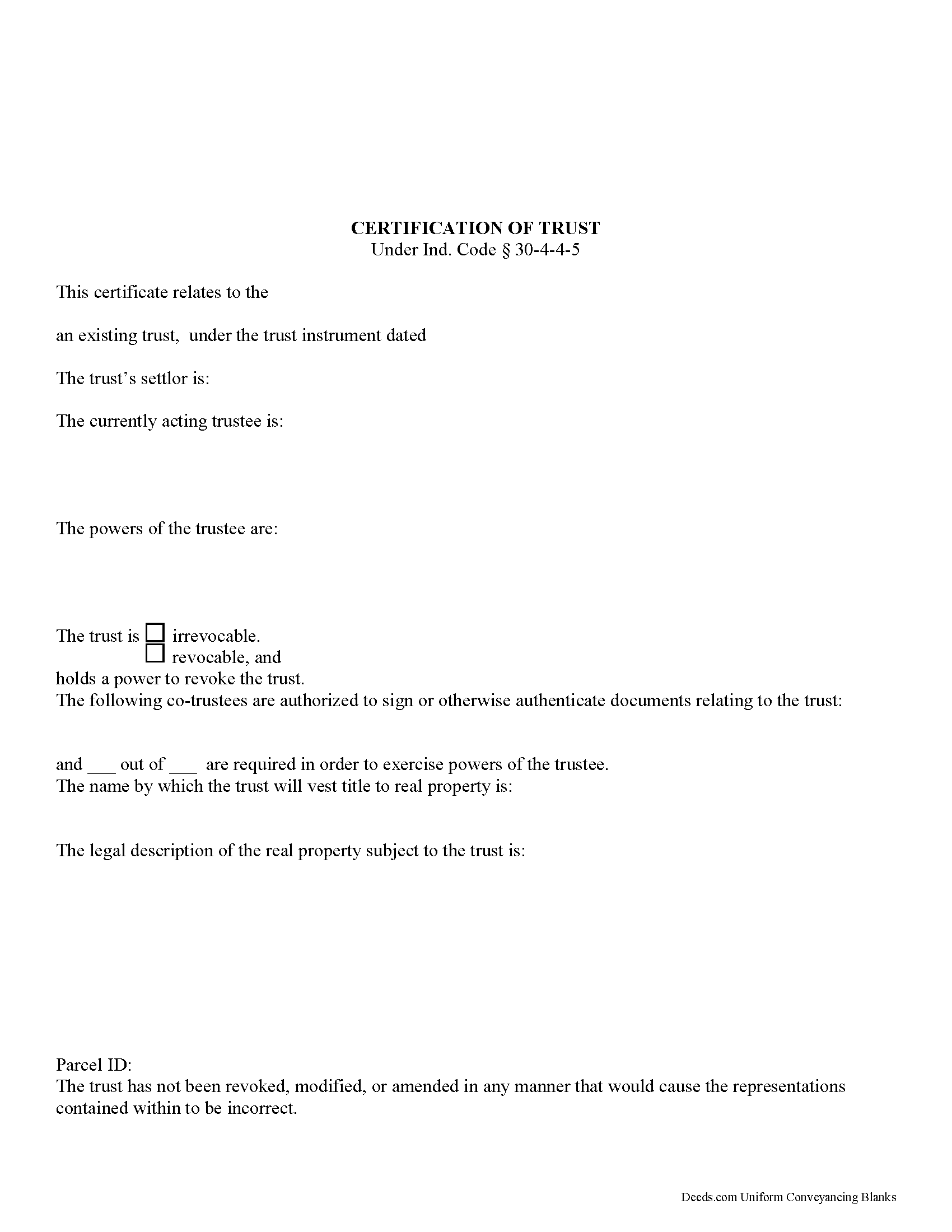
La Porte County Certificate of Trust Form
Fill in the blank form formatted to comply with all recording and content requirements.
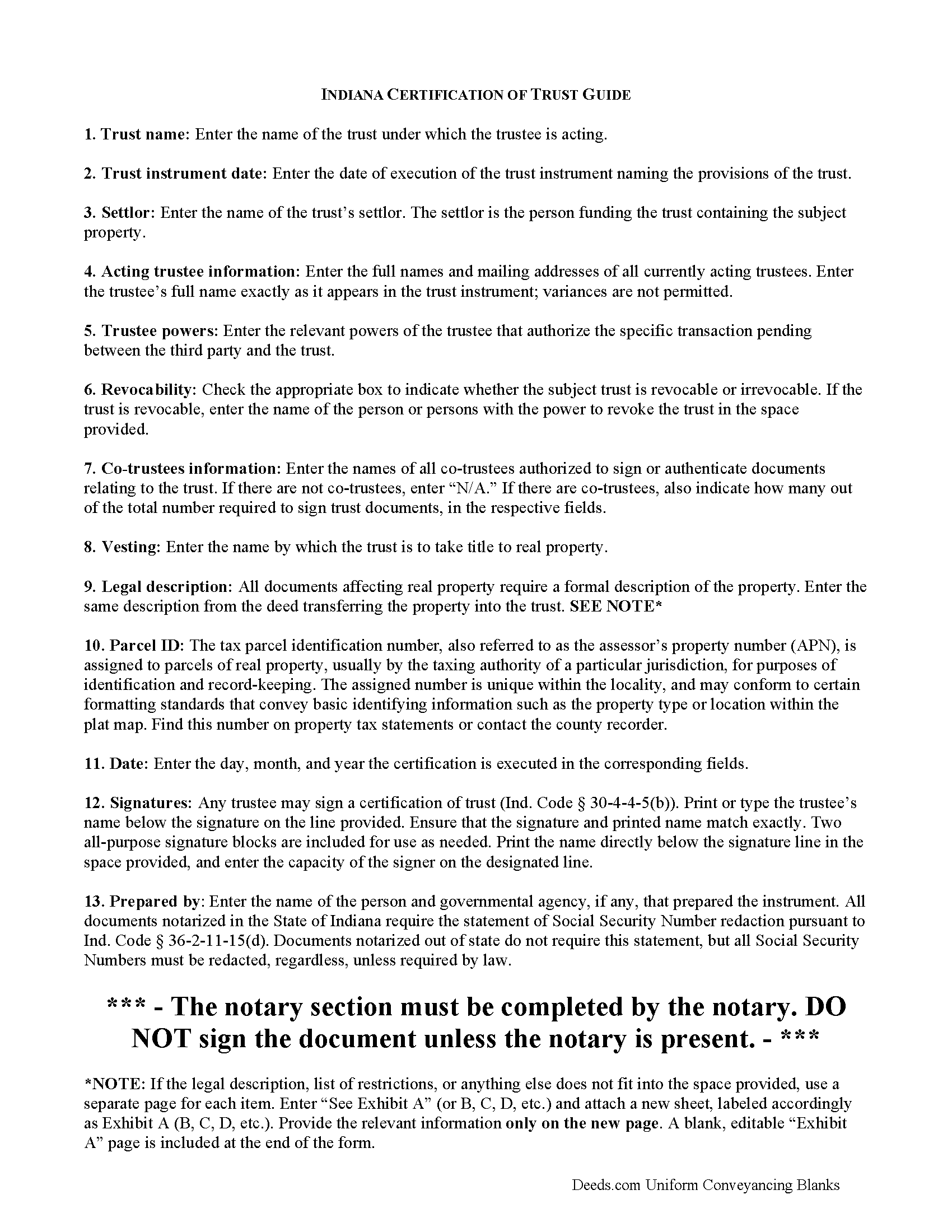
La Porte County Certificate of Trust Guide
Line by line guide explaining every blank on the form.
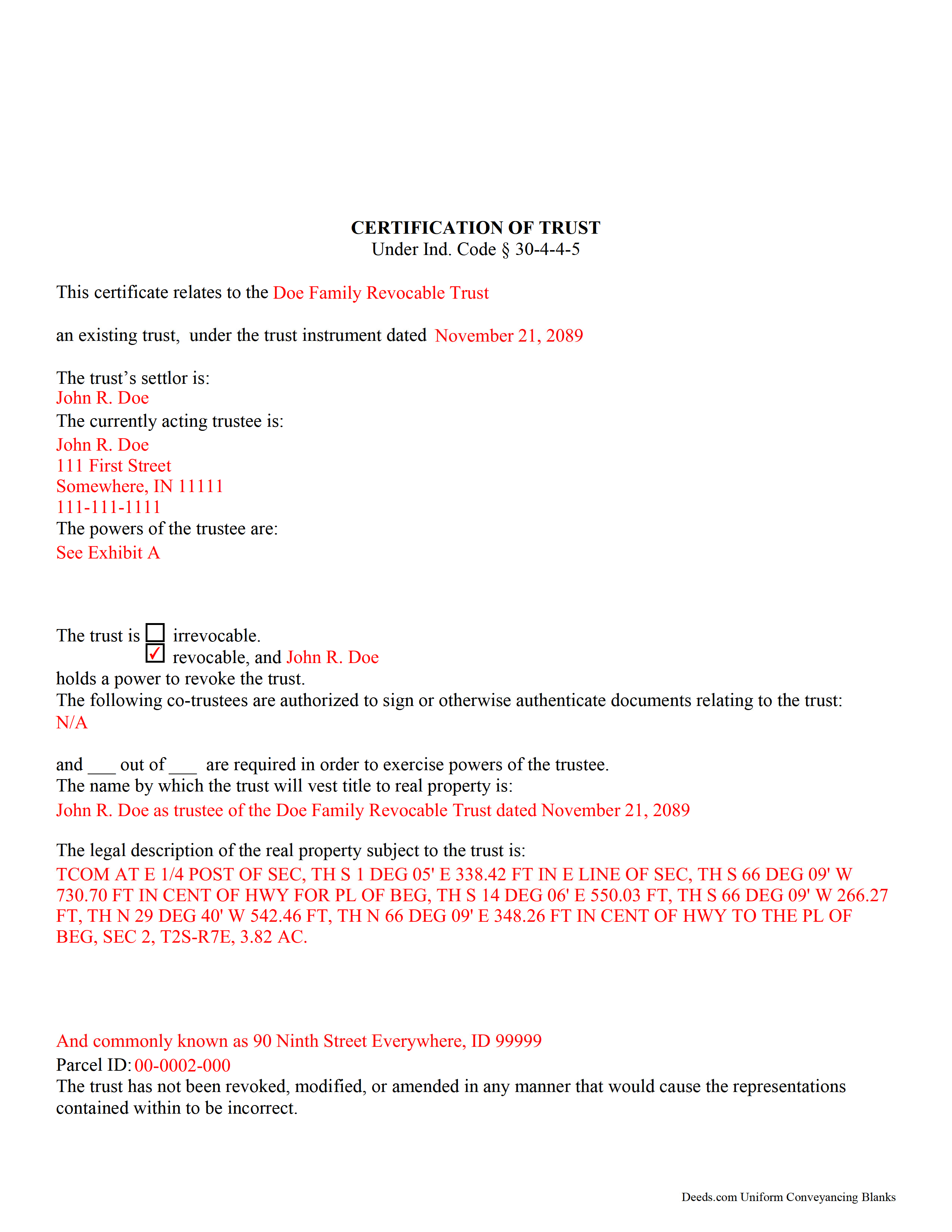
La Porte County Completed Example of the Certificate of Trust Document
Example of a properly completed form for reference.
All 3 documents above included • One-time purchase • No recurring fees
Immediate Download • Secure Checkout
Additional Indiana and La Porte County documents included at no extra charge:
Where to Record Your Documents
LaPorte County Recorder
LaPorte, Indiana 46350
Hours: 8:00am and 4:00pm M-F (Central)
Phone: (219) 326-6808 ext. 2280, 2234, 2209
Recording Tips for La Porte County:
- Bring your driver's license or state-issued photo ID
- Ensure all signatures are in blue or black ink
- Documents must be on 8.5 x 11 inch white paper
- Double-check legal descriptions match your existing deed
- Verify all names are spelled correctly before recording
Cities and Jurisdictions in La Porte County
Properties in any of these areas use La Porte County forms:
- Hanna
- Kingsbury
- Kingsford Heights
- La Crosse
- La Porte
- Michigan City
- Mill Creek
- Rolling Prairie
- Union Mills
- Wanatah
- Westville
Hours, fees, requirements, and more for La Porte County
How do I get my forms?
Forms are available for immediate download after payment. The La Porte County forms will be in your account ready to download to your computer. An account is created for you during checkout if you don't have one. Forms are NOT emailed.
Are these forms guaranteed to be recordable in La Porte County?
Yes. Our form blanks are guaranteed to meet or exceed the applicable formatting requirements used for recording in La Porte County, including margin requirements, font requirements, and other layout standards. This guarantee applies to formatting, not to the legal sufficiency of information entered by the user or the suitability of a form for a particular transaction.
Can I reuse these forms?
Yes. You can reuse the forms for your personal use. For example, if you have multiple properties in La Porte County you only need to order once.
What do I need to use these forms?
The forms are PDFs that you fill out on your computer. The free Adobe Acrobat Reader is recommended, and most PDF apps also work. You do NOT enter your property information online - you download the blank forms and complete them privately on your own computer.
Are there any recurring fees?
No. This is a one-time purchase. Nothing to cancel, no memberships, no recurring fees.
How much does it cost to record in La Porte County?
Recording fees in La Porte County vary. Contact the recorder's office at (219) 326-6808 ext. 2280, 2234, 2209 for current fees.
Questions answered? Let's get started!
Codified at Indiana Code 30-4-4-5, a certification of trust is a document presented by a trustee as evidence of the trustee's authority to act on behalf of a trust.
Lending institutions or other third parties might request a certification of trust before they enter into any transactions with a trustee. Since trust instruments are not recorded, the identities of those with a beneficial interest in the trust remain private. The certification presents only the essential information needed while maintaining confidentiality of personal information a trustee or trust maker may not wish to disclose.
The certification verifies the existence of the trust under which the trustee is named. The document provides basic information, such as the name and date of the trust; the type of trust and who, if any, retains a power to revoke the trust; the identity of the trust's settlor; and the identities of all acting trustees. If a trust has co-trustees, the certification states how many co-trustees are required to sign off on documents relating to the trust, as well as their identities. In addition, the certification provides the name by which the trust is to hold assets.
As with other documents relating to real property, the certification should include a legal description of the subject real estate. The document may be executed and signed by any acting trustee and acknowledged before a notary public. Certifications can be recorded in the county or counties in which the real property is situated.
Finally, the powers of the trustee relevant to the transaction at hand are laid out. A recipient of a certification may request additional excerpts from the trust instrument, such as those which designate the trustee and lay out the trustee's powers to act in the pending transaction, but the recipient can reliably act on the information contained in the certification alone as if it were fact.
Requesting excerpts from a trust instrument opens the requester to certain liability under Ind. Code 30-4-4-5(h).
Trust law is complicated, and each situation is unique. Consult a lawyer for guidance.
(Indiana Certificate of Trust Package includes form, guidelines, and completed example)
Important: Your property must be located in La Porte County to use these forms. Documents should be recorded at the county recording office listed above.
This Certificate of Trust meets all recording requirements specific to La Porte County.
Our Promise
The documents you receive here are guaranteed to meet or exceed the applicable La Porte County recording format requirements. If there is a rejection caused by our formatting, we will correct the issue or refund your payment. This guarantee applies to document formatting only and does not extend to information entered by the user, the selection of the form, or the legal effect of the completed document.
Save Time and Money
Get your La Porte County Certificate of Trust form done right the first time with Deeds.com Uniform Conveyancing Blanks. At Deeds.com, we understand that your time and money are valuable resources, and we don't want you to face a penalty fee or rejection imposed by a county recorder for submitting nonstandard documents. We constantly review and update our forms to meet rapidly changing state and county recording requirements for roughly 3,500 counties and local jurisdictions.
4.8 out of 5 - ( 4,837 Reviews )
BARBARA T. 5 out of 5 stars
Love this site! So easy to use and very economical
Thank you!
Shelton S. 5 out of 5 stars
This site provided everything I needed to get the job done. Next step is a trip to the County Clerk!
We deeply appreciate the trust you have placed in our services. Thank you for your valuable feedback and for choosing us.
Jill R. 5 out of 5 stars
So helpful and extremely responsive. Such a convenient way to record deeds.
We appreciate your business and value your feedback. Thank you. Have a wonderful day!
William S. 5 out of 5 stars
Contents were well done. Could not remove and replace the "Deeds/" footer, rendering the form unusable for filing with a court and county deed records. This should be corrected.
Thank you for your feedback. We really appreciate it. Have a great day!
Dorothy O. 5 out of 5 stars
This would be a great form but I couldn’t tell what size the font was. Also, I didn’t know how to save it so I will have to type it all over again. I’m sure I did it incorrectly.
Your feedback is a crucial part of our dedication to ongoing improvement. Thank you for your insightful comments.
barbara s. 5 out of 5 stars
you provided the service requested for a reasonable fee
Thank you!
Donald H. 5 out of 5 stars
EXCELLENT,,super good. Quick & easy
Thank you!
Jean W. 5 out of 5 stars
helpful if there was a space so one could type in the exemption # on the blank form before printing
Thank you for your feedback. We really appreciate it. Have a great day!
charles c. 5 out of 5 stars
Great service, well worth the $15 fee. Especially helpful was the review of my documentation and the quick responses. Recommending it to associates who might need this service.
Thank you for your feedback. We really appreciate it. Have a great day!
Veronica F. 5 out of 5 stars
Im so happy with this site. It was quick and painless and worth the money hassle free if I ever need to settle another deed I will be back.
Thank you Veronica, we really appreciate your feedback.
MARCO G. 5 out of 5 stars
Very easy to use. Got the emailed documents within minutes.
We appreciate your feedback Marco, thank you.
Randy B. 5 out of 5 stars
The form was exactly what we needed and the directions were spot on and perfectly clear. Filling out government forms can be an experience filled with anxiety but deeds.com made it easy and practically worry free.
Thanks Randy, we really appreciate your feedback.
Jesse C. 5 out of 5 stars
I had a little problem understanding how to copie and use.
Thank you for your feedback Jesse. If you are having any issues please contact us so our customer care department can help you out.
Dorothy N. 5 out of 5 stars
The mortgage and note were thorough and very satisfactory for my purposes. The accompanying forms were excellent. I am very pleased with my purchase.
We welcome your positive feedback and are thrilled to have met your expectations. Thank you for choosing our services.
John C N. 5 out of 5 stars
Just the website I needed. Very detailed and efficient.
Thank you for taking the time to provide your feedback John, we really appreciate it. Have an amazing day!