Elkhart County Mineral Deed with Quitclaim Covenants Form
Last validated October 16, 2026 by our Forms Development TeamFormatted for recording in Elkhart County, for property anywhere in the county: rural and unincorporated areas as well as Bristol, Elkhart, Goshen, Middlebury, Millersburg, Nappanee, New Paris, Wakarusa.
- 3 documents included
- Immediate PDF download
- Formatting guarantee
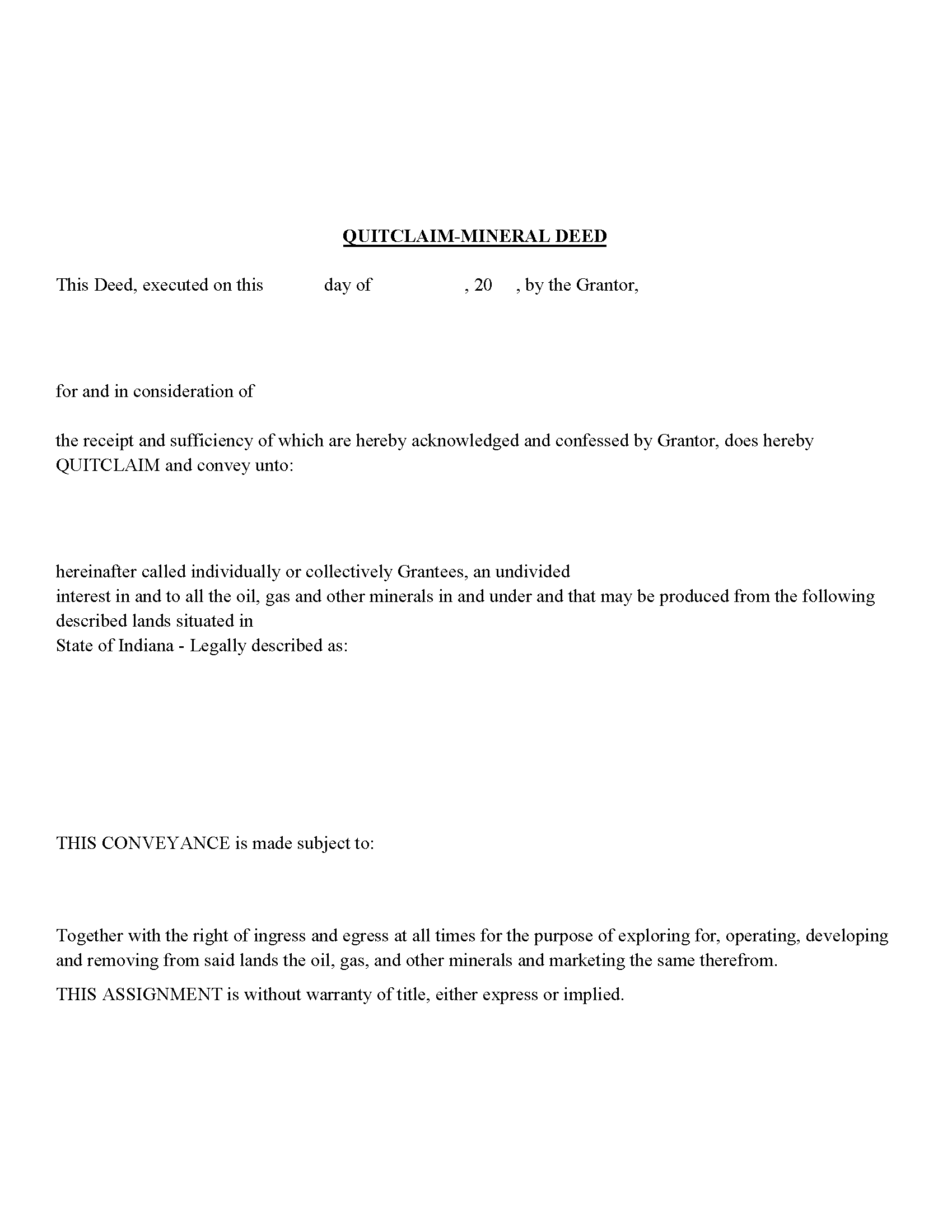
Elkhart County Mineral Deed with Quitclaim Covenants Form
Fill in the blank Mineral Deed with Quitclaim Covenants form formatted to comply with all Indiana recording and content requirements.
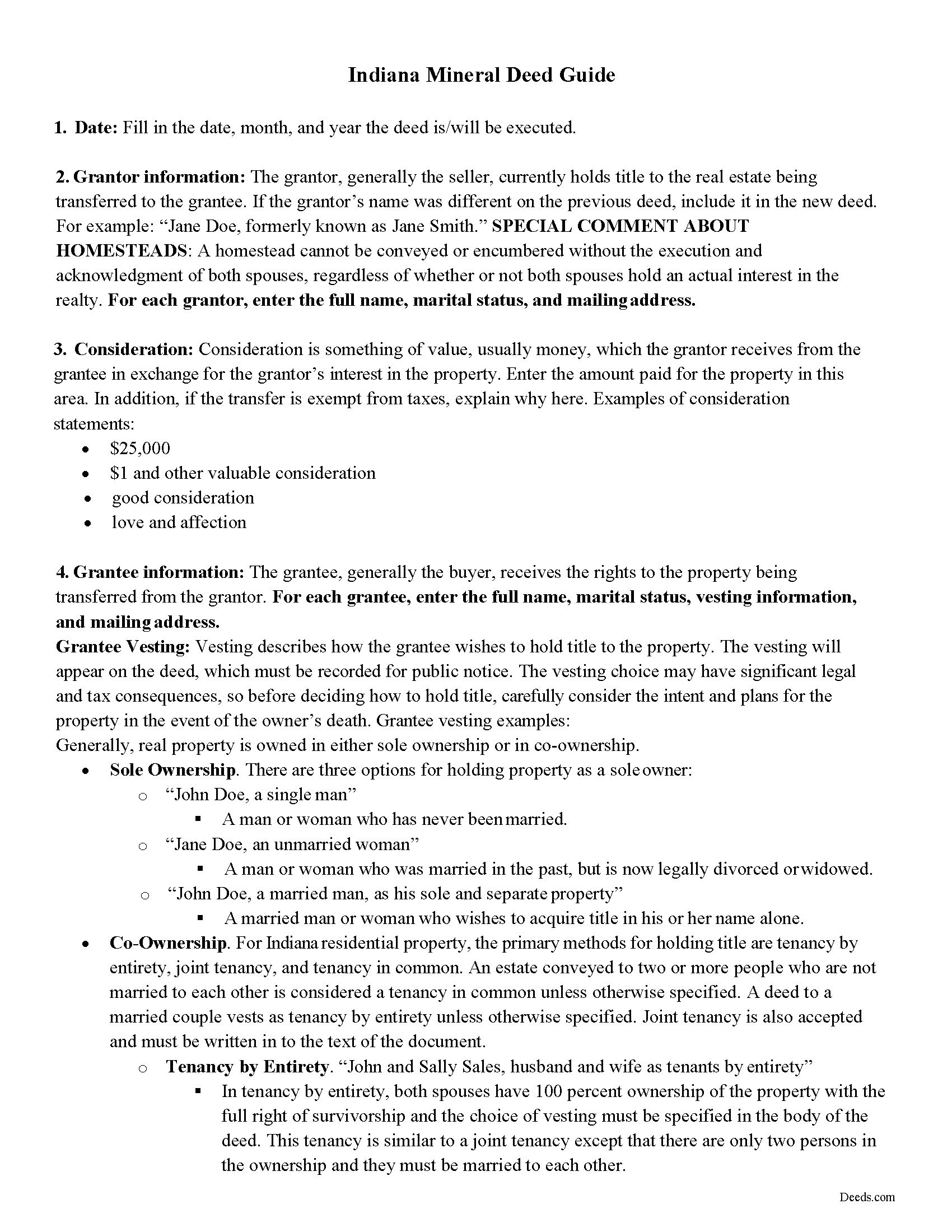
Elkhart County Mineral Deed with Quitclaim Covenants Guide
Line by line guide explaining every blank on the Mineral Deed with Quitclaim Covenants form.
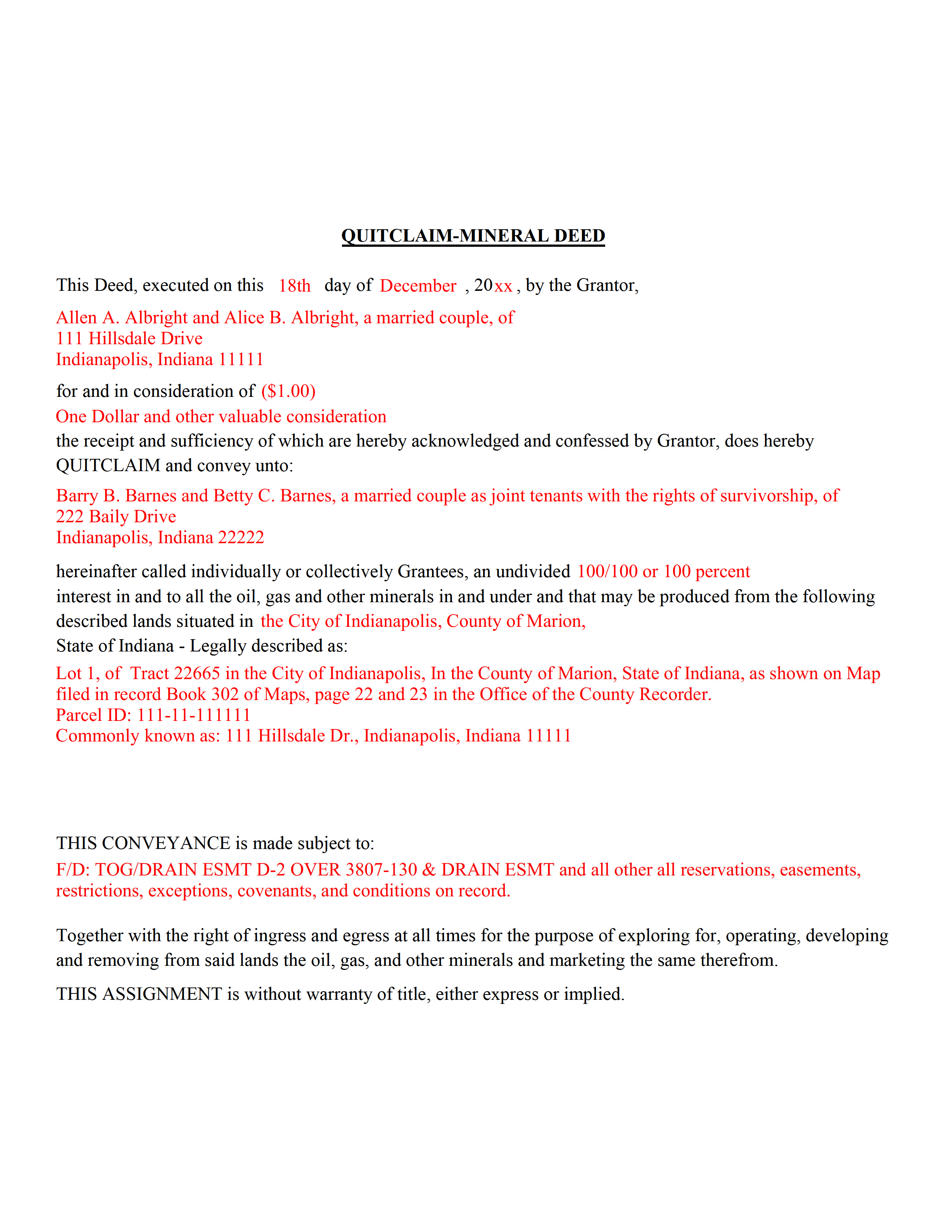
Elkhart County Completed Example of the Mineral Deed with Quitclaim Covenants Document
Example of a properly completed Indiana Mineral Deed with Quitclaim Covenants document for reference.
All 3 documents above included • One-time purchase • No recurring fees
Immediate Download • Secure Checkout
Additional Indiana and Elkhart County documents included at no extra charge:
Where to Record Your Documents
Elkhart County Recorder
Goshen, Indiana 46526
Hours: Mon 8:00 to 5:00; Tue-Fri 8:00 to 4:00
Phone: (574) 535-6756
Recording Tips for Elkhart County:
- Bring your driver's license or state-issued photo ID
- Ensure all signatures are in blue or black ink
- Check that your notary's commission hasn't expired
- Documents must be on 8.5 x 11 inch white paper
- Double-check legal descriptions match your existing deed
Cities and Jurisdictions in Elkhart County
Properties in any of these areas use Elkhart County forms:
- Bristol
- Elkhart
- Goshen
- Middlebury
- Millersburg
- Nappanee
- New Paris
- Wakarusa
Hours, fees, requirements, and more for Elkhart County
How do I get my forms?
Forms are available for immediate download after payment. The Elkhart County forms will be in your account ready to download to your computer. An account is created for you during checkout if you don't have one. Forms are NOT emailed.
Are these forms guaranteed to be recordable in Elkhart County?
Yes. Our form blanks are guaranteed to meet or exceed the applicable formatting requirements used for recording in Elkhart County, including margin requirements, font requirements, and other layout standards. This guarantee applies to formatting, not to the legal sufficiency of information entered by the user or the suitability of a form for a particular transaction.
Can I reuse these forms?
Yes. You can reuse the forms for your personal use. For example, if you have multiple properties in Elkhart County you only need to order once.
What do I need to use these forms?
The forms are PDFs that you fill out on your computer. The free Adobe Acrobat Reader is recommended, and most PDF apps also work. You do NOT enter your property information online - you download the blank forms and complete them privately on your own computer.
Are there any recurring fees?
No. This is a one-time purchase. Nothing to cancel, no memberships, no recurring fees.
How much does it cost to record in Elkhart County?
Recording fees in Elkhart County vary. Contact the recorder's office at (574) 535-6756 for current fees.
Questions answered? Let's get started!
The General Mineral Deed in Indiana Quitclaims oil, gas, and mineral rights from the grantor to the grantee. THIS IS NOT A LEASE. There are no Exceptions or Reservations included.
The transfer includes the oil, gas and other minerals of every kind and nature. The Grantor can stipulate the percentage of Mineral Rights the Grantee will receive.
This general mineral deed gives the grantee the right to access, for the purpose of mining, drilling, exploring, operating and developing said lands for oil, gas, and other minerals, and storing handling, transporting and marketing of such.
The seller, or grantor Quitclaims the mineral rights and does NOT accept responsibility to any discrepancy of title (This assignment is without warranty of title, either express or implied)
Uses: Mineral deeds with quitclaim are often used in situations where the grantor wants to quickly release any interest they might have in mineral rights, such as in settling estates, resolving disputes, clearing up uncertainties about ownership in a title's history or when mineral rights have previously been severed or fragmented from surface rights and cloud a title, making it difficult to transfer property. Resolution often involves the holder(s) of the mineral rights, quit-claiming any rights he/she/they have or might have in the subject property.
Use of this document can have a permanent effect on your rights to the property, if you are not completely sure of what you are executing seek the advice of a legal professional.
(Indiana Mineral Deed with Quitclaim Package includes form, guidelines, and completed example)
Important: Your property must be located in Elkhart County to use these forms. Documents should be recorded at the county recording office listed above.
This Mineral Deed with Quitclaim Covenants meets all recording requirements specific to Elkhart County.
Our Promise
The documents you receive here are guaranteed to meet or exceed the applicable Elkhart County recording format requirements. If there is a rejection caused by our formatting, we will correct the issue or refund your payment. This guarantee applies to document formatting only and does not extend to information entered by the user, the selection of the form, or the legal effect of the completed document.
Save Time and Money
Get your Elkhart County Mineral Deed with Quitclaim Covenants form done right the first time with Deeds.com Uniform Conveyancing Blanks. At Deeds.com, we understand that your time and money are valuable resources, and we don't want you to face a penalty fee or rejection imposed by a county recorder for submitting nonstandard documents. We constantly review and update our forms to meet rapidly changing state and county recording requirements for roughly 3,500 counties and local jurisdictions.
4.8 out of 5 - ( 4,828 Reviews )
Larry L. 5 out of 5 stars
I am completely satisfied. It was easy to find the correct form and download it. The instructions were very clear.
We appreciate your business and value your feedback. Thank you. Have a wonderful day!
Charlene H. 5 out of 5 stars
Deeds.com is a wonderful website. I highly recommend them and would use them again in the future.
Thank you, Charlene! We're so glad to hear you had a great experience. We truly appreciate your recommendation and look forward to helping you again in the future.
James I. 5 out of 5 stars
It worked out very well. Got the form(s) with clear instructions.
We appreciate your business and value your feedback. Thank you. Have a wonderful day!
Susan S. 5 out of 5 stars
What a delight to find this Website. Professionally done and easy to work with.
Thank you for your feedback. We really appreciate it. Have a great day!
June G. 5 out of 5 stars
AMAZING! Easy to use, reasonable fee - and get MUCH MORE than just a deed form. I ordered a "deed" and received a whole "package," including a guide and the jurisdiction's costs schedule and cover page that would be needed to record the deed - even included a Certificate of Transfer that is not required for a deed but something I needed for a different transaction. The website was extremely easy to use and the cautions about not disclosing personal information were so clear and personal, they made me feel secure in knowing this site was not trying to rip me off. Very professional. Well done.
Thank you for your feedback. We really appreciate it. Have a great day!
William P. 5 out of 5 stars
I was very pleased with the end results regarding Quitclaim deeds.
Thank you!
Ralf J. 5 out of 5 stars
PDF documents extremely helpful, documents user friendly and easy to navigate.
Thanks for the kind words, Ralf. Glad everything was easy to navigate. We appreciate your business.
William S. 5 out of 5 stars
Love the ability to e-record a single document as a private citizen. Other companies only want to do business with large volume filers like title companies and attorneys. e-recording was super easy and so efficient. Got confirmation of recording from county clerk less than one hour after submission.
We appreciate your business and value your feedback. Thank you. Have a wonderful day!
Daniel S. 5 out of 5 stars
So far, so good. Waiting for the County Recorder to accept and record my document, but use of the Deeds.com system has been easy.
Thank you for your feedback. We really appreciate it. Have a great day!
Michael M. 5 out of 5 stars
Easy to follow directions and instructions to properly and legally fill-in the Deed that I requested. It was also very easy and convenient. If I was going to employ an Attorney or Legal Documents Preparer, they would easily charge me between $150 to $225 a Deed! For the cost of $19.97, anyone would pursue this price! Thank you, Deeds.com for a wonderful and terrific experience! I'm going to need you again to change Titles for my other Investment Properties.
Thank you for your feedback. We really appreciate it. Have a great day!
Cleatous S. 3 out of 5 stars
The deed form is hard to fill in. There is no way to fill in the county in the "reviewed by" section. Also, there is no place for the Grantee's address on the form. I had to include it in the fill-in space for the legal description.
Thank you!
Jesse H. 5 out of 5 stars
Good & friendly software, complete & clear instructions & guidance, generates proper forms that were readily accepted @ Clerk & Recorder Office, all of this @ reasonable cost. Five Stars!
Thank you for your feedback. We really appreciate it. Have a great day!
Fred D. 5 out of 5 stars
At first glance, explanations and guidance to fill out the grant deed seems quite direct and no too difficult. I did not see any reference to a mortgagee which I believe needs to be incorporated in a boundary line adjustment (BLA), though not sure I'll do the actual filling out the form in the next couple of weeks and will be in a better position for a more complete review.
Thank you for your feedback. We really appreciate it. Have a great day!
Kimberly G. 3 out of 5 stars
It would be helpful if there were a specific example of putting a deed into a trust. Also, the limitation of characters on the description of the property was not enough.
Thank you for your feedback. We really appreciate it. Have a great day!
Darrell W. 5 out of 5 stars
Fast and easy to use. Nice to have available online.
Thank you for your feedback. We really appreciate it. Have a great day!