Hamilton County Partial Lien Waiver Form
Last validated September 28, 2026 by our Forms Development TeamFormatted for recording in Hamilton County, for property anywhere in the county: rural and unincorporated areas as well as Arcadia, Atlanta, Carmel, Cicero, Fishers, Indianapolis, Noblesville, Sheridan and 1 more.
- 3 documents included
- Immediate PDF download
- Formatting guarantee
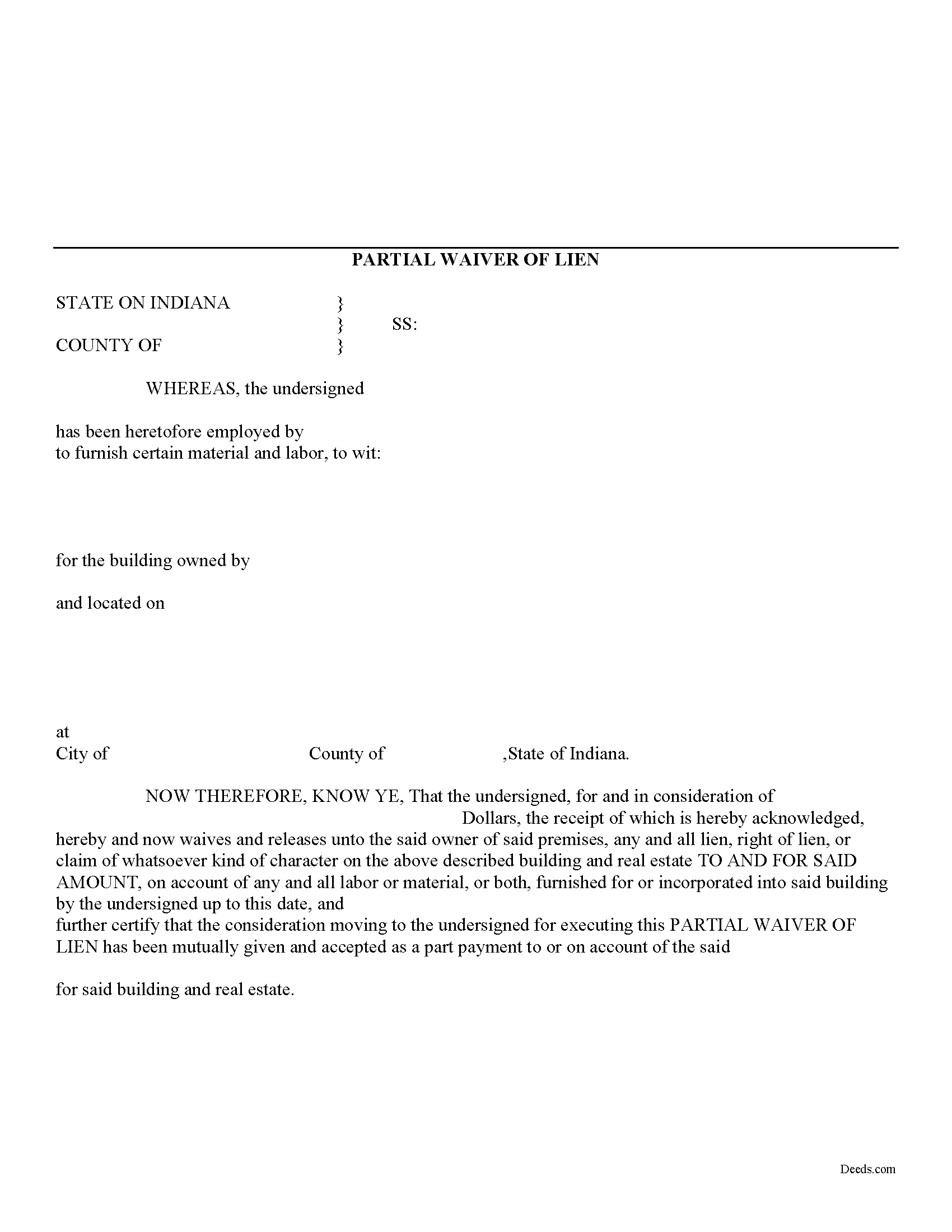
Hamilton County Partial Lien Waiver Form
Fill in the blank Partial Lien Waiver form formatted to comply with all Indiana recording and content requirements.
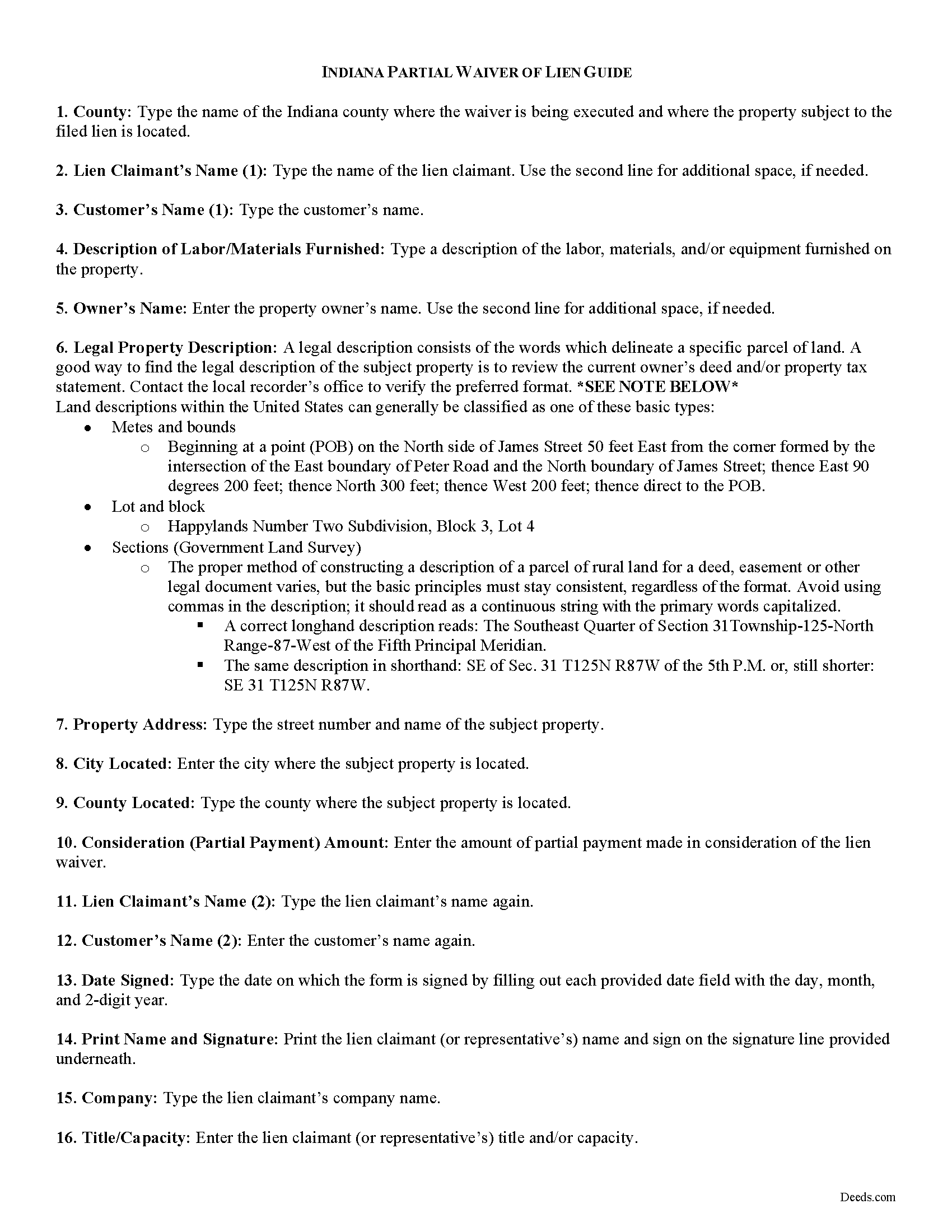
Hamilton County Partial Lien Waiver Guide
Line by line guide explaining every blank on the form.
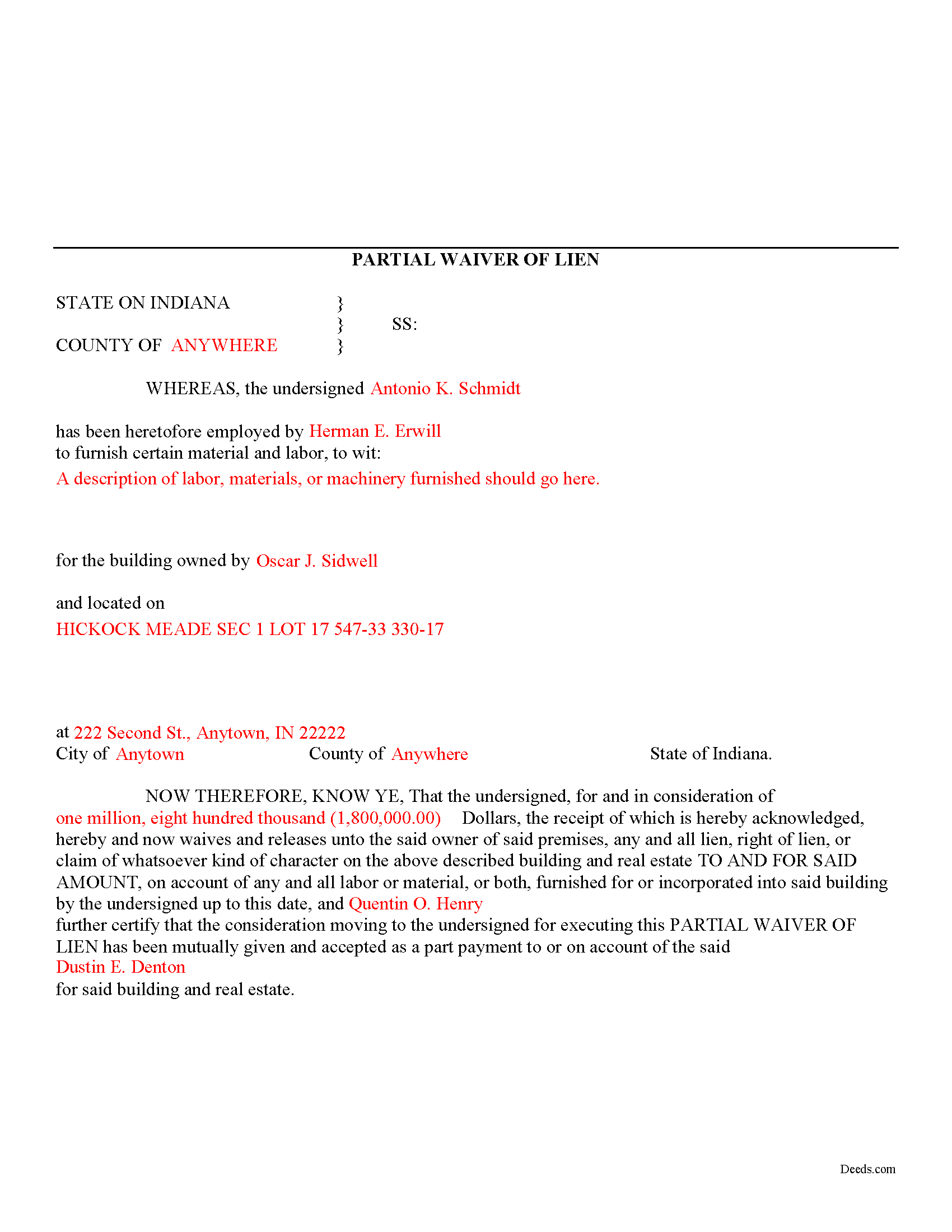
Hamilton County Completed Example of the Partial Lien Waiver Document
Example of a properly completed form for reference.
All 3 documents above included • One-time purchase • No recurring fees
Immediate Download • Secure Checkout
Additional Indiana and Hamilton County documents included at no extra charge:
Where to Record Your Documents
Hamilton County Recorder
Noblesville, Indiana 46060
Hours: 8:00am to 4:30pm M-F / Recording deadline 4:15pm
Phone: (317) 776-9618
Recording Tips for Hamilton County:
- Bring your driver's license or state-issued photo ID
- Ensure all signatures are in blue or black ink
- Verify all names are spelled correctly before recording
- White-out or correction fluid may cause rejection
- Ask about their eRecording option for future transactions
Cities and Jurisdictions in Hamilton County
Properties in any of these areas use Hamilton County forms:
- Arcadia
- Atlanta
- Carmel
- Cicero
- Fishers
- Indianapolis
- Noblesville
- Sheridan
- Westfield
Hours, fees, requirements, and more for Hamilton County
How do I get my forms?
Forms are available for immediate download after payment. The Hamilton County forms will be in your account ready to download to your computer. An account is created for you during checkout if you don't have one. Forms are NOT emailed.
Are these forms guaranteed to be recordable in Hamilton County?
Yes. Our form blanks are guaranteed to meet or exceed the applicable formatting requirements used for recording in Hamilton County, including margin requirements, font requirements, and other layout standards. This guarantee applies to formatting, not to the legal sufficiency of information entered by the user or the suitability of a form for a particular transaction.
Can I reuse these forms?
Yes. You can reuse the forms for your personal use. For example, if you have multiple properties in Hamilton County you only need to order once.
What do I need to use these forms?
The forms are PDFs that you fill out on your computer. The free Adobe Acrobat Reader is recommended, and most PDF apps also work. You do NOT enter your property information online - you download the blank forms and complete them privately on your own computer.
Are there any recurring fees?
No. This is a one-time purchase. Nothing to cancel, no memberships, no recurring fees.
How much does it cost to record in Hamilton County?
Recording fees in Hamilton County vary. Contact the recorder's office at (317) 776-9618 for current fees.
Questions answered? Let's get started!
Mechanic's liens are governed under Title 32 of the Indiana Code. A waiver is a knowing relinquishment of a right. In this case, the person granting the waiver is relinquishing the right to seek a mechanic's lien for all or part of the amount due. This assurance is usually enough to get the other party to pay. In Indiana, there are no statutory forms for waivers, although according to the principles of contract law, the parties may agree to such modifications in writing.
A partial conditional waiver is used when a progress or partial payment is made and money is still due and owing. The waiver applies only to the partial payment amount and is conditioned upon the actual receipt of that money. Waivers must identify the parties, the type of materials/services provided, the location of the job, the amount paid/dates covered, and the claimant's notarized signature. Record the completed document in the land records for the county where the property is located.
This article is provided for information purposes only and should not be relied upon as a substitute for the advice from an attorney. Please speak with an Indiana attorney with questions about using a lien waiver, or any other issues related to mechanic's liens in Indiana.
Important: Your property must be located in Hamilton County to use these forms. Documents should be recorded at the county recording office listed above.
This Partial Lien Waiver meets all recording requirements specific to Hamilton County.
Our Promise
The documents you receive here are guaranteed to meet or exceed the applicable Hamilton County recording format requirements. If there is a rejection caused by our formatting, we will correct the issue or refund your payment. This guarantee applies to document formatting only and does not extend to information entered by the user, the selection of the form, or the legal effect of the completed document.
Save Time and Money
Get your Hamilton County Partial Lien Waiver form done right the first time with Deeds.com Uniform Conveyancing Blanks. At Deeds.com, we understand that your time and money are valuable resources, and we don't want you to face a penalty fee or rejection imposed by a county recorder for submitting nonstandard documents. We constantly review and update our forms to meet rapidly changing state and county recording requirements for roughly 3,500 counties and local jurisdictions.
4.8 out of 5 - ( 4,819 Reviews )
Jackson J. 5 out of 5 stars
Thank you for your help the website is simple and easy to use and dealing with this county for the 1st time there were a few things i was not too sure about but your staff was prompt and responsive and anytime there was a glitch we were promptly able to resolve the issue until the deed was accepted and recorded by the county great service thanks again.
We appreciate your business and value your feedback. Thank you. Have a wonderful day!
Stan B. 5 out of 5 stars
Very satisfied with the PDF documents that I purchased. Will be able to transfer property without hiring an attorney. Well worth the price I paid. Stan
Thank you for your feedback. We really appreciate it. Have a great day!
Vicky M. 5 out of 5 stars
I would give Deeds.com 10 stars if I could!! The staff were super friendly and easy to work with. They kept me constantly updated during the process of uploading and forwarding my deeds for recording. And, the price was extremely reasonable. I look forward to utilizing Deeds.com every time I need to record a deed no matter what U.S. State. I wholeheartedly recommend them!
Thank you for your feedback. We really appreciate it. Have a great day!
Corinne S. 5 out of 5 stars
Did not need power to "serve" contractor. All work done well, paid for, nothing more. Worth noting when things could go awry!
Thank you!
Nellouise S. 5 out of 5 stars
Documents are ok but I needed to reword some of the verbiage and it cannot be edited without paying a monthly or annual membership. otherwise it is a very nice site.
Thank you for your feedback. We really appreciate it. Have a great day!
Rachel S. 5 out of 5 stars
It would be nice to get a reply in a small window that says "Your request package has been submitted." That way I can log out and wait for the email. I do love the efficient service.
Thank you!
RAYMOND W. 5 out of 5 stars
Thank you for the comprehensive forms - very much appreciated!
Thank you Raymond.
Angeline P. 5 out of 5 stars
Great service! I downloaded the Quit Claim Deed package and I'm so grateful I did. It contained detailed directions on how to fill out all the forms, an example of a finalized copy, and excellent customer service. Also, if you choose to use their digital service, they will digitally submit the documents into the County Recorder's Office for you. Going through DEEDS.COM for the service I chose saved me over $300. Recording my new deed was a breeze. Thank you again DEEDS.com!
We appreciate your business and value your feedback. Thank you. Have a wonderful day!
Kim B. 5 out of 5 stars
The package was extremely helpful and provided everything I needed to complete this for my mom- I highly recommend their service!
Your feedback is greatly appreciated. Thank you for taking the time to share your experience!
Nora T. 5 out of 5 stars
The forms are easy to fill in but too restricted for editing.
Thank you!
Margaret M. 4 out of 5 stars
Quick and easy, but the 2MB file limit ended up causing some big headaches. Had I known the limit could be easily increased, it would have saved me a lot of time and trouble.
We appreciate your business and value your feedback. Thank you. Have a wonderful day!
DARRYL B. 5 out of 5 stars
Professional and convenient.
Thank you for your feedback. We really appreciate it. Have a great day!
John W. 5 out of 5 stars
Wow, I wish that I would have found Deeds.com before! Great service!
Thank you!
Lawrence W. 5 out of 5 stars
Great so Far!
We appreciate your business and value your feedback. Thank you. Have a wonderful day!
Debra B. 5 out of 5 stars
I was very glad to have this option for filing a form as it would have taken 4 days due to offices being closed to the public during the COVID 19 epidemic. I found the process to be fairly simple and I was able to file the document within 24 hours.
We appreciate your business and value your feedback. Thank you. Have a wonderful day!