Marion County Transfer on Death Deed Beneficiary Affidavit Form
Last validated October 13, 2026 by our Forms Development TeamFormatted for recording in Marion County, for property anywhere in the county: rural and unincorporated areas as well as Beech Grove, Indianapolis, Speedway, West Newton.
- 3 documents included
- Immediate PDF download
- Formatting guarantee
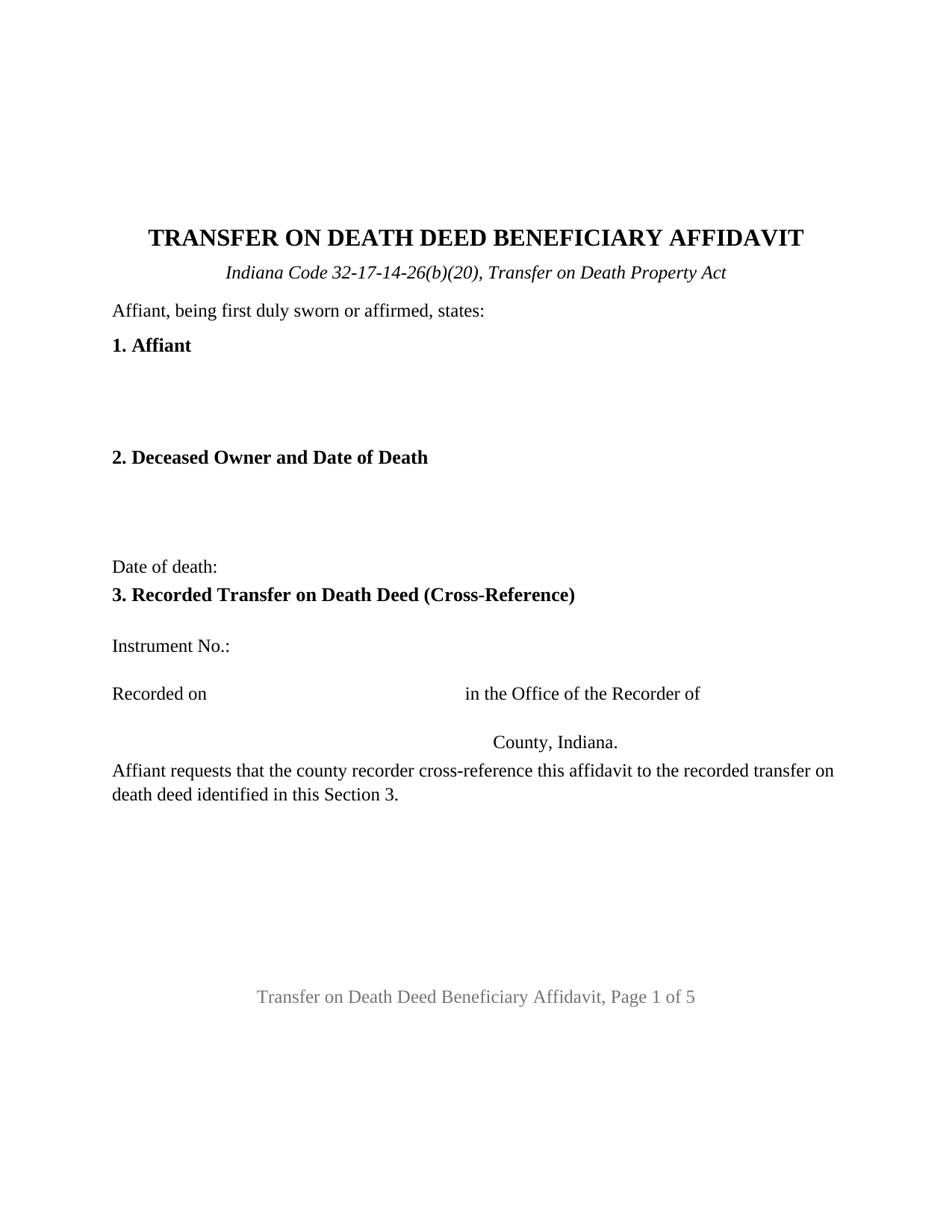
Marion County Transfer on Death Deed Beneficiary Affidavit Form
Fill in the blank Transfer on Death Deed Beneficiary Affidavit form formatted to comply with all Indiana recording and content requirements.
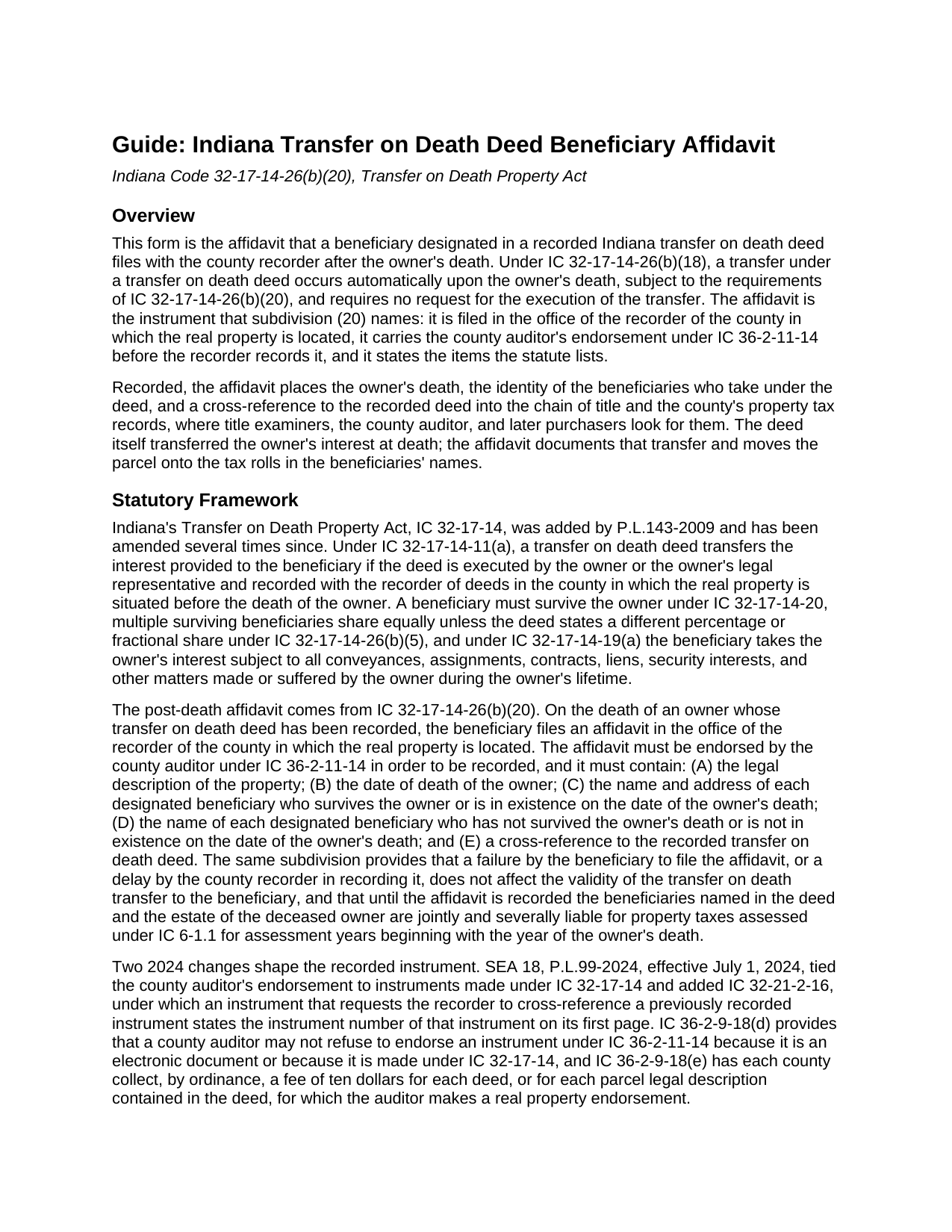
Marion County Transfer on Death Deed Beneficiary Affidavit Guide
Line by line guide explaining every blank on the Transfer on Death Deed Beneficiary Affidavit form.
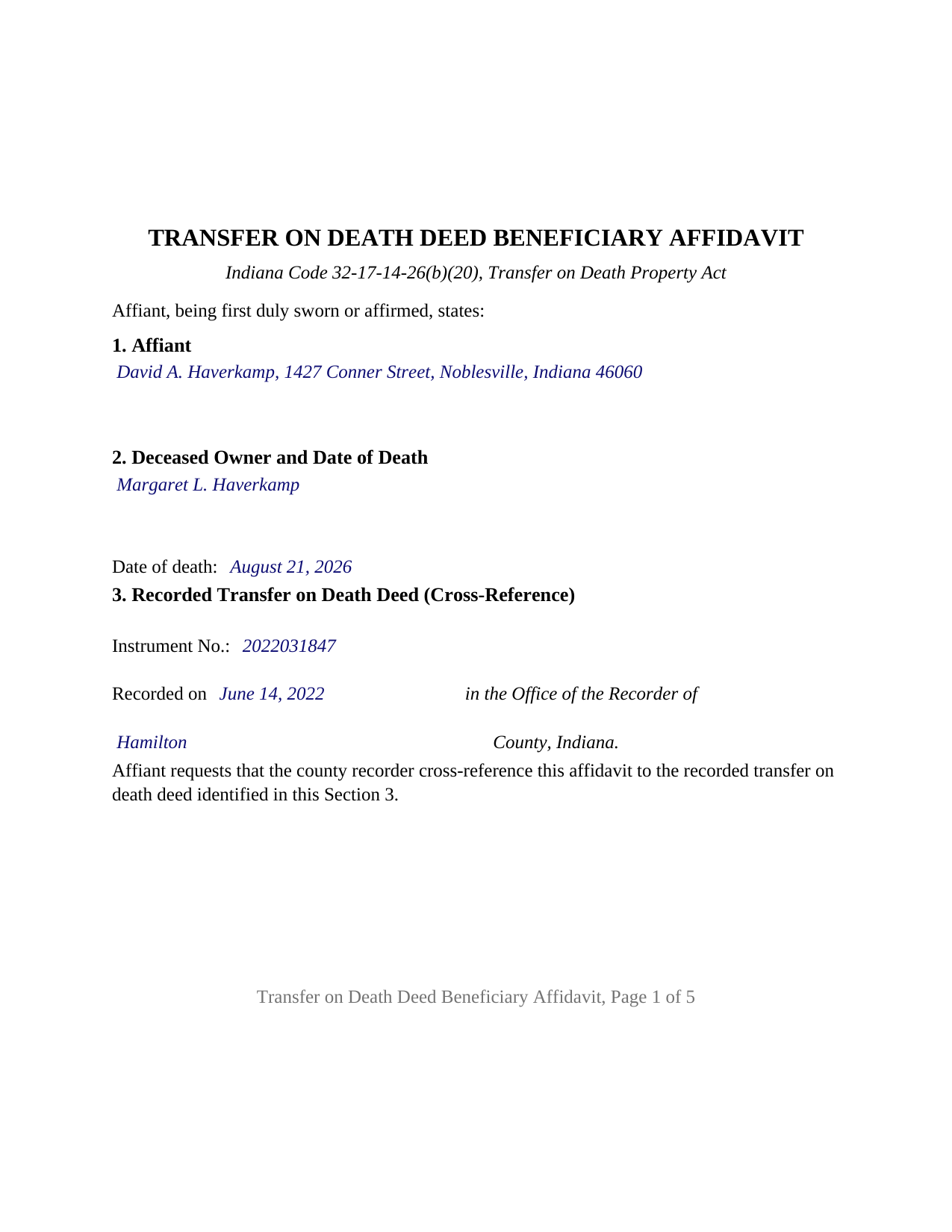
Marion County Completed Example of the Transfer on Death Deed Beneficiary Affidavit Document
Example of a properly completed Indiana Transfer on Death Deed Beneficiary Affidavit document for reference.
All 3 documents above included • One-time purchase • No recurring fees
Immediate Download • Secure Checkout
Additional Indiana and Marion County documents included at no extra charge:
Where to Record Your Documents
Marion County Recorder
Indianapolis, Indiana 46204
Hours: 8:00 to 4:30 Monday through Friday / Recording Cut-Off 4:15
Phone: (317) 327-4020
Recording Tips for Marion County:
- Bring your driver's license or state-issued photo ID
- Ensure all signatures are in blue or black ink
- White-out or correction fluid may cause rejection
- Ask about their eRecording option for future transactions
- Avoid the last business day of the month when possible
Cities and Jurisdictions in Marion County
Properties in any of these areas use Marion County forms:
- Beech Grove
- Indianapolis
- Speedway
- West Newton
Hours, fees, requirements, and more for Marion County
How do I get my forms?
Forms are available for immediate download after payment. The Marion County forms will be in your account ready to download to your computer. An account is created for you during checkout if you don't have one. Forms are NOT emailed.
Are these forms guaranteed to be recordable in Marion County?
Yes. Our form blanks are guaranteed to meet or exceed the applicable formatting requirements used for recording in Marion County, including margin requirements, font requirements, and other layout standards. This guarantee applies to formatting, not to the legal sufficiency of information entered by the user or the suitability of a form for a particular transaction.
Can I reuse these forms?
Yes. You can reuse the forms for your personal use. For example, if you have multiple properties in Marion County you only need to order once.
What do I need to use these forms?
The forms are PDFs that you fill out on your computer. The free Adobe Acrobat Reader is recommended, and most PDF apps also work. You do NOT enter your property information online - you download the blank forms and complete them privately on your own computer.
Are there any recurring fees?
No. This is a one-time purchase. Nothing to cancel, no memberships, no recurring fees.
How much does it cost to record in Marion County?
Recording fees in Marion County vary. Contact the recorder's office at (317) 327-4020 for current fees.
Questions answered? Let's get started!
When an Indiana owner who recorded a transfer on death deed dies, the deed finishes its work on its own: under IC 32-17-14-26(b)(18) the transfer occurs automatically at death, with no request, no court, and no new conveyance. What does not happen on its own is the record catching up: the recorder's index still shows the deceased owner, and the auditor's tax rolls still bill that owner, until a beneficiary files the affidavit IC 32-17-14-26(b)(20) requires. This Indiana Transfer on Death Deed Beneficiary Affidavit is that filing.
The transfer already happened; the record has to catch up
The deed, recorded during the owner's life and not part of this package, is what passed title. Whether called a transfer on death deed, a TOD deed, or a beneficiary deed, it passed the owner's interest at the moment of death, subject under IC 32-17-14-19(a) to every mortgage, lien, and easement that bound the owner. The affidavit is the sworn record of that transfer, not the transfer itself: a failure to file it, or a recorder's delay in recording it, does not affect the validity of the transfer. The statute attaches a cost to waiting instead. Until the affidavit is recorded, the beneficiaries named in the deed and the deceased owner's estate are jointly and severally liable for the property taxes assessed for the years beginning with the year of death.
Five facts the statute lists, and a cross-reference on page one
IC 32-17-14-26(b)(20) spells out the contents: the legal description; the owner's date of death; the name and address of each designated beneficiary who survived the owner or was in existence at the owner's death; the name of each designated beneficiary who did not; and a cross-reference to the recorded deed. Each item has its own numbered section, and because the affidavit asks the recorder to cross-reference the deed, IC 32-21-2-16 places the deed's instrument number on the first page, where the form puts it.
Through the auditor's office before the recorder's
The county auditor endorses the affidavit first: IC 36-2-11-14 lets the recorder record an instrument made under IC 32-17-14 only with that endorsement, and since July 1, 2024 the auditor may not refuse it because the instrument is a transfer on death instrument. Each county collects a ten dollar endorsement fee per deed or per parcel under IC 36-2-9-18(e), and the parcel number, the tax statement mailing address, and the beneficiaries' addresses appear on the form because the auditor transfers the parcel on the tax records from it. The recorder's fee is a flat twenty-five dollars under IC 36-2-7-10, Indiana has no transfer tax, and the affidavit ends with the preparer statement and Social Security redaction affirmation IC 36-2-11-15 requires.
A sworn statement with the acknowledgment recorders look for
An affidavit is sworn. The affiant signs before a notarial officer who administers an oath or affirmation and completes a verification on oath or affirmation, the act IC 33-42-0.5-35 defines as a declaration that a statement in a record is true. Indiana's recording statute, IC 32-21-2-3(a), separately names an acknowledgment or a proof as the notarial act of any recorded instrument. The certificate on this form sets forth both: the affidavit is subscribed, sworn to or affirmed, and acknowledged before the officer at one appearance, a certificate IC 33-42-9-12(f) treats as sufficient because it sets forth the officer's actions.
What this affidavit recites
The form recites one affiant, an individual designated as a beneficiary in the recorded deed, signing with one signature block and one certificate; its beneficiary sections list every surviving designated beneficiary, the affiant among them, and every nonsurviving one, so one affidavit documents the transfer to several beneficiaries. An adult child who took a parent's house under a recorded deed, two siblings named together in one deed, and the beneficiaries of a widowed owner whose deed operated at the second death present the pattern this affidavit recites. A trustee, an entity officer, or a legal representative signs in a representative capacity the form is not set up as, and two affiants on one instrument is a configuration the form does not carry.
The package includes the fillable affidavit, a completed example on a Hamilton County fact pattern, and a guide that walks through every numbered section, the certificate, and the two county offices in turn. This description and the guide describe the form and the governing Indiana statutes in general terms; they are not legal advice.
Important: Your property must be located in Marion County to use these forms. Documents should be recorded at the county recording office listed above.
This Transfer on Death Deed Beneficiary Affidavit meets all recording requirements specific to Marion County.
Our Promise
The documents you receive here are guaranteed to meet or exceed the applicable Marion County recording format requirements. If there is a rejection caused by our formatting, we will correct the issue or refund your payment. This guarantee applies to document formatting only and does not extend to information entered by the user, the selection of the form, or the legal effect of the completed document.
Save Time and Money
Get your Marion County Transfer on Death Deed Beneficiary Affidavit form done right the first time with Deeds.com Uniform Conveyancing Blanks. At Deeds.com, we understand that your time and money are valuable resources, and we don't want you to face a penalty fee or rejection imposed by a county recorder for submitting nonstandard documents. We constantly review and update our forms to meet rapidly changing state and county recording requirements for roughly 3,500 counties and local jurisdictions.
4.8 out of 5 - ( 4,839 Reviews )
Rose M. 5 out of 5 stars
Easy to understand and complete. Lower cost than many others who offer same. Thanks so much!
We appreciate your business and value your feedback. Thank you. Have a wonderful day!
Robert B. 5 out of 5 stars
Excellent, easy to operate, saved $$$ by doing this TOD deed myself. WILL BUY AGAIN!!
Thank you Robert. Have a fantastic day!
Wayne R. 5 out of 5 stars
Couldn't believe how simple it was to do such a very important family support task and the price was right! Thank you
We appreciate your business and value your feedback. Thank you. Have a wonderful day!
frederic m. 5 out of 5 stars
surprisingly good, gave me all the info I needed to prepare a deed and necessary attachments for recording.
Thank you!
Lanette H. 5 out of 5 stars
I liked getting the forms but I was charged twice for some reason. I'm not sure what happened with that. Can you reimburse me? Thank you. Lanette
Thank you for your feedback Lanette. In review, it looks like your first payment was declined, second one was approved and processed. What you are seeing is one payment and a hold placed by your financial institution for the declined attempt. We are not sure why they do this but the hold usually falls off after a few day depending on their policy. If you have further questions about this you can contact your financial institution and they will explain. Have a great day.
Susan M. 5 out of 5 stars
Simple and straightforward
Thank you for your feedback. We really appreciate it. Have a great day!
Donna R. 5 out of 5 stars
Great service. Just started using Deeds.com yesterday. So far, so good.
Thank you for your feedback. We really appreciate it. Have a great day!
Margarette S. 5 out of 5 stars
I found your website easy to use and very informative.
Thank you for your feedback. We really appreciate it. Have a great day!
Marvin G. 5 out of 5 stars
I found exactly the perfect forms that I needed with Deeds, and much more. I definitely will be using Deeds com from this day going forward.
We appreciate your comments and your trust in us. Thank you.
Steven N. 5 out of 5 stars
I was introduced to Deeds.com from my title company. I wanted the title company to do a courtesy recording for me and they suggested Deeds.com. Best suggestion in a while. The interface to use the website was seemlessly easy. The communication with the service staff was thorough and prompt. After the initial verification process (which the photo app was a little tricky), everything was easy. Will use them again.
Your feedback is greatly appreciated. Thank you for taking the time to share your experience!
Raymond L. 5 out of 5 stars
Delivered as promised. Highly recommend!
Great to hear — thank you for taking the time to write a review.
Nancy D. 5 out of 5 stars
Program works well. Saves a lot of time trying to find out what you need to do.
Thank you!
Russell F. 5 out of 5 stars
Thanks for the prompt response to my inquiry. I appreciate the extra effort provided by Tom and Melbra. Great job!
Thank you!
Pamela B. 5 out of 5 stars
Very easy to use. Time will tell if I have any issues getting it recorded. Beats using an attorney who won't return calls and emails like I used before. I like the form plus instructions and an example of the completed form.
Thank you for your feedback. We really appreciate it. Have a great day!
yourr m. 1 out of 5 stars
Did not tell me how to obtain the deed to America, I am now sad that I cannot own America
Sorry to have caused your sadness, we do hope that you day gets better.