Lawrence County Transfer on Death Deed Form
Last validated October 12, 2026 by our Forms Development TeamFormatted for recording in Lawrence County, for property anywhere in the county: rural and unincorporated areas as well as Avoca, Bedford, Fort Ritner, Heltonville, Huron, Mitchell, Oolitic, Springville and 2 more.
- 3 documents included
- Immediate PDF download
- Formatting guarantee
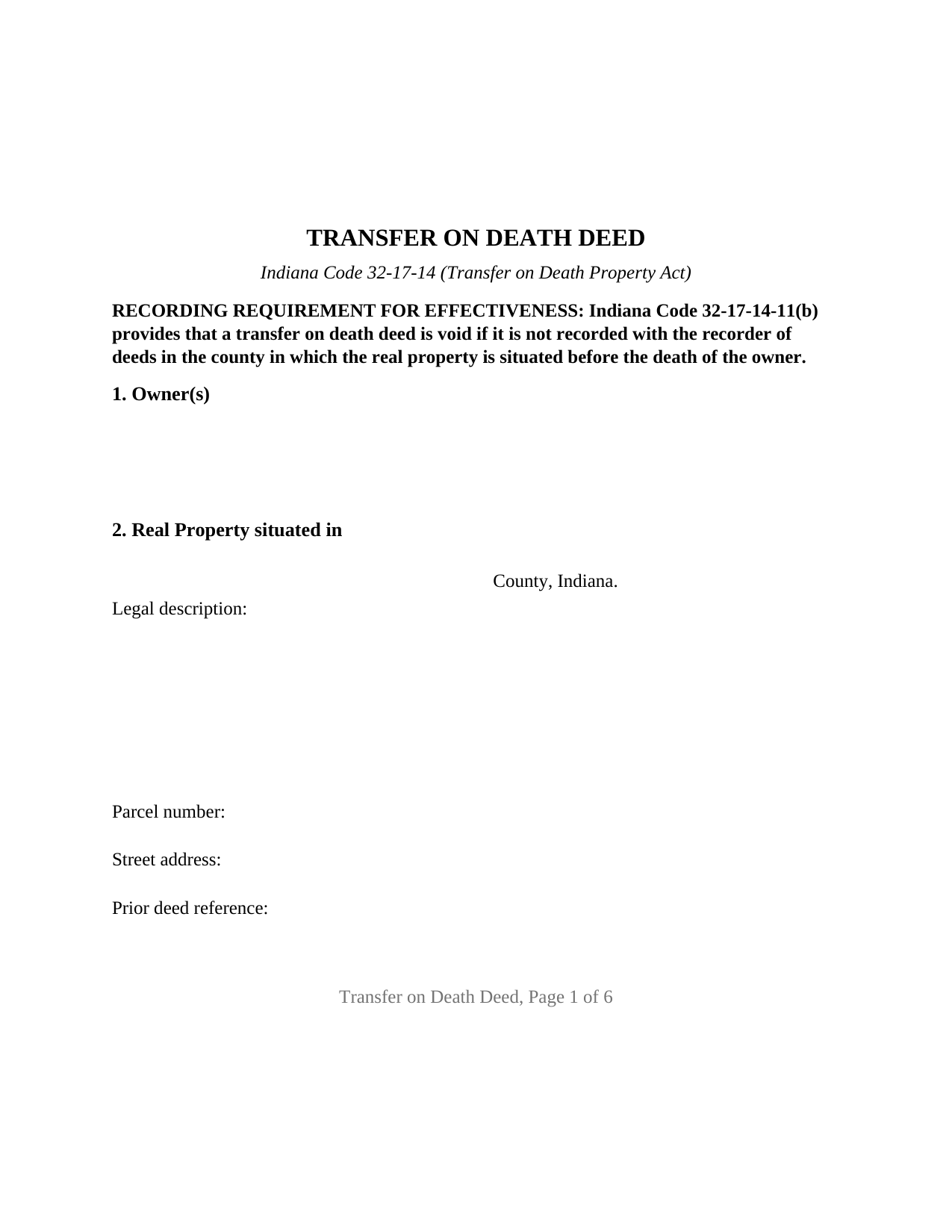
Lawrence County Transfer on Death Deed Form
Fill in the blank Transfer on Death Deed form formatted to comply with all Indiana recording and content requirements.
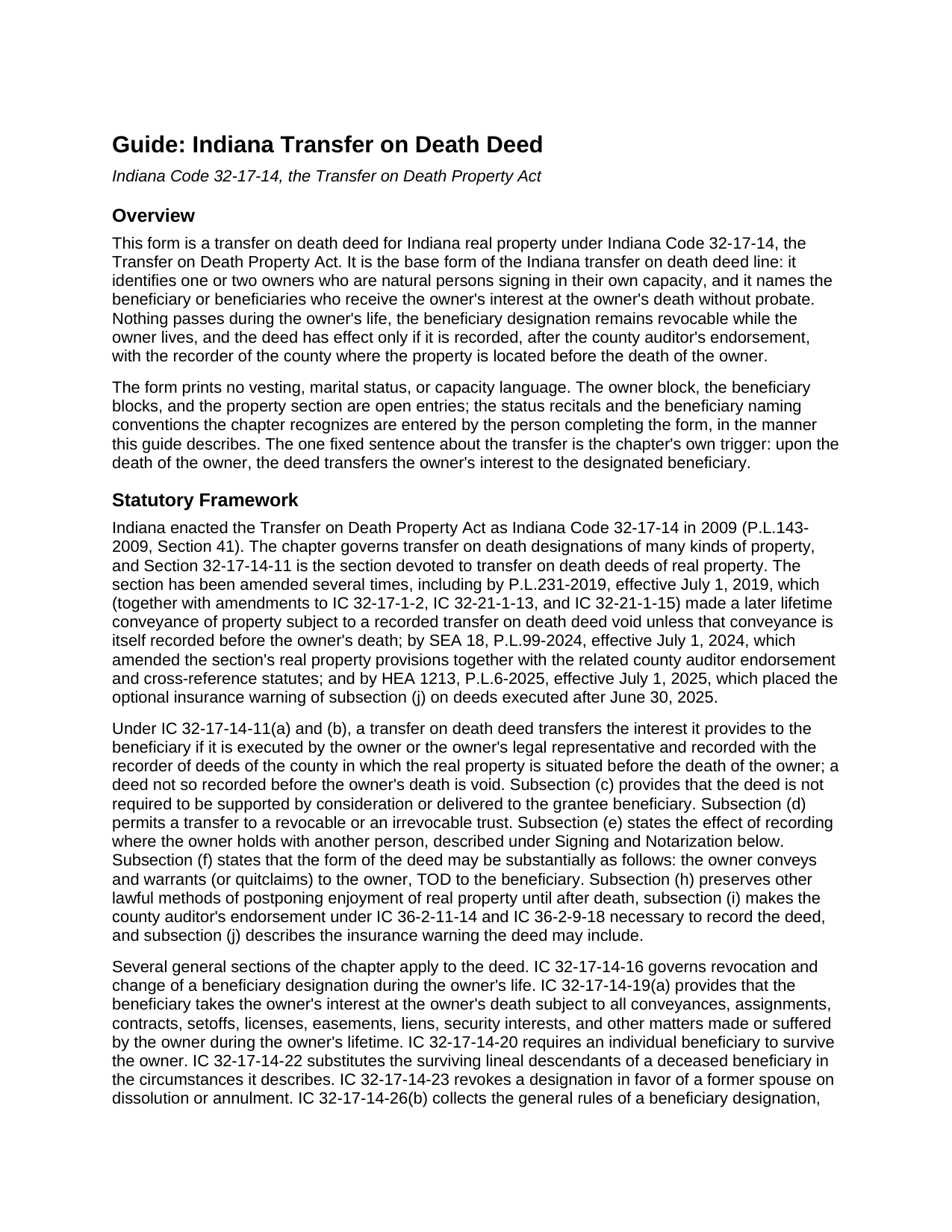
Lawrence County Transfer on Death Deed Guide
Line by line guide explaining every blank on the Transfer on Death Deed form.
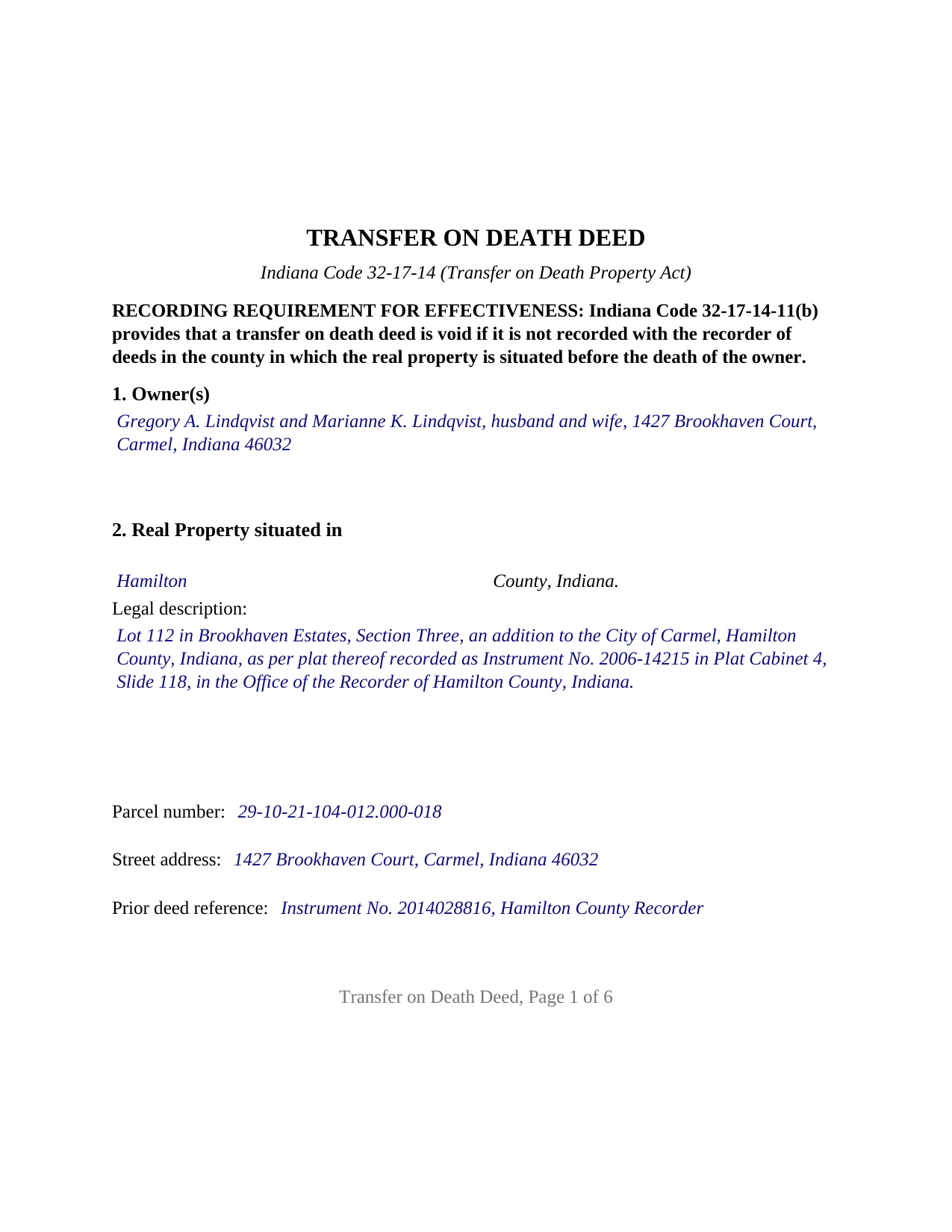
Lawrence County Completed Example of the Transfer on Death Deed Document
Example of a properly completed Indiana Transfer on Death Deed document for reference.
All 3 documents above included • One-time purchase • No recurring fees
Immediate Download • Secure Checkout
Additional Indiana and Lawrence County documents included at no extra charge:
Where to Record Your Documents
Lawrence County Recorder
Bedford, Indiana 47421
Hours: Call for hours
Phone: (812) 275-3245
Recording Tips for Lawrence County:
- Bring your driver's license or state-issued photo ID
- Ensure all signatures are in blue or black ink
- Request a receipt showing your recording numbers
- Ask about accepted payment methods when you call ahead
- Ask for certified copies if you need them for other transactions
Cities and Jurisdictions in Lawrence County
Properties in any of these areas use Lawrence County forms:
- Avoca
- Bedford
- Fort Ritner
- Heltonville
- Huron
- Mitchell
- Oolitic
- Springville
- Tunnelton
- Williams
Hours, fees, requirements, and more for Lawrence County
How do I get my forms?
Forms are available for immediate download after payment. The Lawrence County forms will be in your account ready to download to your computer. An account is created for you during checkout if you don't have one. Forms are NOT emailed.
Are these forms guaranteed to be recordable in Lawrence County?
Yes. Our form blanks are guaranteed to meet or exceed the applicable formatting requirements used for recording in Lawrence County, including margin requirements, font requirements, and other layout standards. This guarantee applies to formatting, not to the legal sufficiency of information entered by the user or the suitability of a form for a particular transaction.
Can I reuse these forms?
Yes. You can reuse the forms for your personal use. For example, if you have multiple properties in Lawrence County you only need to order once.
What do I need to use these forms?
The forms are PDFs that you fill out on your computer. The free Adobe Acrobat Reader is recommended, and most PDF apps also work. You do NOT enter your property information online - you download the blank forms and complete them privately on your own computer.
Are there any recurring fees?
No. This is a one-time purchase. Nothing to cancel, no memberships, no recurring fees.
How much does it cost to record in Lawrence County?
Recording fees in Lawrence County vary. Contact the recorder's office at (812) 275-3245 for current fees.
Questions answered? Let's get started!
An Indiana transfer on death deed names who receives real estate at the owner's death and does nothing until then. Recorded during the owner's life, it keeps the property out of probate without giving up ownership, the right to sell or mortgage, or the right to change the designation later. This form prepares that deed, also searched as a TOD deed or beneficiary deed, under Indiana Code 32-17-14, the Transfer on Death Property Act, for one or two owners who are natural persons signing for themselves.
A deed that is void unless recorded in time
Indiana ties the deed's effect to the recorder's office. Under IC 32-17-14-11, a transfer on death deed transfers the owner's interest to the beneficiary only if the owner executed it and it was recorded in the county where the property is situated before the owner's death; a deed left unrecorded at death is void. The deed also takes a county detour most deed forms never mention: the county auditor's endorsement under IC 36-2-11-14 is necessary to record it, so the signed deed goes to the assessor and the auditor before the recorder. The form carries the parcel number and prior deed reference those offices look for, and a bold notice at the top states the before-death recording condition.
Conveys and warrants, or quitclaims
The chapter supplies its own wording: the owner conveys and warrants (or quitclaims) to the owner, TOD to the beneficiary. The form prints both operative words with a box beside each, neither one marked. The marked word is the warranty, or the absence of warranty, the owner gives on that conveyance: under IC 32-17-1-2 a deed that conveys and warrants carries the statutory title covenants, and under IC 32-21-1-15 a deed that quitclaims passes the owner's interest without them. Either way the beneficiary takes at death subject to every lien, easement, and contract the owner made during life under IC 32-17-14-19.
One or two owners, four title patterns
The form recites nothing about marital status, vesting, or capacity; the owner block is open text. A sole owner signs alone. Two joint tenants with right of survivorship sign together, and the designation operates at the death of the last surviving owner under IC 32-17-14-4(c). Two spouses holding by the entireties sign together, because IC 32-17-14-11(e)(1) makes a transfer on death conveyance of entireties property inoperable and void unless the other spouse joins, and the surviving spouse controls the designation after the first death under IC 32-17-14-16(b). Two tenants in common each designate the beneficiary of their own undivided interest on the one deed. The form carries two signature blocks and two acknowledgment certificates, one for each owner; a sole owner leaves the second block and its certificate blank. Entity owners, trustees, attorneys in fact, and groups of three or more owners present configurations this form is not set up as.
Beneficiaries the Indiana way
A beneficiary may be an individual, a trust named through its trustee, or an entity, and more than one may be named. The chapter's conventions are entered in the beneficiary block itself: equal shares unless a different share is stated (IC 32-17-14-26(b)(5)); the words contingent beneficiary for a backup taker (IC 32-17-14-26(b)(4)); and the lineal descendants per stirpes rule of IC 32-17-14-22, under which a child who dies first is replaced by that child's own descendants unless the notation No LDPS appears. After the owner's death, the affidavit under IC 32-17-14-26(b)(20), prepared and recorded separately and not included in this package, places the beneficiary of record.
Built for the Indiana recorder's counter
An Indiana recorder may receive an instrument that meets IC 36-2-11-16.5: two inch top and bottom margins on the first and last pages, black type of at least ten points, and names printed beneath every signature under IC 36-2-11-16. The form reserves those margins, carries the preparer statement and Social Security redaction affirmation of IC 36-2-11-15 and the address statement of IC 32-21-2-3 at its conclusion, and follows each signature with an acknowledgment certificate written to IC 33-42-9-12. The recorder's fee for a deed is $25 under IC 36-2-7-10, and Indiana imposes no deed transfer tax.
The package includes the fillable transfer on death deed, a completed example filled in for a Hamilton County fact pattern, and the guide that walks through every section, the signing rules, and the auditor to recorder path. This description and the guide describe the form and the governing statutes in general terms; they are not legal advice.
Important: Your property must be located in Lawrence County to use these forms. Documents should be recorded at the county recording office listed above.
This Transfer on Death Deed meets all recording requirements specific to Lawrence County.
Our Promise
The documents you receive here are guaranteed to meet or exceed the applicable Lawrence County recording format requirements. If there is a rejection caused by our formatting, we will correct the issue or refund your payment. This guarantee applies to document formatting only and does not extend to information entered by the user, the selection of the form, or the legal effect of the completed document.
Save Time and Money
Get your Lawrence County Transfer on Death Deed form done right the first time with Deeds.com Uniform Conveyancing Blanks. At Deeds.com, we understand that your time and money are valuable resources, and we don't want you to face a penalty fee or rejection imposed by a county recorder for submitting nonstandard documents. We constantly review and update our forms to meet rapidly changing state and county recording requirements for roughly 3,500 counties and local jurisdictions.
4.8 out of 5 - ( 4,833 Reviews )
Andrew F. 5 out of 5 stars
Must admit, I have not really had the chance to search site. Seems to be able to provide good info.
Thank you!
ALYSSA J. 1 out of 5 stars
I was unable to end up going through with the deed process on my own as it was out of my realm. I suspect if I knew what I was actually doing when completing a deed, it would of been sufficient. I ended up having to go through an attorney to complete the deed.
Glad to hear you sought the assistance of a legal professional familiar with your specific situation, we always recommend that to anyone who is not completely sure of what they are doing. Have a wonderful day.
Catherine R. 5 out of 5 stars
What a great way to put my mind at ease. It was easy to fill out and printed out nicely.
Thank you for your feedback. We really appreciate it. Have a great day!
Jose F. 5 out of 5 stars
When I found this website, I was confused and hesitant to use this website to submit paperwork that needed to be submitted to the Clerks of Courts in Miami. I am glad I decided to go through with it. It was the easiest process I have encountered even with working with the City. Highly recommend as it is super easy to use and received that everything was approved and recorded in two working days. Thank you so much for bringing my stress level lower as many uncertainties of how to process my paperwork. Will use it again to finish my project as the City continues to not accept walk ins. Thank you so much.
So glad we were able help Jose, have a amazing day!
Hanna M. 5 out of 5 stars
Very helpful information! Thank you for your service!
Thank you!
Debbi B. 4 out of 5 stars
The deeds were a very reasonable price. However, it was made to seem like it was part of Jefferson County, and I didn't love the deceptiveness.
Debbi, we understand that you came away with the impression that Deeds.com was part of Jefferson County, but we respectfully disagree with the characterization of our website as deceptive. Deeds.com is an independent document provider and does not represent itself as affiliated with Jefferson County or any other government agency. Jefferson County is identified because customers need forms and recording information appropriate for the correct jurisdiction. If a particular page or statement caused confusion, please contact Deeds.com Customer Care so we can review it.
Susan H. 5 out of 5 stars
Best idea ever for completing an on-line government form. And it came with instructions!!!!! Thank you, Gadsden County.
Thank you!
John Q. 5 out of 5 stars
I downloaded the forms, which was very easy, and filled them out with the help of the very helpful instructions! I was able to go down to my court house and file the forms within 24 hours of downloading! I am at peace knowing my son's will avoid a lot of headaches when I pass because my property deed will transfer to them without probate court TOD !!!!
We appreciate your business and value your feedback. Thank you. Have a wonderful day!
Yvonne R. 5 out of 5 stars
Quick and easy, however, I couldn't get the guide to download.
Thank you for your feedback. We really appreciate it. Have a great day!
Richard C. 5 out of 5 stars
Amazing from start to finish!
Thank you for your feedback. We really appreciate it. Have a great day!
David M. 5 out of 5 stars
Holy cow. I was told by several people that getting a deed recorded would take 7-10 days. So I thought I'd give deeds.com a try with their e-filing service. I created my account and submitted my deed around 4:00 p.m. and it was recorded before I woke up the next morning. Awesome service! Totally worth the $19 service fee.
We appreciate your business and value your feedback. Thank you. Have a wonderful day!
David W. 5 out of 5 stars
Excellent assistance provided by your forms, guide and example.
Thank you!
David K. 3 out of 5 stars
Price seemed high (~$28) for just some forms (especially because we may not actually use the forms), but it beats navigating the Hawaii state and Honolulu county websites for forms. It would be better if a single button push would download all 7 or 8 forms.
Thank you for your feedback. We really appreciate it. Have a great day!
carrie m. 5 out of 5 stars
I was excited because I really wanted to see and get a copy of the Deed to my property. The personal/Staff responsible for setting up that plan did an excellent/outstanding job. Thanks so much and keep up the great work. Carrie
Thank you for your feedback. We really appreciate it. Have a great day!
Peter W. 5 out of 5 stars
Thanks worked out great
Thank you for the follow up Peter. Have a great day!