Wells County Trustee Deed without Warranty Form
Last validated September 24, 2026 by our Forms Development TeamFormatted for recording in Wells County, for property anywhere in the county: rural and unincorporated areas as well as Bluffton, Craigville, Keystone, Liberty Center, Markle, Ossian, Petroleum, Poneto and 1 more.
- 3 documents included
- Immediate PDF download
- Formatting guarantee
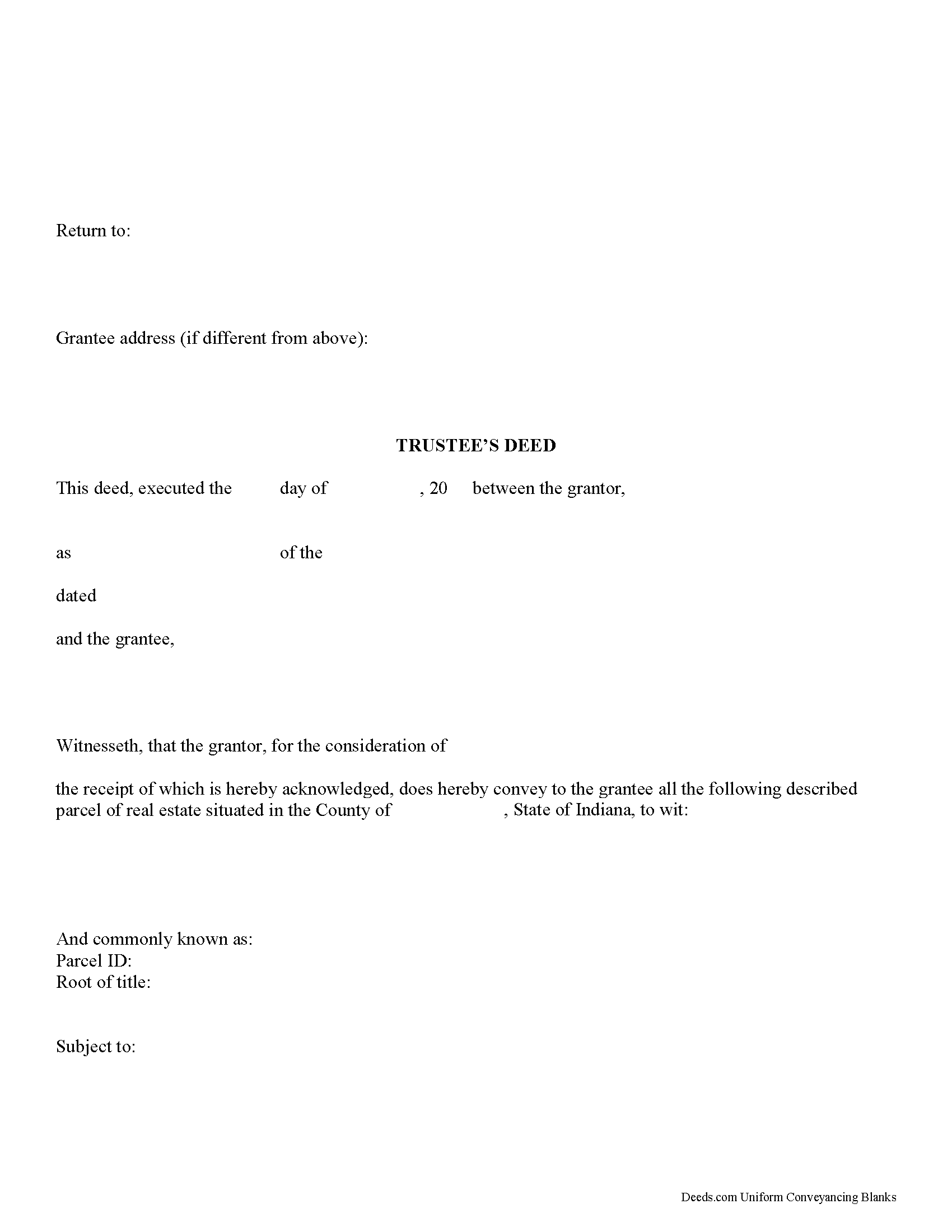
Wells County Trustee Deed Form
Fill in the blank form formatted to comply with all recording and content requirements.
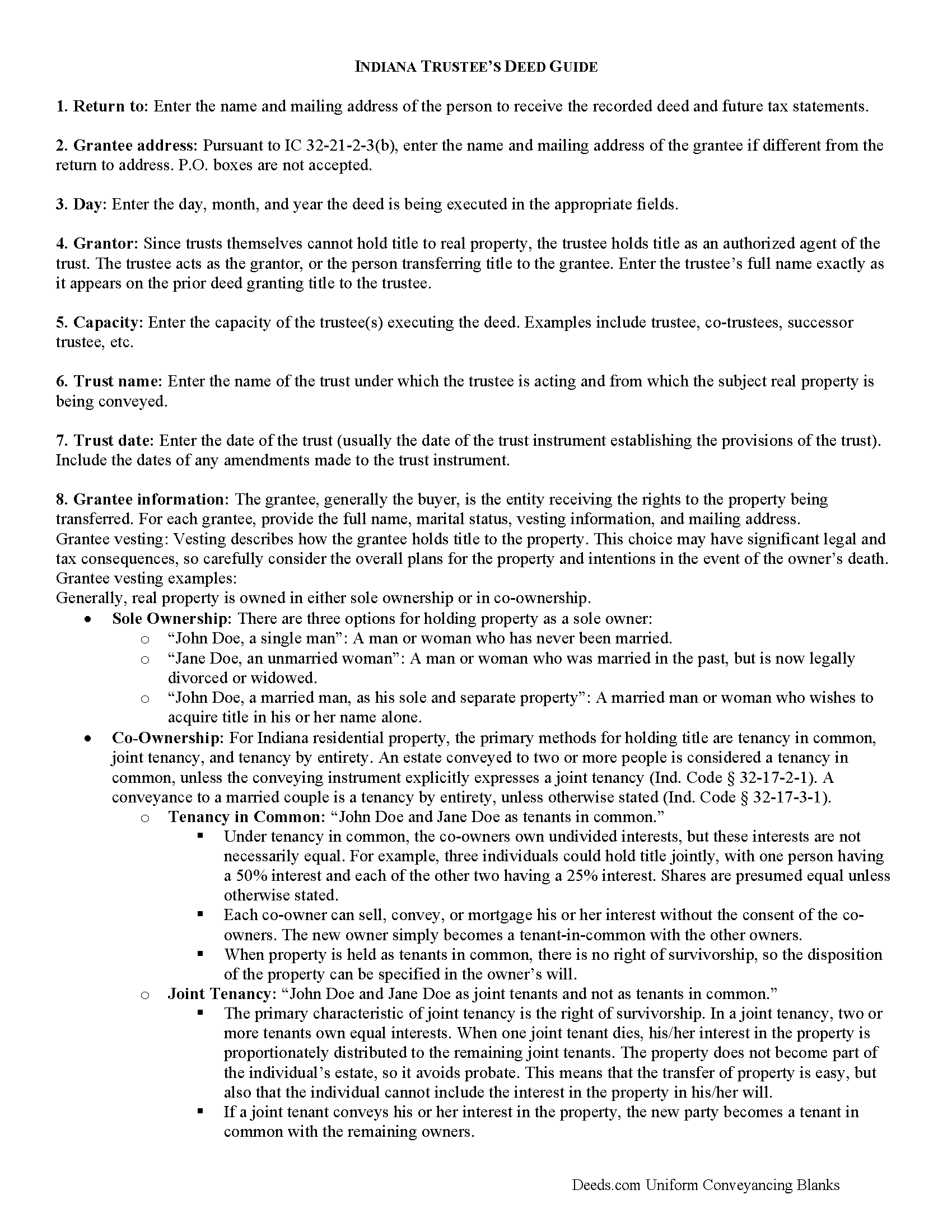
Wells County Trustee Deed Guide
Line by line guide explaining every blank on the form.
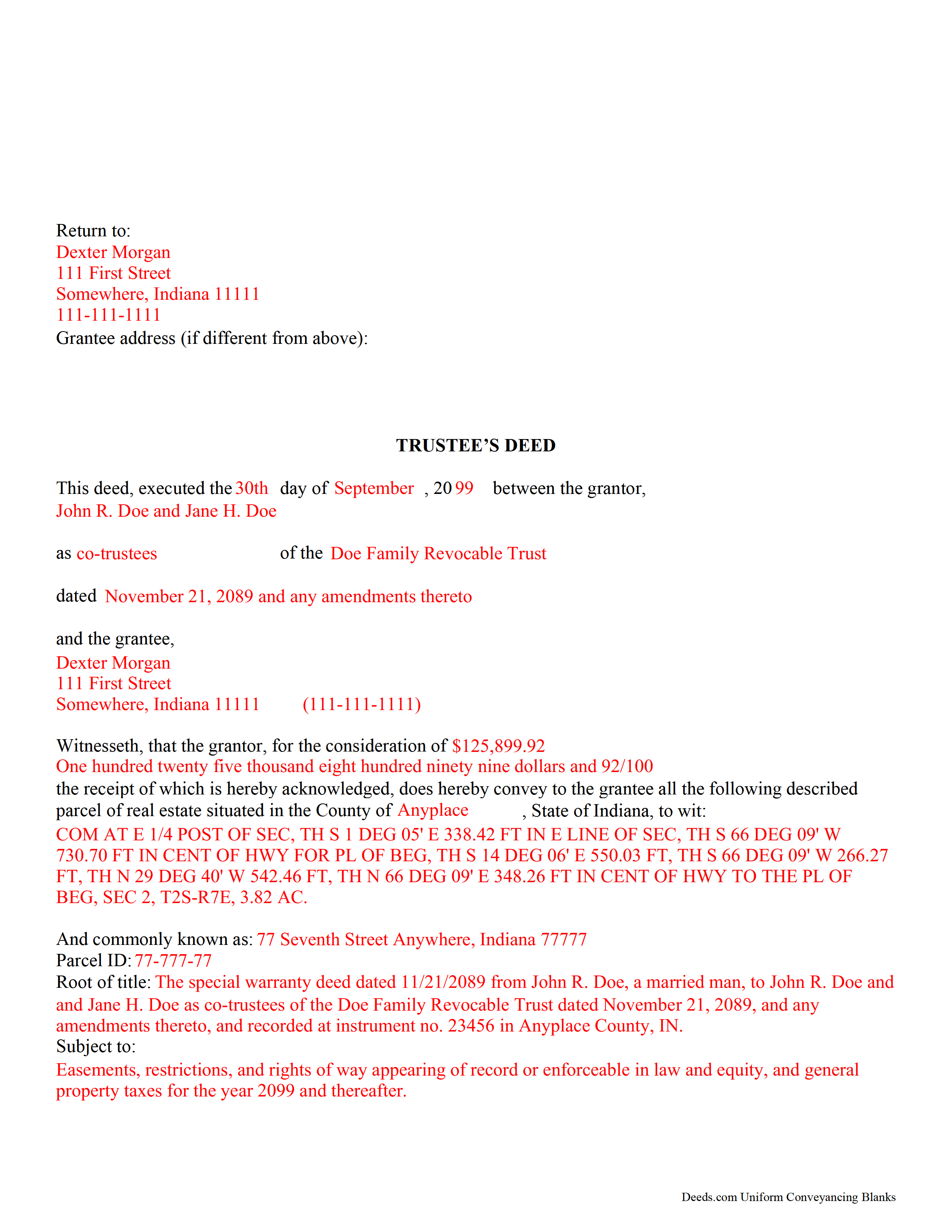
Wells County Completed Example of the Trustee Deed Document
Example of a properly completed form for reference.
All 3 documents above included • One-time purchase • No recurring fees
Immediate Download • Secure Checkout
Additional Indiana and Wells County documents included at no extra charge:
Where to Record Your Documents
Wells County Recorder
Bluffton, Indiana 46714
Hours: 8:00am to 4:30pm M-F
Phone: (260) 824-6507
Recording Tips for Wells County:
- Bring your driver's license or state-issued photo ID
- Ensure all signatures are in blue or black ink
- Make copies of your documents before recording - keep originals safe
- Recorded documents become public record - avoid including SSNs
- Recording fees may differ from what's posted online - verify current rates
Cities and Jurisdictions in Wells County
Properties in any of these areas use Wells County forms:
- Bluffton
- Craigville
- Keystone
- Liberty Center
- Markle
- Ossian
- Petroleum
- Poneto
- Uniondale
Hours, fees, requirements, and more for Wells County
How do I get my forms?
Forms are available for immediate download after payment. The Wells County forms will be in your account ready to download to your computer. An account is created for you during checkout if you don't have one. Forms are NOT emailed.
Are these forms guaranteed to be recordable in Wells County?
Yes. Our form blanks are guaranteed to meet or exceed the applicable formatting requirements used for recording in Wells County, including margin requirements, font requirements, and other layout standards. This guarantee applies to formatting, not to the legal sufficiency of information entered by the user or the suitability of a form for a particular transaction.
Can I reuse these forms?
Yes. You can reuse the forms for your personal use. For example, if you have multiple properties in Wells County you only need to order once.
What do I need to use these forms?
The forms are PDFs that you fill out on your computer. The free Adobe Acrobat Reader is recommended, and most PDF apps also work. You do NOT enter your property information online - you download the blank forms and complete them privately on your own computer.
Are there any recurring fees?
No. This is a one-time purchase. Nothing to cancel, no memberships, no recurring fees.
How much does it cost to record in Wells County?
Recording fees in Wells County vary. Contact the recorder's office at (260) 824-6507 for current fees.
Questions answered? Let's get started!
Use this form to transfer real property located in Indiana out of trust, without warranties of title. The deed should be executed by the trust's acting trustee(s).
A trustee's deed is an instrument used in trust administration to convey real property out of a trust. Unlike other forms of conveyance, which are named for the type of warranties they carry, the trustee's deed is named after the executing trustee.
The trustee is the administrator of a trust who is appointed by the settlor. The settlor is the person who funds the trust with assets -- in this case, real property. The settlor executes a trust instrument, which contains the provisions of the trust, including a designation of the trust's beneficiaries. This document is generally not of public record.
The trustee serves as the grantor in the trustee's deed. If there are multiple trustees or the trustee appears as a successor, this information is included also. The settlor does not enter directly into the transaction . In addition, the deed states the trust name and date under which the trustee is appearing, as well as any amendments made to the trust instrument.
All instruments of conveyance in Indiana require a legal description of the property begin conveyed, the grantee's information, and the root of title, as well as a "prepared by" statement and affirmation statement regarding the redaction of Social Security Numbers. All acting trustees must sign the deed in the presence of a notary public before the deed is recorded in the county in which the real property is situated.
Because trustees act in a fiduciary capacity, they may be asked to provide a certification of trust, demonstrating that the trust exists and their authority to enter into transactions on behalf of the trust.
The trustee's deed may require additional information depending on the situation. These instruments may or may not include warranties of title, so make sure to use the correct form for the situation. Consult a lawyer with specific questions or guidance in preparing a trustee's deed.
(Indiana Trustee Deed without Warranty Package includes form, guidelines, and completed example)
Important: Your property must be located in Wells County to use these forms. Documents should be recorded at the county recording office listed above.
This Trustee Deed without Warranty meets all recording requirements specific to Wells County.
Our Promise
The documents you receive here are guaranteed to meet or exceed the applicable Wells County recording format requirements. If there is a rejection caused by our formatting, we will correct the issue or refund your payment. This guarantee applies to document formatting only and does not extend to information entered by the user, the selection of the form, or the legal effect of the completed document.
Save Time and Money
Get your Wells County Trustee Deed without Warranty form done right the first time with Deeds.com Uniform Conveyancing Blanks. At Deeds.com, we understand that your time and money are valuable resources, and we don't want you to face a penalty fee or rejection imposed by a county recorder for submitting nonstandard documents. We constantly review and update our forms to meet rapidly changing state and county recording requirements for roughly 3,500 counties and local jurisdictions.
4.8 out of 5 - ( 4,818 Reviews )
Glenn N. 5 out of 5 stars
Made a hard task easy! Very smooth and we were printed and ready to go
Thank you for your feedback. We really appreciate it. Have a great day!
Stephen K. 5 out of 5 stars
this 5-star rating is well-deserved.
Thank you!
Chase J. 5 out of 5 stars
This is the best service. It has made my life so easy when I have to record things with the county! Thanks so much for such a streamlined no hassle process.
We appreciate your business and value your feedback. Thank you. Have a wonderful day!
Carlin L. 5 out of 5 stars
I have yet to have my Certification of Trust notarized nor have I gone to my bank to see if it's acceptable I hope it will be it was rather easy to do thank you so much.
Thank you for your feedback Carlin.
David M. 5 out of 5 stars
Extremely easy to use. The sample completed document was very helpful. I really appreciated not having to spend a few hundred dollars for a lawyer to generate a document that I can produce myself for a small fraction of the cost.
We appreciate your business and value your feedback. Thank you. Have a wonderful day!
Cheryl C. 4 out of 5 stars
my only problem is the cost of the form I downloaded. A bit cheaper would be nice
Thank you for your feedback. We really appreciate it. Have a great day!
Lori F. 5 out of 5 stars
That was easy!
Thank you for your feedback. We really appreciate it. Have a great day!
Paul R. 5 out of 5 stars
Worked very quickly and smoothly. Helps if you know what documents you need. Thanks.
Thank you for your feedback. We really appreciate it. Have a great day!
Dennis K. 5 out of 5 stars
Easily downloaded and filled out form for quit claim deed was approved as soon as i dropped it off.
Thank you for your feedback. We really appreciate it. Have a great day!
Rhobe M. 5 out of 5 stars
Very user friendly site. I was able to get the information I needed fast.
Thank you!
Janet P. 5 out of 5 stars
Extremely easy to use. The guide and sample were a great source of reference.
Thank you for your feedback. We really appreciate it. Have a great day!
RAMONA F. 3 out of 5 stars
Good communication but they were unable to help me
Thank you for your feedback. We really appreciate it. Have a great day!
Linda Munguia N. 5 out of 5 stars
Easy process. Appreciated the detailed instructions for filing.
Thank you!
Evelyn A. 5 out of 5 stars
Was easy to use. Just didnt find what i needed
Thank you for your feedback. We really appreciate it. Have a great day!
James S. 2 out of 5 stars
Order Process: 5 Stars - very easy Material Received: 2 Stars Issues: 1. Printing- Document would not print in format displayed. Format would continually shrink to approx 2/3 size thus not useable for formal doc submission to County Records office. 2. Document Format- Data insertion fields (addresses) were not of correct size for data input. I needed a 4 line input space but was limited to only 3 lines. Also, Date field (year) was mis-oriented in-so-much that the 3rd digit (inputted) overlapped on 2nd digit (pre-printed) and also was of noticeably different font. 3. Useability- Hand-written input space provided (for Notary) was deficient in space and spacing. It was a challenge to utilize the space available to complete fully and maintain legibility. Overall - the document worked marginally as advertised, I did need to re-write the entire document myself. It is a good concept but I'd recommend that Deeds company improve the downloaded forms for actual useability, readability, functionability. regards, Jim S
Thank you for your feedback. We really appreciate it. Have a great day!