Jay County Warranty Deed Form
Last validated October 21, 2026 by our Forms Development TeamFormatted for recording in Jay County, for property anywhere in the county: rural and unincorporated areas as well as Bryant, Dunkirk, Pennville, Portland, Redkey, Salamonia.
- 3 documents included
- Immediate PDF download
- Formatting guarantee
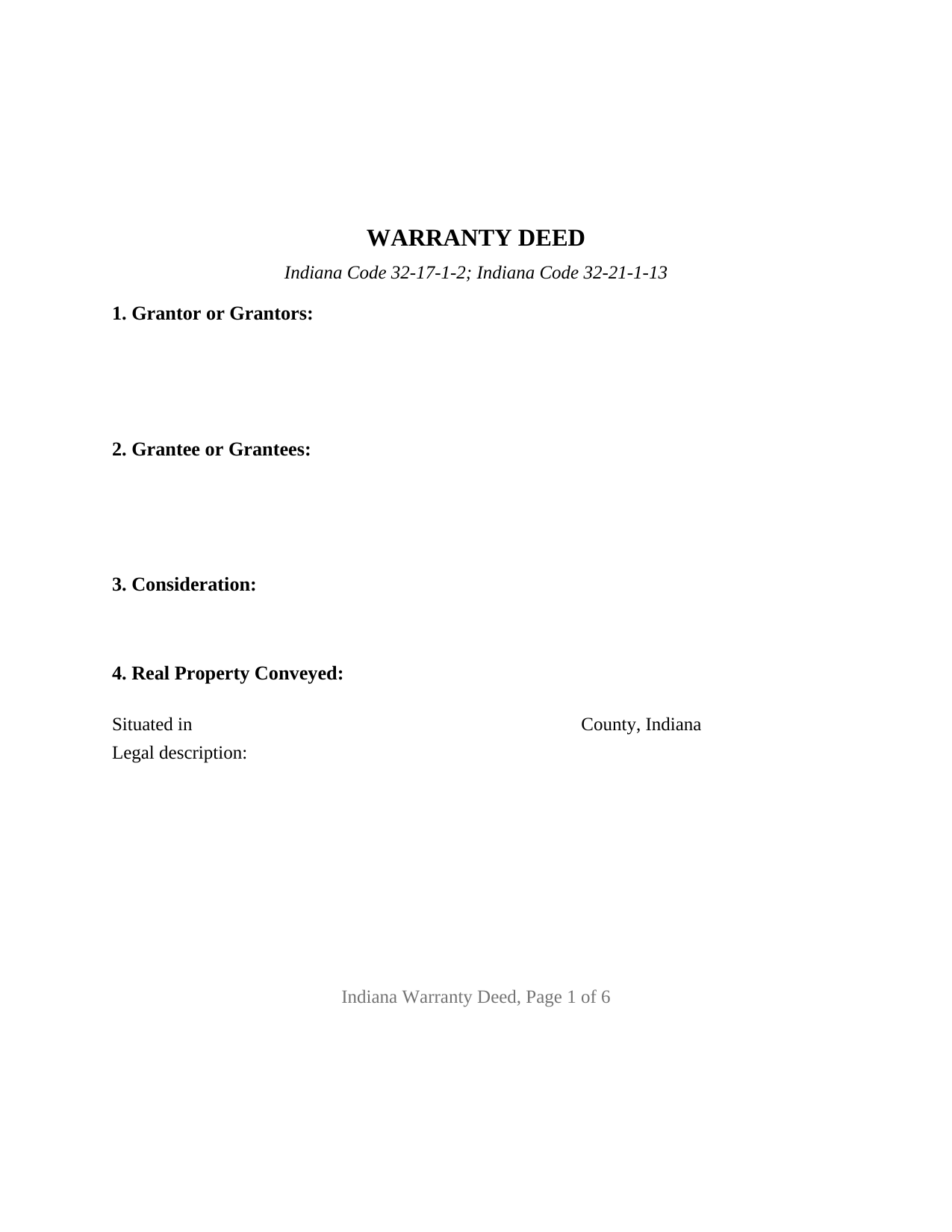
Jay County Warranty Deed Form
Fill in the blank Warranty Deed form formatted to comply with all Indiana recording and content requirements.
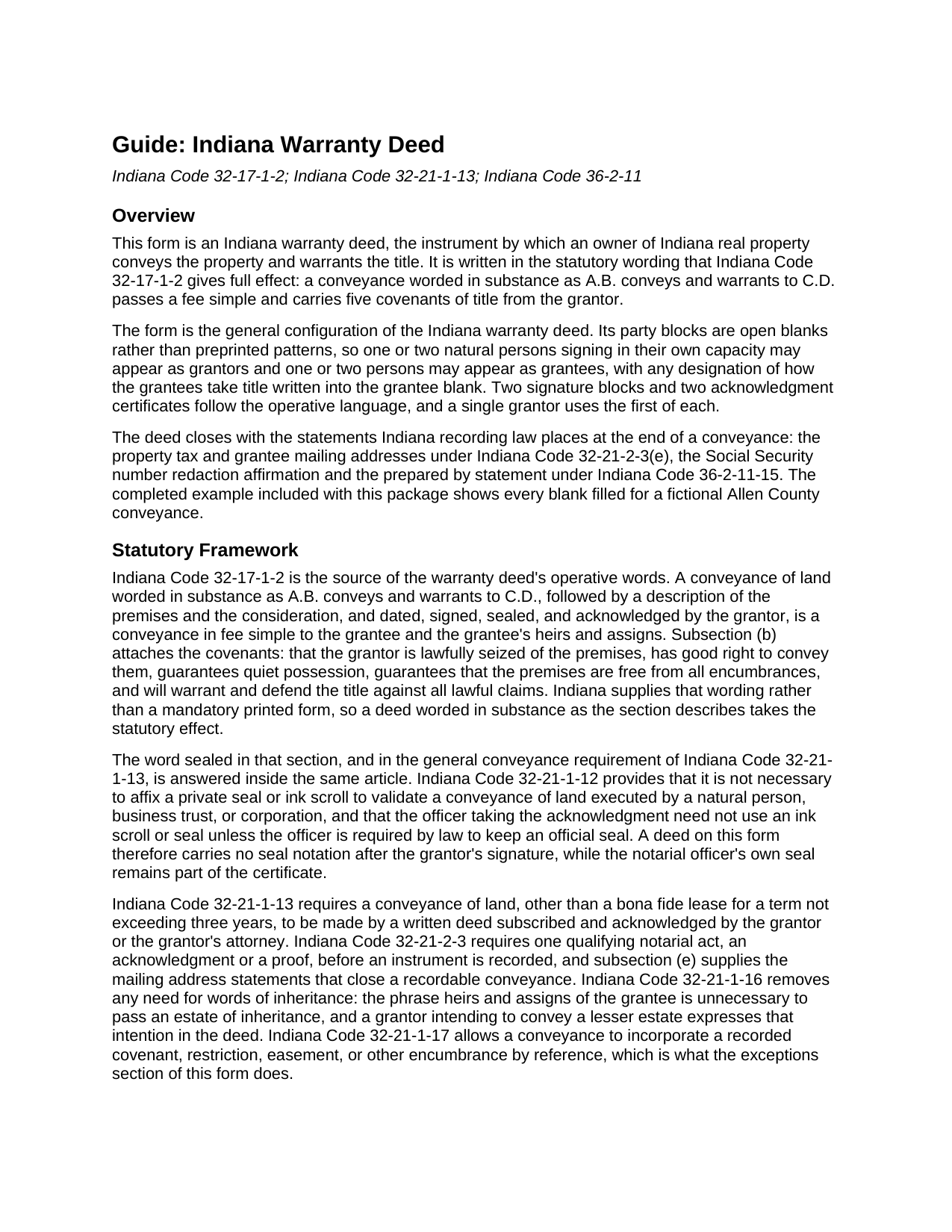
Jay County Warranty Deed Guide
Line by line guide explaining every blank on the Warranty Deed form.
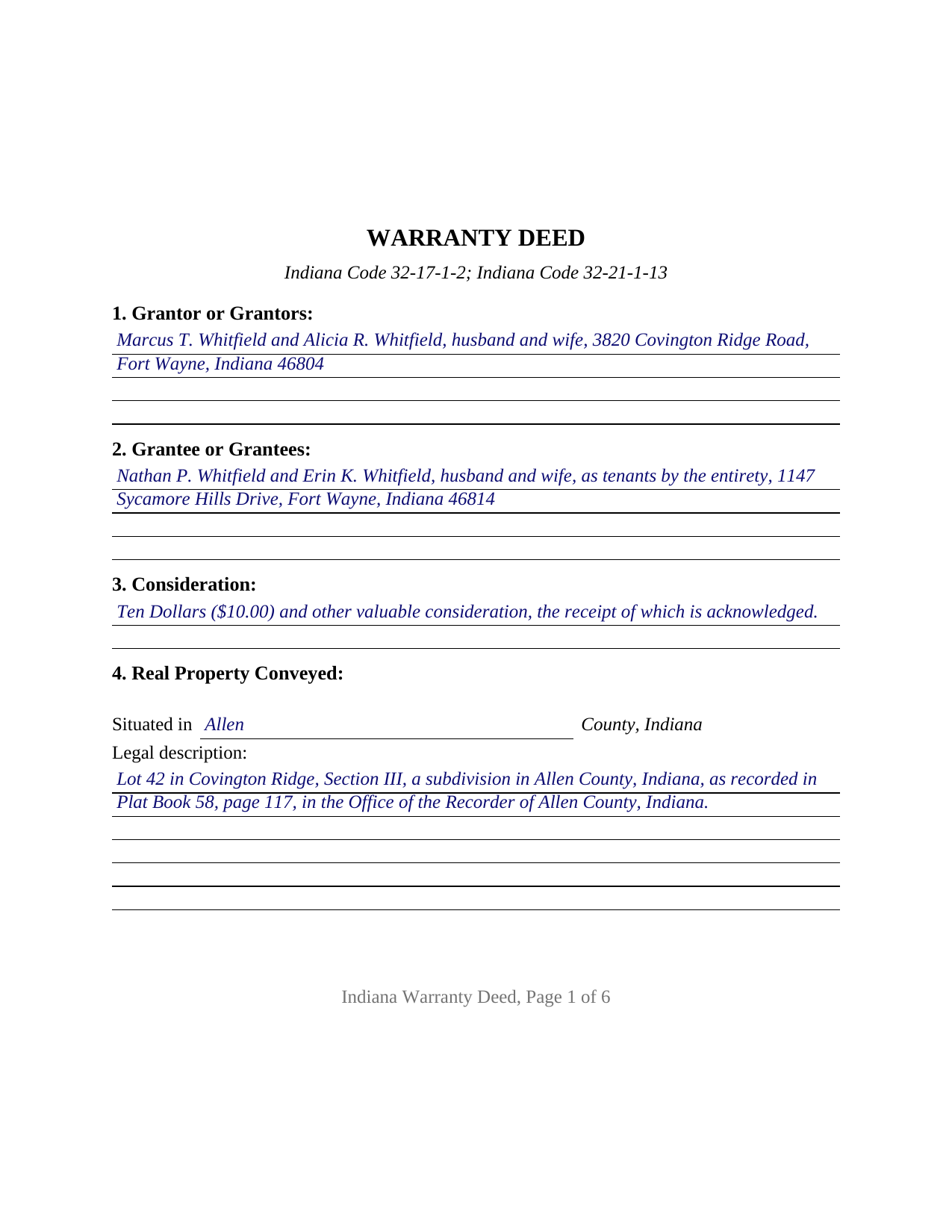
Jay County Completed Example of the Warranty Deed Document
Example of a properly completed Indiana Warranty Deed document for reference.
All 3 documents above included • One-time purchase • No recurring fees
Immediate Download • Secure Checkout
Additional Indiana and Jay County documents included at no extra charge:
Where to Record Your Documents
Jay County Recorder
Portland, Indiana 47371
Hours: 8:30 to 4:30 M-F
Phone: (260) 726-6940
Recording Tips for Jay County:
- Bring your driver's license or state-issued photo ID
- Ensure all signatures are in blue or black ink
- Verify all names are spelled correctly before recording
- White-out or correction fluid may cause rejection
- Ask about their eRecording option for future transactions
Cities and Jurisdictions in Jay County
Properties in any of these areas use Jay County forms:
- Bryant
- Dunkirk
- Pennville
- Portland
- Redkey
- Salamonia
Hours, fees, requirements, and more for Jay County
How do I get my forms?
Forms are available for immediate download after payment. The Jay County forms will be in your account ready to download to your computer. An account is created for you during checkout if you don't have one. Forms are NOT emailed.
Are these forms guaranteed to be recordable in Jay County?
Yes. Our form blanks are guaranteed to meet or exceed the applicable formatting requirements used for recording in Jay County, including margin requirements, font requirements, and other layout standards. This guarantee applies to formatting, not to the legal sufficiency of information entered by the user or the suitability of a form for a particular transaction.
Can I reuse these forms?
Yes. You can reuse the forms for your personal use. For example, if you have multiple properties in Jay County you only need to order once.
What do I need to use these forms?
The forms are PDFs that you fill out on your computer. The free Adobe Acrobat Reader is recommended, and most PDF apps also work. You do NOT enter your property information online - you download the blank forms and complete them privately on your own computer.
Are there any recurring fees?
No. This is a one-time purchase. Nothing to cancel, no memberships, no recurring fees.
How much does it cost to record in Jay County?
Recording fees in Jay County vary. Contact the recorder's office at (260) 726-6940 for current fees.
Questions answered? Let's get started!
Indiana compresses a full set of title guarantees into two words. Under Indiana Code 32-17-1-2, a conveyance worded in substance as "A.B. conveys and warrants to C.D." passes a fee simple and brings five covenants of title with it, and this fillable Indiana warranty deed is built around that sentence. The party blocks are open blanks rather than preprinted patterns, so one or two owners may convey to one or two grantees on the same form.
What the statute attaches to two words
The covenants never have to be typed into the deed. Indiana Code 32-17-1-2(b) attaches them to the operative wording itself: seisin, the right to convey, quiet possession, freedom from every encumbrance, and the duty to warrant and defend against all lawful claims. They run from the grantor and from the grantor's heirs and personal representatives, and they answer for the whole recorded history of the parcel rather than for the years this particular owner held it. That backward reach is what makes it a general warranty deed. Because the encumbrance covenant is written in absolute terms, the form carries an exceptions section: recorded easements, plat restrictions, and current taxes named there sit outside the covenant instead of breaching it, and Indiana Code 32-21-1-17 lets a deed pull those matters in by reference to the instrument that records them.
A deed that says sealed when no seal is needed
Indiana's conveyance statutes still describe a deed as signed, sealed, and acknowledged, and both Indiana Code 32-21-1-13 and the warranty form read that way today. One section earlier, Indiana Code 32-21-1-12 answers the puzzle: no private seal or ink scroll is necessary to validate a conveyance of land executed by a natural person, business trust, or corporation. So the grantor's signature line on this form carries no seal notation, while the notarial officer's own seal remains part of the certificate, beside the commission expiration and county of residence Indiana recorders look for and the printed name that Indiana Code 36-2-11-16(c) places under every signature.
One form, one or two names on each side
This is the base configuration of the Indiana warranty deed, and it is deliberately unfixed. The grantor block takes one or two individual owners with whatever status the record calls for. The grantee block takes one or two names followed by any designation of how they hold, drawn from the Indiana menu of tenancy in common, joint tenancy with right of survivorship, and tenancy by the entirety between spouses. The execution area carries two signature blocks and two acknowledgment certificates, and the second of each is simply left blank where a single owner conveys, so two grantors may also acknowledge on different days or before different officers. Nothing about marital status, vesting, or capacity is preprinted anywhere on the instrument, which means the words that fix the estate are the words written into the blank. One owner conveying alone and two owners of record joining in one deed are both patterns this form recites without any change to its printed text. Configurations built on a different execution pattern sit outside it: an entity signing through an officer, a trustee conveying trust property, a conveyance made under a power of attorney, and any transfer with three or more owners on a side.
Recording decides priority, not validity
A signed and acknowledged Indiana deed is good between the parties on delivery. Recording answers a different question. Indiana Code 32-21-3-3 leaves a fee simple conveyance ineffective against anyone but the grantor, the grantor's heirs and devisees, and persons with notice, unless the deed is recorded; Indiana Code 32-21-4-1 then voids an unrecorded conveyance against a later good faith purchaser for value whose instrument reaches the record first. Getting to the recorder is a three counter errand, since a transfer for valuable consideration travels with a sales disclosure form reviewed by the county assessor and picks up the county auditor's endorsement for taxation on the way. The recorder's fee for a deed is fixed statewide at twenty five dollars, and Indiana levies no documentary stamp tax and no real estate transfer tax.
The download includes the fillable warranty deed form, a completed example that fills every blank for a fictional Allen County conveyance, and a plain-language guide covering the statutory framework, each numbered section, the notarization, and the recording sequence. The instrument is also searched as an Indiana general warranty deed or a statutory warranty deed form; the materials are informational and are not legal advice.
Important: Your property must be located in Jay County to use these forms. Documents should be recorded at the county recording office listed above.
This Warranty Deed meets all recording requirements specific to Jay County.
Our Promise
The documents you receive here are guaranteed to meet or exceed the applicable Jay County recording format requirements. If there is a rejection caused by our formatting, we will correct the issue or refund your payment. This guarantee applies to document formatting only and does not extend to information entered by the user, the selection of the form, or the legal effect of the completed document.
Save Time and Money
Get your Jay County Warranty Deed form done right the first time with Deeds.com Uniform Conveyancing Blanks. At Deeds.com, we understand that your time and money are valuable resources, and we don't want you to face a penalty fee or rejection imposed by a county recorder for submitting nonstandard documents. We constantly review and update our forms to meet rapidly changing state and county recording requirements for roughly 3,500 counties and local jurisdictions.
4.8 out of 5 - ( 4,839 Reviews )
Norman K. 2 out of 5 stars
It wasn't really what I needed I read and read and read and read and I thought I was to do with for filing for probate or probate executor but instead it was for the property if you are executor and but it wasn't very clear on that so it didn't work for me so I was kind of wasted money
Sorry to hear that Norman. We've gone ahead and canceled your order and payment.
Cathleen H. 5 out of 5 stars
The pdf form is good; however, the input boxes merge into the line above so the text is hard to read when complete. I added a return before entering my data and this solved the problem.
Thank you for your feedback Cathleen. We will have staff take a look at the document for issues with the text fields. Have a great day!
Keri C. 5 out of 5 stars
It was confusing at first, but the customer service was excellent and fast and I got everything taken care of right away. I'll use Deeds.com even after the recorder's office is open to the public.
Thank you for your feedback. We really appreciate it. Have a great day!
Nancy J. 5 out of 5 stars
Forms were not to hard to fill out, Will go to Douglas County Oregon Recorders office in a few weeks and hope I filled them out correctly.
Thank you for your feedback. We really appreciate it. Have a great day!
Debra M. 5 out of 5 stars
Easy Peasy. Great experience.
Thank you for your feedback. We really appreciate it. Have a great day!
Arturo P. 5 out of 5 stars
Super easy to use! Totally satisfied. Thanks.
We appreciate your business and value your feedback. Thank you. Have a wonderful day!
Robert B. 5 out of 5 stars
Very easy to use.
Thank you for your feedback. We really appreciate it. Have a great day!
Jorge F. 3 out of 5 stars
It would be helpful for documents to be in word format as well and for PDF version not to be locked.
Thank you for your feedback. We really appreciate it. Have a great day!
STEPHANIE S. 5 out of 5 stars
The documents received and information provided to assist with the recording was exactly what was needed for a successful title transfer. I would highly recommend this site and will continue using it for future transactions.
We appreciate your business and value your feedback. Thank you. Have a wonderful day!
leila m. 5 out of 5 stars
Very good service, friendly customer service I absolutely will use the service again
Thank you!
David C. 5 out of 5 stars
I got what I expected. Thank you
Thank you for your feedback. We really appreciate it. Have a great day!
A Rod P. 5 out of 5 stars
The website was short and to the point. And I receive three responses quite quickly.
We appreciate your business and value your feedback. Thank you. Have a wonderful day!
Susan V. 5 out of 5 stars
With a little assist from the customer service department-- who was extremely nice and professional- I was able to get my documents printed. I was pleased with the process and hope that the forms will work out for me. Thank you deeds.com for saving me $250 in lawyers fees.
Thank you for your feedback. We really appreciate it. Have a great day!
Rita M. 5 out of 5 stars
I have not received the deed via email. That is what I was expecting. Let me know if I am incorrect in my thinking.
Thanks for reaching out. While we do send some email notifications, we do not email documents. All orders are available via your account. You can log into your account from the menu button at the top left of most pages on the website.
David W. 5 out of 5 stars
Great examples on how to fill out the quitclaim deed, but no info on how to fill out the cover sheet.
Your feedback is valuable to us and helps us improve. Thank you for sharing your thoughts!