Dickinson County Discharge of Mortgage Form
Last validated October 19, 2026 by our Forms Development TeamFormatted for recording in Dickinson County, for property anywhere in the county: rural and unincorporated areas as well as Abilene, Chapman, Enterprise, Herington, Hope, Solomon, Talmage, Woodbine.
- 3 documents included
- Immediate PDF download
- Formatting guarantee
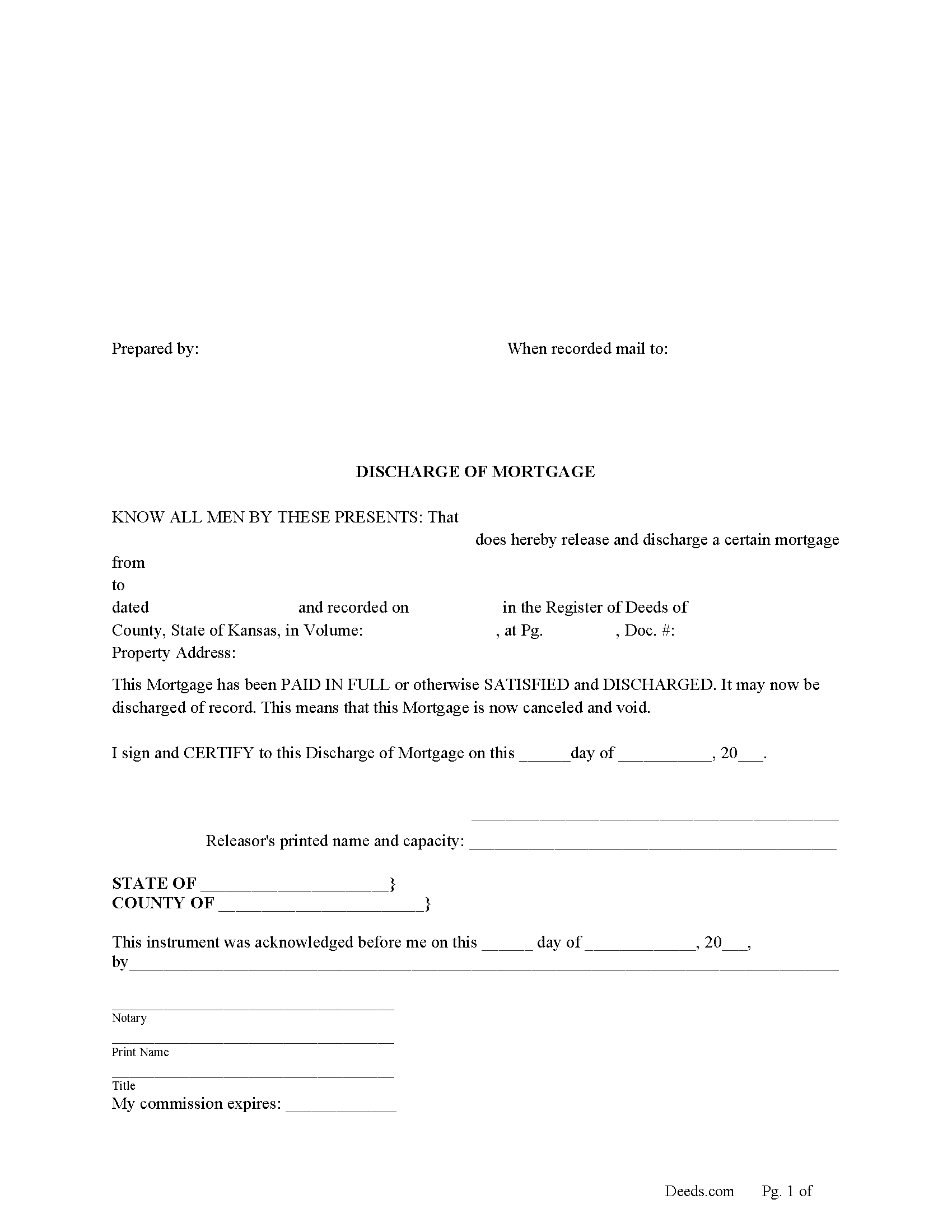
Dickinson County Discharge of Mortgage Form
Fill in the blank form formatted to comply with all recording and content requirements.
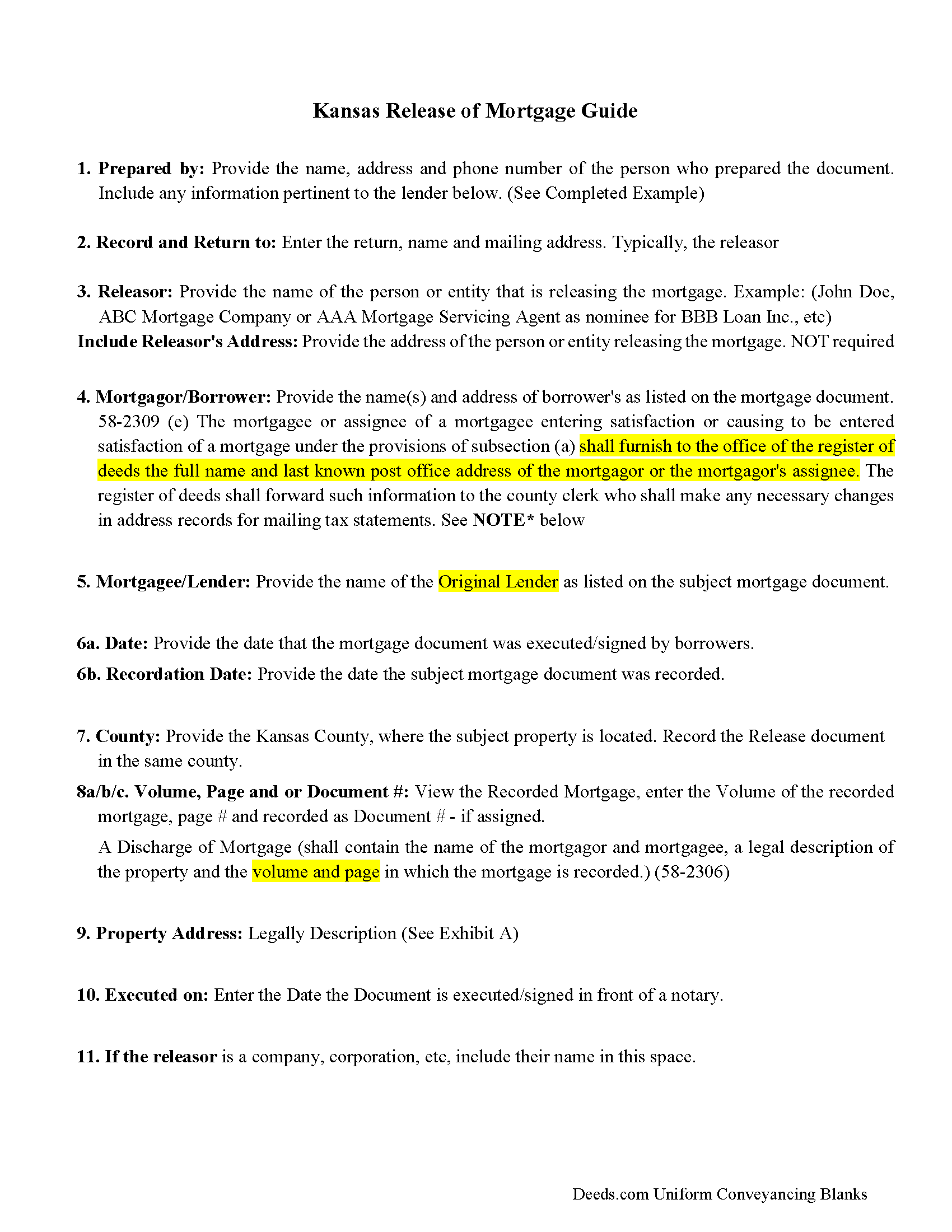
Dickinson County Discharge of Mortgage Guidelines
Line by line guide explaining every blank on the form
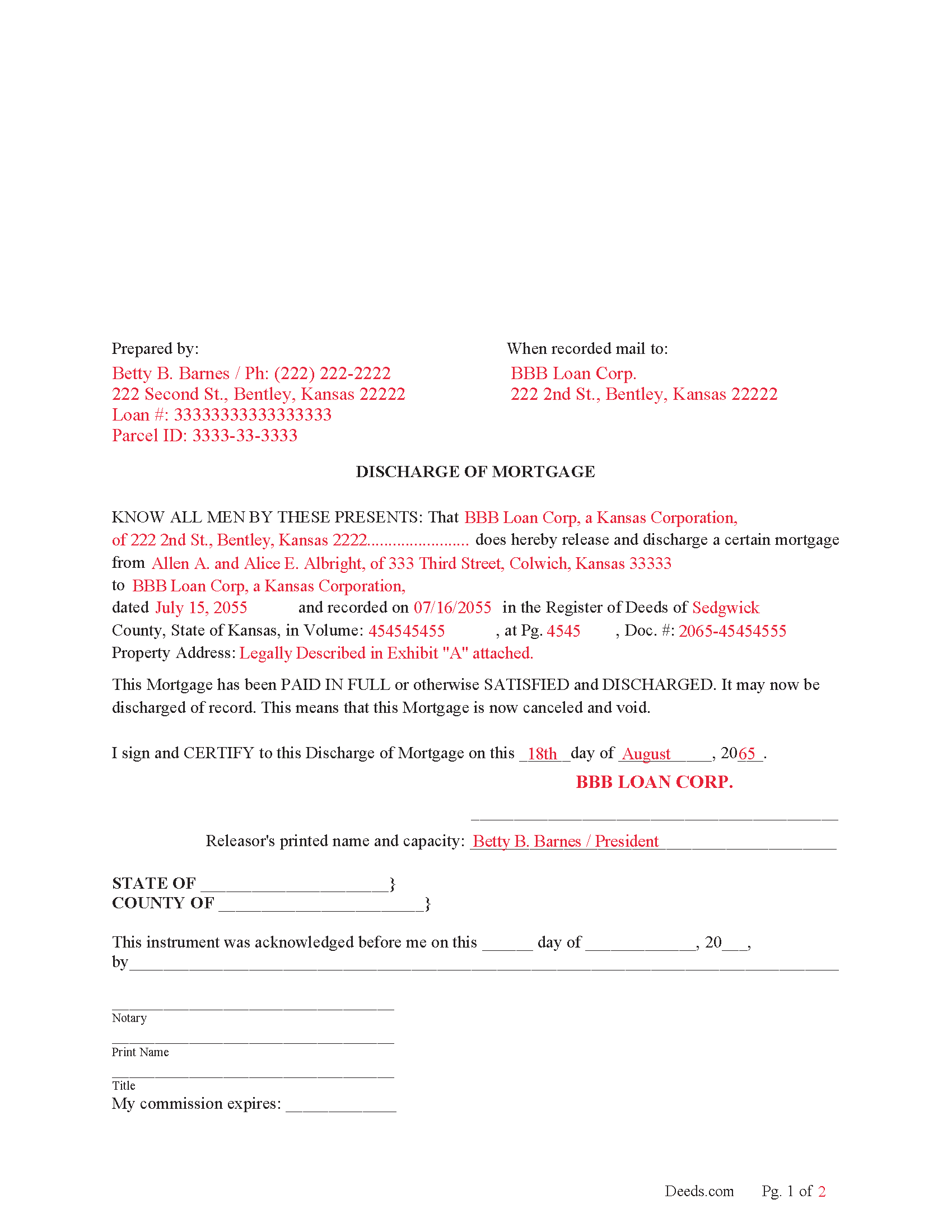
Dickinson County Completed Example of the Discharge of Mortgage Document
Example of a properly completed form for reference.
All 3 documents above included • One-time purchase • No recurring fees
Immediate Download • Secure Checkout
Additional Kansas and Dickinson County documents included at no extra charge:
Where to Record Your Documents
Dickinson County Register of Deeds
Abilene, Kansas 67410
Hours: 8:00am-5:00pm M-F
Phone: (785) 263-3073
Recording Tips for Dickinson County:
- Bring your driver's license or state-issued photo ID
- Ensure all signatures are in blue or black ink
- Ask about their eRecording option for future transactions
- Avoid the last business day of the month when possible
- Both spouses typically need to sign if property is jointly owned
Cities and Jurisdictions in Dickinson County
Properties in any of these areas use Dickinson County forms:
- Abilene
- Chapman
- Enterprise
- Herington
- Hope
- Solomon
- Talmage
- Woodbine
Hours, fees, requirements, and more for Dickinson County
How do I get my forms?
Forms are available for immediate download after payment. The Dickinson County forms will be in your account ready to download to your computer. An account is created for you during checkout if you don't have one. Forms are NOT emailed.
Are these forms guaranteed to be recordable in Dickinson County?
Yes. Our form blanks are guaranteed to meet or exceed the applicable formatting requirements used for recording in Dickinson County, including margin requirements, font requirements, and other layout standards. This guarantee applies to formatting, not to the legal sufficiency of information entered by the user or the suitability of a form for a particular transaction.
Can I reuse these forms?
Yes. You can reuse the forms for your personal use. For example, if you have multiple properties in Dickinson County you only need to order once.
What do I need to use these forms?
The forms are PDFs that you fill out on your computer. The free Adobe Acrobat Reader is recommended, and most PDF apps also work. You do NOT enter your property information online - you download the blank forms and complete them privately on your own computer.
Are there any recurring fees?
No. This is a one-time purchase. Nothing to cancel, no memberships, no recurring fees.
How much does it cost to record in Dickinson County?
Recording fees in Dickinson County vary. Contact the recorder's office at (785) 263-3073 for current fees.
Questions answered? Let's get started!
It is the duty of the mortgagee/lender or assignee of mortgage to perform an entry of satisfaction, (When the indebtedness secured by a recorded mortgage is paid and there is no agreement for the making of future advances to be secured by the mortgage, the mortgagee or the mortgagee's assignee shall enter satisfaction or cause satisfaction of such mortgage to be entered of record forthwith, paying the required fee.) (58-2309a)
A mortgagee/lender generally has 20 days in which to record a discharge once notified, (damages to the person for whom the demand was made in the sum of $500, together with a reasonable attorney's fee for preparing and prosecuting the action. The plaintiff in such action may recover any additional damages that the evidence in the case warrants. Civil actions may be brought under this act before any court of competent jurisdiction, and attachments may be had as in other cases.) (58-2309(d))
(Kansas Discharge of Mortgage Package includes form, guidelines, and completed example) For use in Kansas only.
Important: Your property must be located in Dickinson County to use these forms. Documents should be recorded at the county recording office listed above.
This Discharge of Mortgage meets all recording requirements specific to Dickinson County.
Our Promise
The documents you receive here are guaranteed to meet or exceed the applicable Dickinson County recording format requirements. If there is a rejection caused by our formatting, we will correct the issue or refund your payment. This guarantee applies to document formatting only and does not extend to information entered by the user, the selection of the form, or the legal effect of the completed document.
Save Time and Money
Get your Dickinson County Discharge of Mortgage form done right the first time with Deeds.com Uniform Conveyancing Blanks. At Deeds.com, we understand that your time and money are valuable resources, and we don't want you to face a penalty fee or rejection imposed by a county recorder for submitting nonstandard documents. We constantly review and update our forms to meet rapidly changing state and county recording requirements for roughly 3,500 counties and local jurisdictions.
4.8 out of 5 - ( 4,837 Reviews )
Joel N. 5 out of 5 stars
Was helpful
Thank you for your feedback. We really appreciate it. Have a great day!
Susanne N. 5 out of 5 stars
It's hard having to change names on an account when someone dies. I called and was helped by a rep named Lilah. She was most helpful and comforting. Thank you again Lilah.
Thank you for taking the time to leave such kind words Susanne, we appreciate you.
Troy D. 5 out of 5 stars
Excellent Service. Great time savings over having to send someone to the recording office. Am planning on utilizing this service for our recording needs.
We appreciate your business and value your feedback. Thank you. Have a wonderful day!
Craig W. 5 out of 5 stars
This is a great way to get paper work to the land love it
We appreciate your business and value your feedback. Thank you. Have a wonderful day!
Khadija K. 5 out of 5 stars
Great Service. Not only the required form, but also the state guidelines. Thank you for making it easy.
We appreciate your business and value your feedback. Thank you. Have a wonderful day!
Patrick N. 5 out of 5 stars
I was very satisfied with your service. Prompt, and thorough. Price was reasonable. Will use your service again when needed.
Thank you for your feedback. We really appreciate it. Have a great day!
Judith F. 5 out of 5 stars
The form I needed was perfect!
Thank you!
Wendy S. 5 out of 5 stars
Very easy and affordable.
We appreciate your business and value your feedback. Thank you. Have a wonderful day!
Mary S. 5 out of 5 stars
Wonderful!! So easy to locate the file you need and printing is a snap!! Thank you so much for this service! I will definitely be sharing your site!!
We appreciate your business and value your feedback. Thank you. Have a wonderful day!
Roger A. 5 out of 5 stars
Easy peasy to use! It's great to have the guide for completing the form and an example of a completed form.
It was a pleasure serving you. Thank you for the positive feedback!
JEFFREY C. 5 out of 5 stars
This is pretty amazing...! Very simple and immediate. I would definitely recommend deed.com
Thank you!
Lisa C. 5 out of 5 stars
Great. Thank you. Received information quickly. Helped out a lot.
Thank you!
CARRIE T. 5 out of 5 stars
Thought it was pretty simple to use.
Thank you!
William K. 5 out of 5 stars
Thanks for the service which was excellent and timely. Instructions were easy to follow and results worth the cost.
Thank you for your feedback. We really appreciate it. Have a great day!
Kimberly R. 5 out of 5 stars
Very easy to use. Very informative. I think this is a very good service and is worth the $19 especially if you value time.
Thank you for your feedback. We really appreciate it. Have a great day!