Johnson County Discharge of Mortgage Form
Last validated October 19, 2026 by our Forms Development TeamFormatted for recording in Johnson County, for property anywhere in the county: rural and unincorporated areas as well as Clearview City, De Soto, Edgerton, Gardner, Leawood, Lenexa, Mission, New Century and 7 more.
- 3 documents included
- Immediate PDF download
- Formatting guarantee
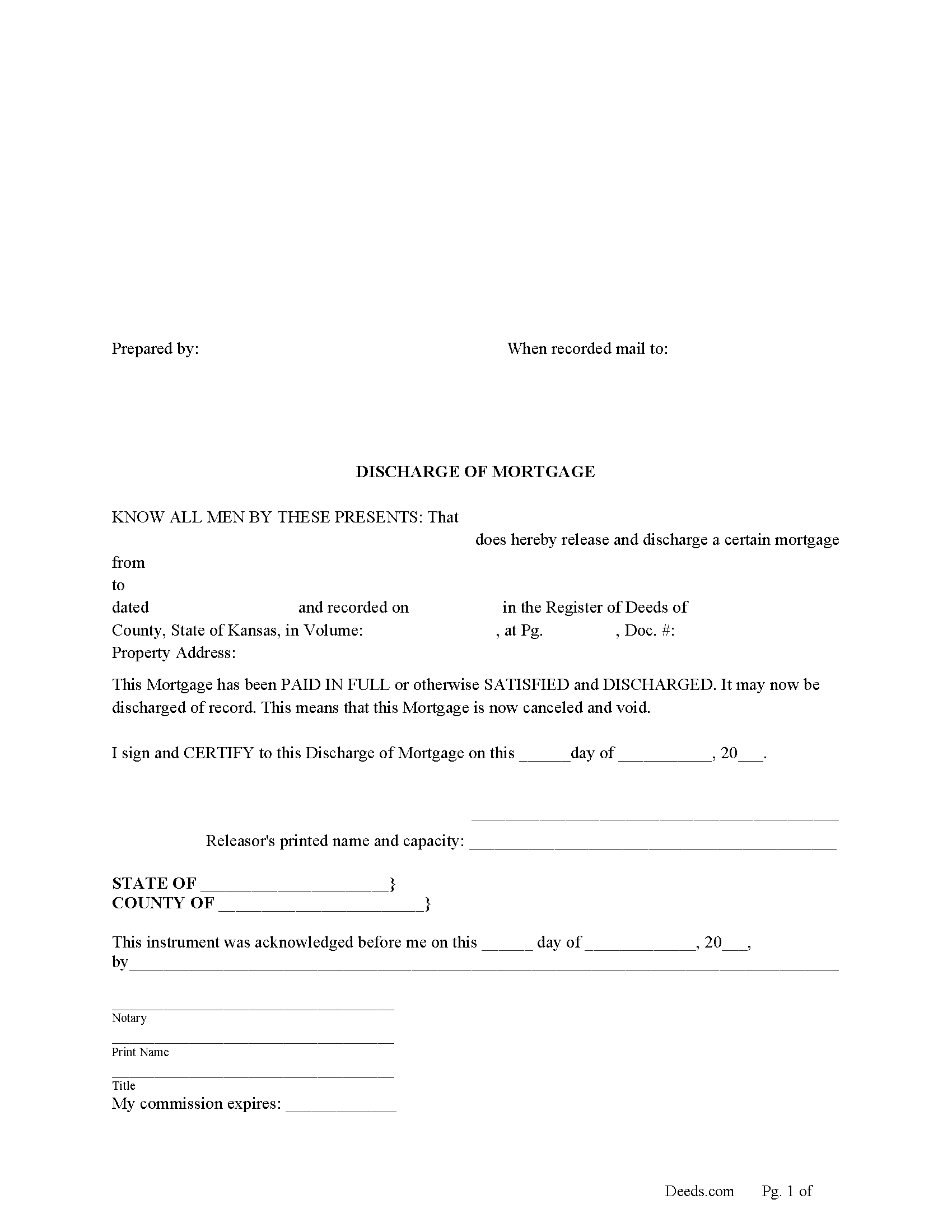
Johnson County Discharge of Mortgage Form
Fill in the blank form formatted to comply with all recording and content requirements.
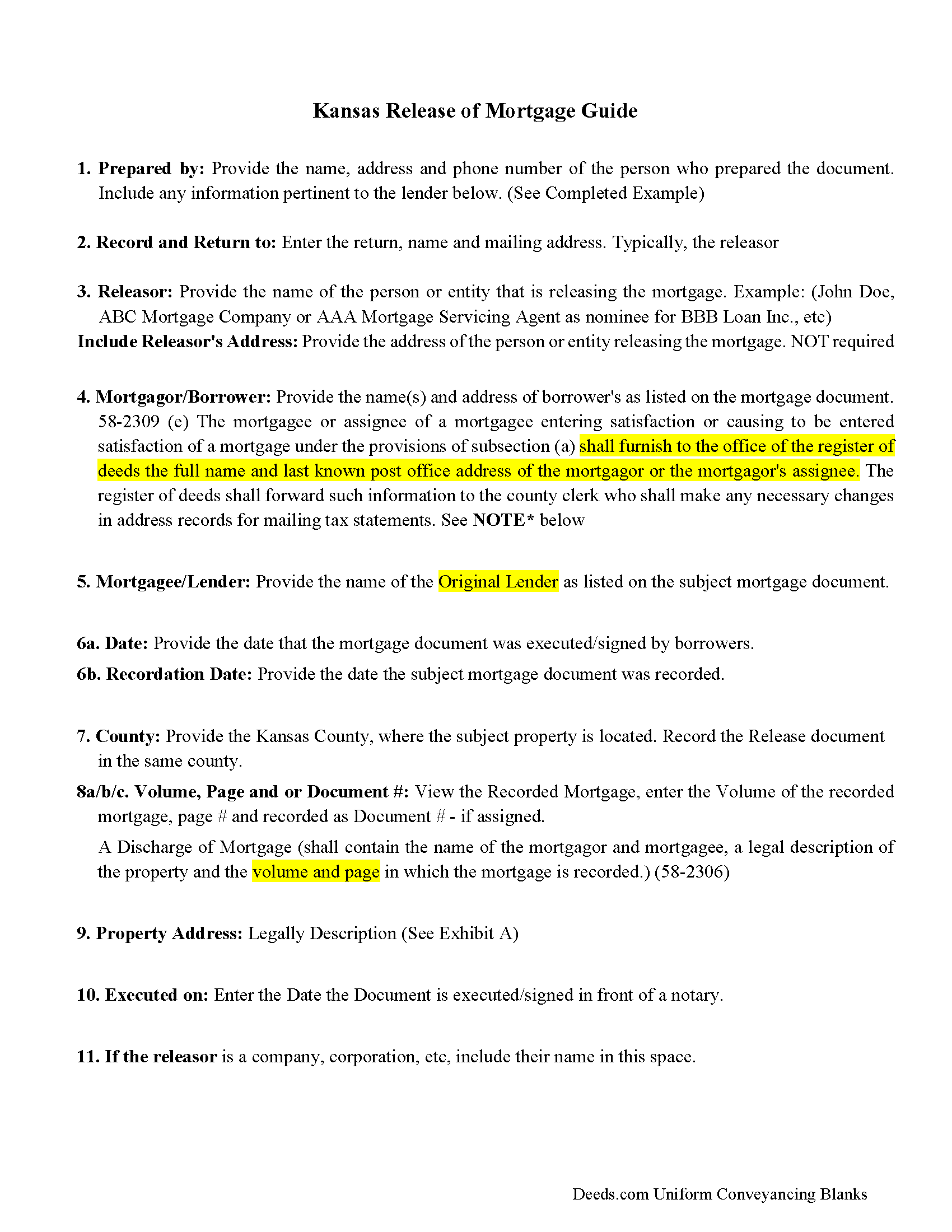
Johnson County Discharge of Mortgage Guidelines
Line by line guide explaining every blank on the form
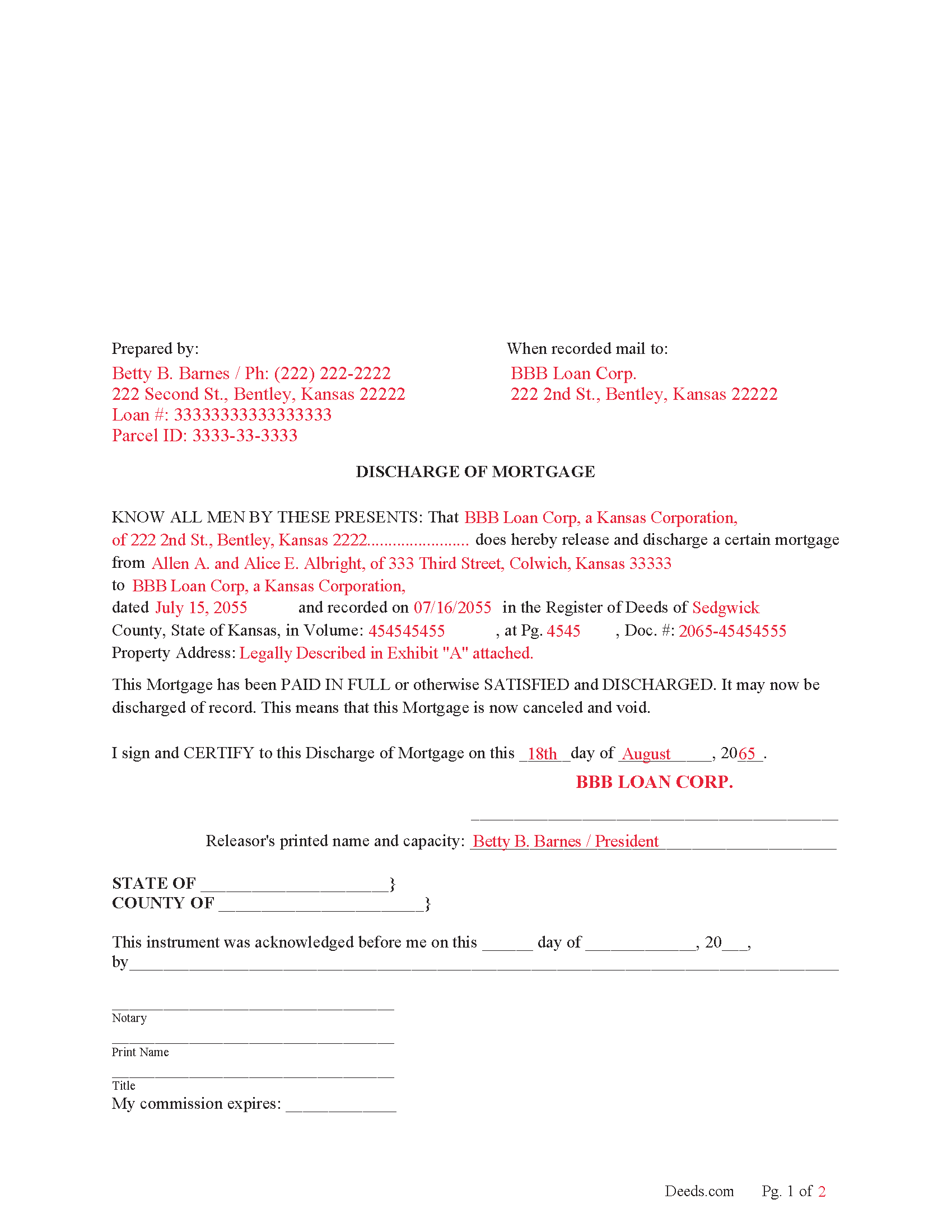
Johnson County Completed Example of the Discharge of Mortgage Document
Example of a properly completed form for reference.
All 3 documents above included • One-time purchase • No recurring fees
Immediate Download • Secure Checkout
Additional Kansas and Johnson County documents included at no extra charge:
Where to Record Your Documents
Records and Tax Administration
Olathe, Kansas 66061
Hours: 8:00am-5:00pm M-F
Phone: (913) 715-0775
Recording Tips for Johnson County:
- Bring your driver's license or state-issued photo ID
- Ensure all signatures are in blue or black ink
- Ask for certified copies if you need them for other transactions
- Ask if they accept credit cards - many offices are cash/check only
- Check that your notary's commission hasn't expired
Cities and Jurisdictions in Johnson County
Properties in any of these areas use Johnson County forms:
- Clearview City
- De Soto
- Edgerton
- Gardner
- Leawood
- Lenexa
- Mission
- New Century
- Olathe
- Overland Park
- Prairie Village
- Shawnee
- Shawnee Mission
- Spring Hill
- Stilwell
Hours, fees, requirements, and more for Johnson County
How do I get my forms?
Forms are available for immediate download after payment. The Johnson County forms will be in your account ready to download to your computer. An account is created for you during checkout if you don't have one. Forms are NOT emailed.
Are these forms guaranteed to be recordable in Johnson County?
Yes. Our form blanks are guaranteed to meet or exceed the applicable formatting requirements used for recording in Johnson County, including margin requirements, font requirements, and other layout standards. This guarantee applies to formatting, not to the legal sufficiency of information entered by the user or the suitability of a form for a particular transaction.
Can I reuse these forms?
Yes. You can reuse the forms for your personal use. For example, if you have multiple properties in Johnson County you only need to order once.
What do I need to use these forms?
The forms are PDFs that you fill out on your computer. The free Adobe Acrobat Reader is recommended, and most PDF apps also work. You do NOT enter your property information online - you download the blank forms and complete them privately on your own computer.
Are there any recurring fees?
No. This is a one-time purchase. Nothing to cancel, no memberships, no recurring fees.
How much does it cost to record in Johnson County?
Recording fees in Johnson County vary. Contact the recorder's office at (913) 715-0775 for current fees.
Questions answered? Let's get started!
It is the duty of the mortgagee/lender or assignee of mortgage to perform an entry of satisfaction, (When the indebtedness secured by a recorded mortgage is paid and there is no agreement for the making of future advances to be secured by the mortgage, the mortgagee or the mortgagee's assignee shall enter satisfaction or cause satisfaction of such mortgage to be entered of record forthwith, paying the required fee.) (58-2309a)
A mortgagee/lender generally has 20 days in which to record a discharge once notified, (damages to the person for whom the demand was made in the sum of $500, together with a reasonable attorney's fee for preparing and prosecuting the action. The plaintiff in such action may recover any additional damages that the evidence in the case warrants. Civil actions may be brought under this act before any court of competent jurisdiction, and attachments may be had as in other cases.) (58-2309(d))
(Kansas Discharge of Mortgage Package includes form, guidelines, and completed example) For use in Kansas only.
Important: Your property must be located in Johnson County to use these forms. Documents should be recorded at the county recording office listed above.
This Discharge of Mortgage meets all recording requirements specific to Johnson County.
Our Promise
The documents you receive here are guaranteed to meet or exceed the applicable Johnson County recording format requirements. If there is a rejection caused by our formatting, we will correct the issue or refund your payment. This guarantee applies to document formatting only and does not extend to information entered by the user, the selection of the form, or the legal effect of the completed document.
Save Time and Money
Get your Johnson County Discharge of Mortgage form done right the first time with Deeds.com Uniform Conveyancing Blanks. At Deeds.com, we understand that your time and money are valuable resources, and we don't want you to face a penalty fee or rejection imposed by a county recorder for submitting nonstandard documents. We constantly review and update our forms to meet rapidly changing state and county recording requirements for roughly 3,500 counties and local jurisdictions.
4.8 out of 5 - ( 4,845 Reviews )
David W. 5 out of 5 stars
Outstanding. I will definitely recommend your company.
We appreciate your business and value your feedback. Thank you. Have a wonderful day!
Sheila P. 5 out of 5 stars
My first time using Deeds.com. Loved the process. It was quick, easy and Deeds.com provided timely responses. Definitely appreciate not having to make a trip to the recorder of deeds.
Thank you for your feedback. We really appreciate it. Have a great day!
Lisa B. 5 out of 5 stars
Very helpful and fast.
Thank you!
Mary S. 5 out of 5 stars
Wonderful!! So easy to locate the file you need and printing is a snap!! Thank you so much for this service! I will definitely be sharing your site!!
We appreciate your business and value your feedback. Thank you. Have a wonderful day!
virginia a. 4 out of 5 stars
Thank you for the prompt instructions on the download and installation. The only problem I had was trying to input data into the form once I renamed the form.and saved it. I was unable to change the size of the font and was very frustrated. In the end I finally had to redo the entire form through Word using your format.
Thank you!
john t. 5 out of 5 stars
it worked well and printed out well.
Thank you!
Jeffery H. 5 out of 5 stars
Very easy to use. Thanks for your quick response on my document submissions and follow up and guidance on specific questions.
Thank you for your positive words! We’re thrilled to hear about your experience.
Bohdan F. 5 out of 5 stars
Quick, efficient and the instructions were clear. Thank you
Thank you!
Carol K. 1 out of 5 stars
was expecting a one page Grant Deed not what I received.
Hi Carol, thank you for your feedback. A properly prepared California Grant Deed often runs more than one page. California requires specific recording formatting, a documentary transfer tax declaration, room for the full legal description, and the state’s mandatory notary acknowledgment wording, which is typically on its own page. Our form is built to meet those requirements so it is accepted for recording.
Anne H. 5 out of 5 stars
After some initial general confusion -- (we sold a small piece of land privately and therefore do not typically prepare such documentation (!)) -- we were able to purchase and download all forms from Deeds.com and understand how to complete it/them. The help is all there, we just needed to read and study it - the "Example" helped alot. We were able to complete the Document per your online form(s) and then take it to be signed/notarized - and take the completed paper document to the Registry -- and it is now all registered and we are All Set. Took the morning (only). THANK YOU. A wonderful tool!!
We appreciate your business and value your feedback. Thank you. Have a wonderful day!
Jeffrey W. 5 out of 5 stars
One of the most user-friendly services I have used. HIGHLY reccomended.
Thank you!
Missie R. 5 out of 5 stars
Very fast and professionally handled.
Thank you!
Kim P. 5 out of 5 stars
I want to thank you so much. You made a stressful process easy. The customer service was amazing. There is no doubt I will use your service again.
Thank you!
Edward B. 5 out of 5 stars
I was looking for a certain form I needed. Deeds.com had the necessary form and I was able to purchase it with little effort on my part. This was a good customer experience.
We appreciate your business and value your feedback. Thank you. Have a wonderful day!
Dorien C. 5 out of 5 stars
Easy to use, thank you.
Thank you!