Osborne County Release of Assignment of Leases and Rents Form
Last validated November 4, 2026 by our Forms Development TeamFormatted for recording in Osborne County, for property anywhere in the county: rural and unincorporated areas as well as Alton, Downs, Natoma, Osborne, Portis.
- 3 documents included
- Immediate PDF download
- Formatting guarantee
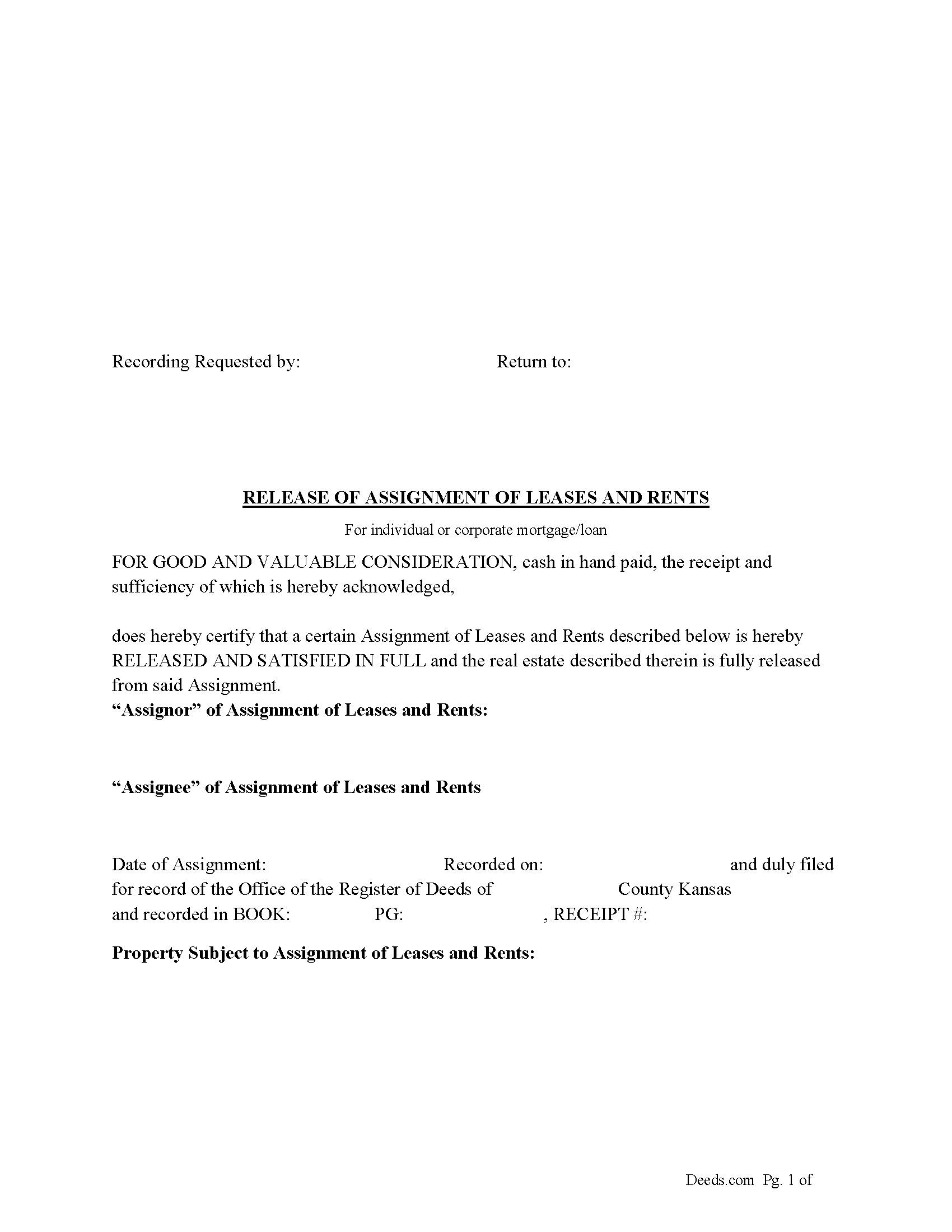
Osborne County Release of Assignment of Leases and Rents Form
Fill in the blank form formatted to comply with all recording and content requirements.
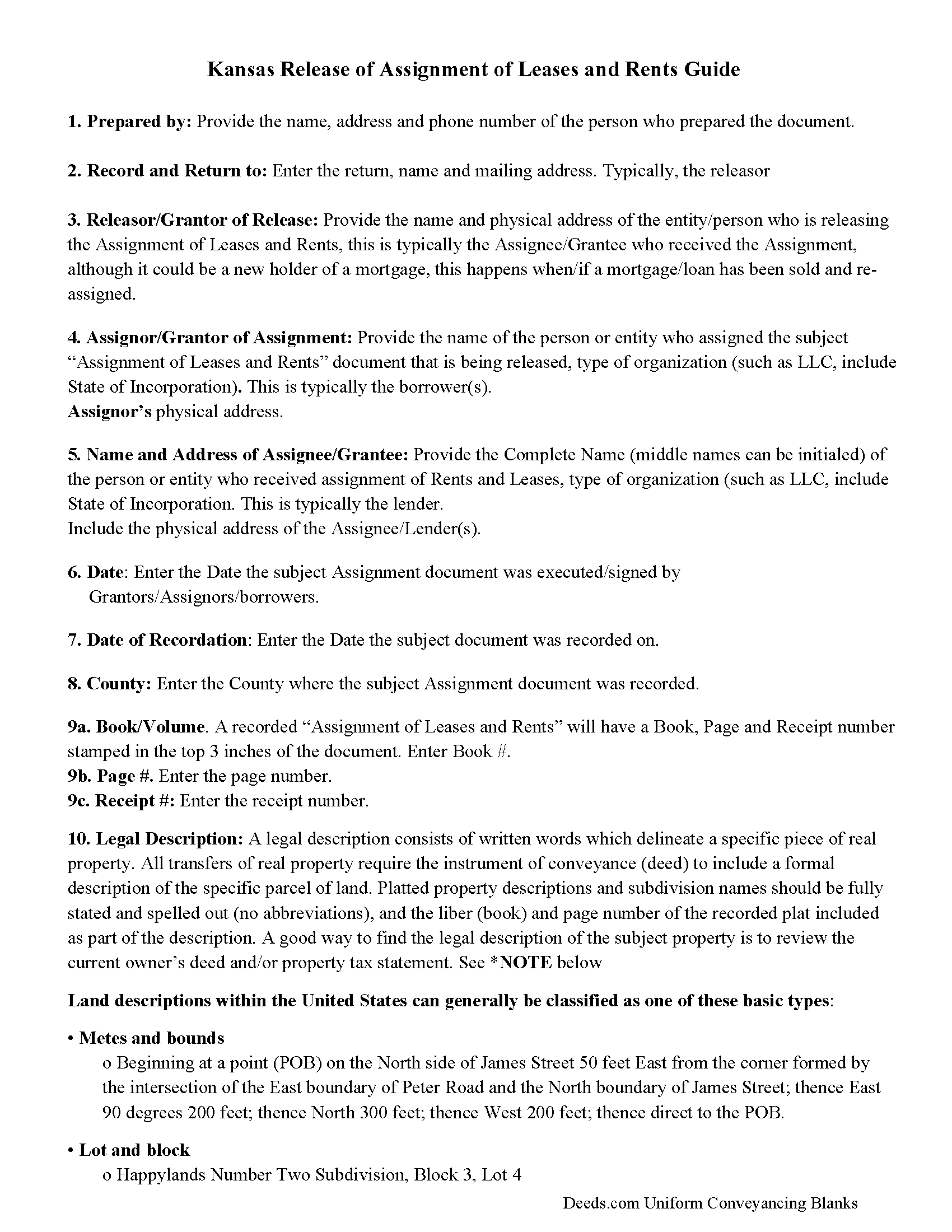
Osborne County Release of Assignment of Leases and Rents Guide
Line by line guide explaining every blank on the Release of Assignment of Leases and Rents form.
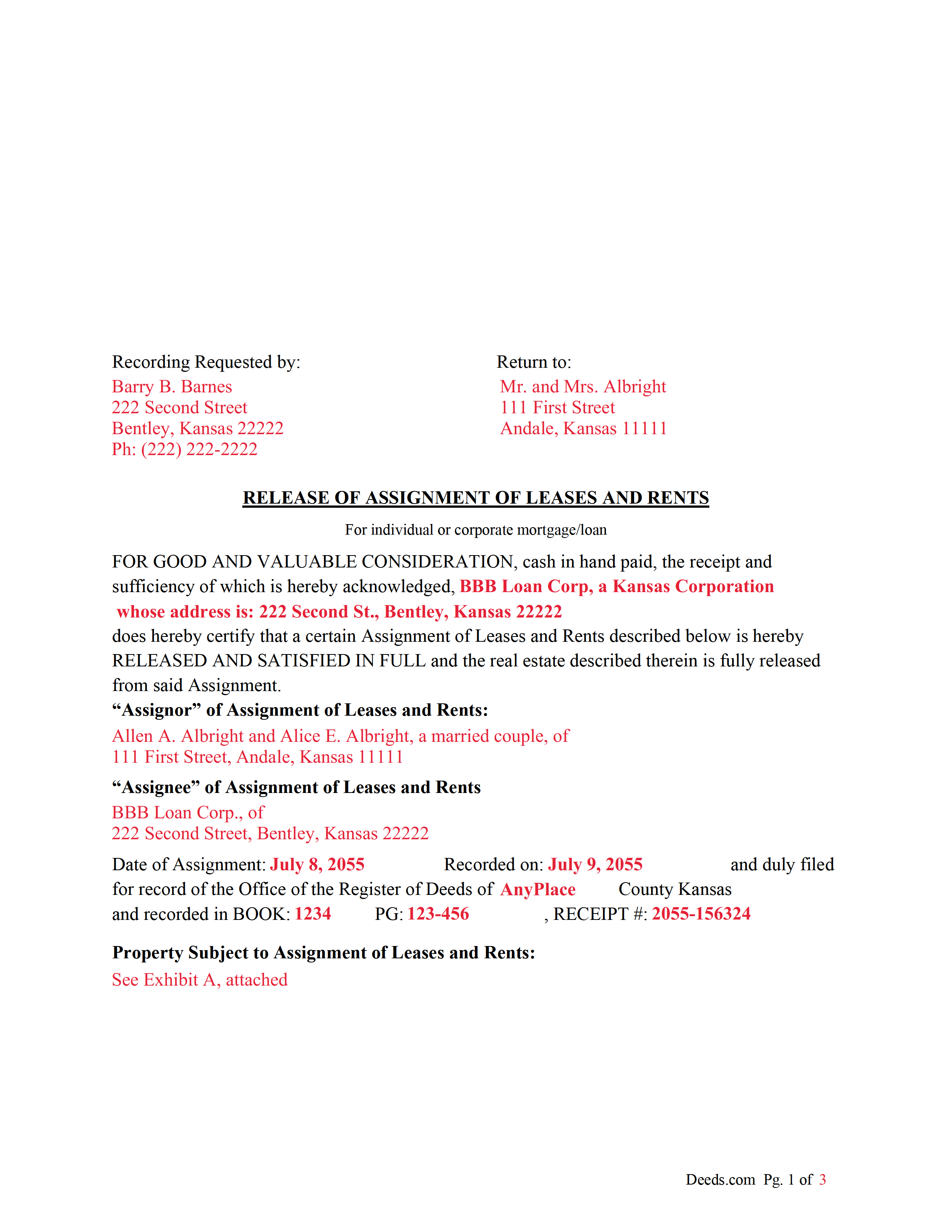
Osborne County Completed Example of the Release Document
Example of a properly completed form for reference.
All 3 documents above included • One-time purchase • No recurring fees
Immediate Download • Secure Checkout
Additional Kansas and Osborne County documents included at no extra charge:
Where to Record Your Documents
Osborne County Register of Deeds
Osborne, Kansas 67473
Hours: 8:30 to 12:00 & 1:00 to 5:00 M-F
Phone: (785) 346-2452
Recording Tips for Osborne County:
- Bring your driver's license or state-issued photo ID
- Ensure all signatures are in blue or black ink
- Leave recording info boxes blank - the office fills these
- Make copies of your documents before recording - keep originals safe
- Recorded documents become public record - avoid including SSNs
Cities and Jurisdictions in Osborne County
Properties in any of these areas use Osborne County forms:
- Alton
- Downs
- Natoma
- Osborne
- Portis
Hours, fees, requirements, and more for Osborne County
How do I get my forms?
Forms are available for immediate download after payment. The Osborne County forms will be in your account ready to download to your computer. An account is created for you during checkout if you don't have one. Forms are NOT emailed.
Are these forms guaranteed to be recordable in Osborne County?
Yes. Our form blanks are guaranteed to meet or exceed the applicable formatting requirements used for recording in Osborne County, including margin requirements, font requirements, and other layout standards. This guarantee applies to formatting, not to the legal sufficiency of information entered by the user or the suitability of a form for a particular transaction.
Can I reuse these forms?
Yes. You can reuse the forms for your personal use. For example, if you have multiple properties in Osborne County you only need to order once.
What do I need to use these forms?
The forms are PDFs that you fill out on your computer. The free Adobe Acrobat Reader is recommended, and most PDF apps also work. You do NOT enter your property information online - you download the blank forms and complete them privately on your own computer.
Are there any recurring fees?
No. This is a one-time purchase. Nothing to cancel, no memberships, no recurring fees.
How much does it cost to record in Osborne County?
Recording fees in Osborne County vary. Contact the recorder's office at (785) 346-2452 for current fees.
Questions answered? Let's get started!
The "Release of Assignment of Leases and Rents" is a legal document used to relinquish the interest of the assignee in the rents and leases of a property, often when the associated loan or mortgage is fully paid off. In the context of Kansas real estate, the document would typically include:
Title: Clearly stated as "Release of Assignment of Leases and Rents" to indicate its purpose.
Introductory Clause: Identifying the document as a release to an earlier "Assignment of Leases and Rents," referencing the original document by date and possibly by the book and page number where it was recorded.
Identification of Parties: Names and addresses of the assignor (the current holder of the mortgage or beneficiary) and the assignee (the party to whom the rents and leases were originally assigned).
Description of Real Estate: Legal description of the property in question, which may include the street address, legal description used in public records, and any identifying parcel numbers.
Declaration of Satisfaction: A statement that the mortgage or obligation which prompted the assignment of rents and leases has been fully satisfied or paid in full.
Execution by Holder: Signature of the mortgage holder or their authorized representative, asserting that the condition for the assignment has been fulfilled.
Notarization: A notary public's acknowledgment that the holder signed the release, including the date and the notary's official seal.
State Statutes: The document might reference specific Kansas statutes that govern the release of mortgage and assignments, such as Kansas Statutes Annotated (K.S.A.) Section 58-2309 which requires that a mortgagee must promptly file a release of mortgage upon the satisfaction of the mortgage.
Filing Information: Instructions for filing the release with the appropriate county's Register of Deeds in Kansas to ensure that it becomes a part of the public record.
The actual format and content may vary depending on the specific requirements of the county in Kansas where the property is located, as well as any specific terms that were part of the original loan or mortgage agreement. It is important to consult with a legal professional to ensure that the release complies with all applicable laws and fulfills the necessary legal formalities.
(Kansas Release of Assignment of Leases and Rents Package includes form, guidelines, and completed example)
Important: Your property must be located in Osborne County to use these forms. Documents should be recorded at the county recording office listed above.
This Release of Assignment of Leases and Rents meets all recording requirements specific to Osborne County.
Our Promise
The documents you receive here are guaranteed to meet or exceed the applicable Osborne County recording format requirements. If there is a rejection caused by our formatting, we will correct the issue or refund your payment. This guarantee applies to document formatting only and does not extend to information entered by the user, the selection of the form, or the legal effect of the completed document.
Save Time and Money
Get your Osborne County Release of Assignment of Leases and Rents form done right the first time with Deeds.com Uniform Conveyancing Blanks. At Deeds.com, we understand that your time and money are valuable resources, and we don't want you to face a penalty fee or rejection imposed by a county recorder for submitting nonstandard documents. We constantly review and update our forms to meet rapidly changing state and county recording requirements for roughly 3,500 counties and local jurisdictions.
4.8 out of 5 - ( 4,863 Reviews )
Dorothy O. 5 out of 5 stars
This would be a great form but I couldn’t tell what size the font was. Also, I didn’t know how to save it so I will have to type it all over again. I’m sure I did it incorrectly.
Your feedback is a crucial part of our dedication to ongoing improvement. Thank you for your insightful comments.
Renu A. 5 out of 5 stars
The service was very reliable and they even helped with filling out the paperwork properly. Very quick turn around and efficient!
Thank you!
Aaron L. 2 out of 5 stars
Might be adequate if I was desperate. Formatting screams amateur hour -- not a legal issue but likely to invite closer scrutiny when filed. Instructions were supposed to be county-specific but directed me to call the recorder to ask them how to fill out part of the form. Not planning to use the form and would not purchase it again. I could probably do better by uploading some examples and the original mortgage from the Recorder's website into Claude along with the transaction-specific information and asking Claude to prepare a more professional release.
Aaron, we’re sorry the form and instructions did not meet your expectations. Your order has been canceled and your payment refunded. We appreciate your feedback and wish you the best with preparing the release in the way that works best for your situation.
Frank H. 4 out of 5 stars
Form and instructions were useful. But I suggest creating a form for transferring a deed pursuant to a trust. The existing form is based on a will going through probate so it doesn't fit the trust situation in some respects.
Thank you for your feedback. We really appreciate it. Have a great day!
A. S. 3 out of 5 stars
First, I am glad that you gave a blank copy, an example copy, and a 'guide'. It made it much easier to do. Overall I was very happy with your products and organization... however, things got pretty confusing and I have a pretty 'serious' law background in Real Estate and Civil law. With that said, I spent about 10+ hours getting my work done, using the Deed of Trust and Promissory note from you and there were a few problems: First, it would be FANTASTIC if you actually aligned your guide to actually match the Deed or Promissory Note. What I mean is that if the Deed says 'section (E)' then your guide shouldn't be 'randomly' numbered as 1,2,3, for advice/instructions, but should EXACTLY match 'section (E)'. Some places you have to 'hunt' for what you are looking for, and if you did it based on my suggestion, you wouldn't need to 'hunt' and it would avoid confusion. 2nd: This one really 'hurt'... you had something called the 'Deed of Trust Master Form' yet you had basically no information on what it was or how to use it. The only information you had was a small section at the top of the 'Short Form Deed of Trust Guide'. Holy Cow, was that 'section' super confusing. I still don't know if I did it correctly, but your guide says only put a return address on it and leave the rest of the 16 or so page Deed of Trust beneath it blank... and then include your 'Deed of Trust' (I had to assume the short form deed that I had just created) as part of it. I had to assume that I had to print off the entire 17 page or so title page and blank deed. I also had to assume that the promissory note was supposed to be EXHIBIT A or B on the Short Form Deed. It would be great if someone would take a serious look at that short section in your 'Short Form Deed of Trust Guide' and realize that those of us using your products are seriously turning this into a county clerk to file and that most of us, probably already have a property that has an existing Deed... or at least can find one in the county records if necessary... and make sure that you make a distinction between the Deed for the property that already exists, versus the Deed of Trust and Promissory note that we are trying to file. Thanks.
Thank you for your feedback. We'll have staff review the document for clarity. Have a great day!
Rhonda H. 5 out of 5 stars
Love the names on the example! thanks for the smiles!
Thank you for your feedback. We really appreciate it. Have a great day!
Christopher S. 5 out of 5 stars
very easy to use, and comprehensive...I like the e-recording package
We are grateful for your feedback and looking forward to serving you again. Thank you!
Burr A. 5 out of 5 stars
So far so good. Prompt and responsive. Thank you.
Thank you!
Craig H. 5 out of 5 stars
Worked exactly like it was supposed to. No glitches
Thank you for your feedback. We really appreciate it. Have a great day!
Vertina B. 5 out of 5 stars
The website is well established and easy to use. I got everything I was supposed to get. I had no problem downloading the forms. All of the forms printed well.
We appreciate your business and value your feedback. Thank you. Have a wonderful day!
Erik J. 5 out of 5 stars
First time using Deeds.com and feel that your platform is clear and easy to use. I was also pleased with the messaging center and follow-up and also surprised at how quickly our particular deed was recorded and available to view. Having said that, when I first investigated Deeds.com the fee was $15 and as of 1/1/21 it has increased to $19 which I feel is pretty steep for the handling of 1 simple document especially when the turnaround was basically the same day. Your fee was nearly the equivalent of the cost of the Clerk's recording fee. Perhaps you should offer a fee schedule for those of us who are not volume recorders. Just a thought.
Thank you!
Allan S. 5 out of 5 stars
Using this sofftware was a piece of cake! Donload was fast and simple. Using the guide supplied I did the Beneficiary Deed in no time. Would certainly use this service again without hesitation.
Your feedback is greatly appreciated. Thank you for taking the time to share your experience!
Cheryl W. 5 out of 5 stars
Have yet to use. Appears over whelming, we will see.
Thank you for your feedback. We really appreciate it. Have a great day!
LAWRENCE S. 5 out of 5 stars
I am mostly satisfied with my Deeds.Com experience. Not sure if you can do anything about this, but since it is fairly common, I thought the Quit Claim Form would have a section specifically for adding spouse to a deed.
Thank you for your feedback. We really appreciate it. Have a great day!
Audra W. 5 out of 5 stars
Excellent source for obtaining documents and instructions.
Thank you!