Casey County Certificate of Trust Form
Last validated October 1, 2026 by our Forms Development TeamFormatted for recording in Casey County, for property anywhere in the county: rural and unincorporated areas as well as Bethelridge, Dunnville, Liberty, Middleburg, Windsor, Yosemite.
- 3 documents included
- Immediate PDF download
- Formatting guarantee
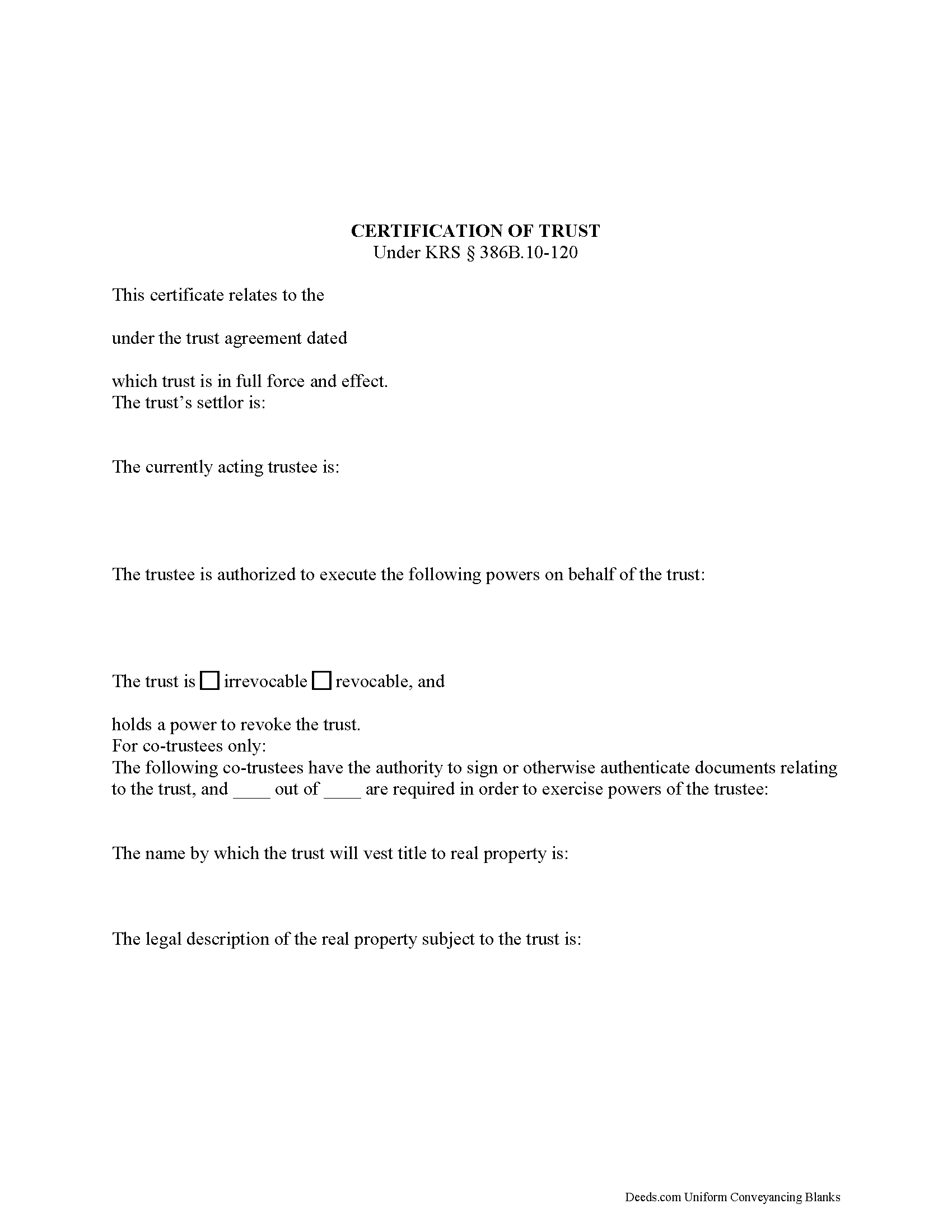
Casey County Certificate of Trust Form
Fill in the blank form formatted to comply with all recording and content requirements.
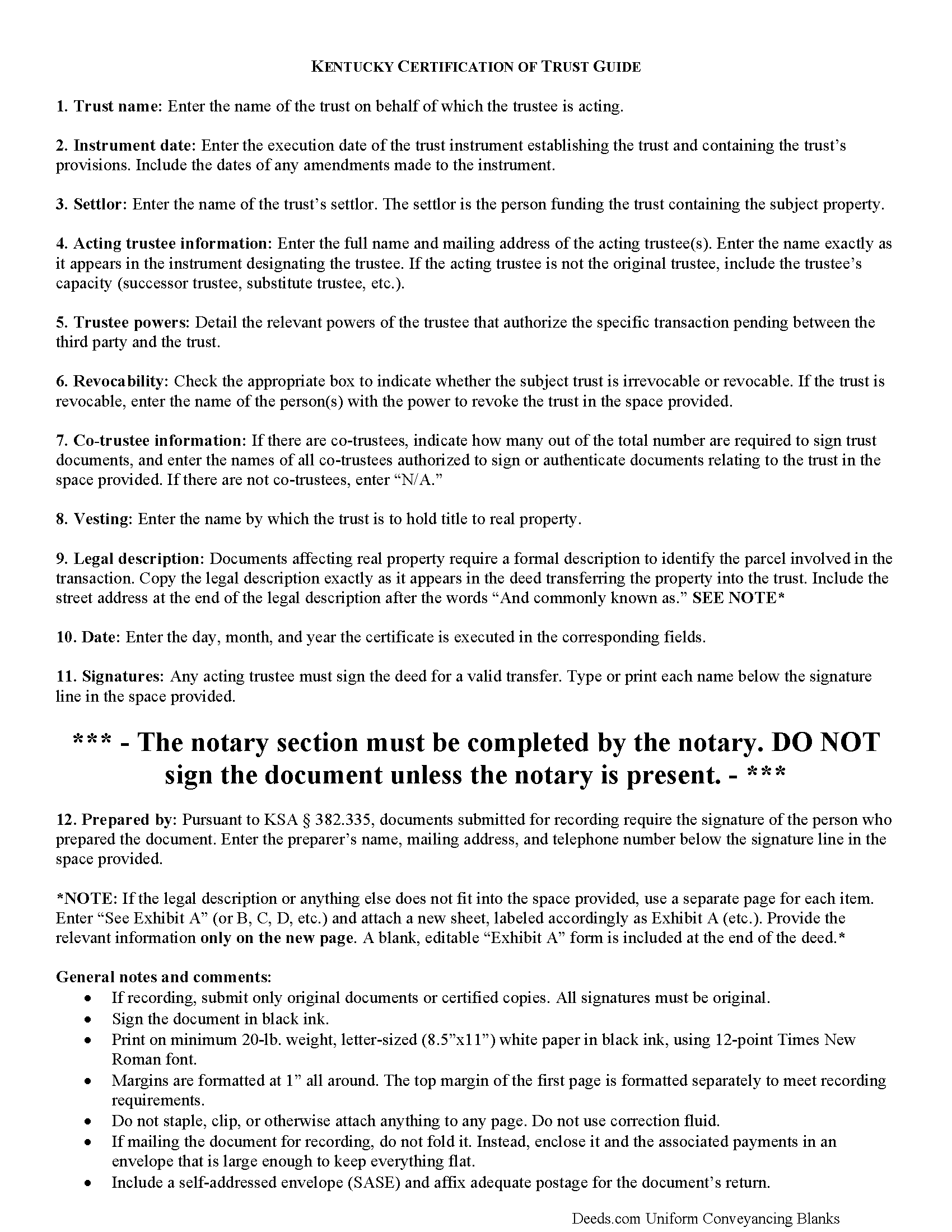
Casey County Certificate of Trust Guide
Line by line guide explaining every blank on the form.
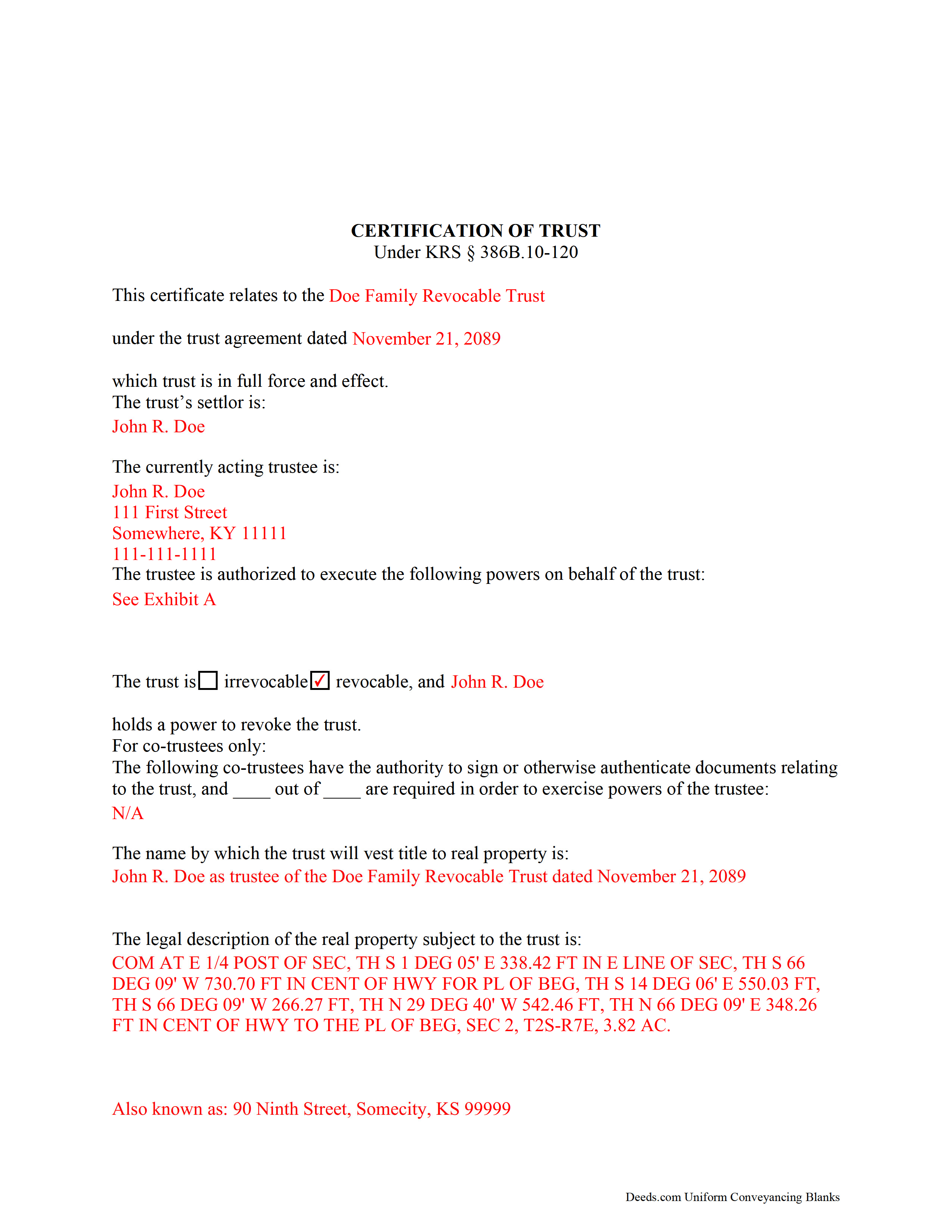
Casey County Completed Example of the Certificate of Trust Document
Example of a properly completed form for reference.
All 3 documents above included • One-time purchase • No recurring fees
Immediate Download • Secure Checkout
Additional Kentucky and Casey County documents included at no extra charge:
Where to Record Your Documents
Casey County Clerk
Liberty, Kentucky 42539
Hours: 8:00 to 4:00 Monday through Friday
Phone: (606) 787-6471
Recording Tips for Casey County:
- Bring your driver's license or state-issued photo ID
- Ensure all signatures are in blue or black ink
- Ask for certified copies if you need them for other transactions
- Ask if they accept credit cards - many offices are cash/check only
- Check that your notary's commission hasn't expired
Cities and Jurisdictions in Casey County
Properties in any of these areas use Casey County forms:
- Bethelridge
- Dunnville
- Liberty
- Middleburg
- Windsor
- Yosemite
Hours, fees, requirements, and more for Casey County
How do I get my forms?
Forms are available for immediate download after payment. The Casey County forms will be in your account ready to download to your computer. An account is created for you during checkout if you don't have one. Forms are NOT emailed.
Are these forms guaranteed to be recordable in Casey County?
Yes. Our form blanks are guaranteed to meet or exceed the applicable formatting requirements used for recording in Casey County, including margin requirements, font requirements, and other layout standards. This guarantee applies to formatting, not to the legal sufficiency of information entered by the user or the suitability of a form for a particular transaction.
Can I reuse these forms?
Yes. You can reuse the forms for your personal use. For example, if you have multiple properties in Casey County you only need to order once.
What do I need to use these forms?
The forms are PDFs that you fill out on your computer. The free Adobe Acrobat Reader is recommended, and most PDF apps also work. You do NOT enter your property information online - you download the blank forms and complete them privately on your own computer.
Are there any recurring fees?
No. This is a one-time purchase. Nothing to cancel, no memberships, no recurring fees.
How much does it cost to record in Casey County?
Recording fees in Casey County vary. Contact the recorder's office at (606) 787-6471 for current fees.
Questions answered? Let's get started!
Codified under the Kentucky Uniform Trust Code at KSA 386B.10-120, the certification of trust is a document containing the relevant details of a trust and certifying a trustee's authority to act on behalf of a trust.
(Note: this certificate of trust is separate from the certificate of trust for business trusts under 386A.2-010 of the Kentucky Uniform Statutory Trust Act.)
A trustee can furnish the certification of trust instead of providing the entire trust instrument, as it "need not contain the dispositive terms of a trust" (KSA 386B.10-120(4)). In this way, the trustee can keep information irrelevant to the transaction, specifically the identities of trust beneficiaries, private.
A certificate of trust requires the name and date of the trust, along with the settlor's name. The settlor is the person who created the trust and is funding the trust with assets. In addition, the certificate identifies the currently acting trustee. The trustee is the fiduciary in charge of administering the trust.
In addition, the document details the powers of the trustee concerning the transaction at hand. For example, the certification of trust is commonly used in conjunction with a deed executed by a trustee, so the trustee's power to convey property is often cited, with reference to the article or section of the trust instrument where the power is conferred. Recipients of a certificate can request excerpts from the trust instrument that designate the trustee and authorize the power to act in the pending transaction (KSA 386B.10-120(5)).
The certificate states whether the trust is irrevocable or revocable, and the identity of anyone with the power to revoke the trust, if applicable. If there are co-trustees, the document names the trustees authorized to sign trust documents and whether all or fewer than all are needed to carry out the trustee's powers. The certificate also gives the full name by which the trust will vest real property.
Since the document affects real property, a certificate should include the legal description of the subject property or properties. Pursuant to KSA 386B.10-120(2), any trustee can sign a certification of trust in the presence of a notary public. Certifications may be recorded as a supplemental document in the county in which the real property is located.
Finally, the certificate requires a statement that the trust referred to within "has not been revoked, modified, or amended" so as to cause the statements within to be incorrect (KSA 386B.10-120(3)). Recipients may rely on the representations within the certification as factual (KSA 386B.10-120(6)). They may request the trust instrument in addition to the excerpts mentioned above, but doing so opens them to certain liabilities under KSA 386B.10-120(8).
Consult a lawyer for guidance, as trust law can quickly become complicated.
(Kentucky COT Package includes form, guidelines, and completed example)
Important: Your property must be located in Casey County to use these forms. Documents should be recorded at the county recording office listed above.
This Certificate of Trust meets all recording requirements specific to Casey County.
Our Promise
The documents you receive here are guaranteed to meet or exceed the applicable Casey County recording format requirements. If there is a rejection caused by our formatting, we will correct the issue or refund your payment. This guarantee applies to document formatting only and does not extend to information entered by the user, the selection of the form, or the legal effect of the completed document.
Save Time and Money
Get your Casey County Certificate of Trust form done right the first time with Deeds.com Uniform Conveyancing Blanks. At Deeds.com, we understand that your time and money are valuable resources, and we don't want you to face a penalty fee or rejection imposed by a county recorder for submitting nonstandard documents. We constantly review and update our forms to meet rapidly changing state and county recording requirements for roughly 3,500 counties and local jurisdictions.
4.8 out of 5 - ( 4,829 Reviews )
Barbara M. 5 out of 5 stars
We love this service - so easy to use and quick. It is the second time we have used Deeds.com, in two different states. Wonderful service!
Thank you for your feedback. We really appreciate it. Have a great day!
Connie G. 4 out of 5 stars
This product makes it so much easier to understand and file forms that you might have to pay an attorney to do. All Counties have their own way of submitting forms and with Deeds you have the correct format.
Thank you for your feedback. We really appreciate it. Have a great day!
Delba O. 5 out of 5 stars
This was the easiest process ever. Thank you for making this so easy. No hassle, just upload your docs, pay the invoice and done. It didn't even take 2 business days to get my deed recorded. If I ever need to record anything I will definitely use your services again.
We appreciate your business and value your feedback. Thank you. Have a wonderful day!
Richelle B. 5 out of 5 stars
Thanks!
Thank you!
Gillian G. 5 out of 5 stars
Looks good and provides lots of instruction.
Thank you!
Patricia M. 5 out of 5 stars
Very easy site to navigate and very helpful information
We appreciate your business and value your feedback. Thank you. Have a wonderful day!
Sheila P. 5 out of 5 stars
My first time using Deeds.com. Loved the process. It was quick, easy and Deeds.com provided timely responses. Definitely appreciate not having to make a trip to the recorder of deeds.
Thank you for your feedback. We really appreciate it. Have a great day!
Jeffrey T. 5 out of 5 stars
First Time User here. Simple and easy. Delivered Deed in excellent time. Sure beats going to the recorder's office.
Thank you for your feedback. We really appreciate it. Have a great day!
Martin P. 4 out of 5 stars
The DEEDs website is very easy to navigate and find the required documents. I have not yet had an opportunity to review the documents I purchased and downloaded. That is the reason I have assigned a rating of four stars. I fully hope that can raise my rating to five stars after I've used those documents.
We appreciate your business and value your feedback. Thank you. Have a wonderful day!
Carolyn D. 5 out of 5 stars
The sight provided exactly what I needed and was easy to use. I was able to download the type of Deed I used and was completely satisfied with the website.
Thank you for your feedback. We really appreciate it. Have a great day!
THEODORE P. 5 out of 5 stars
You were very helpful and patient with me in learning your portal. I now understand your process.
We are thankful for your continued support and feedback, which inspire us to continuously improve. Thank you..
Harry B. 5 out of 5 stars
I received exactly what I was looking for on Deeds.com. Not only that, but this website provided instructions for form completion, and an example of a completed form. I'm certainly glad I chose this website.
Thank you for your feedback. We really appreciate it. Have a great day!
MIchael T. 5 out of 5 stars
very helpful in a trouble free manner.
Thank you!
Suzette H. 5 out of 5 stars
helped clarify how process works Thanks
Thank you!
Veda J. 5 out of 5 stars
Good Work!
Thank you!