Hancock County Certificate of Trust Form
Last validated October 1, 2026 by our Forms Development TeamFormatted for recording in Hancock County, for property anywhere in the county: rural and unincorporated areas as well as Hawesville, Lewisport, Pellville.
- 3 documents included
- Immediate PDF download
- Formatting guarantee
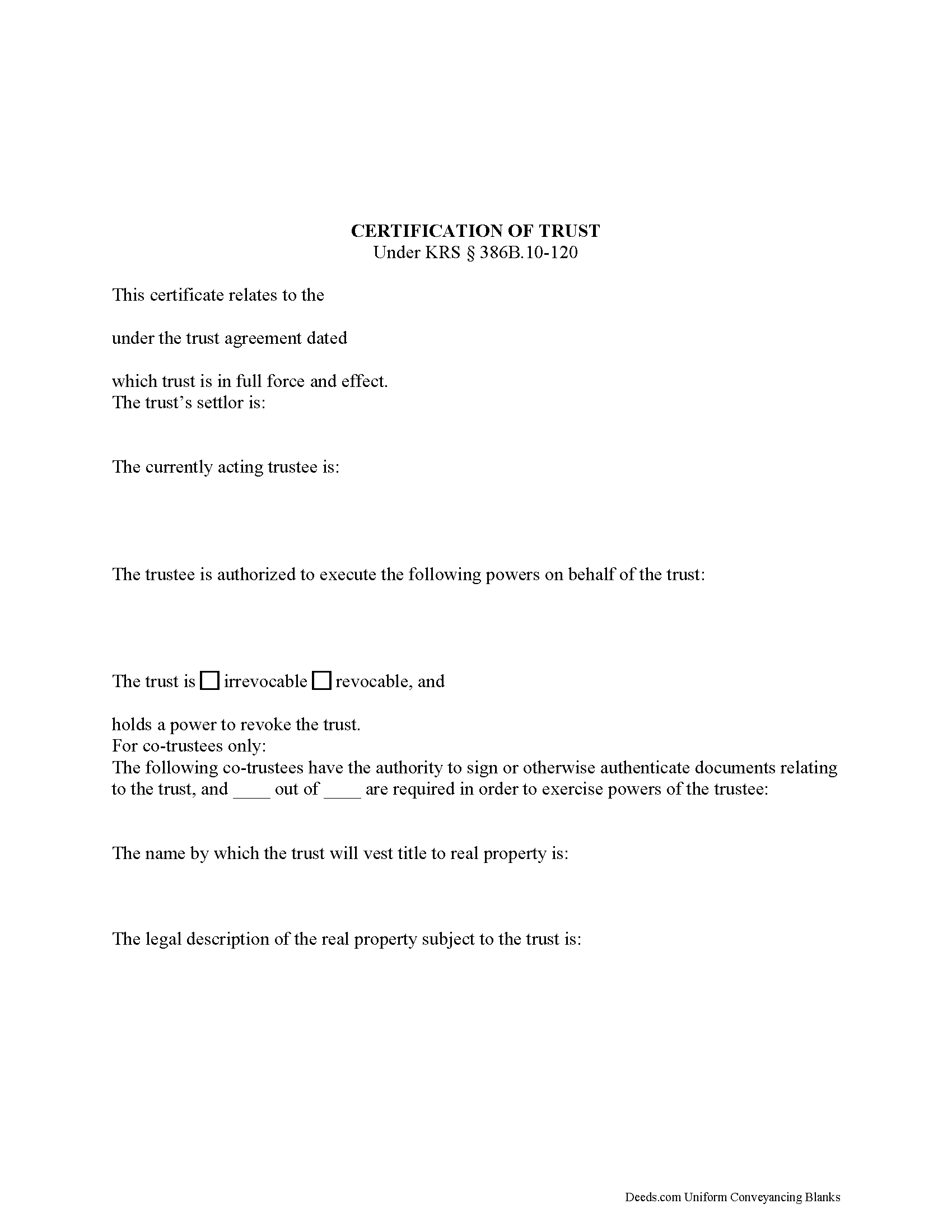
Hancock County Certificate of Trust Form
Fill in the blank form formatted to comply with all recording and content requirements.
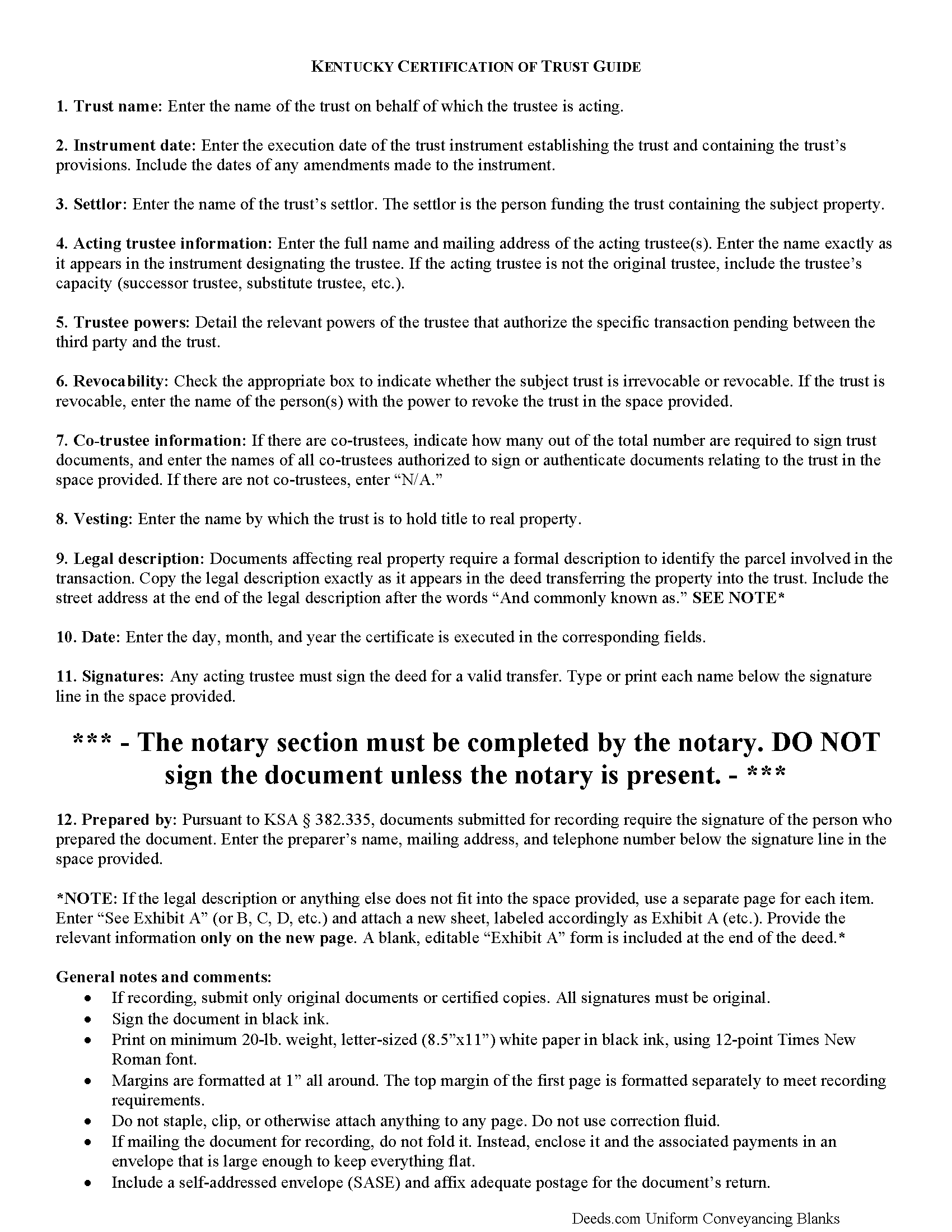
Hancock County Certificate of Trust Guide
Line by line guide explaining every blank on the form.
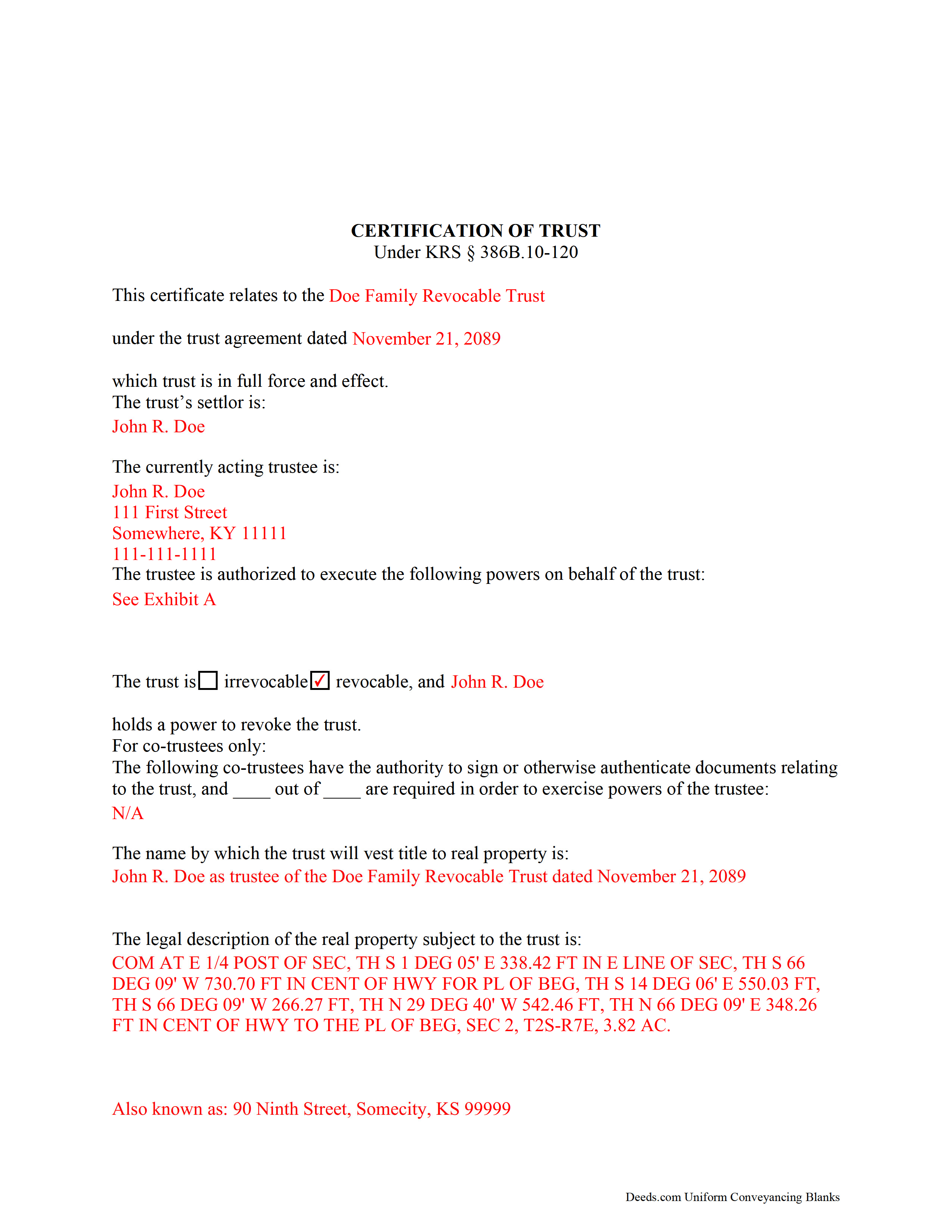
Hancock County Completed Example of the Certificate of Trust Document
Example of a properly completed form for reference.
All 3 documents above included • One-time purchase • No recurring fees
Immediate Download • Secure Checkout
Additional Kentucky and Hancock County documents included at no extra charge:
Where to Record Your Documents
Hancock County Clerk
Hawesville, Kentucky 42348
Hours: 8:00 to 4:00 M-F; Thu until 5:30
Phone: (270) 927-6117
Recording Tips for Hancock County:
- Bring your driver's license or state-issued photo ID
- Ensure all signatures are in blue or black ink
- Ask for certified copies if you need them for other transactions
- Ask if they accept credit cards - many offices are cash/check only
- Check that your notary's commission hasn't expired
Cities and Jurisdictions in Hancock County
Properties in any of these areas use Hancock County forms:
- Hawesville
- Lewisport
- Pellville
Hours, fees, requirements, and more for Hancock County
How do I get my forms?
Forms are available for immediate download after payment. The Hancock County forms will be in your account ready to download to your computer. An account is created for you during checkout if you don't have one. Forms are NOT emailed.
Are these forms guaranteed to be recordable in Hancock County?
Yes. Our form blanks are guaranteed to meet or exceed the applicable formatting requirements used for recording in Hancock County, including margin requirements, font requirements, and other layout standards. This guarantee applies to formatting, not to the legal sufficiency of information entered by the user or the suitability of a form for a particular transaction.
Can I reuse these forms?
Yes. You can reuse the forms for your personal use. For example, if you have multiple properties in Hancock County you only need to order once.
What do I need to use these forms?
The forms are PDFs that you fill out on your computer. The free Adobe Acrobat Reader is recommended, and most PDF apps also work. You do NOT enter your property information online - you download the blank forms and complete them privately on your own computer.
Are there any recurring fees?
No. This is a one-time purchase. Nothing to cancel, no memberships, no recurring fees.
How much does it cost to record in Hancock County?
Recording fees in Hancock County vary. Contact the recorder's office at (270) 927-6117 for current fees.
Questions answered? Let's get started!
Codified under the Kentucky Uniform Trust Code at KSA 386B.10-120, the certification of trust is a document containing the relevant details of a trust and certifying a trustee's authority to act on behalf of a trust.
(Note: this certificate of trust is separate from the certificate of trust for business trusts under 386A.2-010 of the Kentucky Uniform Statutory Trust Act.)
A trustee can furnish the certification of trust instead of providing the entire trust instrument, as it "need not contain the dispositive terms of a trust" (KSA 386B.10-120(4)). In this way, the trustee can keep information irrelevant to the transaction, specifically the identities of trust beneficiaries, private.
A certificate of trust requires the name and date of the trust, along with the settlor's name. The settlor is the person who created the trust and is funding the trust with assets. In addition, the certificate identifies the currently acting trustee. The trustee is the fiduciary in charge of administering the trust.
In addition, the document details the powers of the trustee concerning the transaction at hand. For example, the certification of trust is commonly used in conjunction with a deed executed by a trustee, so the trustee's power to convey property is often cited, with reference to the article or section of the trust instrument where the power is conferred. Recipients of a certificate can request excerpts from the trust instrument that designate the trustee and authorize the power to act in the pending transaction (KSA 386B.10-120(5)).
The certificate states whether the trust is irrevocable or revocable, and the identity of anyone with the power to revoke the trust, if applicable. If there are co-trustees, the document names the trustees authorized to sign trust documents and whether all or fewer than all are needed to carry out the trustee's powers. The certificate also gives the full name by which the trust will vest real property.
Since the document affects real property, a certificate should include the legal description of the subject property or properties. Pursuant to KSA 386B.10-120(2), any trustee can sign a certification of trust in the presence of a notary public. Certifications may be recorded as a supplemental document in the county in which the real property is located.
Finally, the certificate requires a statement that the trust referred to within "has not been revoked, modified, or amended" so as to cause the statements within to be incorrect (KSA 386B.10-120(3)). Recipients may rely on the representations within the certification as factual (KSA 386B.10-120(6)). They may request the trust instrument in addition to the excerpts mentioned above, but doing so opens them to certain liabilities under KSA 386B.10-120(8).
Consult a lawyer for guidance, as trust law can quickly become complicated.
(Kentucky COT Package includes form, guidelines, and completed example)
Important: Your property must be located in Hancock County to use these forms. Documents should be recorded at the county recording office listed above.
This Certificate of Trust meets all recording requirements specific to Hancock County.
Our Promise
The documents you receive here are guaranteed to meet or exceed the applicable Hancock County recording format requirements. If there is a rejection caused by our formatting, we will correct the issue or refund your payment. This guarantee applies to document formatting only and does not extend to information entered by the user, the selection of the form, or the legal effect of the completed document.
Save Time and Money
Get your Hancock County Certificate of Trust form done right the first time with Deeds.com Uniform Conveyancing Blanks. At Deeds.com, we understand that your time and money are valuable resources, and we don't want you to face a penalty fee or rejection imposed by a county recorder for submitting nonstandard documents. We constantly review and update our forms to meet rapidly changing state and county recording requirements for roughly 3,500 counties and local jurisdictions.
4.8 out of 5 - ( 4,839 Reviews )
Mary Z. 5 out of 5 stars
Awesome forms, easy to complete and print.
Thank you!
Rose H. 5 out of 5 stars
I am so glad I found this resource! As the Executor of a family members estate I wanted to save money by bypassing a lawyer as it seemed pretty straight forward to tranfer a Life Estate to the remainderman. (I had original deeds). But talking with 3 different states and 4 different counties - none of which seemed to need the same documents, I was almost ready to dump this in a lawyer's lap. This resource makes it simple!
We appreciate your business and value your feedback. Thank you. Have a wonderful day!
mary c. 5 out of 5 stars
Really good product, included guide to filling out forms. Totally pleased with that part. Customer service however was terrible. Did not hear back after I sent two emails. The site signed me up but after I was accepted they would not allow me to download a form, with the notation my account was closed. Had to use another email. Had problems with that. Finally got off of site and went to a login site that allowed me to download the forms. If you can get past setting up your account, it is fantastic site. Nice price compared to alternatives. Also I recieved two validation codes. Have no idea why they were sent.
Thank you!
Jeanette S. 5 out of 5 stars
Easy to use and instructions were very clear. If possible, it would be nice to be able to download the entire package at one time - it was a little cumbersome to download each item separately. (Of course, I didn't know which of the items I needed, so downloaded them all)
Thank you for your feedback. We really appreciate it. Have a great day!
William S. 5 out of 5 stars
The forms worked well for entering information. I have finished without much trouble. Since the forms are Adobe PDF files you need the free app to use them but you can't edit unless you have the paid Adobe program. And, it was a reasonable price.
Thank you for your feedback. We really appreciate it. Have a great day!
Valerie W. 5 out of 5 stars
I haven't gotten around to filling out the forms yet, but they look fine to me on the surface. looking forward to getting to them as soon as I can!
Thank you, Valerie. When you’re ready, everything will be available in your account.
Michelle N. 5 out of 5 stars
I was very pleased with the service I received. I sent a Quit Claim deed to be filed and received a response the next morning that it was complete.
Thank you for your feedback. We really appreciate it. Have a great day!
James J. 4 out of 5 stars
Ive been looking for a complete packet with all the forms needed!!
Thank you for your positive words! We’re thrilled to hear about your experience.
David Q. 5 out of 5 stars
Very easy...great service.
Thank you!
Robert D. 5 out of 5 stars
I was trying to register a financial statement (non real estate document). There was no link or statement on the home page to indicate that this could be done. All I had to do was to create an account, name and then upload the document. It took me over a day and several phone calls to the local deed recording office to try to figure this out. A simple link or statement to this effect would have saved me a lot of time
Thank you for your feedback. We really appreciate it. Have a great day!
Kathy P. 4 out of 5 stars
Can you also make a search that includes the parcel number because that is all I had to go with and regular name searches didn't come up with anything I needed.
Your insights are invaluable to us and help us strive for better service. Thank you for taking the time to share your thoughts.
Agnes I H. 5 out of 5 stars
Good knowing the price right up front...and not a FREE one you pay at the end....
We appreciate your business and value your feedback. Thank you. Have a wonderful day!
kathy d. 5 out of 5 stars
very easy make sense instructions. Thank you.
Thank you for your feedback Kathy. Have an amazing day!
Javel L. 5 out of 5 stars
The idea is great. I was not able to have my deed retrieved. Would have needed a verifies copy anyway.
Thank you for your feedback. We really appreciate it. Have a great day!
Renasha P. 5 out of 5 stars
I was searching information about my boyfriend family home and received the results in a timely manner. I now have the information that we were seeking.
Thank you for your feedback. We really appreciate it. Have a great day!