Christian County Memorandum of Contract Form
Last validated September 21, 2026 by our Forms Development TeamFormatted for recording in Christian County, for property anywhere in the county: rural and unincorporated areas as well as Crofton, Fairview, Fort Campbell, Gracey, Herndon, Hopkinsville, La Fayette, Oak Grove and 1 more.
- 3 documents included
- Immediate PDF download
- Formatting guarantee

Christian County Memorandum of Contract Form
Fill in the blank Memorandum of Contract form formatted to comply with all Kentucky recording and content requirements.
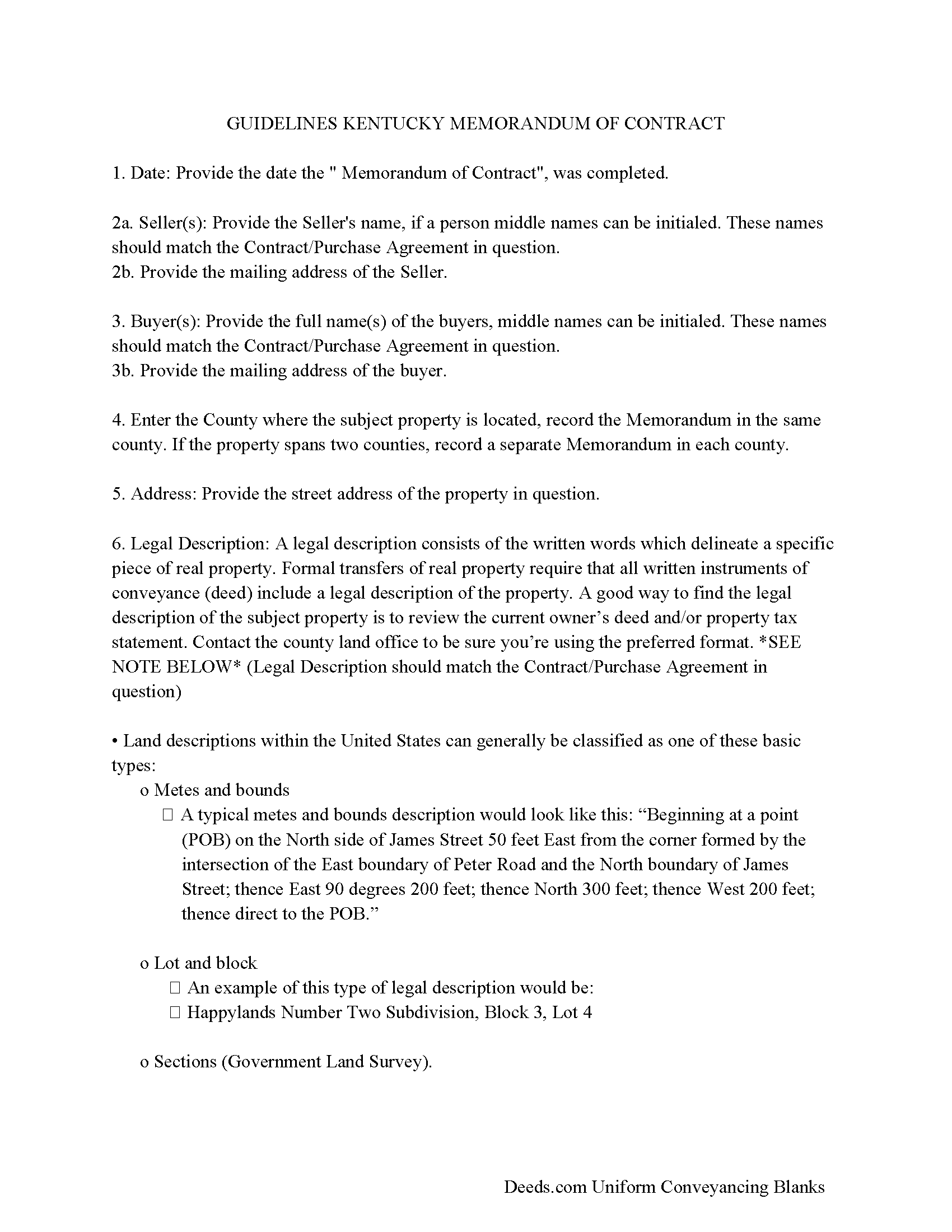
Christian County Memorandum Guidelines
Line by line guide explaining every blank on the form.
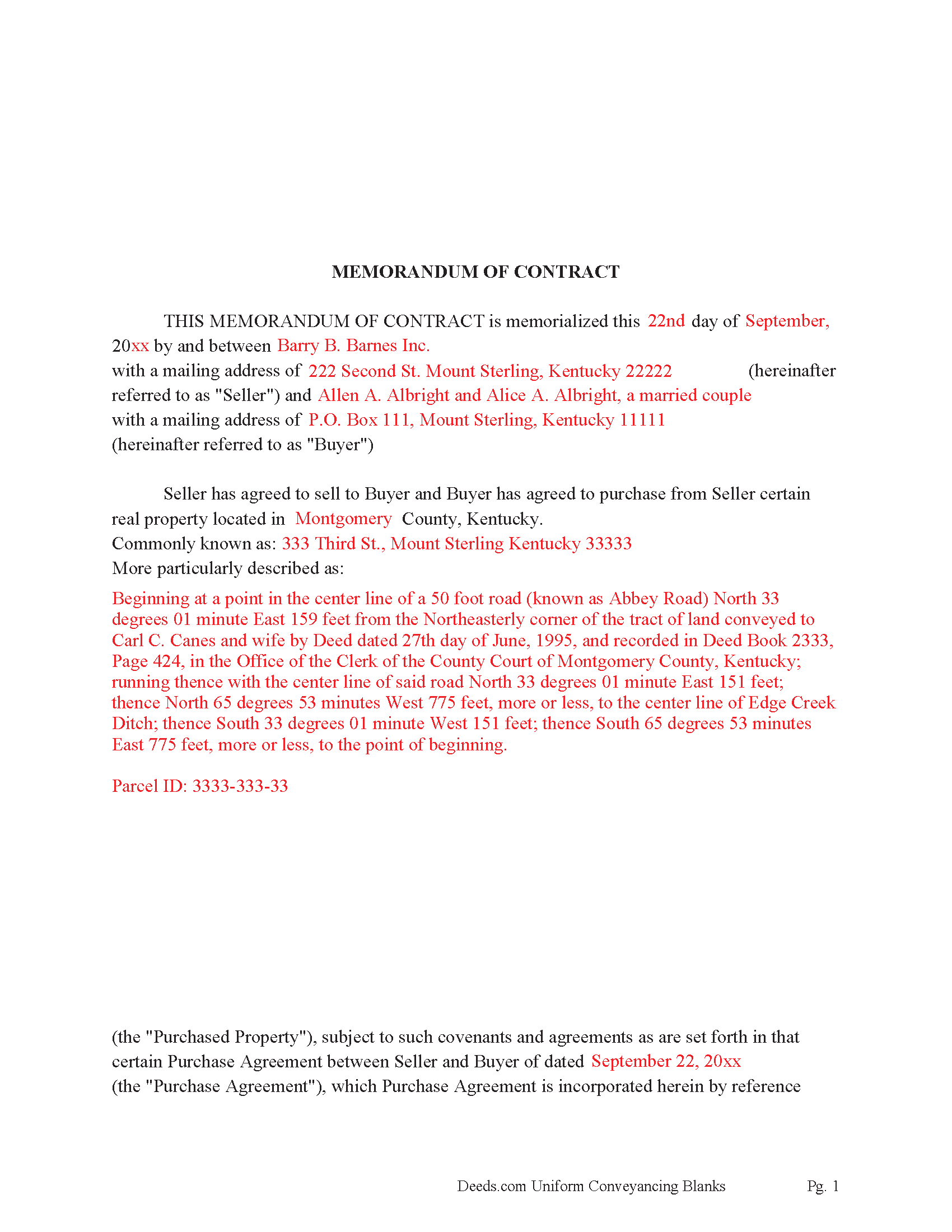
Christian County Completed Example of the Memorandum of Contract Document
Example of a properly completed Kentucky Memorandum of Contract document for reference.
All 3 documents above included • One-time purchase • No recurring fees
Immediate Download • Secure Checkout
Additional Kentucky and Christian County documents included at no extra charge:
Where to Record Your Documents
Christian County Clerk
Hopkinsville, Kentucky 42240
Hours: 8:00am-4:00pm, Thu until 6:00pm, Fri until 4:30pm
Phone: (270) 887-4109
Recording Tips for Christian County:
- Bring your driver's license or state-issued photo ID
- Ensure all signatures are in blue or black ink
- Check that your notary's commission hasn't expired
- Documents must be on 8.5 x 11 inch white paper
- Double-check legal descriptions match your existing deed
Cities and Jurisdictions in Christian County
Properties in any of these areas use Christian County forms:
- Crofton
- Fairview
- Fort Campbell
- Gracey
- Herndon
- Hopkinsville
- La Fayette
- Oak Grove
- Pembroke
Hours, fees, requirements, and more for Christian County
How do I get my forms?
Forms are available for immediate download after payment. The Christian County forms will be in your account ready to download to your computer. An account is created for you during checkout if you don't have one. Forms are NOT emailed.
Are these forms guaranteed to be recordable in Christian County?
Yes. Our form blanks are guaranteed to meet or exceed the applicable formatting requirements used for recording in Christian County, including margin requirements, font requirements, and other layout standards. This guarantee applies to formatting, not to the legal sufficiency of information entered by the user or the suitability of a form for a particular transaction.
Can I reuse these forms?
Yes. You can reuse the forms for your personal use. For example, if you have multiple properties in Christian County you only need to order once.
What do I need to use these forms?
The forms are PDFs that you fill out on your computer. The free Adobe Acrobat Reader is recommended, and most PDF apps also work. You do NOT enter your property information online - you download the blank forms and complete them privately on your own computer.
Are there any recurring fees?
No. This is a one-time purchase. Nothing to cancel, no memberships, no recurring fees.
How much does it cost to record in Christian County?
Recording fees in Christian County vary. Contact the recorder's office at (270) 887-4109 for current fees.
Questions answered? Let's get started!
This form serves as notice that the Seller has agreed to sell, and Buyer has agreed to buy a specific property. Record this instrument when a Contract for Deed, Land Contract or Buy-Sell Purchase Agreement has been completed. This is done for a variety of reasons.
When parties want the details of a contract to be kept private.
When the Seller doesn't record the original Contract, very important for the Buyer to record a Memorandum of Contract. It serves as notice that the buyer is in fact purchasing the property, providing protection from further liens or encumbrances being placed on the property by the Seller. Memorandums are frequently recorded by buyers alone.
When owner financing is involved, and a buyer needs to finance property at a later point in time, a Lending Institution will most likely require a recorded Memorandum document. Further, banks like to see a history of payments, at least 12 months, often referred to as "Seasoning" a recorded Memorandum proves the subject property was under contract at a specific time.
(Kentucky Memorandum Package includes form, guidelines, and completed example) For use in Kentucky Only.
Important: Your property must be located in Christian County to use these forms. Documents should be recorded at the county recording office listed above.
This Memorandum of Contract meets all recording requirements specific to Christian County.
Our Promise
The documents you receive here are guaranteed to meet or exceed the applicable Christian County recording format requirements. If there is a rejection caused by our formatting, we will correct the issue or refund your payment. This guarantee applies to document formatting only and does not extend to information entered by the user, the selection of the form, or the legal effect of the completed document.
Save Time and Money
Get your Christian County Memorandum of Contract form done right the first time with Deeds.com Uniform Conveyancing Blanks. At Deeds.com, we understand that your time and money are valuable resources, and we don't want you to face a penalty fee or rejection imposed by a county recorder for submitting nonstandard documents. We constantly review and update our forms to meet rapidly changing state and county recording requirements for roughly 3,500 counties and local jurisdictions.
4.8 out of 5 - ( 4,833 Reviews )
shaun s. 5 out of 5 stars
Pretty quick and accurate, thank you
Thank you for your feedback. We really appreciate it. Have a great day!
Nancy G L. 5 out of 5 stars
Using your site was simple, and the forms downloaded as expected.
Thank you!
Carnell G. 4 out of 5 stars
The basic setup was fine but, I need to review the document in its entirety for accuracy which I have yet to do so. So far so good. The monthly fee is more than I need for right now.
Thank you!
John v. 5 out of 5 stars
I don't have any experience with real estate legal forms and these were fairly easy to understand. The guide helped a bunch and the information provided on the site filled in any gaps. Overall I would definitely use again.
We appreciate your business and value your feedback. Thank you. Have a wonderful day!
Timothy S. 5 out of 5 stars
The Quit Claim form was submitted, accepted, and processed by Davidson County with no hiccups. Recommended service!
Thank you!
brenda S. 5 out of 5 stars
Excellent instructions very easy to follow!
Thank you!
Linda Munguia N. 5 out of 5 stars
Easy process. Appreciated the detailed instructions for filing.
Thank you!
Christopher G. 2 out of 5 stars
couldn't find what I was looking for.
Thank you for your feedback Christopher, sorry to hear that you couldn't find what you were looking for. Have a wonderful day.
Jane B. 5 out of 5 stars
Easy to use,thanks
Thank you!
Marilyn W. 5 out of 5 stars
The Mineral Deed transfer form was pretty good. Could have used more info in the guide about where to find legal property descriptions and source of title. Also more space on the pdf for entering return addresses - there was room for only one; I needed three. I will be sending the form to the County Courthouse soon. I hope it works.
Thank you for your feedback. We really appreciate it. Have a great day!
patricia w. 5 out of 5 stars
Fast, easy download of forms needed. Thank you, Deeds.com
Thank you!
Steven B. 5 out of 5 stars
Easy peazy to find the right forms and they come with instructions and a sample.
Your feedback is appreciated. Thank you for letting us know how we did.
Tim K. 5 out of 5 stars
Looks like it will be helpful in preparing deeds for distant counties
Thank you!
elizabeth m. 5 out of 5 stars
Wonderful service, forms were great. Completed and ready for recording. Will check back in after recorded.
We appreciate your business and value your feedback. Thank you. Have a wonderful day!
Maria S. 3 out of 5 stars
The paperwork/forms are fine, but there isn't enough explanation for me to figure out how to file the extra forms (which I do need in my case). The main form, Deed Upon Death is fine. I think the price is pretty high for these forms. I wouldn't have purchased it because there are places to get them for much cheaper (about 6 dollars), but this site had the extra forms I wanted (property in a trust and another form). Unfortunately these were included as a "courtesy" and there are no instructions for them. So three stars for being clear about what was in the package, having the right forms that I need, but instructions for putting them to use and price took a couple of stars off. Downloading was easy and once you download you can type the info into the PDF--that makes working with the forms much easier.
Thank you for the feedback Maria. Regarding the supplement documents, it is best to get assistance from the agency that requires them. These are not legal documents, they should provide full support and guidance for them.