Breathitt County Mineral Deed Form
Last validated September 24, 2026 by our Forms Development TeamFormatted for recording in Breathitt County, for property anywhere in the county: rural and unincorporated areas as well as Athol, Bays, Clayhole, Jackson, Lost Creek, Rousseau, Vancleve, Whick.
- 3 documents included
- Immediate PDF download
- Formatting guarantee
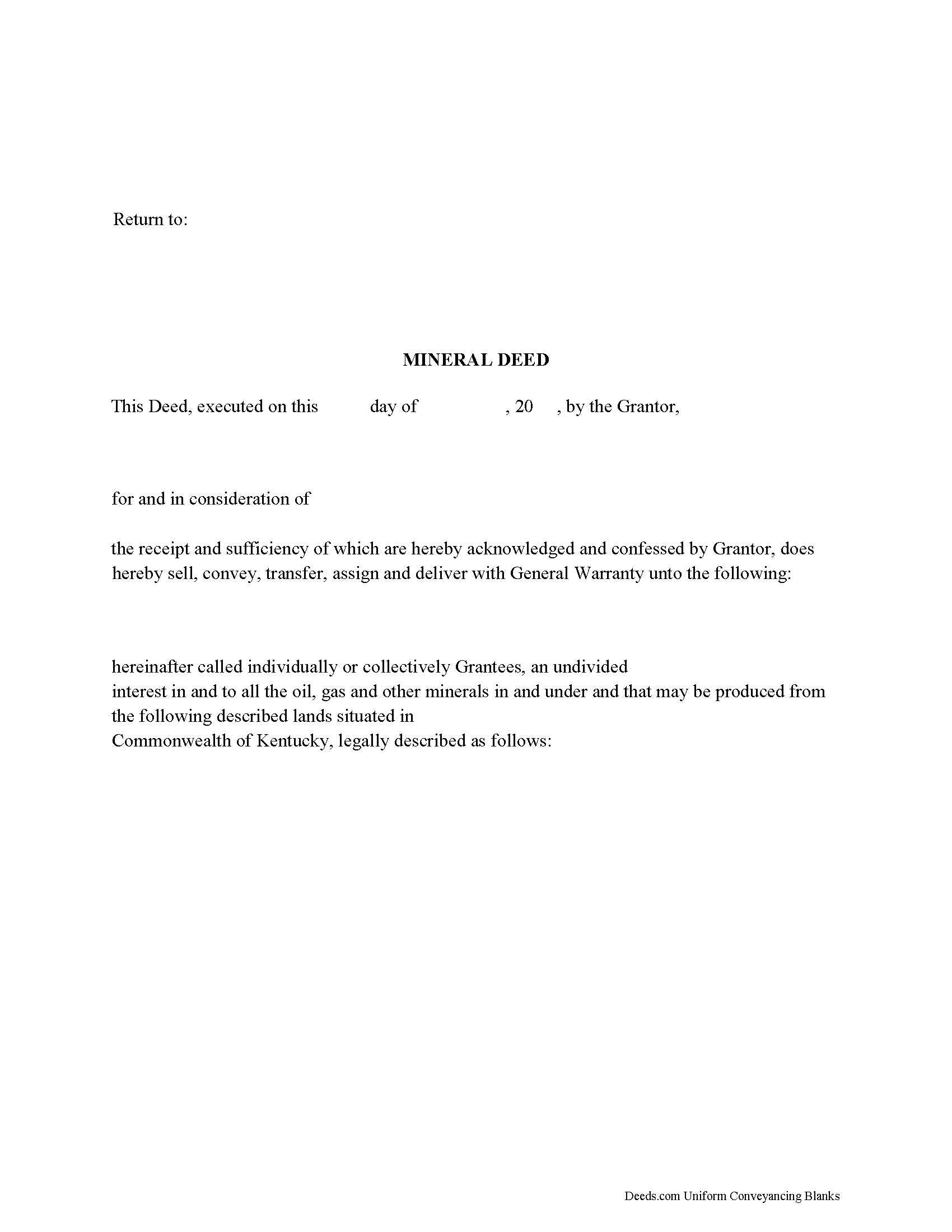
Breathitt County Mineral Deed Form
Fill in the blank form formatted to comply with all recording and content requirements.
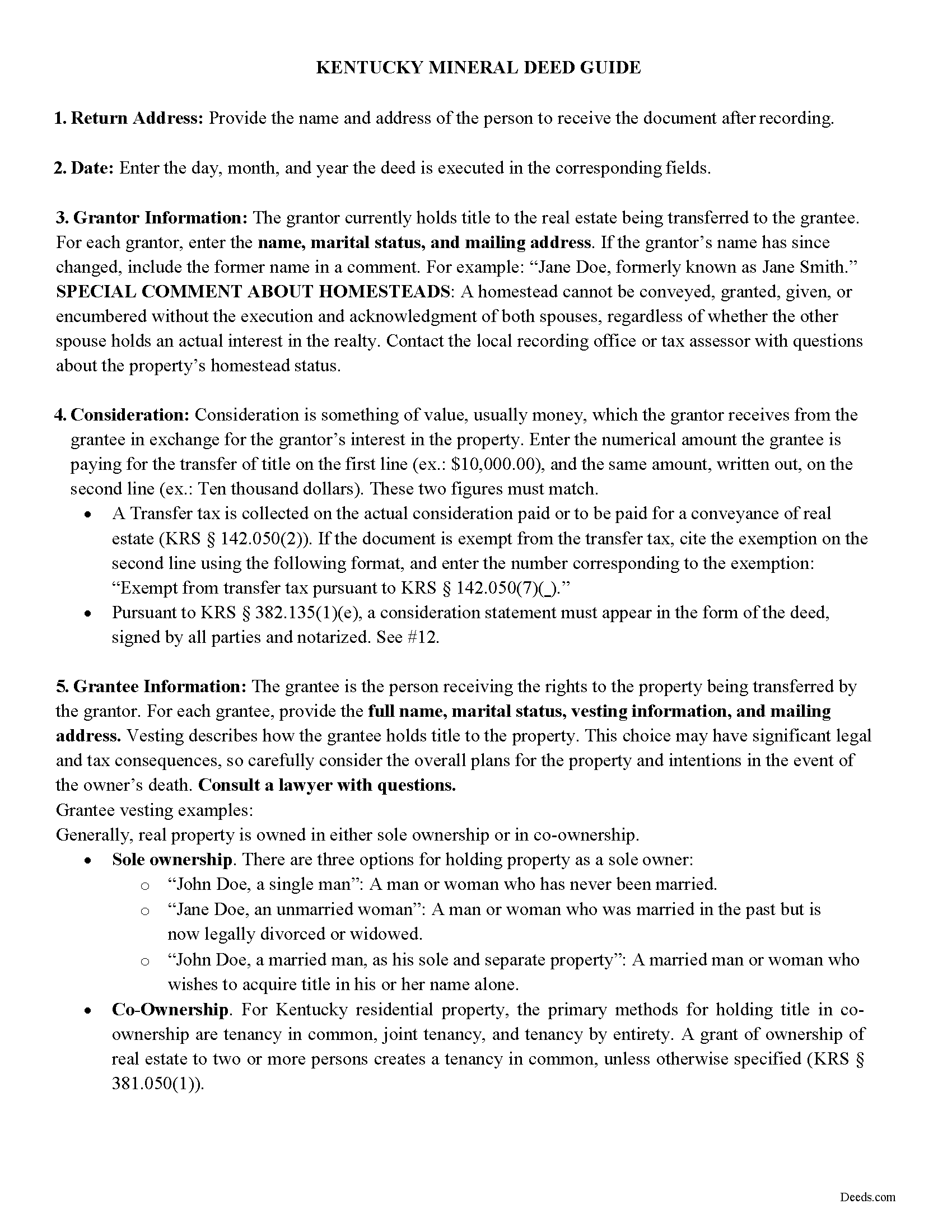
Breathitt County Mineral Deed Guide
Line by line guide explaining every blank on the form.
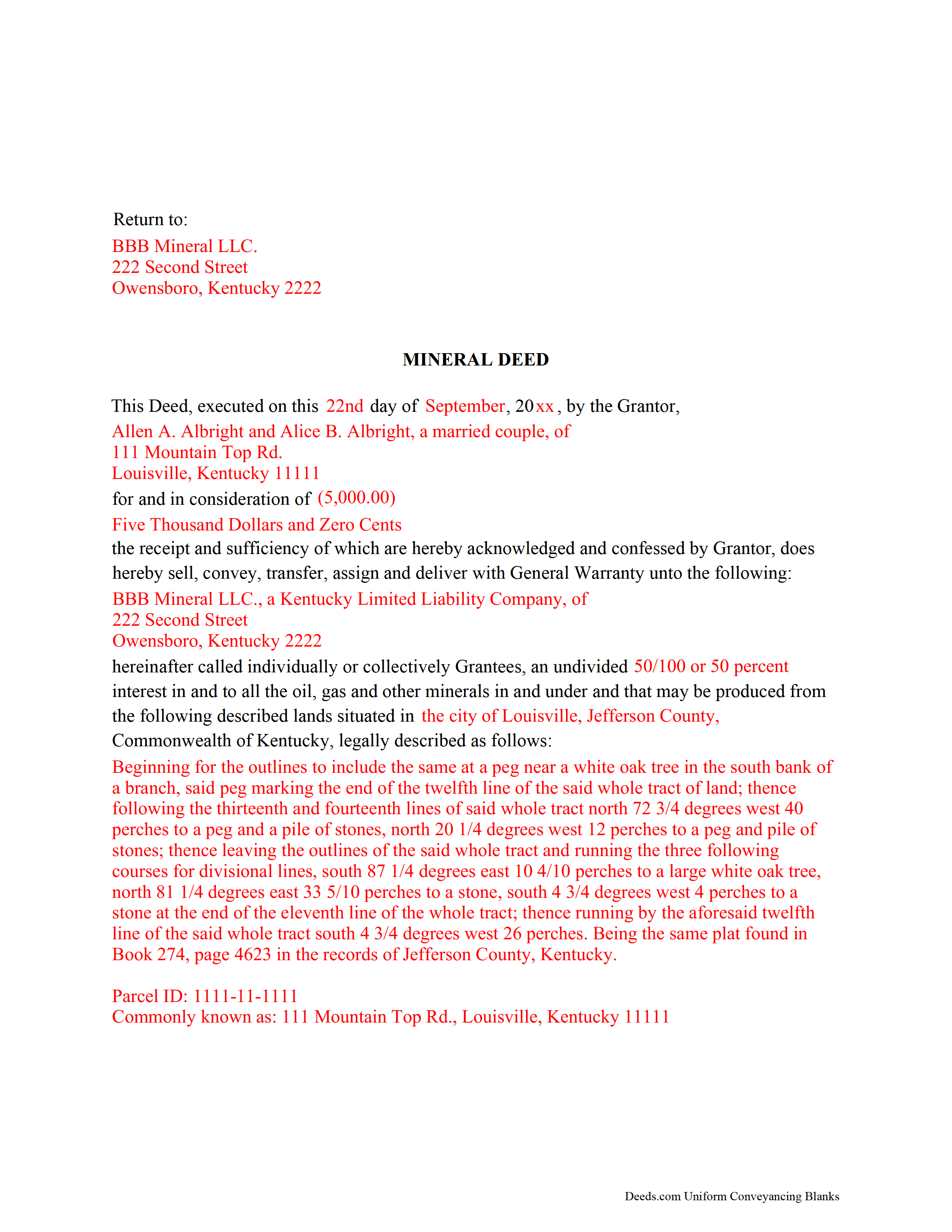
Breathitt County Completed Example of the Mineral Deed Form
Example of a properly completed form for reference.
All 3 documents above included • One-time purchase • No recurring fees
Immediate Download • Secure Checkout
Additional Kentucky and Breathitt County documents included at no extra charge:
Where to Record Your Documents
Breathitt County Clerk
Jackson, Kentucky 41339
Hours: Mon, Tue, Thu, Fri 8-4; Wed 8-12 & Sat 9-12
Phone: (606) 666-3800 x707
Recording Tips for Breathitt County:
- Bring your driver's license or state-issued photo ID
- Ensure all signatures are in blue or black ink
- Ask if they accept credit cards - many offices are cash/check only
- Check that your notary's commission hasn't expired
- Documents must be on 8.5 x 11 inch white paper
Cities and Jurisdictions in Breathitt County
Properties in any of these areas use Breathitt County forms:
- Athol
- Bays
- Clayhole
- Jackson
- Lost Creek
- Rousseau
- Vancleve
- Whick
Hours, fees, requirements, and more for Breathitt County
How do I get my forms?
Forms are available for immediate download after payment. The Breathitt County forms will be in your account ready to download to your computer. An account is created for you during checkout if you don't have one. Forms are NOT emailed.
Are these forms guaranteed to be recordable in Breathitt County?
Yes. Our form blanks are guaranteed to meet or exceed the applicable formatting requirements used for recording in Breathitt County, including margin requirements, font requirements, and other layout standards. This guarantee applies to formatting, not to the legal sufficiency of information entered by the user or the suitability of a form for a particular transaction.
Can I reuse these forms?
Yes. You can reuse the forms for your personal use. For example, if you have multiple properties in Breathitt County you only need to order once.
What do I need to use these forms?
The forms are PDFs that you fill out on your computer. The free Adobe Acrobat Reader is recommended, and most PDF apps also work. You do NOT enter your property information online - you download the blank forms and complete them privately on your own computer.
Are there any recurring fees?
No. This is a one-time purchase. Nothing to cancel, no memberships, no recurring fees.
How much does it cost to record in Breathitt County?
Recording fees in Breathitt County vary. Contact the recorder's office at (606) 666-3800 x707 for current fees.
Questions answered? Let's get started!
The General Mineral Deed in Kentucky transfers oil, gas, and mineral rights from the grantor to the grantee. THIS IS NOT A LEASE. There are no Exceptions or Reservations included.
The transfer includes the oil, gas and other minerals of every kind and nature. It also transfers any and all rights to receive royalties, overriding royalties, net profits interests or other payments out of or with respect to those oil, gas and other minerals. The Grantor can stipulate the percentage of Mineral Rights the Grantee will receive and is made subject to any rights existing under any valid and subsisting oil and gas lease or leases of record.
This general mineral deed gives the grantee the right to access, for the purpose of mining, drilling, exploring, operating and developing said lands for oil, gas, and other minerals, and storing handling, transporting and marketing of such.
In this document the Grantor Warrants and will defend said Title to Grantee. Use of this document has a permanent effect on your rights to the property, if you are not completely sure of what you are executing seek the advice of a legal professional.
(Kentucky Mineral Deed Package includes form, guidelines, and completed example)
Important: Your property must be located in Breathitt County to use these forms. Documents should be recorded at the county recording office listed above.
This Mineral Deed meets all recording requirements specific to Breathitt County.
Our Promise
The documents you receive here are guaranteed to meet or exceed the applicable Breathitt County recording format requirements. If there is a rejection caused by our formatting, we will correct the issue or refund your payment. This guarantee applies to document formatting only and does not extend to information entered by the user, the selection of the form, or the legal effect of the completed document.
Save Time and Money
Get your Breathitt County Mineral Deed form done right the first time with Deeds.com Uniform Conveyancing Blanks. At Deeds.com, we understand that your time and money are valuable resources, and we don't want you to face a penalty fee or rejection imposed by a county recorder for submitting nonstandard documents. We constantly review and update our forms to meet rapidly changing state and county recording requirements for roughly 3,500 counties and local jurisdictions.
4.8 out of 5 - ( 4,828 Reviews )
William P. 1 out of 5 stars
VERY difficult to work with. Nice people. But difficult system. Ask for MANY changes. Why dont you do that as a
Sorry to hear of your struggle William. We do hope that you found something more suitable to your needs elsewhere.
Karen F. 3 out of 5 stars
Form needs to be gender neutral. Also, while the format prompts for the correct information to be included, more of the form needs to be open for editing and to eliminate unnecessary spacing.
Karen, thank you for your helpful feedback. We appreciate you pointing this out and are reviewing the form to make the language gender neutral, improve editability, and reduce unnecessary spacing so it is easier to complete.
Marolyn V. 3 out of 5 stars
The booklet is too wordy. Not concise enough for someone who is inexperienced at filling out your form. It would be nice to have a picture example of what you are talking about. When we got to the Registars office we found out they do not have a notary. Would have been nice to know before we went. The form asks for page and book which is no longer needed. So why have it on there?
Thank you, Marolyn, this is useful feedback. A completed sample is actually included with the form, and your note tells us we should make it easier to find and tie it more directly to the instructions, so we'll do that. We'll also add a "before you begin" checklist and a clearer note that the document needs to be notarized in advance, since recording offices don't provide notary service. On the book and page: that reference is required by the Utah statute this affidavit is filed under (§ 57-1-5.1) and still applies to older deeds recorded before counties moved to entry-number-only indexing around 2000. You enter whichever reference appears on your recorded deed and leave the rest blank. Appreciate you taking the time to write in.
A. S. 3 out of 5 stars
First, I am glad that you gave a blank copy, an example copy, and a 'guide'. It made it much easier to do. Overall I was very happy with your products and organization... however, things got pretty confusing and I have a pretty 'serious' law background in Real Estate and Civil law. With that said, I spent about 10+ hours getting my work done, using the Deed of Trust and Promissory note from you and there were a few problems: First, it would be FANTASTIC if you actually aligned your guide to actually match the Deed or Promissory Note. What I mean is that if the Deed says 'section (E)' then your guide shouldn't be 'randomly' numbered as 1,2,3, for advice/instructions, but should EXACTLY match 'section (E)'. Some places you have to 'hunt' for what you are looking for, and if you did it based on my suggestion, you wouldn't need to 'hunt' and it would avoid confusion. 2nd: This one really 'hurt'... you had something called the 'Deed of Trust Master Form' yet you had basically no information on what it was or how to use it. The only information you had was a small section at the top of the 'Short Form Deed of Trust Guide'. Holy Cow, was that 'section' super confusing. I still don't know if I did it correctly, but your guide says only put a return address on it and leave the rest of the 16 or so page Deed of Trust beneath it blank... and then include your 'Deed of Trust' (I had to assume the short form deed that I had just created) as part of it. I had to assume that I had to print off the entire 17 page or so title page and blank deed. I also had to assume that the promissory note was supposed to be EXHIBIT A or B on the Short Form Deed. It would be great if someone would take a serious look at that short section in your 'Short Form Deed of Trust Guide' and realize that those of us using your products are seriously turning this into a county clerk to file and that most of us, probably already have a property that has an existing Deed... or at least can find one in the county records if necessary... and make sure that you make a distinction between the Deed for the property that already exists, versus the Deed of Trust and Promissory note that we are trying to file. Thanks.
Thank you for your feedback. We'll have staff review the document for clarity. Have a great day!
Josephine A. 5 out of 5 stars
Being a first timer, I was hesitant at first to use the service. I was genuinely surprised at how easy it is to set up an account, upload my document, and pay the invoice. The next day I downloaded my document duly recorded. Good work, guys!
Thank you for your feedback. We really appreciate it. Have a great day!
Catherine M. 5 out of 5 stars
Great service, very efficient and super fast.
Thank you!
Janet R. 5 out of 5 stars
The site was easy to navigate...all the information needed to fill in the forms was included, which was very helpful and a pleasant surprise...form completed in short order...made taking care of business quick and easy...Thanks for the thoughtful and excellent help, I will share the link with others and I will use the site again...Thanks
We appreciate your business and value your feedback. Thank you. Have a wonderful day!
Darrell W. 5 out of 5 stars
Fast and easy to use. Nice to have available online.
Thank you for your feedback. We really appreciate it. Have a great day!
Sheryl B. 5 out of 5 stars
Great forms. Just what I needed.
We appreciate your business and value your feedback. Thank you. Have a wonderful day!
Angeline P. 5 out of 5 stars
Great service! I downloaded the Quit Claim Deed package and I'm so grateful I did. It contained detailed directions on how to fill out all the forms, an example of a finalized copy, and excellent customer service. Also, if you choose to use their digital service, they will digitally submit the documents into the County Recorder's Office for you. Going through DEEDS.COM for the service I chose saved me over $300. Recording my new deed was a breeze. Thank you again DEEDS.com!
We appreciate your business and value your feedback. Thank you. Have a wonderful day!
Desiree T. 5 out of 5 stars
In a world where "immediate satisfaction" takes too long, Deeds provided exceptionally satisfying service. Answered all of my questions quickly, and had my document recorded within one day. Thank you so much!
We appreciate your business and value your feedback. Thank you. Have a wonderful day!
Amanda M. 5 out of 5 stars
Was very easy to use.
Thank you!
Clint E. 5 out of 5 stars
Good value. I like not only getting the forms, but also the instructions and examples the forms came with
We appreciate your business and value your feedback. Thank you. Have a wonderful day!
Leo H. 5 out of 5 stars
The deed was very easy to use and the material provided were helpful in completing the form. We haven't filed it yet, but I assume that all will go well.
We appreciate your business and value your feedback. Thank you. Have a wonderful day!
srikanth n. 1 out of 5 stars
why not word format??
Good question. There are many reasons, we'll touch on a few. For the end user (you) Adobe Reader is free, Word is not. PDF is the portable document standard, Word is a decent word processor. A portable document format (PDF) maintains document formatting such as margins and font size which is very important to legal documents, Word does not. Have a wonderful day.