Boyd County Quitclaim Deed (Individual Grantor) Form
Last validated October 1, 2026 by our Forms Development TeamFormatted for recording in Boyd County, for property anywhere in the county: rural and unincorporated areas as well as Ashland, Catlettsburg, Rush.
- 3 documents included
- Immediate PDF download
- Formatting guarantee
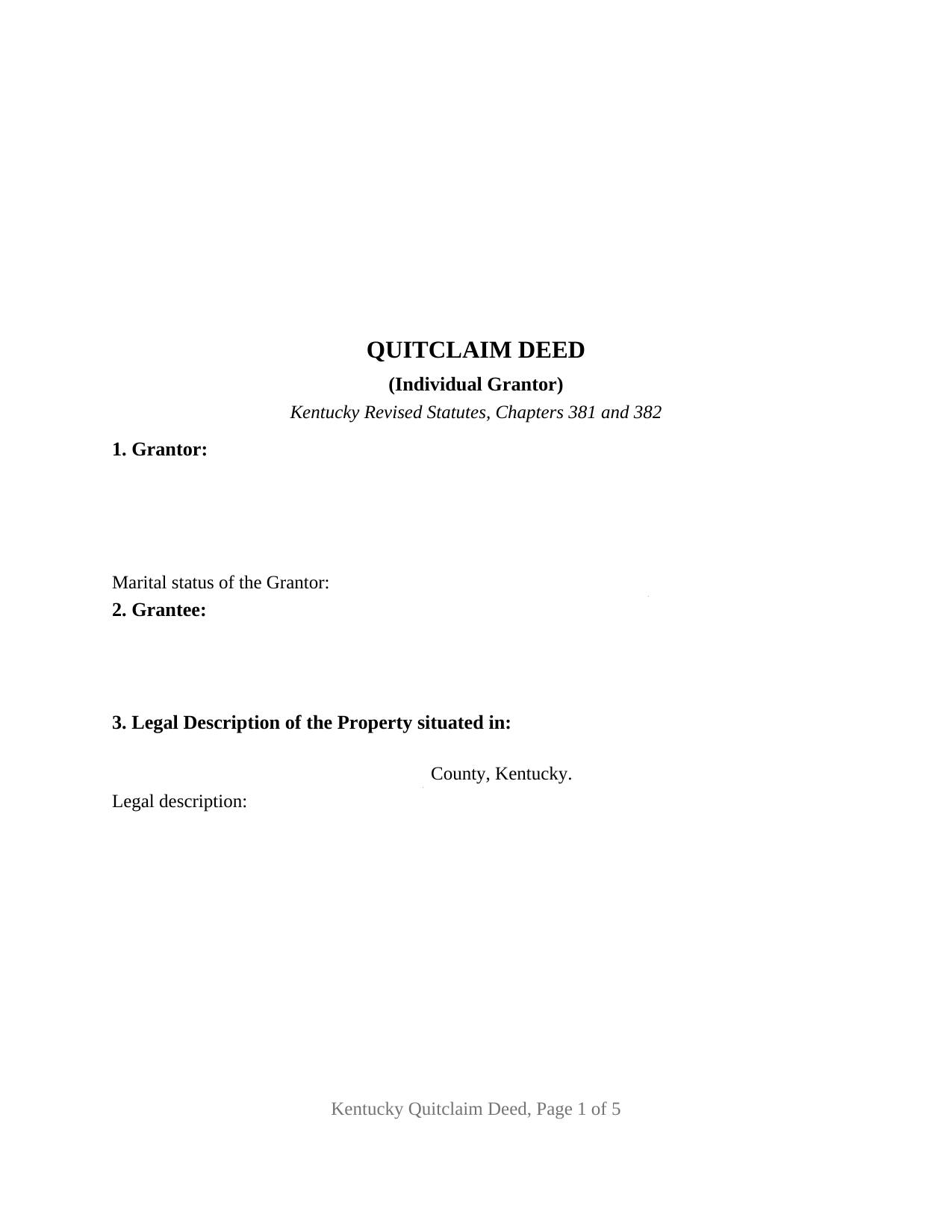
Boyd County Quitclaim Deed (Individual Grantor) Form
Fill in the blank Quitclaim Deed (Individual Grantor) form formatted to comply with all Kentucky recording and content requirements.
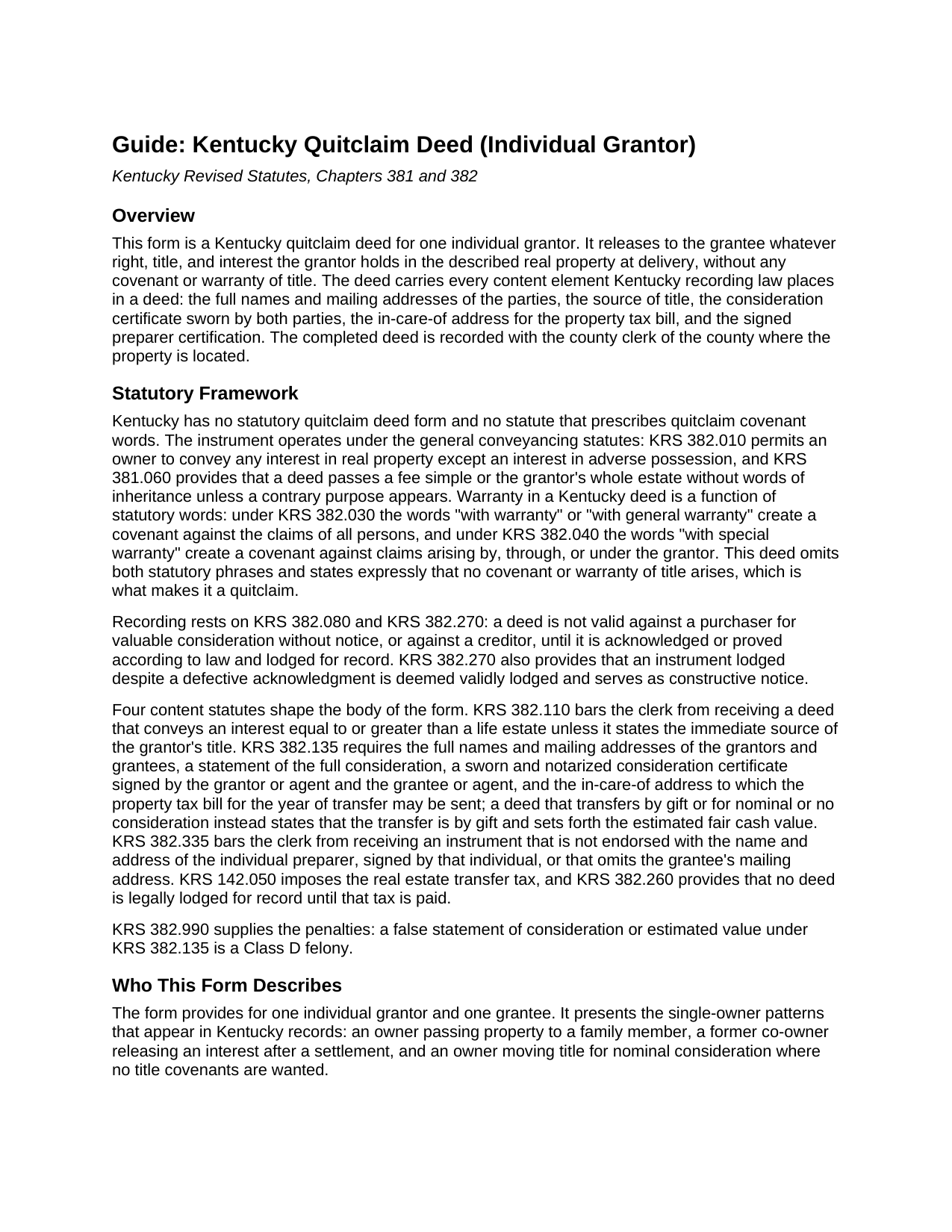
Boyd County Quitclaim Deed (Individual Grantor) Guide
Line by line guide explaining every blank on the Quitclaim Deed (Individual Grantor) form.
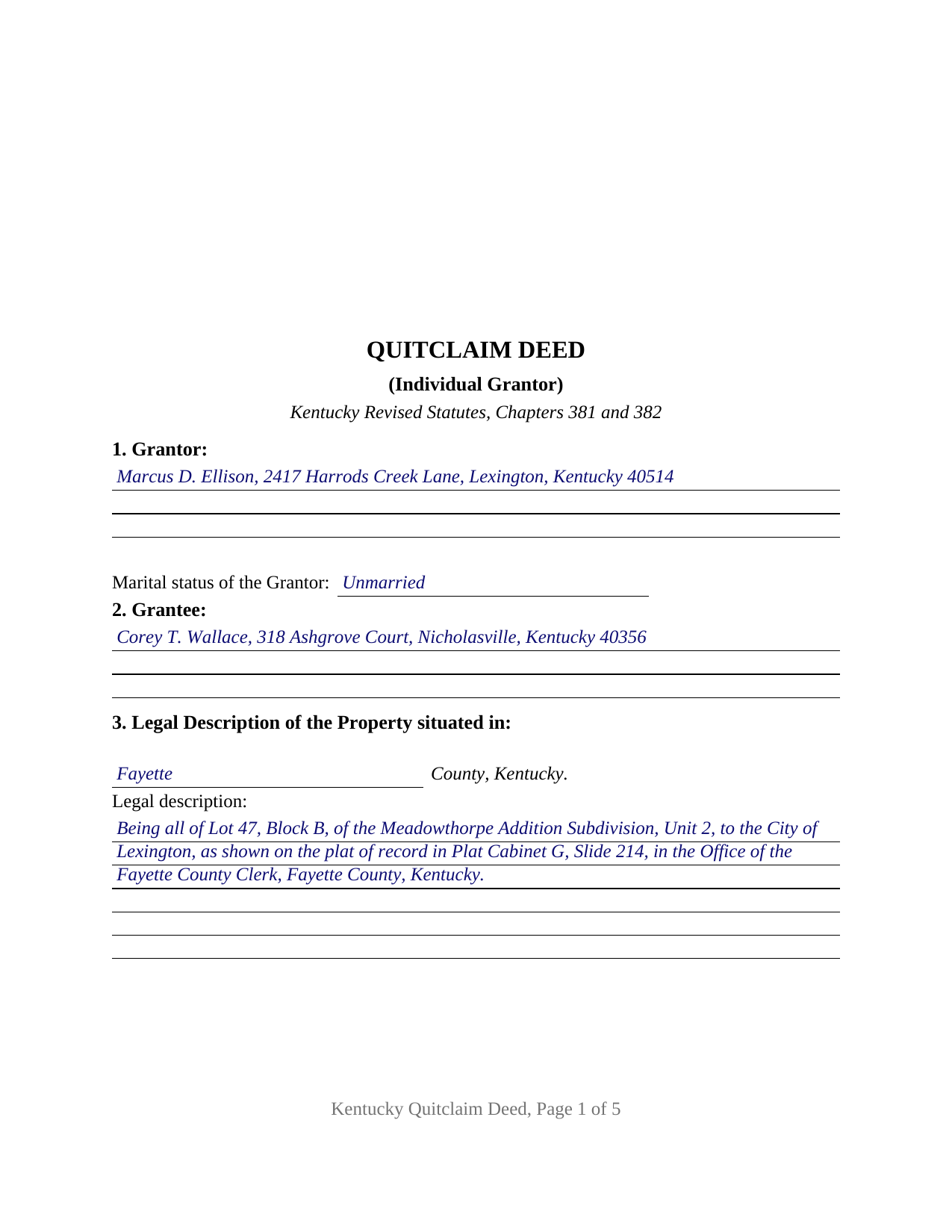
Boyd County Completed Example of the Quitclaim Deed (Individual Grantor) Document
Example of a properly completed Kentucky Quitclaim Deed (Individual Grantor) document for reference.
All 3 documents above included • One-time purchase • No recurring fees
Immediate Download • Secure Checkout
Additional Kentucky and Boyd County documents included at no extra charge:
Where to Record Your Documents
Boyd County Clerk
Catlettsburg, Kentucky 41129
Hours: 8:30am to 4:00pm.M-F
Phone: (606) 739-5116
Recording Tips for Boyd County:
- Bring your driver's license or state-issued photo ID
- Ensure all signatures are in blue or black ink
- Both spouses typically need to sign if property is jointly owned
- Bring extra funds - fees can vary by document type and page count
- Check margin requirements - usually 1-2 inches at top
Cities and Jurisdictions in Boyd County
Properties in any of these areas use Boyd County forms:
- Ashland
- Catlettsburg
- Rush
Hours, fees, requirements, and more for Boyd County
How do I get my forms?
Forms are available for immediate download after payment. The Boyd County forms will be in your account ready to download to your computer. An account is created for you during checkout if you don't have one. Forms are NOT emailed.
Are these forms guaranteed to be recordable in Boyd County?
Yes. Our form blanks are guaranteed to meet or exceed the applicable formatting requirements used for recording in Boyd County, including margin requirements, font requirements, and other layout standards. This guarantee applies to formatting, not to the legal sufficiency of information entered by the user or the suitability of a form for a particular transaction.
Can I reuse these forms?
Yes. You can reuse the forms for your personal use. For example, if you have multiple properties in Boyd County you only need to order once.
What do I need to use these forms?
The forms are PDFs that you fill out on your computer. The free Adobe Acrobat Reader is recommended, and most PDF apps also work. You do NOT enter your property information online - you download the blank forms and complete them privately on your own computer.
Are there any recurring fees?
No. This is a one-time purchase. Nothing to cancel, no memberships, no recurring fees.
How much does it cost to record in Boyd County?
Recording fees in Boyd County vary. Contact the recorder's office at (606) 739-5116 for current fees.
Questions answered? Let's get started!
One grantor, one grantee, and no title covenants: this fillable Kentucky quitclaim deed is set up for a single individual grantor who releases whatever right, title, and interest he or she holds in Kentucky real property. Sometimes searched as a quit claim deed or a release of interest, the instrument passes the grantor's interest as it stands at delivery, and it makes no promise that the interest is good.
A release of interest, not a promise about title
Kentucky ties deed warranties to statutory words. Under KRS 382.030, the words "with warranty" create a covenant against the claims of all persons; under KRS 382.040, "with special warranty" covers claims arising by, through, or under the grantor. This deed omits both phrases and says so expressly, stating that no covenant or warranty of title arises and that the conveyance reaches only the interest, if any, the grantor holds when the deed is delivered. The operative language remises, releases, and forever quitclaims that interest to the grantee, the traditional quitclaim formula, and the general conveyancing statutes, KRS 382.010 and KRS 381.060, carry the grantor's whole estate without words of inheritance.
The sworn consideration certificate both parties sign
The distinctive Kentucky element sits in the middle of the deed. KRS 382.135 places a consideration certificate in nearly every Kentucky deed: a sworn, notarized statement, signed by the grantor or agent and the grantee or agent, that the consideration reflected in the deed is the full consideration paid. A transfer by gift, or for nominal or no consideration, instead states that the transfer is by gift and sets forth the estimated fair cash value of the property. This form carries both branches, with an entry for the full consideration and an entry for the estimated fair cash value of a gift transfer, and the certificate covers whichever the deed states. The county clerk computes the real estate transfer tax from that figure under KRS 142.050, fifty cents per five hundred dollars of value, collected from the grantor before the deed is recorded; KRS 382.260 provides that no deed is legally lodged until the tax is paid, and deeds of gift appear among the statutory exemptions.
Built to the county clerk's checklist
Kentucky county clerks check a deed against a short list of content statutes before accepting it, and each item has its own place on this form. KRS 382.110 requires the immediate source of the grantor's title, identified by deed book, page, office, and date; the source of title section holds that recital. KRS 382.135 requires the parties' full names and mailing addresses and the in-care-of address to which the property tax bill for the year of transfer may be sent. KRS 382.335 bars the clerk from receiving an instrument without a preparer endorsement, so the deed closes with a preparer certification signed by the individual who prepared it, above a return address block for the recorded original. The layout reserves the top three inches of the first page for the recording stamp, matching the format standard the largest Kentucky counties publish.
What one grantor's signature carries
The form recites exactly one grantor, states that grantor's marital status, and carries two signature lines: the grantor signs the deed and its consideration certificate, and the grantee joins solely to make the certificate, a signature that conveys no interest. Each signer takes a separate notarial certificate reading subscribed, sworn to, and acknowledged, so the two signatures may happen before different notaries on different dates, and the single combined certificate satisfies both the acknowledgment the recording statutes contemplate and the oath the consideration certificate carries. An owner passing property to a relative, a former co-owner releasing an interest after a settlement, and an unmarried owner consolidating title present the single-grantor pattern this deed recites; the form carries no spouse joinder block, and the guide describes how Kentucky's dower statute, KRS 392.020, treats a married grantor's conveyance.
The download delivers this quitclaim deed as a fillable PDF, a completed example showing a Fayette County transfer with every entry made, and a plain-language guide that walks through each section, the signing formalities, and recording with the county clerk. The materials are informational and are not legal advice.
Important: Your property must be located in Boyd County to use these forms. Documents should be recorded at the county recording office listed above.
This Quitclaim Deed (Individual Grantor) meets all recording requirements specific to Boyd County.
Our Promise
The documents you receive here are guaranteed to meet or exceed the applicable Boyd County recording format requirements. If there is a rejection caused by our formatting, we will correct the issue or refund your payment. This guarantee applies to document formatting only and does not extend to information entered by the user, the selection of the form, or the legal effect of the completed document.
Save Time and Money
Get your Boyd County Quitclaim Deed (Individual Grantor) form done right the first time with Deeds.com Uniform Conveyancing Blanks. At Deeds.com, we understand that your time and money are valuable resources, and we don't want you to face a penalty fee or rejection imposed by a county recorder for submitting nonstandard documents. We constantly review and update our forms to meet rapidly changing state and county recording requirements for roughly 3,500 counties and local jurisdictions.
4.8 out of 5 - ( 4,842 Reviews )
Noal S. 5 out of 5 stars
The download package is very thorough and complete for the Corrective Deed I needed to file. The material is state/county specific and includes a completed example. The price is reasonable compared to an attorney fee from $400 to $600
We appreciate your business and value your feedback. Thank you. Have a wonderful day!
Shirley W. 5 out of 5 stars
I found the form easy to file out. But everything else was confusing with very little direction and help.
Thank you!
Paul S. 5 out of 5 stars
Very satisfactory
Thank you!
MARY LACEY M. 5 out of 5 stars
Excellent service! From setting up an account to successfully recording, the instructions were clear and easy to follow. I am very pleased to have this service available, and favorably impressed by our current Maricopa County Recorder for pursuing its availability. Thank you.
We appreciate your business and value your feedback. Thank you. Have a wonderful day!
jonnie F. 5 out of 5 stars
Easiest and most efficient way to process your documents, this company is amazing. They help me meet the deadline on a critical inspection by processing my NOC in less then a day. Thank You.
We appreciate your business and value your feedback. Thank you. Have a wonderful day!
Brian R. 2 out of 5 stars
A waste of my time
We do hope that you found something more suitable to your needs elsewhere Brian. Have a wonderful day.
Delia C. 5 out of 5 stars
Your service is a life saver! I'm a paralegal and new to lien releases especially in Platte Co., MO. The clerk was not helpful and I so appreciate your service in accomplishing this very important task!!
We appreciate your business and value your feedback. Thank you. Have a wonderful day!
MIchelle S. 4 out of 5 stars
You had the generic document that I was looking for Yay! The "example" page was helpful and reassuring. The auto input sections of my document looked ok until i printed it and then it appeared to be out of alignment which is why my rating is lowered to 4 stars it would be nice to have the ability to correct the title (created by me) when downloading PDFs for an e-filing
Thank you for your feedback. We really appreciate it. Have a great day!
Michele J. 5 out of 5 stars
I found a typo. It would be good to list the documents an individual needs to fill out the form.
Thank you!
David A. 5 out of 5 stars
Excellent service. I have been looking for a beneficiary deed for quite a wile with no success. My friend found your site and I was overjoyed. Fast, easy to use, and understand.I recommend this site to anyone.
We appreciate your business and value your feedback. Thank you. Have a wonderful day!
Judith S. 4 out of 5 stars
Very prompt and good resource. Unfortunately, I am unable to find a form for the Quitclaim Deed for an individual to a UNA, so I do not know how to proceed.
Thank you for the kind words, Judith — we’re glad you found the site helpful. Quitclaim deed forms are offered for common ownership scenarios, and some arrangements are not available as pre-made templates. If you have questions about the forms currently offered on the site, our support team can help clarify what is and isn’t available.
Kathy P. 4 out of 5 stars
Can you also make a search that includes the parcel number because that is all I had to go with and regular name searches didn't come up with anything I needed.
Your insights are invaluable to us and help us strive for better service. Thank you for taking the time to share your thoughts.
Matthew L. 5 out of 5 stars
I would make just two suggestions. (1) Create and example showing multiple grantor(s) and (2) In the same example, show where and estate is conveyed to two or more people. It would help in knowing the correct format.
Thank you for your feedback. We really appreciate it. Have a great day!
Sallie S. 5 out of 5 stars
Great speedy service with access to areas beyond my reach.
Thank you Sallie, have a great day!
Lindsay B. 4 out of 5 stars
The form was easy to fill out. The only problem I had was on the Notary page I live in a different state than the property and I couldn't change the name of the state or county where the notary had to sign.
Thanks Lindsay, we appreciate your feedback.