Talbot County Unconditional Lien Waiver on Progress Payment Form
Last validated November 19, 2026 by our Forms Development TeamFormatted for recording in Talbot County, for property anywhere in the county or independent city: rural and unincorporated areas as well as Bozman, Claiborne, Cordova, Easton, Mcdaniel, Neavitt, Newcomb, Oxford and 7 more.
- 3 documents included
- Immediate PDF download
- Formatting guarantee
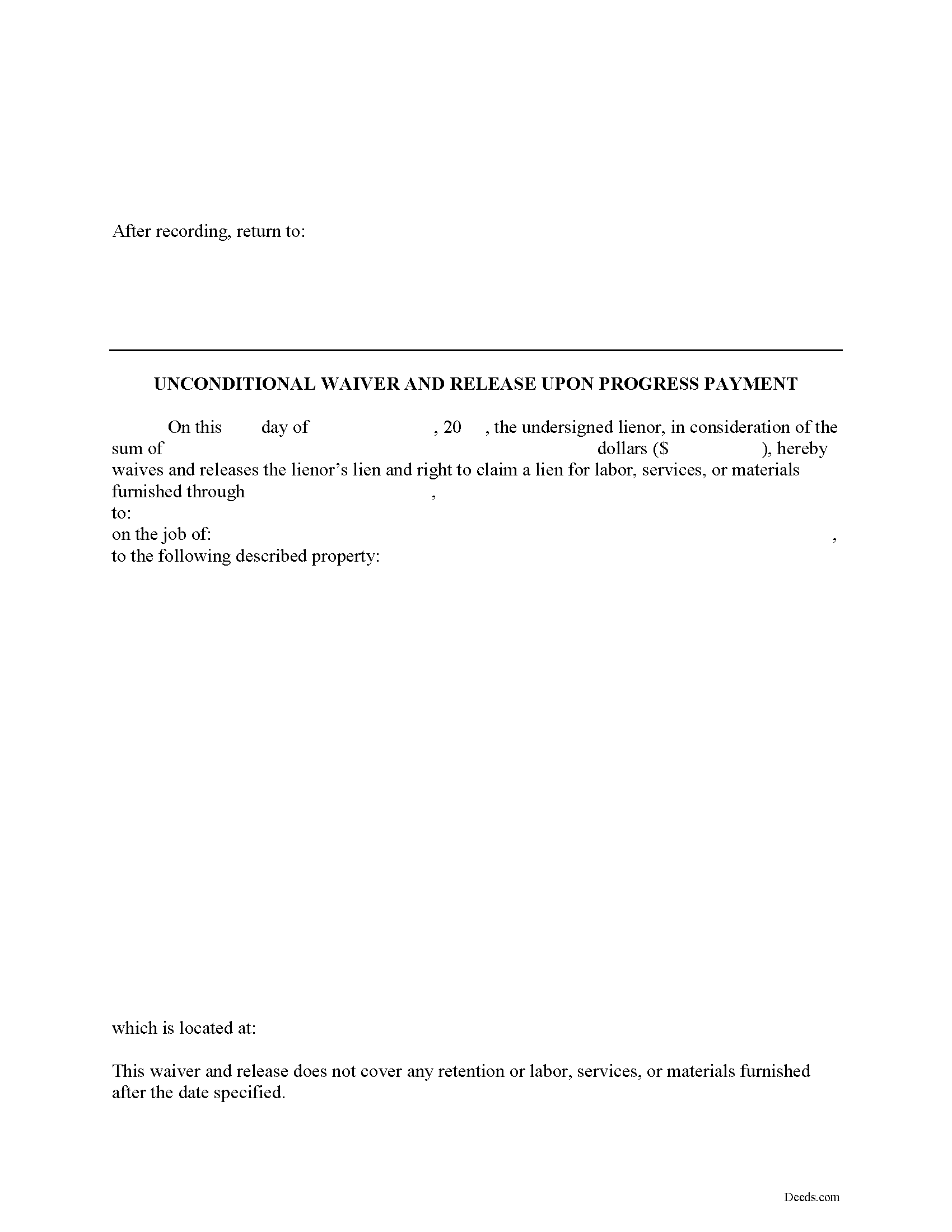
Talbot County Unconditional Lien Waiver on Progress Payment Form
Fill in the blank Unconditional Lien Waiver on Progress Payment form formatted to comply with all Maryland recording and content requirements.
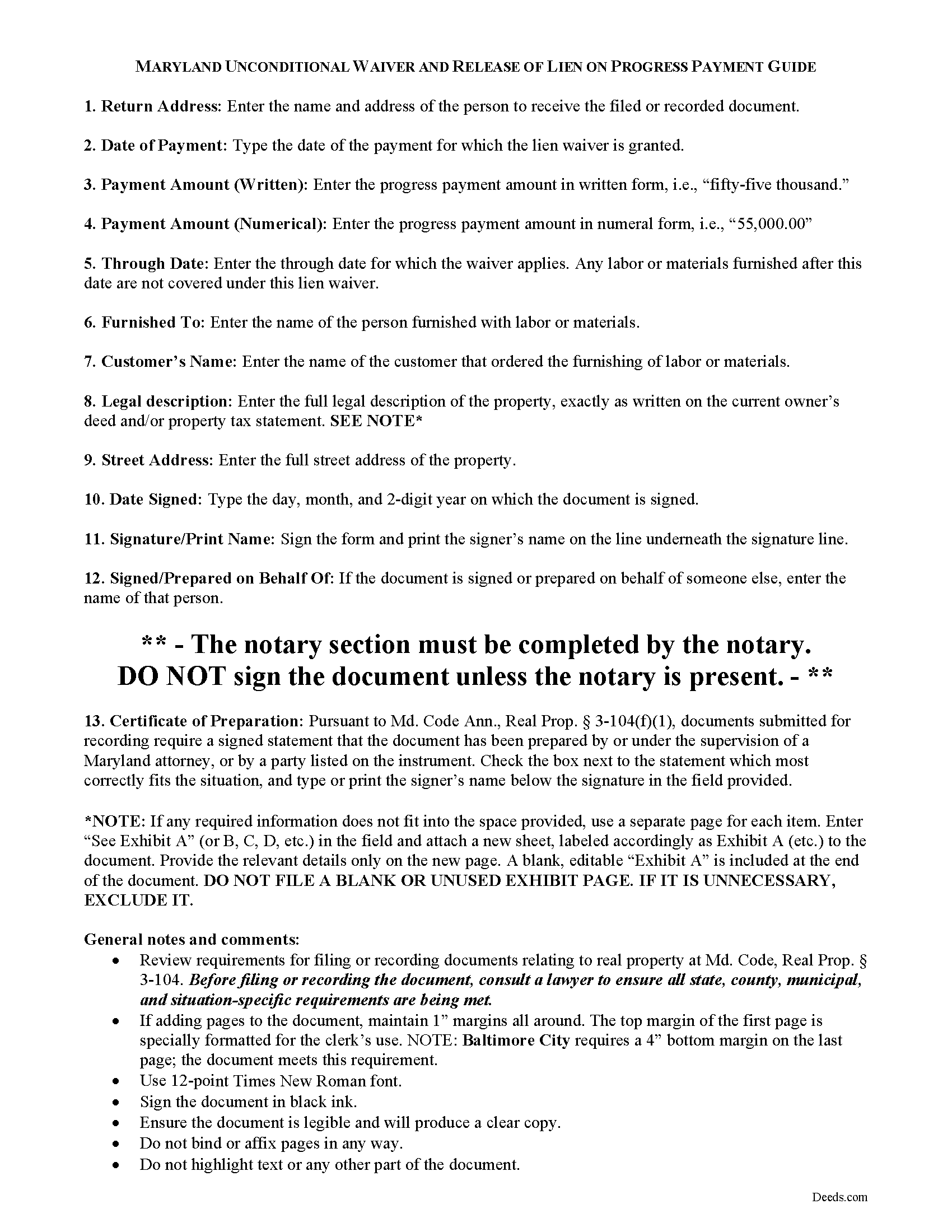
Talbot County Unconditional Lien Waiver of Progress Payment Guide
Line by line guide explaining every blank on the form.
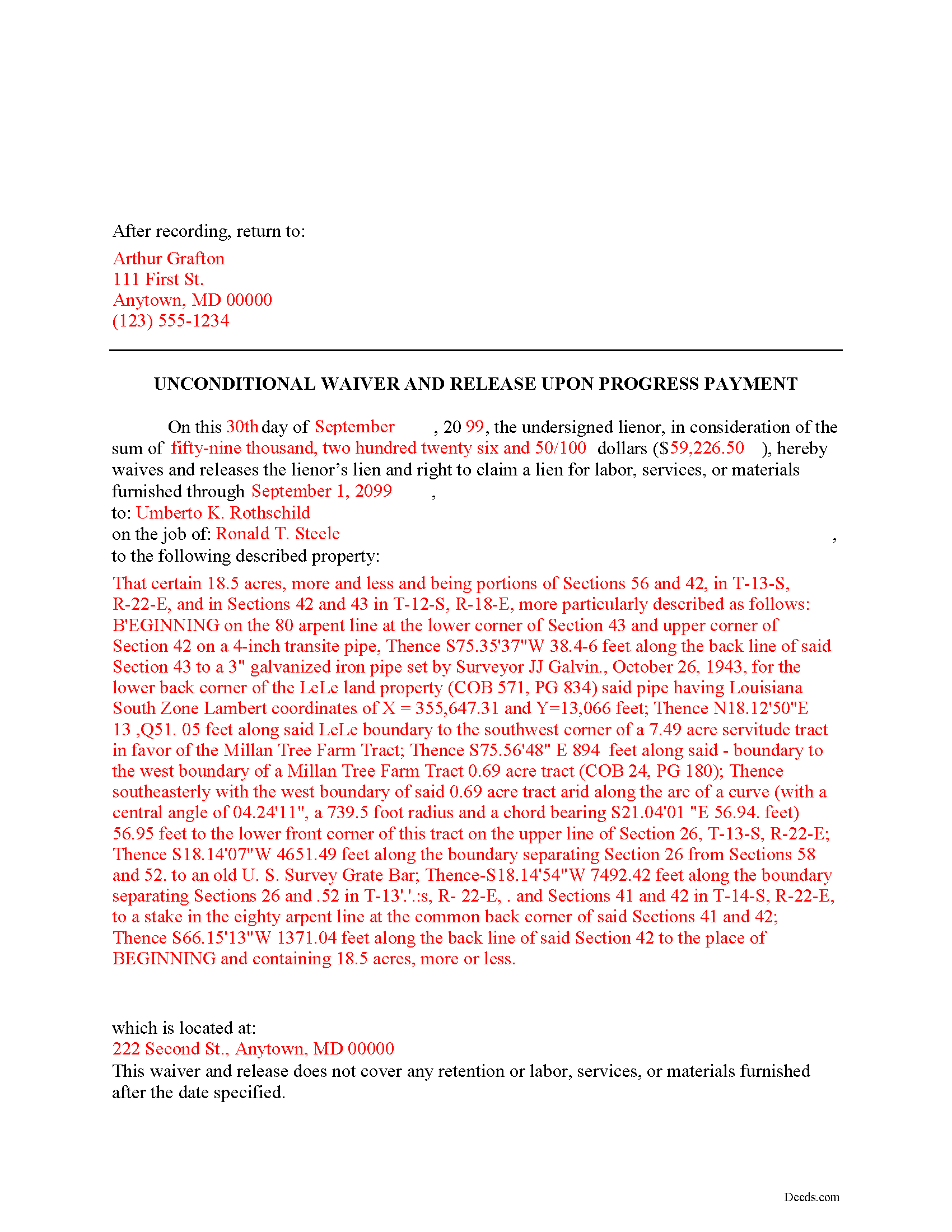
Talbot County Completed Example of the Unconditional Lien Waiver on Progress Payment Document
Example of a properly completed form for reference.
All 3 documents above included • One-time purchase • No recurring fees
Immediate Download • Secure Checkout
Additional Maryland and Talbot County documents included at no extra charge:
Where to Record Your Documents
Circuit Court Clerk
Easton, Maryland 21601
Hours: 8:30 to 4:30 Monday through Friday
Phone: 410-822-2611
Recording Tips for Talbot County:
- Bring your driver's license or state-issued photo ID
- Ensure all signatures are in blue or black ink
- Recording fees may differ from what's posted online - verify current rates
- Request a receipt showing your recording numbers
- Ask about accepted payment methods when you call ahead
Cities and Jurisdictions in Talbot County
Properties in any of these areas use Talbot County forms:
- Bozman
- Claiborne
- Cordova
- Easton
- Mcdaniel
- Neavitt
- Newcomb
- Oxford
- Royal Oak
- Saint Michaels
- Sherwood
- Tilghman
- Trappe
- Wittman
- Wye Mills
Hours, fees, requirements, and more for Talbot County
How do I get my forms?
Forms are available for immediate download after payment. The Talbot County forms will be in your account ready to download to your computer. An account is created for you during checkout if you don't have one. Forms are NOT emailed.
Are these forms guaranteed to be recordable in Talbot County?
Yes. Our form blanks are guaranteed to meet or exceed the applicable formatting requirements used for recording in Talbot County, including margin requirements, font requirements, and other layout standards. This guarantee applies to formatting, not to the legal sufficiency of information entered by the user or the suitability of a form for a particular transaction.
Can I reuse these forms?
Yes. You can reuse the forms for your personal use. For example, if you have multiple properties in Talbot County you only need to order once.
What do I need to use these forms?
The forms are PDFs that you fill out on your computer. The free Adobe Acrobat Reader is recommended, and most PDF apps also work. You do NOT enter your property information online - you download the blank forms and complete them privately on your own computer.
Are there any recurring fees?
No. This is a one-time purchase. Nothing to cancel, no memberships, no recurring fees.
How much does it cost to record in Talbot County?
Recording fees in Talbot County vary. Contact the recorder's office at 410-822-2611 for current fees.
Questions answered? Let's get started!
Unconditional Waiver and Release of Lien on Progress Payment
In Maryland, mechanic's liens are governed under Chapter 9 of the Maryland Real Property Code. The term "waiver" refers to giving up a legal right. In this case, the person granting the waiver is giving up the right to seek a mechanic's lien for all or part of the amount due. This assurance is usually enough to get the other party to pay. Maryland does not use statutory forms for waivers; according to the principles of contract law, the parties may agree to such modifications in writing. Maryland law, however, specifically prohibits any waiver requirement in a contract. Md. Real Prop. Code sections 9-113.
Typically, waivers come in four varieties: unconditional after a progress payment, unconditional after the final payment, conditional after a progress payment, and conditional after the final payment. Unconditional means the waiver is granted immediately, while conditional waivers depend on the property owner meeting specific requirements (conditions), such as the payment clearing the bank, before the waiver takes effect. So, unconditional waivers benefit the owner, and conditional waivers tend to favor the claimant. The payment distinctions are based on the amount due on the project, so progress payment refers to money paid on account, and final payment waivers are used once the balance is paid in full.
A valid lien waiver identifies the parties, the location of the project, relevant dates and payments, and any other information necessary for the specific transaction. After signing the form, the claimant records it with the local agency responsible for maintaining land records.
An unconditional waiver is effective when signed and given to the property owner and waives part of the lien amount representing the partial payment made, regardless of the payment's status. So, if accepting a payment via check, avoid using an unconditional waiver if there are doubts about whether the check will clear the bank.
This article is provided for informational purposes only and should not be relied upon as a substitute for the advice from an attorney. Please contact a Maryland construction law attorney with questions about waivers or anything else about mechanic's liens.
Important: Your property must be located in Talbot County to use these forms. Documents should be recorded at the county or independent city recording office listed above.
This Unconditional Lien Waiver on Progress Payment meets all recording requirements specific to Talbot County.
Our Promise
The documents you receive here are guaranteed to meet or exceed the applicable Talbot County recording format requirements. If there is a rejection caused by our formatting, we will correct the issue or refund your payment. This guarantee applies to document formatting only and does not extend to information entered by the user, the selection of the form, or the legal effect of the completed document.
Save Time and Money
Get your Talbot County Unconditional Lien Waiver on Progress Payment form done right the first time with Deeds.com Uniform Conveyancing Blanks. At Deeds.com, we understand that your time and money are valuable resources, and we don't want you to face a penalty fee or rejection imposed by a county recorder for submitting nonstandard documents. We constantly review and update our forms to meet rapidly changing state and county recording requirements for roughly 3,500 counties and local jurisdictions.
4.8 out of 5 - ( 4,865 Reviews )
Robert M. 5 out of 5 stars
Great service. Easy to use and affordable.
Thank you!
Marc Z. 5 out of 5 stars
Thank you for having an easy to navigate website with updated documents! Had everything I needed, took care of business and on to the next transaction.- Aloha
Thank you Marc. Have a fantastic day!
Shane T. 4 out of 5 stars
The Transfer on Death Deed form package was very good. But like anything, could use some improvements. There is not enough space to fill more than one beneficiary with any level of additional detail like "as his sole and separate property" The area for the legal description could be a bit bigger and potentially fit many legal descriptions. Or it could be made to simply say "See Exhibit A" as is likely necessary for most anyway. The guide should indicate what "homestead property" means so the user doesn't have to research the legal definition. (which turns out to be obvious, at least in my state, if you live there, it's your homestead.) It would be helpful if an "Affidavit of Death" form were included in the package for instances where the current deed hasn't been updated to reflect a widowed owner as the sole owner before recording with only the one signature.
Thank you for your feedback. We really appreciate it. Have a great day!
Rhonda D. 3 out of 5 stars
The boxes do not allow you to add the entire information. The after recording return to box would not let me add a zipcode.
Thanks for the feedback Rhonda, we’ll take a look at that input field.
Tim T. 5 out of 5 stars
Very easy to find forms and good examples for filling out forms!
Thank you for your feedback. We really appreciate it. Have a great day!
Robert H. 5 out of 5 stars
Great service, easy way to get accurate documents
Thanks, Robert! We're glad you found the service easy to use and the documents accurate—just what we aim for. Appreciate you taking the time to share your experience!
Helen H. 5 out of 5 stars
I had a notary to read over my quitclaim deed and she said it looked good. So I am pleased.
Thank you!
Joe B. 5 out of 5 stars
Fantastic service -- very clear
We appreciate your business and value your feedback. Thank you. Have a wonderful day!
ray r. 5 out of 5 stars
excellent service
Thank you!
Darrell P. 5 out of 5 stars
My legal description exceeds the avaiable space in the one page Exhibit A...any way to add a second page as 'Exhibit A (continued)'?
It is not required to use the included exhibit page. Simply label your printed legal description as the appropriate exhibit.
Tim R. 5 out of 5 stars
Quick and efficient
Thank you Tim, we appreciate your feedback.
Ron D. 3 out of 5 stars
The State form I chose was valid and accurate. However, I found the ability to enter information was inadequate and difficult. Converted the form to a Word document and was then able to enter the information I needed to.
Your feedback is valuable to us and helps us improve. Thank you for sharing your thoughts!
Ronald D. 5 out of 5 stars
very quick and easy to find, confirm, pay, and download documents, well worth the money for peace of mind.
Thank you!
Lisa A. 5 out of 5 stars
I am so thankful for the time saved by using Deeds.com. Not having to run downtown and stand in line is awesome!
We are delighted to have been of service. Thank you for the positive review!
John D. 5 out of 5 stars
I was quite impressed by the quality of your documents and the ease of the download.
Thank you for your feedback. We really appreciate it. Have a great day!