Essex County Trustee Deed Form
Last validated October 20, 2026 by our Forms Development TeamFormatted for recording in Essex County, for property anywhere in the county: rural and unincorporated areas as well as Amesbury, Andover, Beverly, Boxford, Byfield, Danvers, Essex, Georgetown and 31 more.
- 3 documents included
- Immediate PDF download
- Formatting guarantee
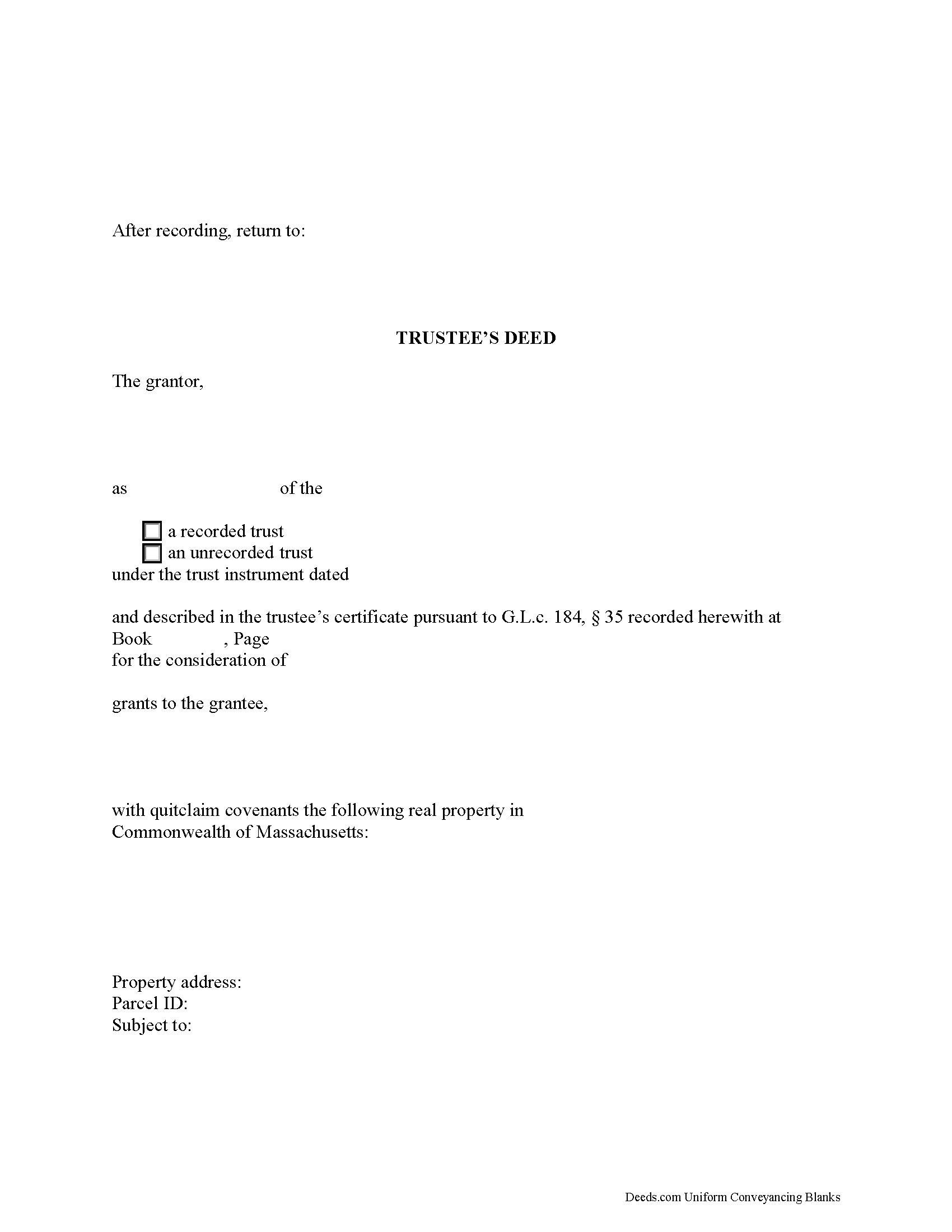
Essex County Trustee Deed Form
Fill in the blank form formatted to comply with all recording and content requirements.
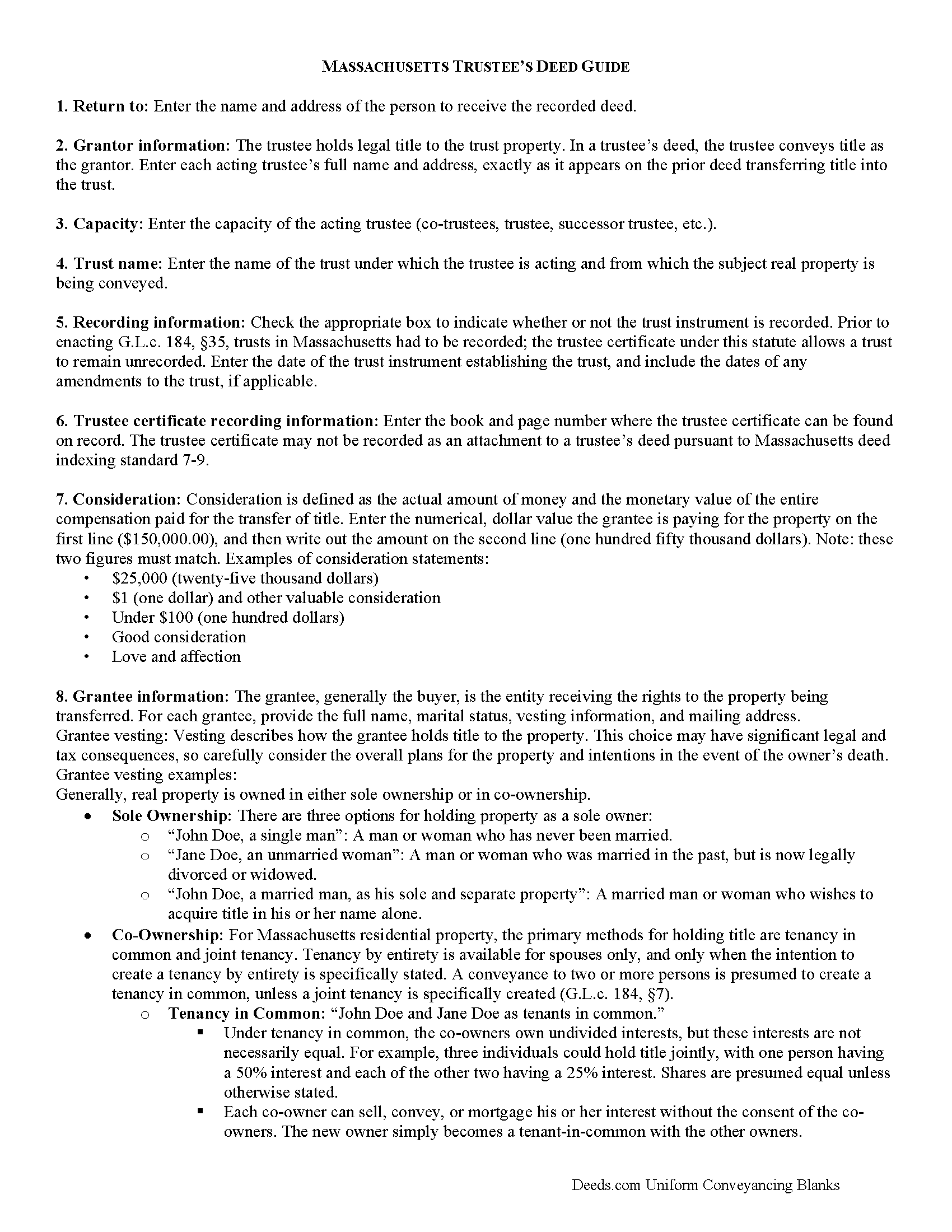
Essex County Trustee Deed Guide
Line by line guide explaining every blank on the form.
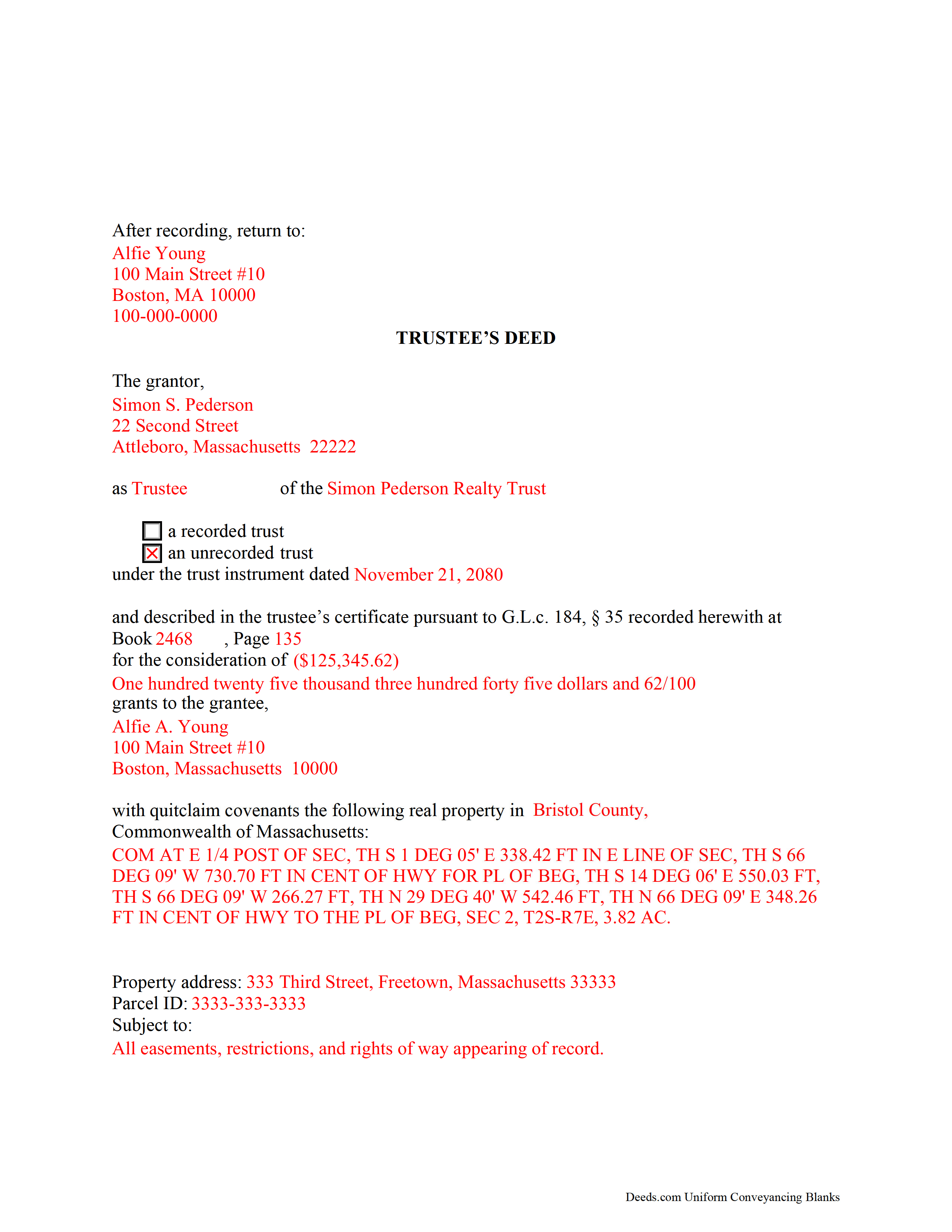
Essex County Completed Example of the Trustee Deed Document
Example of a properly completed form for reference.
All 3 documents above included • One-time purchase • No recurring fees
Immediate Download • Secure Checkout
Additional Massachusetts and Essex County documents included at no extra charge:
Where to Record Your Documents
Essex County Registry of Deeds, Northern District
Lawrence, Massachusetts 01843
Hours: 8:00 to 4:30 Mon-Fri / Recording until 4:00
Phone: (978) 557-1900
Essex County Register of Deeds, Southern District
Salem, Massachusetts 01970
Hours: 8:00 to 4:30 Mon-Fri / Recording until 4:00
Phone: (978) 542-1704
Recording Tips for Essex County:
- Bring your driver's license or state-issued photo ID
- Ensure all signatures are in blue or black ink
- Ask about accepted payment methods when you call ahead
- Ask for certified copies if you need them for other transactions
- Ask if they accept credit cards - many offices are cash/check only
Cities and Jurisdictions in Essex County
Properties in any of these areas use Essex County forms:
- Amesbury
- Andover
- Beverly
- Boxford
- Byfield
- Danvers
- Essex
- Georgetown
- Gloucester
- Groveland
- Hamilton
- Hathorne
- Haverhill
- Ipswich
- Lawrence
- Lynn
- Lynnfield
- Manchester
- Marblehead
- Merrimac
- Methuen
- Middleton
- Nahant
- Newbury
- Newburyport
- North Andover
- Peabody
- Prides Crossing
- Rockport
- Rowley
- Salem
- Salisbury
- Saugus
- South Hamilton
- Swampscott
- Topsfield
- Wenham
- West Boxford
- West Newbury
Hours, fees, requirements, and more for Essex County
How do I get my forms?
Forms are available for immediate download after payment. The Essex County forms will be in your account ready to download to your computer. An account is created for you during checkout if you don't have one. Forms are NOT emailed.
Are these forms guaranteed to be recordable in Essex County?
Yes. Our form blanks are guaranteed to meet or exceed the applicable formatting requirements used for recording in Essex County, including margin requirements, font requirements, and other layout standards. This guarantee applies to formatting, not to the legal sufficiency of information entered by the user or the suitability of a form for a particular transaction.
Can I reuse these forms?
Yes. You can reuse the forms for your personal use. For example, if you have multiple properties in Essex County you only need to order once.
What do I need to use these forms?
The forms are PDFs that you fill out on your computer. The free Adobe Acrobat Reader is recommended, and most PDF apps also work. You do NOT enter your property information online - you download the blank forms and complete them privately on your own computer.
Are there any recurring fees?
No. This is a one-time purchase. Nothing to cancel, no memberships, no recurring fees.
How much does it cost to record in Essex County?
Recording fees in Essex County vary. Contact the recorder's office at (978) 557-1900 for current fees.
Questions answered? Let's get started!
Used to convey title to real property held in a living (non-testamentary) trust, the trustee's deed takes its name from the party executing the conveyance, the trustee. In Massachusetts, the trustee's deed typically carries quitclaim covenants guaranteeing title against claims arising only under the grantor's duration of ownership.
Trusts are governed by the Massachusetts Uniform Trust Code at chapter 203E of the Massachusetts General Laws. In a trust, the trustee holds legal title to property conveyed into trust by the trust's settlor, for the benefit of a beneficiary. A beneficiary is someone with a present or future interest in the trust (G.L.c. 203E, 103). The terms of the trust, including a designation of the trustee, the trustee's powers, and the trust's beneficiary, are set forth in the trust instrument, which is executed by the settlor and generally not recorded.
Conveyances by trustee are generally accompanied by a trustee's certificate under G.L.c. 184, 35, evidencing the trustee's authority in the transaction at hand. The trustee's certificate is recorded separately, either simultaneously with the deed conveying real property into trust, or when the trustee acts upon the title.
The Massachusetts Real Estate Bar Association (REBA) Title Standard 33 also addresses transfers by trustees. The standard states that recipients of a trustee's deed are not obligated to inquire into the trustee's authority if the trustee's certificate is presented, which recites that third parties may rely without inquiry on the acts of said trustee. The standard also applies if a trustee's certificate is unrecorded or unreferenced in the transfer, but the transfer is executed by all trustees appearing of record to be trustees.
Apart from naming each acting trustee, the trustee's deed recites the name of the trust and contains a reference to the trustee's certificate, if any, of record. The document should also contain a reference to the prior instrument granting title to the trustee. As the conveyance affects real property, the deed requires a legal description of the affected parcel. Each acting trustee must sign the deed in the presence of a notary public for a valid transfer.
Consult a lawyer for guidance, as trust law can quickly become complex, and each situation is unique.
(Massachusetts TD Package includes form, guidelines, and completed example)
Important: Your property must be located in Essex County to use these forms. Documents should be recorded at the county recording office listed above.
This Trustee Deed meets all recording requirements specific to Essex County.
Our Promise
The documents you receive here are guaranteed to meet or exceed the applicable Essex County recording format requirements. If there is a rejection caused by our formatting, we will correct the issue or refund your payment. This guarantee applies to document formatting only and does not extend to information entered by the user, the selection of the form, or the legal effect of the completed document.
Save Time and Money
Get your Essex County Trustee Deed form done right the first time with Deeds.com Uniform Conveyancing Blanks. At Deeds.com, we understand that your time and money are valuable resources, and we don't want you to face a penalty fee or rejection imposed by a county recorder for submitting nonstandard documents. We constantly review and update our forms to meet rapidly changing state and county recording requirements for roughly 3,500 counties and local jurisdictions.
4.8 out of 5 - ( 4,829 Reviews )
Suzanne W. 5 out of 5 stars
Excellent service, knowledgeable, and quick responses. I'll be using this service again for any future filing needs. WAY better than going to the filing office in person!
Thank you so much for the kind words Suzanne, glad we could help.
Robert B. 5 out of 5 stars
Found this sight on the internet looking for information to add my fiance' to the house deed. Looks like the right place to be. Looking forward to getting the forms I need.
Thank you!
RONNIE C. 5 out of 5 stars
Excellent service and the time the documents send back to me was also excellent
Thank you!
Sara Beth M B. 5 out of 5 stars
great service!!!!! wish this service was listed on the Washoe County Recorder website so people who aren't companies could find it.
Thank you for your feedback. We really appreciate it. Have a great day!
Barbara P. 5 out of 5 stars
So easy and fast!
We appreciate your business and value your feedback. Thank you. Have a wonderful day!
Suhila C. 5 out of 5 stars
This site is awesome. It has everything I need to purchase and sell (transfer deed ownership) land and property. I cannot wait to get our new land and building for business. Thanks, Suhila
We appreciate your business and value your feedback. Thank you. Have a wonderful day!
Marilyn C. 5 out of 5 stars
My document got recorded right away. Thank you! Will use again in the future when needed.
We appreciate your business and value your feedback. Thank you. Have a wonderful day!
Peggy H. 5 out of 5 stars
Very good!
Thank you!
Alicia S. 5 out of 5 stars
It's been a difficult time during my divorce. Glad I was able to get the house related documents easily here.
Thank you!
Michael E. 5 out of 5 stars
First time user and my experience was just great! Great people to work with and would recommend to others!
Thank you!
Bonnie B. 5 out of 5 stars
Very easy process for both quit claim and beneficiary deed forms and explanations.. also gives an example form filled out to ensure you have something to go by when filling out your own for accuracy.. the forms are for your specific county, city, and state so no problems when you go to record at deeds office!
Thank you, Bonnie! County-specific forms, clear instructions, and a filled-in example to guide you — that's exactly the experience we aim for. So glad both deeds went smoothly from form to recording. We appreciate the kind words!
Joseph H. 5 out of 5 stars
Form needed was accessed easily and printed for use
We appreciate your business and value your feedback. Thank you. Have a wonderful day!
Dorothy O. 5 out of 5 stars
This would be a great form but I couldn’t tell what size the font was. Also, I didn’t know how to save it so I will have to type it all over again. I’m sure I did it incorrectly.
Your feedback is a crucial part of our dedication to ongoing improvement. Thank you for your insightful comments.
Karri P. 5 out of 5 stars
Great service and easy to purchase exactly what you want.
We appreciate your business and value your feedback. Thank you. Have a wonderful day!
SHIRLEY H. 3 out of 5 stars
I like that they have all the forms, but I could not find it they would submit the forms to the recorders office
Thank you!