Worcester County Trustee Deed Form
Last validated September 25, 2026 by our Forms Development TeamFormatted for recording in Worcester County, for property anywhere in the county: rural and unincorporated areas as well as Ashburnham, Athol, Auburn, Baldwinville, Barre, Berlin, Blackstone, Bolton and 76 more.
- 3 documents included
- Immediate PDF download
- Formatting guarantee
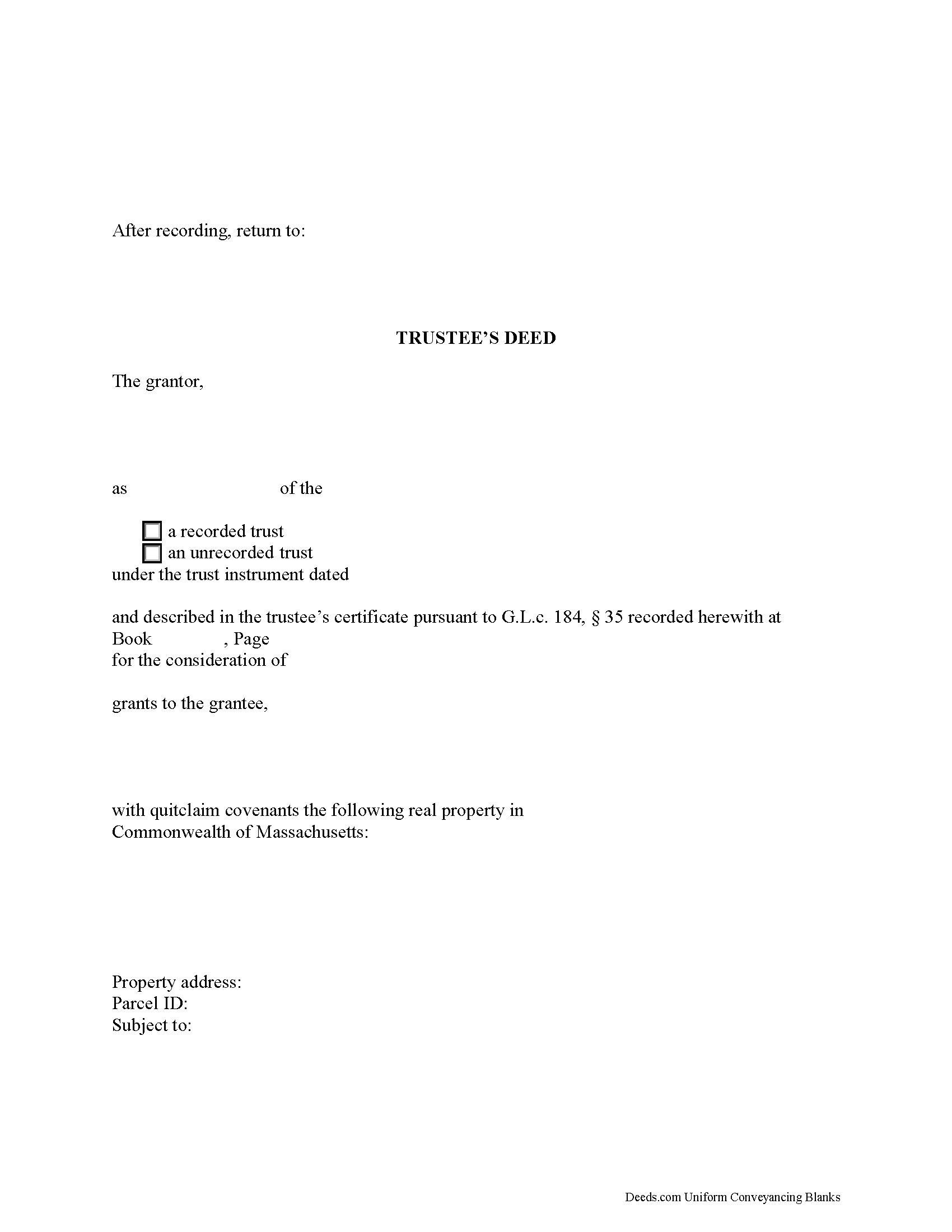
Worcester County Trustee Deed Form
Fill in the blank form formatted to comply with all recording and content requirements.
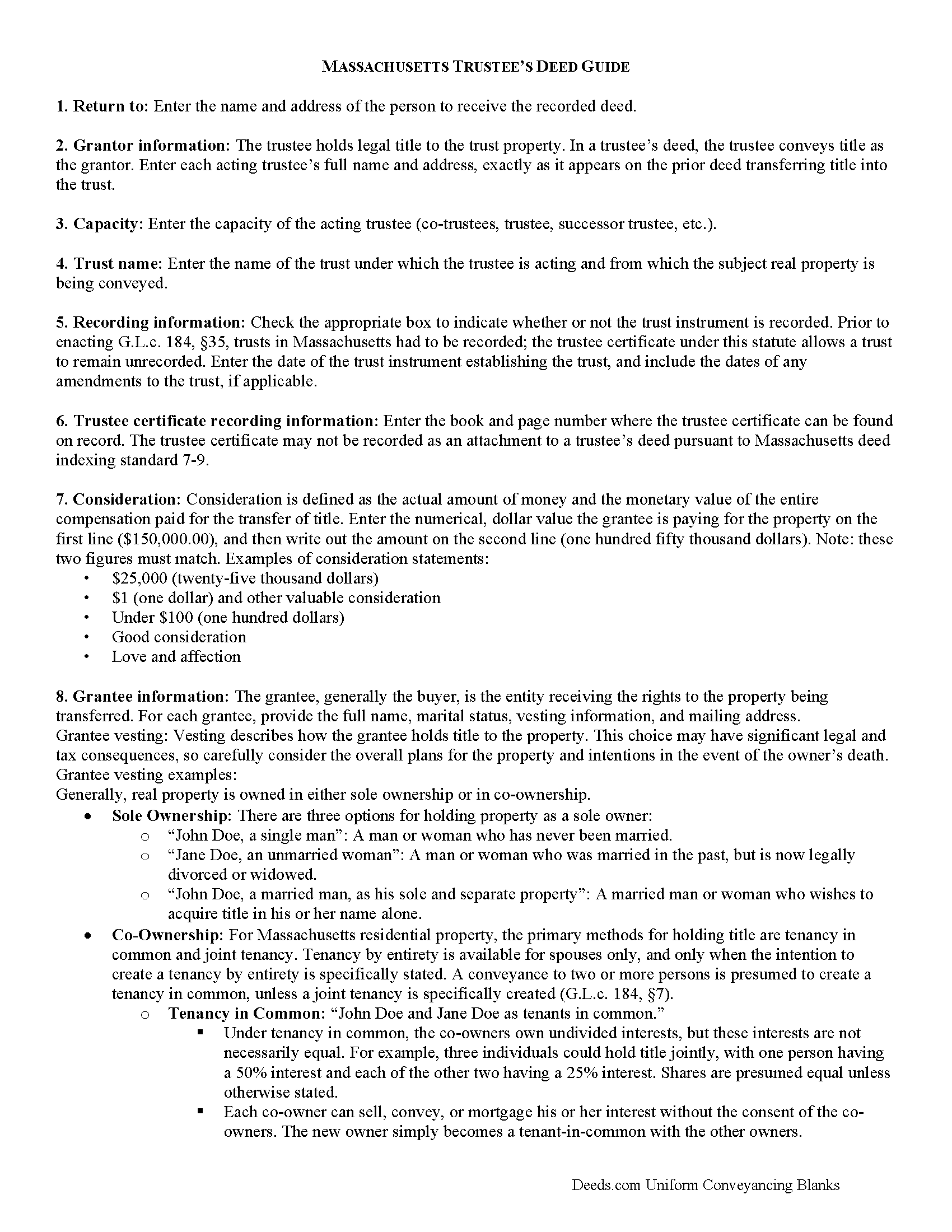
Worcester County Trustee Deed Guide
Line by line guide explaining every blank on the form.
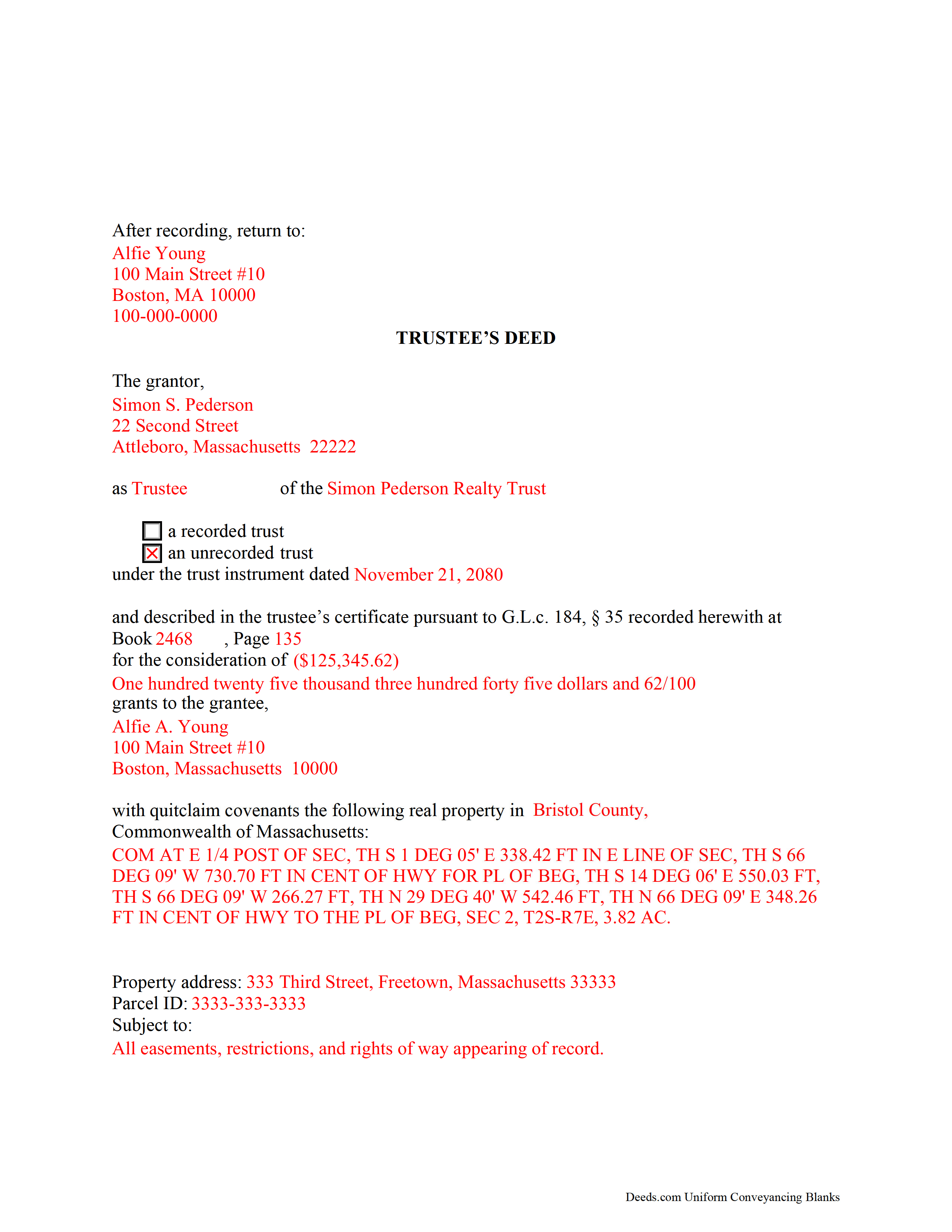
Worcester County Completed Example of the Trustee Deed Document
Example of a properly completed form for reference.
All 3 documents above included • One-time purchase • No recurring fees
Immediate Download • Secure Checkout
Additional Massachusetts and Worcester County documents included at no extra charge:
Where to Record Your Documents
Worcester District Registry of Deeds
Worcester, Massachusetts 01608
Hours: 9:00am to 4:00 pm M-F
Phone: (508) 798-7717
Worcester Northern District Registry of Deeds
Fitchburg, Massachusetts 01420
Hours: 8:30 to 4:30 M-F / Recording until 4:00
Phone: (978) 342-2132
Recording Tips for Worcester County:
- Bring your driver's license or state-issued photo ID
- Ensure all signatures are in blue or black ink
- Ask about their eRecording option for future transactions
- Avoid the last business day of the month when possible
- Both spouses typically need to sign if property is jointly owned
Cities and Jurisdictions in Worcester County
Properties in any of these areas use Worcester County forms:
- Ashburnham
- Athol
- Auburn
- Baldwinville
- Barre
- Berlin
- Blackstone
- Bolton
- Boylston
- Brookfield
- Charlton
- Charlton City
- Charlton Depot
- Cherry Valley
- Clinton
- Douglas
- Dudley
- East Brookfield
- East Princeton
- East Templeton
- Fayville
- Fiskdale
- Fitchburg
- Gardner
- Gilbertville
- Grafton
- Hardwick
- Harvard
- Holden
- Hopedale
- Hubbardston
- Jefferson
- Lancaster
- Leicester
- Leominster
- Linwood
- Lunenburg
- Manchaug
- Mendon
- Milford
- Millbury
- Millville
- New Braintree
- North Brookfield
- North Grafton
- North Oxford
- North Uxbridge
- Northborough
- Northbridge
- Oakham
- Oxford
- Paxton
- Petersham
- Princeton
- Rochdale
- Royalston
- Rutland
- Shrewsbury
- South Barre
- South Grafton
- South Lancaster
- Southborough
- Southbridge
- Spencer
- Sterling
- Still River
- Sturbridge
- Sutton
- Templeton
- Upton
- Uxbridge
- Warren
- Webster
- West Boylston
- West Brookfield
- West Millbury
- West Warren
- Westborough
- Westminster
- Wheelwright
- Whitinsville
- Winchendon
- Winchendon Springs
- Worcester
Hours, fees, requirements, and more for Worcester County
How do I get my forms?
Forms are available for immediate download after payment. The Worcester County forms will be in your account ready to download to your computer. An account is created for you during checkout if you don't have one. Forms are NOT emailed.
Are these forms guaranteed to be recordable in Worcester County?
Yes. Our form blanks are guaranteed to meet or exceed the applicable formatting requirements used for recording in Worcester County, including margin requirements, font requirements, and other layout standards. This guarantee applies to formatting, not to the legal sufficiency of information entered by the user or the suitability of a form for a particular transaction.
Can I reuse these forms?
Yes. You can reuse the forms for your personal use. For example, if you have multiple properties in Worcester County you only need to order once.
What do I need to use these forms?
The forms are PDFs that you fill out on your computer. The free Adobe Acrobat Reader is recommended, and most PDF apps also work. You do NOT enter your property information online - you download the blank forms and complete them privately on your own computer.
Are there any recurring fees?
No. This is a one-time purchase. Nothing to cancel, no memberships, no recurring fees.
How much does it cost to record in Worcester County?
Recording fees in Worcester County vary. Contact the recorder's office at (508) 798-7717 for current fees.
Questions answered? Let's get started!
Used to convey title to real property held in a living (non-testamentary) trust, the trustee's deed takes its name from the party executing the conveyance, the trustee. In Massachusetts, the trustee's deed typically carries quitclaim covenants guaranteeing title against claims arising only under the grantor's duration of ownership.
Trusts are governed by the Massachusetts Uniform Trust Code at chapter 203E of the Massachusetts General Laws. In a trust, the trustee holds legal title to property conveyed into trust by the trust's settlor, for the benefit of a beneficiary. A beneficiary is someone with a present or future interest in the trust (G.L.c. 203E, 103). The terms of the trust, including a designation of the trustee, the trustee's powers, and the trust's beneficiary, are set forth in the trust instrument, which is executed by the settlor and generally not recorded.
Conveyances by trustee are generally accompanied by a trustee's certificate under G.L.c. 184, 35, evidencing the trustee's authority in the transaction at hand. The trustee's certificate is recorded separately, either simultaneously with the deed conveying real property into trust, or when the trustee acts upon the title.
The Massachusetts Real Estate Bar Association (REBA) Title Standard 33 also addresses transfers by trustees. The standard states that recipients of a trustee's deed are not obligated to inquire into the trustee's authority if the trustee's certificate is presented, which recites that third parties may rely without inquiry on the acts of said trustee. The standard also applies if a trustee's certificate is unrecorded or unreferenced in the transfer, but the transfer is executed by all trustees appearing of record to be trustees.
Apart from naming each acting trustee, the trustee's deed recites the name of the trust and contains a reference to the trustee's certificate, if any, of record. The document should also contain a reference to the prior instrument granting title to the trustee. As the conveyance affects real property, the deed requires a legal description of the affected parcel. Each acting trustee must sign the deed in the presence of a notary public for a valid transfer.
Consult a lawyer for guidance, as trust law can quickly become complex, and each situation is unique.
(Massachusetts TD Package includes form, guidelines, and completed example)
Important: Your property must be located in Worcester County to use these forms. Documents should be recorded at the county recording office listed above.
This Trustee Deed meets all recording requirements specific to Worcester County.
Our Promise
The documents you receive here are guaranteed to meet or exceed the applicable Worcester County recording format requirements. If there is a rejection caused by our formatting, we will correct the issue or refund your payment. This guarantee applies to document formatting only and does not extend to information entered by the user, the selection of the form, or the legal effect of the completed document.
Save Time and Money
Get your Worcester County Trustee Deed form done right the first time with Deeds.com Uniform Conveyancing Blanks. At Deeds.com, we understand that your time and money are valuable resources, and we don't want you to face a penalty fee or rejection imposed by a county recorder for submitting nonstandard documents. We constantly review and update our forms to meet rapidly changing state and county recording requirements for roughly 3,500 counties and local jurisdictions.
4.8 out of 5 - ( 4,828 Reviews )
Aaron L. 2 out of 5 stars
Might be adequate if I was desperate. Formatting screams amateur hour -- not a legal issue but likely to invite closer scrutiny when filed. Instructions were supposed to be county-specific but directed me to call the recorder to ask them how to fill out part of the form. Not planning to use the form and would not purchase it again. I could probably do better by uploading some examples and the original mortgage from the Recorder's website into Claude along with the transaction-specific information and asking Claude to prepare a more professional release.
Aaron, we’re sorry the form and instructions did not meet your expectations. Your order has been canceled and your payment refunded. We appreciate your feedback and wish you the best with preparing the release in the way that works best for your situation.
Linley S. 5 out of 5 stars
This website is extremely easy to use and provides exactly what is needed to record things. I am very appreciative of this service, especially when I can't get to the court right now due to them being closed due to COVID-19 right now. Thank you!
Thank you Linley, glad we are able to help.
Anthony N. 3 out of 5 stars
The site was not easy to navigate. Maybe putting the different things offered at the heading instead of searching for it.
Thank you for your feedback. We really appreciate it. Have a great day!
Mary H. 5 out of 5 stars
Easy, convenient, and very reasonably priced. I really appreciate the comprehensive step-by-step instructions to complete the forms. I would recommend their services and will use them again if needed.
We’re glad you had a positive experience. Thank you.
Laura B. 5 out of 5 stars
Downloaded and completed these quit claim forms in less than one cup of coffee, quick easy and stress free.
We appreciate your business and value your feedback. Thank you. Have a wonderful day!
David P. 5 out of 5 stars
Thank you. I was just looking but still think it is a great website. Used it a couple of years ago for a deed. Thank you.
Thank you for your feedback. We really appreciate it. Have a great day!
Paul A. 5 out of 5 stars
Your service is awesome!
Thank you!
Jeffrey G. 5 out of 5 stars
The documents requested were perfect! Very helpful, with instructions on how to complete and submit and unique to the county. They provided additional helpful documents that I would not have thought to ask for. Great job!
Thank you!
Susan A. 5 out of 5 stars
The warranty deed form, the explanation and the example were well worth the price, as they gave me more confidence I was filling the deed out correctly. I cross referenced all of it with the county registrars website and the previous warranty deed.
We appreciate your business and value your feedback. Thank you. Have a wonderful day!
Eldridge S. 5 out of 5 stars
very pleased to attain this important document
We appreciate your business and value your feedback. Thank you. Have a wonderful day!
Carlene J. 5 out of 5 stars
Great way to do business with Dc Government! I submitted my documents and received everything back and approved on the same day! No wait , no line! Lol
Thank you for your feedback. We really appreciate it. Have a great day!
Donovan M. 5 out of 5 stars
Straight forward, very fair price with excellent instructions and example. I am very pleased with your product!
Thank you!
Kristi L. 5 out of 5 stars
Fantastic Experience! I have been through several different companies offering to do the same thing but only offering subscriptions. I have no negative reviews, took 1 business day from submission, professional and timely updates and extremely fair pricing considering the amount of time it saves you.
Thank you!
Terry C. 4 out of 5 stars
It is a difficult challenge -- trying to take the needless jargon out of legal transactions so ordinary citizens can manage their affairs. Deeds.com hasn't solved all the problems, but has made a super effort to help us achieve self-sufficiency.
We appreciate your business and value your feedback. Thank you. Have a wonderful day!
Bruce B. 5 out of 5 stars
Worked great and was easy to use
Thanks Bruce, glad we could help.