Alpena County Correction Deed Form
Last validated September 18, 2026 by our Forms Development TeamFormatted for recording in Alpena County, for property anywhere in the county: rural and unincorporated areas as well as Alpena, Herron, Hubbard Lake, Lachine, Ossineke.
- 3 documents included
- Immediate PDF download
- Formatting guarantee
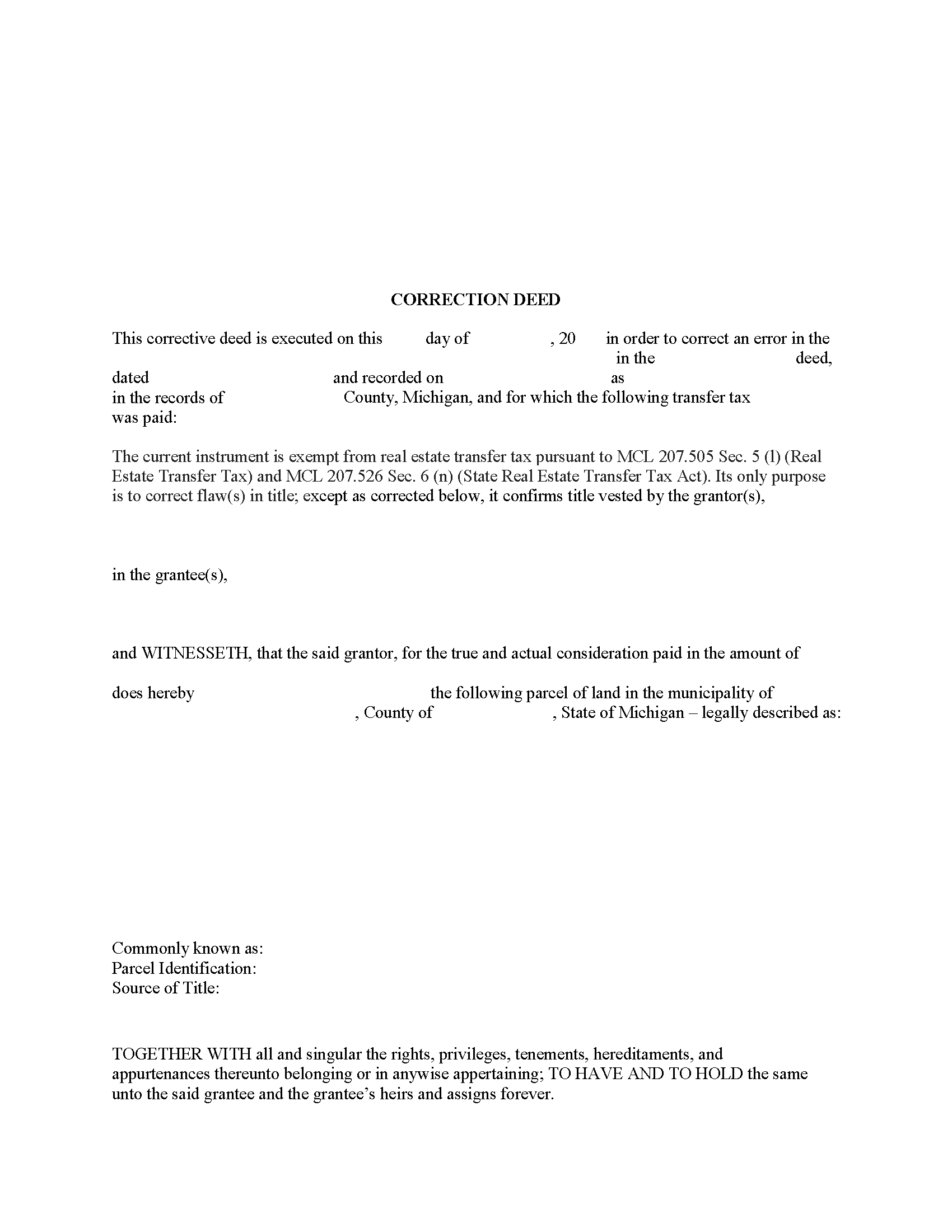
Alpena County Correction Deed Form
Fill in the blank form formatted to comply with all recording and content requirements.
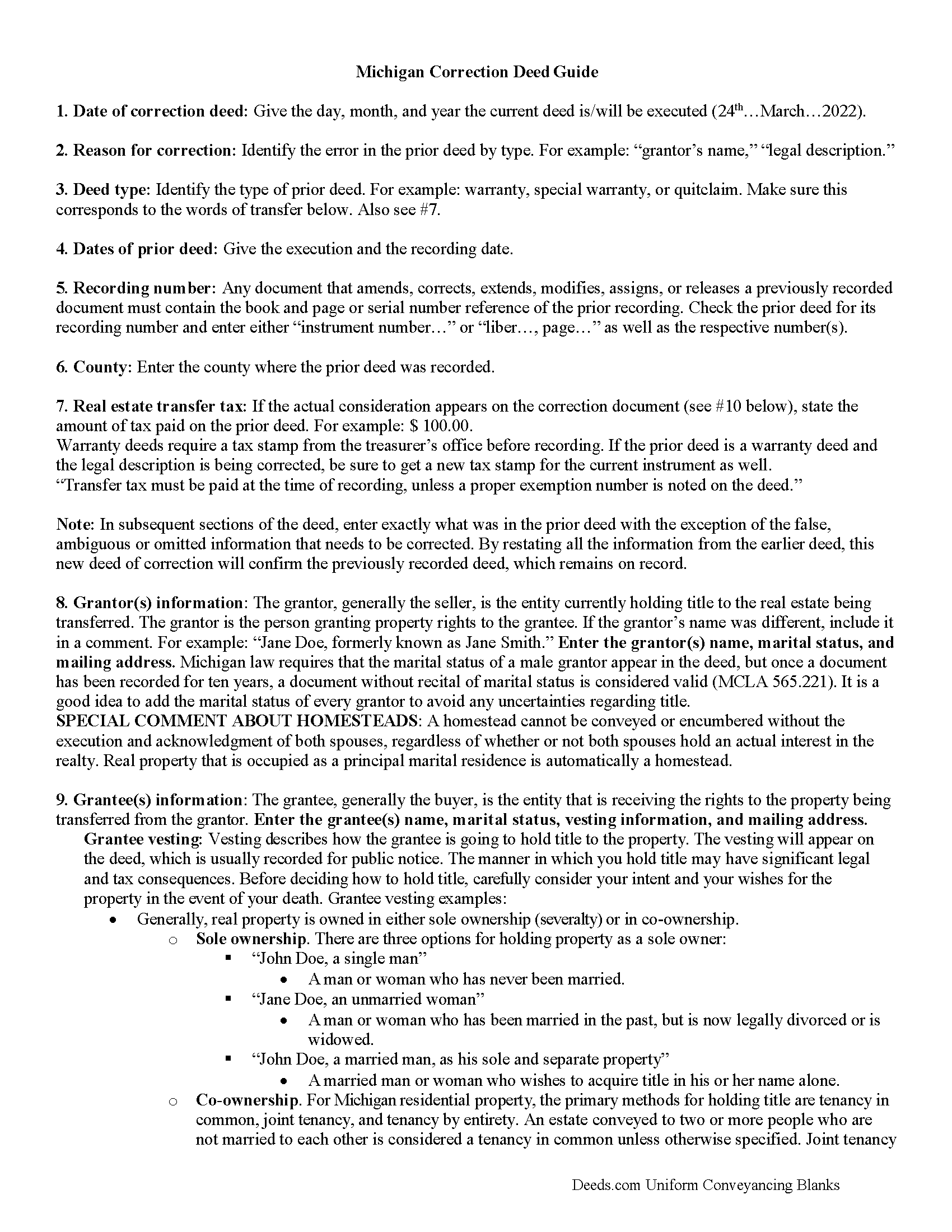
Alpena County Correction Deed Guide
Line by line guide explaining every blank on the form.
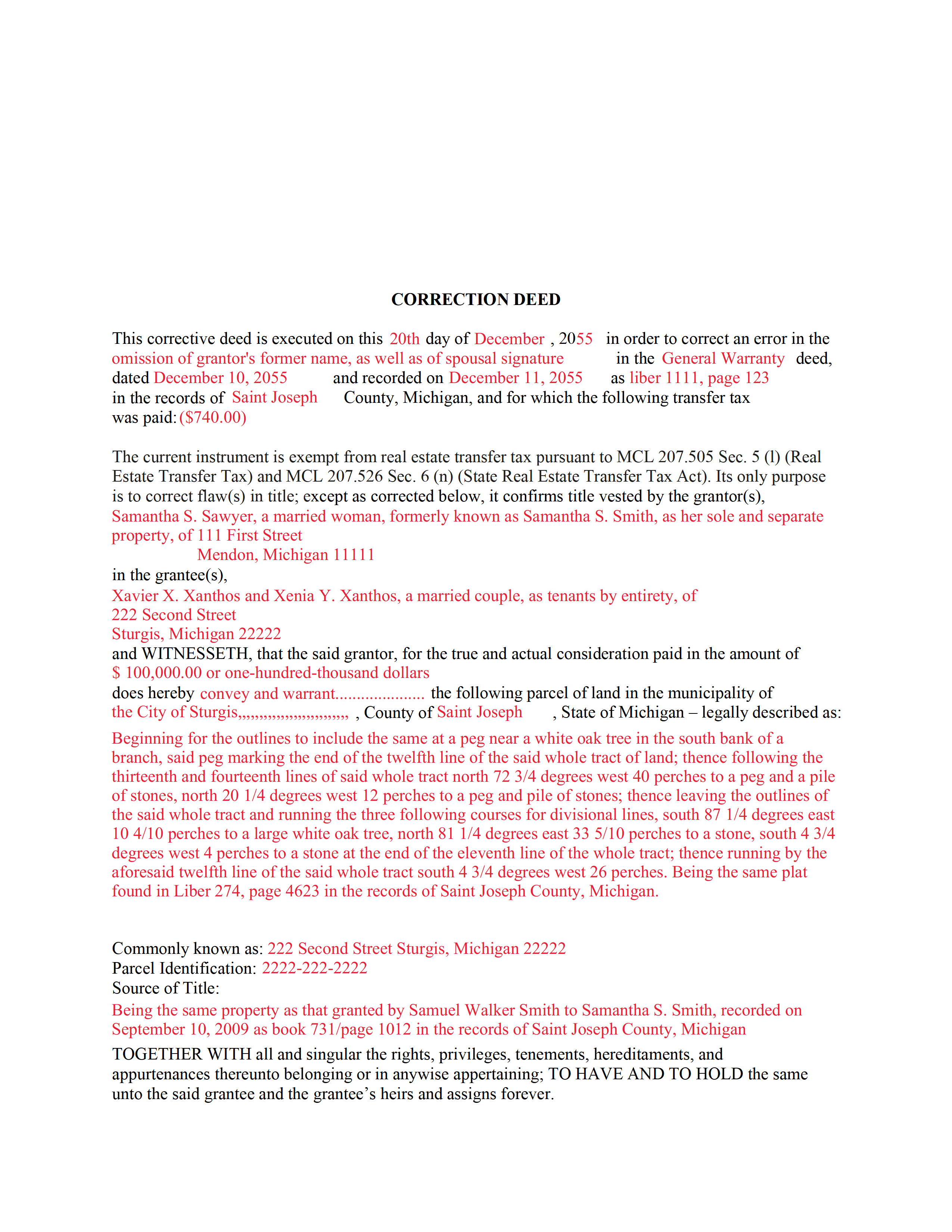
Alpena County Completed Example of the Correction Deed Document
Example of a properly completed form for reference.
All 3 documents above included • One-time purchase • No recurring fees
Immediate Download • Secure Checkout
Additional Michigan and Alpena County documents included at no extra charge:
Where to Record Your Documents
Register of Deeds
Alpena, Michigan 49707
Hours: 8:30 to 4:30 M-F
Phone: (989) 354-9547
Recording Tips for Alpena County:
- Bring your driver's license or state-issued photo ID
- Ensure all signatures are in blue or black ink
- Recorded documents become public record - avoid including SSNs
- Recording fees may differ from what's posted online - verify current rates
- Request a receipt showing your recording numbers
Cities and Jurisdictions in Alpena County
Properties in any of these areas use Alpena County forms:
- Alpena
- Herron
- Hubbard Lake
- Lachine
- Ossineke
Hours, fees, requirements, and more for Alpena County
How do I get my forms?
Forms are available for immediate download after payment. The Alpena County forms will be in your account ready to download to your computer. An account is created for you during checkout if you don't have one. Forms are NOT emailed.
Are these forms guaranteed to be recordable in Alpena County?
Yes. Our form blanks are guaranteed to meet or exceed the applicable formatting requirements used for recording in Alpena County, including margin requirements, font requirements, and other layout standards. This guarantee applies to formatting, not to the legal sufficiency of information entered by the user or the suitability of a form for a particular transaction.
Can I reuse these forms?
Yes. You can reuse the forms for your personal use. For example, if you have multiple properties in Alpena County you only need to order once.
What do I need to use these forms?
The forms are PDFs that you fill out on your computer. The free Adobe Acrobat Reader is recommended, and most PDF apps also work. You do NOT enter your property information online - you download the blank forms and complete them privately on your own computer.
Are there any recurring fees?
No. This is a one-time purchase. Nothing to cancel, no memberships, no recurring fees.
How much does it cost to record in Alpena County?
Recording fees in Alpena County vary. Contact the recorder's office at (989) 354-9547 for current fees.
Questions answered? Let's get started!
Use this correction deed to correct an error in a previously executed and recorded deed.
Correction deeds are used to adjust the earlier deed when that document contains minor errors of omission or typographical errors, sometimes called scrivener's mistakes. For example, a misspelled name, an omitted or wrong middle initial, a minor error in the property description, or an omitted execution date. Do not us the correction deed for more substantial changes, such as the removal of a name from a deed. Such alterations are better handled through a quit claim deed.
The correction deed, also called corrective deed, must state that its sole purpose is to correct a specific error, which is usually identified by type. For example: an error in the grantor's name, or an error in the grantor's marital status. It also must clearly reference the type of document it is correcting and state the execution and recording date of that prior document, as well as the number under which it was recorded, either referred to as instrument number or liber (book) and page number.
In subsequent sections, the correction deed repeats the information that was in the prior deed with the exception of the false, ambiguous or omitted information that needs to be corrected. By restating all the information from the earlier deed, this new deed of correction will confirm the previously recorded deed, which remains on record as is.
Warranty deeds require a tax stamp from the treasurer's office before recording. If the prior deed is a warranty deed and the legal description is being corrected, be sure to get a new tax stamp for the current instrument as well. In some counties, any deed that contains the word "warrant" must be checked by the treasurer's office first regardless of the type of correction.
(Michigan CD Package includes form, guidelines, and completed example)
Important: Your property must be located in Alpena County to use these forms. Documents should be recorded at the county recording office listed above.
This Correction Deed meets all recording requirements specific to Alpena County.
Our Promise
The documents you receive here are guaranteed to meet or exceed the applicable Alpena County recording format requirements. If there is a rejection caused by our formatting, we will correct the issue or refund your payment. This guarantee applies to document formatting only and does not extend to information entered by the user, the selection of the form, or the legal effect of the completed document.
Save Time and Money
Get your Alpena County Correction Deed form done right the first time with Deeds.com Uniform Conveyancing Blanks. At Deeds.com, we understand that your time and money are valuable resources, and we don't want you to face a penalty fee or rejection imposed by a county recorder for submitting nonstandard documents. We constantly review and update our forms to meet rapidly changing state and county recording requirements for roughly 3,500 counties and local jurisdictions.
4.8 out of 5 - ( 4,836 Reviews )
Nicolette C. 5 out of 5 stars
Deeds.com was a wealth of information and easy to navigate through the myriad of forms to choose from. During a time of family tragedy, this site was a valuable resource to complete necessary paperwork and ensure assets were in proper names and titles.
We are sincerely grateful for your feedback and are committed to providing the highest quality service. Thank you for your trust in us.
Mica M. 5 out of 5 stars
I love deeds.com - hands down, the quickest way to record a warranty deed. The process and communication is so quick - the recording transaction too. Worth the extra $20 to me for my time! I didn't spend over an hour driving around, talking to someone via a kiosk to record the deed, didn't have to spend the energy of loading kids into the car to come with me, etc. The efficiency and timely process is worth the cost! Love having this available! The whole process via deeds.com took less than 5 minutes to upload a document and less than 3 minutes to pay the invoice shortly thereafter. The final recording was in my inbox in less than an hour. Thank you!
Thank you for your feedback. We really appreciate it. Have a great day!
Cherene K. 4 out of 5 stars
The process was easy and reasonable. My only problem was that, when I filled out my form on the computer, the writing I did overlapped with the pre-written words on the form, so that I had to end up doing it by hand. I've used DEEDS before and have not had that problem.
Thank you for your feedback Cherene. We've emailed you for some followup regarding the issue you reported.
Viola G. 4 out of 5 stars
Some of the forms I ordered didn't have enough space for all of the information, but were useful as a guide for creating what I needed. Now I'll be trying the e-recording to see how that goes.
Thank you!
Doug C. 5 out of 5 stars
Great Job guys! I would not even have thought to look for this service. The county recorder's office and kiosks are all closed because of covid. I was directed to you because of a referral on the county site. I wish I had known you had forms available as well. I searched for a day to find the appropriate form.
Thank you for your feedback. We really appreciate it. Have a great day!
PAMELA D. 5 out of 5 stars
great response!! Thank you
Thank you!
Virginia C. 5 out of 5 stars
I had a nice surprise seeing how fast the process was to download in a safe manner the documents. The example and guide to fill the original document are very valuable to facilitate the filling in. Thank you!!
Thank you for your feedback. We really appreciate it. Have a great day!
Daniel F. 5 out of 5 stars
We have been very happy with all that Deeds have done very timely and helpful
Thank you!
William L. 5 out of 5 stars
Deeds.com provide a great service!!!
We truly value your business and appreciate your review.
ROBERT J. 5 out of 5 stars
Easy to order!
Thank you!
Dorothy B. 5 out of 5 stars
Love your deed service. Simple and easy.
Thank you!
Scott H. 5 out of 5 stars
Very helpful
Thank you!
George R. 5 out of 5 stars
Your website worked but I am waiting for answers for two questions.
Thank you for your feedback. We really appreciate it. Have a great day!
Kevin C. 2 out of 5 stars
I like your service, but the error message I received yesterday was confusing. It said that Utah County does not record cover pages, so I should either remove the cover page or change the “order“ of the documents being submitted. This is ambiguous. I examined my package and it looked like the cover page was already being submitted separately, as a supporting document at the end, and there was no way to explicitly change the ordering of the submitted documents, that is up to your service. So I removed the cover page. But that makes me nervous, how will they know where to route it when it is done? So now I’m not sure if it was submitted correctly.
Thank you for the review, Kevin, and for laying out exactly what you saw.
The message you received ("Utah County does not accept cover pages for recording. Please remove or reorder to the back. Thank you.") came directly from the Utah County Recorder. We pass recorder rejection notes along as written, and we agree it was ambiguous. Rejection notes from recording offices often are, since they are written for people who file in that county every day.
Supporting documents always travel behind the main document they belong to, so there was nothing for you to reorder, and by your description the cover page was already at the back. With the cover page removed, the package matched what the recorder's note asked for.
On routing: nothing is mailed back with e-recording. The recorder records the document image, adds the recording information, and returns the recorded copy electronically through the e-recording system to us. It then appears on your package in your account and you get a message from us. A cover page plays no part in that, so leaving it out did not affect where your document goes.
Brian S. 3 out of 5 stars
PDF fields change font sizes leading to an unprofessional-appearing printed page. The examples for "Convey to" section don't include how to specify just one person instead of a married couple. Maybe that is simple but it would help to spell it out in an example. Haven't submitted to County Recorder yet, so will find out if it is acceptable.
Thank you for the feedback Brian.
The font issue is caused by using a PDF viewer other than Adobe Acrobat Reader. Our form fields are set to a uniform 12-point font, but non-Adobe viewers often render form fields inconsistently. Opening and printing the form with the free Adobe Acrobat Reader will resolve that.
Regarding the examples, that's a fair point, we'll look at expanding them.