Tuscola County Partial Discharge of Mortgage Form
Last validated August 20, 2026 by our Forms Development TeamFormatted for recording in Tuscola County, for property anywhere in the county: rural and unincorporated areas as well as Akron, Caro, Cass City, Deford, Fairgrove, Fostoria, Gagetown, Gilford and 8 more.
- 3 documents included
- Immediate PDF download
- Formatting guarantee
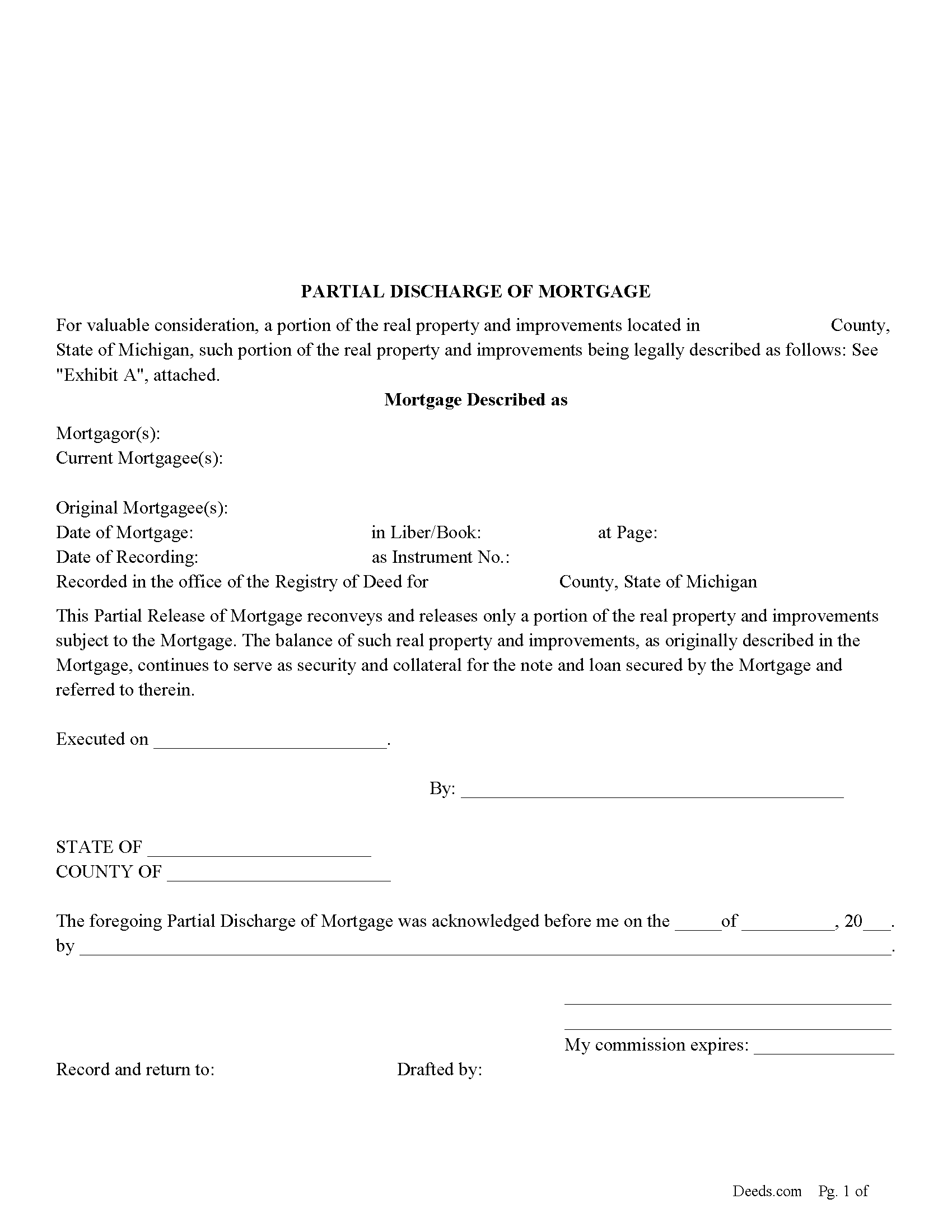
Tuscola County Partial Discharge of Mortgage Form
Fill in the blank form formatted to comply with all recording and content requirements.
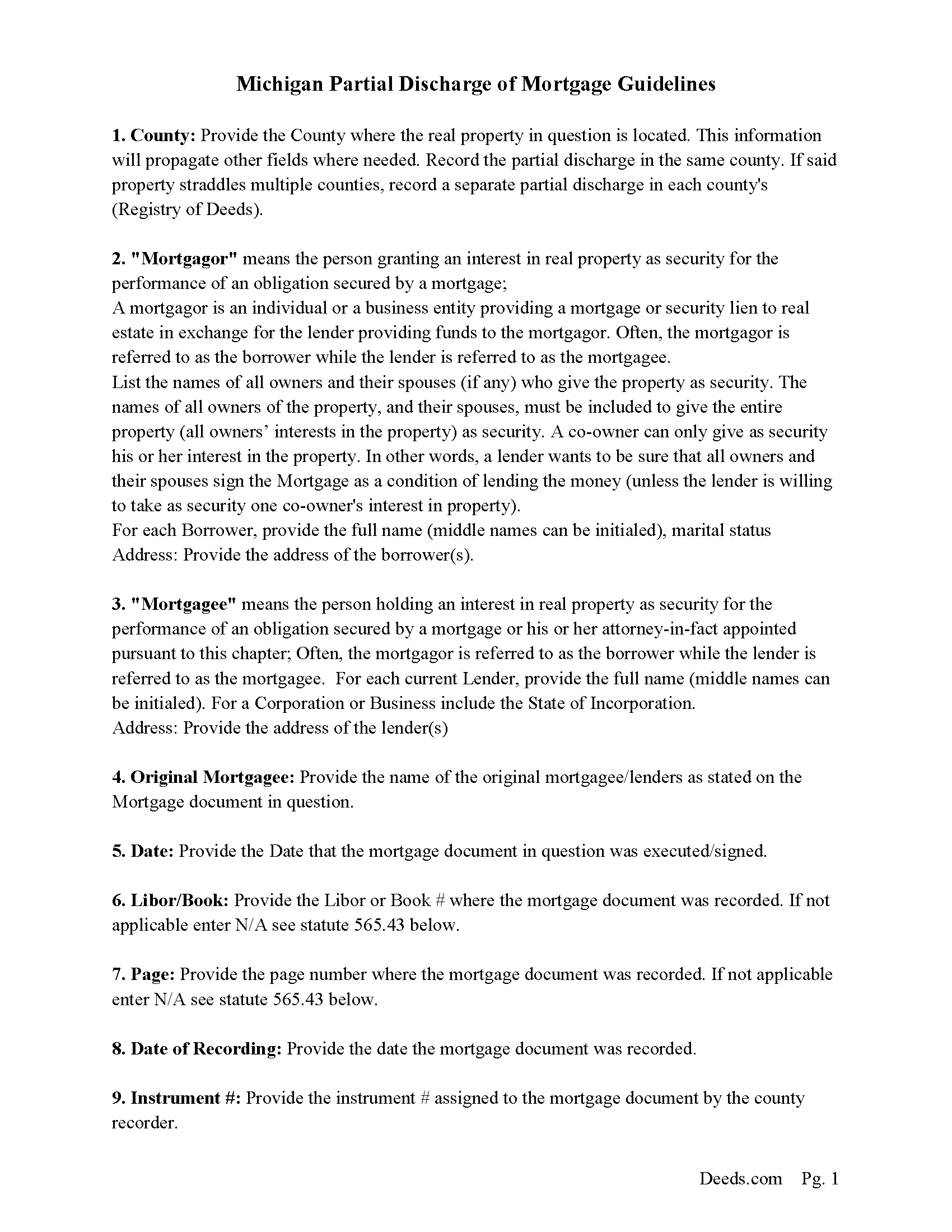
Tuscola County Guidelines for Partial Discharge of Mortgage
Line by line guide explaining every blank on the form.
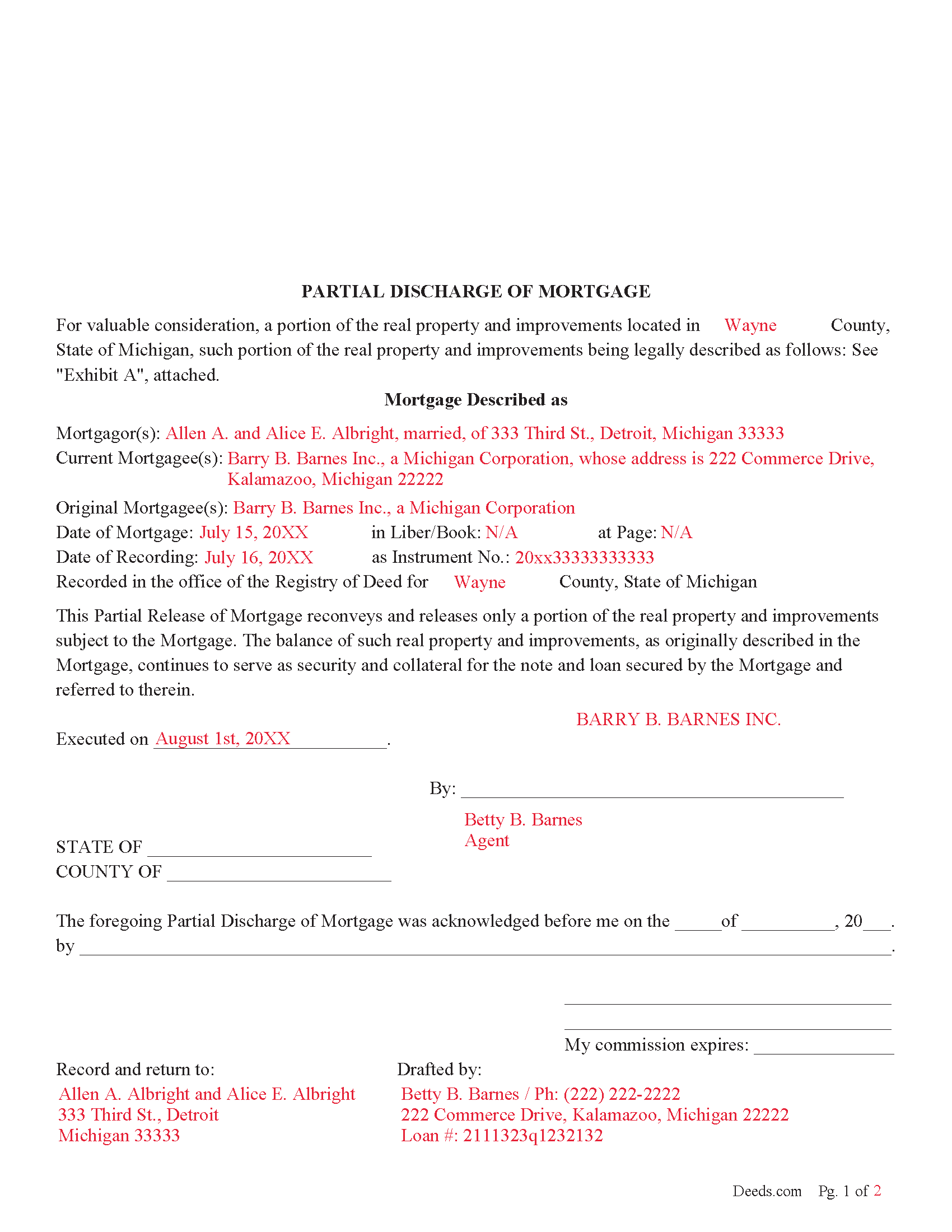
Tuscola County Completed Example of the Partial Discharge of Mortgage Document
Example of a properly completed form for reference.
All 3 documents above included • One-time purchase • No recurring fees
Immediate Download • Secure Checkout
Additional Michigan and Tuscola County documents included at no extra charge:
Where to Record Your Documents
Tuscola County Register of Deeds
Caro, Michigan 48723-1591
Hours: 8:00 to 12:00 & 1:00 to 4:30 M-F
Phone: (989) 672-3840
Recording Tips for Tuscola County:
- Bring your driver's license or state-issued photo ID
- Ensure all signatures are in blue or black ink
- Recording fees may differ from what's posted online - verify current rates
- Request a receipt showing your recording numbers
- Ask about accepted payment methods when you call ahead
Cities and Jurisdictions in Tuscola County
Properties in any of these areas use Tuscola County forms:
- Akron
- Caro
- Cass City
- Deford
- Fairgrove
- Fostoria
- Gagetown
- Gilford
- Kingston
- Mayville
- Millington
- Reese
- Richville
- Tuscola
- Unionville
- Vassar
Hours, fees, requirements, and more for Tuscola County
How do I get my forms?
Forms are available for immediate download after payment. The Tuscola County forms will be in your account ready to download to your computer. An account is created for you during checkout if you don't have one. Forms are NOT emailed.
Are these forms guaranteed to be recordable in Tuscola County?
Yes. Our form blanks are guaranteed to meet or exceed the applicable formatting requirements used for recording in Tuscola County, including margin requirements, font requirements, and other layout standards. This guarantee applies to formatting, not to the legal sufficiency of information entered by the user or the suitability of a form for a particular transaction.
Can I reuse these forms?
Yes. You can reuse the forms for your personal use. For example, if you have multiple properties in Tuscola County you only need to order once.
What do I need to use these forms?
The forms are PDFs that you fill out on your computer. The free Adobe Acrobat Reader is recommended, and most PDF apps also work. You do NOT enter your property information online - you download the blank forms and complete them privately on your own computer.
Are there any recurring fees?
No. This is a one-time purchase. Nothing to cancel, no memberships, no recurring fees.
How much does it cost to record in Tuscola County?
Recording fees in Tuscola County vary. Contact the recorder's office at (989) 672-3840 for current fees.
Questions answered? Let's get started!
Use this form to release a portion of property secured by a mortgage and promissory note. Example: borrower has financed 5 lots for $100,000.00 which has since been paid down to a balance of $30,000.00. Borrower approaches Lender and would like the lender to release lot #3 because he has it sold. The lender might think, ok - he will owe me $30,000.00 on the remaining 4 lots, I consider this a good risk. The same can also be applicable to condominiums, apartments, parcels, etc.
This form is used by the (mortgagee or the personal representative, successor, or assign of the mortgagee), who (shall prepare a discharge of the mortgage, file the discharge with the register of deeds for the county where the mortgaged property is located, and pay the fee for recording the discharge.) (565.41 Sec. 41(1)) A mortgagee is often referred to as a lender.
(Michigan PDOM Package includes form, guidelines, and completed example)
Important: Your property must be located in Tuscola County to use these forms. Documents should be recorded at the county recording office listed above.
This Partial Discharge of Mortgage meets all recording requirements specific to Tuscola County.
Our Promise
The documents you receive here are guaranteed to meet or exceed the applicable Tuscola County recording format requirements. If there is a rejection caused by our formatting, we will correct the issue or refund your payment. This guarantee applies to document formatting only and does not extend to information entered by the user, the selection of the form, or the legal effect of the completed document.
Save Time and Money
Get your Tuscola County Partial Discharge of Mortgage form done right the first time with Deeds.com Uniform Conveyancing Blanks. At Deeds.com, we understand that your time and money are valuable resources, and we don't want you to face a penalty fee or rejection imposed by a county recorder for submitting nonstandard documents. We constantly review and update our forms to meet rapidly changing state and county recording requirements for roughly 3,500 counties and local jurisdictions.
4.8 out of 5 - ( 4,828 Reviews )
Crystal W. 5 out of 5 stars
This is the easiest process.
Thank you for your feedback. We really appreciate it. Have a great day!
BROOKE W. 5 out of 5 stars
Great fillable form! And the separate instruction sheet was detailed and very clear. I particularly appreciate you including a sample of a completed form. I've filled in real estate forms before but never this one, and there were some things I didn't know.
We appreciate your business and value your feedback. Thank you. Have a wonderful day!
Linda S. 5 out of 5 stars
I am quite pleased with this website. I was able to complete my task with relative ease thanks to all the help these forms provided .The example forms really helped me to navigate the process. I would recommend this service highly.
Thank you Linda, we really appreciate your feedback.
Eileen D. 5 out of 5 stars
Very easy to use. The example form was a big help in making sure I had the forms filled out correctly.
Thank you!
Vickie W. 5 out of 5 stars
Very easy to download and appreciated the other information and affidavits.
We appreciate your business and value your feedback. Thank you. Have a wonderful day!
Linda B. 5 out of 5 stars
the forms are easy to understand. How do I go about getting the deed recorded and is there a charge.
Thank you for your feedback. We really appreciate it. Have a great day!
Georgiana I. 5 out of 5 stars
The deed itself was easy. I did notice that although the website says that the deed would exempt the house from probate, the deed clearly states that it might not. I hope that "might " is the operative word here.
Thank you for your feedback. We really appreciate it. Have a great day!
Douglas S. 5 out of 5 stars
Nice site, easy to maneuver around, and walks you thru completing forms. However, at the end, the forms listed poorly explained. It would be helpful to have better explanations of the forms so people know which forms they really need to download.
Thank you for your feedback. We really appreciate it. Have a great day!
Shane J. 5 out of 5 stars
Easy to use and quickly filed documents!
Thank you!
Dale K. 5 out of 5 stars
A very user friendly website!
Thank you!
James H. 5 out of 5 stars
Clear and easy instructions. Prompt processing and confirmation. I am still in the middle of submitting my document for recording, but I am confident that the Deeds.com service will deliver as promised. Definitely a valuable tool with important legal doucments.
We appreciate your business and value your feedback. Thank you. Have a wonderful day!
Audrey T. 4 out of 5 stars
The info was good for the money, but not all that I needed.
Thank you for your feedback. We really appreciate it. Have a great day!
John V. B. 5 out of 5 stars
I have not yet used the site however, I feel that this site could be a big asset to the genealogical community. It is well laid out thus easy to use.
Thank you for your feedback. We really appreciate it. Have a great day!
Janet M. 5 out of 5 stars
Was fairly easy to complete but my situation wasn't covered so I had to make a call to get help. Will see if it gets filed successfully.
Thank you!
Jackie C. 5 out of 5 stars
It was easy to access the documents for a minimal fee.
Thank you for your feedback. We really appreciate it. Have a great day!