Grand Traverse County Quitclaim Deed (Married Grantor with Non-Owner Spouse Joinder) Form
Last validated October 9, 2026 by our Forms Development TeamFormatted for recording in Grand Traverse County, for property anywhere in the county: rural and unincorporated areas as well as Acme, Grawn, Interlochen, Kingsley, Mayfield, Old Mission, Traverse City, Williamsburg.
- 3 documents included
- Immediate PDF download
- Formatting guarantee
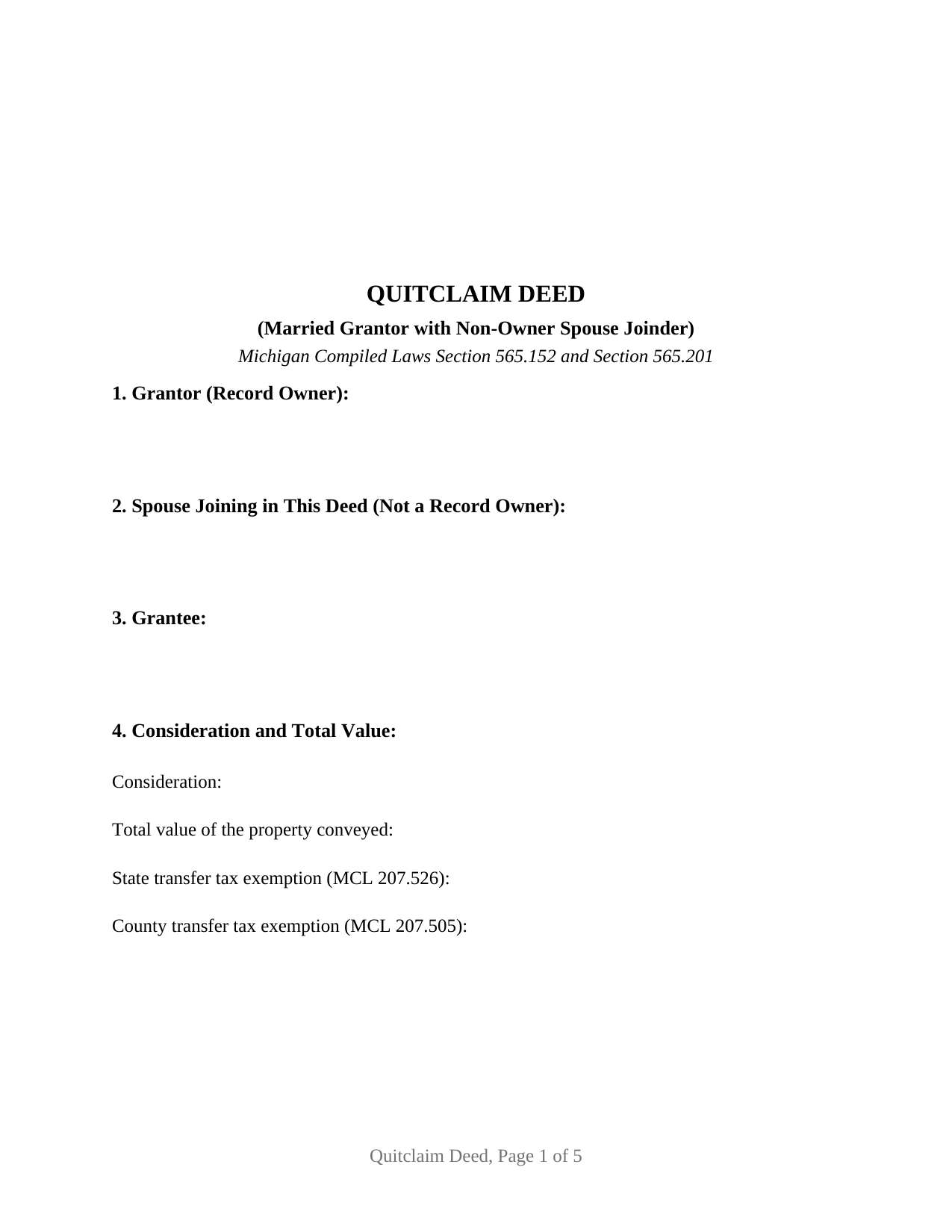
Grand Traverse County Quitclaim Deed (Married Grantor with Non-Owner Spouse Joinder) Form
Fill in the blank Quitclaim Deed (Married Grantor with Non-Owner Spouse Joinder) form formatted to comply with all Michigan recording and content requirements.
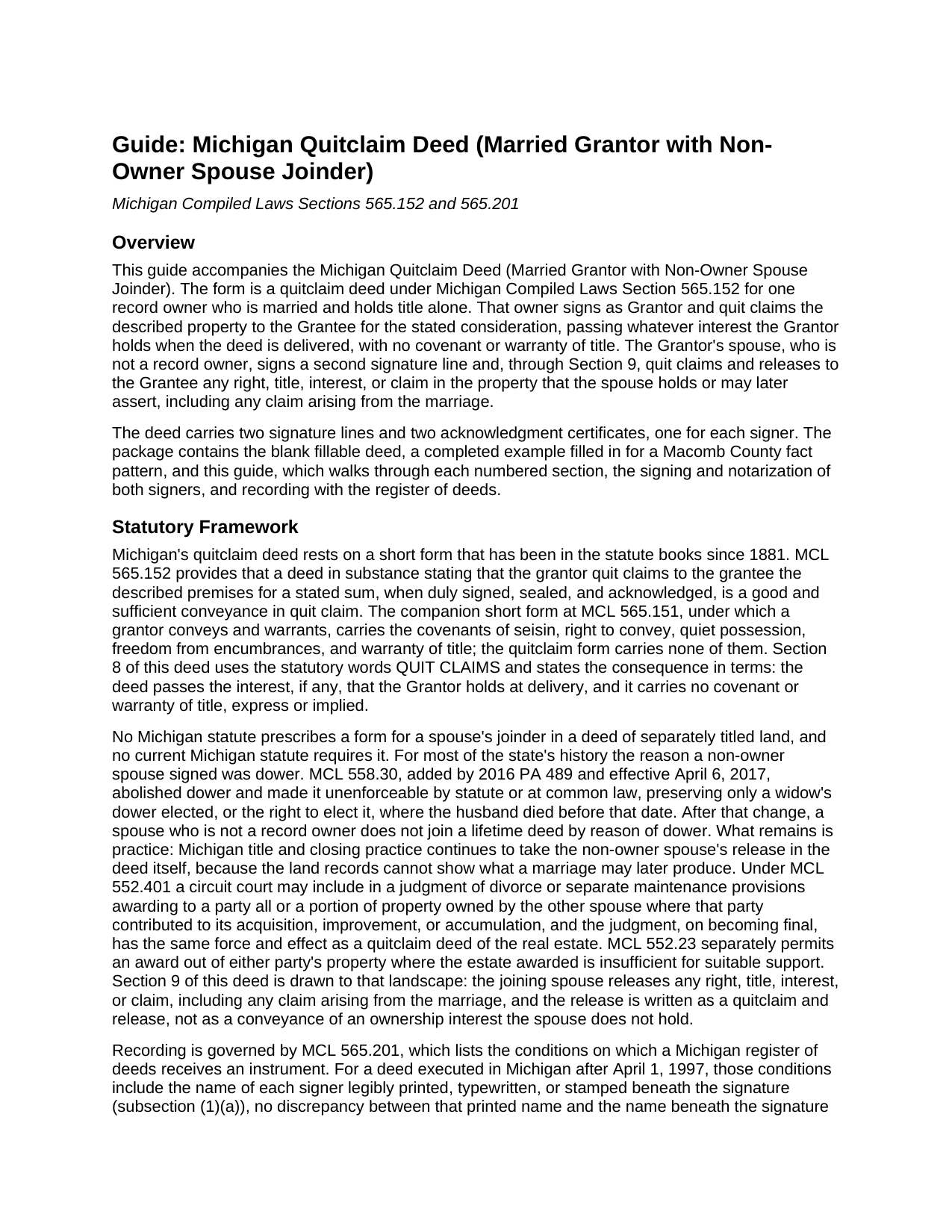
Grand Traverse County Quitclaim Deed (Married Grantor with Non-Owner Spouse Joinder) Guide
Line by line guide explaining every blank on the Quitclaim Deed (Married Grantor with Non-Owner Spouse Joinder) form.
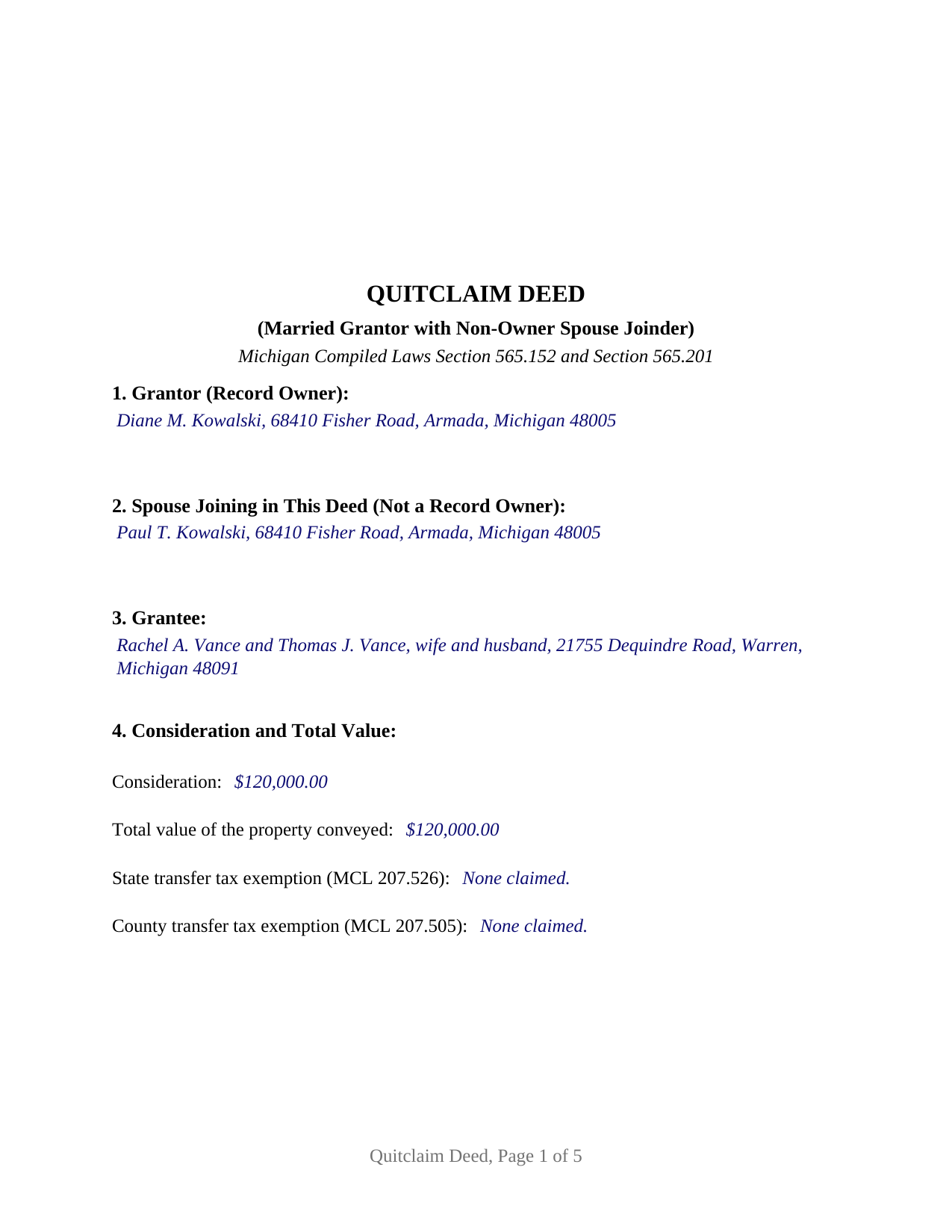
Grand Traverse County Completed Example of the Quitclaim Deed (Married Grantor with Non-Owner Spouse Joinder) Document
Example of a properly completed Michigan Quitclaim Deed (Married Grantor with Non-Owner Spouse Joinder) document for reference.
All 3 documents above included • One-time purchase • No recurring fees
Immediate Download • Secure Checkout
Additional Michigan and Grand Traverse County documents included at no extra charge:
Where to Record Your Documents
County Register of Deeds
Traverse City, Michigan 49684
Hours: 8:00 am to 5:00 pm Mon - Fri
Phone: (231) 922-4753
Recording Tips for Grand Traverse County:
- Bring your driver's license or state-issued photo ID
- Ensure all signatures are in blue or black ink
- Check margin requirements - usually 1-2 inches at top
- Leave recording info boxes blank - the office fills these
- Make copies of your documents before recording - keep originals safe
Cities and Jurisdictions in Grand Traverse County
Properties in any of these areas use Grand Traverse County forms:
- Acme
- Grawn
- Interlochen
- Kingsley
- Mayfield
- Old Mission
- Traverse City
- Williamsburg
Hours, fees, requirements, and more for Grand Traverse County
How do I get my forms?
Forms are available for immediate download after payment. The Grand Traverse County forms will be in your account ready to download to your computer. An account is created for you during checkout if you don't have one. Forms are NOT emailed.
Are these forms guaranteed to be recordable in Grand Traverse County?
Yes. Our form blanks are guaranteed to meet or exceed the applicable formatting requirements used for recording in Grand Traverse County, including margin requirements, font requirements, and other layout standards. This guarantee applies to formatting, not to the legal sufficiency of information entered by the user or the suitability of a form for a particular transaction.
Can I reuse these forms?
Yes. You can reuse the forms for your personal use. For example, if you have multiple properties in Grand Traverse County you only need to order once.
What do I need to use these forms?
The forms are PDFs that you fill out on your computer. The free Adobe Acrobat Reader is recommended, and most PDF apps also work. You do NOT enter your property information online - you download the blank forms and complete them privately on your own computer.
Are there any recurring fees?
No. This is a one-time purchase. Nothing to cancel, no memberships, no recurring fees.
How much does it cost to record in Grand Traverse County?
Recording fees in Grand Traverse County vary. Contact the recorder's office at (231) 922-4753 for current fees.
Questions answered? Let's get started!
One spouse owns the Michigan property, the other does not, and both of them sign this deed. The form recites a single Grantor, a married person holding record title alone, and adds a second signature line for that owner's spouse, who joins for one purpose: to quit claim and release any right or claim the spouse holds or might one day assert in the land.
Why a spouse who owns nothing signs
Nothing in current Michigan law compels that signature. A deed of land titled in one spouse's name alone is complete when the record owner signs before a notary and the register of deeds accepts it. The second signature is a title-clearing measure, and Michigan closing practice keeps asking for it because the record cannot show what a marriage may later produce: a contribution claim, an equitable claim never put on paper, a judgment not yet entered. A release taken at the closing table answers those in one line.
The 2017 change that moved the reason
For 171 years the answer here was dower: a married man selling land held in his own name obtained his wife's signature to bar her dower right, which is why older Michigan deeds carry a marital-status statement. MCL 558.30, effective April 6, 2017, abolished dower and made it unenforceable by statute or at common law, preserving only elections tied to a husband's death before that date. What remains sits in the divorce statutes. MCL 552.401 lets a circuit court award one spouse property owned by the other where the claiming spouse contributed to its acquisition, improvement, or accumulation, and gives the final decree the same force and effect as a quitclaim deed of the real estate. That is the interest a buyer of separately titled Michigan land now asks the other spouse to release.
What the joinder section says
The deed keeps the two acts apart. Section 8 conveys: for the stated consideration the Grantor quit claims the property described in the deed, in the statutory words of MCL 565.152, passing the interest held at delivery and giving no covenant or warranty of title. Section 9 joins: the person signing there is married to the Grantor and is not a record owner, joins solely to quit claim and release to the Grantee any right, title, interest, or claim in the property, including any claim arising from the marriage, and warrants nothing. One interest moves, so the instrument evidences the single recordable event MCL 565.201(3) allows.
One conveyance, two signers
Two signature lines, two printed-name lines, and two acknowledgment certificates carry that structure onto paper. Michigan reads the printed name beneath each signature against the name in the certificate, under MCL 565.201(1)(a) and (1)(b), so the joining spouse's name appears in its own numbered section, beneath the signature, and in that signer's certificate. Ownership patterns presenting this configuration run through Michigan records: a parcel bought before the marriage and sold years afterward, a home that came to one spouse by inheritance during the marriage, a residence in one name deeded out to a relative or a purchaser. The form is not set up for a couple who both hold record title, where MCL 554.45 presumes a tenancy by the entirety and each spouse conveys as an owner, nor for a sole owner who is unmarried, where the joinder section has nobody to sign it.
Recording where the land lies
Michigan charges one fee per instrument at the register of deeds, 30 dollars under MCL 600.2567 whatever the page count, and a charter county may adopt its own schedule, as Wayne County did as of January 1, 2026. Total value belongs on the face of the deed, where MCL 207.504 and MCL 207.525 look for it, taxed at a combined 4.30 dollars per 500 dollars of value when neither exemption line is filled in. The completed example carries a taxable 120,000 dollar transfer of an unplatted six-acre Macomb County parcel and works that arithmetic through, along with the two Land Division Act statements MCL 560.109 places in deeds for unplatted land.
The download is the fillable deed built for this configuration, a completed example filled in entry by entry, and a plain language guide to every section, the signing and notarization of both signers, and recording. Often searched as a quit claim deed with spousal joinder. The materials describe Michigan law in general terms; they are not legal advice.
Important: Your property must be located in Grand Traverse County to use these forms. Documents should be recorded at the county recording office listed above.
This Quitclaim Deed (Married Grantor with Non-Owner Spouse Joinder) meets all recording requirements specific to Grand Traverse County.
Our Promise
The documents you receive here are guaranteed to meet or exceed the applicable Grand Traverse County recording format requirements. If there is a rejection caused by our formatting, we will correct the issue or refund your payment. This guarantee applies to document formatting only and does not extend to information entered by the user, the selection of the form, or the legal effect of the completed document.
Save Time and Money
Get your Grand Traverse County Quitclaim Deed (Married Grantor with Non-Owner Spouse Joinder) form done right the first time with Deeds.com Uniform Conveyancing Blanks. At Deeds.com, we understand that your time and money are valuable resources, and we don't want you to face a penalty fee or rejection imposed by a county recorder for submitting nonstandard documents. We constantly review and update our forms to meet rapidly changing state and county recording requirements for roughly 3,500 counties and local jurisdictions.
4.8 out of 5 - ( 4,831 Reviews )
Bea Lou H. 5 out of 5 stars
easy access and easy to find what I was looking for. Thank you
Thank you for your feedback. We really appreciate it. Have a great day!
Pamela D K. 5 out of 5 stars
very helpful. Was unable to find what I needed, but did everything they could to help. Will try them again in the future, if need be.
Thank you for your feedback. We really appreciate it. Have a great day!
William B. 5 out of 5 stars
The website works just as described. I couldn't ask for anything more helpful in drafting an easement and all at a very reasonable price. Thank you!
Thank you for your feedback. We really appreciate it. Have a great day!
LEVELL H. 5 out of 5 stars
I was very pleased with the ease in use of the forms. I suggest making sure the sample copy is totally aligned with the exact same parts. I was a little confused about the portion "Subject to.." It was easy to make corrections, additions, etc because the page remained open, and I didn't have to re=open the forms continuously.
Thank you!
Teresa T. 5 out of 5 stars
amazingly fast! Thank you!
We appreciate your business and value your feedback. Thank you. Have a wonderful day!
STEVEN T. 5 out of 5 stars
New customer....submitted 2 packages for erecording....very easy to do and good price....still waiting on documents to be recorded but I expect that to go smooth too. Nice to work with for sure
Thank you, Steven. We appreciate your business and the kind words. We will keep things moving and look forward to a smooth recording process for both packages.
Tonni L. 5 out of 5 stars
Quick and easy with great instructions and accurate documents. I plan to make this site a part of our financial planning. Highly recommend. Saved big by this DIY process. TL
Thank you for your feedback. We really appreciate it. Have a great day!
Colleen P. 3 out of 5 stars
It was frustrating to get the scans done but that might have been due to a learning curve. After 4 tries they were accepted. I couldn't figure out how to delete or close the failed attempts. Waiting to see if Recorder office has changed the title.
Thank you for your feedback. We really appreciate it. Have a great day!
Pietrina P. 5 out of 5 stars
Recording with Deeds.com was a seamless experience. Communications were timely, clear and professional. When I had a question, I received a prompt email reply. Overall an excellent experience
We appreciate your business and value your feedback. Thank you. Have a wonderful day!
suzanne m. 5 out of 5 stars
Finding what I needed was quick and easy.
Thank you!
Shonda S. 5 out of 5 stars
This is the best thing I have ever done with this being my first time doing a quick claim. This has save me and my family money instead of paying a lawyer. Thanks again.
We appreciate your business and value your feedback. Thank you. Have a wonderful day!
Pansie H. 5 out of 5 stars
Quick and Easy
Thank you!
Jana H. 5 out of 5 stars
I love this recording service! They are so fast and let me know in advance if they think something is wrong and will be rejected! They are reasonably priced too!
We appreciate your business and value your feedback. Thank you. Have a wonderful day!
Mica M. 5 out of 5 stars
Best Way EVER to record a warranty deed! It was nice to not have to drive anywhere and find the facility closed or "unable to process due to covid19 and buildings being closed". The correspondence between me and deeds.com was very timely in our back and forth email correspondence, and the processing was all finished in a timely manner. Totally worth the extra $15 that I paid in addition to the recording fee. I would use this again and again. My time and the efficiency of the job completed is worth the money.
We appreciate your business and value your feedback. Thank you. Have a wonderful day!
Barbara E. 5 out of 5 stars
Love the accessibility to all counties. Save money and time using Deeds for all our recording needs!
Your satisfaction with our services is of utmost importance to us. Thank you for letting us know how we did!