Sanilac County Sworn Statement of Account Form
Last validated October 19, 2026 by our Forms Development TeamFormatted for recording in Sanilac County, for property anywhere in the county: rural and unincorporated areas as well as Applegate, Argyle, Brown City, Carsonville, Croswell, Decker, Deckerville, Forestville and 9 more.
- 3 documents included
- Immediate PDF download
- Formatting guarantee
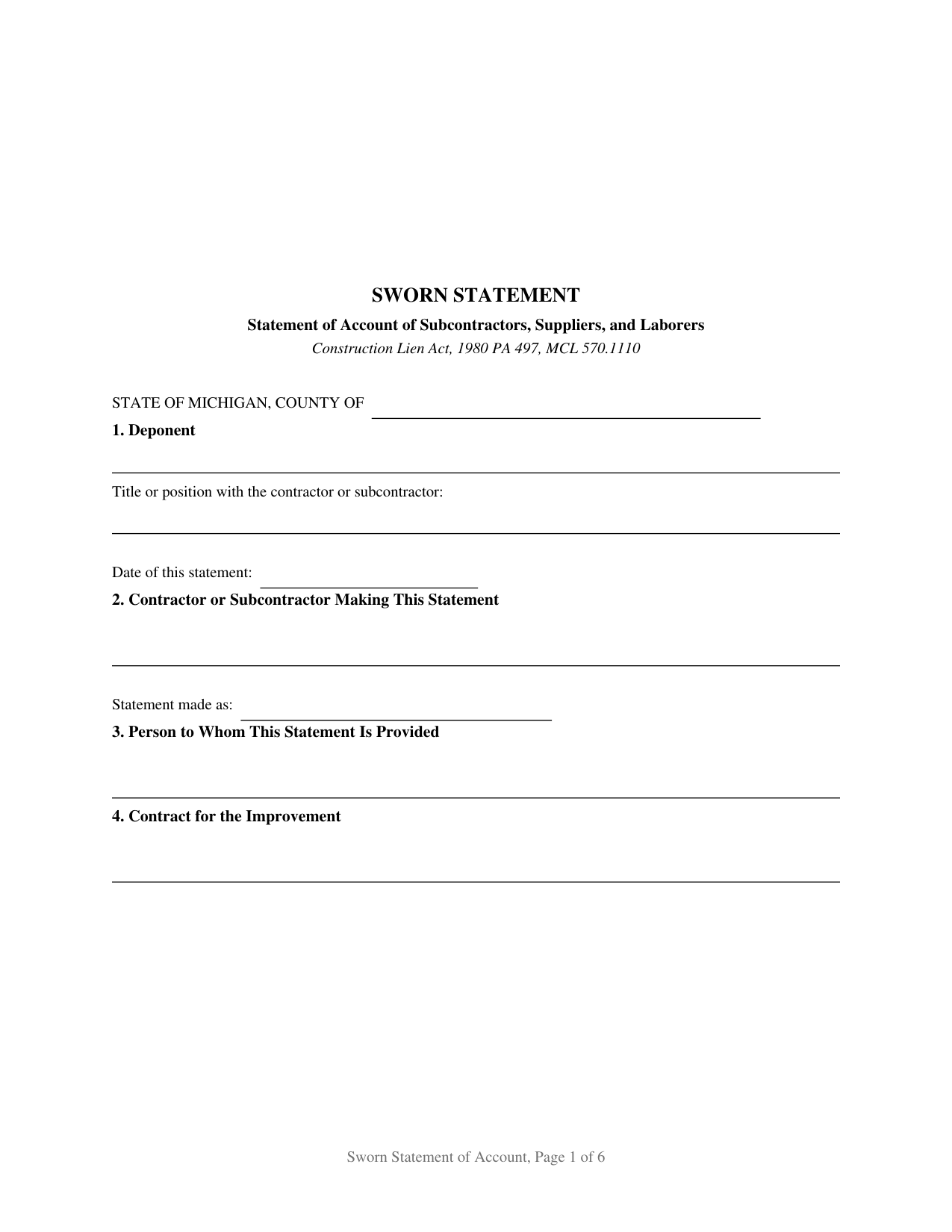
Sanilac County Sworn Statement of Account Form
Fill in the blank Sworn Statement of Account form formatted to comply with all Michigan recording and content requirements.
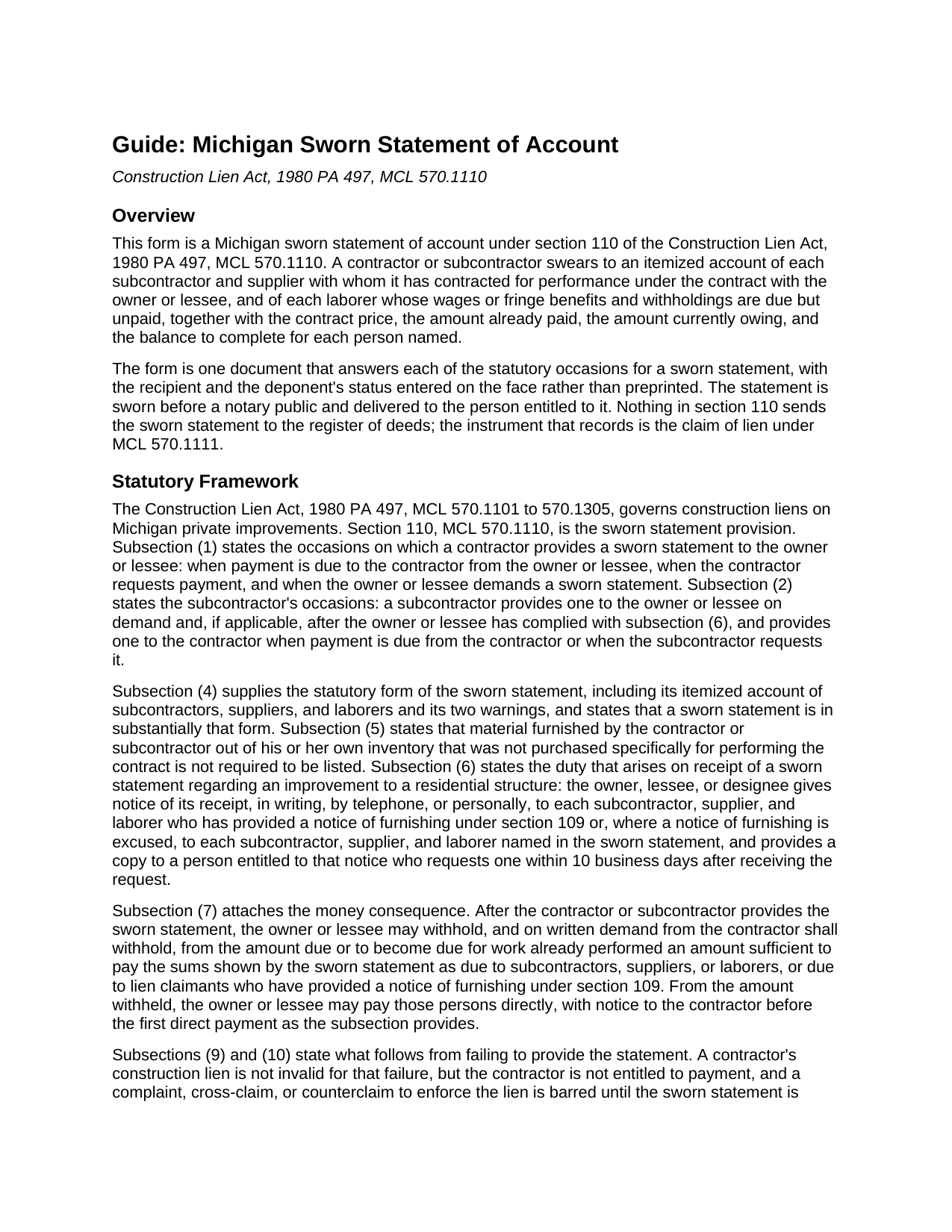
Sanilac County Sworn Statement of Account Guide
Line by line guide explaining every blank on the Sworn Statement of Account form.
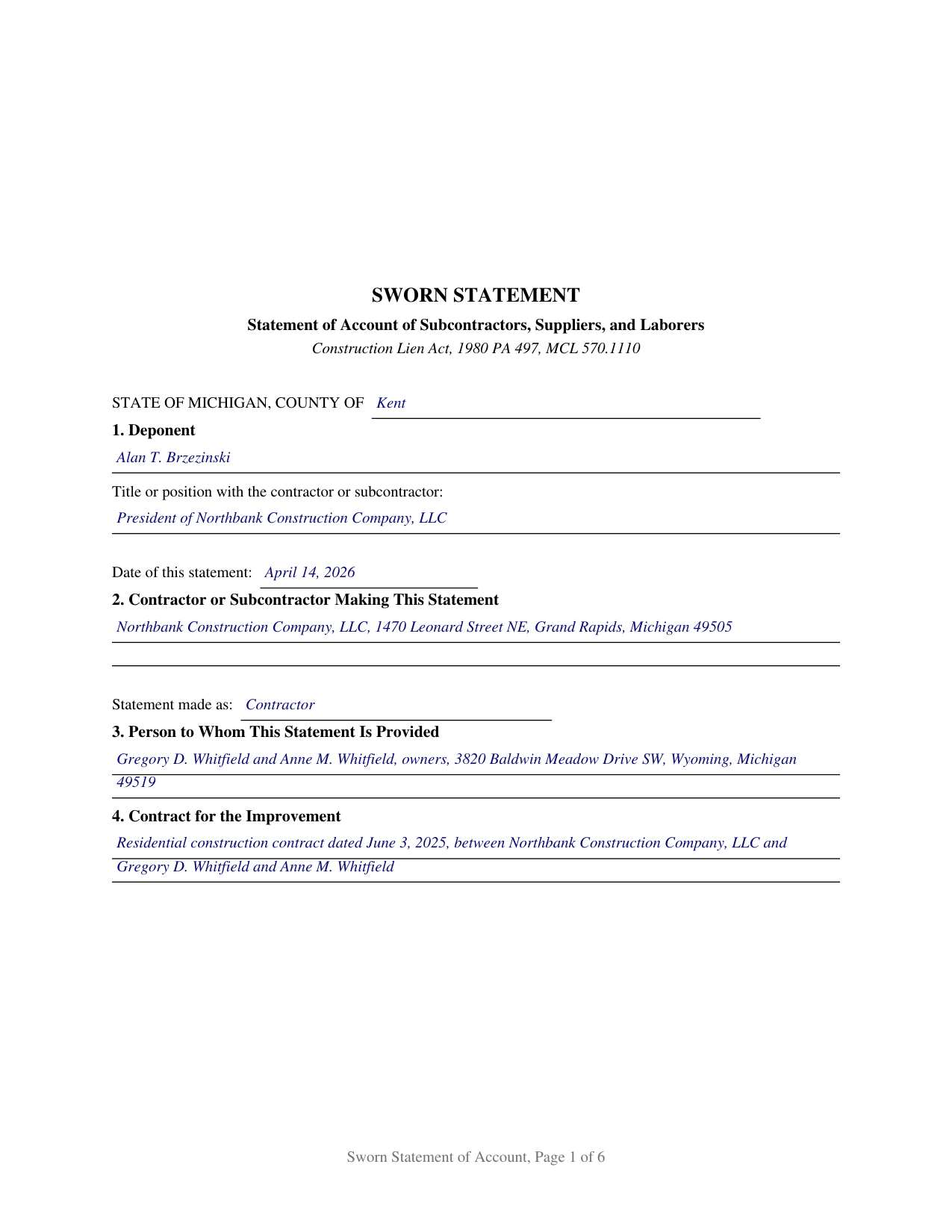
Sanilac County Completed Example of the Sworn Statement of Account Document
Example of a properly completed Michigan Sworn Statement of Account document for reference.
All 3 documents above included • One-time purchase • No recurring fees
Immediate Download • Secure Checkout
Additional Michigan and Sanilac County documents included at no extra charge:
Where to Record Your Documents
Sanilac County Register of Deeds
Sandusky, Michigan 48471
Hours: 8:00 to 12:00 & 1:00 to 4:30 M-F
Phone: (810) 648-2313
Recording Tips for Sanilac County:
- Bring your driver's license or state-issued photo ID
- Ensure all signatures are in blue or black ink
- Leave recording info boxes blank - the office fills these
- Make copies of your documents before recording - keep originals safe
- Recorded documents become public record - avoid including SSNs
Cities and Jurisdictions in Sanilac County
Properties in any of these areas use Sanilac County forms:
- Applegate
- Argyle
- Brown City
- Carsonville
- Croswell
- Decker
- Deckerville
- Forestville
- Lexington
- Marlette
- Melvin
- Minden City
- Palms
- Peck
- Port Sanilac
- Sandusky
- Snover
Hours, fees, requirements, and more for Sanilac County
How do I get my forms?
Forms are available for immediate download after payment. The Sanilac County forms will be in your account ready to download to your computer. An account is created for you during checkout if you don't have one. Forms are NOT emailed.
Are these forms guaranteed to be recordable in Sanilac County?
Yes. Our form blanks are guaranteed to meet or exceed the applicable formatting requirements used for recording in Sanilac County, including margin requirements, font requirements, and other layout standards. This guarantee applies to formatting, not to the legal sufficiency of information entered by the user or the suitability of a form for a particular transaction.
Can I reuse these forms?
Yes. You can reuse the forms for your personal use. For example, if you have multiple properties in Sanilac County you only need to order once.
What do I need to use these forms?
The forms are PDFs that you fill out on your computer. The free Adobe Acrobat Reader is recommended, and most PDF apps also work. You do NOT enter your property information online - you download the blank forms and complete them privately on your own computer.
Are there any recurring fees?
No. This is a one-time purchase. Nothing to cancel, no memberships, no recurring fees.
How much does it cost to record in Sanilac County?
Recording fees in Sanilac County vary. Contact the recorder's office at (810) 648-2313 for current fees.
Questions answered? Let's get started!
A Michigan sworn statement of account is the document that tells an owner exactly who else has a claim on the money. Under section 110 of the Construction Lien Act, 1980 PA 497, MCL 570.1110, a contractor or subcontractor swears to an itemized account of every subcontractor and supplier under contract on the job, and of every laborer whose wages or fringe benefits and withholdings are due but unpaid, with the contract price, the amount paid, the amount owing, and the balance to complete set out beside each name. The account is sworn before a notary, and it is handed to the person entitled to it rather than filed anywhere.
An account that changes what the owner may pay
The sworn statement is not a courtesy disclosure. Once it has been provided, MCL 570.1110(7) lets the owner or lessee withhold from the amount due or becoming due an amount sufficient to cover the sums the statement shows as owing to subcontractors, suppliers, and laborers, and a written demand from the contractor turns that option into an obligation. Out of what is withheld, the owner may pay those claimants directly, giving the general contractor at least 5 business days notice the first time direct payment is made. Those four money columns are what the owner measures a withholding against.
Three moments that call for the statement
Michigan builds the duty into the payment cycle. A contractor provides a sworn statement to the owner or lessee when payment is due or when the contractor asks for payment, and again whenever the owner or lessee demands one. A subcontractor provides one to the owner or lessee on demand and, if applicable, after the owner or lessee has complied with subsection (6), and provides one to the contractor when payment is due from the contractor or when the subcontractor requests it. Those triggers sit in MCL 570.1110(1), (2), and (3), and one form answers all three, changing only the recipient named.
The warnings the statute prints on the face
Two statutory warnings ride on every Michigan contractor's sworn statement, and both are on this form. The first tells the owner or lessee not to rely on the statement to avoid the claim of a subcontractor, supplier, or laborer who has provided a notice of furnishing under MCL 570.1109, which means a claimant who gave that notice keeps lien rights whether or not the claimant is named in the account. The second tells the deponent that a false sworn statement given with intent to defraud is a crime under section 110, graded by the amount involved and starting at a 93 day misdemeanor. A residential block completes the set, carrying the MCL 570.1110(6) duty to pass word of the statement's receipt to the claimants entitled to hear it and to supply a copy within 10 business days of a request.
Sworn, delivered, and never recorded
The instrument closes with a jurat, not an acknowledgment. The deponent swears to the account and signs in front of a notary public, and the notary certifies the oath under the Michigan Law on Notarial Acts, MCL 55.261 to 55.315, supplying the county of commission and the county of the act under MCL 55.287. Delivery, not recording, completes it: the Construction Lien Act sends the claim of lien to the register of deeds under MCL 570.1111, and leaves the sworn statement in the hands of the owner, lessee, or contractor who receives it. Failing to provide one does not void a lien. Under MCL 570.1110(9) the contractor is entitled to no payment and may not sue to enforce the lien until the statement arrives; under MCL 570.1110(10) the subcontractor meets that enforcement bar alone, with no payment bar attached.
How this form is set up
The form is written for one deponent, with free entry lines where the statutory exemplar prints the paired alternatives of contractor and subcontractor, so the same document expresses either status and either direction of delivery. One combined table substantially following the table in MCL 570.1110(4) carries the itemization: the statute's eight columns, eight numbered rows, and a TOTALS row above the statutory line for columns that do not apply to everyone listed. Longer projects continue on an attached exhibit page delivered with the statement. Material drawn from the issuer's own inventory that was not bought for the job is not required to be listed, which is the carve out in MCL 570.1110(5).
The package contains the fillable sworn statement form, a completed example filled out for a Kent County residential project, and a guide covering the statutory framework, the itemization, the jurat, and delivery. The material is informational and is not legal advice.
Important: Your property must be located in Sanilac County to use these forms. Documents should be recorded at the county recording office listed above.
This Sworn Statement of Account meets all recording requirements specific to Sanilac County.
Our Promise
The documents you receive here are guaranteed to meet or exceed the applicable Sanilac County recording format requirements. If there is a rejection caused by our formatting, we will correct the issue or refund your payment. This guarantee applies to document formatting only and does not extend to information entered by the user, the selection of the form, or the legal effect of the completed document.
Save Time and Money
Get your Sanilac County Sworn Statement of Account form done right the first time with Deeds.com Uniform Conveyancing Blanks. At Deeds.com, we understand that your time and money are valuable resources, and we don't want you to face a penalty fee or rejection imposed by a county recorder for submitting nonstandard documents. We constantly review and update our forms to meet rapidly changing state and county recording requirements for roughly 3,500 counties and local jurisdictions.
4.8 out of 5 - ( 4,830 Reviews )
Jason J. 5 out of 5 stars
My first submission was super quick and easy. I had trouble with the second submission, as I was not aware of what the county would require, but the team at Deeds.com walked me through every step of the process. Will definitely use again and refer business partners to Deeds.com!
Thank you, Jason! We’re glad your first submission went smoothly and appreciate your patience with the second. County requirements can vary, and we’re always here to help make the process as simple as possible. We look forward to assisting you — and your business partners — again soon!
Lorraine J. 5 out of 5 stars
Thank-you.
Thank you!
Janet R. 5 out of 5 stars
The site was easy to navigate...all the information needed to fill in the forms was included, which was very helpful and a pleasant surprise...form completed in short order...made taking care of business quick and easy...Thanks for the thoughtful and excellent help, I will share the link with others and I will use the site again...Thanks
We appreciate your business and value your feedback. Thank you. Have a wonderful day!
Kevin R. 5 out of 5 stars
I have been using Deeds.com for the last 2 years and find them very easy to use and expedient on all my recordings. Highly recommend.
Thank you for the kind words Kevin. We appreciate you.
Rodrigo M. 5 out of 5 stars
Excellent service
Thank you!
Douglas D. 5 out of 5 stars
WOW! What a great service! Incredibly fast (just under 3 hours from creating the package to getting a receipt from the county recorder!) Will definitely use this service again!
We appreciate your business and value your feedback. Thank you. Have a wonderful day!
Keri C. 5 out of 5 stars
It was confusing at first, but the customer service was excellent and fast and I got everything taken care of right away. I'll use Deeds.com even after the recorder's office is open to the public.
Thank you for your feedback. We really appreciate it. Have a great day!
Ryan E. 5 out of 5 stars
Great customer service. I was surprised by the attention to detail that went into reviewing my documents and value provided by deeds.com. Definitely recommend.
Thank you for your feedback. We really appreciate it. Have a great day!
Cecilia G. 5 out of 5 stars
This site is so easy to use. It is so convenient to have access to forms for all states. I’d recommend this site to anyone who needs to create any real estate documents.
Thank you for your feedback. We really appreciate it. Have a great day!
Melanie W. 5 out of 5 stars
I used deeds.com to complete a gift deed for transferring a house to our son. Finding the correct form and completing it correctly was extremely easy due to wonderful explanations and examples provided with the purchase of the form. The registrar filing the deed told me she was impressed with the work we did. An attorney would have charged $150 so the $28.00 was well worth the money.
Thank you for your feedback. We really appreciate it. Have a great day!
Ron B. 5 out of 5 stars
Most complete and affordable documents that I was able to locate online. Excellent printed out presentation. Very professional. More than happy with results.
Thank you!
Rebecca M. 5 out of 5 stars
Haven't used yet but I will check it out tomorrow
Thank you!
Susan M. 5 out of 5 stars
Loved my experience with deeds.com! Easy and simple to fill in the form, plus the extra instructions were helpful! I will use them again!
Thank you for your feedback. We really appreciate it. Have a great day!
Patricia C. 3 out of 5 stars
Only source I could find. Wasn't sure if I needed same certificate from each state and site had me checkout separately for each. Good way to keep you customer paying up. Just hope what I received is acceptable.
Thank you!
Richard E. 4 out of 5 stars
Very easy. I copied each doc separately. Is there a way to copy the all docs at once into a folder? Thanks for being there. Rich
Thank you for the feedback Richard. Currently there is no way to download all of the documents at once but we'll definitely look into it. Have a great day!