Wilkin County Affidavit of Identity and Survivorship Form
Last validated October 20, 2026 by our Forms Development TeamFormatted for recording in Wilkin County, for property anywhere in the county: rural and unincorporated areas as well as Breckenridge, Campbell, Foxhome, Kent, Nashua, Rothsay, Wolverton.
- 3 documents included
- Immediate PDF download
- Formatting guarantee
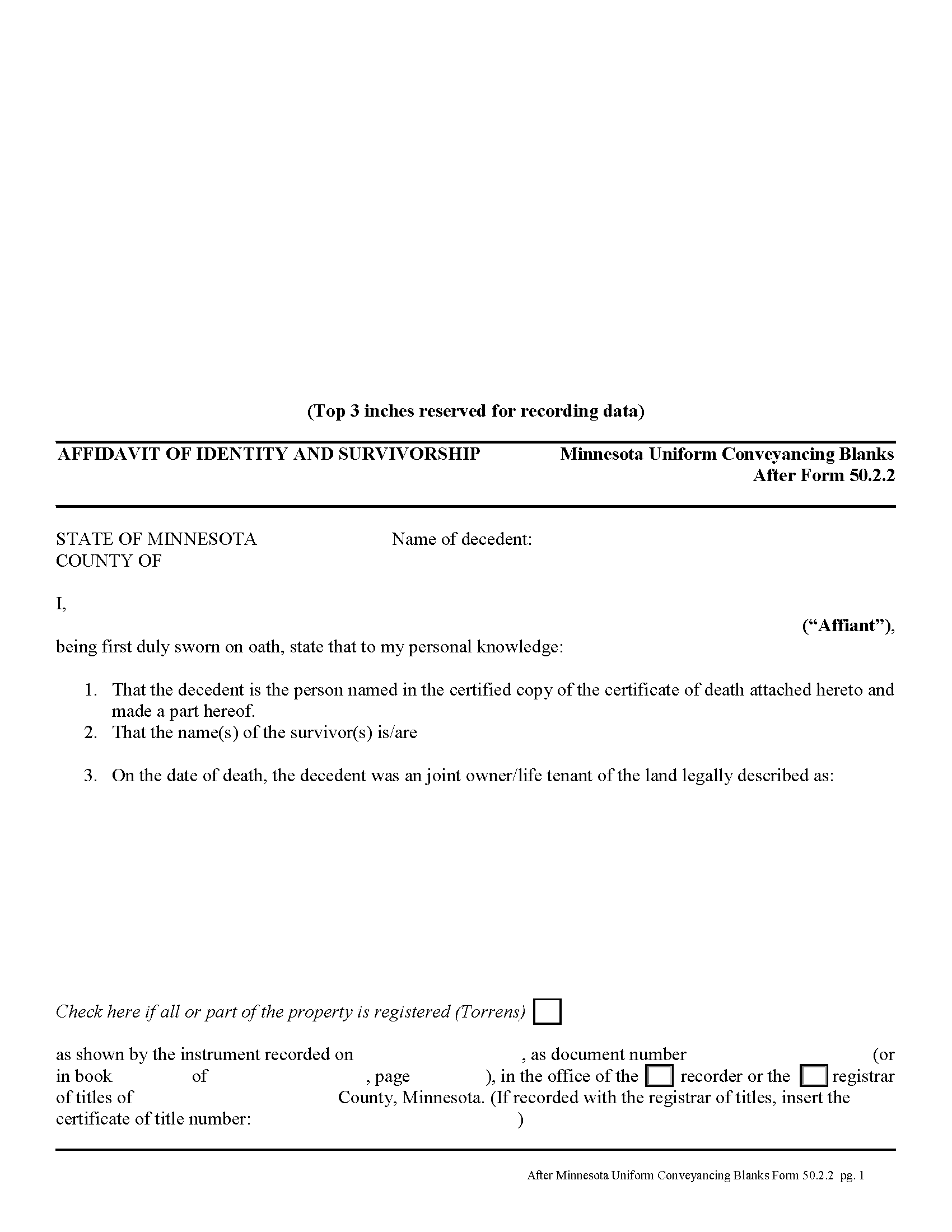
Wilkin County Affidavit of Identity and Survivorship Form
Fill in the blank form formatted to comply with all recording and content requirements.
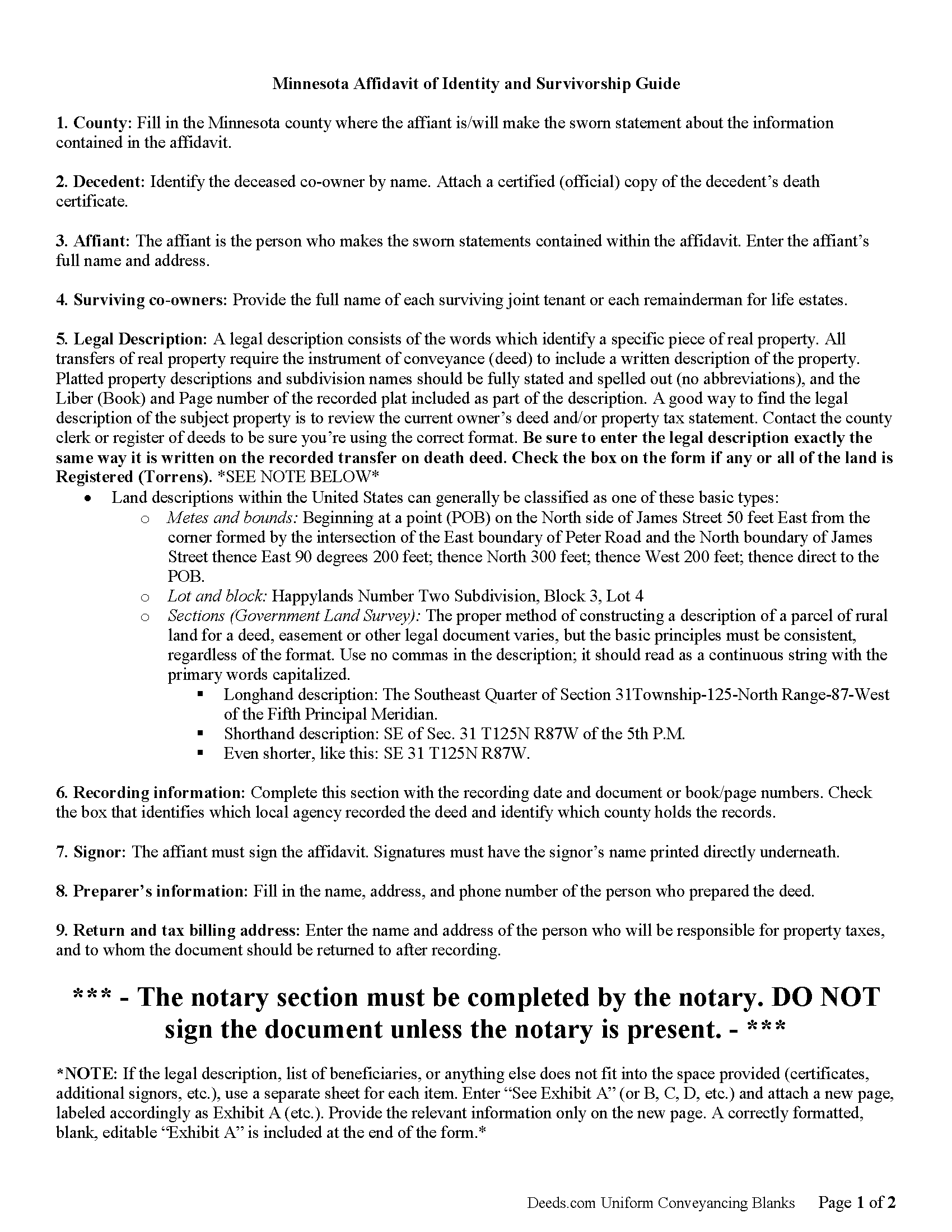
Wilkin County Affidavit of Indentity and Survivorship Guide
Line by line guide explaining every blank on the form.
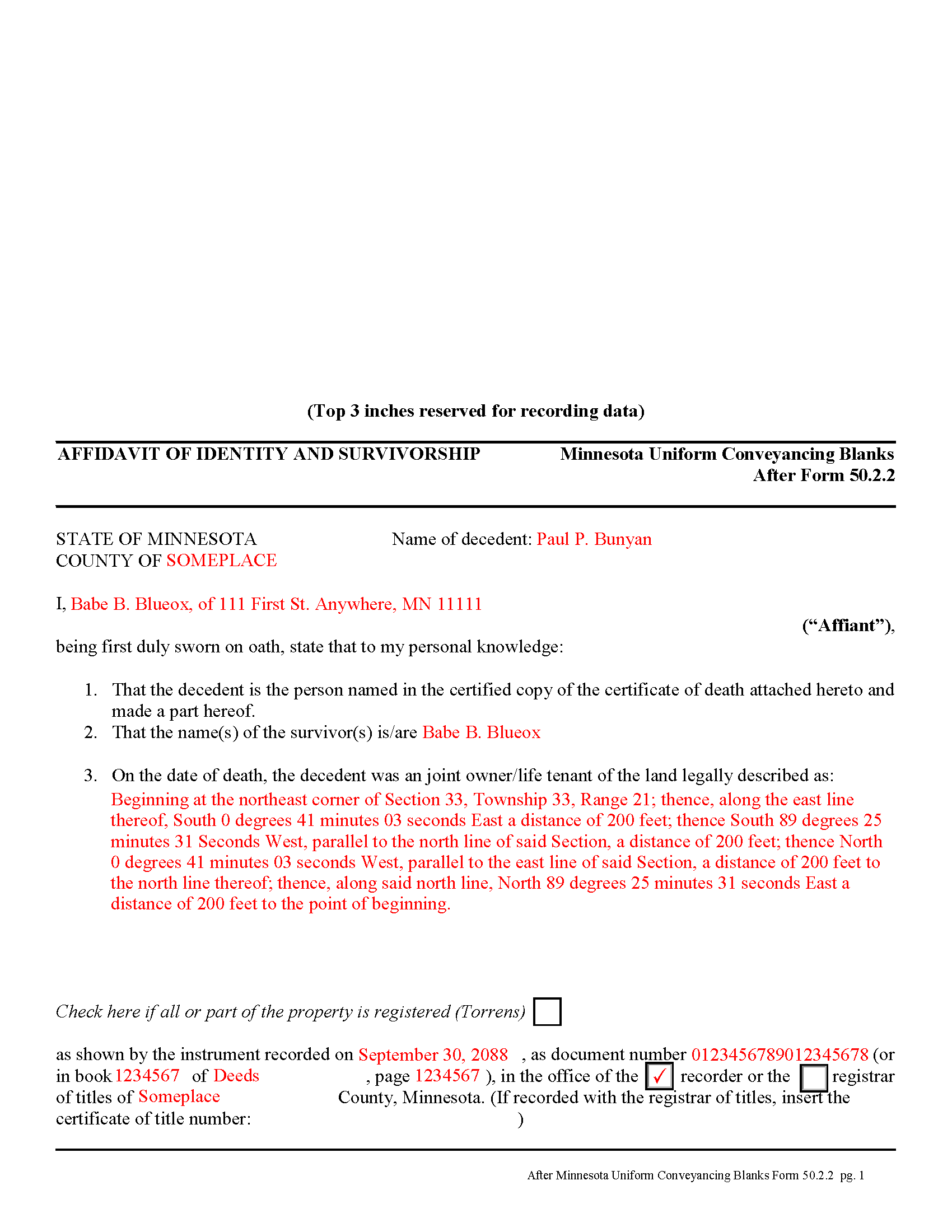
Wilkin County Completed Example of the Affidavit of Identity and Survivorship Document
Example of a properly completed form for reference.
All 3 documents above included • One-time purchase • No recurring fees
Immediate Download • Secure Checkout
Additional Minnesota and Wilkin County documents included at no extra charge:
Where to Record Your Documents
Wilkin County Recorder
Breckenridge, Minnesota 56520
Hours: 8:00am to 4:30pm Monday through Friday
Phone: (218) 643-7164
Recording Tips for Wilkin County:
- Bring your driver's license or state-issued photo ID
- Ensure all signatures are in blue or black ink
- Bring extra funds - fees can vary by document type and page count
- Check margin requirements - usually 1-2 inches at top
- Leave recording info boxes blank - the office fills these
Cities and Jurisdictions in Wilkin County
Properties in any of these areas use Wilkin County forms:
- Breckenridge
- Campbell
- Foxhome
- Kent
- Nashua
- Rothsay
- Wolverton
Hours, fees, requirements, and more for Wilkin County
How do I get my forms?
Forms are available for immediate download after payment. The Wilkin County forms will be in your account ready to download to your computer. An account is created for you during checkout if you don't have one. Forms are NOT emailed.
Are these forms guaranteed to be recordable in Wilkin County?
Yes. Our form blanks are guaranteed to meet or exceed the applicable formatting requirements used for recording in Wilkin County, including margin requirements, font requirements, and other layout standards. This guarantee applies to formatting, not to the legal sufficiency of information entered by the user or the suitability of a form for a particular transaction.
Can I reuse these forms?
Yes. You can reuse the forms for your personal use. For example, if you have multiple properties in Wilkin County you only need to order once.
What do I need to use these forms?
The forms are PDFs that you fill out on your computer. The free Adobe Acrobat Reader is recommended, and most PDF apps also work. You do NOT enter your property information online - you download the blank forms and complete them privately on your own computer.
Are there any recurring fees?
No. This is a one-time purchase. Nothing to cancel, no memberships, no recurring fees.
How much does it cost to record in Wilkin County?
Recording fees in Wilkin County vary. Contact the recorder's office at (218) 643-7164 for current fees.
Questions answered? Let's get started!
Minnesota allows two or more people to share ownership of real estate as joint tenants. Unlike tenants in common, who each own individual portions of the property, joint tenants share equal parts of the undivided whole property. As a result, if one joint tenant dies, his/her rights are distributed evenly amongst the surviving joint tenants. Note that joint tenancy property passes outside of probate, so it does not become part of the decedent's estate.
To complete the transfer of ownership rights, the surviving joint tenant or tenants should execute an affidavit of identity and survivorship, based on Minnesota Form 50.2.2. The affidavit references the recorded deed where the joint tenants gained the property rights, and also requires a certified copy of the decedent's death certificate. Record the affidavit and its supporting documents in the office responsible for maintaining property records for the county where the land is located.
After recording the affidavit, the deceased joint tenant no longer holds any property rights, but his/her name will still appear as an owner in the records. To actually remove that name, the remaining joint tenant(s) should execute a new deed listing all original joint tenants as grantors, but identifying the deceased individual and including a certified copy of the death certificate. Name only the surviving tenants as grantees. After filing the new deed, the property records should only show the remaining owners.
(Minnesota AOI Package includes form, guidelines, and completed example)
Important: Your property must be located in Wilkin County to use these forms. Documents should be recorded at the county recording office listed above.
This Affidavit of Identity and Survivorship meets all recording requirements specific to Wilkin County.
Our Promise
The documents you receive here are guaranteed to meet or exceed the applicable Wilkin County recording format requirements. If there is a rejection caused by our formatting, we will correct the issue or refund your payment. This guarantee applies to document formatting only and does not extend to information entered by the user, the selection of the form, or the legal effect of the completed document.
Save Time and Money
Get your Wilkin County Affidavit of Identity and Survivorship form done right the first time with Deeds.com Uniform Conveyancing Blanks. At Deeds.com, we understand that your time and money are valuable resources, and we don't want you to face a penalty fee or rejection imposed by a county recorder for submitting nonstandard documents. We constantly review and update our forms to meet rapidly changing state and county recording requirements for roughly 3,500 counties and local jurisdictions.
4.8 out of 5 - ( 4,837 Reviews )
Terrell W. 5 out of 5 stars
Was a little hard to find the form but once I did everything worked well
Thank you for your feedback. We really appreciate it. Have a great day!
Sharon B. 5 out of 5 stars
My questions were answered promptly. I was not able to locate the deed I was searching for because my county has not uploaded the documents to be accessed through this system. I am sure I could have found what I was looking for had the information been available through the system. Thank you for your assistance.
Thank you!
Hamed T. 5 out of 5 stars
Easy Process! Realy recommend them for E-Recording!
Thank you for your feedback. We really appreciate it. Have a great day!
Michael P. 5 out of 5 stars
WOW!! Thank you for making the availability and access to these forms an unpainful experience at a competitive price. Well done!
We appreciate your business and value your feedback. Thank you. Have a wonderful day!
Wes C. 5 out of 5 stars
The forms are easy to use and the examples and guidance are easy to understand and follow.
Thank you for your feedback. We really appreciate it. Have a great day!
Kenia B. 5 out of 5 stars
Very convenient and efficient. I will recommend it, definitely.
Thank you!
Randy B. 5 out of 5 stars
The form was exactly what we needed and the directions were spot on and perfectly clear. Filling out government forms can be an experience filled with anxiety but deeds.com made it easy and practically worry free.
Thanks Randy, we really appreciate your feedback.
REBECCA E. 5 out of 5 stars
Very easy process from you so far, thanks! i don't hav a computer, only an apple iphone, so on a day very soon i'll need to go to my Fayetteville library to download and complete the forms. thanks for any suggestions/advice you may have...
We appreciate your business and value your feedback. Thank you. Have a wonderful day!
Donna r. 3 out of 5 stars
Downloads were easy but I am pretty lost in filling out. Thought be more instructions
Thank you for your feedback Donna. If you are not completely sure of what you are doing we highly recommend seeking the assistance of a legal professional familiar with your specific situation.
raquel f. 5 out of 5 stars
Wow!!! that was super easy to record a mechanic lien! I will definitely use your service again but I hope I won't have to.
We appreciate your business and value your feedback. Thank you. Have a wonderful day!
Munir S. 5 out of 5 stars
Good service. Easy to use, responsive, fast, and fairly priced. First time user, will continue to use it for future needs. Recommend.
Thank you for your positive words! We’re thrilled to hear about your experience.
Mary C. 5 out of 5 stars
The fillable form was usable but awkward as most of these forms are. The example and guide were both helpful. I'm satisfied with what I received.
Great to hear — thank you for taking the time to write a review.
Jason B. 3 out of 5 stars
Providing .doc versions would be much easier than trying to jam information into a non-editable PDF.
Thank you for your feedback. We really appreciate it. Have a great day!
Sherri R. 5 out of 5 stars
I was impressed with how quick and easy the process was.
Happy we could assist. Thank you for sharing your experience.
Glenella J. 4 out of 5 stars
I wish you had the older deeds online to look at. Other than that, I was very satisfied with my experience.
Thank you for your feedback. We really appreciate it. Have a great day!