Brown County Affidavit of Trustee for Non-testamentary Trust Form
Last validated October 15, 2026 by our Forms Development TeamFormatted for recording in Brown County, for property anywhere in the county: rural and unincorporated areas as well as Comfrey, Essig, Hanska, New Ulm, Searles, Sleepy Eye, Springfield.
- 3 documents included
- Immediate PDF download
- Formatting guarantee
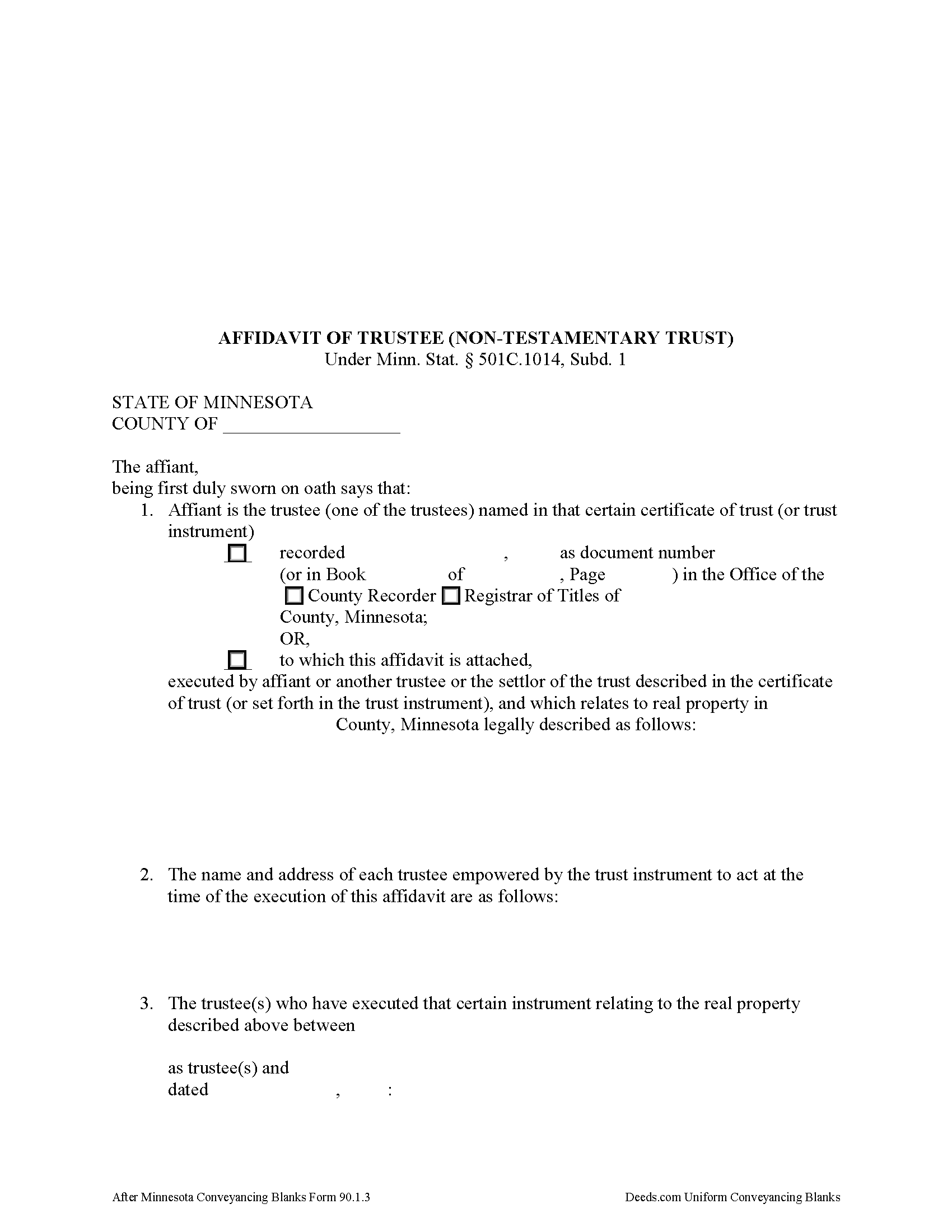
Brown County Affidavit of Trustee Form
Fill in the blank form formatted to comply with all recording and content requirements.
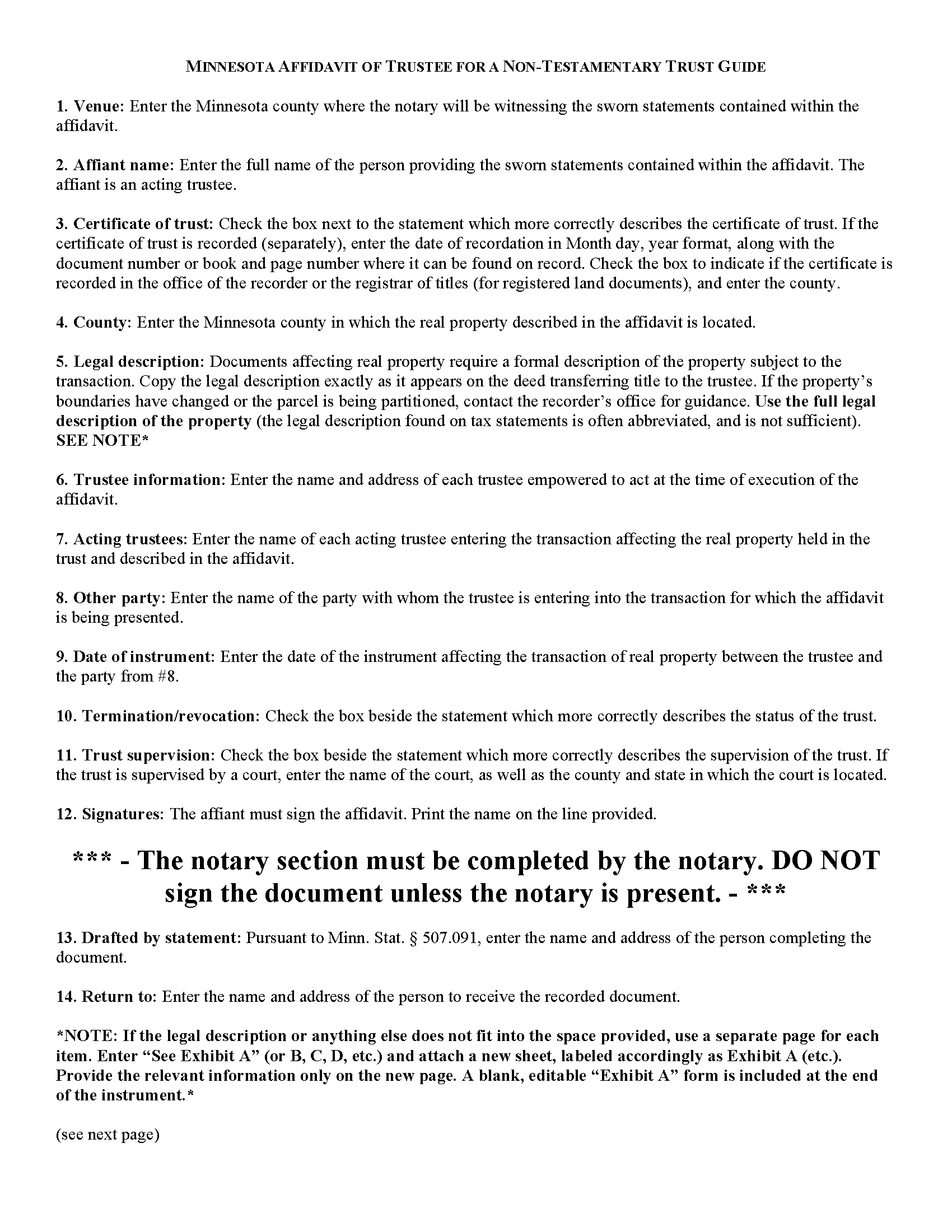
Brown County Affidavit of Trustee Guide
Line by line guide explaining every blank on the form.
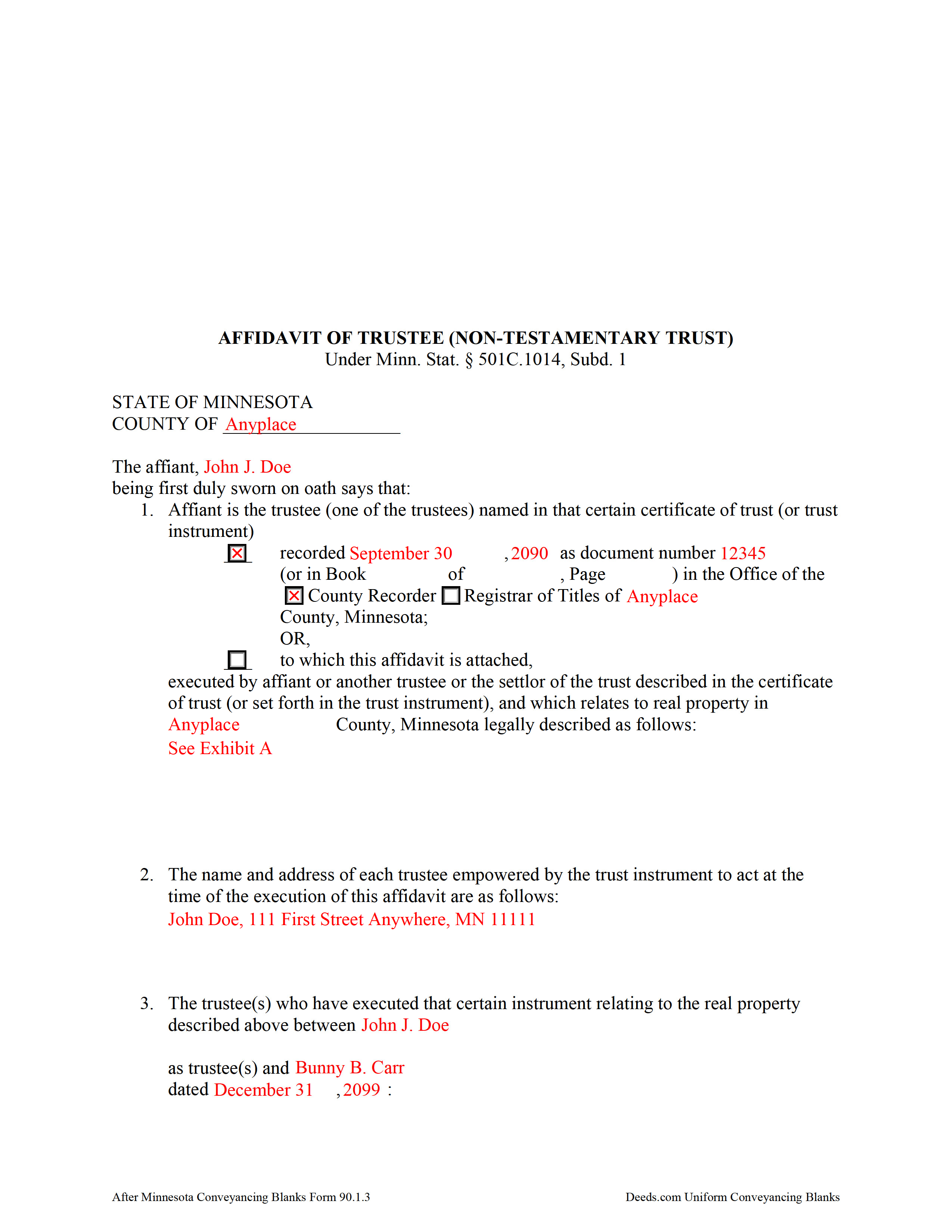
Brown County Completed Example of the Affidavit of Trustee Document
Example of a properly completed form for reference.
All 3 documents above included • One-time purchase • No recurring fees
Immediate Download • Secure Checkout
Additional Minnesota and Brown County documents included at no extra charge:
Where to Record Your Documents
Brown County Recorder
New Ulm, Minnesota 56073
Hours: 8:00 to 4:30 M-F
Phone: (507) 233-6653
Recording Tips for Brown County:
- Bring your driver's license or state-issued photo ID
- Ensure all signatures are in blue or black ink
- White-out or correction fluid may cause rejection
- Ask about their eRecording option for future transactions
- Avoid the last business day of the month when possible
Cities and Jurisdictions in Brown County
Properties in any of these areas use Brown County forms:
- Comfrey
- Essig
- Hanska
- New Ulm
- Searles
- Sleepy Eye
- Springfield
Hours, fees, requirements, and more for Brown County
How do I get my forms?
Forms are available for immediate download after payment. The Brown County forms will be in your account ready to download to your computer. An account is created for you during checkout if you don't have one. Forms are NOT emailed.
Are these forms guaranteed to be recordable in Brown County?
Yes. Our form blanks are guaranteed to meet or exceed the applicable formatting requirements used for recording in Brown County, including margin requirements, font requirements, and other layout standards. This guarantee applies to formatting, not to the legal sufficiency of information entered by the user or the suitability of a form for a particular transaction.
Can I reuse these forms?
Yes. You can reuse the forms for your personal use. For example, if you have multiple properties in Brown County you only need to order once.
What do I need to use these forms?
The forms are PDFs that you fill out on your computer. The free Adobe Acrobat Reader is recommended, and most PDF apps also work. You do NOT enter your property information online - you download the blank forms and complete them privately on your own computer.
Are there any recurring fees?
No. This is a one-time purchase. Nothing to cancel, no memberships, no recurring fees.
How much does it cost to record in Brown County?
Recording fees in Brown County vary. Contact the recorder's office at (507) 233-6653 for current fees.
Questions answered? Let's get started!
An affidavit of trustee contains sworn statements made by a trustee and relating to a specific transaction involving real property contained by the trust. The affidavit of trustee for a non-testamentary trust is codified at Minn. Stat. 501C.1014, Subd. 1.
A non-testamentary trust, also called an inter vivos or living trust, is a trust that takes effect during a settlor's lifetime. A settlor is "a person, including a testator, who creates or contributes property to a trust" (Minn. Stat. 501C.0103(o)). The affidavit of trustee for a non-testamentary trust references a recorded certificate of trust, including the recording date and location, or states that the affidavit is attached to the certificate, and confirms that the certificate was executed by the affiant, another trustee, or the settlor of the trust described in the certificate and relating to the specific parcel of land described in the affidavit.
The affidavit must contain a full legal description of the property subject to the transaction for which the affidavit is presented. It references the trustee and other party involved in the transaction, and offers proof that the required number of trustees are entering the transaction and that those trustees are authorized under the trust instrument to act on the title to the real property held in the trust, and that there are no trust amendments that limit the power of the trustees.
The affiant confirms that the trust has not terminated and that the trust instrument has not been revoked, or that, if the trust has terminated, the transaction involving the real property is made pursuant to the provisions of the trust. If the trust is under court supervision, the affidavit provides the name and location of the court.
The affidavit of trustee must be signed by an acting trustee in the presence of a notary public and may be recorded separately or as an attachment to a certificate of trust under Minn. Stat. 501C.1013. Submit the instrument for recording with the county recorder, or registrar of titles in the case of registered land, in the county in which the real property described in the affidavit is situated.
Consult a lawyer with questions regarding affidavits of trustee or Minnesota trust law in general, as each situation is unique and trust law can quickly become complex.
(Minnesota AOT Non-testamentary Trust Package includes form, guidelines, and completed example)
Important: Your property must be located in Brown County to use these forms. Documents should be recorded at the county recording office listed above.
This Affidavit of Trustee for Non-testamentary Trust meets all recording requirements specific to Brown County.
Our Promise
The documents you receive here are guaranteed to meet or exceed the applicable Brown County recording format requirements. If there is a rejection caused by our formatting, we will correct the issue or refund your payment. This guarantee applies to document formatting only and does not extend to information entered by the user, the selection of the form, or the legal effect of the completed document.
Save Time and Money
Get your Brown County Affidavit of Trustee for Non-testamentary Trust form done right the first time with Deeds.com Uniform Conveyancing Blanks. At Deeds.com, we understand that your time and money are valuable resources, and we don't want you to face a penalty fee or rejection imposed by a county recorder for submitting nonstandard documents. We constantly review and update our forms to meet rapidly changing state and county recording requirements for roughly 3,500 counties and local jurisdictions.
4.8 out of 5 - ( 4,836 Reviews )
sheila m. 5 out of 5 stars
Very happy with the forms. Ease of use and price were points for high marks.
We appreciate your business and value your feedback. Thank you. Have a wonderful day!
Charles R. 5 out of 5 stars
Pleased with the forms and their ease of use. No complaints.
Thank you Charles, we appreciate you.
Sarah N. 1 out of 5 stars
This is not at all the form that I needed. I am trying to disclaim my interest in a property, but this form is much too rigid to work for my case. It would have been nice to know some of the more specific details before purchasing the document.
Thank you for your feedback. Sorry hear of your confusion. We have canceled your order and payment. We do hope that you are able to find something more suitable to your needs. Have a wonderful day.
Quanah N. 5 out of 5 stars
Instruction easy to follow
Thank you!
Kerry G. 5 out of 5 stars
Could not be happier with the deeds here. Long time customer and never had a problem, they always have the right documents for what I need.
Thank you for the kind words Kerry. Have a great day!
Noal S. 5 out of 5 stars
The download package is very thorough and complete for the Corrective Deed I needed to file. The material is state/county specific and includes a completed example. The price is reasonable compared to an attorney fee from $400 to $600
We appreciate your business and value your feedback. Thank you. Have a wonderful day!
Rebecca C. 5 out of 5 stars
Great service ! Hawaii is not a "forms state" so unfortunately the public has no way to get templates on our local gov site but deeds.com to the rescue. The template was affordable and easy to use and successfully recorded. Great to use when you don't need to involve title or attorneys for simple deed changes, thank you
Thank you for your feedback. We really appreciate it. Have a great day!
John S. 5 out of 5 stars
Your service is refreshingly clear, simple, and free of superfluous claims or unnecessary marketing. And, more affordable than other online legal document providers I've looked at. So nice! I forgot I had used it some years ago for another deed so glad you are still around for this time.
Thank you for the kind words John. Have a fantastic day!
Pamela F. 5 out of 5 stars
Very easy to use and had my forms paid for and downloaded very quickly.
Thank you for your feedback Pamela. Have a fantastic day!
Mary B. 5 out of 5 stars
I was very pleased with my experience on Deeds.com. I hand purchased the wrong papers and they credited my account so I could purchase the correct papers. I will use them again
We appreciate your business and value your feedback. Thank you. Have a wonderful day!
JOHN L. 5 out of 5 stars
Not just good, very good. Very intuitive and very responsive. It just works!
Thank you for your feedback. We really appreciate it. Have a great day!
Viola J. 5 out of 5 stars
You made this so easy to process the Executor Deed. THANK YOU a thousand times. Appreciate that all forms are in one place and I did not have to search all over the internet to get what I needed.
We appreciate your business and value your feedback. Thank you. Have a wonderful day!
Kateri S. 4 out of 5 stars
I had to add a section on the form to accomodate the former Grantor/Grantee informtion before it could be recorded
Your insights are invaluable to us and help us strive for better service. Thank you for taking the time to share your thoughts.
Carmen C. 5 out of 5 stars
Hassle free, easy access to form and instructions include on how to complete.
We appreciate your business and value your feedback. Thank you. Have a wonderful day!
Gerald N. 5 out of 5 stars
Very nice website!
Thank you!