Polk County Quitclaim Deed (Two Grantors) Form
Last validated October 9, 2026 by our Forms Development TeamFormatted for recording in Polk County, for property anywhere in the county: rural and unincorporated areas as well as Beltrami, Climax, Crookston, East Grand Forks, Erskine, Euclid, Fertile, Fisher and 7 more.
- 3 documents included
- Immediate PDF download
- Formatting guarantee
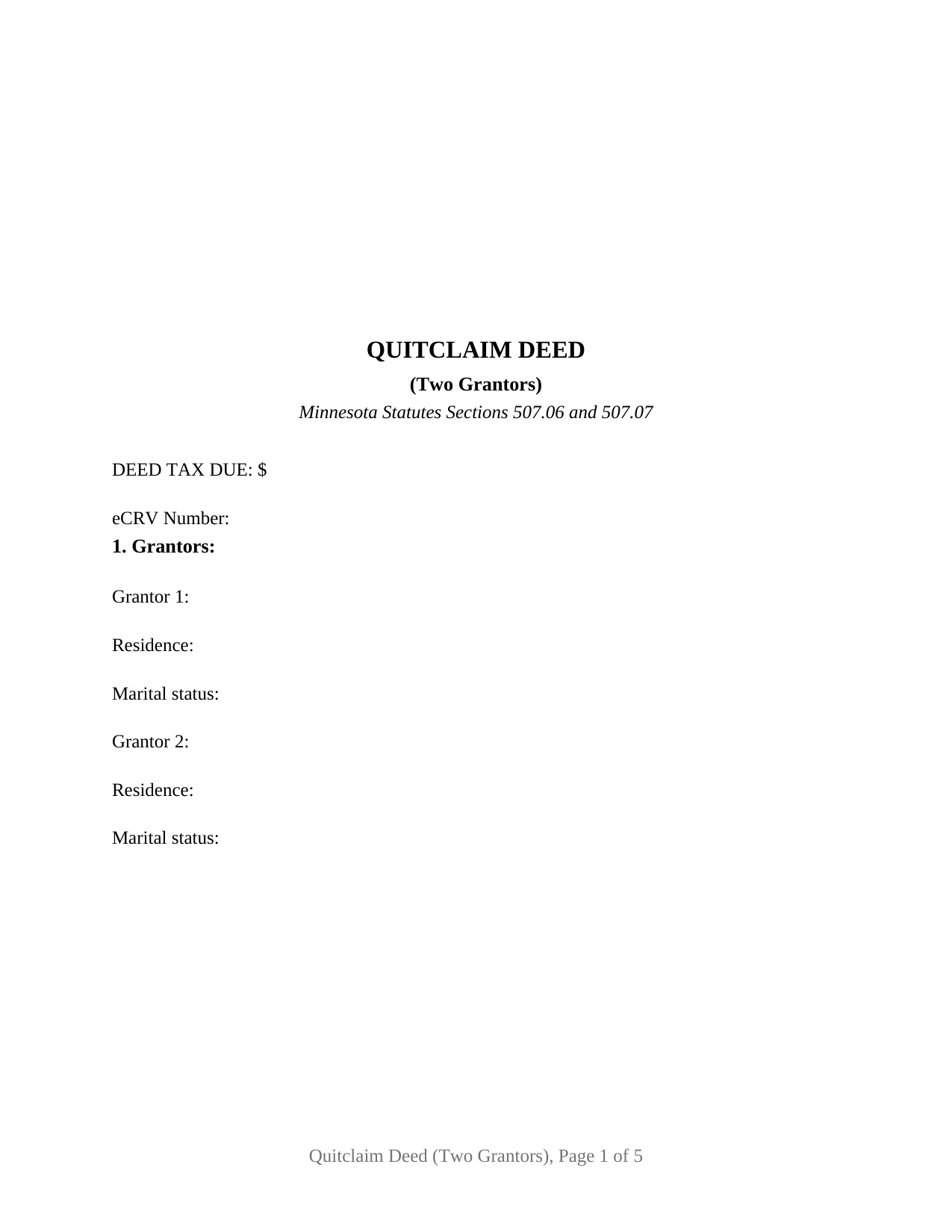
Polk County Quitclaim Deed (Two Grantors) Form
Fill in the blank Quitclaim Deed (Two Grantors) form formatted to comply with all Minnesota recording and content requirements.
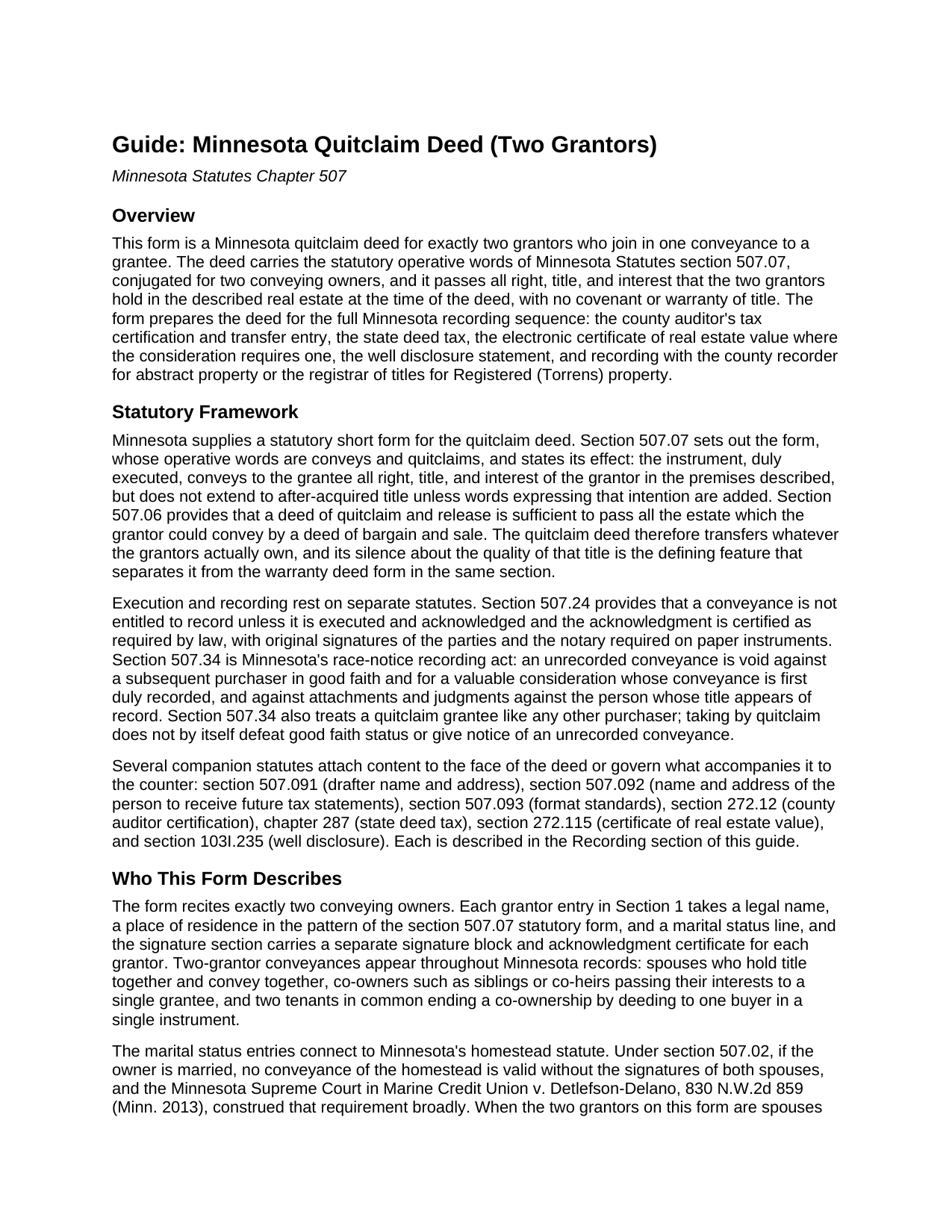
Polk County Quitclaim Deed (Two Grantors) Guide
Line by line guide explaining every blank on the Quitclaim Deed (Two Grantors) form.

Polk County Completed Example of the Quitclaim Deed (Two Grantors) Document
Example of a properly completed Minnesota Quitclaim Deed (Two Grantors) document for reference.
All 3 documents above included • One-time purchase • No recurring fees
Immediate Download • Secure Checkout
Additional Minnesota and Polk County documents included at no extra charge:
Where to Record Your Documents
Polk County Recorder
Crookston, Minnesota 56716
Hours: 8:00 to 4:30 M-F
Phone: (218) 281-3464
Recording Tips for Polk County:
- Bring your driver's license or state-issued photo ID
- Ensure all signatures are in blue or black ink
- Ask about their eRecording option for future transactions
- Avoid the last business day of the month when possible
- Both spouses typically need to sign if property is jointly owned
Cities and Jurisdictions in Polk County
Properties in any of these areas use Polk County forms:
- Beltrami
- Climax
- Crookston
- East Grand Forks
- Erskine
- Euclid
- Fertile
- Fisher
- Fosston
- Gully
- Mcintosh
- Mentor
- Nielsville
- Trail
- Winger
Hours, fees, requirements, and more for Polk County
How do I get my forms?
Forms are available for immediate download after payment. The Polk County forms will be in your account ready to download to your computer. An account is created for you during checkout if you don't have one. Forms are NOT emailed.
Are these forms guaranteed to be recordable in Polk County?
Yes. Our form blanks are guaranteed to meet or exceed the applicable formatting requirements used for recording in Polk County, including margin requirements, font requirements, and other layout standards. This guarantee applies to formatting, not to the legal sufficiency of information entered by the user or the suitability of a form for a particular transaction.
Can I reuse these forms?
Yes. You can reuse the forms for your personal use. For example, if you have multiple properties in Polk County you only need to order once.
What do I need to use these forms?
The forms are PDFs that you fill out on your computer. The free Adobe Acrobat Reader is recommended, and most PDF apps also work. You do NOT enter your property information online - you download the blank forms and complete them privately on your own computer.
Are there any recurring fees?
No. This is a one-time purchase. Nothing to cancel, no memberships, no recurring fees.
How much does it cost to record in Polk County?
Recording fees in Polk County vary. Contact the recorder's office at (218) 281-3464 for current fees.
Questions answered? Let's get started!
Two owners, one deed. The Minnesota Quitclaim Deed (Two Grantors) is a quitclaim conveyance built around a pair of record owners who convey together: Section 1 recites two grantors by name, with a residence and marital status line under each, and the deed closes with two signature blocks and two notary acknowledgment certificates, so each owner's execution stands on its own in the record. Everything the two grantors hold in the described Minnesota real estate passes to the grantee in a single recorded instrument, with no covenant or warranty of title.
Both halves of the title in one conveyance
Co-owned Minnesota land sits in one of the estates Minnesota Statutes section 500.19 recognizes, a joint tenancy where the deed expressly declared one, and otherwise a tenancy in common. Either way, a grantee who wants the whole parcel wants both interests, and a deed executed by both owners delivers the whole in one instrument instead of leaving the chain to assemble it from two. The two-grantor pattern fills Minnesota's indexes: spouses who took title together and convey together, siblings holding inherited fractional shares that move to a single buyer, and co-owners closing out a shared investment. The conveyance section speaks for both: the grantors, and each of them, convey and quitclaim to the grantee all interest in the described real estate, the section 507.07 quitclaim wording conjugated for a plural grantor, together with the hereditaments and appurtenances and an express statement that no title acquired later passes unless the deed adds words to that effect.
The homestead question answered on the face
Minnesota's homestead statute, section 507.02, makes a married owner's conveyance of the homestead valid only when both spouses sign. A two-grantor quitclaim deed meets that rule on its face whenever the conveying pair are spouses: both are grantors, both sign, and the marital status entries under the grantor names put the relationship in the record. When the two grantors are not married to each other, the same entries document each owner's status, and the guide describes what section 507.02 asks where a married co-owner's homestead is part of the land conveyed. That is the difference between this configuration and a single-owner conveyance: here the signature section itself can carry the whole statutory answer.
Two signatures, two certificates
The signature section dates the deed and gives each grantor a labeled block with a printed name and date line, followed by a separate acknowledgment certificate for each signer in the short form Minnesota notaries complete under section 358.66. Because the certificates are independent, the two grantors may appear before different notaries, in different counties or even different states, on different days, a practical point when co-owners live apart, as inheriting siblings often do. The certificates satisfy the acknowledgment step of section 507.24, the statute that keeps unacknowledged conveyances out of the Minnesota record, and the deed carries original signatures for paper recording.
Prepared for the counter, shown by example
The completed example walks a Dakota County transfer through the numbers: a married couple quitclaims a platted Eagan lot to a single grantee for $92,500, the deed tax line shows $305.25 at Minnesota's 0.0033 rate, the eCRV confirmation number sits on the face, and well disclosure statement (A) certifies no known wells on the property. The blank form carries the same machinery for any two-grantor transfer: the drafter statement and the tax statement address that Minnesota recording law makes conditions of recording, an Abstract or Registered (Torrens) entry that routes the deed to the recorder or the registrar of titles, and a full three inch first-page reserve for the county's recording and tax certification stamps. Searchers who reach this page looking for a quit claim deed for two sellers, joint owners, or co-heirs are looking at the same instrument Minnesota practice records every day under the statutory name.
The package delivers the Minnesota quitclaim deed form for two grantors as a fillable PDF, a completed example showing the Dakota County fact pattern above, and a guide covering every numbered section, the co-ownership forms a grantee may take under section 500.19, and the auditor, deed tax, eCRV, well disclosure, and recording steps. The materials are informational and are not legal advice.
Important: Your property must be located in Polk County to use these forms. Documents should be recorded at the county recording office listed above.
This Quitclaim Deed (Two Grantors) meets all recording requirements specific to Polk County.
Our Promise
The documents you receive here are guaranteed to meet or exceed the applicable Polk County recording format requirements. If there is a rejection caused by our formatting, we will correct the issue or refund your payment. This guarantee applies to document formatting only and does not extend to information entered by the user, the selection of the form, or the legal effect of the completed document.
Save Time and Money
Get your Polk County Quitclaim Deed (Two Grantors) form done right the first time with Deeds.com Uniform Conveyancing Blanks. At Deeds.com, we understand that your time and money are valuable resources, and we don't want you to face a penalty fee or rejection imposed by a county recorder for submitting nonstandard documents. We constantly review and update our forms to meet rapidly changing state and county recording requirements for roughly 3,500 counties and local jurisdictions.
4.8 out of 5 - ( 4,832 Reviews )
Novella M T. 5 out of 5 stars
Amazing forms, nice to have something specific and not generic like some other sites. Getting the other required forms included is a nice bonus.
Great to hear Novella. We appreciate you taking the time to leave your feedback.
Clifford B. 5 out of 5 stars
I appreciate the formatting to match the expectations of the specific Registry of Deeds that I will be filing with. That is very helpful. In my case the easement is for septic disposal field and sample wording for different purposes would be helpful.
Thank you!
Brenda D. 5 out of 5 stars
Very easy to use once I found it.
Thank you!
Linda R. 5 out of 5 stars
I was happy to have my payment cancelled when no information was found. And I was given a link to contact the deed office directly.
Thank you!
Phoenix D. 5 out of 5 stars
I was looking for the proper quit claim deed for my state. I found it on deeds.com along with instructions and a sample. I couldn't have filed without them.
Thank you for your feedback. We really appreciate it. Have a great day!
Kevin B. 4 out of 5 stars
It looks like it can be a huge time saver. I did a deed and appeared very professional.
Thank you for your feedback. We really appreciate it. Have a great day!
Danelle S. 5 out of 5 stars
So easy and fast that even I could do it, and I'm technologically challenged! Thank you Deeds.com for taking care of the technical stuff so I can live and play. Definitely speedy delivery!
Thank you!
FREDERICK T C. 5 out of 5 stars
simple to follow and easy to use. Thanks
Thank you!
Don R. 3 out of 5 stars
From Pennsylvania here. Documents are great and easy to fill out however you are lacking a couple of things. You only provide the option for a Grant Deed when you purchase by your county which is Mercer County for me. Why not give the ability to get a Warranty Deed that better protects the Grantee? Also, being from Pennsylvania and in a county that mined Buituminous Coal we are required to include the Coal Severance Notice and Bituminous Mine Subsidence and Land Conservation Act Notice. You can check the box on your Deed form that they are required and attached but you do not provide the verbiage or form for this. You state that you know what each county requires and include everything required but you do not include these two required Notices. This has been a requirement for years and the wording never changes. I had to look for these Notices and hand type this information and include it on another seperate page after the Notary section on the Deed. The Grantor has to sign the Coal Severance Notice and be witnessed by a Notary so I had to add another place for the Notary and will have to pay twice for witnessed signatures when it could have been included in your document. My Deed from 2003 was done that way and then the Notary statement after that so it was only one notarized witness of signature.
Thank you for your feedback. We really appreciate it. Have a great day!
Gloria H. 5 out of 5 stars
Very content with the service received. The document was recorded in the city in no time. Will definitely use Deeds.com again in the near future.
Thank you!
Tisha J. 5 out of 5 stars
A quick and efficient way to record! Awesome customer service and SUPER FAST turnaround time.!
Thank you!
Jane N. 5 out of 5 stars
Good morning, It seems to be easy to navigate and print out the form I needed. Great!!! Jane
We appreciate your business and value your feedback. Thank you. Have a wonderful day!
Amanda M. 5 out of 5 stars
Was very easy to use.
Thank you!
Felix M. 5 out of 5 stars
Very useful. I'm a Miami attorney and needed an amended deed specific to Texas. Document and instructions were very good.
Your feedback is appreciated. Thank you for letting us know how we did.
Maxwell G. 5 out of 5 stars
I am so very happy with the service provided by Deeds.com. The process was simple and saved me a lot of time by not having to go to the courthouse, wait in line, and waste a big part of my day. In addition, the cost is a lot less than I expected. I highly recommend this service.
Your feedback is greatly appreciated. Thank you for taking the time to share your experience!