Anoka County Transfer on Death Revocation Form
Last validated November 1, 2026 by our Forms Development TeamFormatted for recording in Anoka County, for property anywhere in the county: rural and unincorporated areas as well as Andover, Anoka, Bethel, Cedar, Circle Pines, Minneapolis, Saint Francis.
- 3 documents included
- Immediate PDF download
- Formatting guarantee
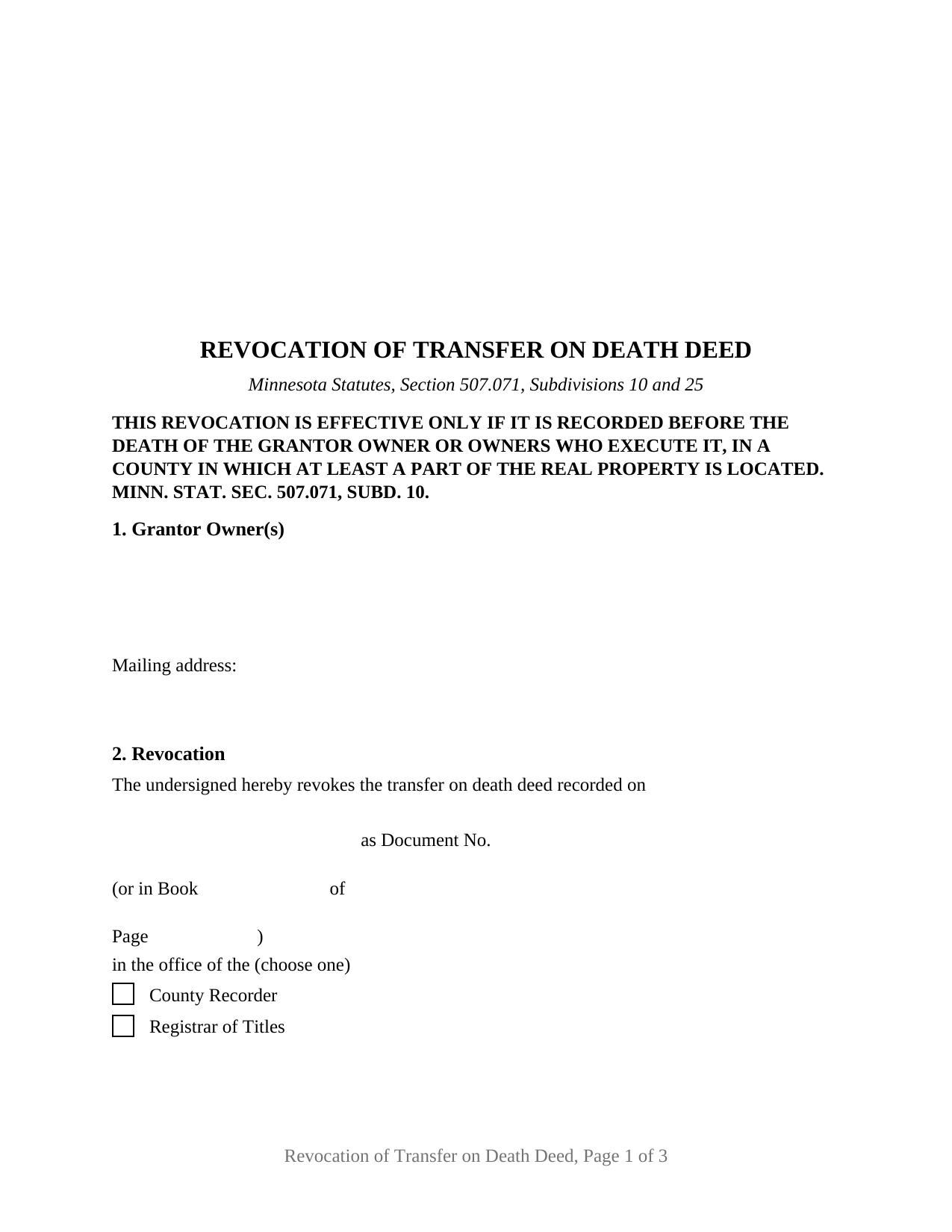
Anoka County Transfer on Death Revocation Form
Fill in the blank Transfer on Death Revocation form formatted to comply with all Minnesota recording and content requirements.
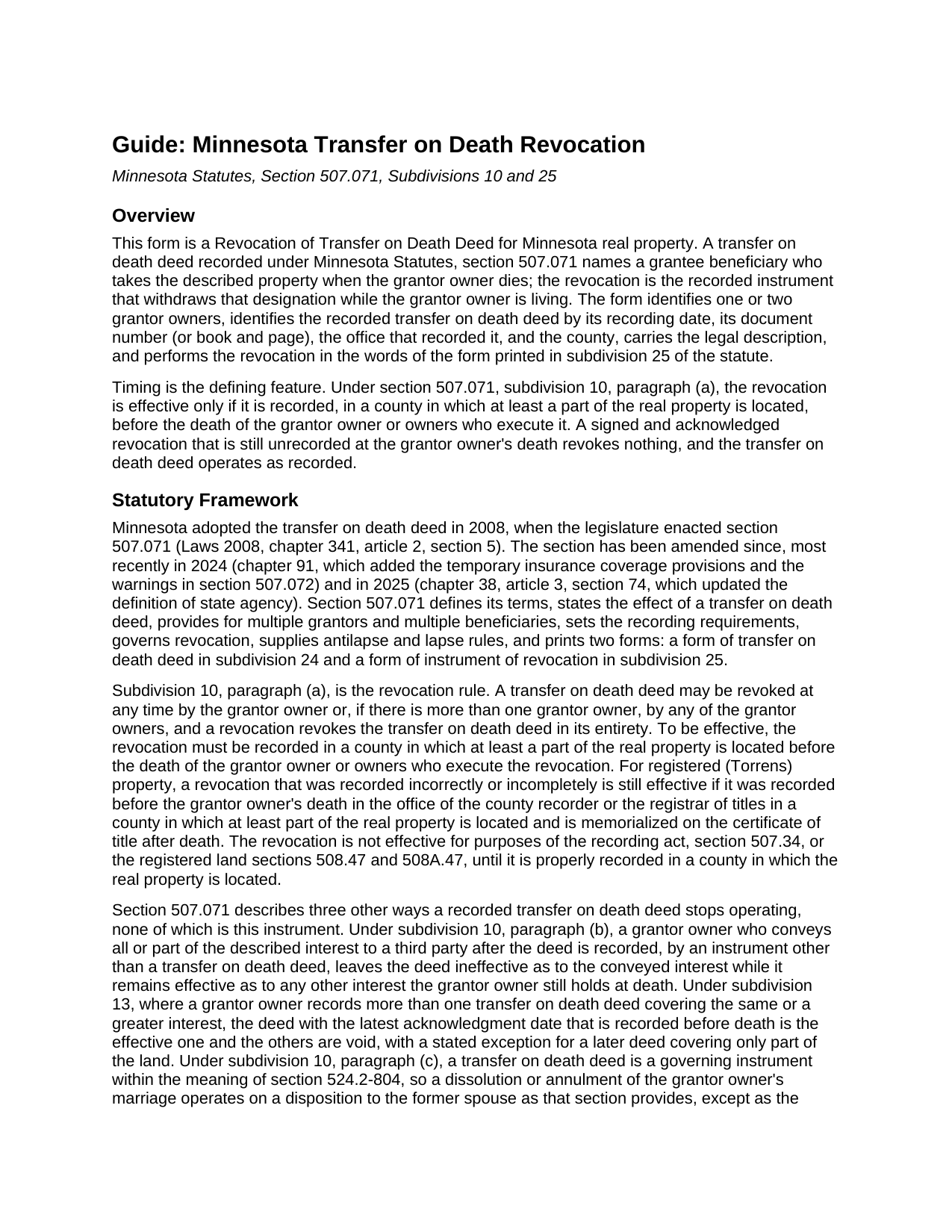
Anoka County Transfer on Death Revocation Guide
Line by line guide explaining every blank on the Transfer on Death Revocation form.
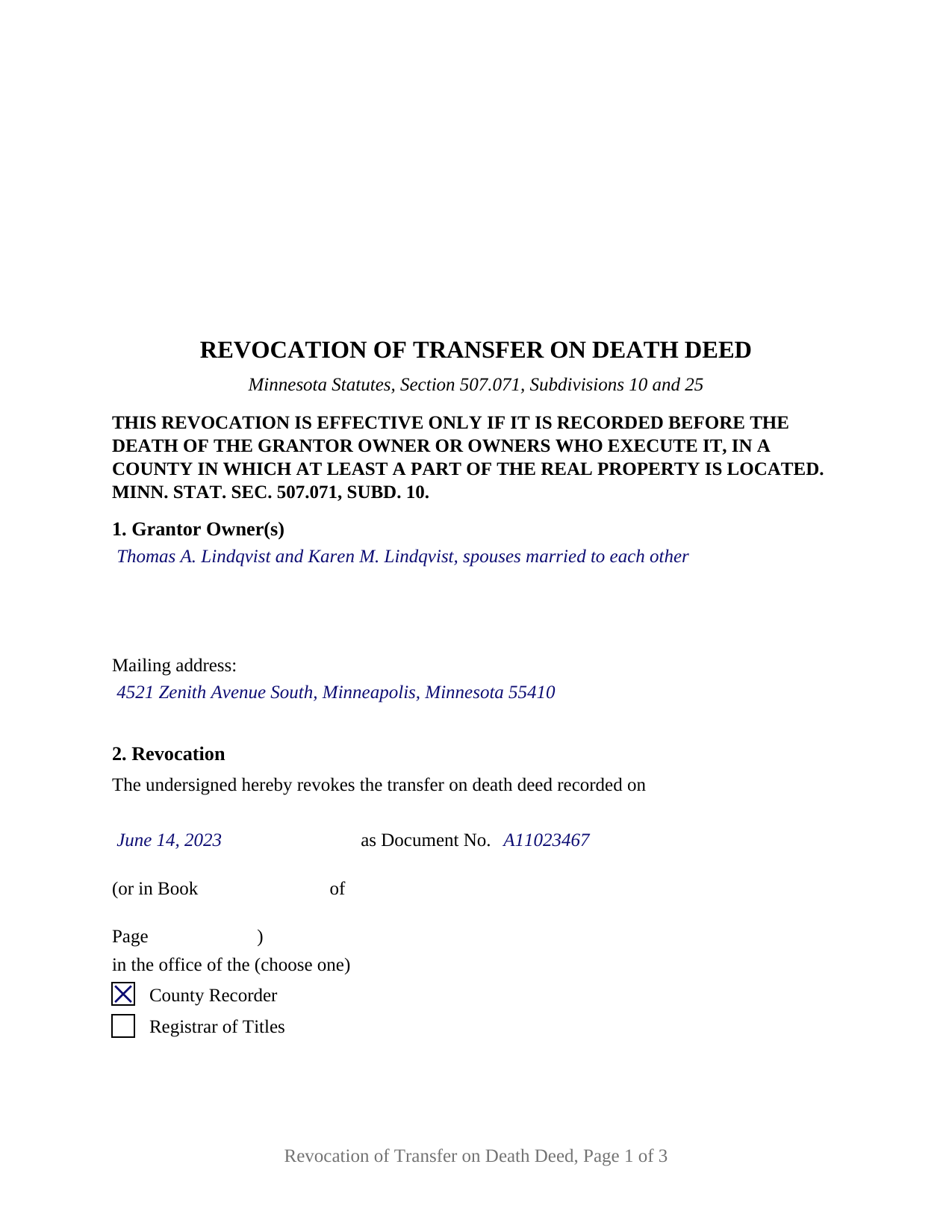
Anoka County Completed Example of the Transfer on Death Revocation Document
Example of a properly completed Minnesota Transfer on Death Revocation document for reference.
All 3 documents above included • One-time purchase • No recurring fees
Immediate Download • Secure Checkout
Additional Minnesota and Anoka County documents included at no extra charge:
Where to Record Your Documents
Property Records & Taxation
Anoka, Minnesota 55303
Hours: 8:00am to 4:30pm M-F
Phone: (763) 323-5400
Recording Tips for Anoka County:
- Bring your driver's license or state-issued photo ID
- Ensure all signatures are in blue or black ink
- Ask about accepted payment methods when you call ahead
- Ask for certified copies if you need them for other transactions
- Ask if they accept credit cards - many offices are cash/check only
Cities and Jurisdictions in Anoka County
Properties in any of these areas use Anoka County forms:
- Andover
- Anoka
- Bethel
- Cedar
- Circle Pines
- Minneapolis
- Saint Francis
Hours, fees, requirements, and more for Anoka County
How do I get my forms?
Forms are available for immediate download after payment. The Anoka County forms will be in your account ready to download to your computer. An account is created for you during checkout if you don't have one. Forms are NOT emailed.
Are these forms guaranteed to be recordable in Anoka County?
Yes. Our form blanks are guaranteed to meet or exceed the applicable formatting requirements used for recording in Anoka County, including margin requirements, font requirements, and other layout standards. This guarantee applies to formatting, not to the legal sufficiency of information entered by the user or the suitability of a form for a particular transaction.
Can I reuse these forms?
Yes. You can reuse the forms for your personal use. For example, if you have multiple properties in Anoka County you only need to order once.
What do I need to use these forms?
The forms are PDFs that you fill out on your computer. The free Adobe Acrobat Reader is recommended, and most PDF apps also work. You do NOT enter your property information online - you download the blank forms and complete them privately on your own computer.
Are there any recurring fees?
No. This is a one-time purchase. Nothing to cancel, no memberships, no recurring fees.
How much does it cost to record in Anoka County?
Recording fees in Anoka County vary. Contact the recorder's office at (763) 323-5400 for current fees.
Questions answered? Let's get started!
A Minnesota transfer on death deed stays revocable for as long as the grantor owner lives, but revoking it takes a recorded instrument. This form prepares the Revocation of Transfer on Death Deed that Minnesota Statutes, section 507.071, subdivision 25 prints, for one or two grantor owners who signed the deed being revoked, whether the deed sits with the county recorder or the registrar of titles.
One grantor owner's signature undoes the whole deed
Section 507.071, subdivision 10, paragraph (a), lets the grantor owner revoke at any time and, where there is more than one grantor owner, lets any of them do it alone. A revocation revokes the transfer on death deed in its entirety: the statute states no partial revocation as to one signer's share and no requirement that the other grantor owner join. The form carries two signature blocks and two acknowledgment certificates: both grantor owners complete a block when they revoke together, and the second block stays empty when one revokes alone.
Recorded before death, or not at all
Minnesota ties the revocation's effect to the county records. Under subdivision 10, paragraph (a), the instrument is effective only if it is recorded, before the death of the grantor owner or owners who execute it, in a county in which at least a part of the real property is located. A revocation left unrecorded at death revokes nothing, and under subdivision 19 a will does not revoke a recorded transfer on death deed either. For registered (Torrens) property, a revocation recorded incorrectly before death remains effective if it is memorialized on the certificate of title afterward. The form prints the recording condition in capital letters directly below its title.
County Recorder or Registrar of Titles
The statutory form identifies the deed being revoked by its recording date, its document number (or book and page), and the office that recorded it, and this form carries that sentence word for word. The office appears as two printed boxes, County Recorder for abstract property and Registrar of Titles for registered property, answered from the recording stamp on the deed. The legal description is copied from the deed, and a street address line follows for everyday identification.
What the revocation changes and what it leaves alone
The instrument withdraws the designation; it conveys nothing. Where the property passes instead is a matter for a will, the intestacy statutes, or a new transfer on death deed, a separate instrument recorded separately and not included in this package. Because a revocation is a document that references a transfer on death deed, the state deed tax does not apply to it under section 287.22, clause (15), and no certificate of real estate value accompanies it, since nothing is sold.
Drawn for one or two grantor owners
The form recites no marital status, vesting, or capacity of its own. Its first section is an open block that receives the name of one or two grantor owners as the transfer on death deed stated them, with the marital status that deed recited. Two spouses who signed one transfer on death deed and revoke it together, siblings holding as joint tenants who made one deed, and a sole owner withdrawing a designation present the patterns this form carries; the completed example shows two spouses in Hennepin County revoking a deed recorded with the county recorder. The form is not set up as a revocation by an attorney-in-fact, a trustee, a conservator, a business entity, or three or more grantor owners on one instrument.
Signing and recording in Minnesota
Each grantor owner who revokes signs before a notarial officer, since section 507.24 makes acknowledgment the recording formality, and the certificate sentence on the form is the short form of section 358.66. The separate certificates let two owners acknowledge on different dates, before different officers, or in different states. The document follows section 507.093: letter size, 12 point body type above the 8 point minimum, a 3 inch blank space at the top of the first page, and the title directly below it. The county recorder's fee for recording and indexing is a flat $46 under section 357.18.
The package includes the fillable form, a completed example filled in for a realistic Hennepin County fact pattern, and the guide that walks through every numbered section and the recording process. This description and the guide describe the form and the governing Minnesota statutes in general terms; they are not legal advice.
Important: Your property must be located in Anoka County to use these forms. Documents should be recorded at the county recording office listed above.
This Transfer on Death Revocation meets all recording requirements specific to Anoka County.
Our Promise
The documents you receive here are guaranteed to meet or exceed the applicable Anoka County recording format requirements. If there is a rejection caused by our formatting, we will correct the issue or refund your payment. This guarantee applies to document formatting only and does not extend to information entered by the user, the selection of the form, or the legal effect of the completed document.
Save Time and Money
Get your Anoka County Transfer on Death Revocation form done right the first time with Deeds.com Uniform Conveyancing Blanks. At Deeds.com, we understand that your time and money are valuable resources, and we don't want you to face a penalty fee or rejection imposed by a county recorder for submitting nonstandard documents. We constantly review and update our forms to meet rapidly changing state and county recording requirements for roughly 3,500 counties and local jurisdictions.
4.8 out of 5 - ( 4,845 Reviews )
REBECCA E. 5 out of 5 stars
Very easy process from you so far, thanks! i don't hav a computer, only an apple iphone, so on a day very soon i'll need to go to my Fayetteville library to download and complete the forms. thanks for any suggestions/advice you may have...
We appreciate your business and value your feedback. Thank you. Have a wonderful day!
Thomas G. 1 out of 5 stars
Wasn’t what I expected
Sorry to hear that your expectations were missed. Your order has been canceled. We do hope that you find something more suitable to your expectations elsewhere. Do keep in mind that purchasing legal forms should not be an exploratory endeavor.
Michael M. 5 out of 5 stars
This company gets it right! All the forms you need for your jurisdiction along with guides, and more
Thank you for your feedback. We really appreciate it. Have a great day!
Woody P. 5 out of 5 stars
I was informed that a quit Claim Deed that I had submitted, did not meet county requirements. I ordered the correct form and was surprised that the form included instructions and a sample "completed" form for me to follow. I found it al very helpful. Thank you !!!
Thank you!
Donna D. 5 out of 5 stars
Easy to use. Good information. Would use again.
Thank you!
Donna L. 5 out of 5 stars
Documents were easy to complete!
Thank you for your feedback. We really appreciate it. Have a great day!
Deborah B. 5 out of 5 stars
EVERYTHING WENT WELL, HAD NO PROBLEMS DOWNLOADING MY FORMS. THE ORDER QUICK AND EASY. THANKS IF I EVER NEED AND OF THESES FORMS AGAIN I WILL BE BACK.
Thanks Deborah, we really appreciate your feedback.
Daniel R. 4 out of 5 stars
Could have had Clerk's certification of mailing form after it is recorded. Not fatal, but I did have to resort to reading the statute as well.
Thank you!
Laura S. 5 out of 5 stars
Easy to utilize database and instructions!
We are grateful for your feedback and looking forward to serving you again. Thank you!
Christopher B. 4 out of 5 stars
The service was simple and easy enough but the UI isn't the easiest on the eyes and the process is a tad strange.
Thank you for your feedback. We really appreciate it. Have a great day!
Veronica F. 5 out of 5 stars
Im so happy with this site. It was quick and painless and worth the money hassle free if I ever need to settle another deed I will be back.
Thank you Veronica, we really appreciate your feedback.
Lucille F. 5 out of 5 stars
Instructions very detailed and clear.
We appreciate your business and value your feedback. Thank you. Have a wonderful day!
Gerlinde H. 5 out of 5 stars
This was fantastic. I downloaded the document, filled it out, printed it, had it notarized and drove to the recorders office and had it recorded within less than 15 minutes. Instructions are precise and easy to understand. You saved me hundreds of dollars a lawyer would have charged for the same work.
We appreciate your business and value your feedback. Thank you. Have a wonderful day!
Christopher S. 5 out of 5 stars
very easy to use, and comprehensive...I like the e-recording package
We are grateful for your feedback and looking forward to serving you again. Thank you!
MIchael T. 5 out of 5 stars
very helpful in a trouble free manner.
Thank you!