Wabasha County Trustee Deed Individual Form
Last validated October 2, 2026 by our Forms Development TeamFormatted for recording in Wabasha County, for property anywhere in the county: rural and unincorporated areas as well as Elgin, Kellogg, Lake City, Mazeppa, Millville, Plainview, Reads Landing, Wabasha and 1 more.
- 3 documents included
- Immediate PDF download
- Formatting guarantee
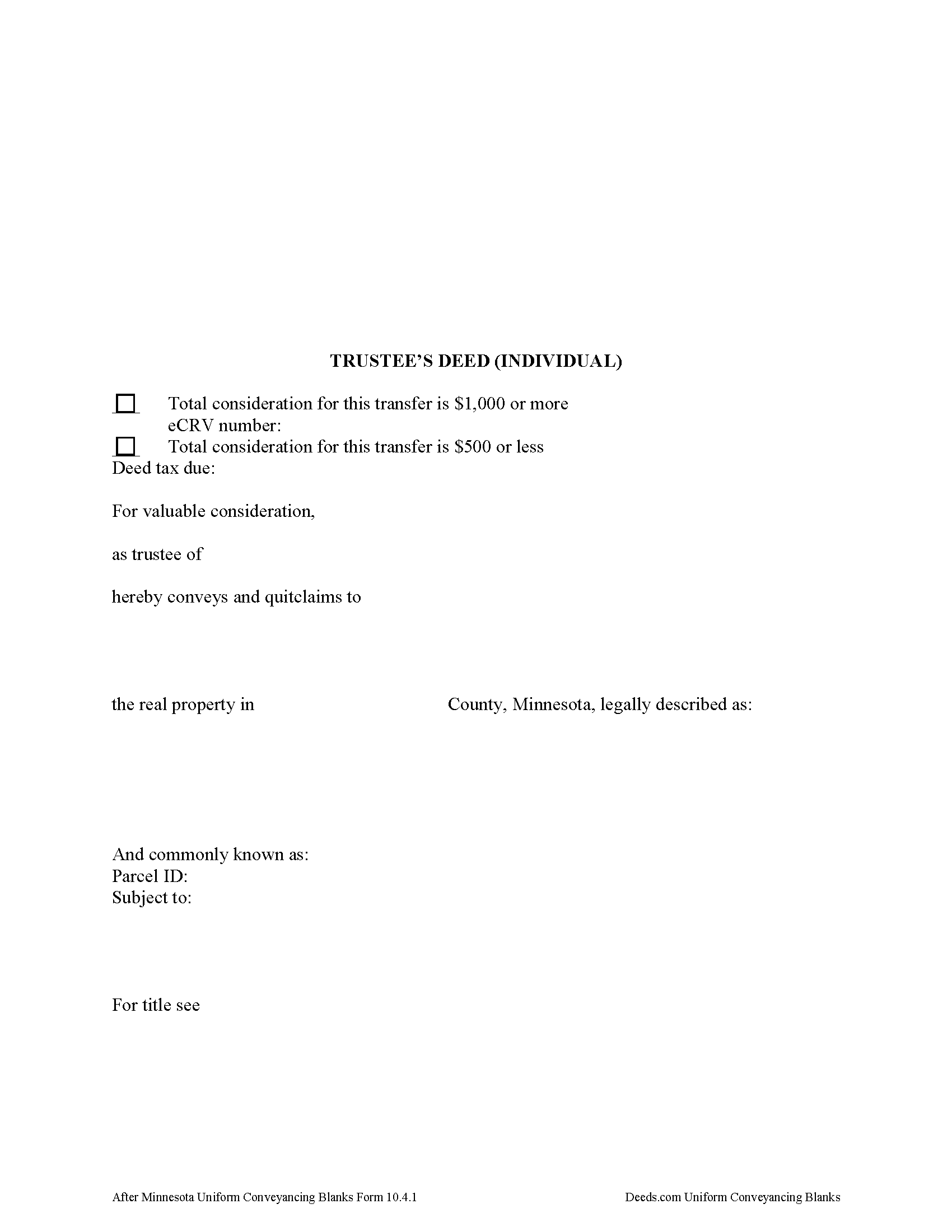
Wabasha County Trustee Deed Form
Fill in the blank form formatted to comply with all recording and content requirements.
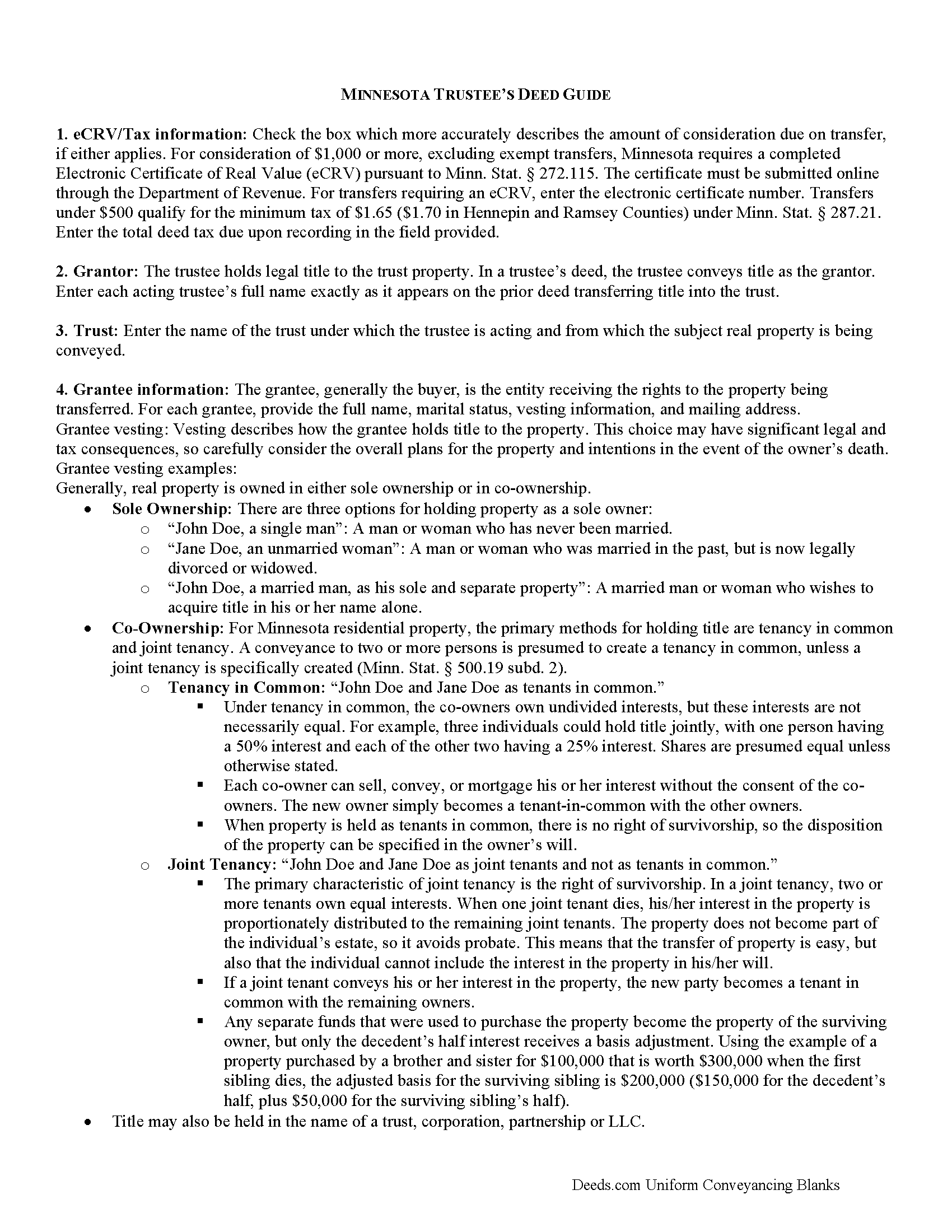
Wabasha County Trustee Deed Guide
Line by line guide explaining every blank on the form.
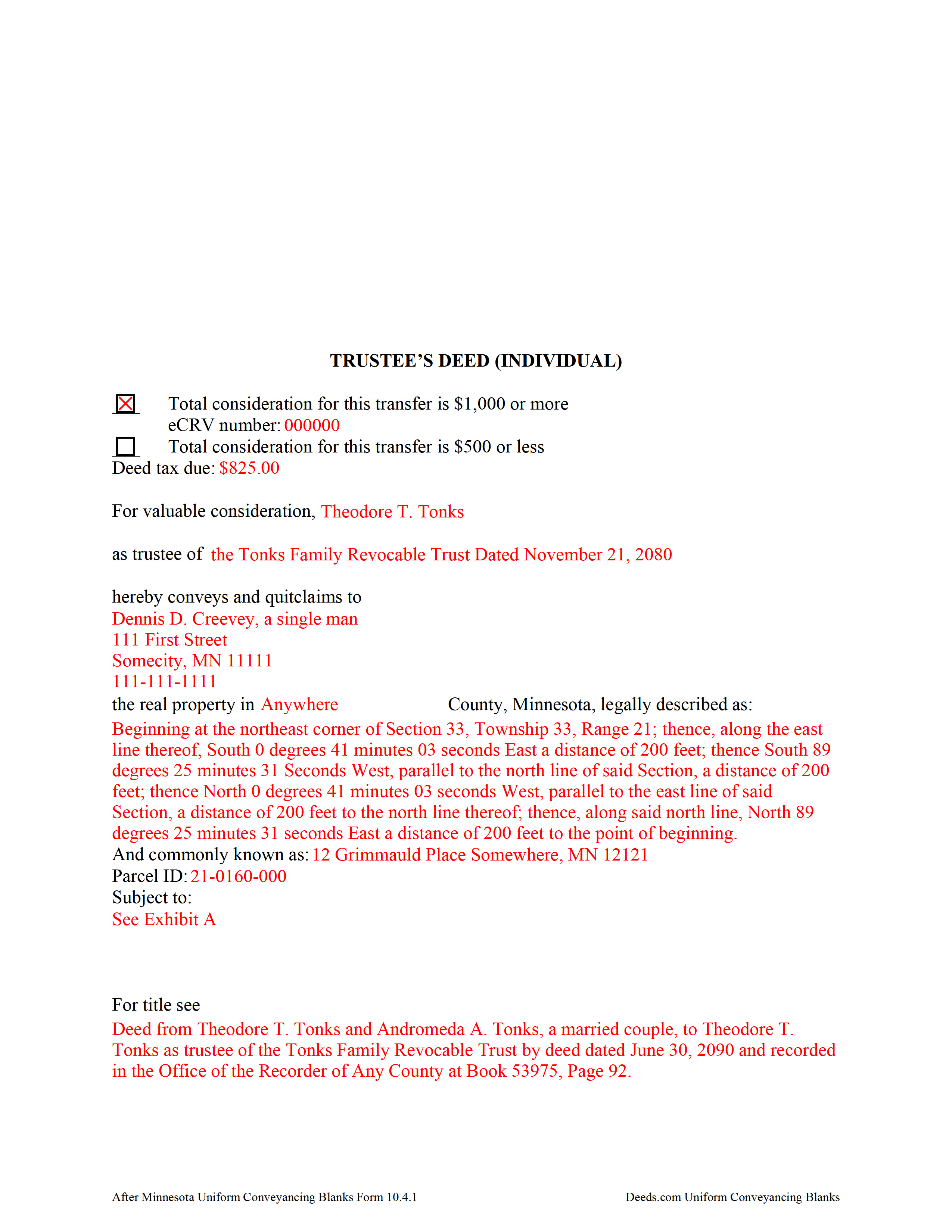
Wabasha County Completed Example of the Trustee Deed Document
Example of a properly completed form for reference.
All 3 documents above included • One-time purchase • No recurring fees
Immediate Download • Secure Checkout
Additional Minnesota and Wabasha County documents included at no extra charge:
Where to Record Your Documents
Wabasha County Recorder
Wabasha, Minnesota 55981
Hours: 8:00 to 4:00 Monday through Friday
Phone: (651) 565-3623
Recording Tips for Wabasha County:
- Bring your driver's license or state-issued photo ID
- Ensure all signatures are in blue or black ink
- Bring extra funds - fees can vary by document type and page count
- Check margin requirements - usually 1-2 inches at top
- Leave recording info boxes blank - the office fills these
Cities and Jurisdictions in Wabasha County
Properties in any of these areas use Wabasha County forms:
- Elgin
- Kellogg
- Lake City
- Mazeppa
- Millville
- Plainview
- Reads Landing
- Wabasha
- Zumbro Falls
Hours, fees, requirements, and more for Wabasha County
How do I get my forms?
Forms are available for immediate download after payment. The Wabasha County forms will be in your account ready to download to your computer. An account is created for you during checkout if you don't have one. Forms are NOT emailed.
Are these forms guaranteed to be recordable in Wabasha County?
Yes. Our form blanks are guaranteed to meet or exceed the applicable formatting requirements used for recording in Wabasha County, including margin requirements, font requirements, and other layout standards. This guarantee applies to formatting, not to the legal sufficiency of information entered by the user or the suitability of a form for a particular transaction.
Can I reuse these forms?
Yes. You can reuse the forms for your personal use. For example, if you have multiple properties in Wabasha County you only need to order once.
What do I need to use these forms?
The forms are PDFs that you fill out on your computer. The free Adobe Acrobat Reader is recommended, and most PDF apps also work. You do NOT enter your property information online - you download the blank forms and complete them privately on your own computer.
Are there any recurring fees?
No. This is a one-time purchase. Nothing to cancel, no memberships, no recurring fees.
How much does it cost to record in Wabasha County?
Recording fees in Wabasha County vary. Contact the recorder's office at (651) 565-3623 for current fees.
Questions answered? Let's get started!
What's in a Minnesota Trustee's Deed?
Minnesota allows for two main types of trustees deeds: one between individuals, and one for use by business entities. The primary differences between the two forms are that the deed intended for businesses contains details about the corporate entity and the laws under which it was formed, and a corporate notary acknowledgement, while the form for individuals does not require that information. This article focuses on the trustee's deed for individuals.
A trustee's deed conveys title to real property held in a non-testamentary trust. The deed is named for the executing trustee, unlike other deed forms, which are named for the warranties of title they contain. Trustees are authorized to sell property under Minn. Stat. 501C.0816.
In a trust arrangement, the trustee holds legal title to property conveyed to the trust by the settlor, for the benefit of the trust's beneficiaries. A beneficiary is someone with a present or future interest in the trust (Minn. Stat. 501C. 0103). The settlor establishes the provisions of the trust, including the designation of a trustee and a trust beneficiary, in the trust instrument, which typically is not recorded.
In Minnesota, the trustee's deed is a modified quitclaim deed, containing the granting language "convey and quitclaim." A quitclaim deed merely grants "all right, title, and interest of the grantor in the premises described" to the grantee, and contains no warranty of title (Minn. Stat. 707.07).
The deed names the trustee and the trust on behalf of which the trustee is authorized to act. As with all other forms of conveyance, the deed requires the name, vesting information, and address of the grantee. In addition, the deed recites the full legal description of the premises conveyed, and indicates whether the deed is to be recorded in the abstract or Torrens system (the Office of the Recorder for the county in which the property is situated handles recording for both systems).
In a nutshell, the Torrens system is a system of recording whereby the state guarantees the title through a more rigorous certification process; conveyances submitted in the abstract system meeting basic recording requirements will be recorded, but the title is not guaranteed.
Finally, all conveyances in Minnesota need to contain the drafter's information, and an address to which property tax statements can be sent.
Minnesota statutes require an Electronic Certificate of Real Value (eCRV) to accompany deeds with a consideration of $1,000 or more (Min. Stat. 272.115). The certificate is submitted online through the Department of Revenue. For transfers requiring an eCRV, the electronic certificate number must be reflected on the first page of the documents. Considerations of $500 or less qualify for the minimum deed tax. Because the eCRV contains more specific information for a majority of documents, the consideration statement reflected on the face of the deed is typically generic.
Pursuant to Minn. Stat. 103I.235, sellers of real property must submit a well disclosure certificate, along with the $50 well disclosure certificate fee, before agreeing to a transfer. Subd. 1(c) of that statute explains that the certificate is unnecessary "if the seller does not know of any wells on the property" and includes a statement to that effect on the deed. A deed may also state that the status of wells on the property has not changed since the previously filed certificate. Finally, recite the electronic well disclosure certificate number if relevant to the property.
All acting trustees must sign the deed in the presence of a notary public or other authorized officer before submitting the deed for recording at the county level. A certificate of trust and/or affidavit of trustee may be required alongside the trustee's deed.
Each situation is unique, so contact an attorney with any questions about trustee's deeds, trusts, and directions relating specifically to your situation.
(Minnesota Trustee Deed Individual Package includes form, guidelines, and completed example)
Important: Your property must be located in Wabasha County to use these forms. Documents should be recorded at the county recording office listed above.
This Trustee Deed Individual meets all recording requirements specific to Wabasha County.
Our Promise
The documents you receive here are guaranteed to meet or exceed the applicable Wabasha County recording format requirements. If there is a rejection caused by our formatting, we will correct the issue or refund your payment. This guarantee applies to document formatting only and does not extend to information entered by the user, the selection of the form, or the legal effect of the completed document.
Save Time and Money
Get your Wabasha County Trustee Deed Individual form done right the first time with Deeds.com Uniform Conveyancing Blanks. At Deeds.com, we understand that your time and money are valuable resources, and we don't want you to face a penalty fee or rejection imposed by a county recorder for submitting nonstandard documents. We constantly review and update our forms to meet rapidly changing state and county recording requirements for roughly 3,500 counties and local jurisdictions.
4.8 out of 5 - ( 4,836 Reviews )
David W. 5 out of 5 stars
Excellent assistance provided by your forms, guide and example.
Thank you!
Daniel S. 5 out of 5 stars
It was easy to find the forms I was looking for and the guided steps and examples of how to use the form were beneficial.
Thank you for your feedback. We really appreciate it. Have a great day!
Gregory C. 5 out of 5 stars
All of these forms should be downloadable in .zip format - having to do 8-9 downloads is ridiculous, respectfully.
Thank you for your feedback. We really appreciate it. Have a great day!
Gerald C. 2 out of 5 stars
Pros, quick purchase and document availability including instructions and examples. Cons, For the cert. of trust, the form would not accept the length of our trust name with no way to get around. The pdf file printing did not meet the requirements for 2.5" top margin and .5" other margins as well as the 10pt font size as the form information was shrunk down even when normal printing.
Thank you for your feedback. We really appreciate it. Have a great day!
Chris M. 5 out of 5 stars
The personal attention and the ease of use is beyond any other service I have used. Thank you for making my work so much easier.
Thank you for your positive words! We’re thrilled to hear about your experience.
GEORGE Q. 5 out of 5 stars
Assistance from the associate was good. He told me what I needed to hear and took the time to look up deeds that I was looking for. Though the deed was not available he gave me recommendation on my future calls to ask. Great personality and very helpful.
Thank you for your feedback. We really appreciate it. Have a great day!
Carol K. 1 out of 5 stars
was expecting a one page Grant Deed not what I received.
Hi Carol, thank you for your feedback. A properly prepared California Grant Deed often runs more than one page. California requires specific recording formatting, a documentary transfer tax declaration, room for the full legal description, and the state’s mandatory notary acknowledgment wording, which is typically on its own page. Our form is built to meet those requirements so it is accepted for recording.
Marci C. 5 out of 5 stars
Excellent Service! Quick and easy! Will definitely be using again!
Knowing our customers are happy is our top priority. Thank you for the wonderful feedback!
Diane O. 5 out of 5 stars
Filling out forms was easy....so far, I am happy !
We appreciate your business and value your feedback. Thank you. Have a wonderful day!
Margo W. 5 out of 5 stars
Very easy to understand and complete the process. This is the third attempt to download a Quit Claim Deed and the only one we had success with. Thank you.
Thank you for your feedback. We really appreciate it. Have a great day!
Mary R. 5 out of 5 stars
Love to use DEEDS>COM
Thank you Mary.
Bob B. 5 out of 5 stars
Good so far. Will be great if you get the deed recorded.
Thank you!
Marsha D. 5 out of 5 stars
Outstanding product and so easy to use! Highly recommend this product. We successfully used the Virginia deeds. Thank you.
Thank you!
Christopher B. 5 out of 5 stars
great
Thanks for your feedback. We’re glad we could help.
Cindy A. 5 out of 5 stars
Easy to understand and use. However, need to add line for phone number for preparer - Thanks
Thank you for your feedback. We really appreciate it. Have a great day!