Carlton County Warranty Deed from Individual to Joint Tenants Form
Last validated October 26, 2026 by our Forms Development TeamFormatted for recording in Carlton County, for property anywhere in the county: rural and unincorporated areas as well as Barnum, Carlton, Cloquet, Cromwell, Esko, Holyoke, Kettle River, Moose Lake and 3 more.
- 3 documents included
- Immediate PDF download
- Formatting guarantee
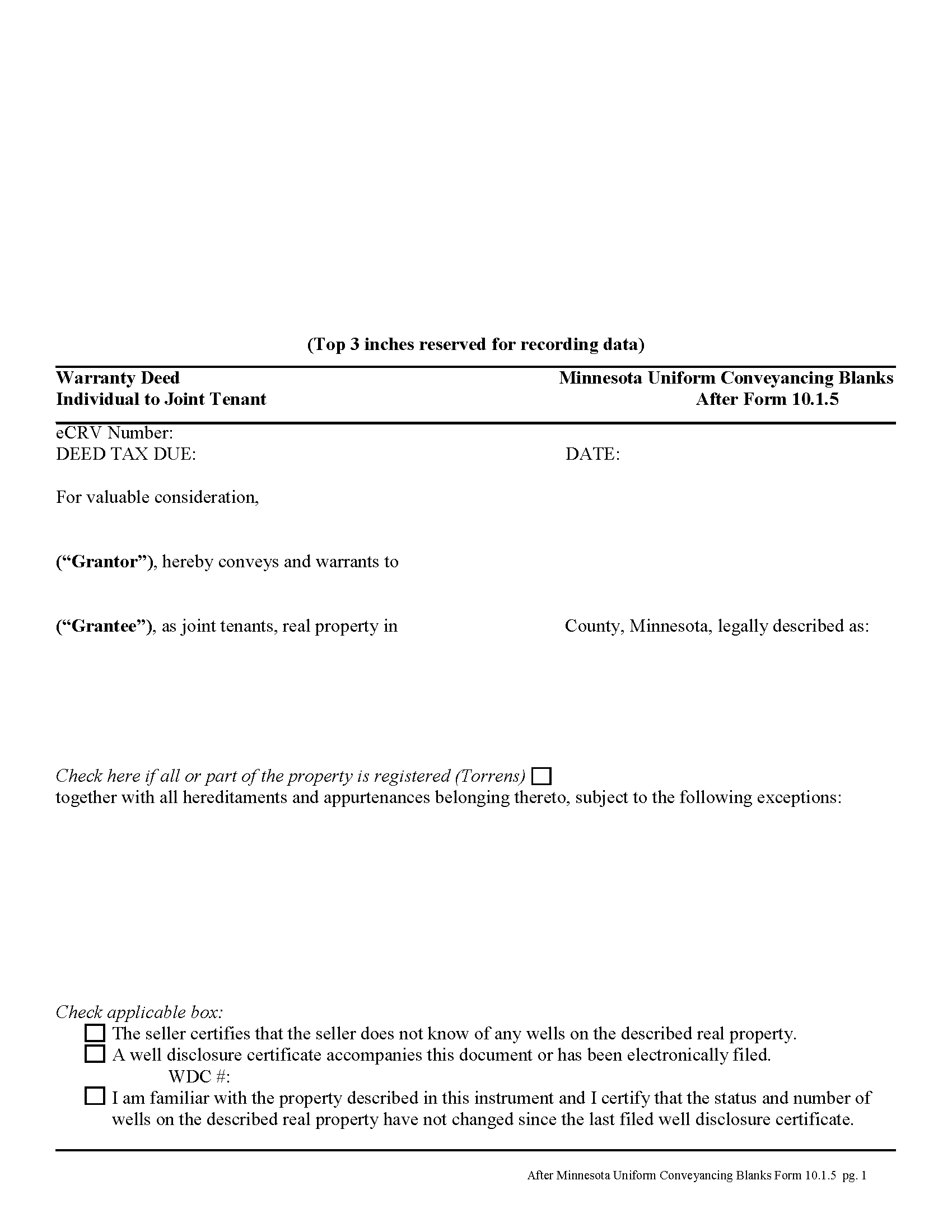
Carlton County Warranty Deed from Individual to Joint Tenants Form
Fill in the blank form formatted to comply with all recording and content requirements.
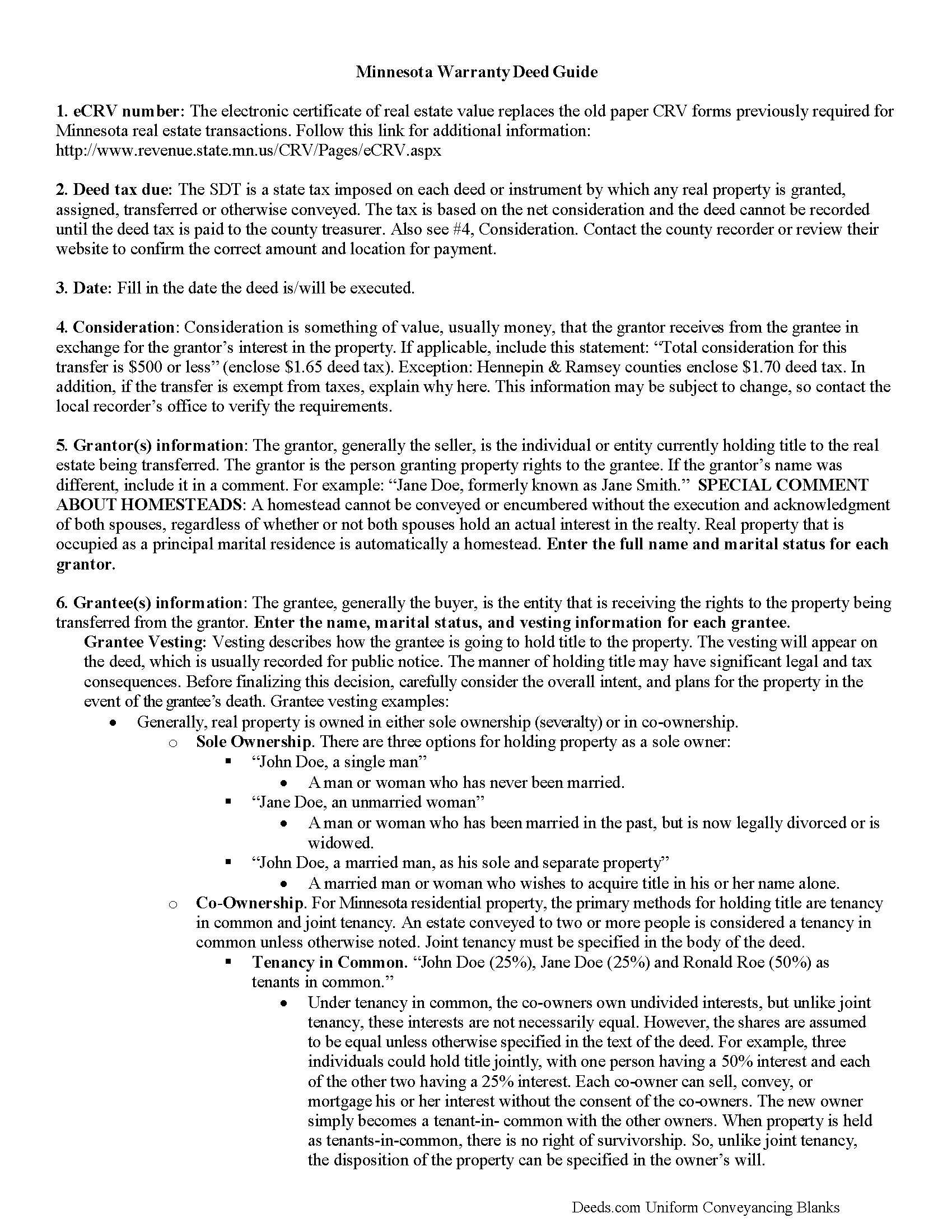
Carlton County Warranty Deed from Individual to Joint Tenant Guide
Line by line guide explaining every blank on the form.
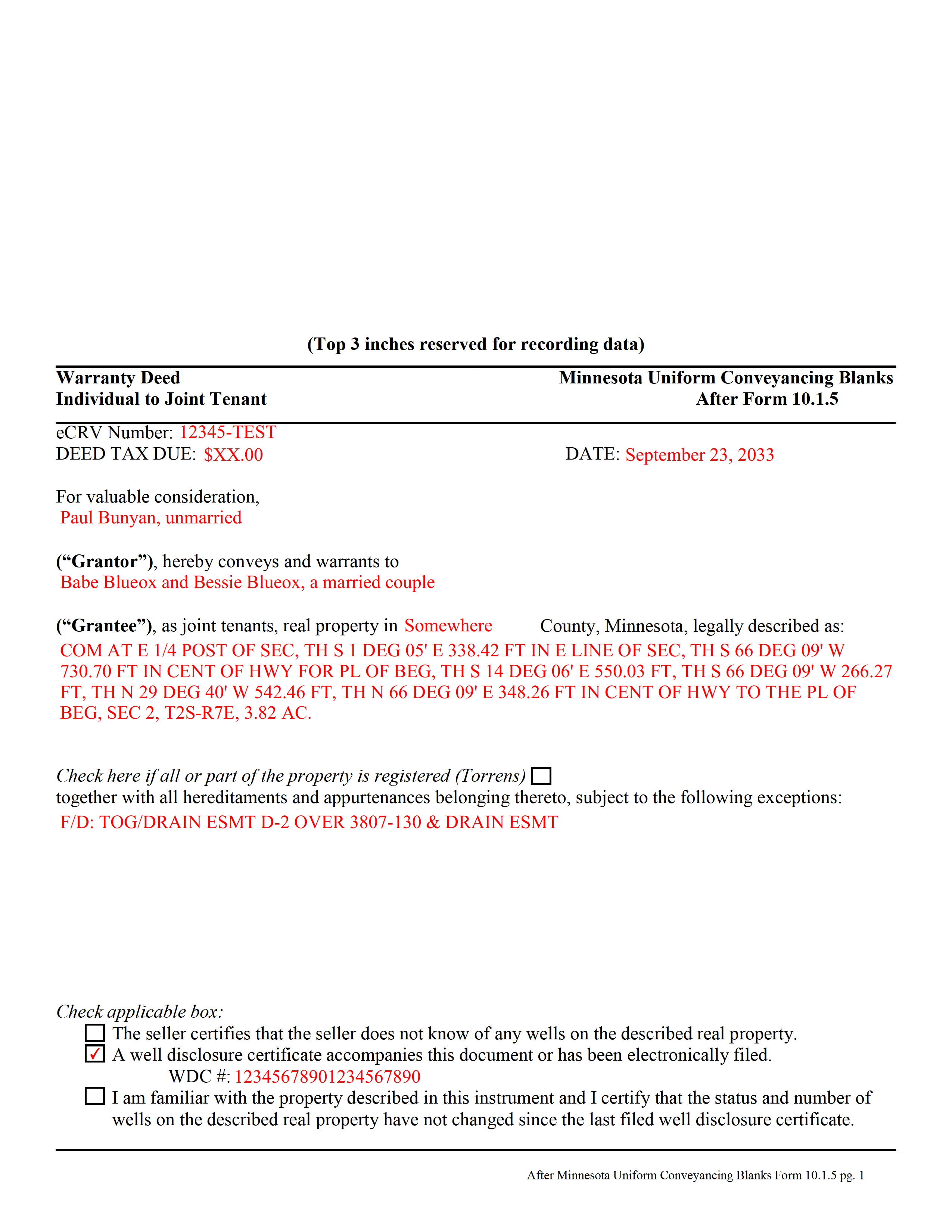
Carlton County Completed Example of the Warranty Deed from Individual to Joint Tenants Document
Example of a properly completed form for reference.
All 3 documents above included • One-time purchase • No recurring fees
Immediate Download • Secure Checkout
Additional Minnesota and Carlton County documents included at no extra charge:
Where to Record Your Documents
Carlton County Recorder
Carlton, Minnesota 55718
Hours: Monday-Friday 8:00am-4:00pm CST,
Phone: (218) 384-9195
Carlton County Recorders Mailing Address
Carlton, Minnesota 55718-0300
Hours:
Phone:
Recording Tips for Carlton County:
- Bring your driver's license or state-issued photo ID
- Ensure all signatures are in blue or black ink
- Recording fees may differ from what's posted online - verify current rates
- Request a receipt showing your recording numbers
- Ask about accepted payment methods when you call ahead
Cities and Jurisdictions in Carlton County
Properties in any of these areas use Carlton County forms:
- Barnum
- Carlton
- Cloquet
- Cromwell
- Esko
- Holyoke
- Kettle River
- Moose Lake
- Sawyer
- Wrenshall
- Wright
Hours, fees, requirements, and more for Carlton County
How do I get my forms?
Forms are available for immediate download after payment. The Carlton County forms will be in your account ready to download to your computer. An account is created for you during checkout if you don't have one. Forms are NOT emailed.
Are these forms guaranteed to be recordable in Carlton County?
Yes. Our form blanks are guaranteed to meet or exceed the applicable formatting requirements used for recording in Carlton County, including margin requirements, font requirements, and other layout standards. This guarantee applies to formatting, not to the legal sufficiency of information entered by the user or the suitability of a form for a particular transaction.
Can I reuse these forms?
Yes. You can reuse the forms for your personal use. For example, if you have multiple properties in Carlton County you only need to order once.
What do I need to use these forms?
The forms are PDFs that you fill out on your computer. The free Adobe Acrobat Reader is recommended, and most PDF apps also work. You do NOT enter your property information online - you download the blank forms and complete them privately on your own computer.
Are there any recurring fees?
No. This is a one-time purchase. Nothing to cancel, no memberships, no recurring fees.
How much does it cost to record in Carlton County?
Recording fees in Carlton County vary. Contact the recorder's office at (218) 384-9195 for current fees.
Questions answered? Let's get started!
Minnesota's real estate deeds are governed by Minn. Stat. 507.
The statutes contain the basic form and requirements for lawful conveyance of property. A warranty deed is used in Minnesota real estate transactions where the grantor agrees that "such instrument, duly executed as required by law, shall be a conveyance in fee simple of the premises described to the grantee, the grantee's heirs and assigns, with covenants on the part of the grantor, the grantor's heirs and personal representatives, that the grantor is lawfully seized of the premises in fee simple and has good right to convey the same; that the premises are free from all encumbrances; that the grantor warrants to the grantee, the grantee's heirs and assigns, the quiet and peaceable possession thereof; and that the grantor will defend the title thereto against all persons who may lawfully claim the same. Such covenants shall be obligatory upon any grantor, the grantor's heirs and personal representatives, as fully and with like effect as if written at length in such deed" (507.07).
While properly completed statutory form may suffice in many situations, they leave the possibility for errors based on incorrect or missing information. To reduce confusion about the information needed for different real estate transactions, Minnesota suggests guidelines for uniform conveyancing forms, each with a specific purpose.
This warranty deed form, specifically intended for real property transfers from individual owner(s) to joint tenants, matches the format, content, and requirements set forth in the most recent update.
(Minnesota WD Ind to JT Package includes form, guidelines, and completed example)
Important: Your property must be located in Carlton County to use these forms. Documents should be recorded at the county recording office listed above.
This Warranty Deed from Individual to Joint Tenants meets all recording requirements specific to Carlton County.
Our Promise
The documents you receive here are guaranteed to meet or exceed the applicable Carlton County recording format requirements. If there is a rejection caused by our formatting, we will correct the issue or refund your payment. This guarantee applies to document formatting only and does not extend to information entered by the user, the selection of the form, or the legal effect of the completed document.
Save Time and Money
Get your Carlton County Warranty Deed from Individual to Joint Tenants form done right the first time with Deeds.com Uniform Conveyancing Blanks. At Deeds.com, we understand that your time and money are valuable resources, and we don't want you to face a penalty fee or rejection imposed by a county recorder for submitting nonstandard documents. We constantly review and update our forms to meet rapidly changing state and county recording requirements for roughly 3,500 counties and local jurisdictions.
4.8 out of 5 - ( 4,858 Reviews )
Abigail Frances B. 5 out of 5 stars
Thanks for the easy download, clear instructions, good price- I'm looking forward to filling them out.
Thank you for your feedback. We really appreciate it. Have a great day!
Lauren D. 5 out of 5 stars
Prompt and helpful
Thank you!
Jose G. C. 4 out of 5 stars
It was OK but unfortunately useless. The jurisdictions are now requesting that documents such as Notices of Commencement not only be recorded at their offices, but also certified. This last service is not provided by Deeds, or at least I could not find it in your website and did not receive a response when I asked if you did. Thus, we are going back to traditional means of recording/certifying
Thank you for your feedback Jose. We do hope that you find something more suitable to your needs elsewhere. Have a wonderful day.
Kristen N. 5 out of 5 stars
Very easy to use, helpful instructions and examples. I also like the chat feature and the erecording. So much better than other DIY law websites out there.
We appreciate your business and value your feedback. Thank you. Have a wonderful day!
John Q. 4 out of 5 stars
The process was a little confusing to understand at first for someone like me with no experience doing something like this. But after I spent a little time checking out everything, the process was easier than I thought it would be using this site. Also, the best part was the quick and helpful responses when using the Chat function.
Thank you, John! We appreciate your feedback and are glad our team could help make the experience a positive one. Thanks for giving us the opportunity to assist!
Mary D. 5 out of 5 stars
LOVE this site.. easy to use and very very quick to record
Thank you for your feedback. We really appreciate it. Have a great day!
Barbara M. 5 out of 5 stars
Easy to do.
We appreciate your business and value your feedback. Thank you. Have a wonderful day!
JACQUELINE R. 5 out of 5 stars
We have been waiting for a Title Company to put a release of Lien together for the past 3 months. I figured it was taking way to long and decided to use template here instead. In less than hour I was able to add all the information on the template and provide forms to our Seller to use. We were buying and he didnt think they were necessary. But I refused to pay him in full until he agreed to sign papers at the bank, and of course in front of a notary. We turned around and filed the Release of lien paperwork at County Clerks office, we officially own our house. Thank you!
Thank you for your feedback. We really appreciate it. Have a great day!
Christopher H. 2 out of 5 stars
The product is as advertised. I was unable to navigate this process because It is complicated and I am concerned about doing it wrong. The law is written in stupid language to make it difficult for all and keep the layering business going. Its a solid form but did not work for me. Thanks Chris
Thank you for your feedback Christopher. Sorry to hear that we’re not comfortable completing the process. It is always best to seek the advice of a legal professional is you are not completely sure of what you are doing.
Mary R. 5 out of 5 stars
The best site ever. Easy to navigate. Love it!!
Thank you Mary! We appreciate you and your kinds words.
Tai H. 5 out of 5 stars
Great service. Save me a time and effort in filling out LA County Quitclaim Deed.
We appreciate your business and value your feedback. Thank you. Have a wonderful day!
THOMAS C. 5 out of 5 stars
Thank you for the fine, easy to implement service.
Thank you for your feedback. We really appreciate it. Have a great day!
Thomas D. 2 out of 5 stars
The documents themselves are fine and the information provided with them is helpful. I find the actual processing of the documents, however, to be difficult particularly once the document has been saved. First, I note that the box for the date only allows entry of the last 2 digits of the year. Unfortunately, my download only allows me to enter one of the 2 digits required. When I delete it repeatedly, it eventually allows both digits to be entered but puts them in extremely small text and in superscrypt. I have not found a solution to this problem and am not sure the deed can even be recorded with this problem. Another problem is that if you try to revise the document after you have saved it the curser goes to the end of the line after each key entry. This means that there basically is no way to efficiently save the document for reworking later since you will have to delete everything you have entered in the text box unless you only need to make a single keystroke change or are willing to replace the curser after each entry. Try that with a long property description! Please note that I am using a Mac to prepare my documents and perhaps this is part of an "incompatibility problem". However, I didn't see a disclaimer regarding Mac use and so would expect the documents to perform correctly. Overall, I give the program a "2 star" rating because I am experiencing significant difficulties in entering dates in the documents even before saving them and because saving your work for later revision appears to be basically unworkable.
Thank you for your feedback Thomas, we appreciate you being specific about the issues you encountered. Adobe and Mac have a fairly long history of issues working together.
Jason B. 5 out of 5 stars
You saved me $275.00 perfect! Thank you!!
We appreciate your business and value your feedback. Thank you. Have a wonderful day!
Robert M. 5 out of 5 stars
Great service. Easy to use and affordable.
Thank you!