Le Sueur County Warranty Deed from Individual to Joint Tenants Form
Last validated November 18, 2026 by our Forms Development TeamFormatted for recording in Le Sueur County, for property anywhere in the county: rural and unincorporated areas as well as Cleveland, Elysian, Kasota, Le Center, Le Sueur, Montgomery, Waterville.
- 3 documents included
- Immediate PDF download
- Formatting guarantee
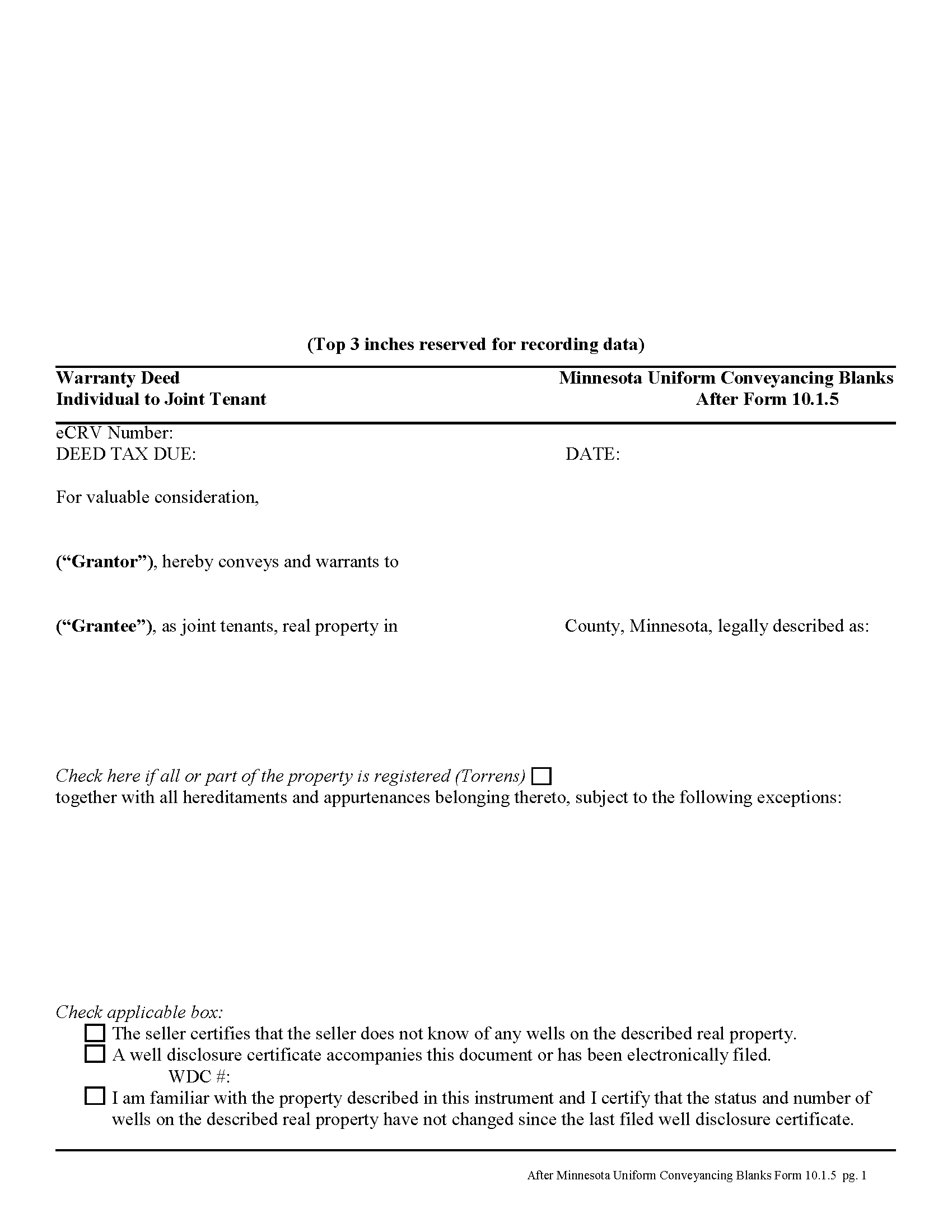
Le Sueur County Warranty Deed from Individual to Joint Tenants Form
Fill in the blank form formatted to comply with all recording and content requirements.
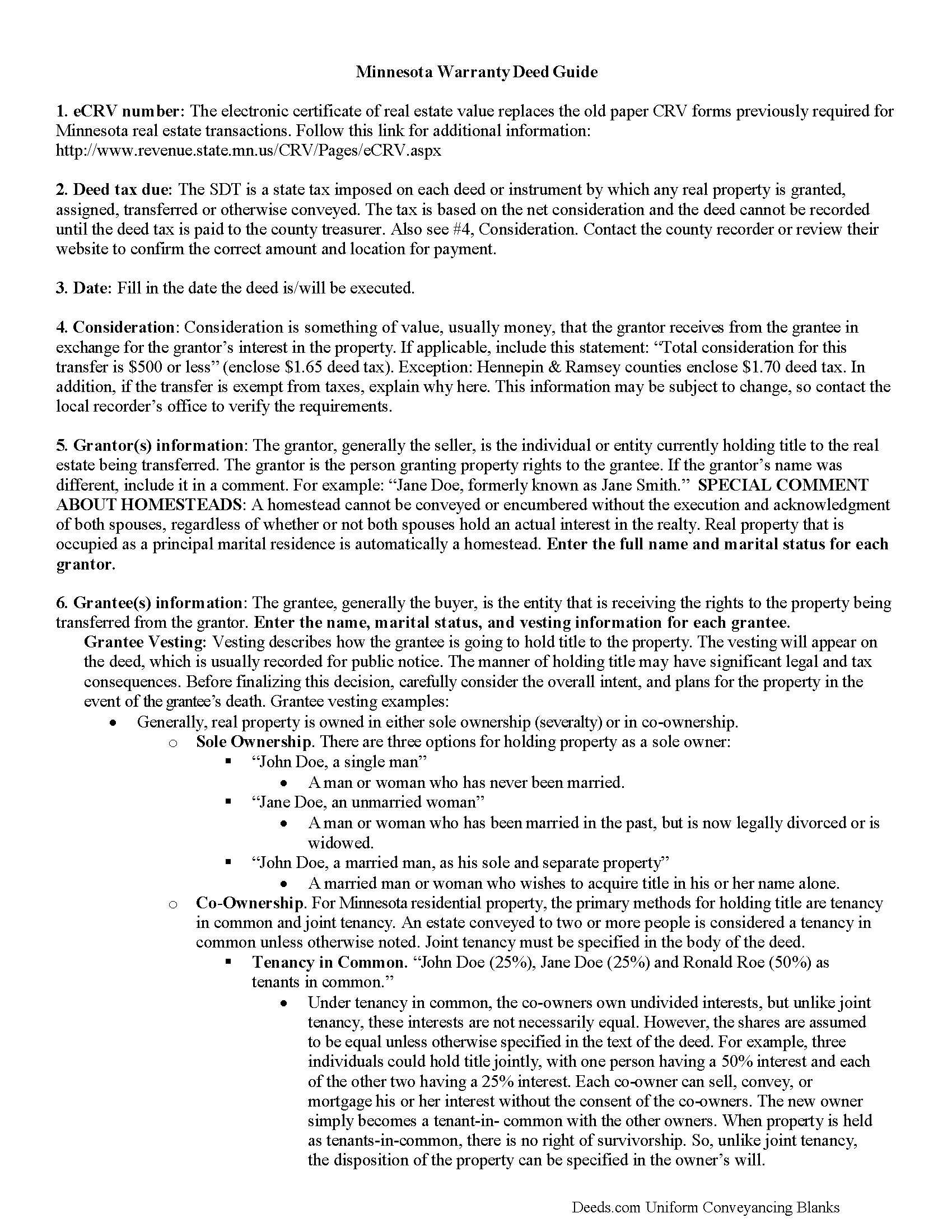
Le Sueur County Warranty Deed from Individual to Joint Tenant Guide
Line by line guide explaining every blank on the form.
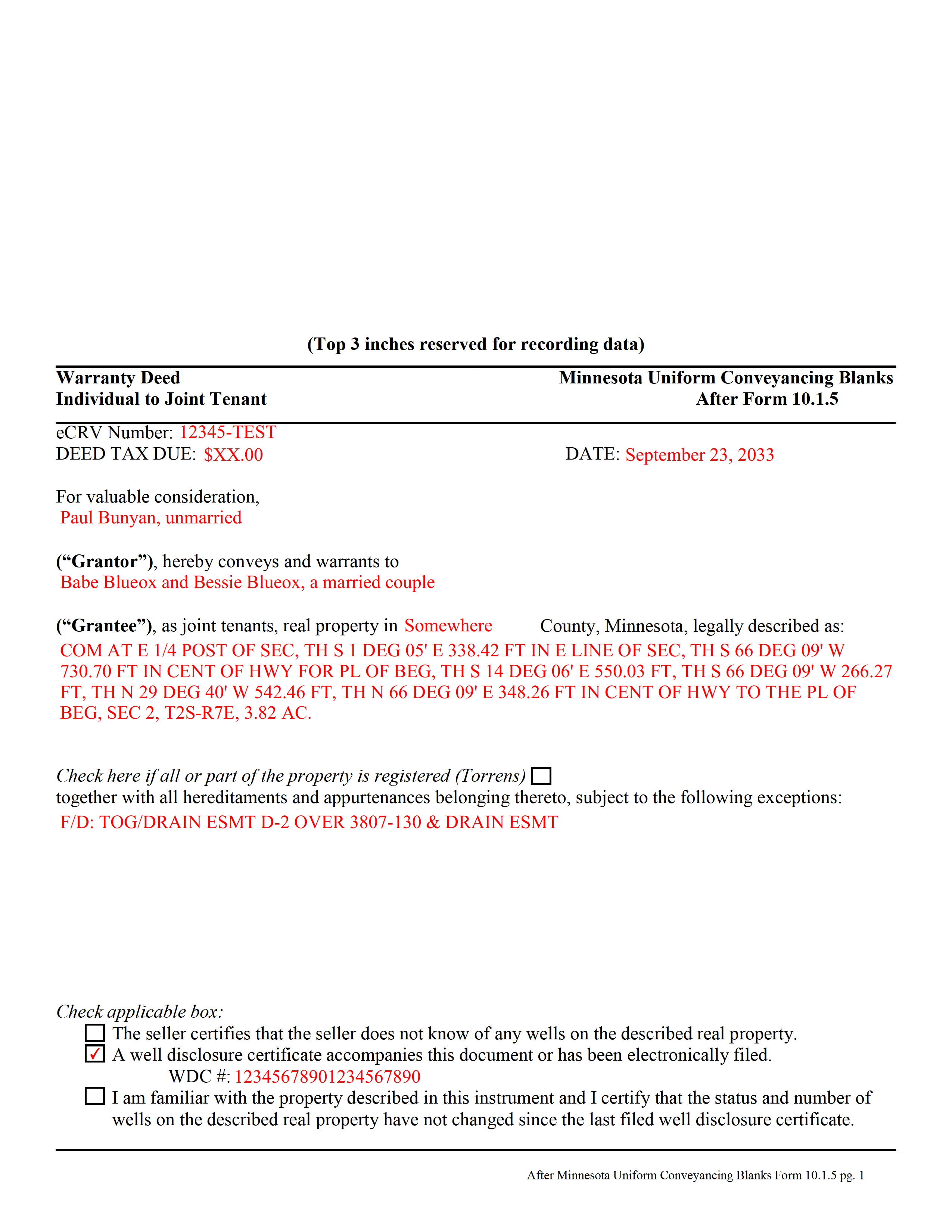
Le Sueur County Completed Example of the Warranty Deed from Individual to Joint Tenants Document
Example of a properly completed form for reference.
All 3 documents above included • One-time purchase • No recurring fees
Immediate Download • Secure Checkout
Additional Minnesota and Le Sueur County documents included at no extra charge:
Where to Record Your Documents
Le Sueur County Recorder
Le Center , Minnesota 56057
Hours: Mon-Thu 8:00am - 4:00pm; Fri 8:00am - 3:30pm
Phone: (507) 357-2251 Ext. 8272 / Ext. 8271
Recording Tips for Le Sueur County:
- Bring your driver's license or state-issued photo ID
- Ensure all signatures are in blue or black ink
- Documents must be on 8.5 x 11 inch white paper
- Double-check legal descriptions match your existing deed
- Verify all names are spelled correctly before recording
Cities and Jurisdictions in Le Sueur County
Properties in any of these areas use Le Sueur County forms:
- Cleveland
- Elysian
- Kasota
- Le Center
- Le Sueur
- Montgomery
- Waterville
Hours, fees, requirements, and more for Le Sueur County
How do I get my forms?
Forms are available for immediate download after payment. The Le Sueur County forms will be in your account ready to download to your computer. An account is created for you during checkout if you don't have one. Forms are NOT emailed.
Are these forms guaranteed to be recordable in Le Sueur County?
Yes. Our form blanks are guaranteed to meet or exceed the applicable formatting requirements used for recording in Le Sueur County, including margin requirements, font requirements, and other layout standards. This guarantee applies to formatting, not to the legal sufficiency of information entered by the user or the suitability of a form for a particular transaction.
Can I reuse these forms?
Yes. You can reuse the forms for your personal use. For example, if you have multiple properties in Le Sueur County you only need to order once.
What do I need to use these forms?
The forms are PDFs that you fill out on your computer. The free Adobe Acrobat Reader is recommended, and most PDF apps also work. You do NOT enter your property information online - you download the blank forms and complete them privately on your own computer.
Are there any recurring fees?
No. This is a one-time purchase. Nothing to cancel, no memberships, no recurring fees.
How much does it cost to record in Le Sueur County?
Recording fees in Le Sueur County vary. Contact the recorder's office at (507) 357-2251 Ext. 8272 / Ext. 8271 for current fees.
Questions answered? Let's get started!
Minnesota's real estate deeds are governed by Minn. Stat. 507.
The statutes contain the basic form and requirements for lawful conveyance of property. A warranty deed is used in Minnesota real estate transactions where the grantor agrees that "such instrument, duly executed as required by law, shall be a conveyance in fee simple of the premises described to the grantee, the grantee's heirs and assigns, with covenants on the part of the grantor, the grantor's heirs and personal representatives, that the grantor is lawfully seized of the premises in fee simple and has good right to convey the same; that the premises are free from all encumbrances; that the grantor warrants to the grantee, the grantee's heirs and assigns, the quiet and peaceable possession thereof; and that the grantor will defend the title thereto against all persons who may lawfully claim the same. Such covenants shall be obligatory upon any grantor, the grantor's heirs and personal representatives, as fully and with like effect as if written at length in such deed" (507.07).
While properly completed statutory form may suffice in many situations, they leave the possibility for errors based on incorrect or missing information. To reduce confusion about the information needed for different real estate transactions, Minnesota suggests guidelines for uniform conveyancing forms, each with a specific purpose.
This warranty deed form, specifically intended for real property transfers from individual owner(s) to joint tenants, matches the format, content, and requirements set forth in the most recent update.
(Minnesota WD Ind to JT Package includes form, guidelines, and completed example)
Important: Your property must be located in Le Sueur County to use these forms. Documents should be recorded at the county recording office listed above.
This Warranty Deed from Individual to Joint Tenants meets all recording requirements specific to Le Sueur County.
Our Promise
The documents you receive here are guaranteed to meet or exceed the applicable Le Sueur County recording format requirements. If there is a rejection caused by our formatting, we will correct the issue or refund your payment. This guarantee applies to document formatting only and does not extend to information entered by the user, the selection of the form, or the legal effect of the completed document.
Save Time and Money
Get your Le Sueur County Warranty Deed from Individual to Joint Tenants form done right the first time with Deeds.com Uniform Conveyancing Blanks. At Deeds.com, we understand that your time and money are valuable resources, and we don't want you to face a penalty fee or rejection imposed by a county recorder for submitting nonstandard documents. We constantly review and update our forms to meet rapidly changing state and county recording requirements for roughly 3,500 counties and local jurisdictions.
4.8 out of 5 - ( 4,861 Reviews )
Dr. Shenetta M. 5 out of 5 stars
The process was simple, and I am thankful for the turnaround time. Thank you for the help!
We are overjoyed to read your appreciative words regarding your experience with our eRecording service. It's rewarding to know that the simplicity of our process and the prompt turnaround time met your expectations.
Your acknowledgement is a great motivator for us to continue enhancing our services. Our goal is to always provide a seamless and efficient experience to our valued customers like you.
Thank you once again for your kind feedback. We are here to assist you anytime you need, and we look forward to serving you again in the near future!
Justin H. 1 out of 5 stars
Couldn't pull a simple deed for a legal description.
Thank you for your feedback Justin. We do hope that you were able to find something more suitable to your needs elsewhere. Have a wonderful day.
Kevin & Kim S. 5 out of 5 stars
So very easy to use and we're so glad we could do everything from our home office.
We appreciate your business and value your feedback. Thank you. Have a wonderful day!
Sohaib R. 5 out of 5 stars
Digital anything can be extremely convenient and quick, and my experience with Deeds.com has been exactly that. Very worth their fee. (I used them to record real property records/deeds in Texas).
We appreciate your business and value your feedback. Thank you. Have a wonderful day!
Paul D. 5 out of 5 stars
First time I've used Deeds, it could not have gone better.
Thank you!
Barbara B. 5 out of 5 stars
A great help! Thank you.
Thank you!
Brian S. 3 out of 5 stars
PDF fields change font sizes leading to an unprofessional-appearing printed page. The examples for "Convey to" section don't include how to specify just one person instead of a married couple. Maybe that is simple but it would help to spell it out in an example. Haven't submitted to County Recorder yet, so will find out if it is acceptable.
Thank you for the feedback Brian.
The font issue is caused by using a PDF viewer other than Adobe Acrobat Reader. Our form fields are set to a uniform 12-point font, but non-Adobe viewers often render form fields inconsistently. Opening and printing the form with the free Adobe Acrobat Reader will resolve that.
Regarding the examples, that's a fair point, we'll look at expanding them.
Don M. 5 out of 5 stars
ONCE A PERSON STARTS THE PROCESS, IT IS QUITE EASY, THE PROCESS THAT IS.
We appreciate your business and value your feedback. Thank you. Have a wonderful day!
Monte J. 5 out of 5 stars
Very helpful.
Thank you!
Mark & Linda W. 4 out of 5 stars
Quite simple and easy. Only one critique: It would be easier if the names of the PDF would reflect the name of the deed/form such as 'Controlling tax return' rather than '1579101185SF56863.pdf'. However I love downloading forms rather than mail.
Thank you for your feedback. We really appreciate it. Have a great day!
Thomas D. 2 out of 5 stars
The documents themselves are fine and the information provided with them is helpful. I find the actual processing of the documents, however, to be difficult particularly once the document has been saved. First, I note that the box for the date only allows entry of the last 2 digits of the year. Unfortunately, my download only allows me to enter one of the 2 digits required. When I delete it repeatedly, it eventually allows both digits to be entered but puts them in extremely small text and in superscrypt. I have not found a solution to this problem and am not sure the deed can even be recorded with this problem. Another problem is that if you try to revise the document after you have saved it the curser goes to the end of the line after each key entry. This means that there basically is no way to efficiently save the document for reworking later since you will have to delete everything you have entered in the text box unless you only need to make a single keystroke change or are willing to replace the curser after each entry. Try that with a long property description! Please note that I am using a Mac to prepare my documents and perhaps this is part of an "incompatibility problem". However, I didn't see a disclaimer regarding Mac use and so would expect the documents to perform correctly. Overall, I give the program a "2 star" rating because I am experiencing significant difficulties in entering dates in the documents even before saving them and because saving your work for later revision appears to be basically unworkable.
Thank you for your feedback Thomas, we appreciate you being specific about the issues you encountered. Adobe and Mac have a fairly long history of issues working together.
Tai H. 5 out of 5 stars
Great service. Save me a time and effort in filling out LA County Quitclaim Deed.
We appreciate your business and value your feedback. Thank you. Have a wonderful day!
DAVID K. 5 out of 5 stars
Good so far could use more examples for each section of info. needed. ex. (parcel and alt.ID info where to find and etc. #2 more examples. If it was not for the red print examples helping to fill the form out I could have downloaded free forms, the examples are what made me choose your form !
We appreciate your business and value your feedback. Thank you. Have a wonderful day!
Debbie J. 5 out of 5 stars
Very important information and easily accessable.
Thank you!
Lynd P. 5 out of 5 stars
Good
Thanks Lynd.