Greene County Administrator Deed Form
Last validated October 19, 2026 by our Forms Development TeamFormatted for recording in Greene County, for property anywhere in the county: rural and unincorporated areas as well as Leakesville, Mc Lain, Neely, State Line.
- 3 documents included
- Immediate PDF download
- Formatting guarantee
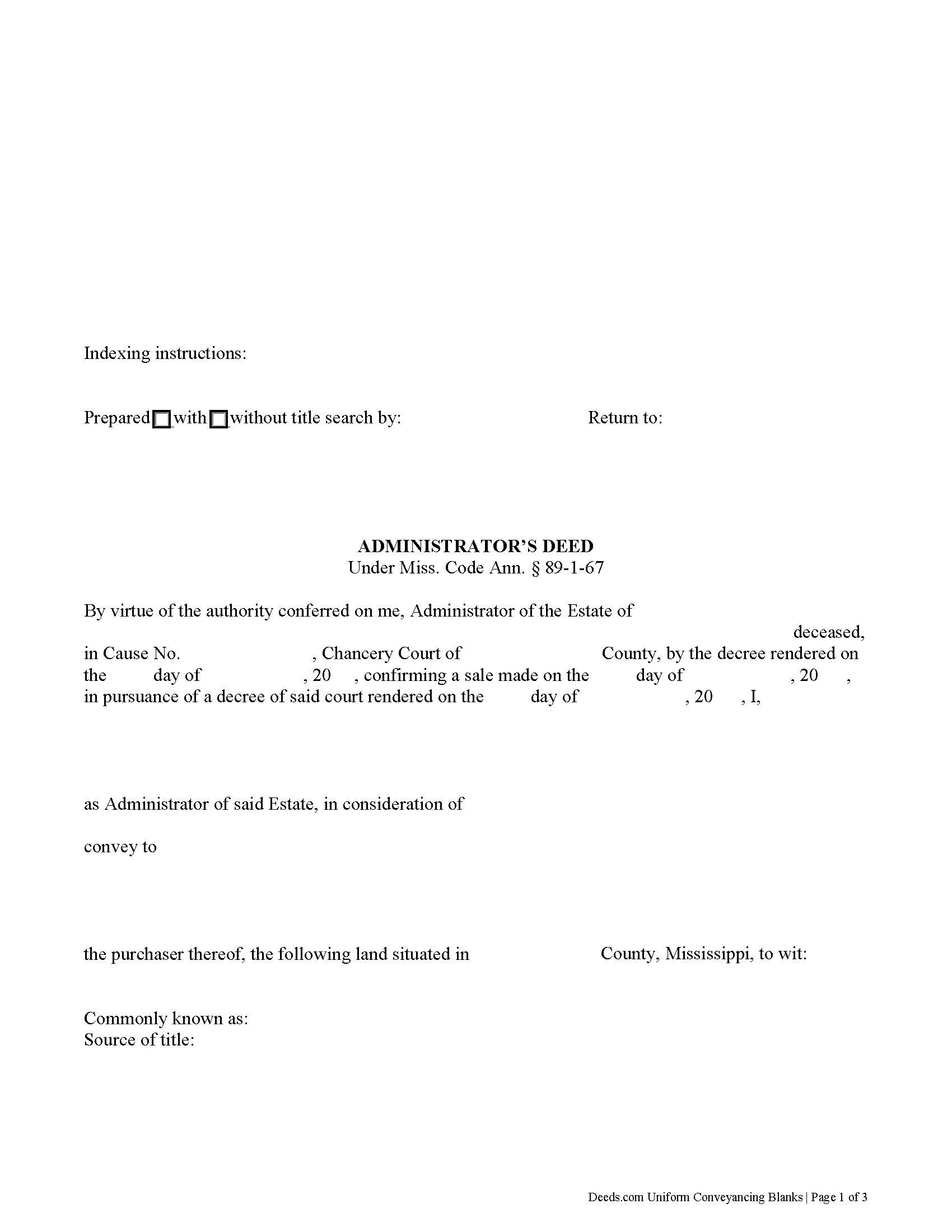
Greene County Administrator Deed Form
Fill in the blank form formatted to comply with all recording and content requirements.
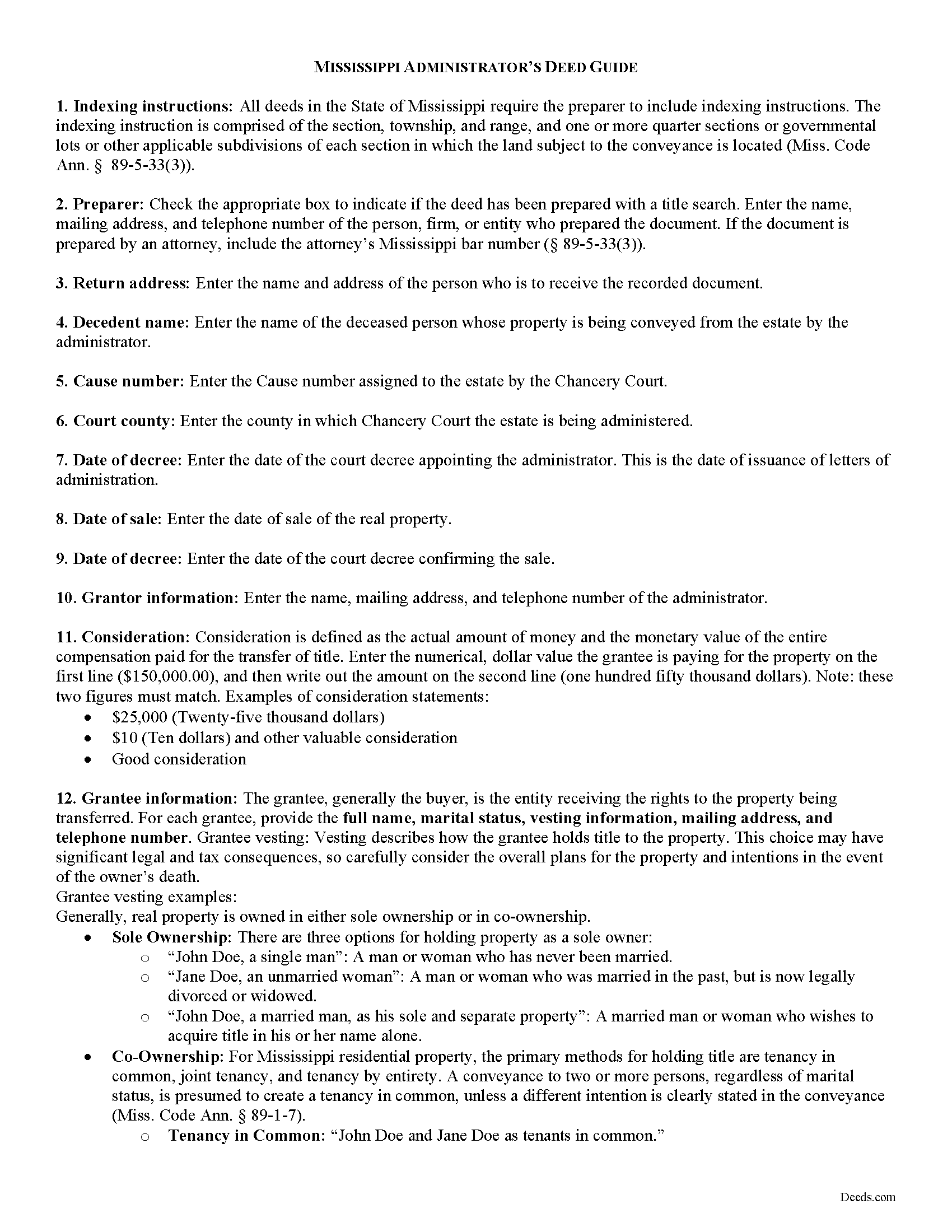
Greene County Administrator Deed Guide
Line by line guide explaining every blank on the form.
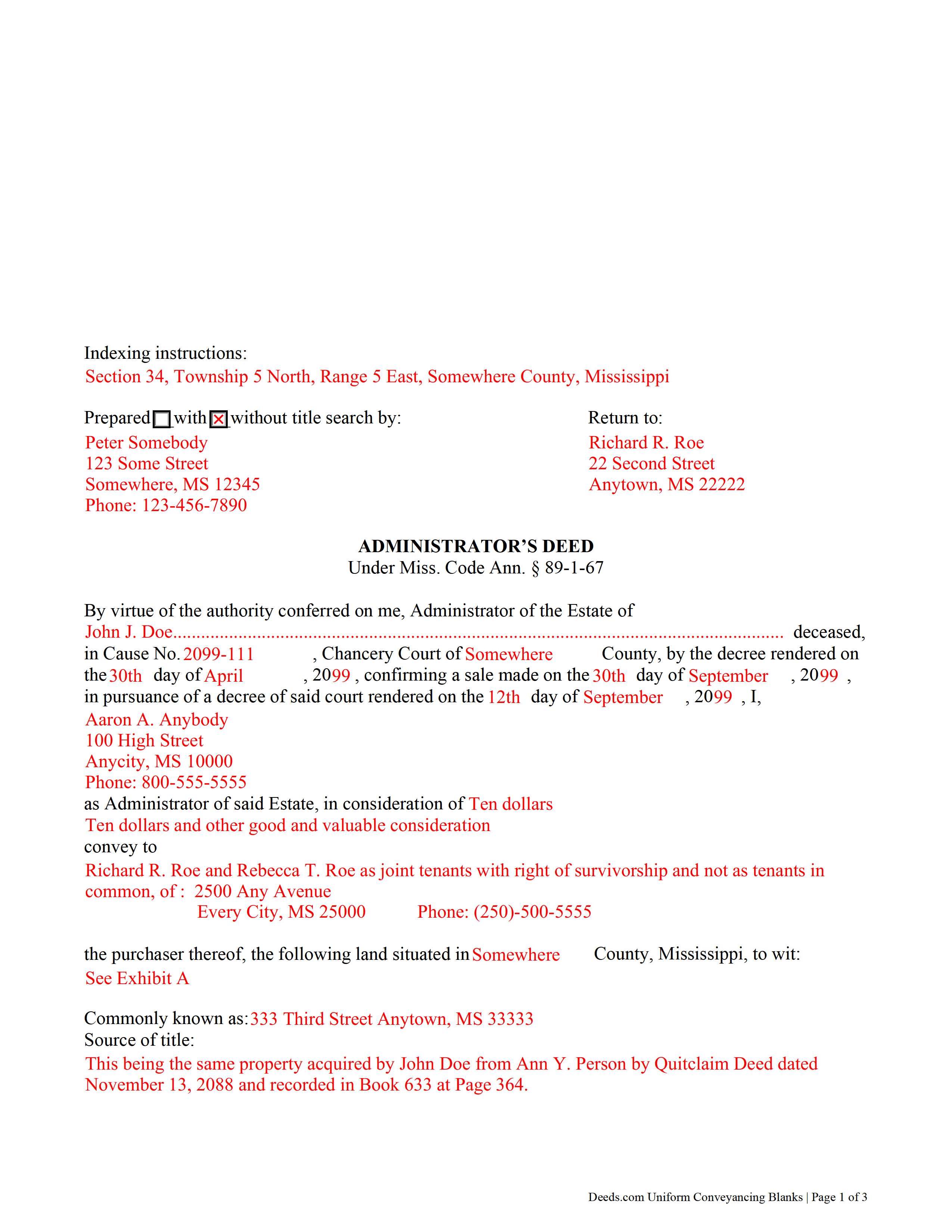
Greene County Completed Example of the Administrator Deed Document
Example of a properly completed form for reference.
All 3 documents above included • One-time purchase • No recurring fees
Immediate Download • Secure Checkout
Additional Mississippi and Greene County documents included at no extra charge:
Where to Record Your Documents
Greene County Chancery Clerk
Leakesville, Mississippi 39451
Hours: 8:00am to 5:00pm M-F
Phone: (601) 394-2377
Recording Tips for Greene County:
- Bring your driver's license or state-issued photo ID
- Ensure all signatures are in blue or black ink
- Recording fees may differ from what's posted online - verify current rates
- Request a receipt showing your recording numbers
- Ask about accepted payment methods when you call ahead
Cities and Jurisdictions in Greene County
Properties in any of these areas use Greene County forms:
- Leakesville
- Mc Lain
- Neely
- State Line
Hours, fees, requirements, and more for Greene County
How do I get my forms?
Forms are available for immediate download after payment. The Greene County forms will be in your account ready to download to your computer. An account is created for you during checkout if you don't have one. Forms are NOT emailed.
Are these forms guaranteed to be recordable in Greene County?
Yes. Our form blanks are guaranteed to meet or exceed the applicable formatting requirements used for recording in Greene County, including margin requirements, font requirements, and other layout standards. This guarantee applies to formatting, not to the legal sufficiency of information entered by the user or the suitability of a form for a particular transaction.
Can I reuse these forms?
Yes. You can reuse the forms for your personal use. For example, if you have multiple properties in Greene County you only need to order once.
What do I need to use these forms?
The forms are PDFs that you fill out on your computer. The free Adobe Acrobat Reader is recommended, and most PDF apps also work. You do NOT enter your property information online - you download the blank forms and complete them privately on your own computer.
Are there any recurring fees?
No. This is a one-time purchase. Nothing to cancel, no memberships, no recurring fees.
How much does it cost to record in Greene County?
Recording fees in Greene County vary. Contact the recorder's office at (601) 394-2377 for current fees.
Questions answered? Let's get started!
An administrator's deed is a fiduciary instrument used in probate proceedings to convey property from an estate. An administrator is a personal representative appointed by the Chancery Court when the decedent dies intestate (without a will), or a testate decedent does not name an executor of his/her will (or the named executor cannot or will not serve).
The administrator's deed under Miss. Code Ann. 89-1-67 quitclaims the grantor's title to a purchaser. In addition to meeting the form and content requirements for standard transfers of real property, administrator's deeds contain pertinent information about the estate, including the source of the administrator's authority to sell.
Use an administrator's deed to convey title to the decedent's real property pursuant to a decree of the Chancery Court following petition for sale. The administrator may need to sell real property when the decedent's personal property is insufficient to pay the estate's outstanding debts, or when the sale is in the best interest of the distributees, as determined by the Court.
The probate process can be complicated, so contact an attorney with questions about administrator's deeds or any other issue related to probate in Mississippi.
(Mississippi AD Package includes form, guidelines, and completed example)
Important: Your property must be located in Greene County to use these forms. Documents should be recorded at the county recording office listed above.
This Administrator Deed meets all recording requirements specific to Greene County.
Our Promise
The documents you receive here are guaranteed to meet or exceed the applicable Greene County recording format requirements. If there is a rejection caused by our formatting, we will correct the issue or refund your payment. This guarantee applies to document formatting only and does not extend to information entered by the user, the selection of the form, or the legal effect of the completed document.
Save Time and Money
Get your Greene County Administrator Deed form done right the first time with Deeds.com Uniform Conveyancing Blanks. At Deeds.com, we understand that your time and money are valuable resources, and we don't want you to face a penalty fee or rejection imposed by a county recorder for submitting nonstandard documents. We constantly review and update our forms to meet rapidly changing state and county recording requirements for roughly 3,500 counties and local jurisdictions.
4.8 out of 5 - ( 4,852 Reviews )
Heidi S. 5 out of 5 stars
I had prompt service thank you
Thank you!
Richard W. 4 out of 5 stars
My experience so far is quite good. Useful documents. It would be very helpful if the labels on the files downloaded were in text format, like "Jurat" rather than "1429107022SF21141." It would save me the extra step of providing proper file names.
Thank you for your feedback. We really appreciate it. Have a great day!
Susan M. 5 out of 5 stars
Simple and straightforward
Thank you for your feedback. We really appreciate it. Have a great day!
Philip C. 5 out of 5 stars
The product I purchased looks great and I added Adobe to be able to copy it, but for some reason I can't,so I will delete Adobe and then try again to copy what i paid for. I have all the PDFS' and my computer and printer are fairly new (windows 10),I should have tried to copy it first, I'll get it! Thanks
Thank you for your feedback. We really appreciate it. Have a great day!
B A A. 5 out of 5 stars
So far I like the ease of availability of the site and the help guides.
Thank you for your feedback. We really appreciate it. Have a great day!
Mary G. 5 out of 5 stars
Deeds.com was a fast and easy site to use the staff answered my questions online efficiently
Thank you!
Thomas S. 1 out of 5 stars
Not good. The blanks on the form, supposedly especially tailored for the specific county, didn't have enough space for a document name or the doc #. I had to retype the whole doc myself.
Thank you for your feedback. We’re sorry the form did not provide enough room for the prior document information you needed to enter. We have canceled the order and reversed the payment. We are also reviewing the field spacing for the prior document title and recording number so we can improve the form. No further action is needed from you.
Terralynn J. 5 out of 5 stars
I was very pleased to find ONLINE, Deed Revision Document(s) and their explanation. I ordered these document Forms, downloaded them and Printed them. Now, I will be able to fill them out in the privacy of my home. Instructions were also included, how to file this new Deed, after I complete it and have it Notarized. This has saved me time and emotional stress following the death of my husband. THANK YOU.
We appreciate your business and value your feedback. Thank you. Have a wonderful day!
Maria H. 5 out of 5 stars
Great job. Helped me through some technical difficulties and got it done!
Thank you for your feedback. We really appreciate it. Have a great day!
RUTH O. 5 out of 5 stars
Got access to the forms immediately after ordering. Lots of helpful information, forms were easy to use. Happy I choose this site.
Thank you Ruth. Have a great day!
Jim D. 5 out of 5 stars
A bit pricey for someone on a fixed income.
Thank you!
Lori W. 5 out of 5 stars
I got what I wanted immediately. Thank you.
We appreciate your business and value your feedback. Thank you. Have a wonderful day!
David P. 1 out of 5 stars
re: Transfer Upon Death Deed For Valencia County, NM, why not have ONE button to download all necessary forms? Individual buttons are tedious.
Thank you for your feedback David. The short answer is because not everyone needs all the forms. We will look into adding an option for downloading all the provided documents at once.
Barbara A. 5 out of 5 stars
Much easier than going to the courthouse!
Thank you for your feedback. We really appreciate it. Have a great day!
BARRY D. 5 out of 5 stars
Could not have been easier. Instructions were clear. Guidelines and example were clearly written. Erecording worked fast and let me skip a dreaded trip downtown to be ignored by government employees who hate their jobs.
Thank you for your positive words! We’re thrilled to hear about your experience.