Calhoun County Full Release of Memorandum of Contract Form
Last validated November 25, 2026 by our Forms Development TeamFormatted for recording in Calhoun County, for property anywhere in the county: rural and unincorporated areas as well as Banner, Big Creek, Bruce, Calhoun City, Derma, Pittsboro, Slate Spring, Vardaman.
- 3 documents included
- Immediate PDF download
- Formatting guarantee
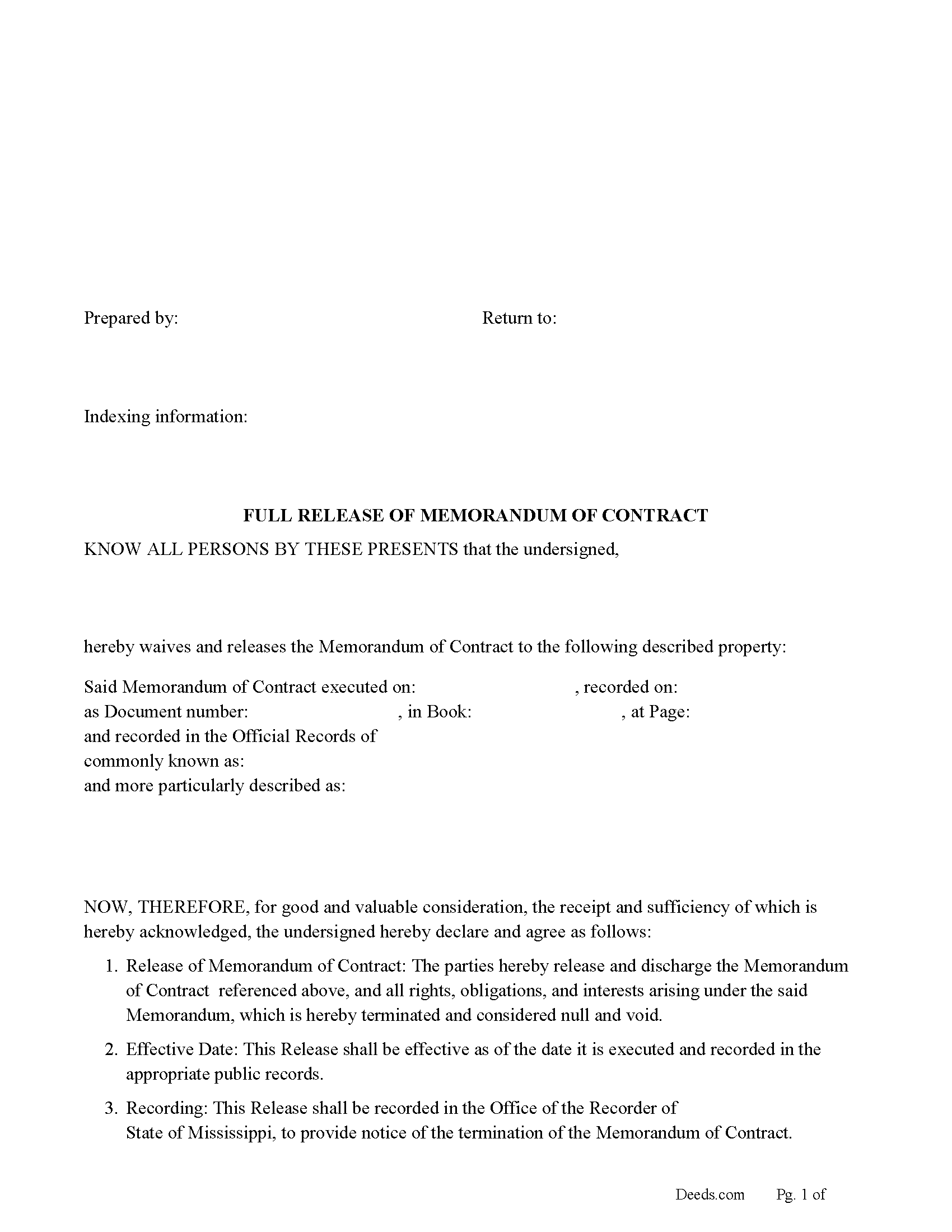
Calhoun County Full Release of Memorandum of Contract Form
Fill in the blank Full Release of Memorandum of Contract form formatted to comply with all Mississippi recording and content requirements.
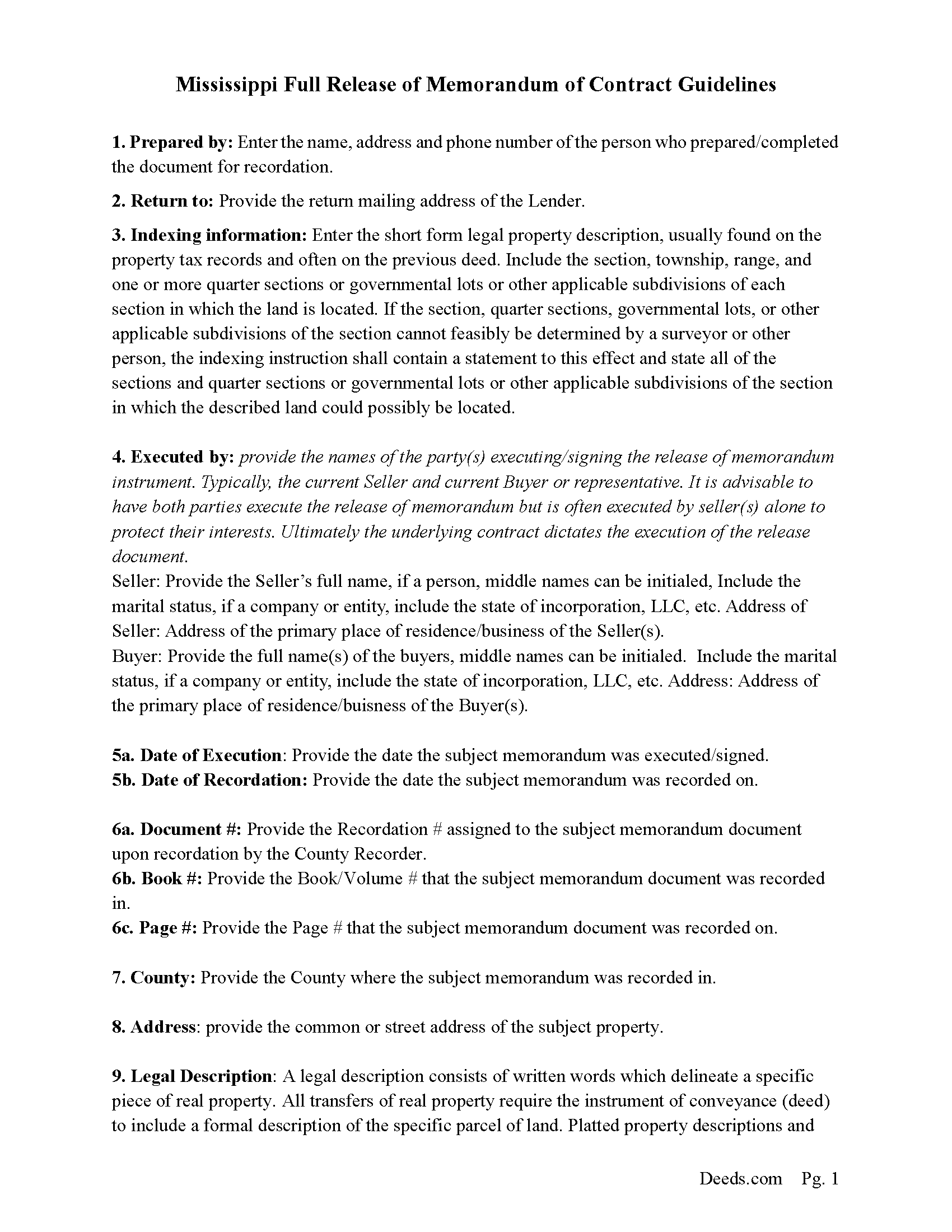
Calhoun County Full Release of Memorandum of Contract Guide
Line by line guide explaining every blank on the Full Release of Memorandum of Contract form.
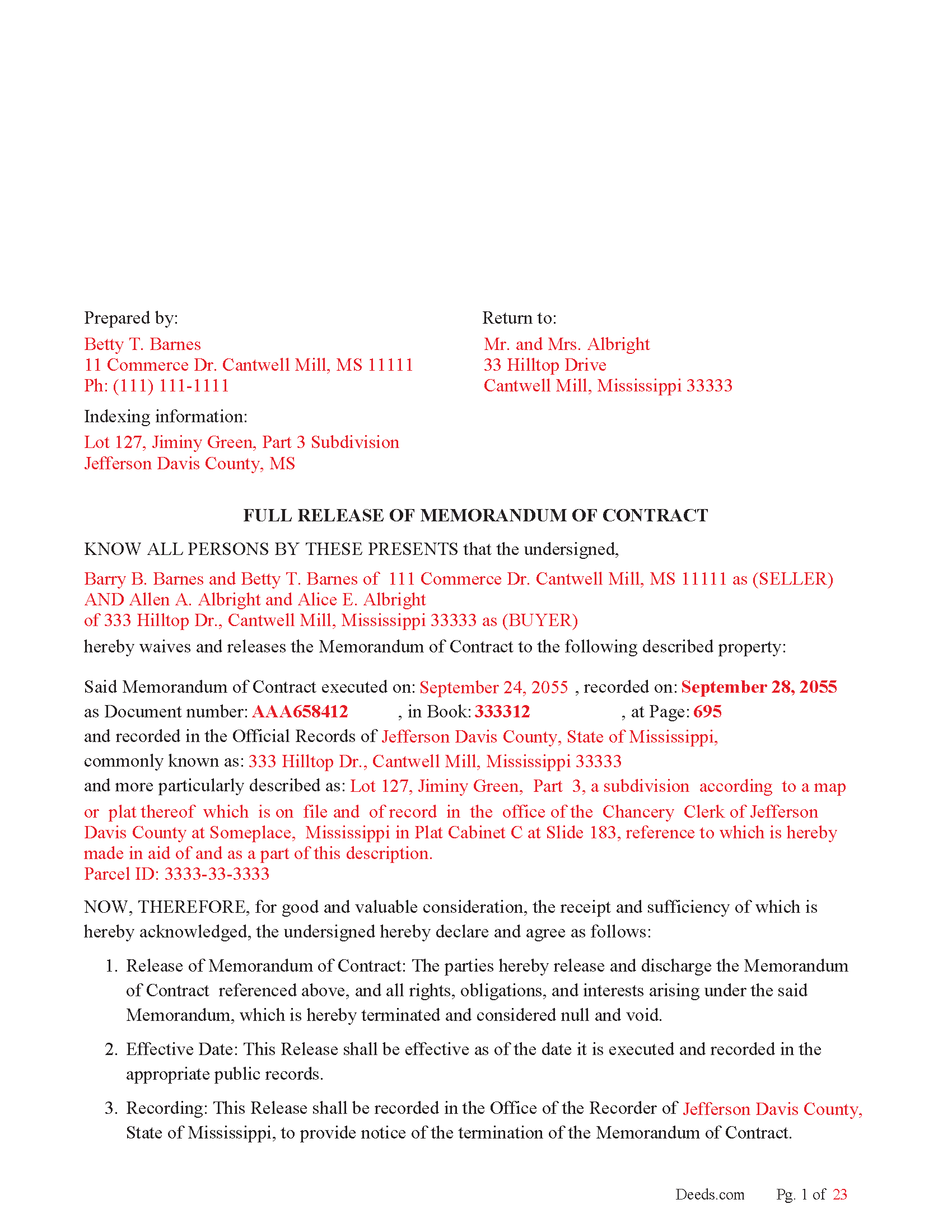
Calhoun County Completed Example of the Full Release of Memorandum of Contract Document
Example of a properly completed Mississippi Full Release of Memorandum of Contract document for reference.
All 3 documents above included • One-time purchase • No recurring fees
Immediate Download • Secure Checkout
Additional Mississippi and Calhoun County documents included at no extra charge:
Where to Record Your Documents
Calhoun County Chancery Clerk
Pittsboro, Mississippi 38951
Hours: 8:00am to 4:30pm.M-F
Phone: (662) 412-3117
Recording Tips for Calhoun County:
- Bring your driver's license or state-issued photo ID
- Ensure all signatures are in blue or black ink
- Check margin requirements - usually 1-2 inches at top
- Leave recording info boxes blank - the office fills these
- Make copies of your documents before recording - keep originals safe
Cities and Jurisdictions in Calhoun County
Properties in any of these areas use Calhoun County forms:
- Banner
- Big Creek
- Bruce
- Calhoun City
- Derma
- Pittsboro
- Slate Spring
- Vardaman
Hours, fees, requirements, and more for Calhoun County
How do I get my forms?
Forms are available for immediate download after payment. The Calhoun County forms will be in your account ready to download to your computer. An account is created for you during checkout if you don't have one. Forms are NOT emailed.
Are these forms guaranteed to be recordable in Calhoun County?
Yes. Our form blanks are guaranteed to meet or exceed the applicable formatting requirements used for recording in Calhoun County, including margin requirements, font requirements, and other layout standards. This guarantee applies to formatting, not to the legal sufficiency of information entered by the user or the suitability of a form for a particular transaction.
Can I reuse these forms?
Yes. You can reuse the forms for your personal use. For example, if you have multiple properties in Calhoun County you only need to order once.
What do I need to use these forms?
The forms are PDFs that you fill out on your computer. The free Adobe Acrobat Reader is recommended, and most PDF apps also work. You do NOT enter your property information online - you download the blank forms and complete them privately on your own computer.
Are there any recurring fees?
No. This is a one-time purchase. Nothing to cancel, no memberships, no recurring fees.
How much does it cost to record in Calhoun County?
Recording fees in Calhoun County vary. Contact the recorder's office at (662) 412-3117 for current fees.
Questions answered? Let's get started!
Use this form to release a Memorandum of Contract when satisfied.
Common Reasons to Release a Memorandum of Contract:
1. Clear Title to the Property
The Memorandum of Contract acts as a public notice that the buyer and seller are in an ongoing contractual relationship regarding the property, which can cloud the title. Once the contract for deed is satisfied, the buyer becomes the full owner of the property, and the memorandum no longer serves a purpose. If it is not released, it may appear as an unresolved encumbrance, which can complicate the buyer’s ability to prove clear title or transfer the property in the future.
2. Facilitates Future Transactions
A property with a clouded title (due to the unreleased memorandum) can cause issues when the buyer wants to:
Sell the property.
Refinance the property.
Use the property as collateral for a loan.
Title companies often refuse to issue title insurance for a property if a recorded memorandum remains on file, which could hinder or prevent future transactions.
3. Removes Legal Encumbrances
An unreleased memorandum could be interpreted as an ongoing interest or claim on the property by the seller. This can create legal complications, leading to potential disputes or litigation, especially if the seller or third parties assert a claim on the property based on the unreleased memorandum. Releasing the memorandum removes this potential legal encumbrance.
4. Compliance with Recording Laws
Mississippi statutes, like Mississippi Code § 89-5-19, require the release of recorded instruments once they have been satisfied. Failure to do so may violate these statutory obligations and could subject the parties (usually the seller) to penalties or legal consequences. Properly recording the release ensures compliance with state law.
5. Prevents Misunderstandings or Fraud
Leaving a recorded memorandum in place may cause confusion or even fraud in the future, especially if third parties mistakenly believe that the contract is still active. This can lead to misunderstandings, disputes, or fraudulent claims of ownership. By releasing the memorandum, the public record clearly shows that the contract has been concluded.
6. Buyer’s Right to Clear Ownership
Upon satisfaction of the contract for deed, the buyer has the right to full and unencumbered ownership of the property. Releasing the memorandum ensures that there is no record of the seller having an ongoing claim or interest, affirming the buyer’s rightful ownership.
Important: Your property must be located in Calhoun County to use these forms. Documents should be recorded at the county recording office listed above.
This Full Release of Memorandum of Contract meets all recording requirements specific to Calhoun County.
Our Promise
The documents you receive here are guaranteed to meet or exceed the applicable Calhoun County recording format requirements. If there is a rejection caused by our formatting, we will correct the issue or refund your payment. This guarantee applies to document formatting only and does not extend to information entered by the user, the selection of the form, or the legal effect of the completed document.
Save Time and Money
Get your Calhoun County Full Release of Memorandum of Contract form done right the first time with Deeds.com Uniform Conveyancing Blanks. At Deeds.com, we understand that your time and money are valuable resources, and we don't want you to face a penalty fee or rejection imposed by a county recorder for submitting nonstandard documents. We constantly review and update our forms to meet rapidly changing state and county recording requirements for roughly 3,500 counties and local jurisdictions.
4.8 out of 5 - ( 4,867 Reviews )
Cindy H. 5 out of 5 stars
Loved it! Quick and easy, done in 24 hours.
Thank you for your feedback. We really appreciate it. Have a great day!
Jonathan W. 5 out of 5 stars
Deeds gave me the forms and the guidance that I needed. If I had paid a pro for this service it would have cost at least $300.
Thank you for your feedback. We really appreciate it. Have a great day!
Heidi J. 3 out of 5 stars
The form was useful, however the formatting is terrible once completed. A lot of white space with no option to remove extra spacing or to improve the overall formatting.
Thank you for your feedback, Heidi. We’re glad to hear the form itself was useful. We also understand your concern about the formatting and extra spacing once completed. Our forms are designed to meet strict county recording requirements, which can sometimes result in additional white space. That said, we’re always working to improve usability and presentation without compromising acceptance. Your input helps us identify where refinements are possible, and we’ll keep it in mind as we continue updating our templates.
Ricky P. 1 out of 5 stars
Very hard to navigate and understand. Couldn't find what I was looking for.
Sorry to hear that we failed you with our navigation Ricky. We do hope that you were able to find what you were looking for elsewhere. Have a wonderful day.
Nancy B. 5 out of 5 stars
Deeds.com is a godsend! Being able to download the pertinent state and county specific forms reassured me of having the correct t forms in which to proceed. The cost was most reasonable. Thanks for this service.
Thank you!
Kimberly B. 5 out of 5 stars
Absolutely recommend Deeds.com! The process to recording your document is explained step by step. If you have any questions, you just send a message and almost instantly a staff member will reply. Super quick processing. I uploaded my document late Friday afternoon, it was reviewed by Deeds.com staff and sent to the county for recording on Monday. By Tuesday, my document was successfully recorded by the County Recorder's Office and a copy of my recorded document was available for me, as well!
We appreciate your business and value your feedback. Thank you. Have a wonderful day!
Thomas G. 5 out of 5 stars
A few parts are confusing'.Like sending Tax statements to WHO ?/ The rest is simple I hope.Have not tried to record yet
Thank you!
Robert B. 5 out of 5 stars
Liked the fact that the forms were fill in the blank. Good to have the option of re-doing them if needed, and I needed ;)
Thank you for your feedback. We really appreciate it. Have a great day!
Thomas N. 5 out of 5 stars
TODD Form would not print surveyor degrees character (superscript "o") in Exhibit A. It also would not print the "Return Address" or "Prepared By" entries with my middle name as your example showed.
Thank you for your feedback. We really appreciate it. Have a great day!
Albert G. 5 out of 5 stars
Download was smooth. I'll post an update after I get a change to work with the forms.
Thank you!
Harry B. 5 out of 5 stars
I received exactly what I was looking for on Deeds.com. Not only that, but this website provided instructions for form completion, and an example of a completed form. I'm certainly glad I chose this website.
Thank you for your feedback. We really appreciate it. Have a great day!
Denise G. 5 out of 5 stars
It would be helpful if an email was sent to notify you of any additional invoices needed, documents were accepted and/or recorded. It is not always convenient to check your website on a daily basis to determine the status of the requesting recordings.
Thank you for your feedback. We really appreciate it. Have a great day!
Patrick M. 5 out of 5 stars
Very useful and easy to use. Great value too. Especially liked the example.
Thank you for your feedback. We really appreciate it. Have a great day!
Debra B. 5 out of 5 stars
Easy to process and file with the courthouse.
We appreciate your business and value your feedback. Thank you. Have a wonderful day!
Barbara G. 5 out of 5 stars
Easy to use. I especially am thankful for the guide.
Your feedback is greatly appreciated. Thank you for taking the time to share your experience!