Montgomery County Affidavit of Deceased Joint Tenant Form
Last validated November 13, 2026 by our Forms Development TeamFormatted for recording in Montgomery County, for property anywhere in the county or independent city: rural and unincorporated areas as well as Bellflower, High Hill, Jonesburg, Middletown, Montgomery City, New Florence, Rhineland, Wellsville.
- 3 documents included
- Immediate PDF download
- Formatting guarantee
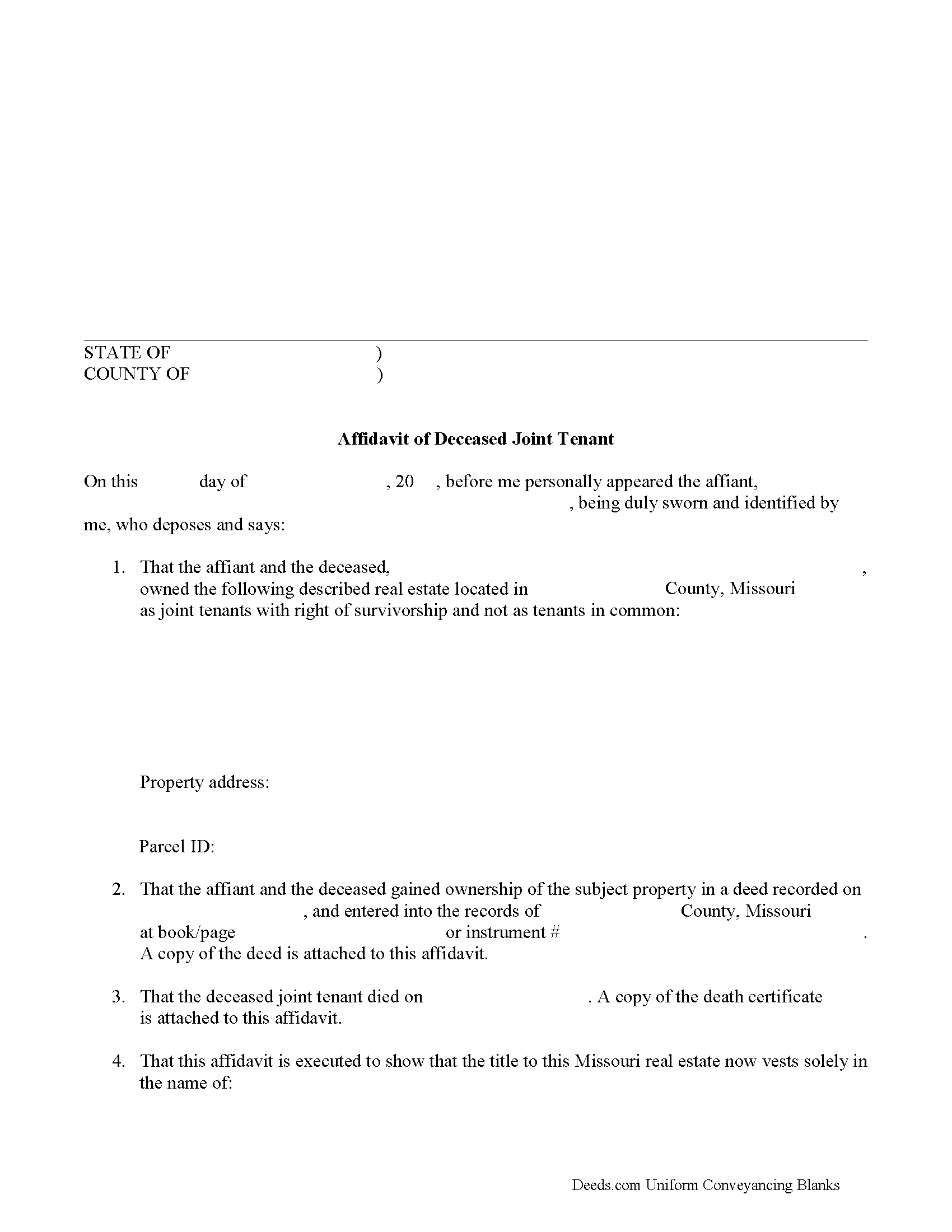
Montgomery County Affidavit of Deceased Joint Tenant Form
Fill in the blank form formatted to comply with all recording and content requirements.
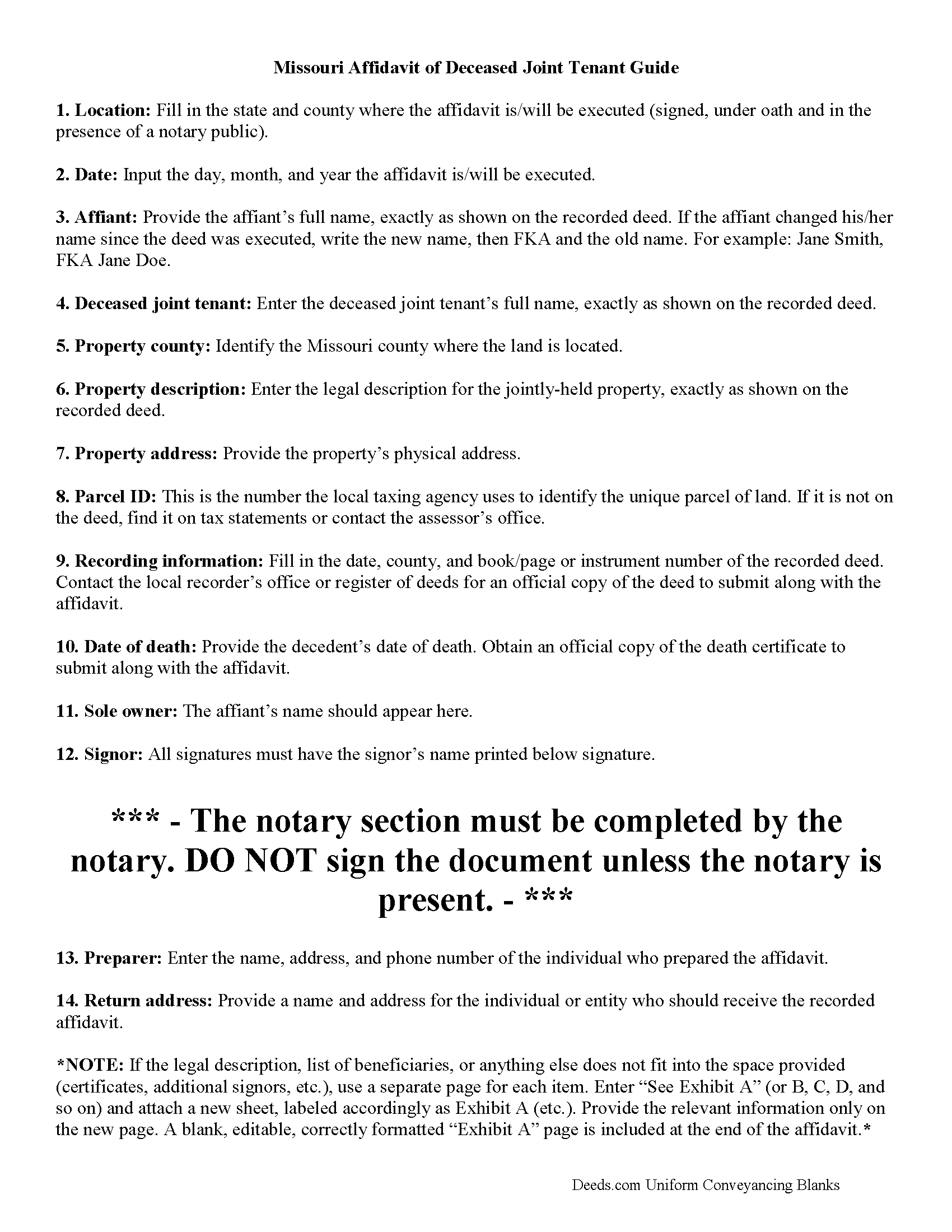
Montgomery County Affidavit of Deceased Joint Tenant Guide
Line by line guide explaining every blank on the form.
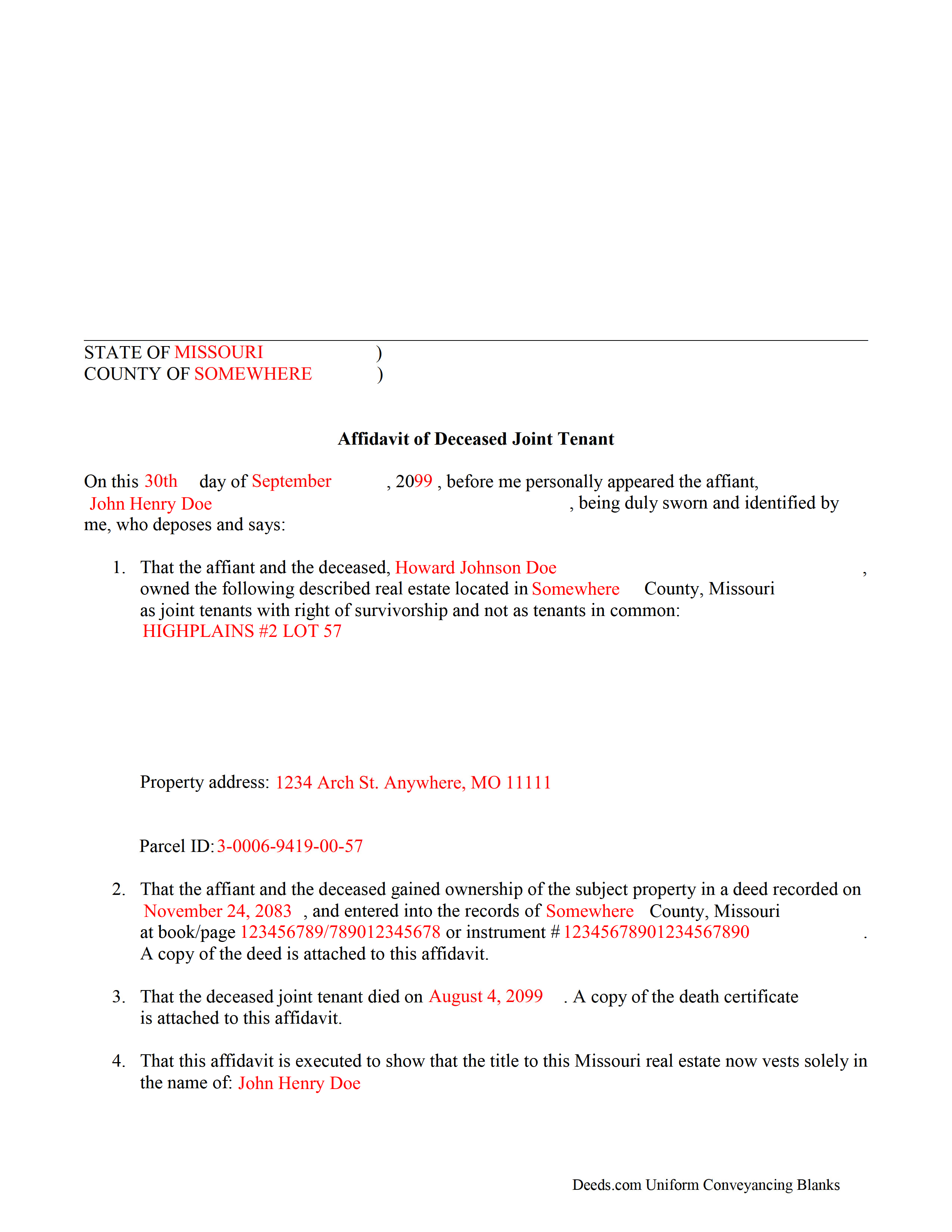
Montgomery County Completed Example of the Affidavit of Deceased Joint Tenant Document
Example of a properly completed form for reference.
All 3 documents above included • One-time purchase • No recurring fees
Immediate Download • Secure Checkout
Additional Missouri and Montgomery County documents included at no extra charge:
Where to Record Your Documents
Montgomery County Recorder of Deeds
Montgomery City, Missouri 63361
Hours: 8:00 to 4:00 Monday through Friday
Phone: (573) 564-3157
Recording Tips for Montgomery County:
- Bring your driver's license or state-issued photo ID
- Ensure all signatures are in blue or black ink
- Documents must be on 8.5 x 11 inch white paper
- Double-check legal descriptions match your existing deed
- Verify all names are spelled correctly before recording
Cities and Jurisdictions in Montgomery County
Properties in any of these areas use Montgomery County forms:
- Bellflower
- High Hill
- Jonesburg
- Middletown
- Montgomery City
- New Florence
- Rhineland
- Wellsville
Hours, fees, requirements, and more for Montgomery County
How do I get my forms?
Forms are available for immediate download after payment. The Montgomery County forms will be in your account ready to download to your computer. An account is created for you during checkout if you don't have one. Forms are NOT emailed.
Are these forms guaranteed to be recordable in Montgomery County?
Yes. Our form blanks are guaranteed to meet or exceed the applicable formatting requirements used for recording in Montgomery County, including margin requirements, font requirements, and other layout standards. This guarantee applies to formatting, not to the legal sufficiency of information entered by the user or the suitability of a form for a particular transaction.
Can I reuse these forms?
Yes. You can reuse the forms for your personal use. For example, if you have multiple properties in Montgomery County you only need to order once.
What do I need to use these forms?
The forms are PDFs that you fill out on your computer. The free Adobe Acrobat Reader is recommended, and most PDF apps also work. You do NOT enter your property information online - you download the blank forms and complete them privately on your own computer.
Are there any recurring fees?
No. This is a one-time purchase. Nothing to cancel, no memberships, no recurring fees.
How much does it cost to record in Montgomery County?
Recording fees in Montgomery County vary. Contact the recorder's office at (573) 564-3157 for current fees.
Questions answered? Let's get started!
The process of removing a deceased joint tenant from a Missouri deed is fairly simple.
When two or more property owners hold title as joint tenants with right of survivorship, and one co-owner dies, the surviving owners share the decedent's interest in the land by function of law, and outside of the probate process.
Even though the transfer of ownership rights is, in theory, automatic, it makes sense to formalize the change in title. One way to accomplish this is by completing and recording an affidavit of deceased joint tenant document, accompanied by official copies of the recorded deed showing the joint tenancy and the deceased owner's death certificate. His/her name will still appear on the deed, but the records will show that the property rights were transferred to the surviving owner.
To remove the decedent's name altogether, execute a new deed showing both joint tenants as grantors and only the survivor as a grantee. For example: "John Doe (deceased) and Richard Roe, as joint tenants with right of survivorship, convey to Richard Roe as sole owner." Present the new deed along with the affidavit of surviving joint tenant or submit it for recording on its own at a later date.
By following this procedure, the survivor helps to maintain a clear chain of title (ownership history), which will simplify future transactions relating to the property.
(Missouri Affidavit of DJT Package includes form, guidelines, and completed example)
Important: Your property must be located in Montgomery County to use these forms. Documents should be recorded at the county or independent city recording office listed above.
This Affidavit of Deceased Joint Tenant meets all recording requirements specific to Montgomery County.
Our Promise
The documents you receive here are guaranteed to meet or exceed the applicable Montgomery County recording format requirements. If there is a rejection caused by our formatting, we will correct the issue or refund your payment. This guarantee applies to document formatting only and does not extend to information entered by the user, the selection of the form, or the legal effect of the completed document.
Save Time and Money
Get your Montgomery County Affidavit of Deceased Joint Tenant form done right the first time with Deeds.com Uniform Conveyancing Blanks. At Deeds.com, we understand that your time and money are valuable resources, and we don't want you to face a penalty fee or rejection imposed by a county recorder for submitting nonstandard documents. We constantly review and update our forms to meet rapidly changing state and county recording requirements for roughly 3,500 counties and local jurisdictions.
4.8 out of 5 - ( 4,861 Reviews )
Royce S. 5 out of 5 stars
Excellent forms! Good guides to completing them!
Your satisfaction is important to us. Thank you for the feedback.
Robert D. 5 out of 5 stars
These forms made it so easy to update the property deed and the instructions and sample filled out form were most helpful. You might want to add some brief information on when or why to use the Acknowledgment in Individual Capacity notary form. In my case the notary was required to use it but also filled in the brief notarize section on the Affidavit as well. She said the one on the Affidavit had some value because it showed she had witnessed the my signature. But this was only after I suggested both be filled in as she initially thought to just strike through it and just use the Acknowledgment in Individual Capacity form.
Thank you for your feedback. We really appreciate it. Have a great day!
Jerry E. 5 out of 5 stars
7 stars!
Thank you!
Dan J. 5 out of 5 stars
The paperwork was fine but it was just paperwork. Georgia does not accept a paper form. The form must be transmitted electronically through a registered account. Using an attorney may have been the simple way to file the cancellation.
Thank you for your feedback, Dan. We’re glad the paperwork itself met your expectations. Recording requirements can vary by state and county, including how documents are submitted. We appreciate you sharing your experience and will review our product information to see where we can better clarify the recording process for Georgia customers.
Rocio G. 5 out of 5 stars
Better than in person service, I recommend this service 100%.
We appreciate your business and value your feedback. Thank you. Have a wonderful day!
Susan E. 5 out of 5 stars
Great experience from a great staff at Deeds.com. Highly recommended!
So glad we could help Susan. Thanks for the kind words.
Pamela B. 5 out of 5 stars
The process was not difficult but I don't think that it suited my needs. There were several fields that were not applicable to me but I had to enter something to proceed. I also filled out the other form and mailed it in with some documentation that the electronic service did not ask for. Questions of my attempt are still unanswered. I hope I didn't waste time with this process. We shall see. Thank you.
Thank you!
Michelle I. 5 out of 5 stars
I'm happy to have found your service. Very pleased.
We appreciate your business and value your feedback. Thank you. Have a wonderful day!
Linda M. 5 out of 5 stars
The form I purchased along with the instructions and completed sample were easy to use. I downloaded them on my iPad. I had to also download the free adobe reader app from the App Store. I had no problem getting the beneficiary deed recorded at the recorder’s office. I am pleased with my purchase.
Thanks so much for the kind words, Linda! Glad the sample and instructions made the process smooth, and that tip about the Adobe Reader app for iPad is genuinely helpful for other customers too. Congrats on getting the deed recorded!
Diana T. 5 out of 5 stars
Very helpful Got information and form I wanted.
Thank you for your feedback. We really appreciate it. Have a great day!
Ricky P. 1 out of 5 stars
Very hard to navigate and understand. Couldn't find what I was looking for.
Sorry to hear that we failed you with our navigation Ricky. We do hope that you were able to find what you were looking for elsewhere. Have a wonderful day.
Debora A. 5 out of 5 stars
Website easy to use and explanations available
Thank you!
Roy T. 5 out of 5 stars
Thank you for an easy to use system. I was able to find all the information I needed.
We appreciate your business and value your feedback. Thank you. Have a wonderful day!
Marion R. 4 out of 5 stars
YOU WERE NOT ABLE TO PROVIDE SERVICE IN THE COUNTY WE NEEDED IN NEW MEXICO. YOUR RESPONSE WAS QUICK SO I APPRECIATE THAT. THANK YOU
Thank you for your feedback Marion.
Timothy C. 5 out of 5 stars
Very easy to use, guides are also nice to have. thank you.
Thank you for your feedback. We really appreciate it. Have a great day!