Randolph County Affidavit of Deceased Joint Tenant Form
Last validated September 25, 2026 by our Forms Development TeamFormatted for recording in Randolph County, for property anywhere in the county or independent city: rural and unincorporated areas as well as Cairo, Clark, Clifton Hill, Higbee, Huntsville, Jacksonville, Moberly, Renick.
- 3 documents included
- Immediate PDF download
- Formatting guarantee
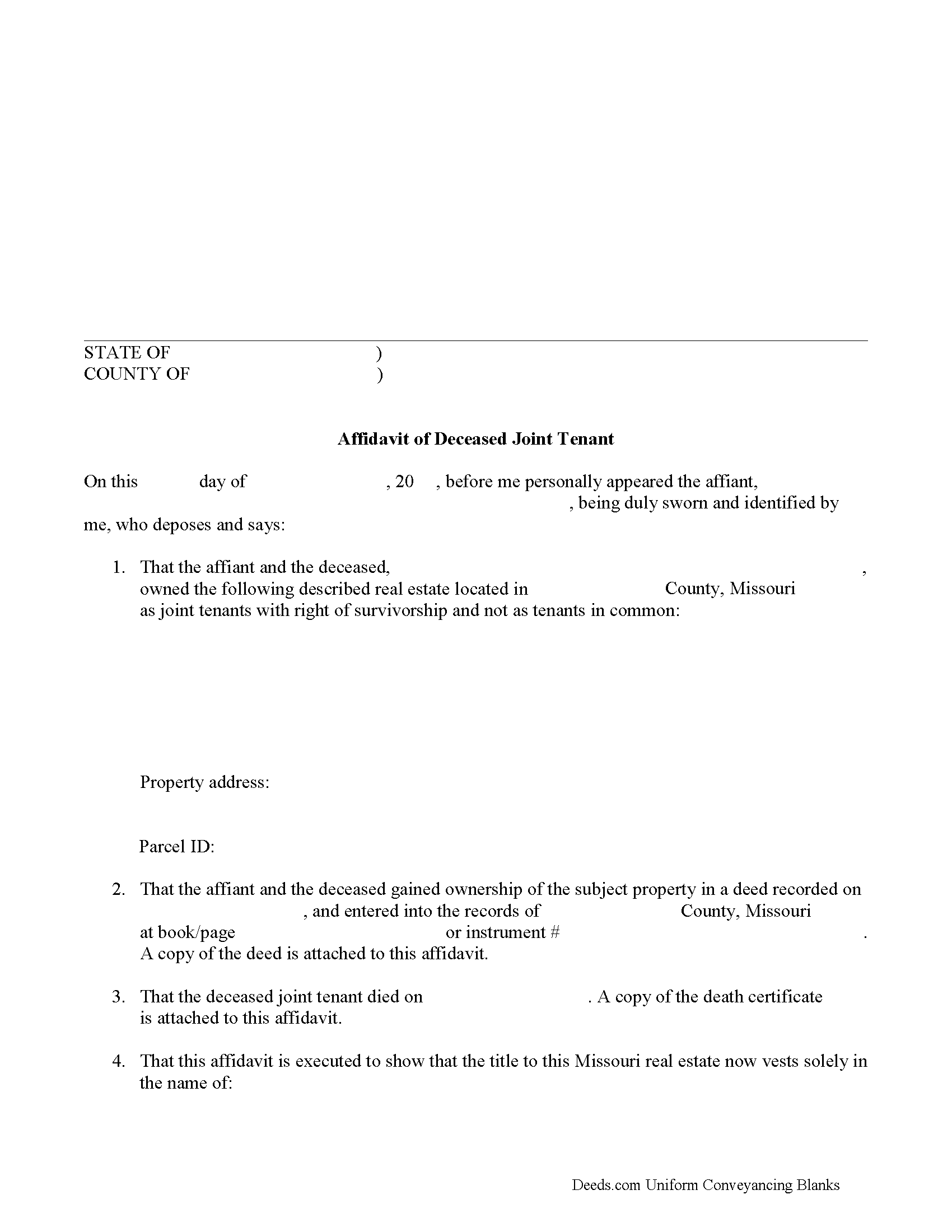
Randolph County Affidavit of Deceased Joint Tenant Form
Fill in the blank form formatted to comply with all recording and content requirements.
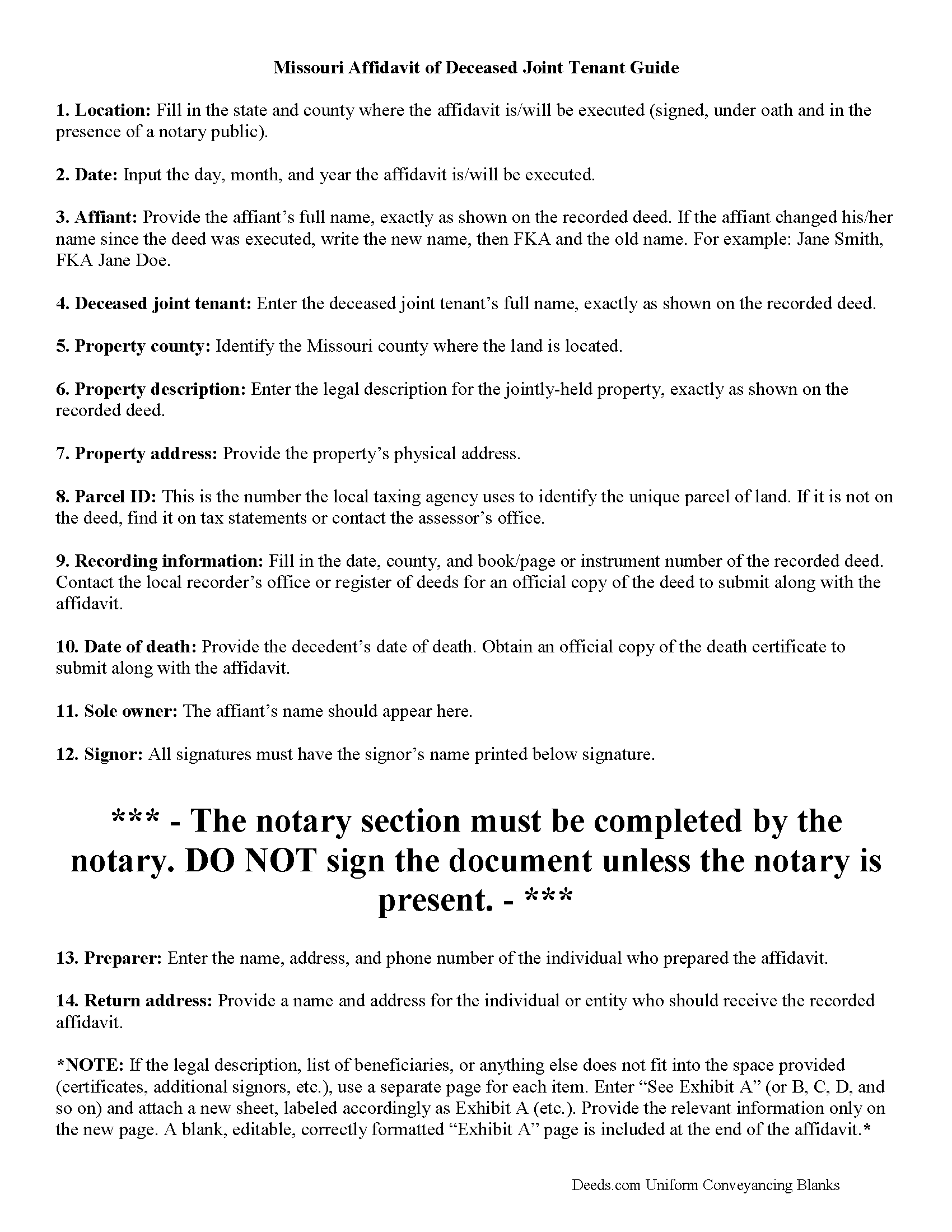
Randolph County Affidavit of Deceased Joint Tenant Guide
Line by line guide explaining every blank on the form.
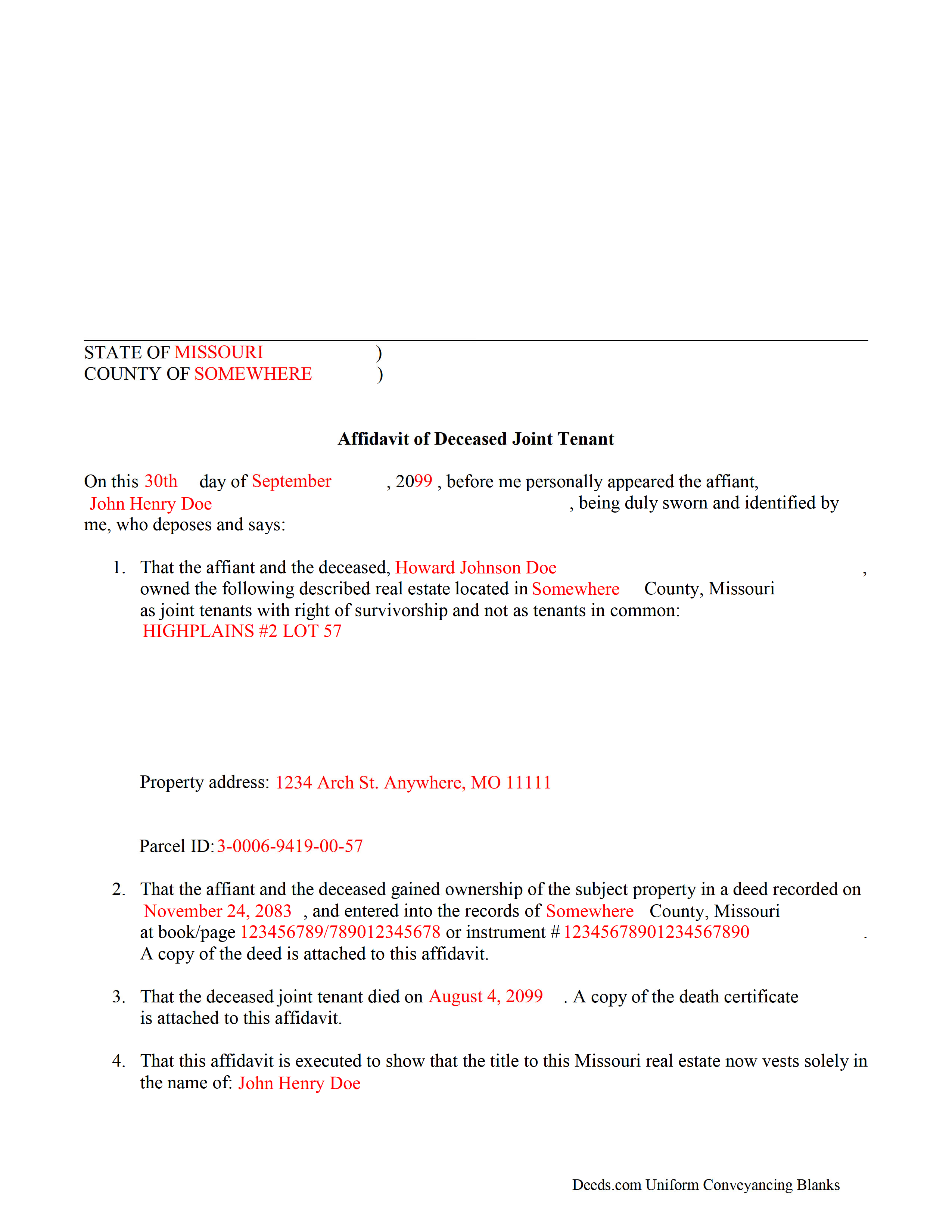
Randolph County Completed Example of the Affidavit of Deceased Joint Tenant Document
Example of a properly completed form for reference.
All 3 documents above included • One-time purchase • No recurring fees
Immediate Download • Secure Checkout
Additional Missouri and Randolph County documents included at no extra charge:
Where to Record Your Documents
Randolph County Recorder of Deeds
Huntsville , Missouri 65259-1292
Hours: 8:00 to 4:00 M-F
Phone: 844-277-6555 X 330
Recording Tips for Randolph County:
- Bring your driver's license or state-issued photo ID
- Ensure all signatures are in blue or black ink
- Bring extra funds - fees can vary by document type and page count
- Check margin requirements - usually 1-2 inches at top
- Leave recording info boxes blank - the office fills these
Cities and Jurisdictions in Randolph County
Properties in any of these areas use Randolph County forms:
- Cairo
- Clark
- Clifton Hill
- Higbee
- Huntsville
- Jacksonville
- Moberly
- Renick
Hours, fees, requirements, and more for Randolph County
How do I get my forms?
Forms are available for immediate download after payment. The Randolph County forms will be in your account ready to download to your computer. An account is created for you during checkout if you don't have one. Forms are NOT emailed.
Are these forms guaranteed to be recordable in Randolph County?
Yes. Our form blanks are guaranteed to meet or exceed the applicable formatting requirements used for recording in Randolph County, including margin requirements, font requirements, and other layout standards. This guarantee applies to formatting, not to the legal sufficiency of information entered by the user or the suitability of a form for a particular transaction.
Can I reuse these forms?
Yes. You can reuse the forms for your personal use. For example, if you have multiple properties in Randolph County you only need to order once.
What do I need to use these forms?
The forms are PDFs that you fill out on your computer. The free Adobe Acrobat Reader is recommended, and most PDF apps also work. You do NOT enter your property information online - you download the blank forms and complete them privately on your own computer.
Are there any recurring fees?
No. This is a one-time purchase. Nothing to cancel, no memberships, no recurring fees.
How much does it cost to record in Randolph County?
Recording fees in Randolph County vary. Contact the recorder's office at 844-277-6555 X 330 for current fees.
Questions answered? Let's get started!
The process of removing a deceased joint tenant from a Missouri deed is fairly simple.
When two or more property owners hold title as joint tenants with right of survivorship, and one co-owner dies, the surviving owners share the decedent's interest in the land by function of law, and outside of the probate process.
Even though the transfer of ownership rights is, in theory, automatic, it makes sense to formalize the change in title. One way to accomplish this is by completing and recording an affidavit of deceased joint tenant document, accompanied by official copies of the recorded deed showing the joint tenancy and the deceased owner's death certificate. His/her name will still appear on the deed, but the records will show that the property rights were transferred to the surviving owner.
To remove the decedent's name altogether, execute a new deed showing both joint tenants as grantors and only the survivor as a grantee. For example: "John Doe (deceased) and Richard Roe, as joint tenants with right of survivorship, convey to Richard Roe as sole owner." Present the new deed along with the affidavit of surviving joint tenant or submit it for recording on its own at a later date.
By following this procedure, the survivor helps to maintain a clear chain of title (ownership history), which will simplify future transactions relating to the property.
(Missouri Affidavit of DJT Package includes form, guidelines, and completed example)
Important: Your property must be located in Randolph County to use these forms. Documents should be recorded at the county or independent city recording office listed above.
This Affidavit of Deceased Joint Tenant meets all recording requirements specific to Randolph County.
Our Promise
The documents you receive here are guaranteed to meet or exceed the applicable Randolph County recording format requirements. If there is a rejection caused by our formatting, we will correct the issue or refund your payment. This guarantee applies to document formatting only and does not extend to information entered by the user, the selection of the form, or the legal effect of the completed document.
Save Time and Money
Get your Randolph County Affidavit of Deceased Joint Tenant form done right the first time with Deeds.com Uniform Conveyancing Blanks. At Deeds.com, we understand that your time and money are valuable resources, and we don't want you to face a penalty fee or rejection imposed by a county recorder for submitting nonstandard documents. We constantly review and update our forms to meet rapidly changing state and county recording requirements for roughly 3,500 counties and local jurisdictions.
4.8 out of 5 - ( 4,824 Reviews )
Richard S. 5 out of 5 stars
Nicely done. Smooooth
Thank you for your feedback. We really appreciate it. Have a great day!
Patricia P. 5 out of 5 stars
First time using this service and was totally happy with the results. Very user friendly and easy site to understand and upload all files. Very prompt and thorough responses to any questions I had and having my documents filed. I will definitely use them again.
We appreciate your business and value your feedback. Thank you. Have a wonderful day!
Gloria H. 5 out of 5 stars
Very content with the service received. The document was recorded in the city in no time. Will definitely use Deeds.com again in the near future.
Thank you!
Kenneth H. 5 out of 5 stars
Easy download, informative examples. Very good experience.
We appreciate your business and value your feedback. Thank you. Have a wonderful day!
Emmy M. 5 out of 5 stars
I loved using this process to record my deeds. it was fast and everytime I sent a message I received a response very quickly. I am so glad they have this option. for the extra $15 to have the convenience to do it from home and not worry about finding parking, etc. so well worth it!
We appreciate your business and value your feedback. Thank you. Have a wonderful day!
Dawna M. 3 out of 5 stars
Easy to use website and immediate documents appropriate for my area. My only complaint is that the forms had an alignment problem where the fields that were filled in by me did not line up with the template text. I tried to correct it to no avail so I ended up having to retype the entire document. I purchased two templates and both had the same issue.
We appreciate your business and value your feedback. Thank you. Have a wonderful day!
Gary B. 2 out of 5 stars
After spending $21 to obtain a Quit Claim Deed form, I realized that I was in over my head. There are a lot of legal considerations and I am not familiar enough with the legal terms and choices to feel confident doing it myself. I since hired a paralegal service to prepare my Quit Claim. I wish I knew the knowledge required before I purchased.
Glad to hear you sought the assistance of a legal professional familiar with your specific situation Gary. We always recommend this to anyone not completely sure of what they are doing.
Steven C. 5 out of 5 stars
Easy but a little overpriced
We appreciate your business and value your feedback. Thank you. Have a wonderful day!
Melanie W. 5 out of 5 stars
I used deeds.com to complete a gift deed for transferring a house to our son. Finding the correct form and completing it correctly was extremely easy due to wonderful explanations and examples provided with the purchase of the form. The registrar filing the deed told me she was impressed with the work we did. An attorney would have charged $150 so the $28.00 was well worth the money.
Thank you for your feedback. We really appreciate it. Have a great day!
Troy D. 5 out of 5 stars
Excellent Service. Great time savings over having to send someone to the recording office. Am planning on utilizing this service for our recording needs.
We appreciate your business and value your feedback. Thank you. Have a wonderful day!
Lisa B. 5 out of 5 stars
Very helpful and fast.
Thank you!
Peggy D. 5 out of 5 stars
Very helpful in finding the information for me. Quick response. Very easy to use the forms.
Thank you for your feedback. We really appreciate it. Have a great day!
Kirk G. 5 out of 5 stars
Excellent! I will be back!
Thank you!
Michael K. 5 out of 5 stars
The link for the note guidelines just shows the same directions as for the mortgage. Other than that, very helpful.
Thank you for your feedback. We really appreciate it. Have a great day!
Kathy P. 4 out of 5 stars
Can you also make a search that includes the parcel number because that is all I had to go with and regular name searches didn't come up with anything I needed.
Your insights are invaluable to us and help us strive for better service. Thank you for taking the time to share your thoughts.