Oregon County Revocation of Beneficiary Deed Form
Last validated November 10, 2026 by our Forms Development TeamFormatted for recording in Oregon County, for property anywhere in the county or independent city: rural and unincorporated areas as well as Alton, Couch, Koshkonong, Myrtle, Thayer.
- 3 documents included
- Immediate PDF download
- Formatting guarantee
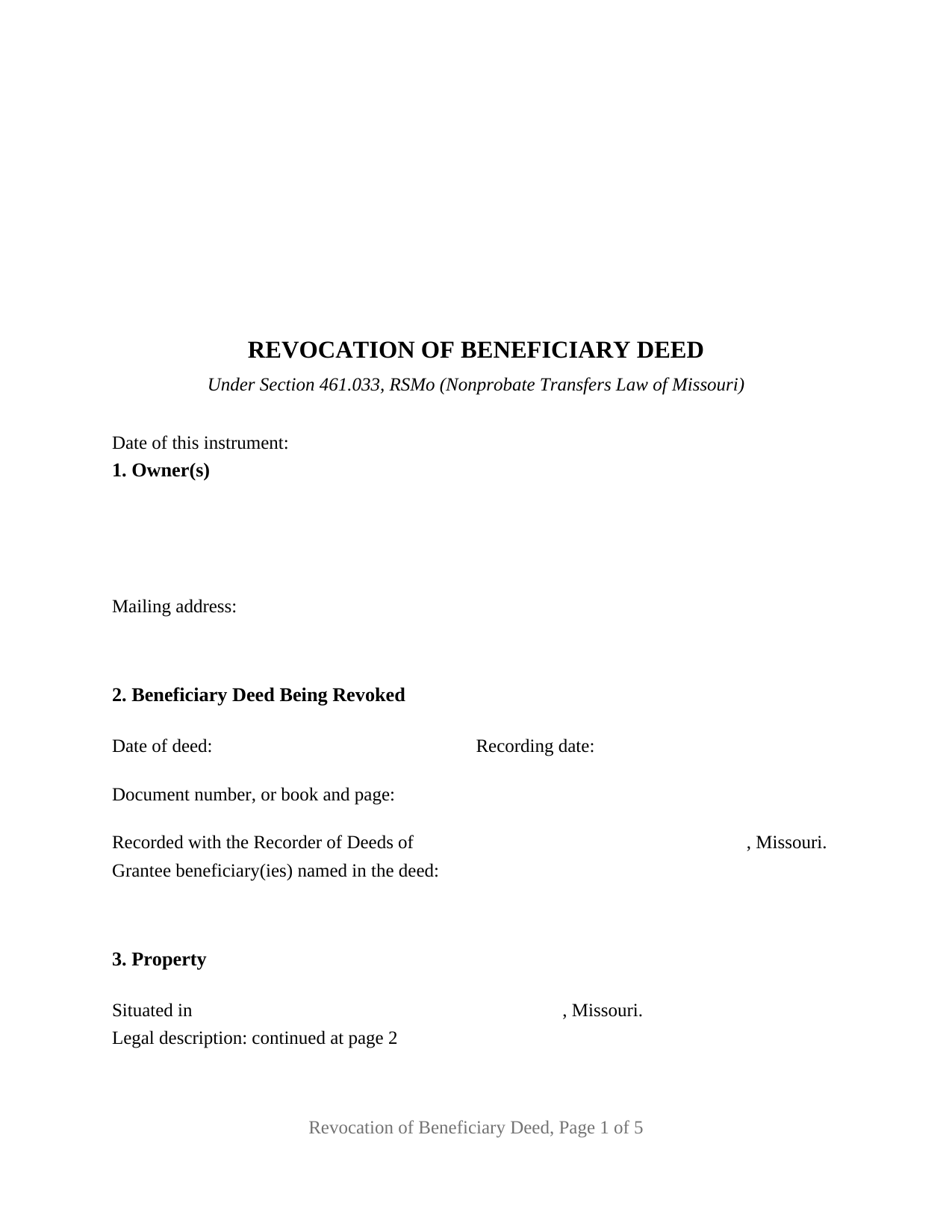
Oregon County Revocation of Beneficiary Deed Form
Fill in the blank Revocation of Beneficiary Deed form formatted to comply with all Missouri recording and content requirements.
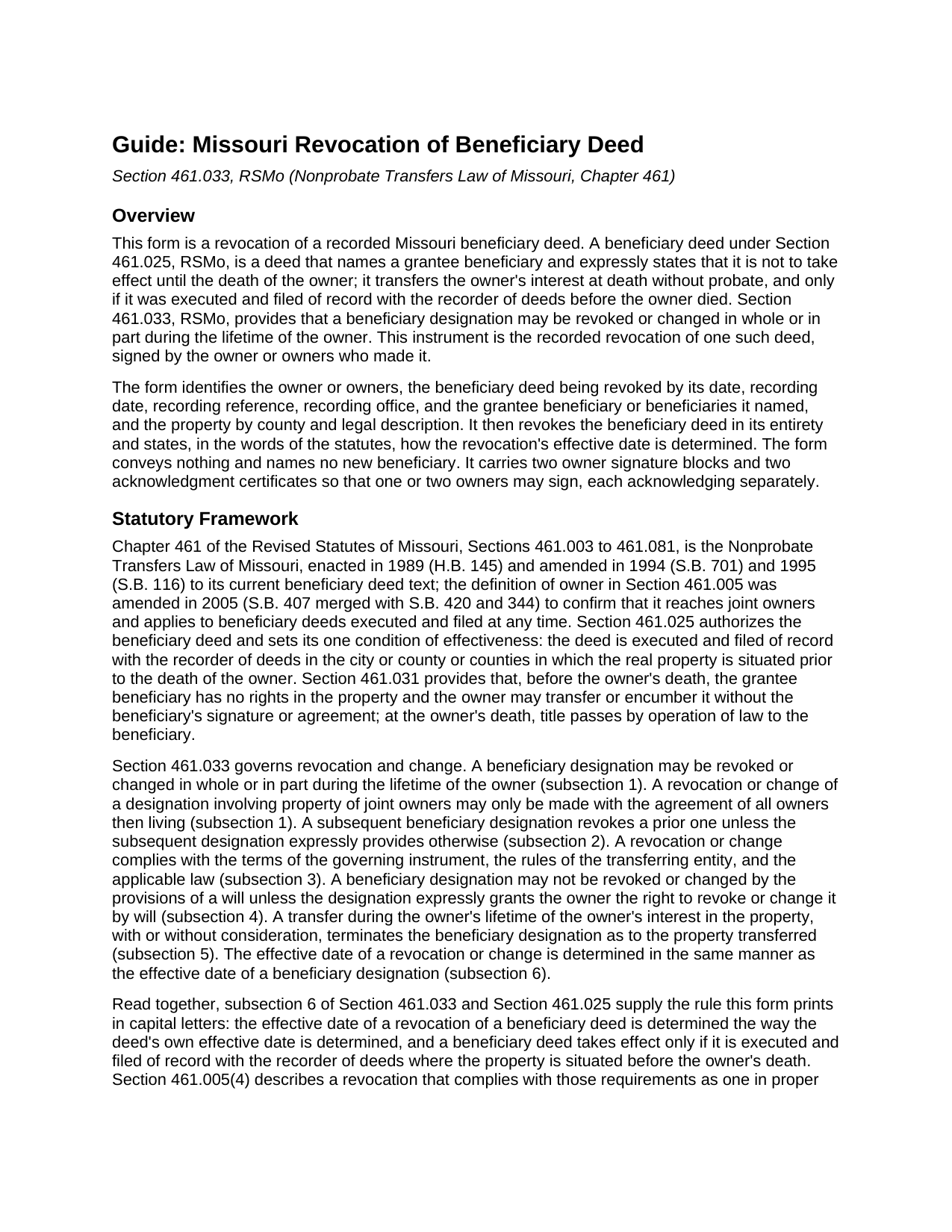
Oregon County Revocation of Beneficiary Deed Guide
Line by line guide explaining every blank on the Revocation of Beneficiary Deed form.
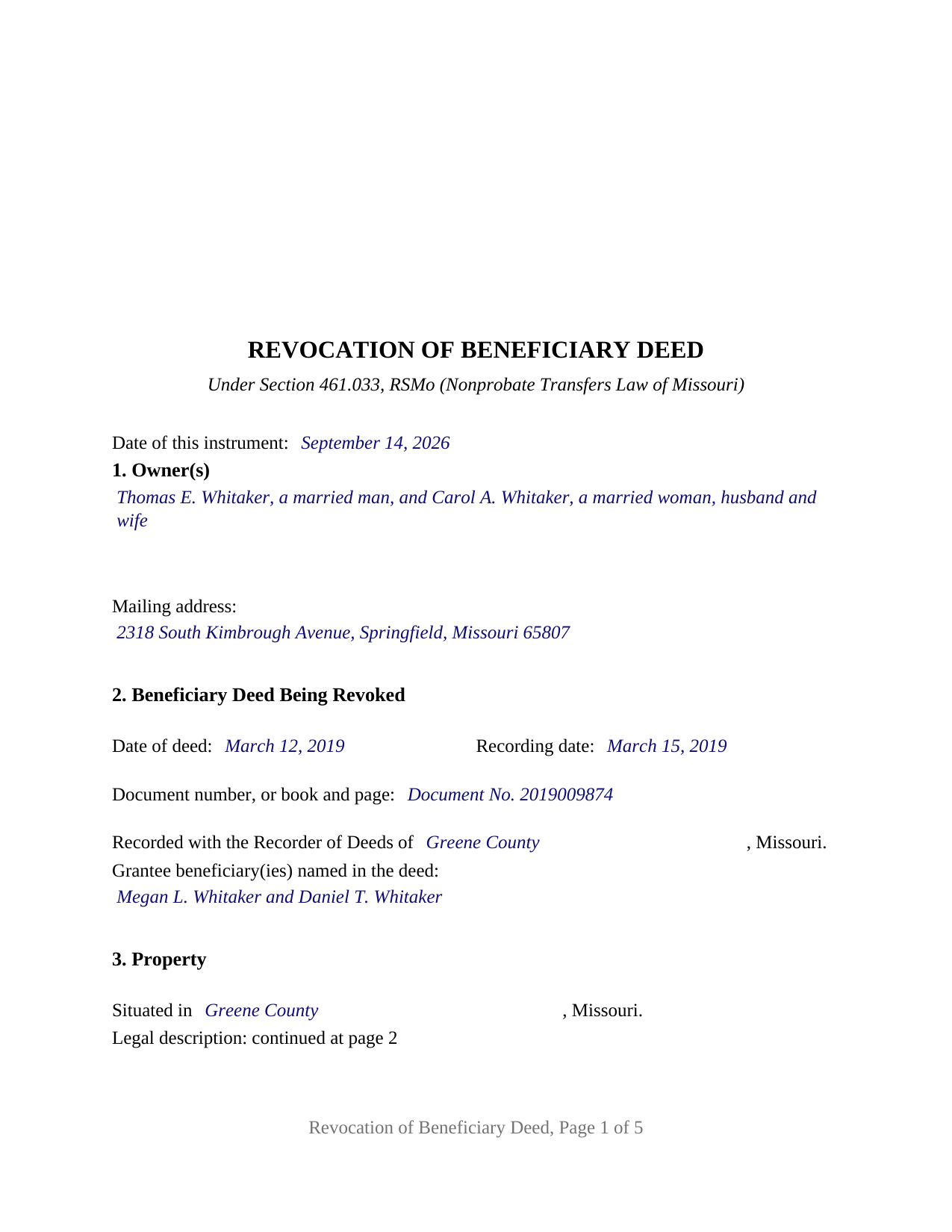
Oregon County Completed Example of the Revocation of Beneficiary Deed Document
Example of a properly completed Missouri Revocation of Beneficiary Deed document for reference.
All 3 documents above included • One-time purchase • No recurring fees
Immediate Download • Secure Checkout
Additional Missouri and Oregon County documents included at no extra charge:
Where to Record Your Documents
Oregon County Recorder of Deeds
Alton, Missouri 65606
Hours: 8:30 to 4:00 M-F
Phone: (417) 778-1827
Recording Tips for Oregon County:
- Bring your driver's license or state-issued photo ID
- Ensure all signatures are in blue or black ink
- Recording fees may differ from what's posted online - verify current rates
- Request a receipt showing your recording numbers
- Ask about accepted payment methods when you call ahead
Cities and Jurisdictions in Oregon County
Properties in any of these areas use Oregon County forms:
- Alton
- Couch
- Koshkonong
- Myrtle
- Thayer
Hours, fees, requirements, and more for Oregon County
How do I get my forms?
Forms are available for immediate download after payment. The Oregon County forms will be in your account ready to download to your computer. An account is created for you during checkout if you don't have one. Forms are NOT emailed.
Are these forms guaranteed to be recordable in Oregon County?
Yes. Our form blanks are guaranteed to meet or exceed the applicable formatting requirements used for recording in Oregon County, including margin requirements, font requirements, and other layout standards. This guarantee applies to formatting, not to the legal sufficiency of information entered by the user or the suitability of a form for a particular transaction.
Can I reuse these forms?
Yes. You can reuse the forms for your personal use. For example, if you have multiple properties in Oregon County you only need to order once.
What do I need to use these forms?
The forms are PDFs that you fill out on your computer. The free Adobe Acrobat Reader is recommended, and most PDF apps also work. You do NOT enter your property information online - you download the blank forms and complete them privately on your own computer.
Are there any recurring fees?
No. This is a one-time purchase. Nothing to cancel, no memberships, no recurring fees.
How much does it cost to record in Oregon County?
Recording fees in Oregon County vary. Contact the recorder's office at (417) 778-1827 for current fees.
Questions answered? Let's get started!
This Missouri package prepares a recorded revocation of a previously recorded beneficiary deed under Section 461.033, RSMo, part of the Nonprobate Transfers Law of Missouri. The instrument is signed by the owner or owners, one or two natural persons, who made the beneficiary deed being revoked. It is delivered as one statewide form rather than county-specific versions.
What the download contains
- Revocation of Beneficiary Deed Form: a fillable PDF. The first page is an instructions page marked not for recording, followed by the five-page instrument. Entries can be typed into the fields or printed by hand.
- Revocation of Beneficiary Deed Guide: a line-by-line guide that explains the statutory framework, each section of the form, the signing and notarization rules, the recording process, and what the form does not do.
- Completed Example: the same form filled in for a fictional married couple revoking a recorded Greene County beneficiary deed, with both signature blocks and both acknowledgment certificates completed. The guide refers to the example's entries by name, so each blank can be compared against a finished version.
What the form does
The form identifies the owners by name and marital status with a mailing address; the beneficiary deed being revoked by its date, recording date, document number or book and page, the recorder of deeds office where it was recorded, and the grantee beneficiaries named in it; and the property by county and legal description. Its operative section, which contains no blanks, revokes the identified beneficiary deed and its beneficiary designation in its entirety as to the described property. That section also recites that the revocation conveys no interest in the real property and makes no new beneficiary designation.
The revocation reaches only the beneficiary deed it identifies and the property it describes. A new beneficiary deed naming a different beneficiary is a separate instrument that is not included in this package. The revocation does not clear liens, release a deed of trust, or affect any other recorded interest.
Owners who sign
The form carries two owner signature blocks and two acknowledgment certificates, so one or two owners can sign. Under Section 461.033.1, RSMo, a revocation involving property of joint owners, meaning joint tenants with right of survivorship or a husband and wife holding as tenants by the entirety, may only be made with the agreement of all owners then living, and the form's operative language recites that where the deed was made by joint owners each signs. The second signature block and its certificate are designed to remain unused when a single owner revokes.
The guide describes four owner patterns the form reaches: a sole owner, two joint owners who both sign, a surviving joint owner who revokes alone, and two tenants in common. The form is not set up for a revocation signed by an entity, a trustee, a personal representative, or an attorney in fact or other agent acting for an owner, and three or more owners on one revocation are outside the form. The guide also notes that a person who acquired the property after the beneficiary deed was recorded is not the owner who made the designation.
Effective date and recording
The form's capitalized closing paragraph recites the statutory rule that the effective date of a revocation is determined in the same manner as the effective date of a beneficiary designation (Section 461.033.6), and that a beneficiary deed transfers the property only if it is executed and filed of record with the recorder of deeds where the property is situated before the owner's death (Section 461.025). The guide explains the consequence for this instrument: a signed and acknowledged revocation that is not of record at the owner's death leaves the recorded beneficiary deed in place.
The instrument is letter size and is laid out with the three-inch first-page top margin and first-page items described in Missouri's recording standards, with the legal description box on page two and that page reference stated on page one. The guide's recording section covers the recording office, statutory fees, formatting standards, and county intake differences.
Notarization
Each owner has a separate acknowledgment certificate printing the Missouri statutory short form, with a line for the officer to designate whether the signer appeared by physical presence or by communication technology. The separate certificate for each owner is the form's design rather than a Missouri requirement; it allows two owners to acknowledge on different dates, before different officers, or in different states. The guide describes acknowledgments taken outside Missouri and remote online notarization.
This description and the included guide provide general information about the supplied form and the Missouri statutes it cites. They are not legal advice.
Important: Your property must be located in Oregon County to use these forms. Documents should be recorded at the county or independent city recording office listed above.
This Revocation of Beneficiary Deed meets all recording requirements specific to Oregon County.
Our Promise
The documents you receive here are guaranteed to meet or exceed the applicable Oregon County recording format requirements. If there is a rejection caused by our formatting, we will correct the issue or refund your payment. This guarantee applies to document formatting only and does not extend to information entered by the user, the selection of the form, or the legal effect of the completed document.
Save Time and Money
Get your Oregon County Revocation of Beneficiary Deed form done right the first time with Deeds.com Uniform Conveyancing Blanks. At Deeds.com, we understand that your time and money are valuable resources, and we don't want you to face a penalty fee or rejection imposed by a county recorder for submitting nonstandard documents. We constantly review and update our forms to meet rapidly changing state and county recording requirements for roughly 3,500 counties and local jurisdictions.
4.8 out of 5 - ( 4,860 Reviews )
Thi W. 5 out of 5 stars
Absolutely the easiest and fastest service ever!!! staff very helpful.
Thank you!
EUGENE S. 5 out of 5 stars
SIMPLE EASY TO UNDERSTAND PROCESS
We appreciate your business and value your feedback. Thank you. Have a wonderful day!
Jo Anne C. 5 out of 5 stars
Excellent documentation. Thank you.
Thank you for your feedback. We really appreciate it. Have a great day!
Robert F. 5 out of 5 stars
This service is excellent. I submitted a Quickclaim Deed so my home would be in the name of a Living Trust I had just created. This was my first attempted at any of this and the staff person, KVH, who reviewed my Deed was extremely helpful and quick to respond to any questions I had and to make sure the Deed had the correct information before submittal to the county for recording. I started the process one afternoon and by the next day, the Deed was submitted to, and recorded in, my county. I will use them again whenever needed.
We appreciate your business and value your feedback. Thank you. Have a wonderful day!
Frankie A. 4 out of 5 stars
Deeds.com recorded documents for me without any issue. It's a good service and provides a lot of assistance on its web site. However, I asked for a printed receipt (i.e. an pdf copy of one), but after a staff provided me with an obvious answer, they simply ignored my follow up requests. I also asked a simple formatting question that they should have been able to answer; instead, they passed the buck and referred me to the recorder, which currently is a very time-consuming venture. They also have no telephone number for any issue. Generally, the service saves me the time and effort of physically recording a document, but when you think about $19.00 per recording seems like a steep price for the services rendered.
We appreciate your feedback Frankie. We are glad that we were able to submit your documents as requested. Sorry to hear that we let you down in other areas. We do encourage you to shop around for services that may better suit your needs. Have a wonderful day.
David S. 5 out of 5 stars
The form was just what I needed for the Circuit Court and Land Records office. The additional information provided was very helpful as well.
We appreciate your business and value your feedback. Thank you. Have a wonderful day!
Jana H. 5 out of 5 stars
This company has made my life so much easier. I'm not driving 25 miles twice a week to record a document. I'm almost giddy! Thank you for making my job so much faster! Jana Hamilton
We appreciate your business and value your feedback. Thank you. Have a wonderful day!
Kristina H. 5 out of 5 stars
Everything I needed to complete my release of lien was easy to obtain from Deed.com - and the example and instructions were helpful as well. The website is simple and efficient. Thanks!
We appreciate your business and value your feedback. Thank you. Have a wonderful day!
Laurel D. 5 out of 5 stars
This is a great service. I can't believe how fast my document was recorded!
Thank you for your feedback. We really appreciate it. Have a great day!
Linda H. 5 out of 5 stars
This was so easy to download, open the files and then complete the document on the computer then printing out. I waited to review this until we took it to Courthouse for the Recorder of Deeds and the legal task is now done. An attorney would probably have charge $300. This is a real deal packet!
Thanks for sharing your experience, Linda. It’s great to hear the documents were easy to complete and accepted by the recorder with no issues.
Robert G. 5 out of 5 stars
Excellent. I needed a NOC recorded immediately and you guys made it happen when all other avenues looked like they were not going to be possible. Thank you very much.
Thank you for your feedback. We really appreciate it. Have a great day!
Rebecca M. 5 out of 5 stars
Haven't used yet but I will check it out tomorrow
Thank you!
HELEN F. 5 out of 5 stars
Was straight to the point... Easy to read instructions... smooth process
Thank you for your feedback. We really appreciate it. Have a great day!
Judith M. 5 out of 5 stars
You all have been very patient and helpful. Thank you.
Thank you!
Brian S. 3 out of 5 stars
PDF fields change font sizes leading to an unprofessional-appearing printed page. The examples for "Convey to" section don't include how to specify just one person instead of a married couple. Maybe that is simple but it would help to spell it out in an example. Haven't submitted to County Recorder yet, so will find out if it is acceptable.
Thank you for the feedback Brian.
The font issue is caused by using a PDF viewer other than Adobe Acrobat Reader. Our form fields are set to a uniform 12-point font, but non-Adobe viewers often render form fields inconsistently. Opening and printing the form with the free Adobe Acrobat Reader will resolve that.
Regarding the examples, that's a fair point, we'll look at expanding them.